Payment reports help you track the performance of payment operations in your store, analyze the success of payment transactions, the most used payment methods, and monitor suspicious orders and payment disputes, helping you detect issues early, improve the payment experience, and reduce sales loss.
In this article, you will learn how to access payment reports and the key indicators you can use to understand the performance of payment operations in your store.
📌 Main Topics
- General payment report
- Practical examples to help you read payment reports
General Payment Report
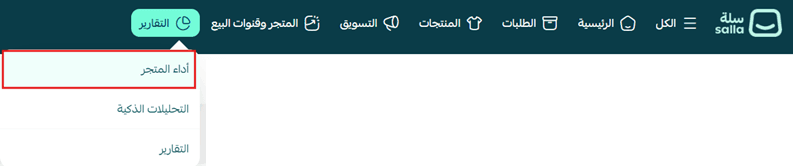
1. From the main store menu, click (Reports) then click (Store Performance).
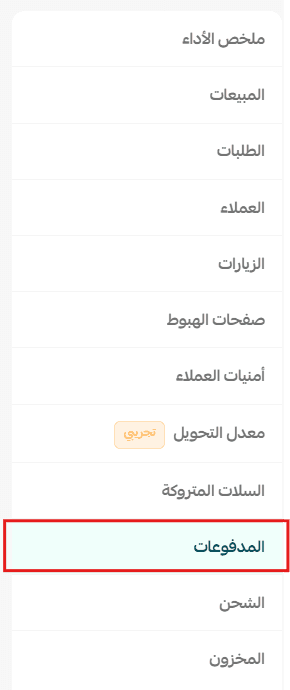
2. Select the report type (Payments).
🎯 The payment dashboard displays key performance indicators of payment operations in your store, such as payment acceptance rate, payment methods used, electronic payment rate, suspicious orders, and payment disputes, helping you track payment efficiency, identify issues that may affect order completion, and make decisions to improve the payment experience and reduce risks.
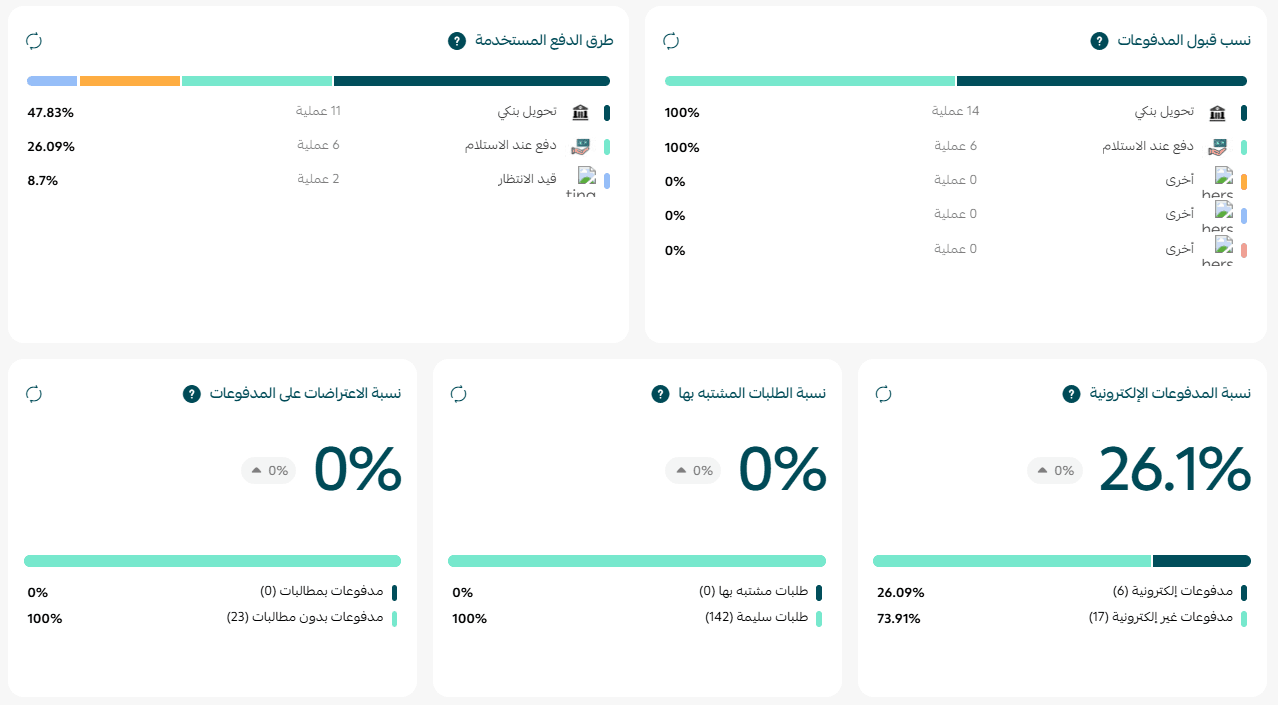
Payment Acceptance Rate
What is it?
It shows the percentage of successful payment attempts out of the total payment attempts during the specified period.
How is it calculated?
Payment acceptance rate = (Paid invoices ÷ Total invoices) × 100
Paid invoices include the following statuses:
- Paid.
- Refunded.
- Partially refunded.
- Refunded to wallet.
Why does it matter?
It helps you understand how successful customers are in completing payment transactions and identify any issues that may affect order completion.
Payment Methods Used
What is it?
It shows the distribution of orders by payment method used, such as Mada, credit cards, cash on delivery, and bank transfer, along with the sales value and fees for each method.
Why does it matter?
It helps you understand the most used payment methods and compare their costs and impact on the customer experience.
Electronic Payment Rate
What is it?
It shows the percentage of orders paid electronically compared to the total orders.
How is it calculated?
Electronic payment rate = (Electronic payment orders ÷ Total orders) × 100
Electronic payment includes all payment methods except cash on delivery and bank transfer.
Why does it matter?
The higher this rate, the less reliance on manual payment methods, contributing to faster order processing and reducing the likelihood of order cancellations.
Suspicious Order Rate
What is it?
It shows the percentage of orders classified by the payment gateway as potentially suspicious or fraudulent.
How is it calculated?
Suspicious order rate = (Suspicious invoices ÷ Total invoices) × 100
Why does it matter?
It helps you monitor risk levels and take measures to protect your store from fraud.
Payment Dispute Rate
What is it?
It shows the percentage of orders where customers filed a payment dispute (Chargeback).
How is it calculated?
Dispute rate = (Disputed orders ÷ Total orders) × 100
Why does it matter?
A high rate may indicate issues in the customer experience or an increase in fraud, which can affect your account with payment gateways.
💡 Practical Examples to Help You Read Payment Reports
- Example 1: Payment Acceptance Rate Decreased
Example:
Last month: 97%.
This month: 86%.
What does it mean?
More customers were unable to complete the payment process, potentially leading to lost sales.
What can you do?
- Review the reasons for payment failures.
- Test different payment methods yourself.
- Ensure there are no issues with the payment gateway or its settings.
- Example 2: Cash on Delivery Rate Increased
Example:
Last month: 18% of orders.
This month: 42% of orders.
What does it mean?
More customers prefer cash on delivery over electronic payment.
What can you do?
- Review the electronic payment experience in the store.
- Offer incentives for electronic payments like discounts or free shipping.
- Ensure all payment methods are functioning correctly.
- Example 3: Electronic Payment Rate Decreased
Example:
Last month: 91%.
This month: 74%.
What does it mean?
Fewer customers are using electronic payment methods, possibly due to a technical issue or a change in customer preferences.
What can you do?
- Review the payment acceptance rate.
- Test all electronic payment methods.
- Ensure there are no complex steps during payment.
- Example 4: Suspicious Order Rate Increased
Example:
Last month: 0.4%.
This month: 2.8%.
What does it mean?
There is an increase in orders considered high risk by the payment gateway.
What can you do?
- Review these orders before shipping.
- Verify customer data and shipping address.
- Example 5: Payment Dispute Rate Increased
Example:
Last month: 0.3%.
This month: 1.6%.
What does it mean?
The number of customers disputing payments after execution has increased.
What can you do?
- Review the reasons for disputes.
- Improve product descriptions and return policy.
- Keep proof of shipping and delivery to facilitate dispute resolution.
- Example 6: One Payment Method Dominates Sales
Example:
80% of orders were made via Mada, while credit cards did not exceed 8%.
What does it mean?
Your customers prefer using a specific payment method over others.
What can you do?
- Ensure the availability and stability of this method.
- Monitor its fees regularly.
- Improve the experience of less used payment methods if you want to increase their adoption.
💡 Tip: Do not rely on a single indicator when evaluating payment performance. A decrease in electronic payment rate may result from a decrease in payment acceptance rate or due to customers preferring cash on delivery. Always read payment indicators together to get a clearer picture that helps you improve the payment experience and reduce sales loss.
🔥 Use payment reports regularly to monitor the efficiency of payment operations in your store, detect issues before they affect your sales, improve customer experience, and reduce fraud risks and payment disputes, contributing to an increased order completion rate and sustainable growth for your store. 🚀