Is your store ready to ship across borders without getting shipments rejected at customs?
As your store starts selling internationally, customs and carrier rules stop being paperwork and start being revenue. The single field that causes the most rejected shipments is the HS code — the customs harmonized code that tells carriers and customs authorities exactly what your product is. Getting it right speeds shipments through border checkpoints and avoids delays and unexpected charges. In this guide, you'll learn how to enable, enter, and import HS codes for your products on Salla.
An HS code is the international customs classification number that identifies what a product is. Salla shows the HS code field on shippable products once you enable it in product settings. Carriers require it on international shipments, along with a real price and a clear product description.
📌 Article overview
- Why shipping companies reject international shipments
- What is an HS code?
- How to enable the HS code field
- How to enter an HS code for a product
- How to import HS codes
- Frequently asked questions
Why shipping companies reject international shipments
A carrier can refuse your shipment for several reasons. The most common ones are:
- The product has no HS code.
- The product price is zero.
- The product description is not specific enough. For example, if the shipment contains clothing, the shipper has to name the actual item — a shirt or a pair of jeans, not just 'clothes'.
What is an HS code?
The HS code is a global code used to identify shipments. Shipping companies have to confirm it is present in order to move the shipment through export.
🚀 How to enable the HS code field
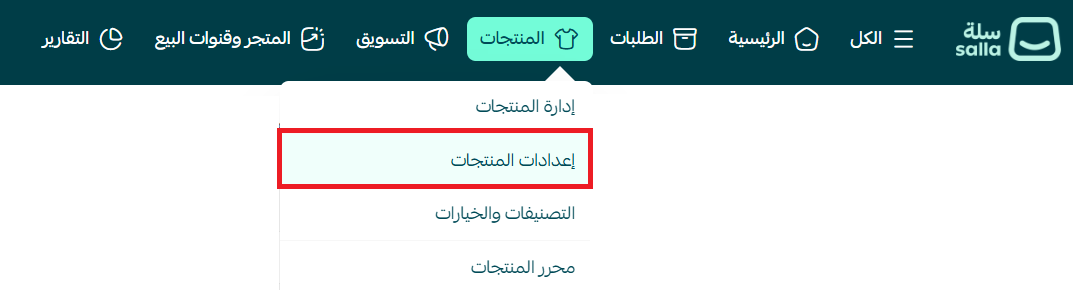
1. From the main menu, click (Products), then click (Product settings).
2. From the product settings page, turn on (Show the HS code field in the product details).

👣 How to enter an HS code for a product
1. From the main menu, click (Manage products).

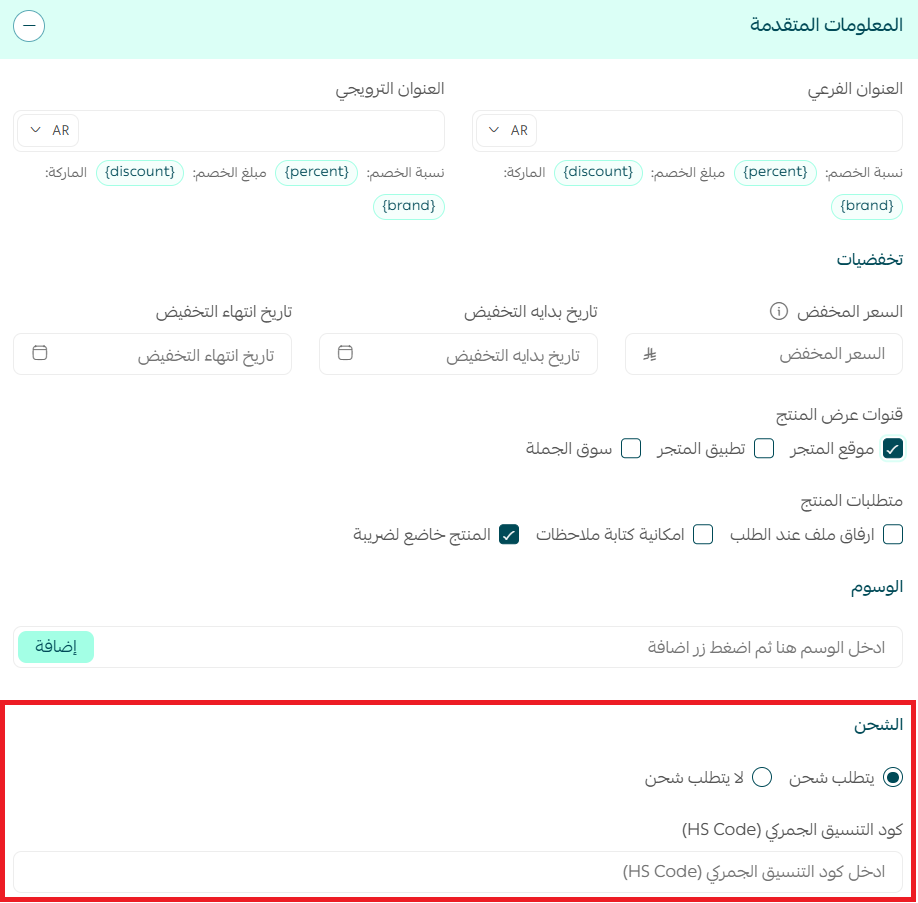
2. Open the product, then under advanced information select (Requires shipping). The HS code field appears once shipping is required.
📝 Important notes
The HS code is made up of 6 digits. Enter the correct code for each product to avoid customs problems or rejected shipments.
For more detail on the harmonized customs code.
How to import HS codes
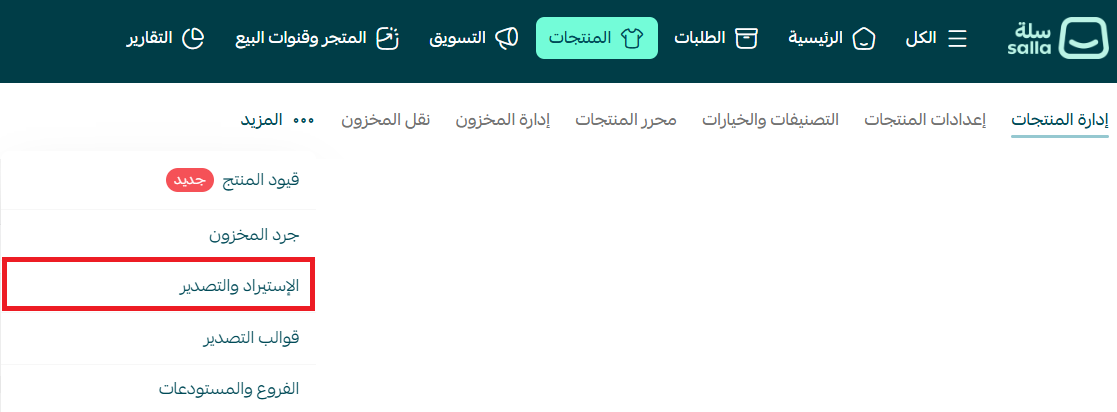
1. From the main menu, click (More), then click (Import and export).
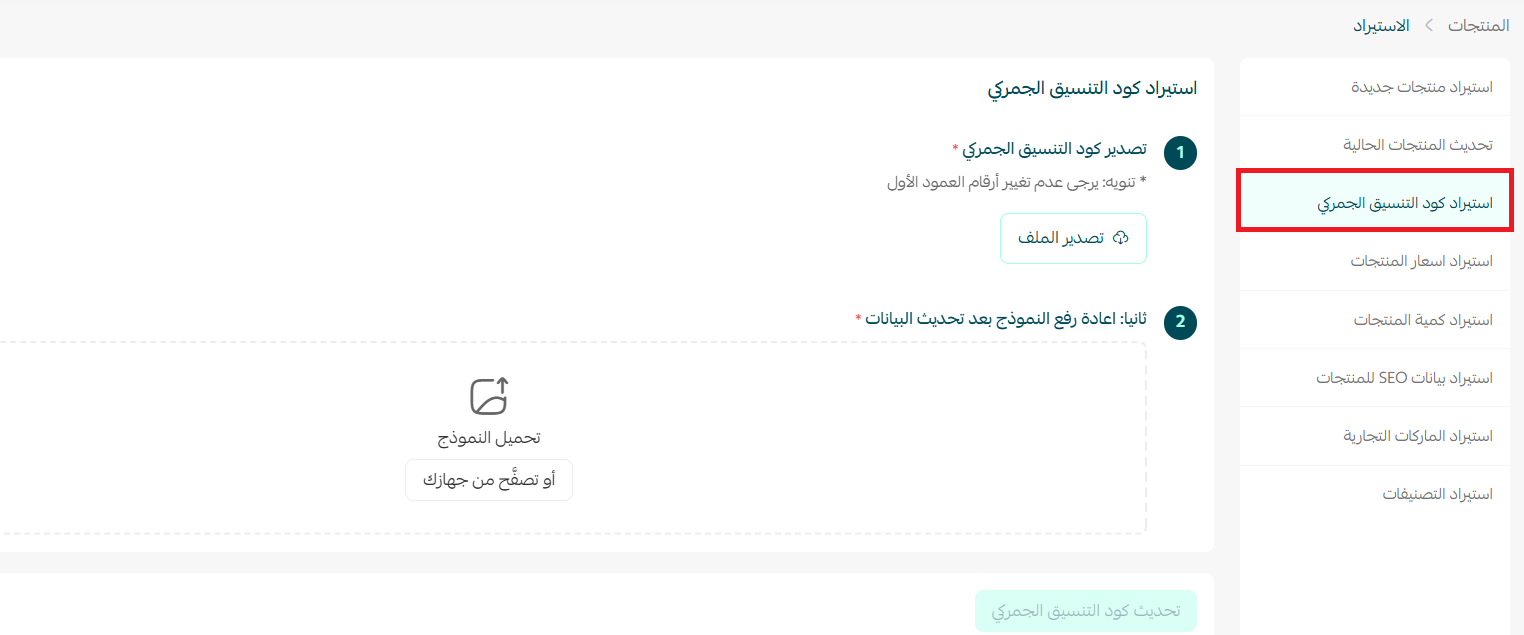
2. From the side menu, choose (Import HS code).
Frequently asked questions
❓ Where do I get the HS code for a product?
HS codes are published on several sites. The authoritative source in Saudi Arabia is the Zakat, Tax and Customs Authority website.
❓ Does the HS code field show on every product?
No. The HS code field only appears when the product is shippable.
❓ Which carrier in Salla Shipping Policies offers international shipping?
DHL provides international shipping for online stores at discounted rates through Salla Shipping Policies.
For more detail on connecting to DHL.
❓ How will I know whether my shipment meets the requirements?
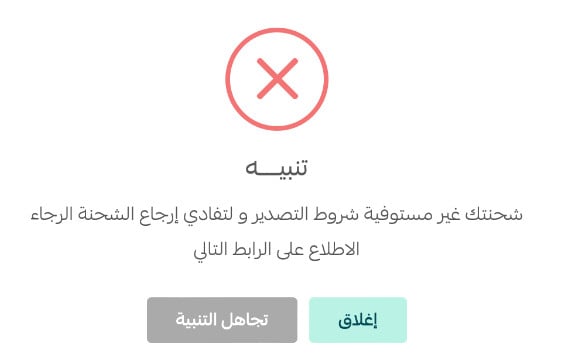
Salla shows you an alert whenever a shipment is international and does not meet the requirements.
❓ Will the HS code appear on the invoice?
Yes. The invoice includes a dedicated HS code column.
❓ How do I send a gift item inside an international shipment?
A zero price is one of the top reasons an international shipment gets rejected, so don't set the price to zero. Send the item as a gift by applying a 100% discount to it instead.