Are you struggling to attract customers who find it difficult to pay the full order amount upfront?
With Mispay, you can encourage purchases by allowing customers to split their payment into installments, increasing purchasing power and improving checkout completion — with no late fees.
In this article, you’ll learn how to activate Mispay in your Salla store and benefit from this flexible payment method safely and easily.
📌 Article overview
- What is Mispay?
- Steps to activate Mispay
- Frequently asked questions
Note: This feature is currently available only for stores in Saudi Arabia.
What is Mispay?
Mispay is a Buy Now, Pay Later payment method that allows customers to split their purchase amount into three installments over three months.
Adding Mispay as a payment option in your store helps increase sales by motivating customers to buy without worrying about paying the full amount immediately, and without any late payment fees.
Steps to activate Mispay
To enable Mispay in your store:
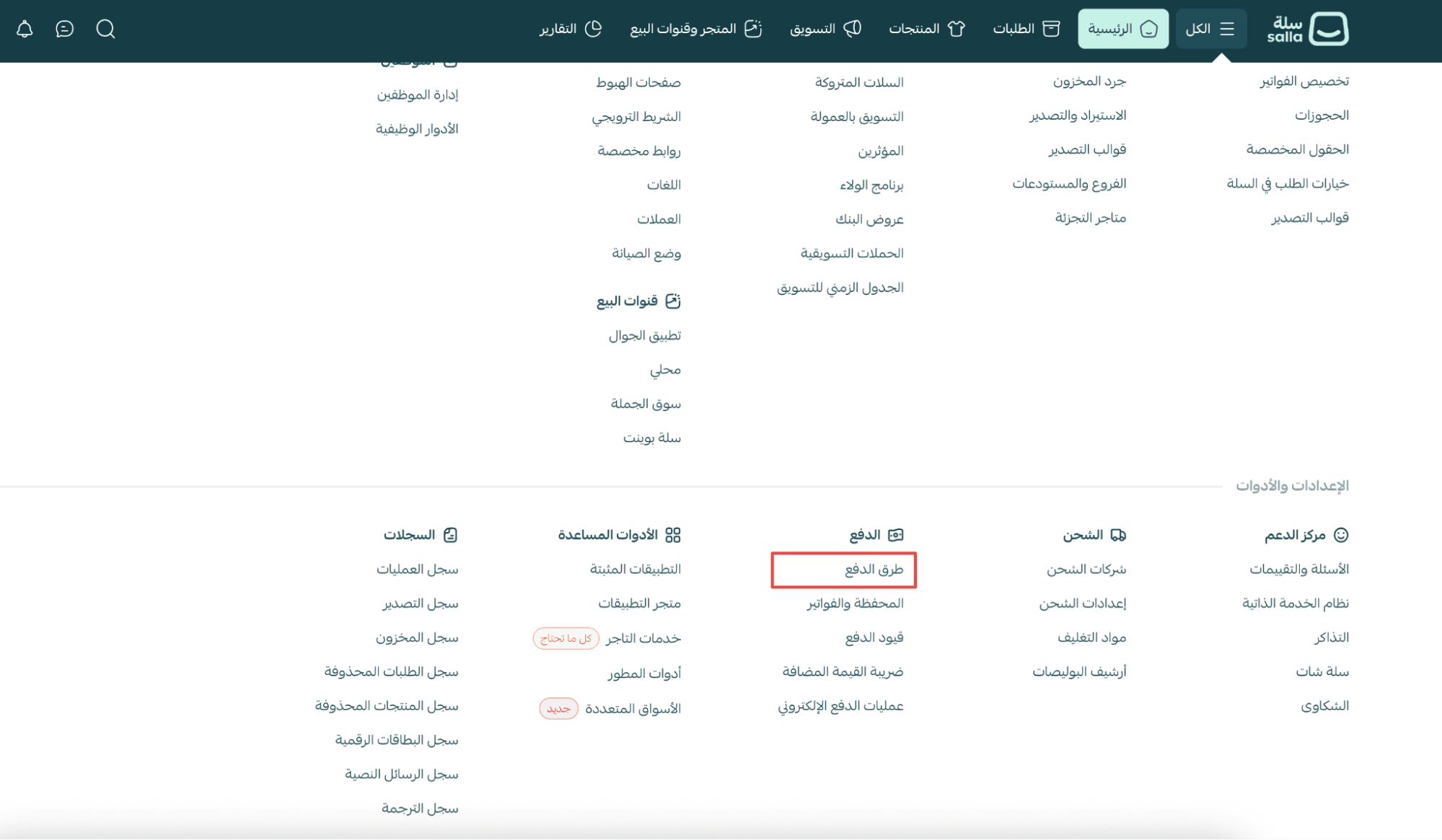
- From the main menu, open the All tab.
Under Settings & Tools, click Payment Methods.
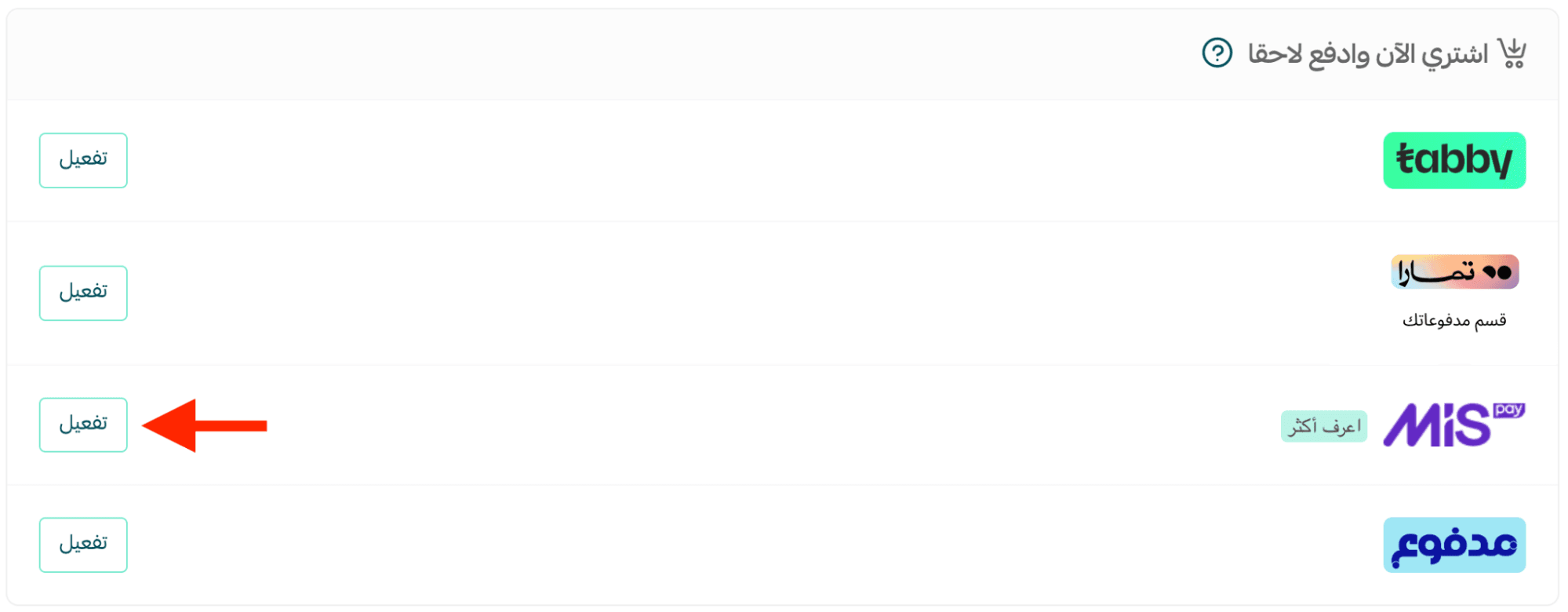
2. On the Payment Methods page, go to the Buy Now, Pay Later section and find Mispay, then click Activate.
Requesting Mispay activation
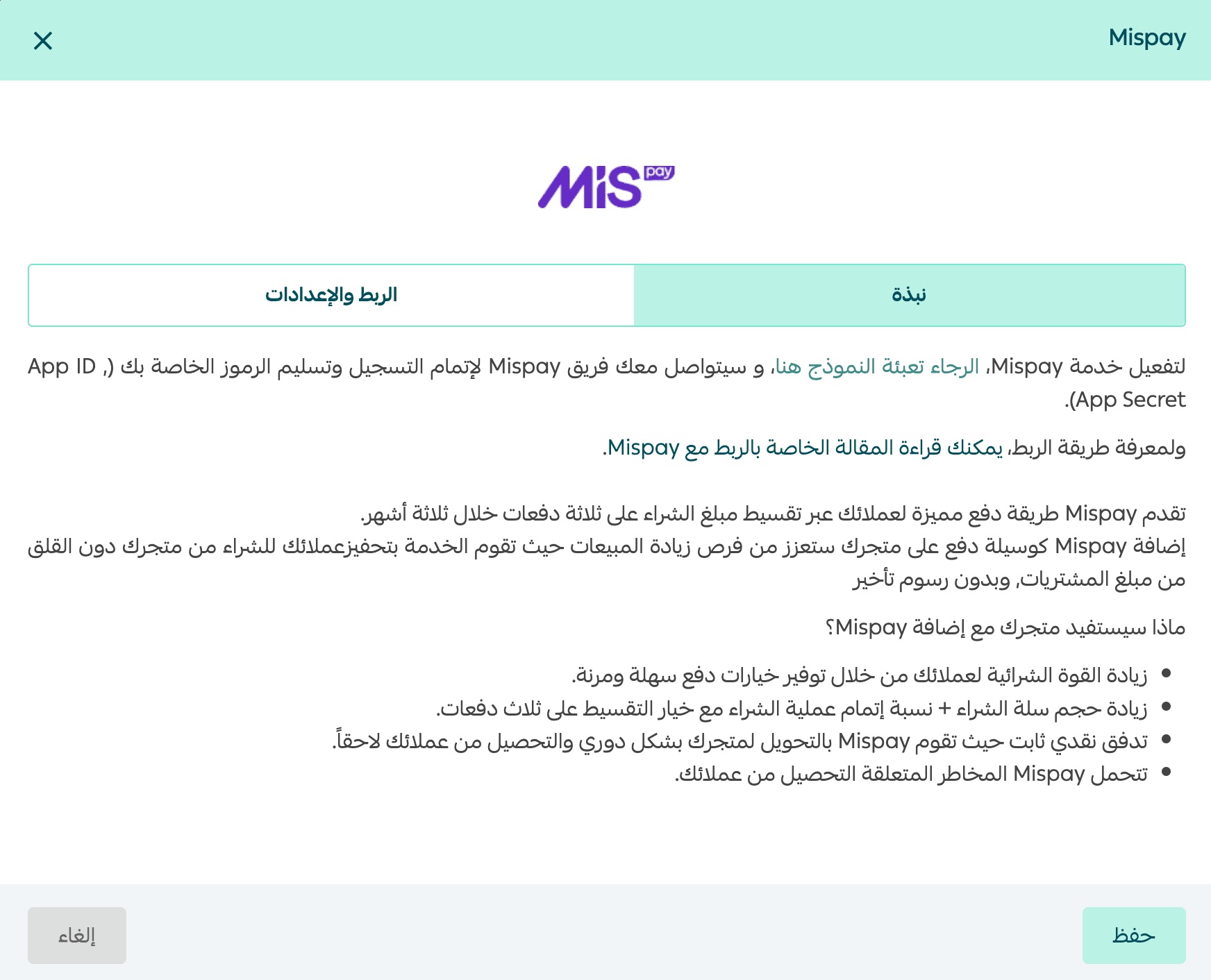
- From the Overview tab, click here to activate the Mispay service.
Notes:
- You will be redirected to a registration form to contact the Mispay team.
- If you upload documents such as a Commercial Registration, the accepted file formats are:
- jpg, png, pdf, docx, doc
Mispay will then contact you to complete registration and provide your integration credentials:
- App ID
- App Secret
Connecting Mispay to Salla
From the Integration & Settings tab:
- Enter your App ID and App Secret in the required fields
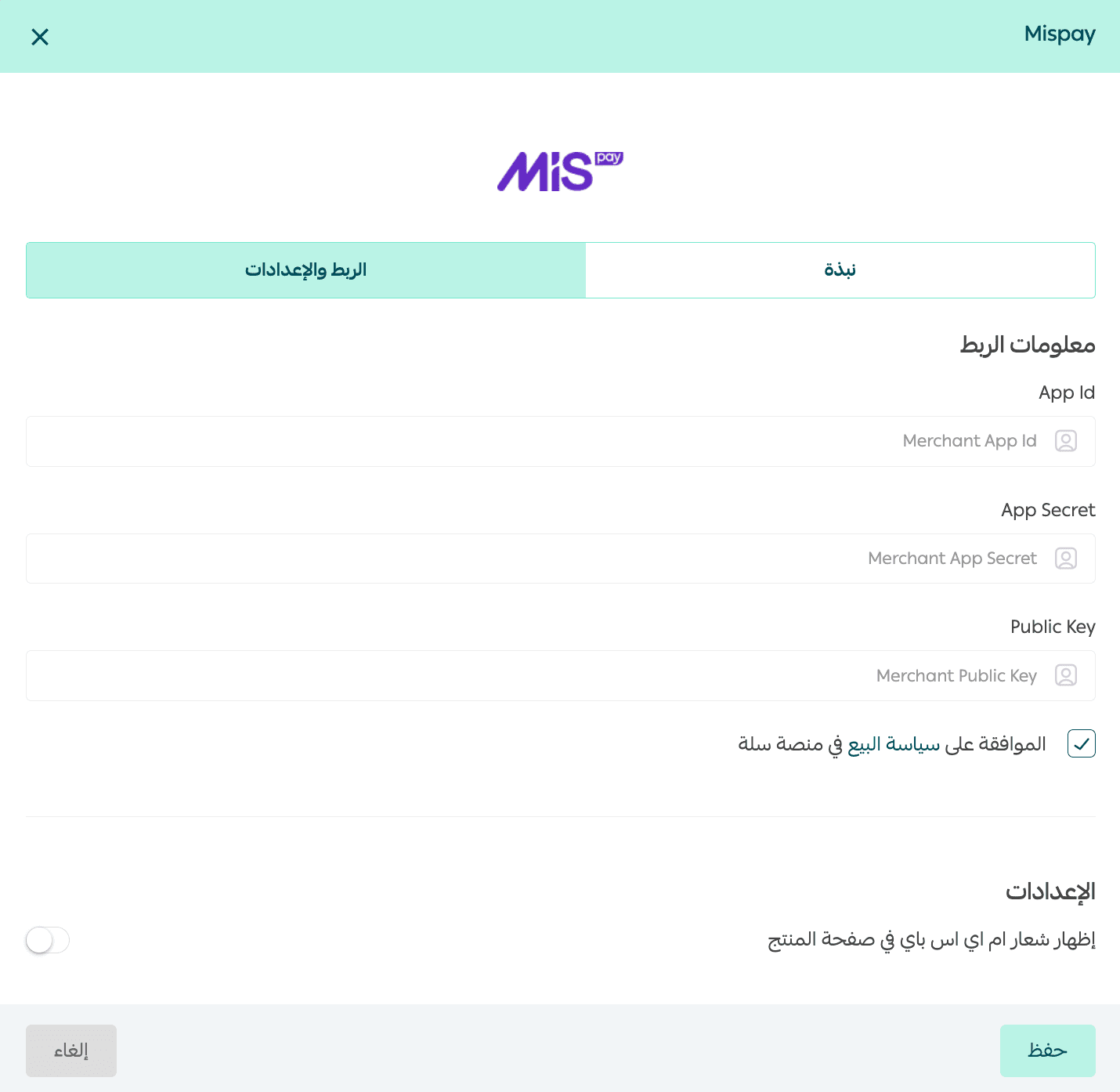
2. Agree to Salla’s sales policy
3. Enable the option to display the Mispay logo on the product page, then click Save.

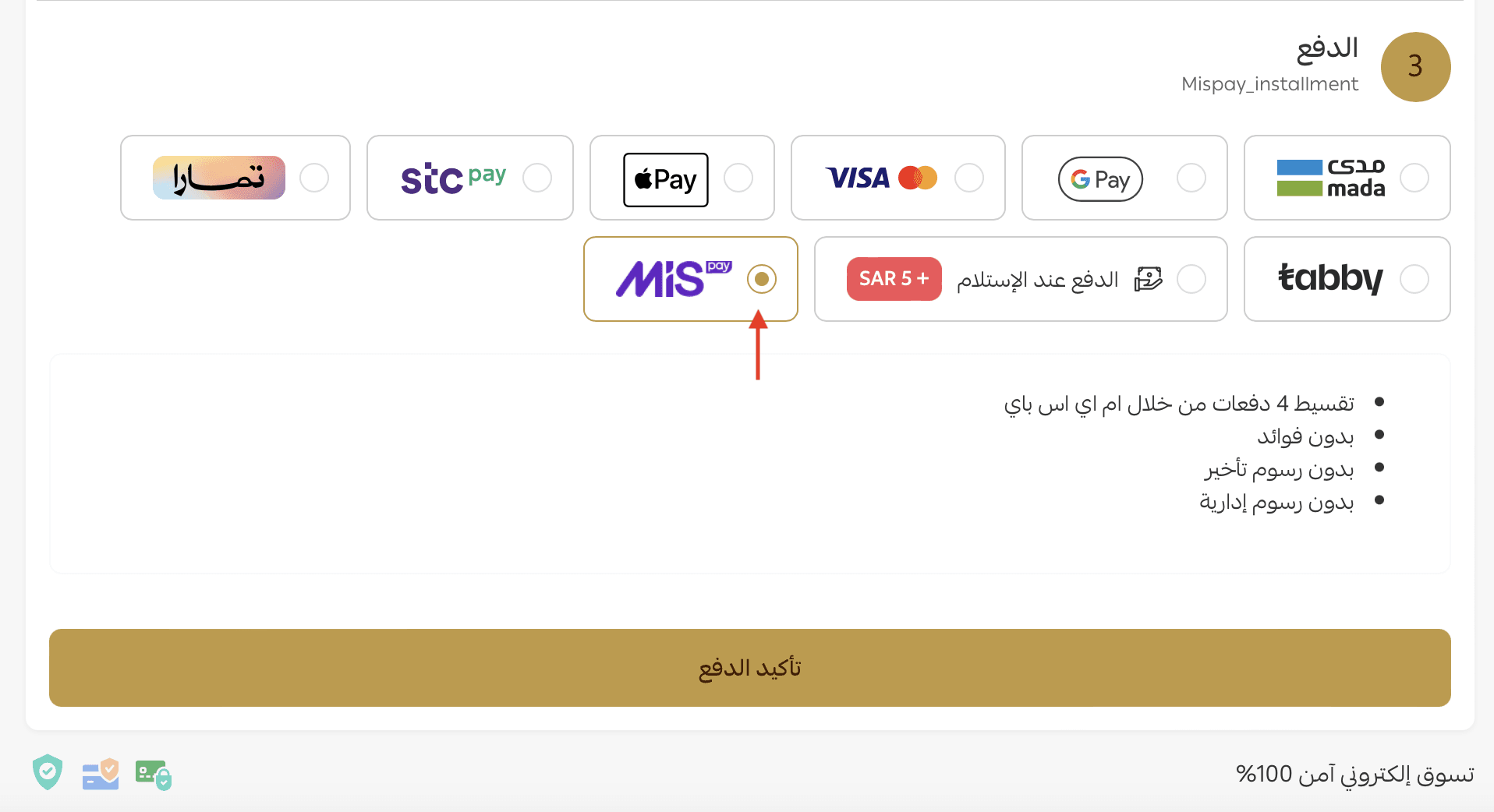
When will Mispay appear at checkout?
Mispay will appear as a payment method on the checkout page only if:
- The cart total is at least SAR/AED 200
- The cart total does not exceed SAR/AED 7,500
Frequently asked questions
How will my store benefit from adding Mispay?
Mispay helps your business by:
- Increasing customers’ purchasing power through flexible installment payments
- Boosting cart value and checkout completion rates
- Providing stable cash flow, as Mispay transfers funds to merchants periodically and collects from customers later
- Taking on the collection risk from customers
Can I be approved by Mispay without receiving integration credentials?
Yes. You may be accepted before receiving your App ID and App Secret.
In this case, you can:
- Check your email inbox for messages from Mispay
- Contact Mispay directly at: contact@mispay.co to request your credentials
How many installments are available?
The order amount is split into 4 installments.
What is the maximum order value supported?
Customers can use Mispay for orders up to SAR/AED 5,000.
If the cart total exceeds SAR/AED 5,000, Mispay will not appear at checkout.
What is the minimum order value supported?
The minimum cart value is SAR/AED 200.
If the cart total is below SAR/AED 200, Mispay will not appear at checkout.
Which subscription plans support Mispay?
Mispay is available on:
- Plus Plan
- Pro Plan
- Special Plan