With Tabby, you can turn shopping in your store into a smoother and more flexible experience by offering customers the option to pay later or split payments into installments.
In this guide, you’ll learn how to connect Tabby to your Salla store in simple steps, how it can help increase sales, and answers to the most common questions about the service.
📌 Article overview
- What is Tabby?
- Creating and activating a new Tabby Business account
- Activating an existing Tabby account in your store
- Frequently asked questions
What is Tabby?
Tabby is a Buy Now, Pay Later payment method that helps your store stand out and places you alongside some of the region’s leading retailers.
Major brands such as 6thStreet, Golden Scent, and Abdul Samad Al Qurashi offer Tabby to provide customers with a more convenient and flexible way to pay.
By adding Tabby to your checkout, you can encourage customers to complete purchases without worrying about paying the full amount upfront, which can significantly boost conversion rates and order value.
Creating and activating a new Tabby business account
To request a new Tabby Business account through Salla:
- From the main menu, open the All tab.
Under Settings & Tools, click Payment Methods.
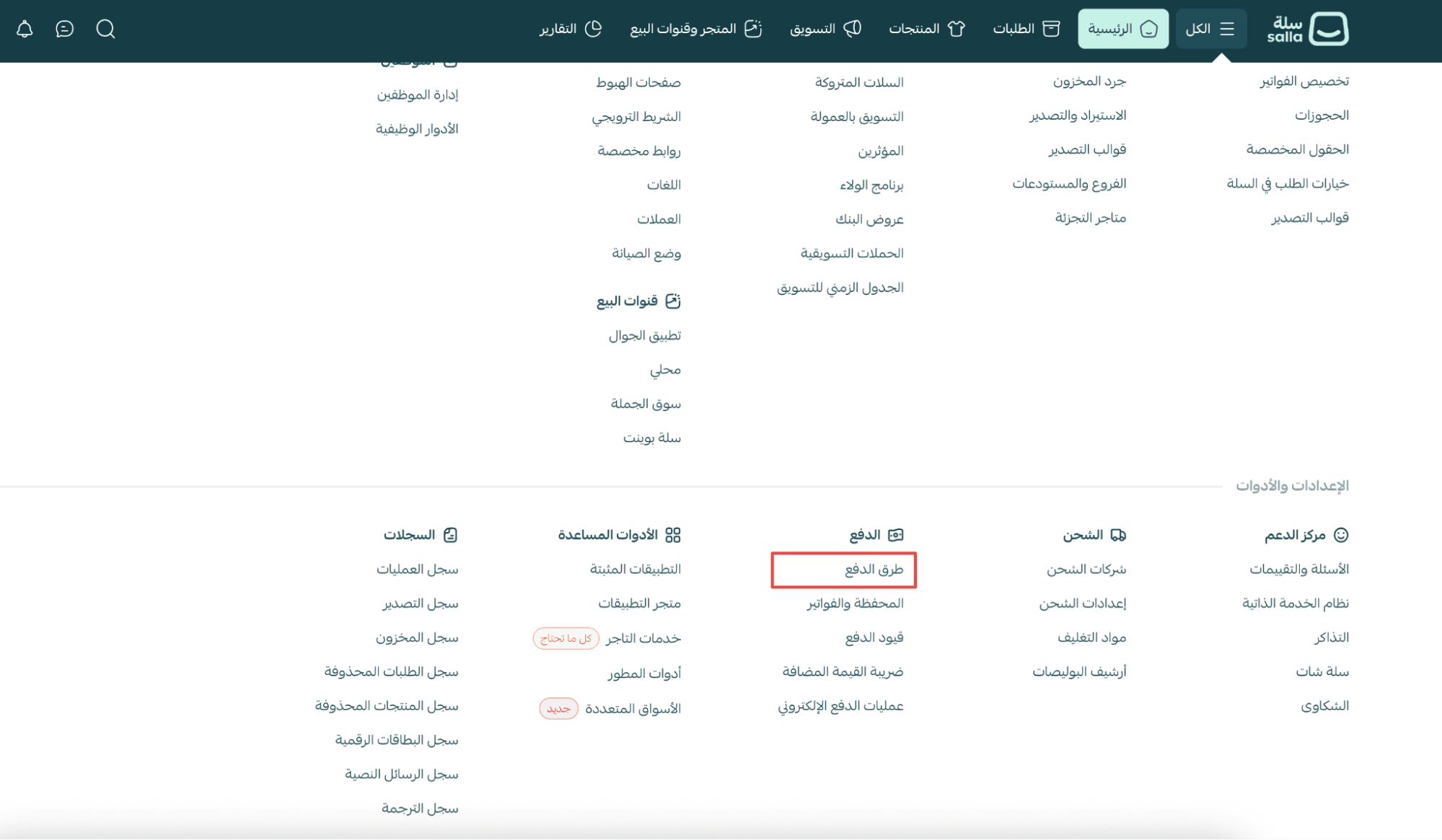
2. In the Buy Now, Pay Later section, find Tabby, then click Activate.
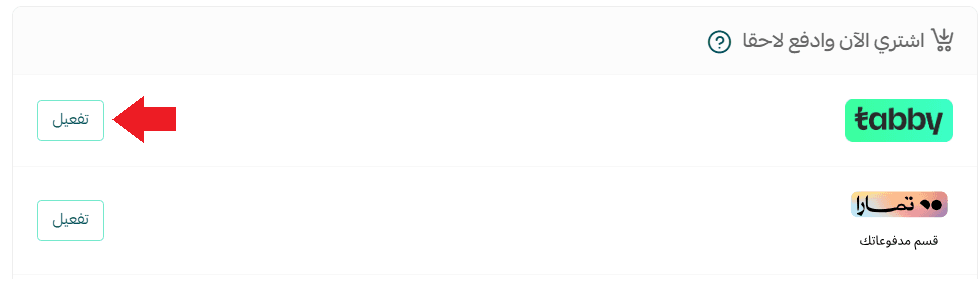
The Tabby integration page will appear.
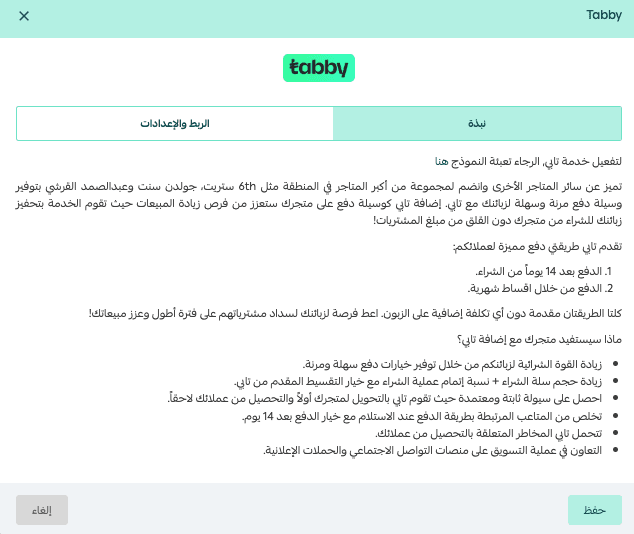
From the Integration & Settings tab:
- Select Submit a request to open a Business account
Note: This option is currently available only for stores in Saudi Arabia.
- Review the information your store will share with Tabby by clicking View Information
- Enter the bank account holder name in English
- Enable I agree to share my data with Tabby, then click Save
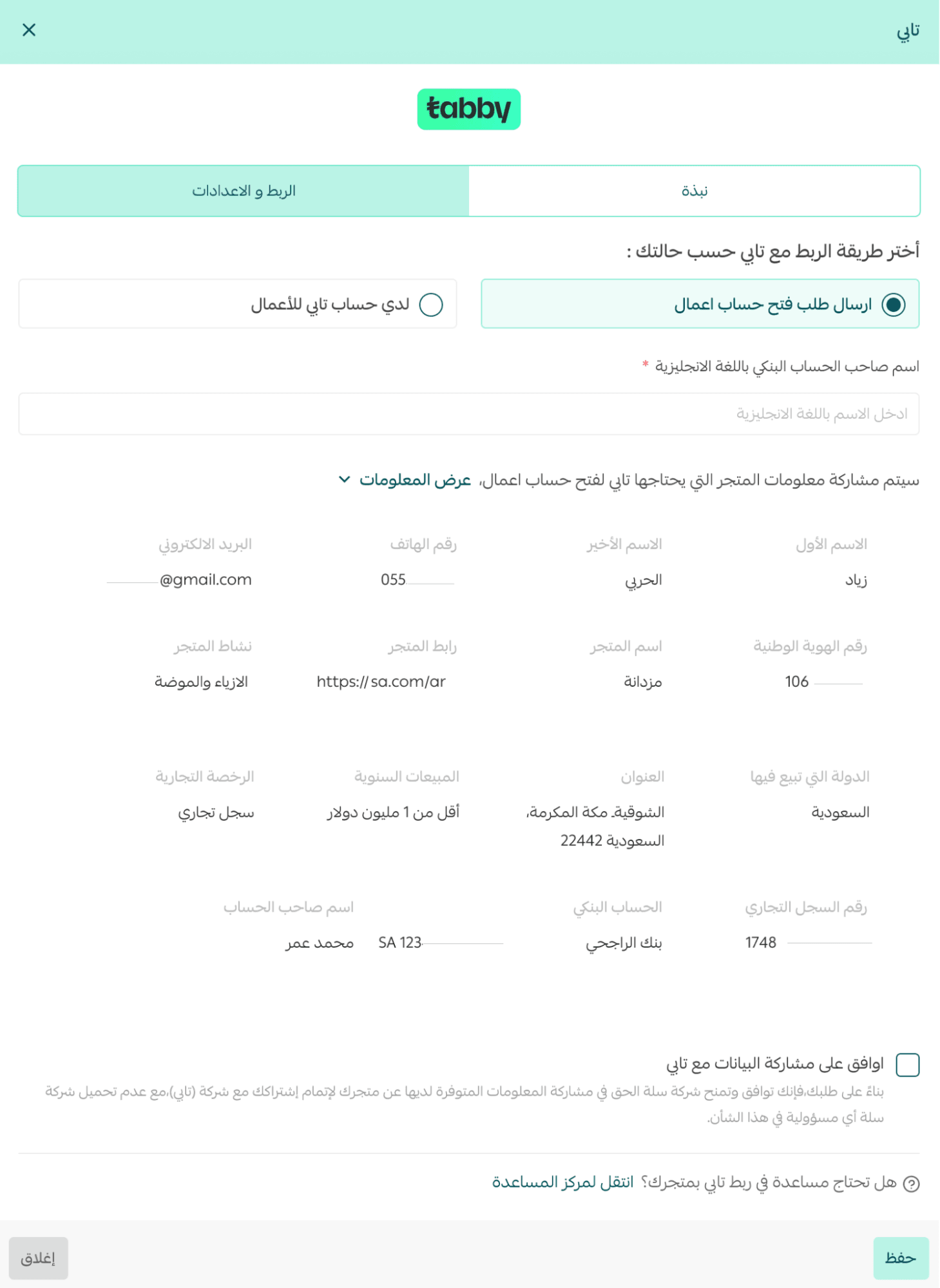
Your request will be successfully submitted to Tabby’s team.
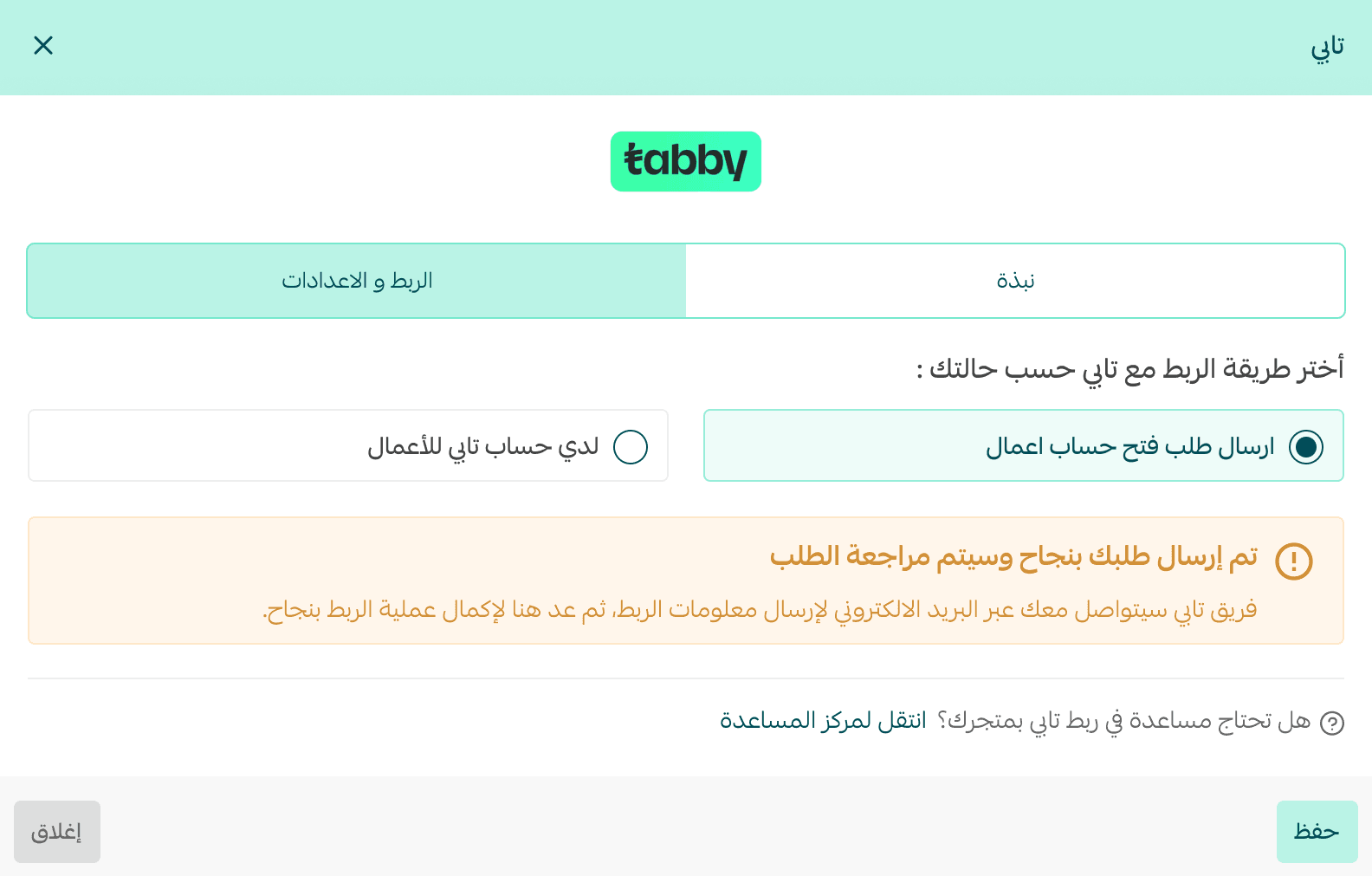
After approval
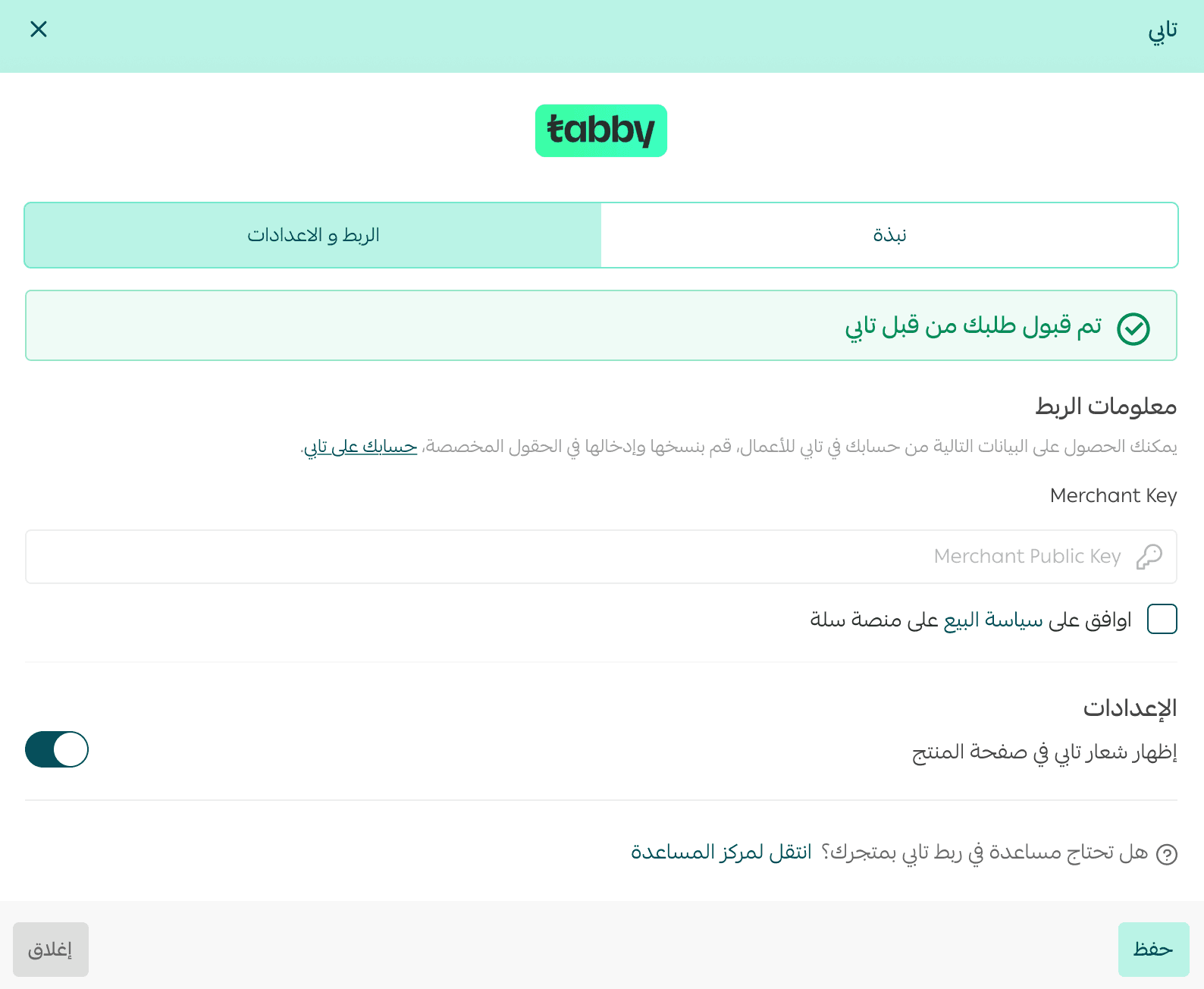
Once your request is accepted, Tabby will send you an email with your account details. You will also see a confirmation message on the Tabby settings page.
To complete activation:
- Enter your Tabby Merchant Key
- Agree to Salla’s sales policy
- Click Save
Activating an existing Tabby account
Note: Merchants outside Saudi Arabia must contact Tabby directly to complete account setup.
If you already have a Tabby account and want to enable it in your store:
- Go to the Integration & Settings tab
- Enter your Merchant Key
- Agree to Salla’s sales policy
- Click Save
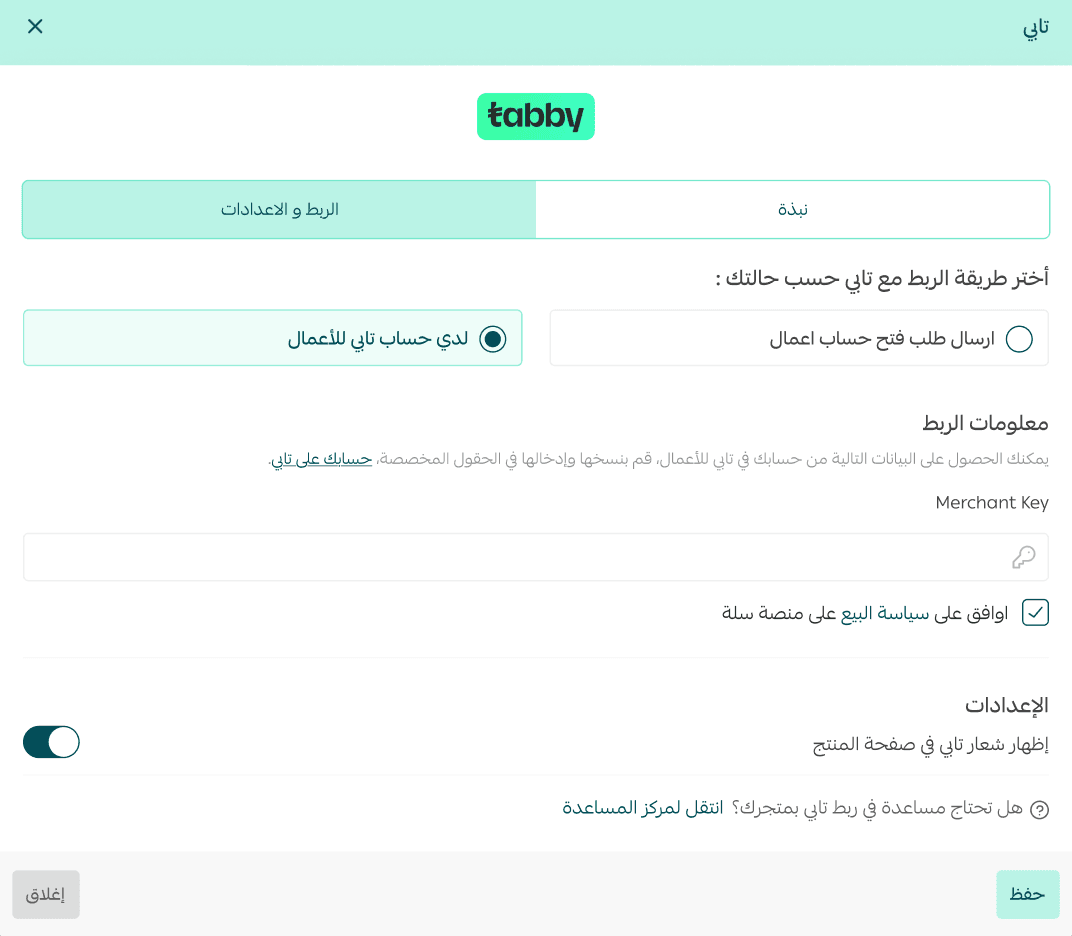
Tabby will then appear as a payment option at checkout.

Frequently asked questions
How will my store benefit from adding Tabby?
Tabby helps your business by:
- Increasing customers’ purchasing power with flexible payment options
- Boosting average cart value and checkout completion rates
- Providing reliable cash flow, as Tabby pays the merchant first and collects from customers later
- Reducing the operational challenges of Cash on Delivery with a pay-after-14-days option
- Taking on the collection risk from customers
- Offering marketing collaboration opportunities through campaigns and social media exposure
How does Tabby work?
Tabby follows a simple process:
- Buy it
Customers enter basic personal details without needing to input a credit card immediately.
- Split it
Customers choose when and how to complete their payments.
- Ship it
You ship the order, and Tabby pays you upfront.
Does Tabby support currencies other than Saudi Riyal?
Yes. Tabby supports payments in:
- Saudi Riyal (SAR)
- UAE Dirham (AED)
- Kuwaiti Dinar (KWD)
To enable additional currencies, visit your Tabby dashboard. For currency-related inquiries, contact Tabby directly.
Are there any hidden fees or interest for customers?
Tabby is free for customers, as its revenue comes from merchants.
However, late payment fees may apply, as outlined in Tabby’s terms and conditions.
What are the merchant subscription fees?
Fees depend on the agreement between the merchant and Tabby and are based on product type, pricing, and other factors.
How many installments are available?
Customers can split payments into up to 4 installments.
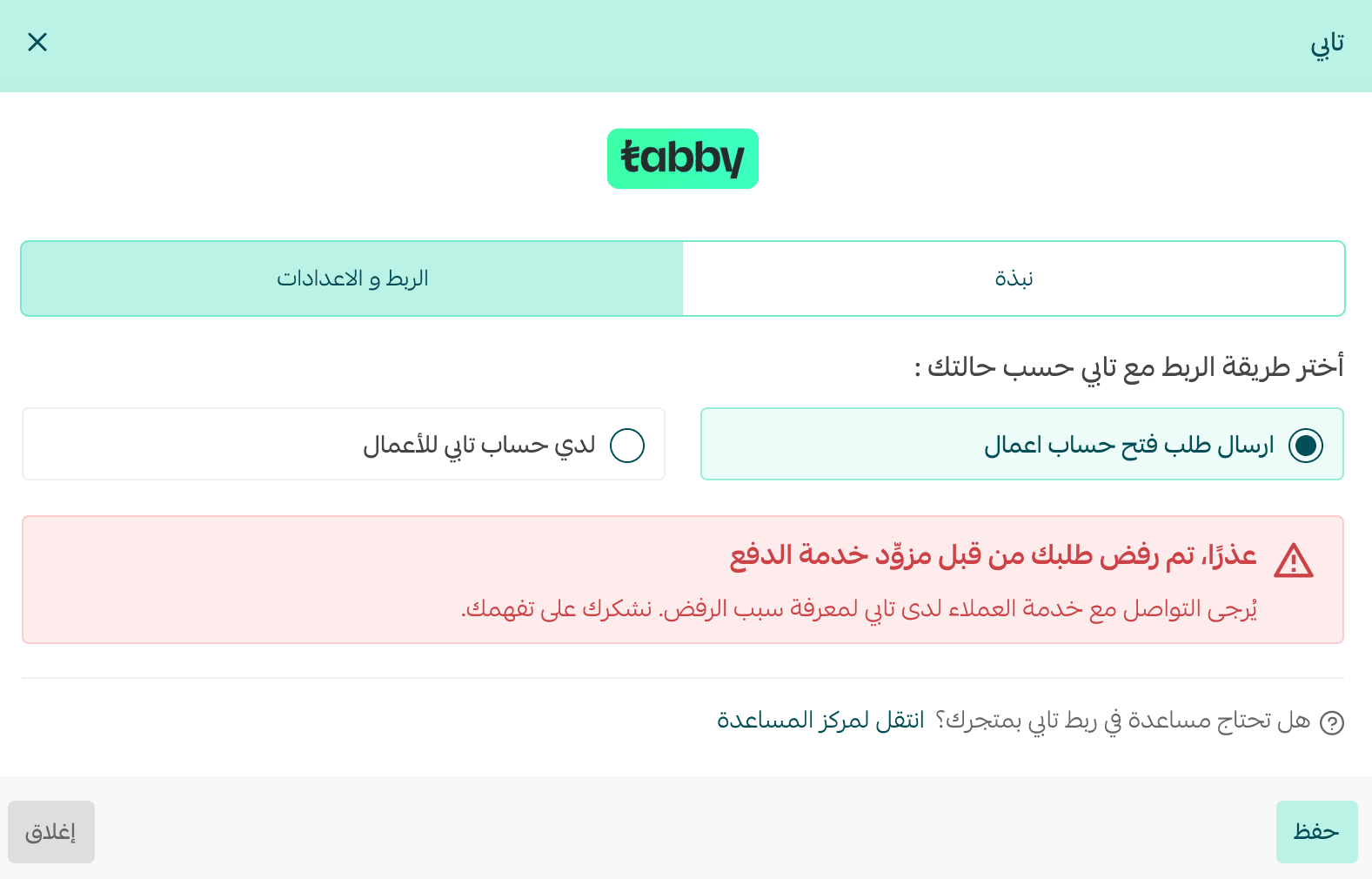
Can my application to Tabby be rejected?
Yes. Tabby may reject applications based on internal criteria. You can contact Tabby support to learn the reason.
Does store verification affect Tabby activation?
Yes. Your store must be verified in order to activate Tabby.

Which subscription plans support Tabby?
Tabby is available on:
- Plus Plan
- Pro Plan