Can your customers get their order the same day they order it?
Faster delivery is one of the clearest reasons a shopper picks one store over another. Express shipping from Salla lets you offer a quick delivery option from the branches you choose, with the coverage area, preparation time and delivery time all managed from one page in your dashboard. In this guide, you'll learn how to reach the express shipping settings, enable and configure the service branch by branch, and disable it again whenever you need to.
Express shipping is enabled from Shipping companies in your Salla dashboard. You pick the branches that will fulfil express orders, choose who delivers them, set each branch's coverage distance, define the preparation and delivery times, then launch the service. Customers only see the express option inside the coverage area and hours you set.
📌 Article overview
- The express shipping settings page
- Enable express shipping
- Disable express shipping
- Frequently asked questions
📝 Note: This feature is available to merchants on the Special and Pro plans.
🚀 The express shipping settings page
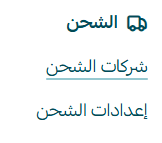
1. From the main menu, click (All), then click (Shipping companies).
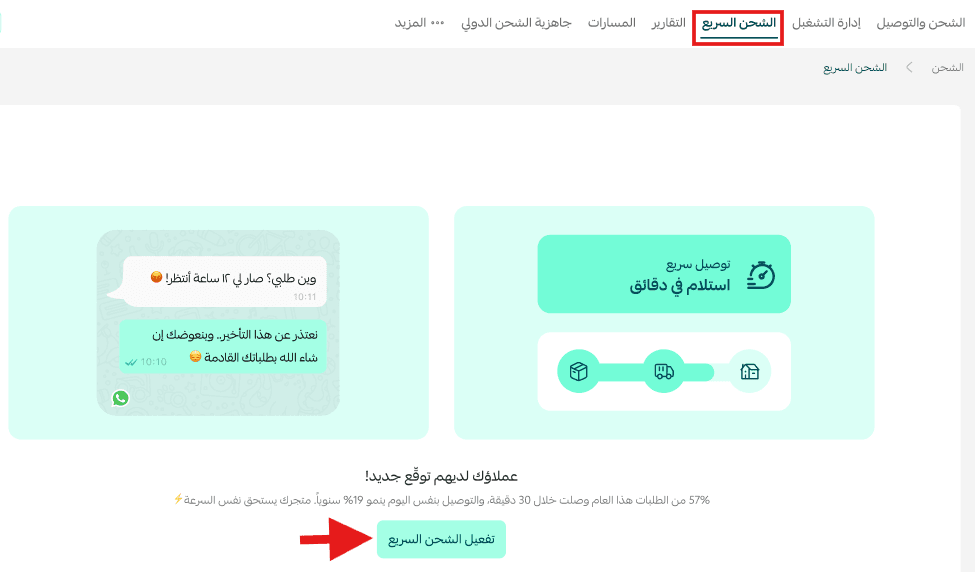
2. From the top bar of the shipping companies page, click (Express shipping), then click (Enable express shipping).
🚀 Enable express shipping
1. Choose the branch
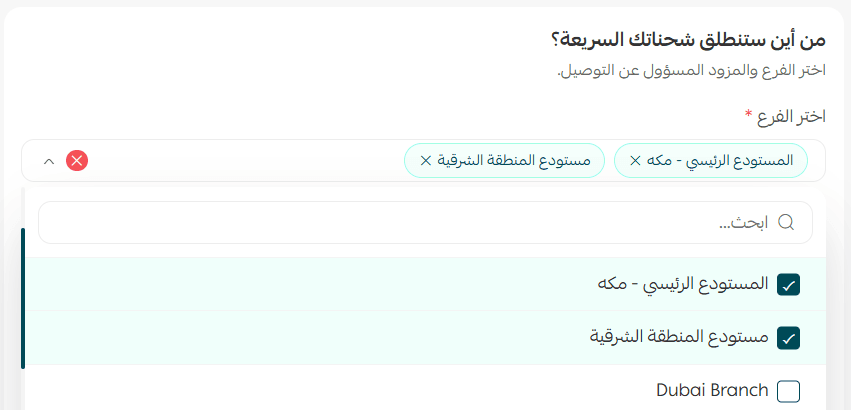
From the express shipping settings page, click (Add branches for express shipping), then select the branch or branches that will handle express orders.
2. Choose the express shipping provider
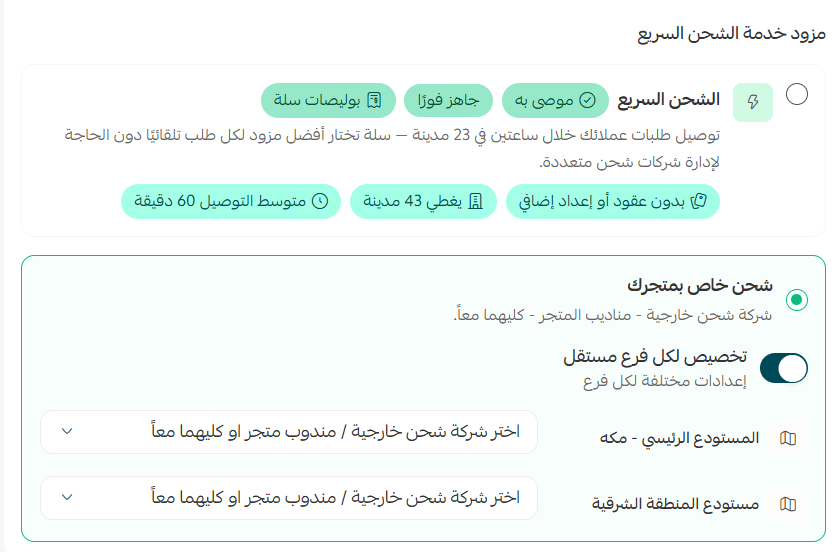
Decide who is responsible for delivering express orders. You have two options:
- Salla express shipping services.
- Shipping companies — external integrations, service providers and your own couriers.
3. Set the branch coverage area
Set the delivery distance for the branch. Coverage is the radius express shipping serves — customers only see the express option when their address falls inside the range you define. You can set a different range per branch, or one unified range for all of them, and you can change it at any time by clicking (Edit coverage).
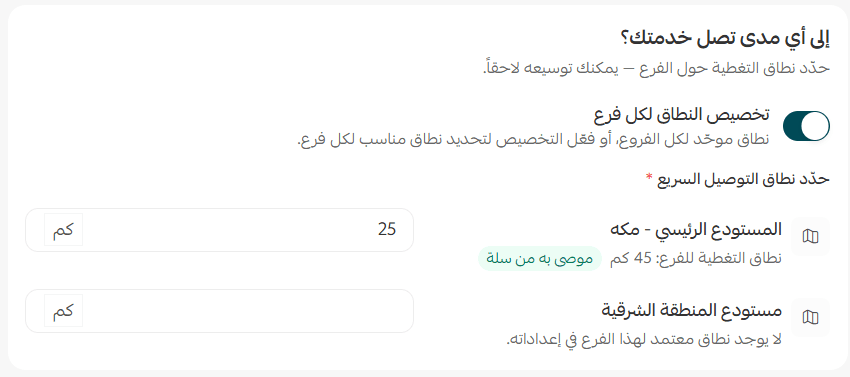
To apply unified coverage to every branch, turn off the (Customize the range per branch) option.
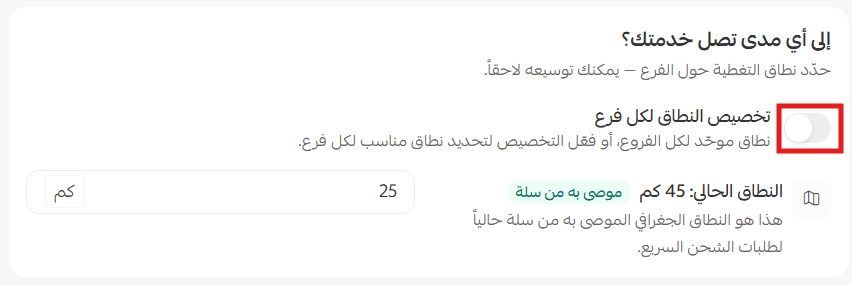
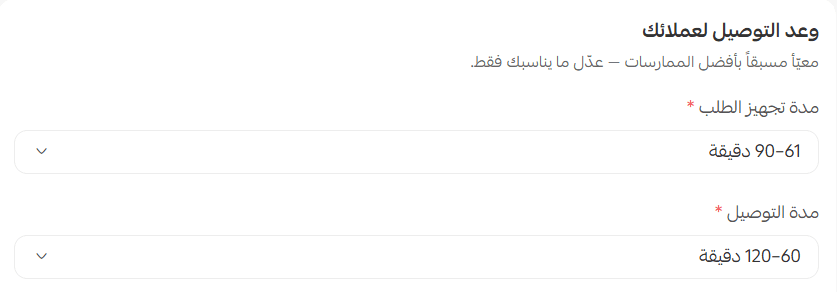
4. Set the preparation and delivery times
Set how long you need to prepare an express order, then set how long delivery should take.
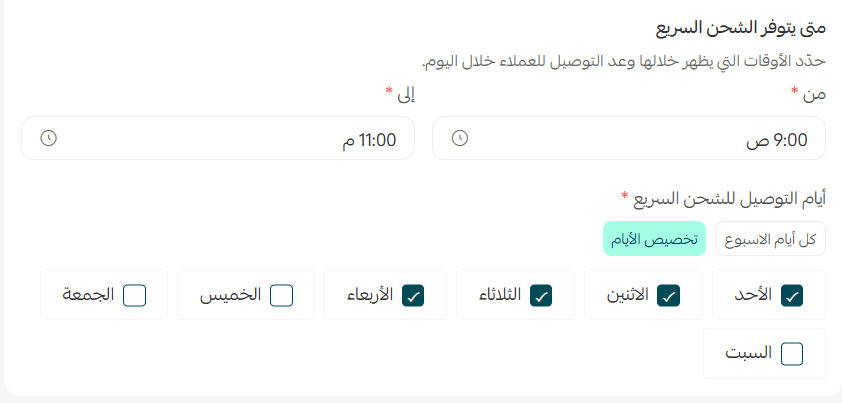
Then choose the hours during which express shipping is offered. Outside the times you set, customers will not see the express option at checkout.
5. Review every setting, then click (Launch service).

📝 Important note
Once the service is live you can edit the settings, pause the service, or turn it back on at any time. Every change is saved immediately.
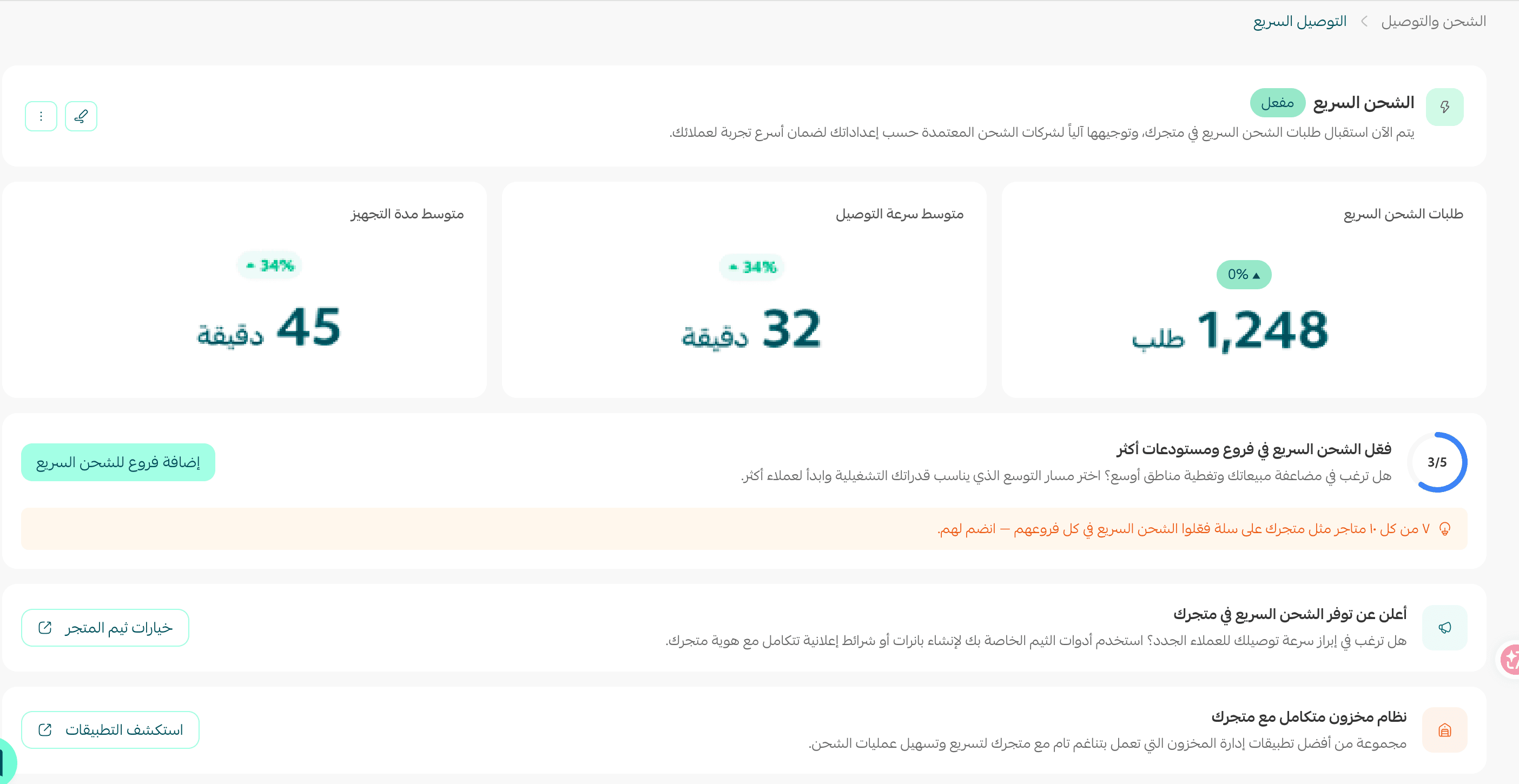
This is how express shipping appears in your store:

🚀 Disable express shipping
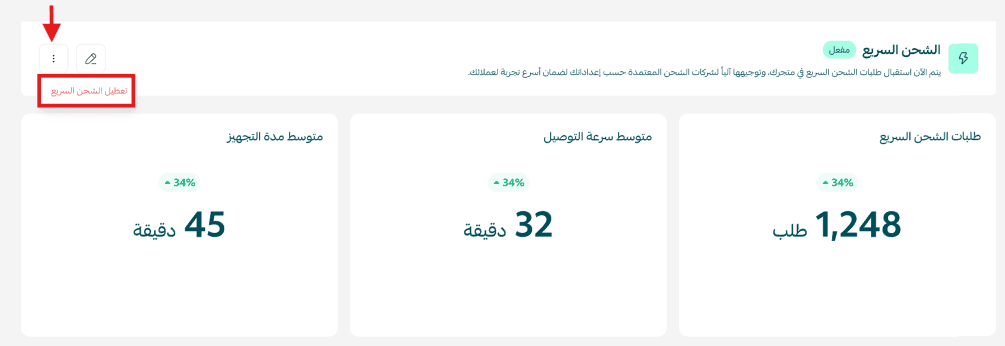
1. From the main express shipping page, click More, then click (Disable express shipping).
2. A confirmation message appears. Click (Disable).
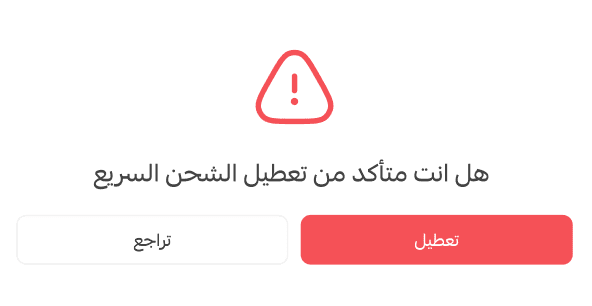
Express shipping is now disabled in your store.

Frequently asked questions
❓ Which plans include express shipping?
Express shipping is available to merchants on the Special and Pro plans.
❓ Why can't some of my customers see the express shipping option?
Express shipping only appears when the customer's address falls inside the coverage range of a branch you enabled, and only during the display hours you set. Outside either one, the option is hidden.
❓ Can each branch have its own coverage area?
Yes. Keep the (Customize the range per branch) option on to give every branch its own range. Turn it off to apply one unified coverage range across all branches.
❓ Who delivers express orders?
Either Salla express shipping services, or a shipping company you connect yourself — an external integration, a service provider, or your own couriers. You choose the provider while setting the service up.
❓ Does disabling express shipping delete my settings?
No. Disabling stops the option from appearing to customers. You can edit your settings and turn the service back on from the same page at any time.
Express shipping only works as well as the operation behind it. Set the coverage, preparation time and display hours to what your branches can genuinely deliver, and the promise your customers see at checkout will be one you keep.