Have you ever felt like valuable sales opportunities are slipping away because of abandoned carts in your store?
When abandoned carts keep piling up, they can add pressure and make it harder to turn browsing customers into real orders.
That’s why sending an abandoned cart reminder without offering a discount is one of the simplest, most effective, and cost-free ways to re-engage customers, encourage them to return, and increase the chances of completing their purchase.
In this article, you’ll learn step by step how to activate this feature and recover abandoned carts for free.
Steps to send an abandoned cart reminder without a discount
- From the main menu, click Marketing.

2. From the Marketing section, select Abandoned Carts, then open the Reminder Settings tab.

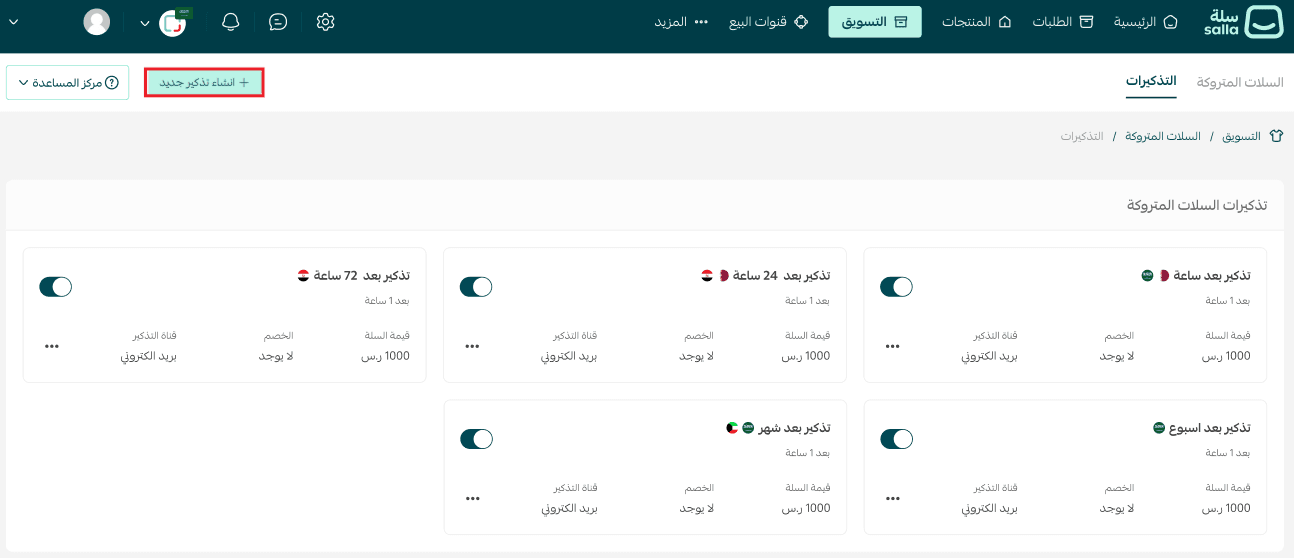
3. On the Reminder Settings page, click + Create New Reminder.
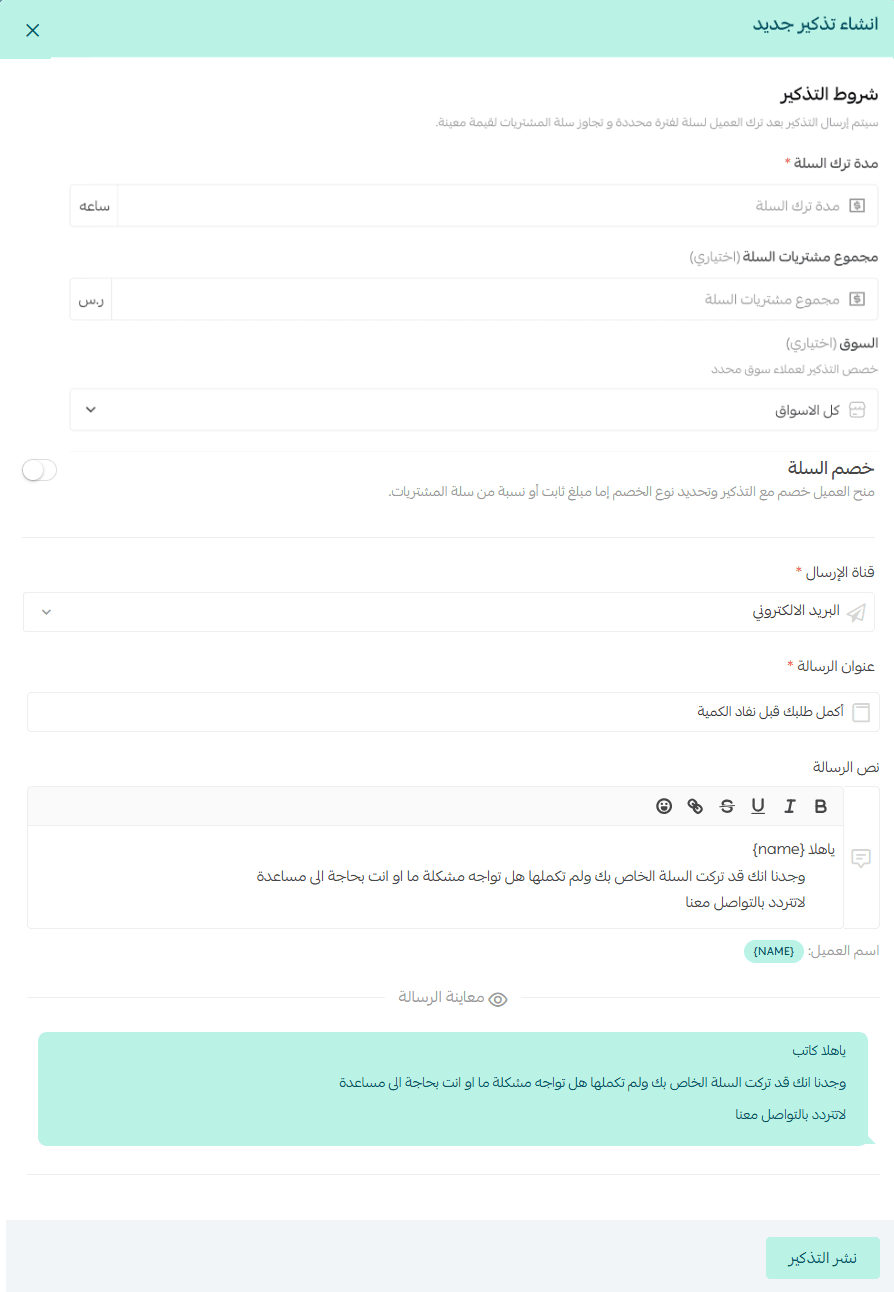
4. Enter the reminder details, making sure the Cart Discount option is set to Disabled.
Market selection
You can choose:
- A specific market to apply the reminder only there
- All markets to send reminders across your entire store
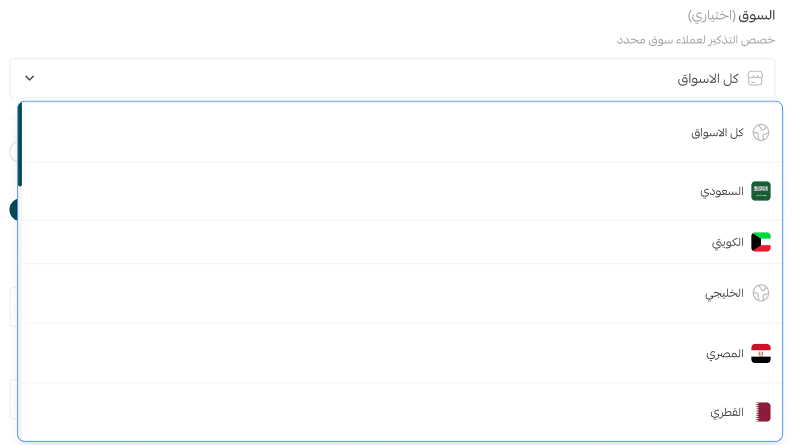
Note: The market selection option appears only for merchants who have enabled the Multi-Market feature.
If your store does not use multi-market, the reminder will automatically apply to the whole store without selecting a specific market.
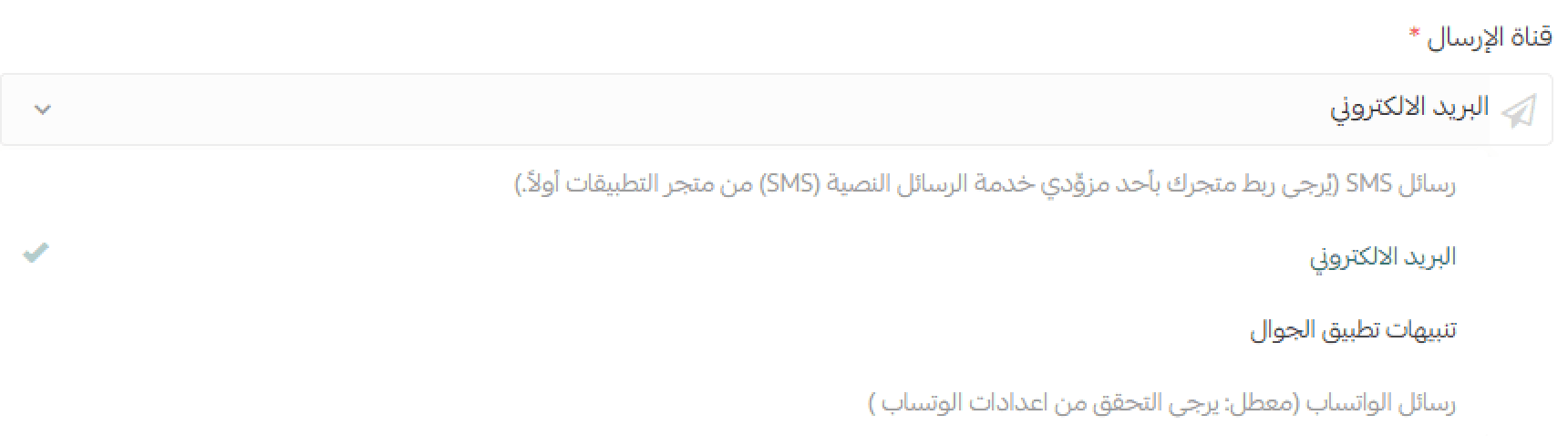
Choose a delivery channel
You can send abandoned cart reminders through:
- SMS
- Mobile push notifications (for App Maker subscribers)
- WhatsApp notifications (for WhatsApp by Salla subscribers)
Best practice tip
We recommend inserting the customer’s name into the reminder message to make it more personal and engaging.
Before clicking Save, don’t forget to preview the message to ensure it looks exactly as intended.
Frequently asked questions
Can I send a reminder with a discount instead?
Yes. You can send an abandoned cart reminder and apply a discount to encourage faster checkout completion.
For more details, see:
- Abandoned cart reminders with a discount