In e-commerce, effective order management is both a skill and a system. It combines precision with smooth execution to ensure a great shopping experience for customers and a comfortable workflow for merchants.
In this guide, you will learn how to manage store orders step by step, from reviewing order details and adding comments to notifying staff, blocking non serious customers, and configuring order evaluation settings to improve customer experience.
📌 Article overview
Order Management Stages
- Order received
- Order preparation
- Change order status
- Issue and print shipping label
- Hand over the order to the shipping company
- Customer receives the order
- Customer interaction after delivery
Order Management Stages
Order management in your store follows a connected and structured flow that ensures clarity and efficiency at every step.
Stage 1: Order Received
Once a customer completes a purchase, you will receive a notification informing you that a new order has arrived.
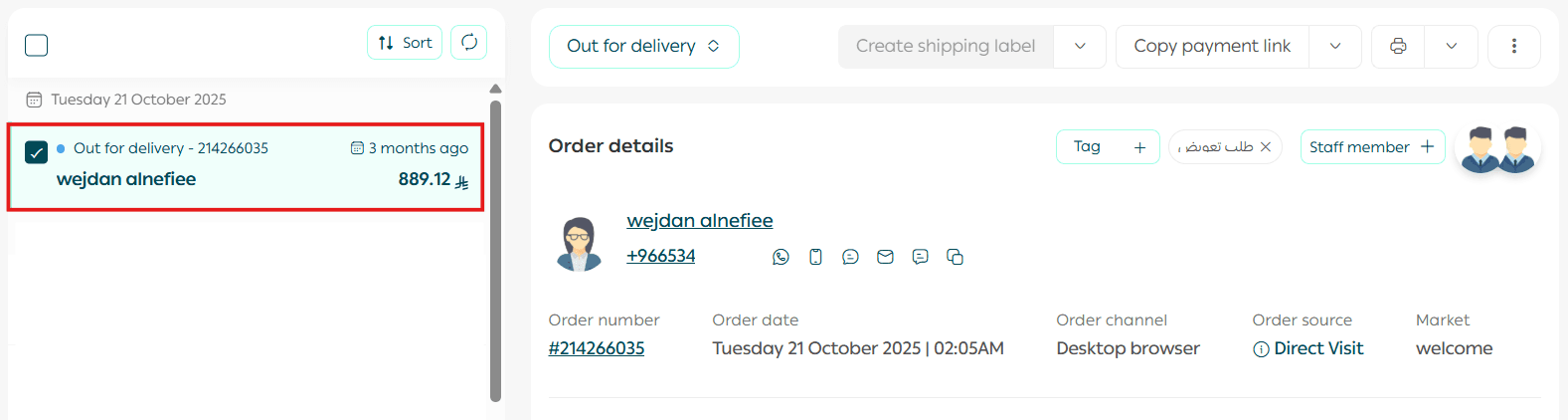
Review the order details carefully, including:
- Customer information
- Payment method
- Shipping details
- Product availability
From the Order Actions section, update the order status to In Progress.
This signals the start of the fulfillment process.
Stage 2: Order Preparation
Begin preparing the products ordered by the customer. Make sure items are in good condition and packaged securely to protect them during delivery.
Try to keep the final package size as compact as possible. This helps reduce shipping costs, especially with carriers that calculate fees based on volumetric weight.
For more details, refer to the guide on volumetric weight calculation in shipping.
Recommended shipping practices
🎯 We recommend using discounted shipping labels from Salla. This option allows merchants to issue prepaid shipping labels at competitive rates without being restricted to a fixed number of shipments.
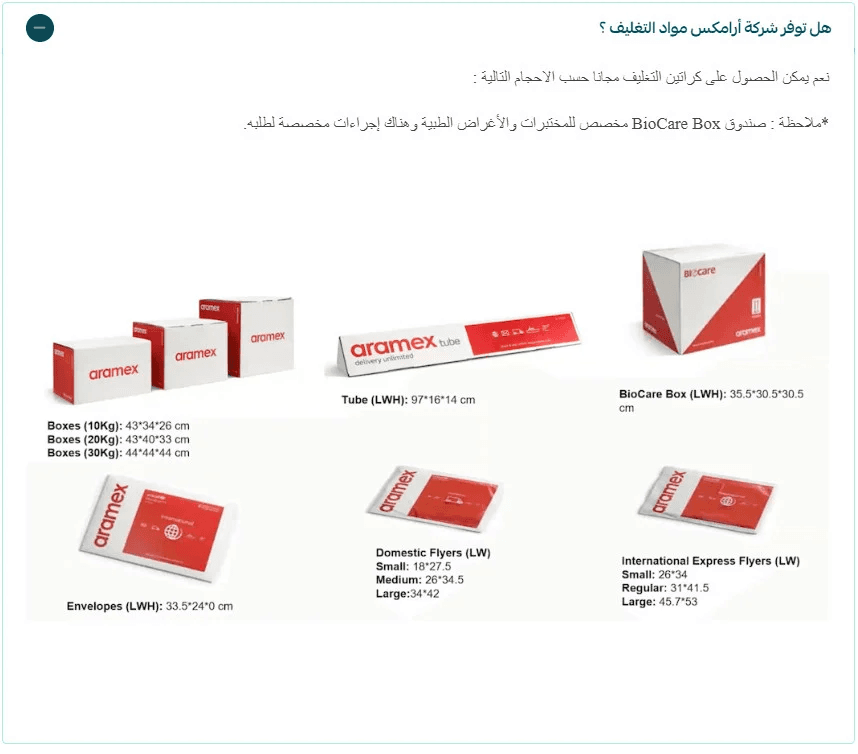
Aramex provides free packaging materials such as:
- Shipping boxes
- Shipping bags
- Branded envelopes
These materials can be delivered to your location.
To request them, contact the shipping company via email and specify the required packaging sizes. Include:
- The store number listed on the shipping label under the Account section
- Your contact details
- Salla account number 165623
📝 Important note
Packaging materials must be requested using the approved template shown in the reference.
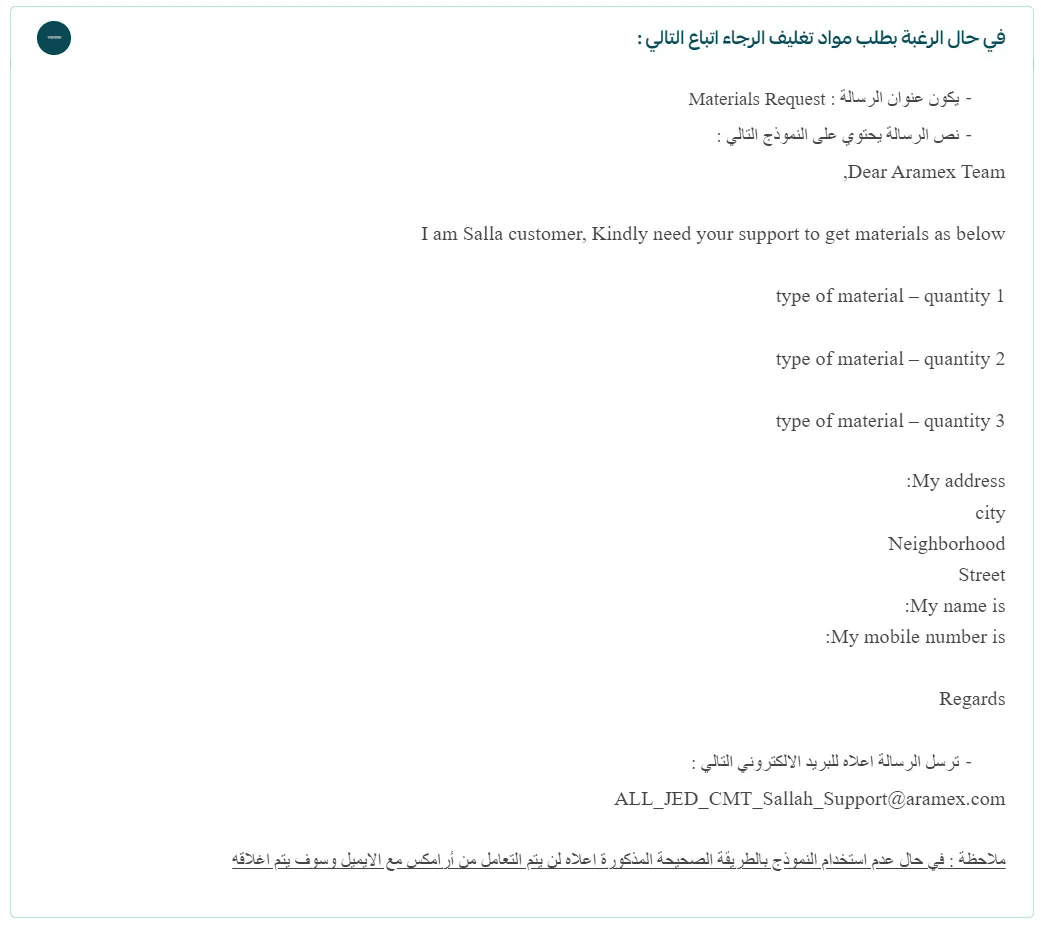
If the template is not used correctly, Aramex will not process the email and the request will be closed.
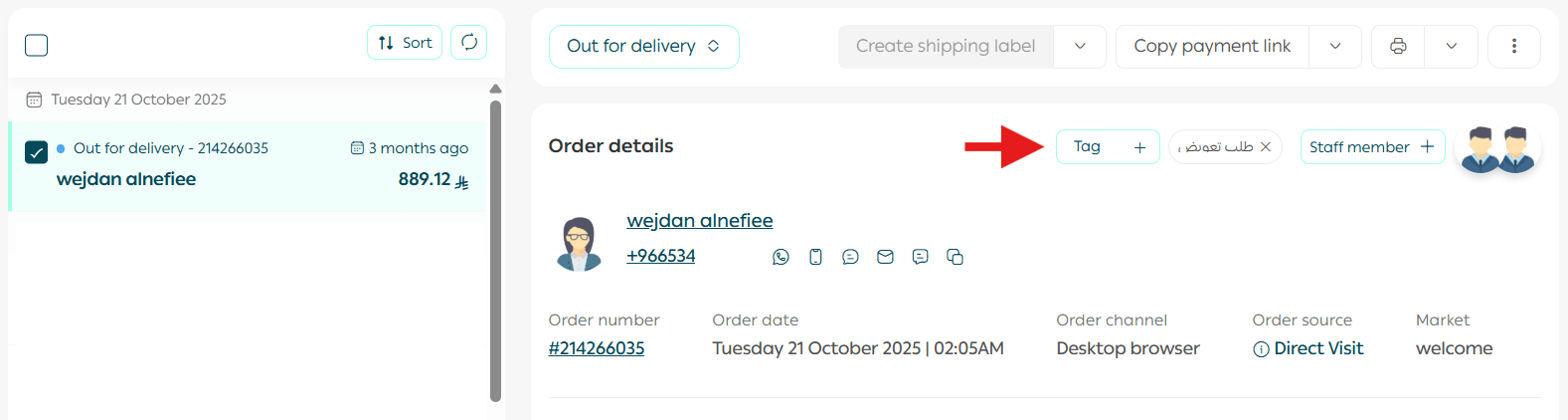
It is also recommended to add order tags, as they help group and organize orders with similar attributes.
Stage 3: Change Order Status
Update the order status to In Progress so customers can see that their order is being prepared. This builds early trust and sets expectations.
You can:
- Add notes for the customer
- Send an SMS notification about the status change
Then click Execute Action.
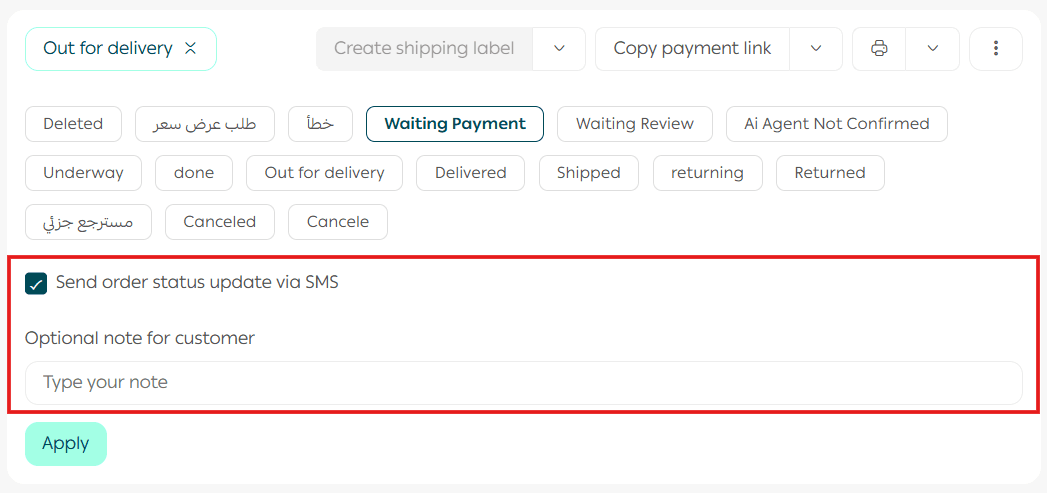
If SMS notifications are enabled, the customer will receive a message with every order status update.
You can also include a short note in the Additional Customer Notes field. This note is sent as part of the SMS message and may include information such as estimated delivery time or confirmation that the order is on the way.
✅ SMS notifications are sent when the sender name is Salla and apply to all plans.
This does not apply to stores using external SMS providers.
When are SMS notifications sent?
- When a shipping label is issued, including the tracking link
- When an order is canceled by the merchant
- When an order is refunded or returned
Stage 4: Issue and Print the Shipping Label
From the Order Actions section, click Issue Shipping Label.

Select the branch where the shipment will be picked up, enter the required shipping information, then click Execute Action.
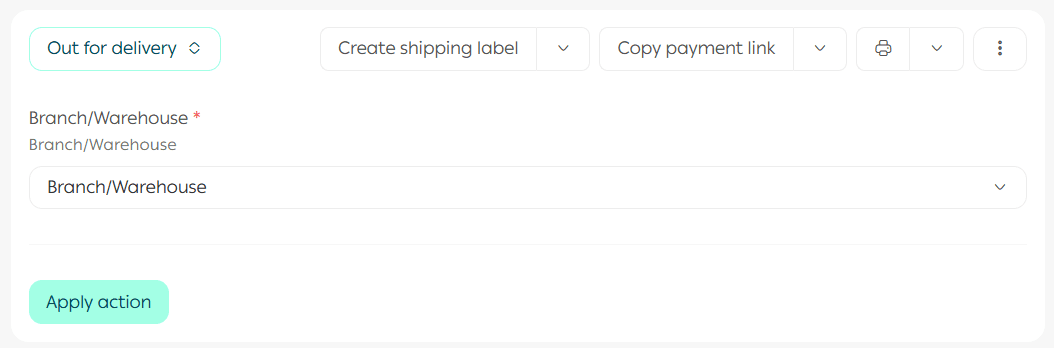
Once the branch and shipping details are confirmed, the order is sent to the shipping company to generate the label.
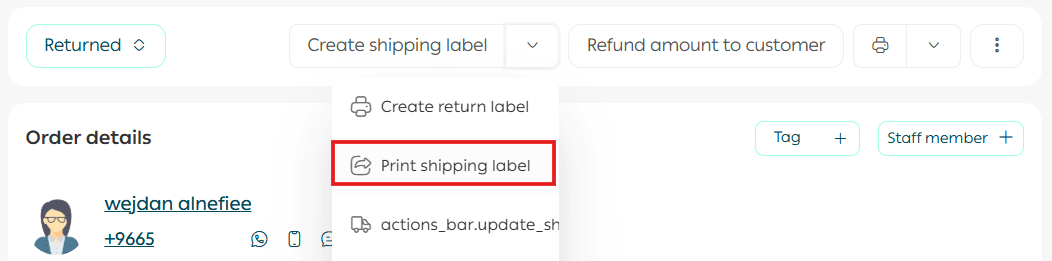
The next step is to print the shipping label and attach it securely to the outer packaging.
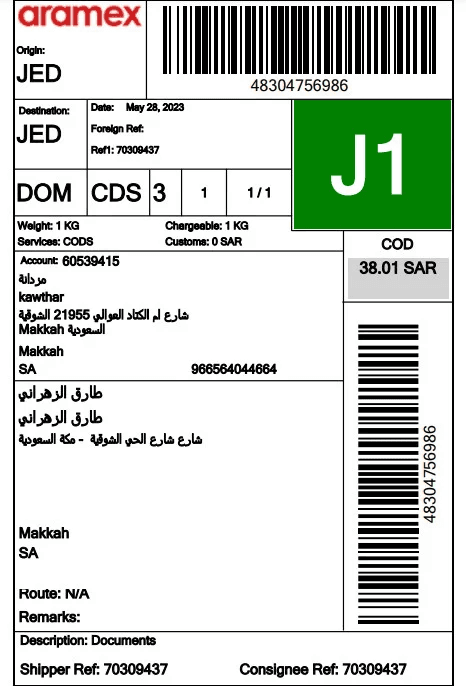
Before issuing the label, make sure your wallet balance is sufficient.
Stage 5: Hand Over the Order to the Shipping Company
At this stage, the shipping company takes over. You have two options:
Pickup from your warehouse
Some shipping companies, such as Aramex, can collect the shipment directly from your registered warehouse address.
Drop off at a branch
You can also deliver the shipment yourself to the nearest shipping company branch.
Shipping company pickup options
Shipping companies available through Salla shipping labels offer different pickup methods. For example:
- Aramex and AyMakan offer branch drop off and door to door pickup
- SMSA, SPL, and DHL support branch drop off only
Stage 6: Customer Receives the Order
Once the order is handed over to the shipping company, you can track its progress using the tracking number provided when the shipping label was printed.
Click Track Shipment to be redirected to the shipping company’s tracking page.
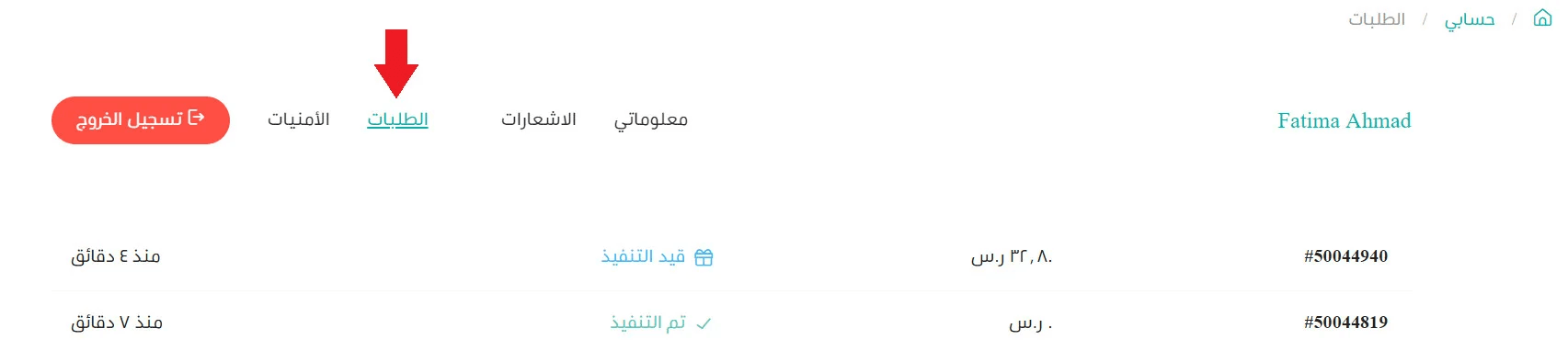
Customers can also track their order through:
- The tracking message sent by the shipping company
- Their customer account and orders page

📝 Important notes
- Shipment tracking is not supported if the shipping company or courier is added manually
- Shipment details appear on the customer’s order page when the order status changes to Shipped, Out for Delivery, or Delivered
Stage 7: Customer Interaction After Delivery
Three days after delivery, reach out to the customer and encourage them to share their experience.
You can ask them to:
- Write a product review
- Share product photos on social media
As a gesture of appreciation, you may offer a small discount code for their next order.
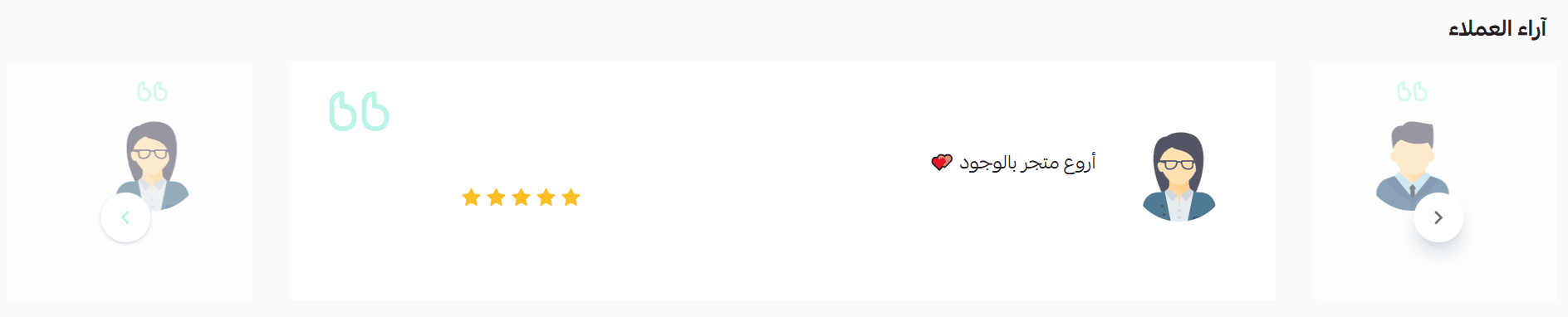
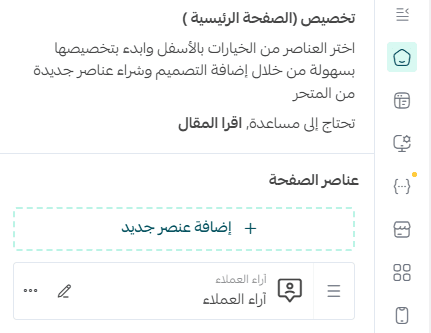
To display customer reviews on the store home page, the reviews component must be added to the active store theme.
Final Takeaway
Strong order management turns operations into a competitive advantage.
By following each stage with care and consistency, you deliver a reliable experience that builds trust, improves efficiency, and keeps customers coming back.