Learn how to easily manage your store plan and subscriptions directly from your dashboard. Track your invoices and payments in a few simple steps, and discover how to activate the free trial for paid plans so you can explore their features before subscribing with confidence.
📌 Article overview
- Store plans page
- Free trial for paid plans
Accessing the Plans & subscriptions page
- From the dashboard sidebar, click Store plan & subscriptions.
- You will see three main tabs:
- Store Plan
- Additional Subscriptions
- Invoices
1. Store plan
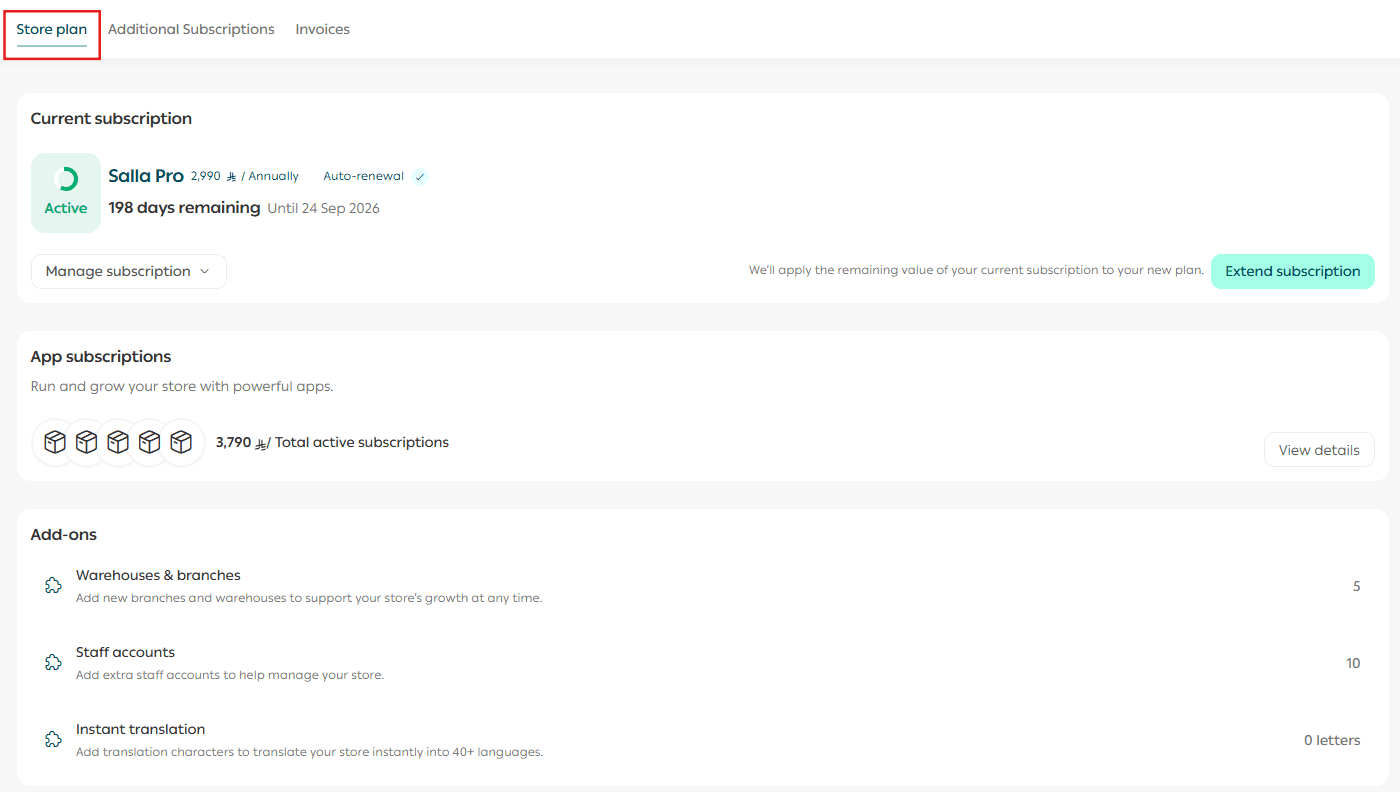
This page displays details about your store’s current plan, additional subscriptions, and available upgrade or renewal options.
It includes:
- Details of the active plan on your store
- The remaining subscription period
From this page, you can easily manage, upgrade, or renew your plan.
⚠️ Important notes
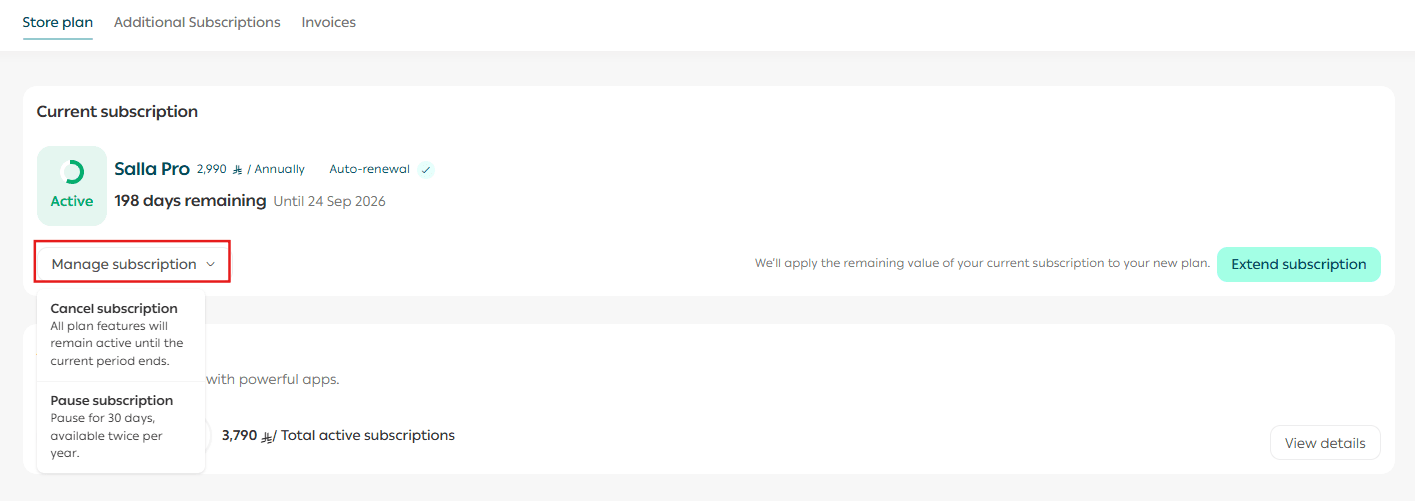
- When canceling a subscription, only the first subscription payment is refundable. If there was a previous subscription, the system will only cancel the automatic renewal for the next billing cycle.
- You can extend your subscription for a longer period. However, you cannot extend it using the same subscription duration as the one currently active.
2. Additional subscriptions
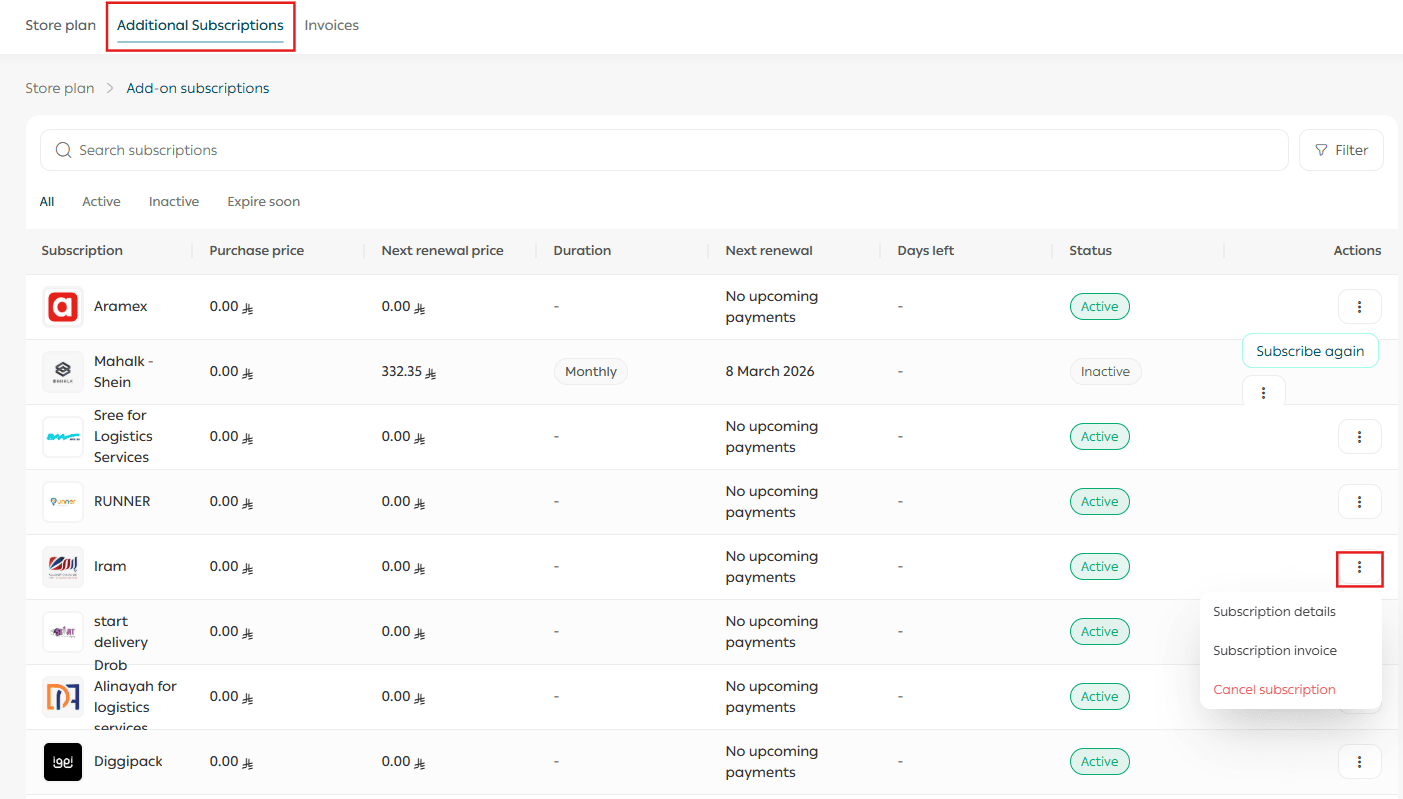
The additional subscriptions page allows you to track and manage all additional subscriptions activated on your store.
From this section, you can:
- View a list of subscriptions, including the subscription name and billing cycle (monthly or yearly).
- See the subscription cost and next renewal date.
- Sort subscriptions by amount or renewal date.
- Manage each subscription individually by:
- Viewing subscription details
- Viewing the subscription invoice
- Canceling the subscription
3. Invoices
The invoices page allows you to view all invoices and purchase receipts issued for your store, making it easier to track every payment transaction.
This section includes:
- Purchase receipts
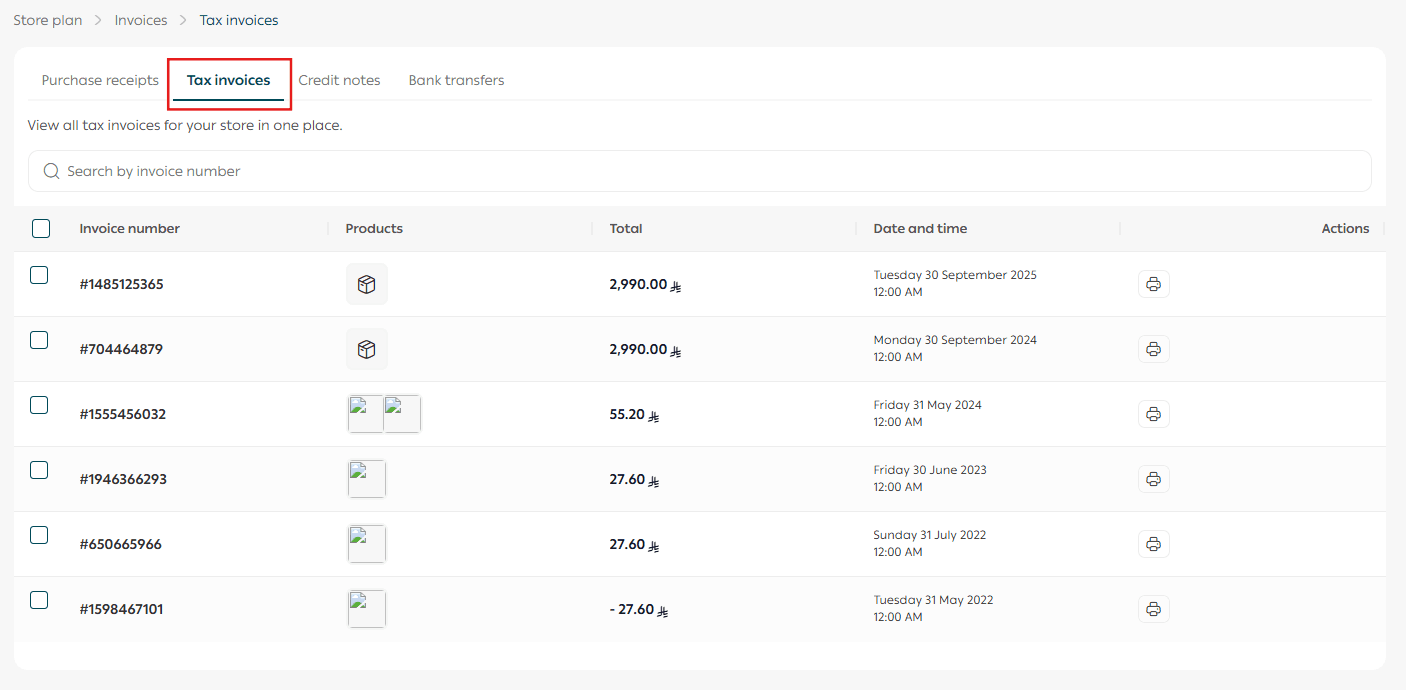
- Tax invoices
- Credit notes
- Bank transfers
Purchase receipts
Purchase receipts appear immediately after a purchase is made from the Salla Store. These are different from tax invoices.
Each receipt includes details such as:
- Product or service type
- Payment amount
- Date of the transaction
- Payment status
Tax invoices
Tax invoices are issued in the middle of each calendar month for all purchases made during the previous month.
Credit notes
Credit notes show any refunded or credited amounts issued to your store.

Bank transfers
This section displays all bank transfer requests made from your store, along with the details and status of each transfer.

Free trial for paid plans
Salla offers a 14-day free trial for new stores, allowing you to explore the features of paid plans before subscribing.
The trial is available for:
- Plus Plan
- Pro Plan
After the 14-day trial period, the plan fee will be automatically charged to the registered card.
How to activate the free trial
- Choose the plan that best fits your needs and select the preferred billing option.
- Enter your bank card details.
A temporary charge of SAR/AED 1 will be deducted to verify the card, and the amount will later be returned to your wallet.
Once the card is added, the plan is activated immediately, and the trial countdown timer will appear at the top of the page.

⚠️ Important notes
- You can cancel the trial at any time.
- The pause option is not available during the trial period.
- The free trial is available only in the new dashboard.
Frequently asked questions
When will the plan fee be charged?
The plan fee will be charged after the 14-day trial period ends, starting from the date the card was added.
Can I request a refund for the charged amount?
Yes. You can request a refund within 7 days of the charge, but this applies only to the first subscription.
Who can benefit from the free trial?
The free trial is available to new merchants who have never subscribed to a paid plan before.
Can I cancel the free trial?
Yes. You can cancel it through the store plan page, and your store will immediately return to the Basic plan.
Is there automatic renewal?
Yes. After the plan period ends, it will be scheduled for automatic renewal.
Will I be notified before the trial ends?
Yes.
- You will receive an email reminder 5 days before the trial ends.
- You will also receive a WhatsApp notification one day before the plan expires.