By the end of this guide, you will clearly understand the difference between default and custom theme publishing, and how to build tailored theme experiences that appear only for specific customers based on events, occasions, language, or geographic location.
This flexibility allows you to deliver more relevant and timely designs without affecting the experience of all visitors.
📌Article overview
- How to control publishing a theme as default or custom
- The difference between publishing a default theme and a custom theme
- Practical examples
How to Control Publishing a Theme as Default or Custom
From the Store Design page, open the theme control menu for the desired theme and click Publish.
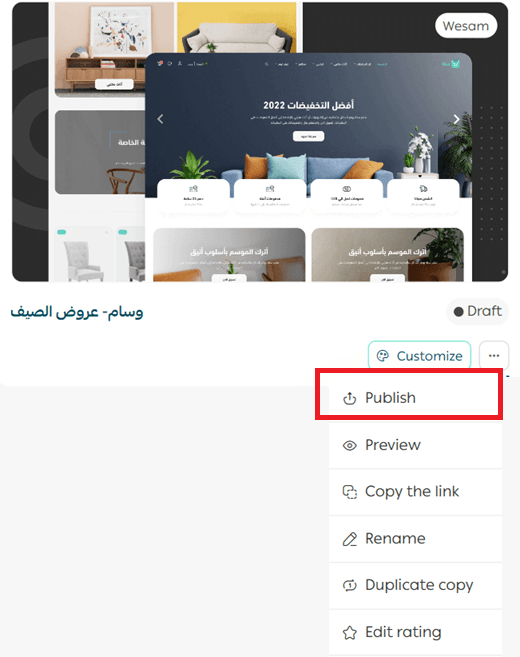
You can then choose how the theme version is published in your store, either as a default theme or as a custom theme.
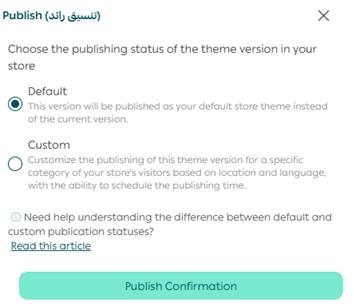
The Difference Between Default and Custom Theme Publishing
Theme versions can exist in the following states:
State 1: Design in progress
This can be a new or existing version that is not visible to customers yet. These versions are either drafts or scheduled.
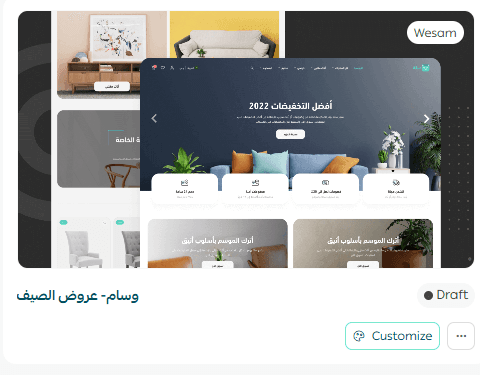
Customers do not see these themes until they are published.
State 2: Custom theme
You can publish one or more versions as custom themes targeted to specific countries, cities, or languages. These versions can also be scheduled to appear on a specific date.
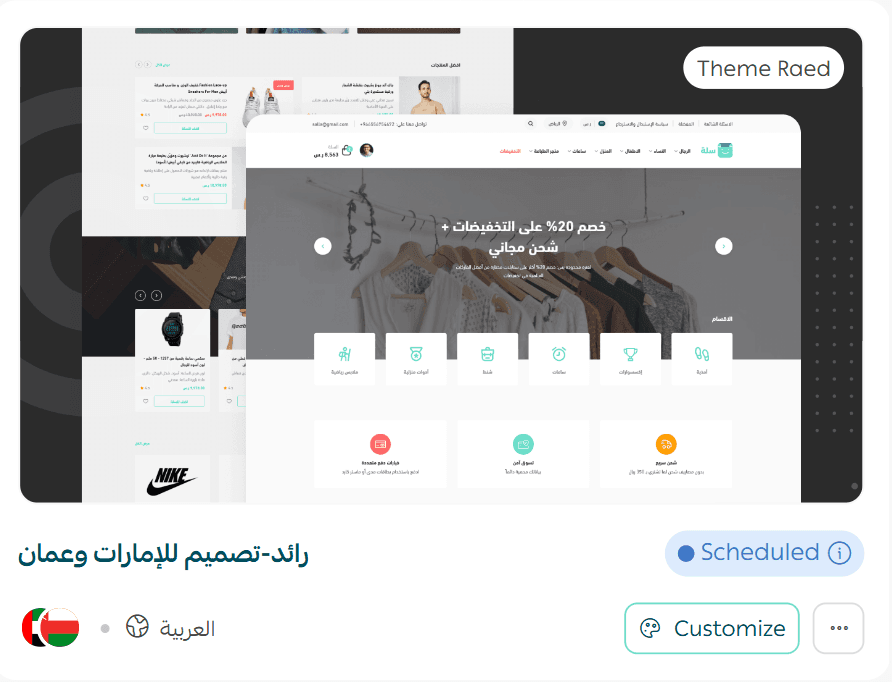
Custom themes override the default theme only for the customers that match the selected criteria.
State 3: Default theme
You can activate only one default theme at a time.
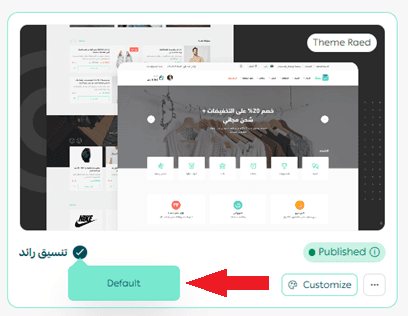
The default theme is shown to all customers unless a custom theme is assigned to them based on location, language, or other targeting rules.
Practical Examples
Assume your store supports both Arabic and English, and your customers are located across Gulf countries. You can customize which theme appears for customers as follows:
Example 1: Country based event customization
Show a special store design to customers in Saudi Arabia for Founding Day, while displaying the default theme to all other customers.
Step 1: Set the default theme that appears for all customers by default.
Step 2: Create and publish a custom theme version for customers in Saudi Arabia who use the English language.
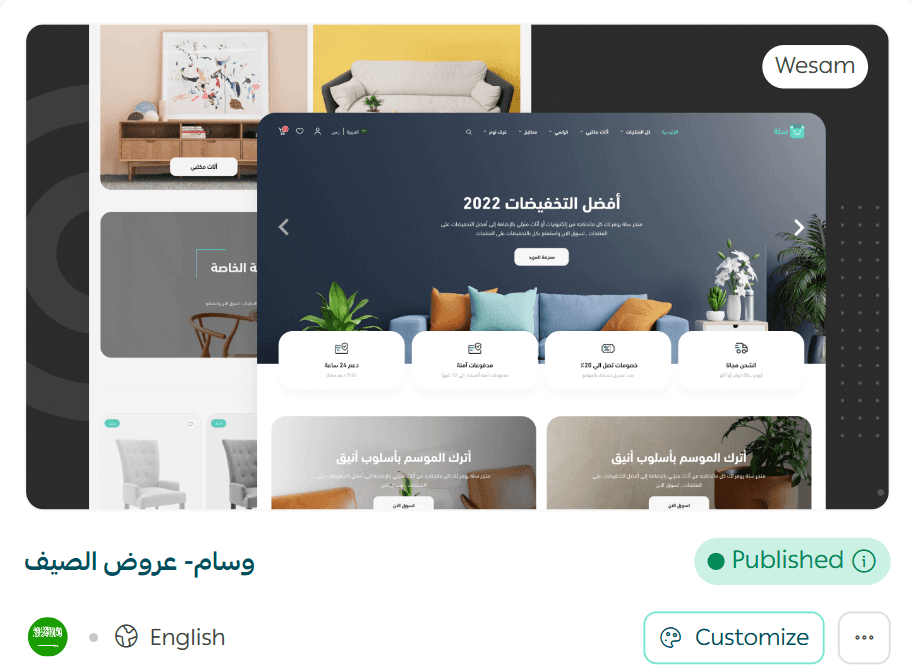
This custom design appears only to the targeted audience, while everyone else continues to see the default theme.
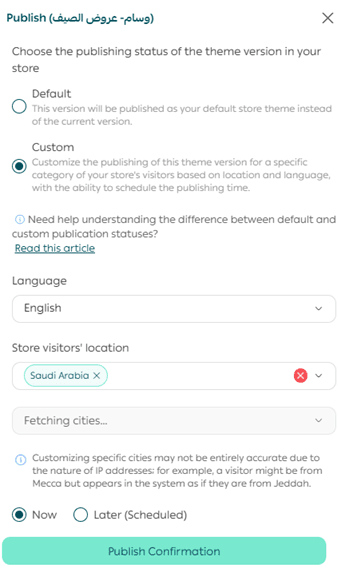
Example 2: City based seasonal customization
Show a special store design to customers in Riyadh during Riyadh Season, show a different design to the rest of Saudi Arabia, and display the default theme to customers outside the country.
Step 1: Set the default theme that appears for all customers.
Step 2: Create a custom theme version for customers in Riyadh who use Arabic.
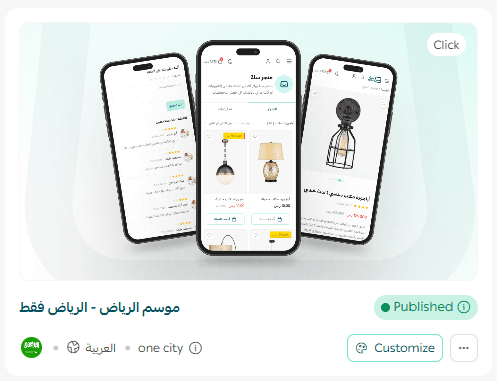
You can schedule this theme to appear during Riyadh Season or a few days before if desired.
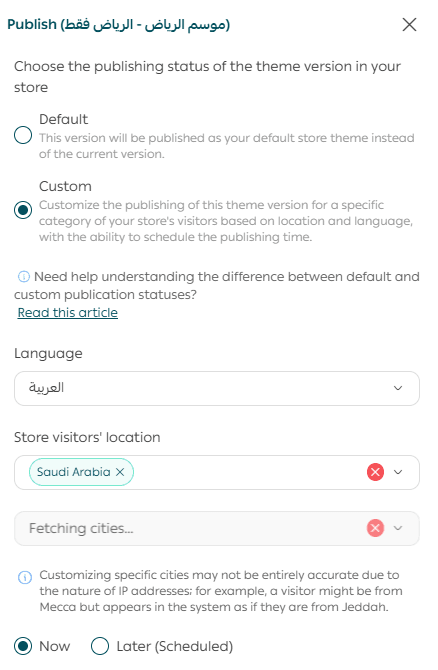
Note: City targeting may not always be fully accurate due to IP address limitations. For example, a visitor from Makkah may sometimes appear as if they are located in Jeddah.
Example 3: Regional customization
Show a customized theme to customers in Gulf countries, while displaying the default theme to all other customers.
Step 1: Set the default theme that appears for all customers.
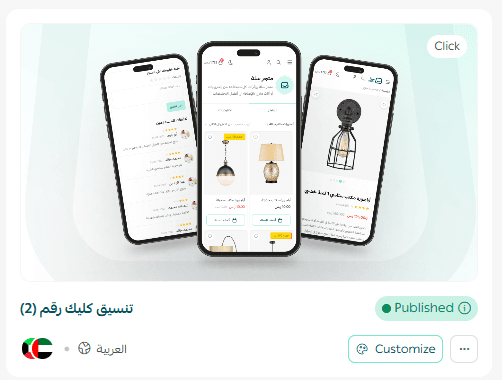
Step 2: Create a custom theme version targeting customers located in Gulf countries.
Final Takeaway
Default theme publishing ensures consistency across your store, while custom theme publishing gives you the power to personalize experiences for specific audiences.
By combining both approaches, you can highlight seasonal campaigns, regional events, and language preferences without disrupting the overall shopping experience.