Sponsorship product: A product that allows you to create sponsorship projects in your charity with various flexible options, including setting the sponsorship duration, tracking its status, and accessing all the reports and statistics you need about the sponsorship project.
Examples of sponsorship products:
- Orphan sponsorship
- Patient sponsorship
- Student sponsorship
- Widows and divorced women sponsorship
- Needy families sponsorship
Steps to add a sponsorship product:
1. From the main menu of the control panel, click on (Manage Products).

2. From the Products page, click (New Product).

3. Select the product type (Sponsorship).
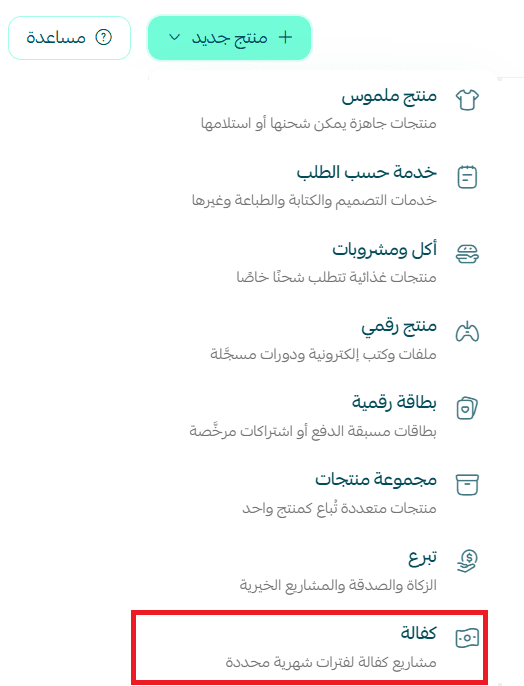
4. Enter the basic product information, then click (Save).
- Add one or more images for the product, for more details about uploading product images and videos
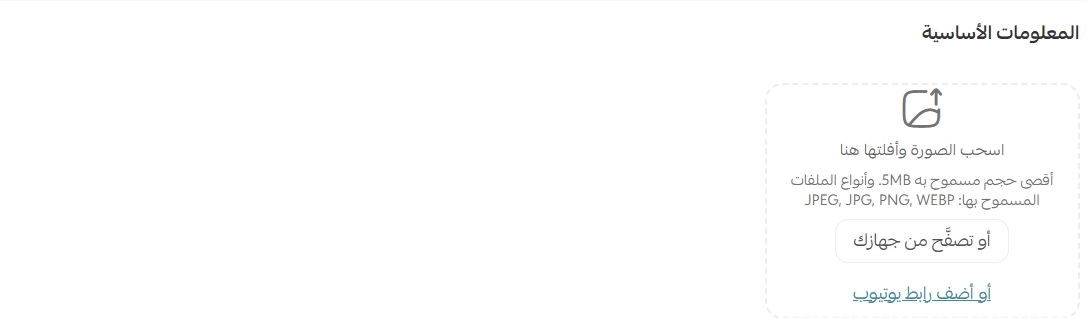
- Sponsorship product name, the sponsorship name that will appear to the customer, and product classification

- Add the sponsorship duration and specify the monthly sponsorship amount
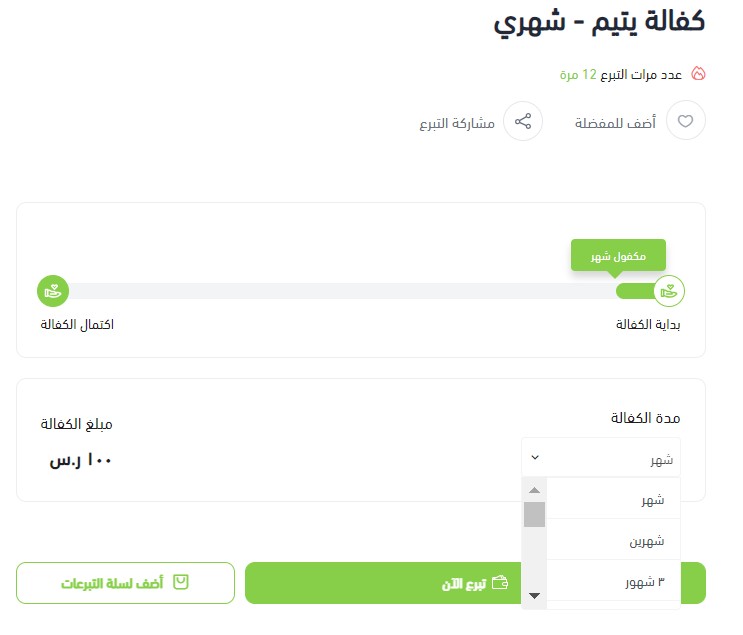
You can choose the donation duration which is (3 months, 6 months, 12 months) as a primary goal for completing the donation, and specify the monthly amount to calculate the total sponsorship amount within the specified duration.
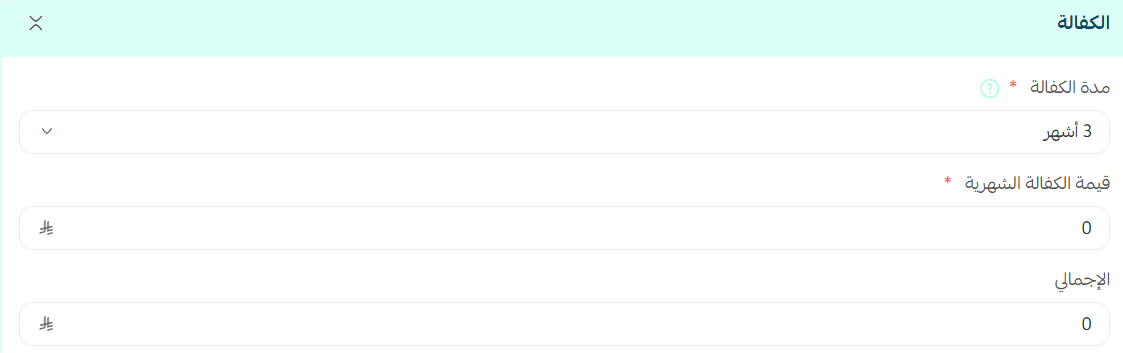
Note: If you choose a specific duration, you will not be able to select a shorter duration after saving the product data.
For example, if you choose a 12-month sponsorship duration, you will not be able to revert or modify the option to 3 months or 6 months.
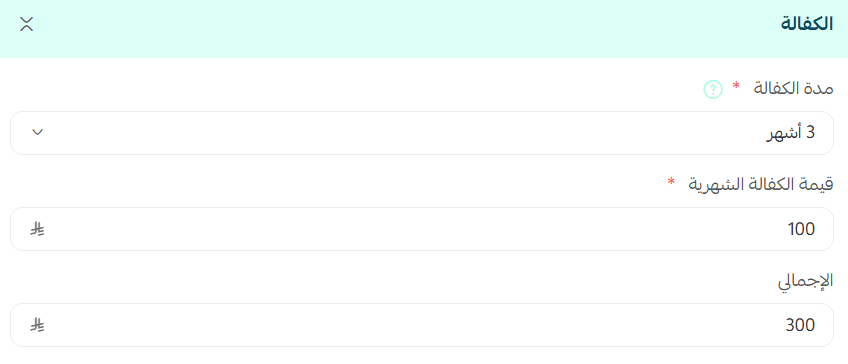
These options will appear to the customer in the store as follows:
Donation mechanism
When contributions are made for a specified period the completed sponsorship options will be closed.
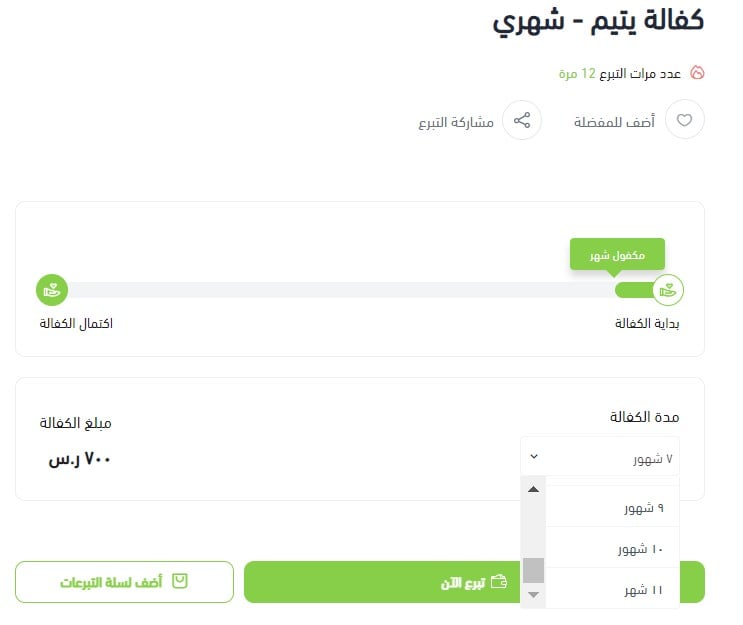
The donor will see the remaining duration of the sponsorship, for example: if a 5-month sponsorship is achieved, 7 months will remain to complete the 12-month sponsorship goal.
For more details about adding a donation product
For more details about adding product options and controlling their appearance to the customer
Frequently Asked Questions
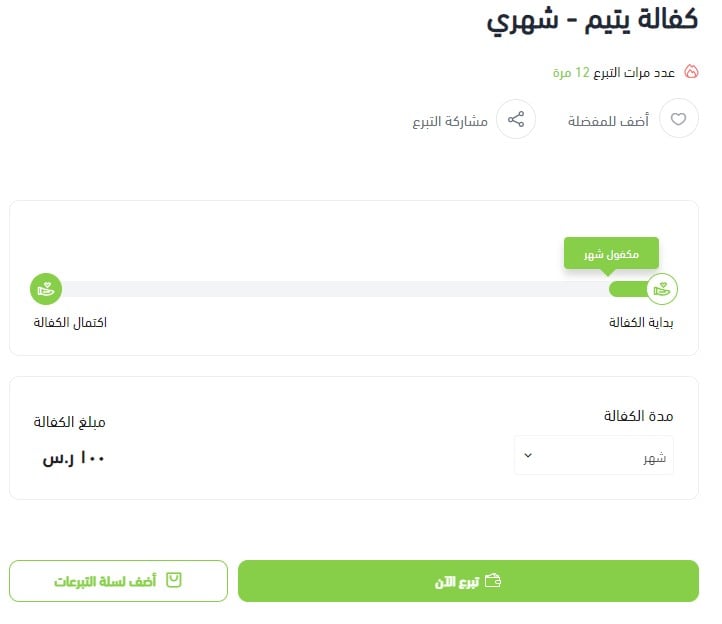
Can the sponsored duration for the case be known?
Yes, it will appear in your store as follows.
Is there a specific theme for this feature?
Yes, the Ata'a theme.
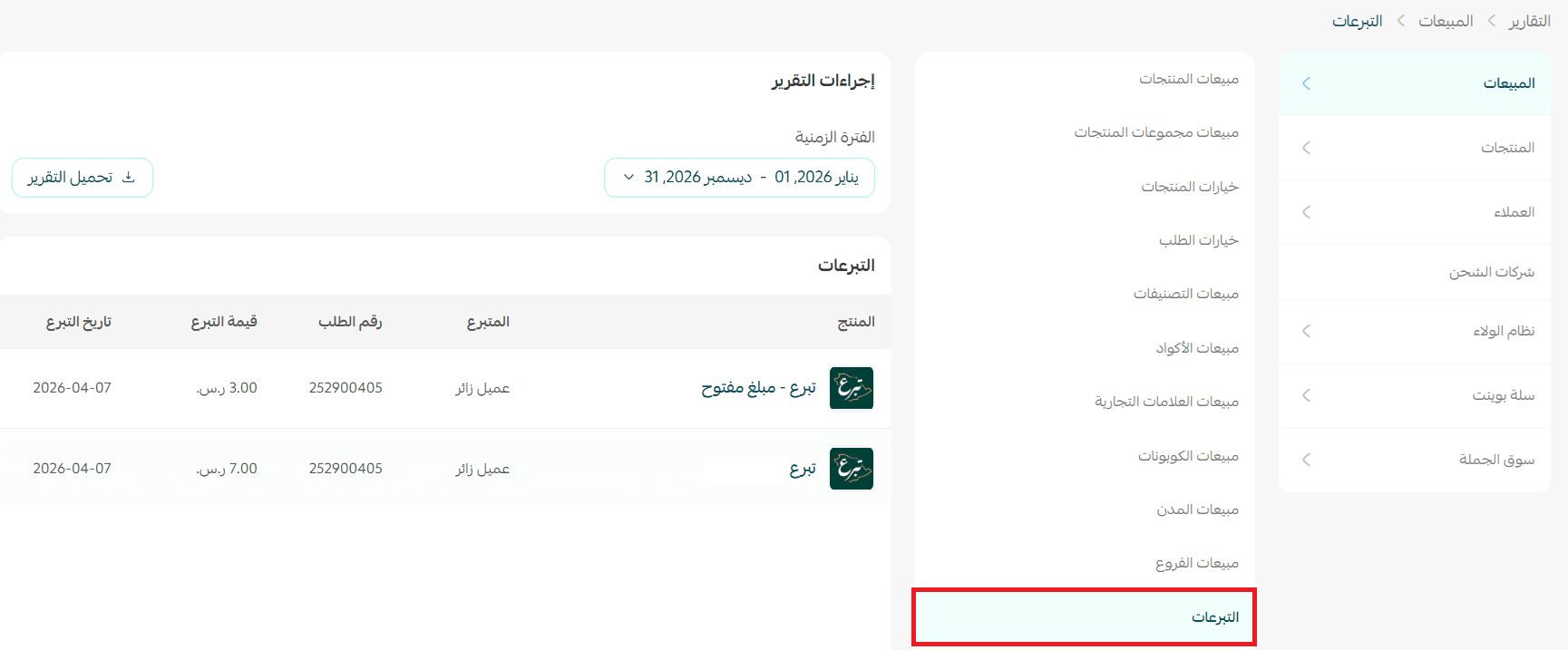
Are there reports for donations?
Yes, from the Sales Reports page, choose the report type (Donations).
Which stores is the feature available for?
The feature is exclusive to stores with a charity entity.