Do you want an online store that fully reflects your brand identity? Sometimes default customization options are not enough to achieve a truly distinctive look. This is where code comes in. By using CSS and JavaScript, you can deeply customize your store’s design and add advanced features that elevate the customer experience. In this guide, you will learn how to use these tools to create a more professional and visually compelling store.
📌 Article overview
- Requirements for customizing your store design using code
- Steps to customize the theme using code
Customizing the Theme Design Using Code
Theme customization using code relies on CSS and JavaScript editors to modify the default appearance and behavior of the store in a way that aligns with your brand identity.
🚀 Requirements for Customizing Your Store Using Code
To customize your theme using code, make sure the following requirements are met:
- Your store is subscribed to the Pro or Special plan
- Your store has a custom domain
For more details, refer to the guide on reserving a custom domain
- You have permission to access Store Design
This access is limited to authorized store staff
🚀 Steps to Customize the Theme Using Code
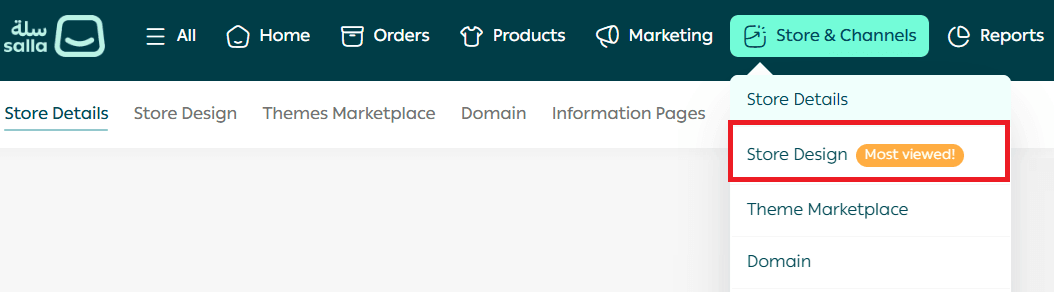
- From the main menu, go to Store & Channels, then click Store Design.
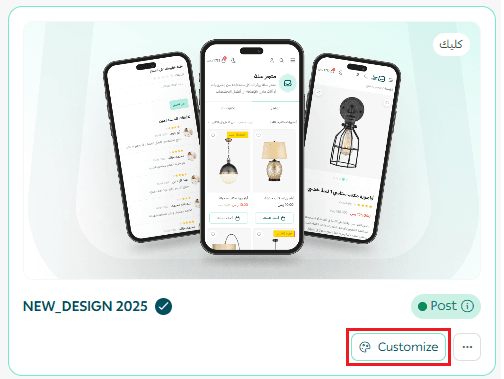
2. From the Store Design page, click Customize Version to edit the selected theme version.
3. On the customization page, open the Theme Customization tab.
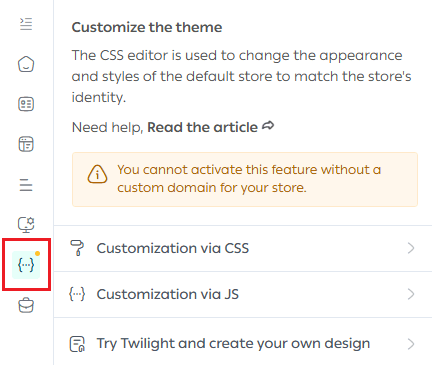
From here, you can customize the theme using two different approaches.
Method One: Customizing the Theme Using CSS
CSS is a styling language used to control the visual appearance of web interfaces. It is responsible for how your store looks and feels.
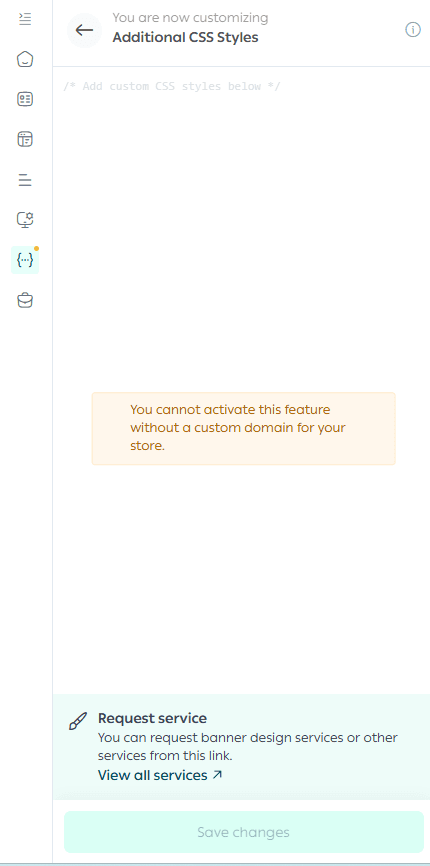
CSS allows you to control:
- Text color, font style, and spacing between elements
- Background images and colors
- Layout behavior across different devices and screen sizes
- Element positioning, sizing, and movement
- Borders, alignment, and overall layout styling
In short, whenever you think about the visual design and layout of your store, CSS is the tool you use.
Method Two: Customizing the Theme Using JavaScript
JavaScript (JS) is a programming language used to enhance store functionality and add interactive features.
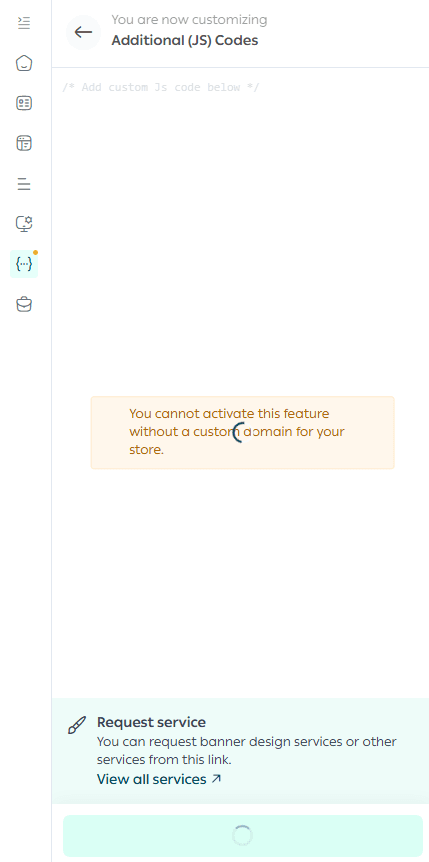
JavaScript is used to:
- Add new functionality to the store
- Create pop ups and interactive messages
- Insert custom elements such as buttons or static text blocks
- Control custom navigation behavior on specific pages
- Display customer reviews in selected categories using the Twilight SDK
- Integrate customer reviews into specific sections to increase engagement and improve user experience
JavaScript opens the door to advanced, dynamic interactions beyond visual styling.
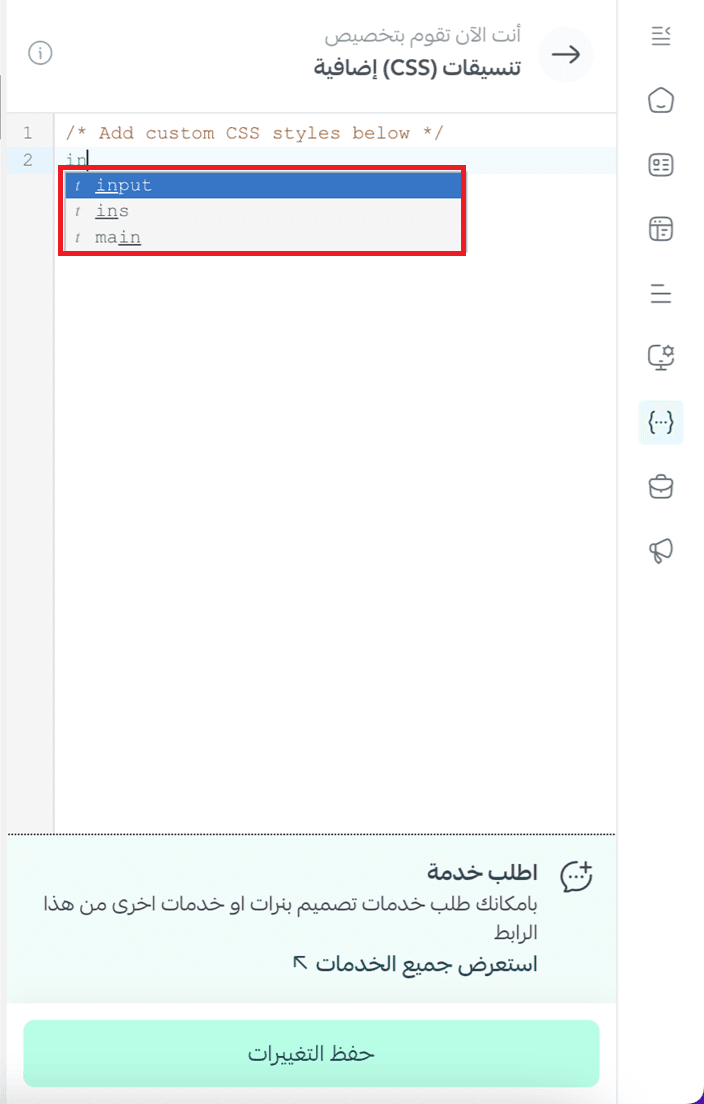
💡 Important Note: The code editor supports smart suggestions while typing. As you write CSS or JavaScript, an automatic suggestion list appears to help you select the correct elements and commands. This makes customization faster, easier, and less error prone.
🚀 Merchant Services

If you need professional assistance with CSS or JavaScript customization, you can use Merchant Services. This feature connects you with trusted external service providers who specialize in store design and advanced theme customization, helping you implement professional solutions efficiently.
✨ Use code to unlock full control over your store’s design and functionality, and create a shopping experience that truly represents your brand.