A customer just filed a complaint against your store. What you do in the next few hours decides whether you lose them or keep them.
Handling customer complaints well is one of the quietest advantages in e-commerce. A fast, honest response turns a bad experience into a reason to trust you, and it protects the customer relationship you already paid to build. Salla routes every complaint into your dashboard, shows you the full context, and gives the customer a clear way to follow it. In this guide, you'll learn how to find a complaint, how to reply to it, how customers file and follow complaints, and what each complaint status means.
When a customer files a complaint, Salla shows a notification on your dashboard home page and sends you an email. Open (Customer complaints), click the complaint number to read the full details, then reply with a clear resolution and attach any supporting files. Only the customer can close a complaint.
📌 Article overview
- How to find and answer a customer complaint
- How a customer files and follows a complaint
- Frequently asked questions
👣 How to find and answer a customer complaint
1. When a customer files a complaint, a notification appears on your dashboard home page. Click (Customer complaints).

You also receive an email letting you know a new complaint has been opened on your store.
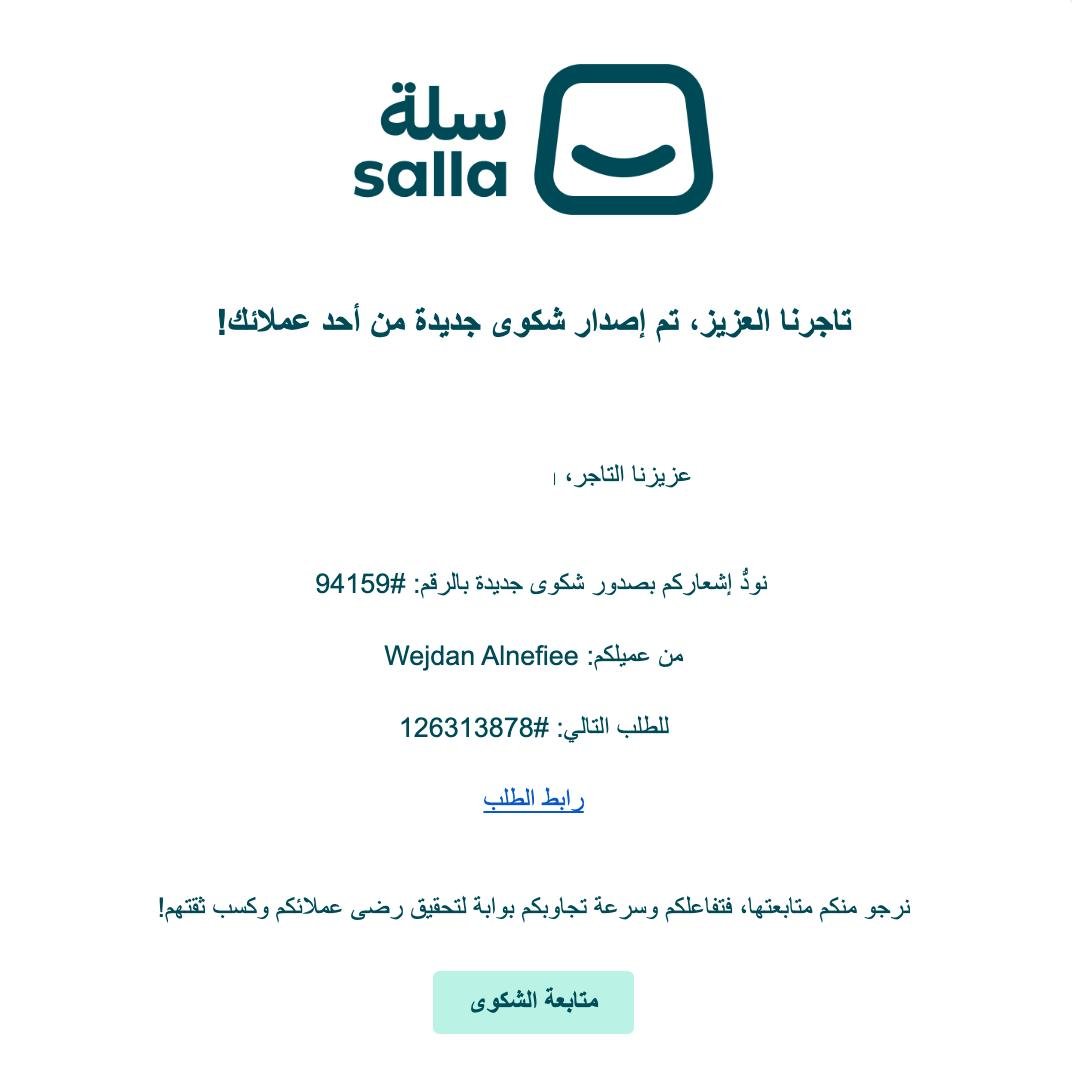
2. The complaints log lists the complaint number, the customer's name, the order number, and the complaint status. You can filter the list to find what you need.

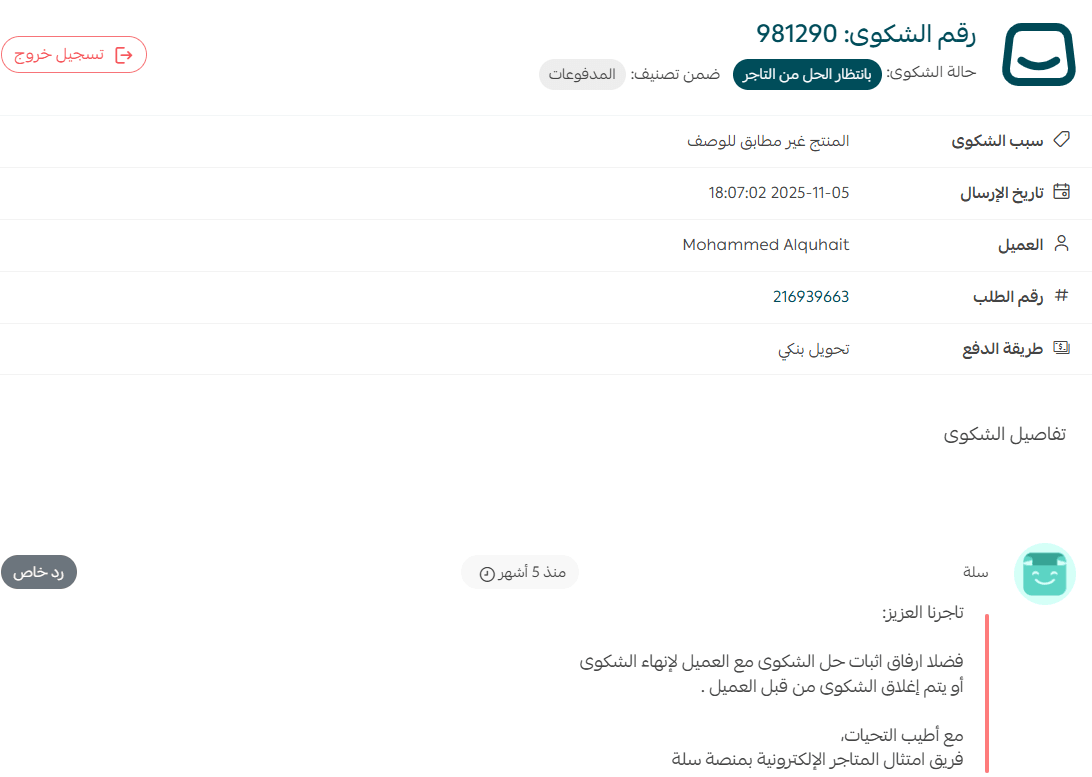
3. Click the complaint number to open it.

4. Read the complaint carefully: the complaint type, the customer's own description, and anything tied to the order or the service. Make sure you have every detail you need to pin down the problem before you answer.
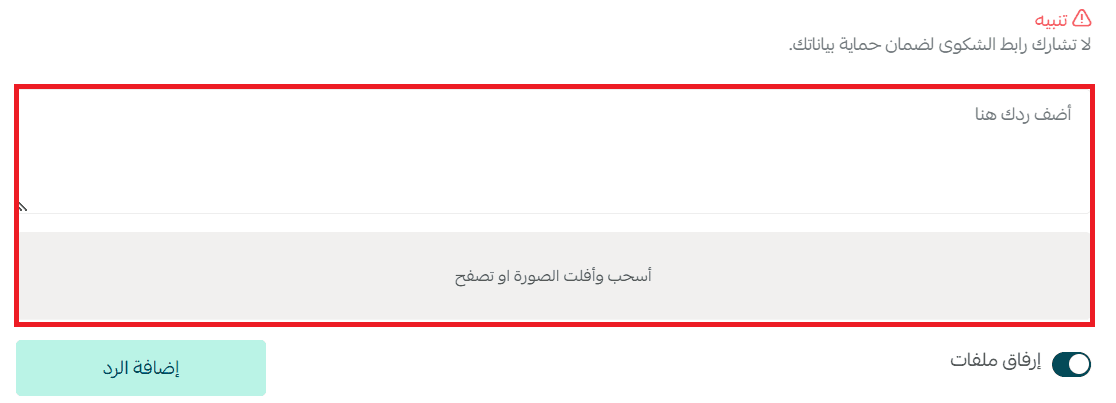
5. Write your reply, attach any photos or documents that support it, then click (Add).
Offer a clear resolution rather than an explanation. Compensation or a discount on the next order both work, as long as the answer is aimed at making the customer whole.
📝 Important notes
If the complaint is not accurate, lay out the details that show why, and attach any files you have.
6. Wait for the customer to reply, or for them to accept your settlement and close the complaint themselves.
📝 Important notes
Closing a complaint is available to the customer only. As the merchant, you cannot close it from your side.
🎯 How a customer files and follows a complaint
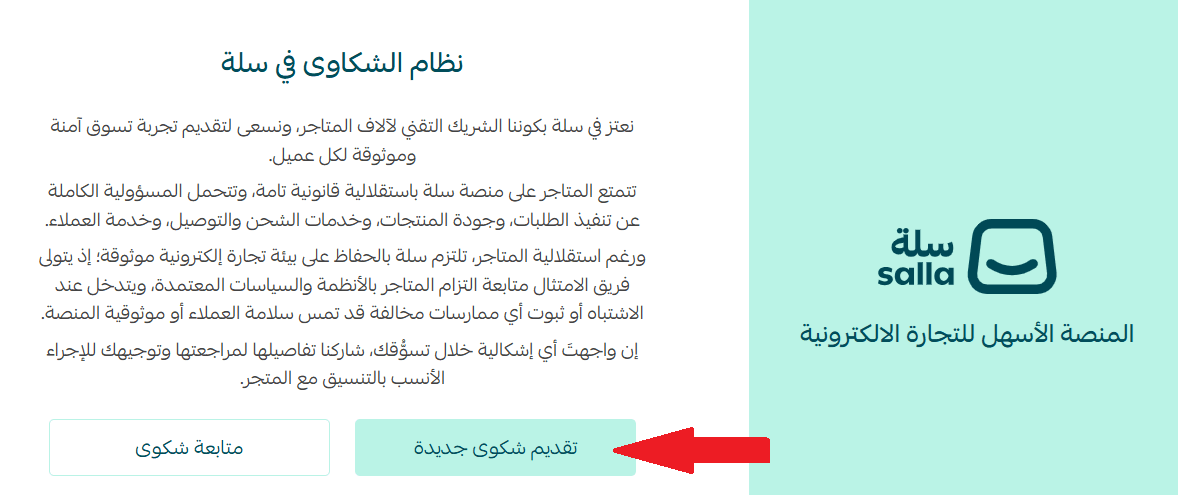
1. The customer opens the complaints system page and clicks (Open a new complaint).
2. They enter the complaint details, attach photos, and agree to the declaration.
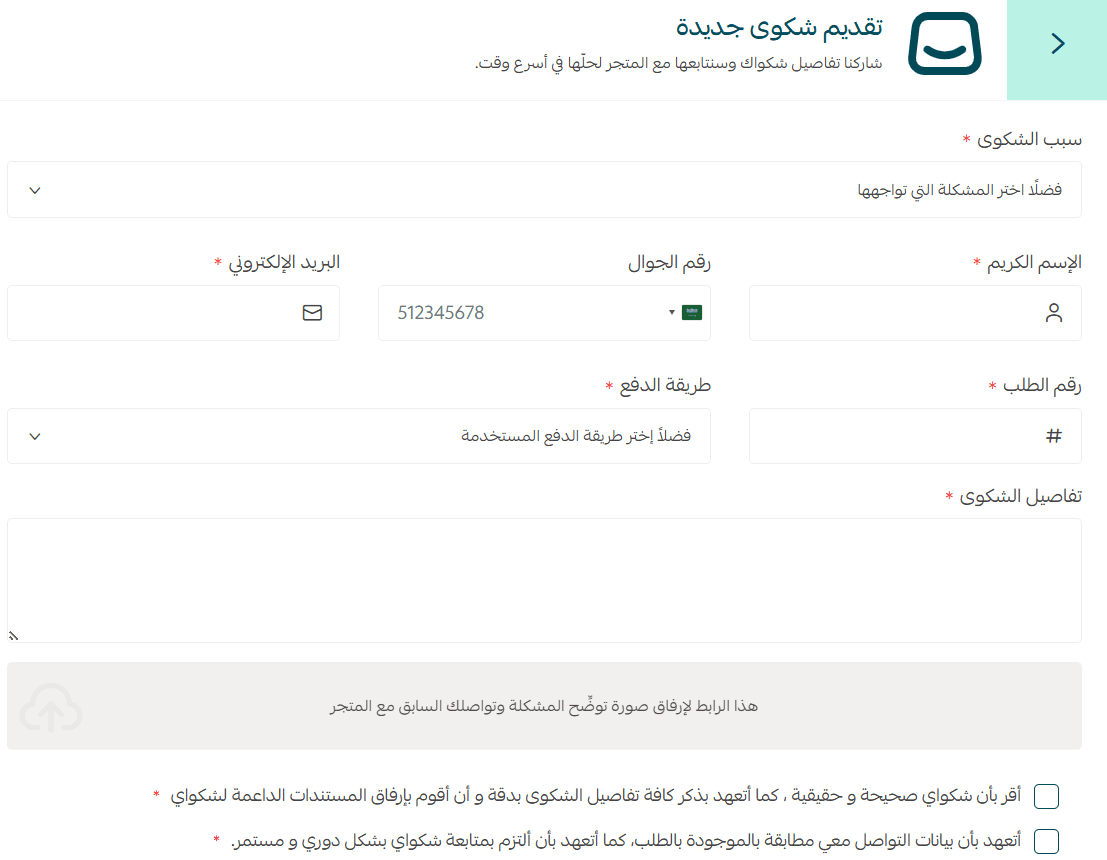
The complaint is submitted. The customer needs to save the complaint number and the follow-up code, since both are required to track it.
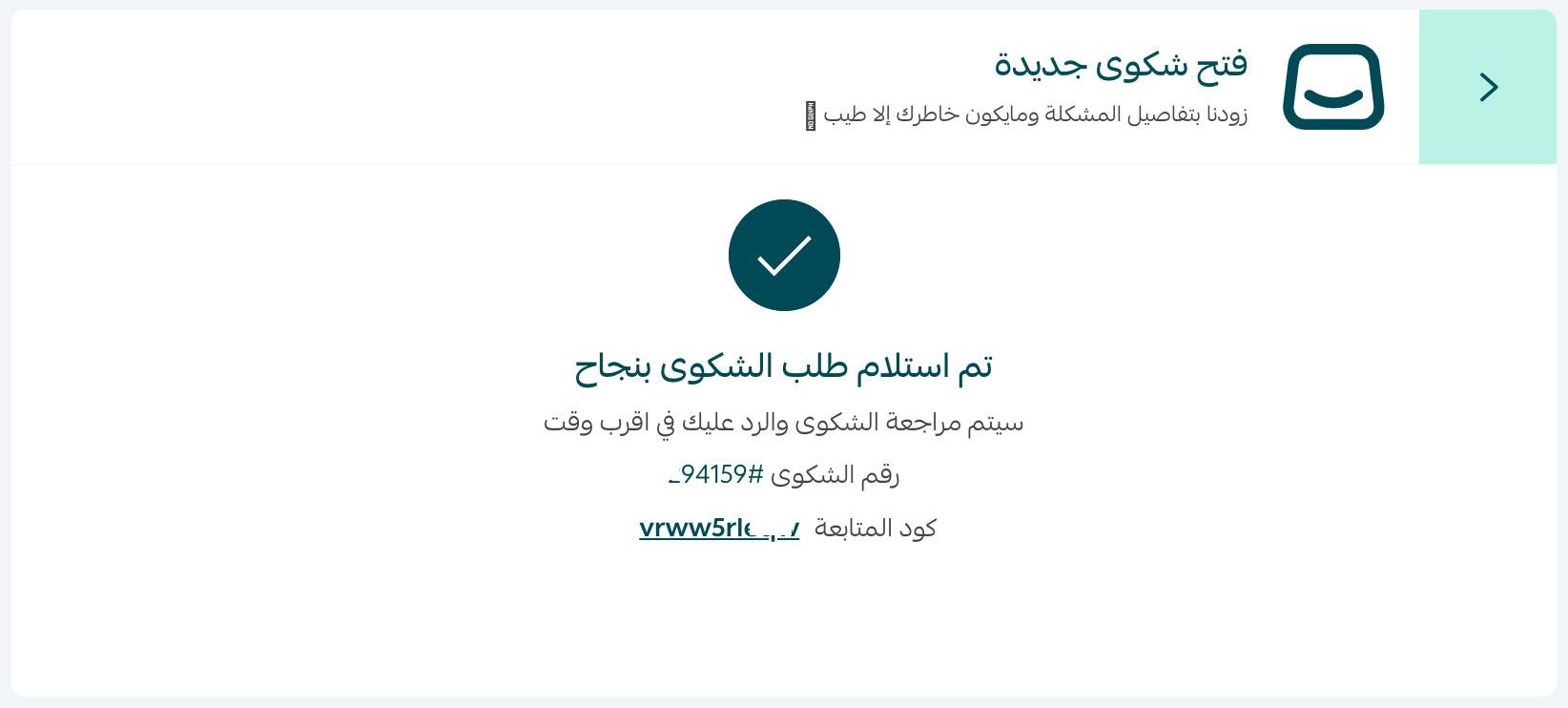
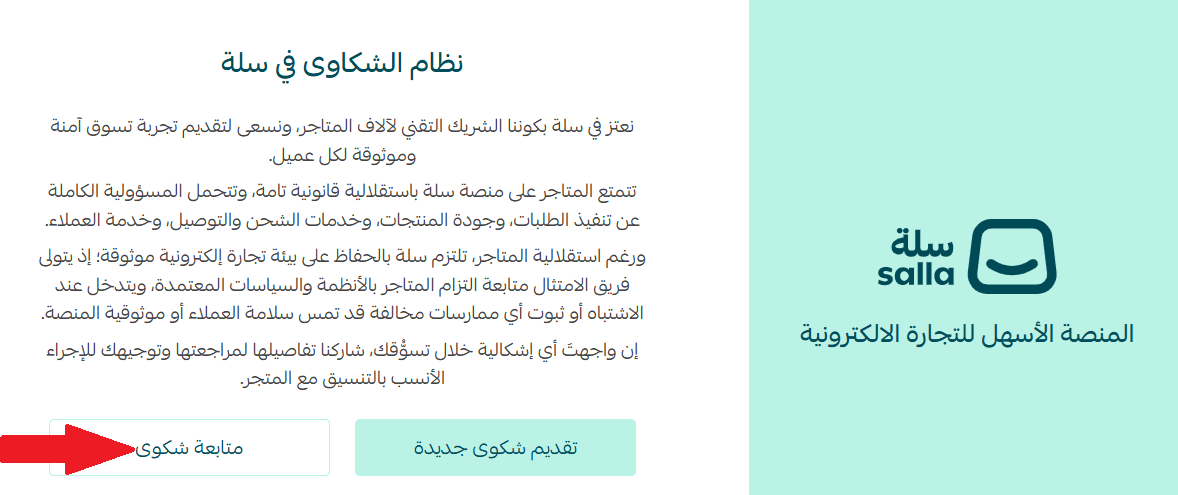
3. To follow up, they return to the complaints system page and click (Follow up on a complaint).
They enter the complaint number and the follow-up code, then click (View complaint).
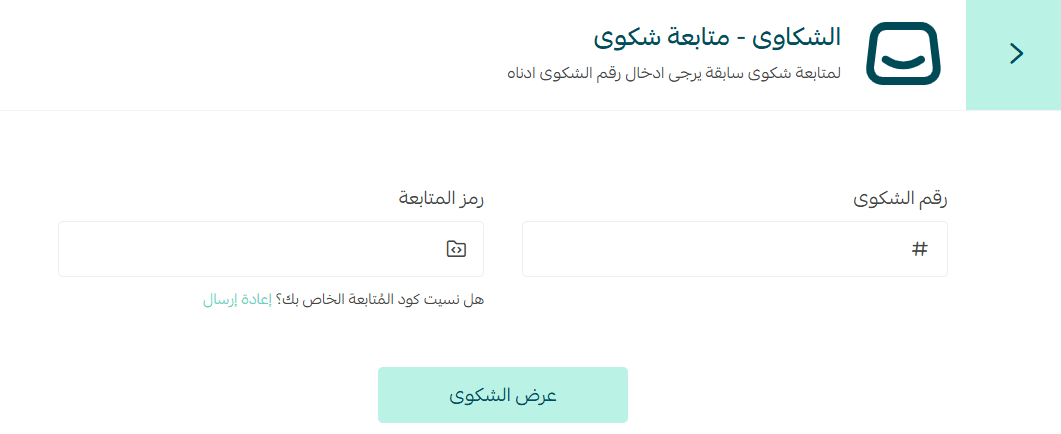
Once they enter the verification code, the complaint follow-up page opens.
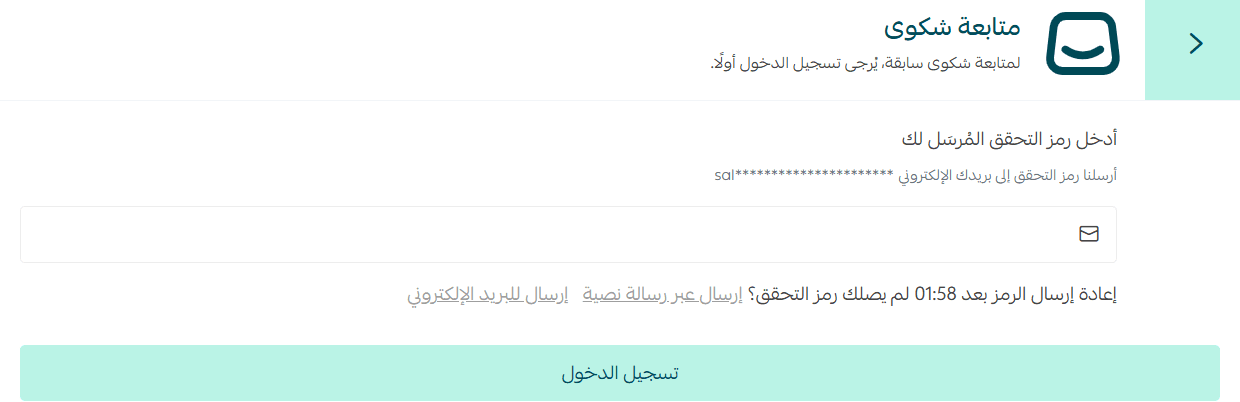
4. The complaint page shows your most recent replies. From here the customer can add a new reply, or accept the settlement and close the complaint by clicking (Click here).
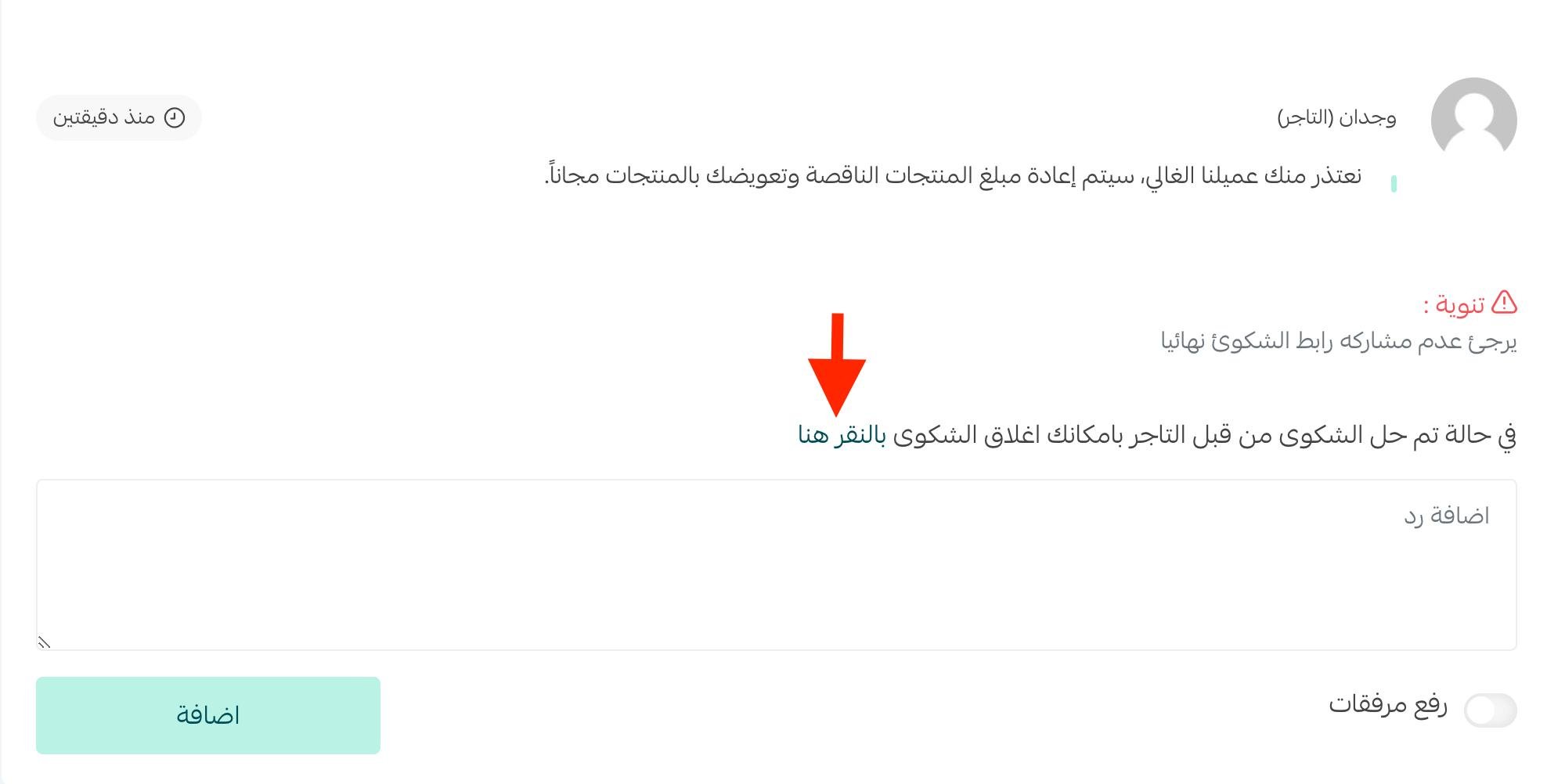
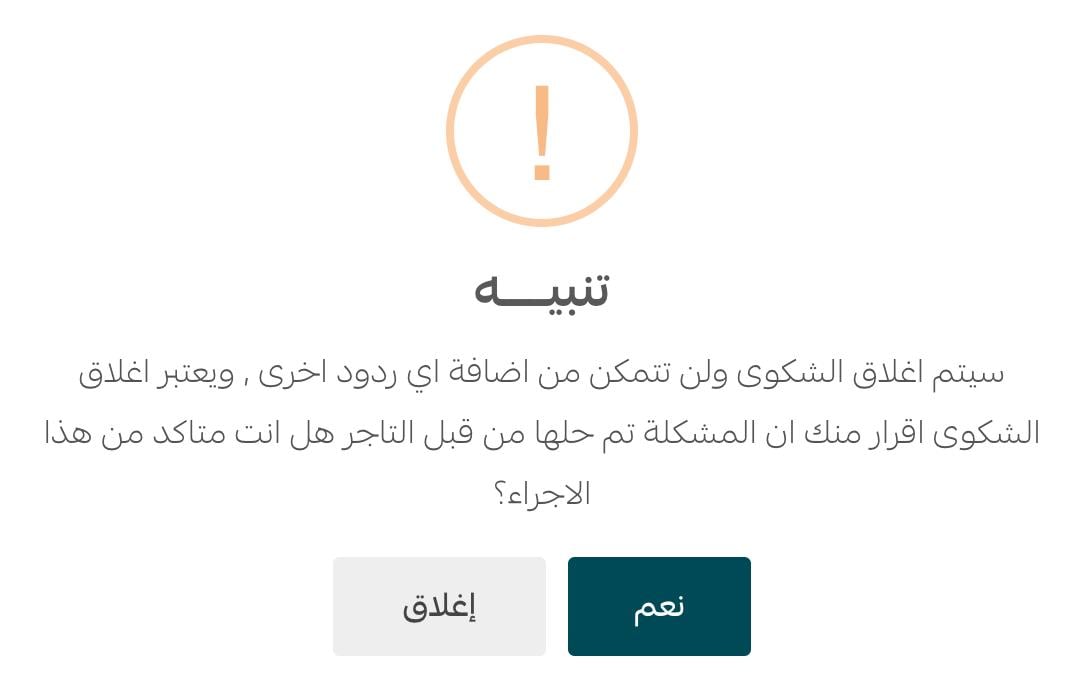
Choosing to close brings up a confirmation prompt. The customer clicks (Yes).
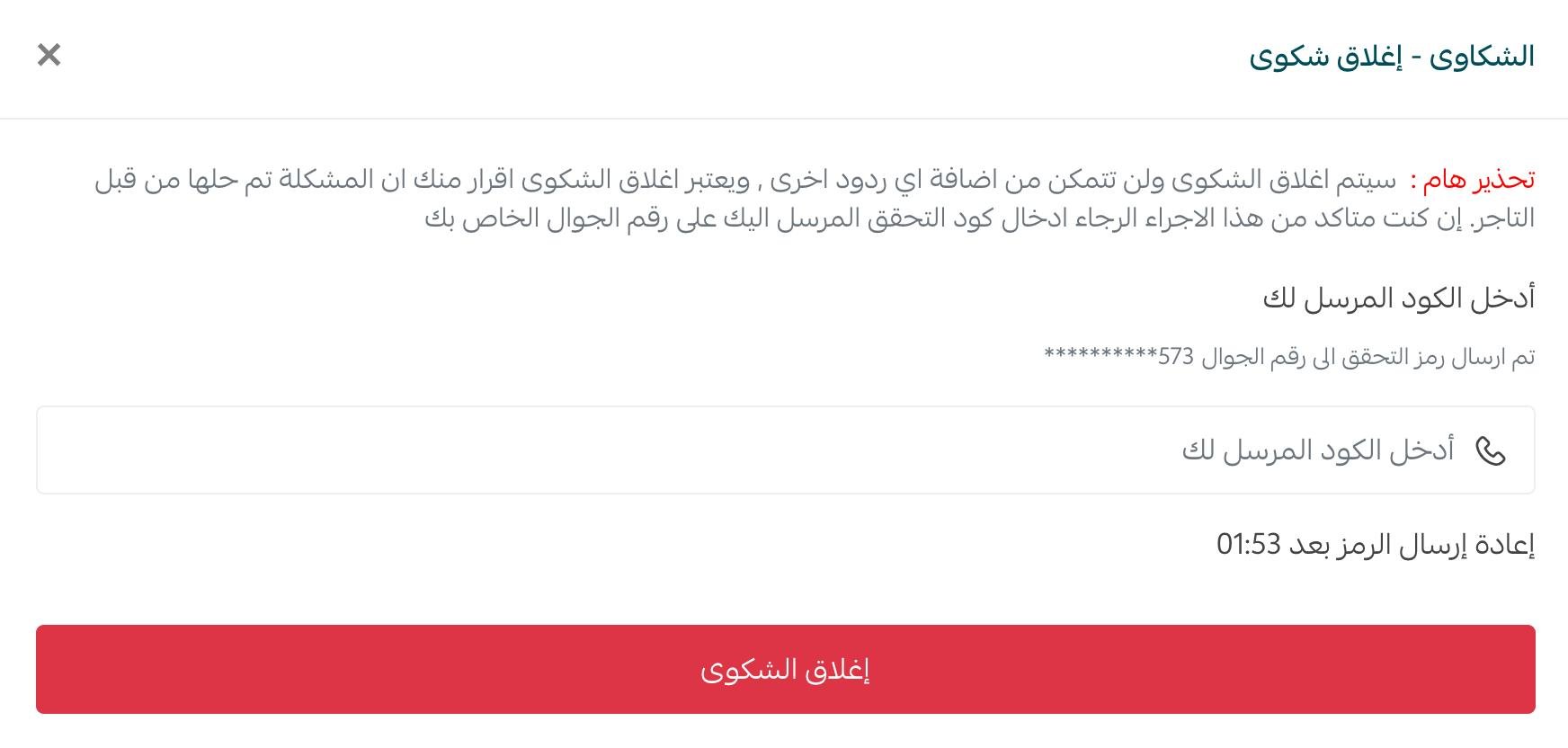
They then enter the verification code sent to their phone and click (Close complaint).
The complaint status updates immediately to (Closed).

Frequently asked questions
These are the questions shoppers most often ask about the Salla complaints system.
❓ How do I get a refund from a store that isn't cooperating?
Start by contacting the store owner and asking them to:
- Cancel the order.
- Refund the amount.
If there is no response, you can file a complaint through Salla so the specialist team reviews it and contacts the merchant.
❓ What do the current complaint statuses mean?
Under review by Salla: the first status after a customer opens a complaint, while the Salla team checks the information.
Awaiting merchant response: waiting for the merchant to engage with the complaint.
Awaiting customer reply: waiting for the customer to engage with the complaint.
❓ What do I do if the store doesn't respond to the complaint?
If the merchant doesn't engage inside the complaint:
- You can request the store's details through the complaint.
- You will be given what you need to take your complaint further.
❓ What if none of the store's contact channels work?
If every contact channel is unavailable:
- File a complaint directly through Salla.
- The specialist team will look into the case and contact the merchant.
❓ What is Salla's role in complaints against stores?
Salla acts as the link and mediator between a merchant and their customer, helping both sides reach a resolution they can live with.
❓ What is the last step if the problem still isn't solved?
If the complaint doesn't resolve the issue:
- Email mc@salla.sa.
- Request the store's details.
- File a complaint with the competent authorities so they can take the necessary action.
📝 Important notes
The complaints team will share the full details with you and follow up on your request according to the case.
A complaint is a customer telling you exactly what went wrong, for free. Answer quickly, resolve clearly, and most of them end with a customer who still buys from you.