Every interaction in your store can now become a way to earn points, and every point a direct reason for the customer to buy again.
The Salla loyalty system is no longer just points for purchases. It is a complete system that covers:
- Purchases from the store, the app, and Salla Point
- Engagement with the store: reviews, sharing, and profile details
- Fully customizable rewards
- A browsing and redemption experience inside the store, the cart, and the product page
Points only work when they are attached to something you actually want more of. That is the whole idea behind loyalty points and rewards in the Salla loyalty system: you decide which behavior earns points, how many, and when they are credited, then you decide what those points can be exchanged for. In this guide, you'll learn how to add earning methods, set when points are credited, and build a rewards system that fits your margins.
To set up the loyalty system, add earning methods from the points section and rewards from the rewards section. Each earning method ties points to one behavior, such as a first order, a review, or an order through the app. Each reward defines what customers get when they redeem those points: a discount coupon, a free product, or free shipping.
📌 Article overview
- How customers earn points, and how to encourage them to earn more
- Setting when points are credited and building a fully flexible rewards system
- Frequently asked questions
🎯 First: how customers earn points, and how to encourage them to earn more
Before you look at the individual methods, keep the basic rule in mind: don't just hand out points, tie them to the behavior you want to see more of in your store.
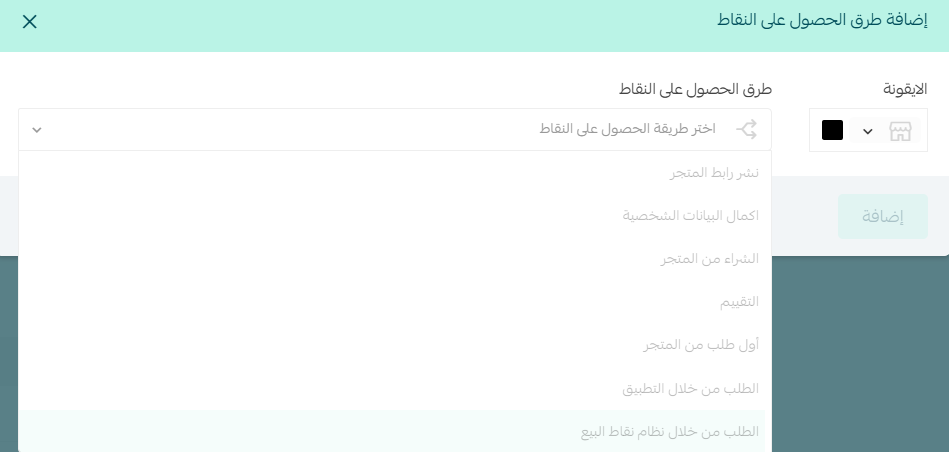
From the points section, add a way to earn points in your store by clicking (Add a new method).
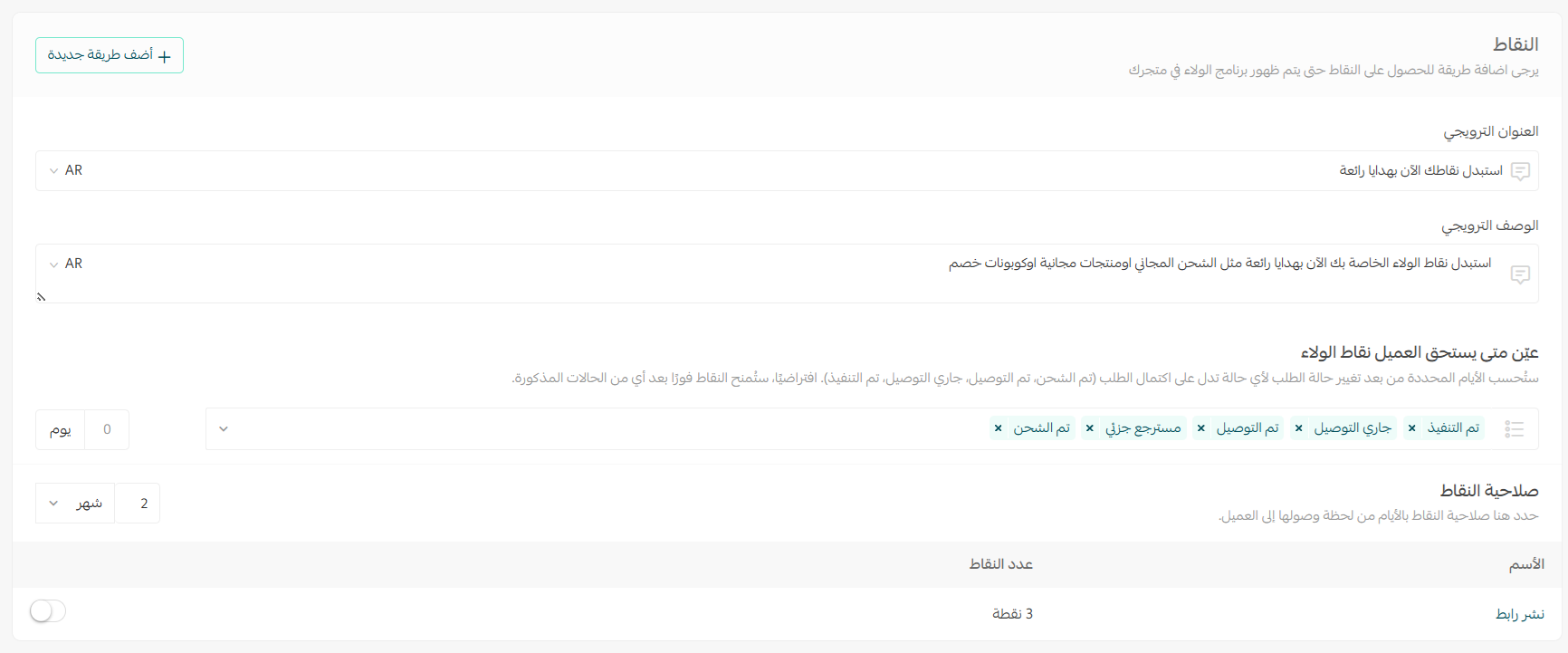
Then choose an earning method for your store from the list of options.
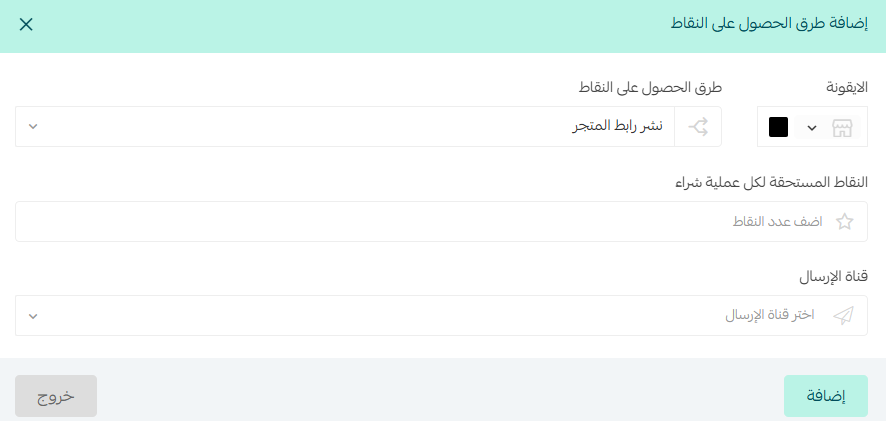
You can now create several ways to earn points, such as:
1. Sharing the store link
The goal: turn your customers into marketers for your store.
Best practices
- Tie the points to an outcome (a purchase), not to the share itself.
- Keep the points rewarding but not excessive.
- Use a motivating message such as: "Share your store link and earn points that bring you closer to your reward 🎁"
2. Completing profile details
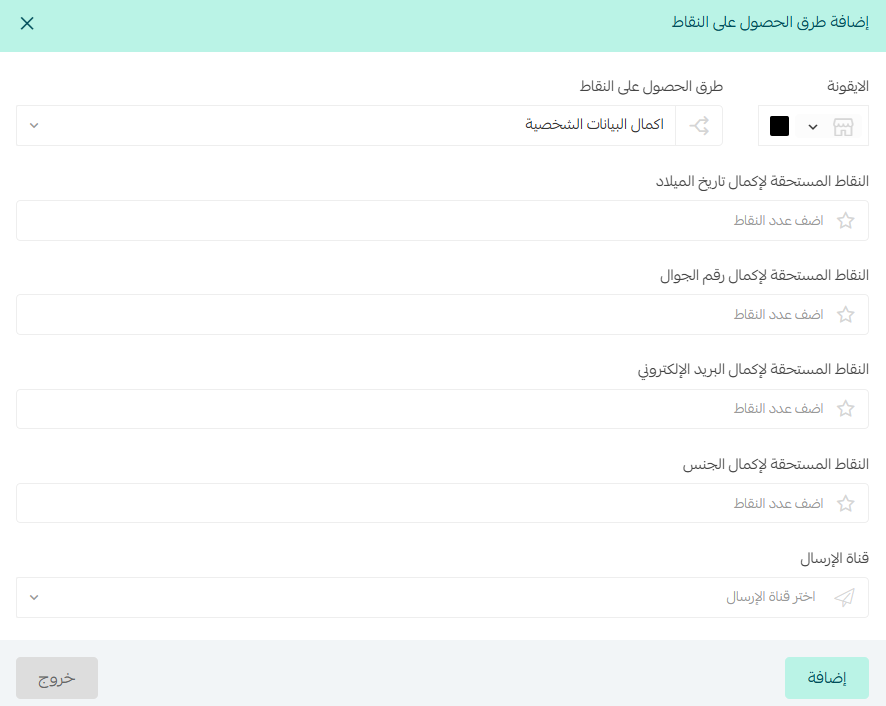
The goal: improve the quality of your customer data so your marketing works harder.
Points are awarded for completing: date of birth, mobile number, email address, and gender.
Best practices
- Split the points across the fields instead of giving them all at once.
- Pair them with a message such as: "Complete your details and earn extra points 🎯"
- Use the data later in targeted campaigns or birthday offers.
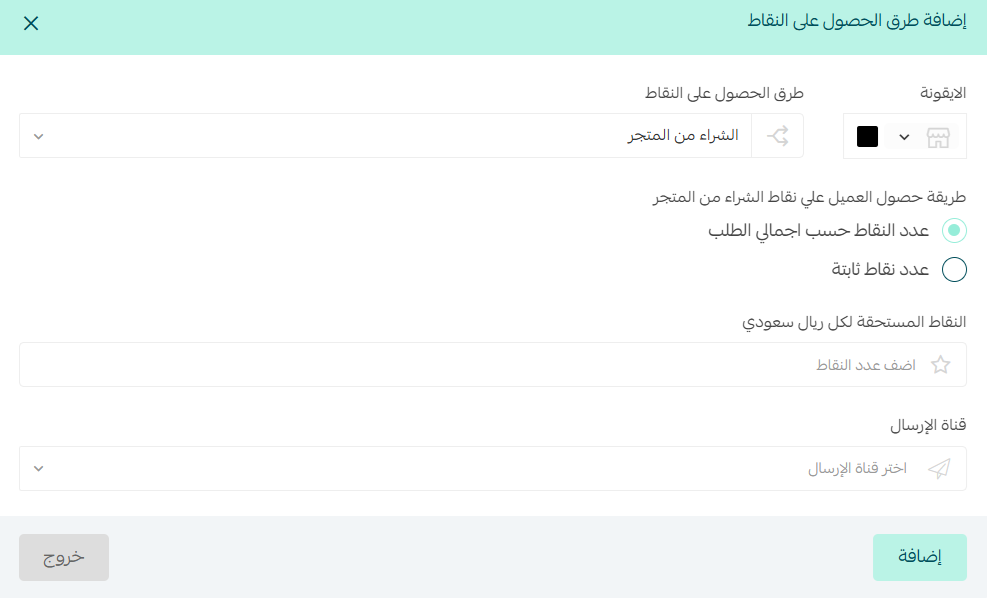
3. Purchases from the store
The goal: raise the order value and encourage repeat purchases.
Best practices
- Use a per-riyal rule to grow the cart.
- Add extra incentives for large orders.
- Keep the points achievable, not out of reach.
4. Reviews
The goal: build trust and improve conversion.
Best practices
- Ask for the review once the order arrives: encourage the customer to share their experience while it is still fresh.
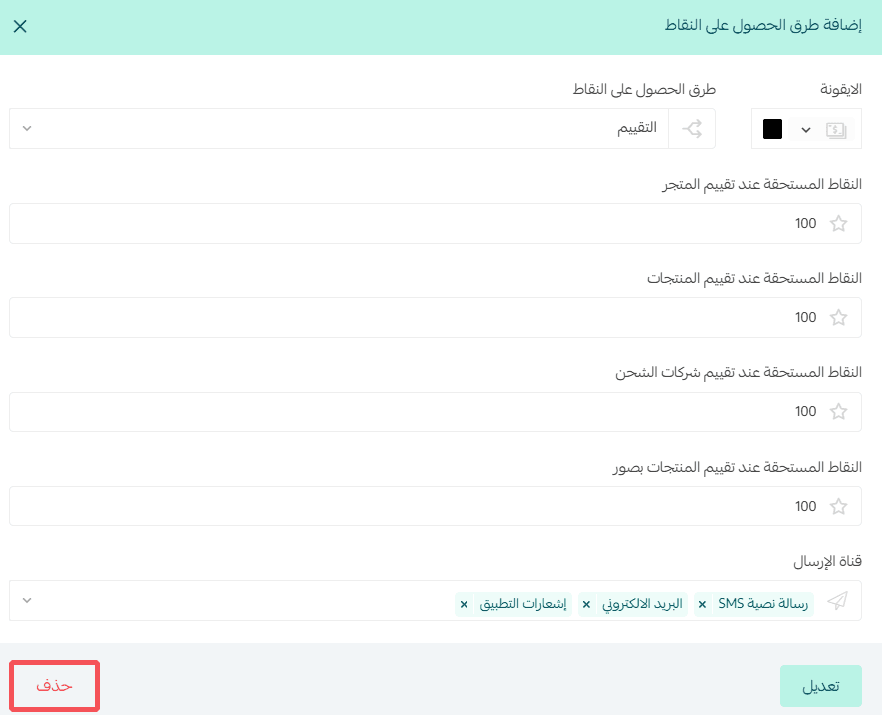
- Review: set how many points the customer earns for adding a review.
- Store review: set how many points the customer earns for reviewing the store.
- Product reviews: set how many points the customer earns for reviewing one of your products.
- Shipping company reviews: set how many points the customer earns for rating the shipping company used for the order.
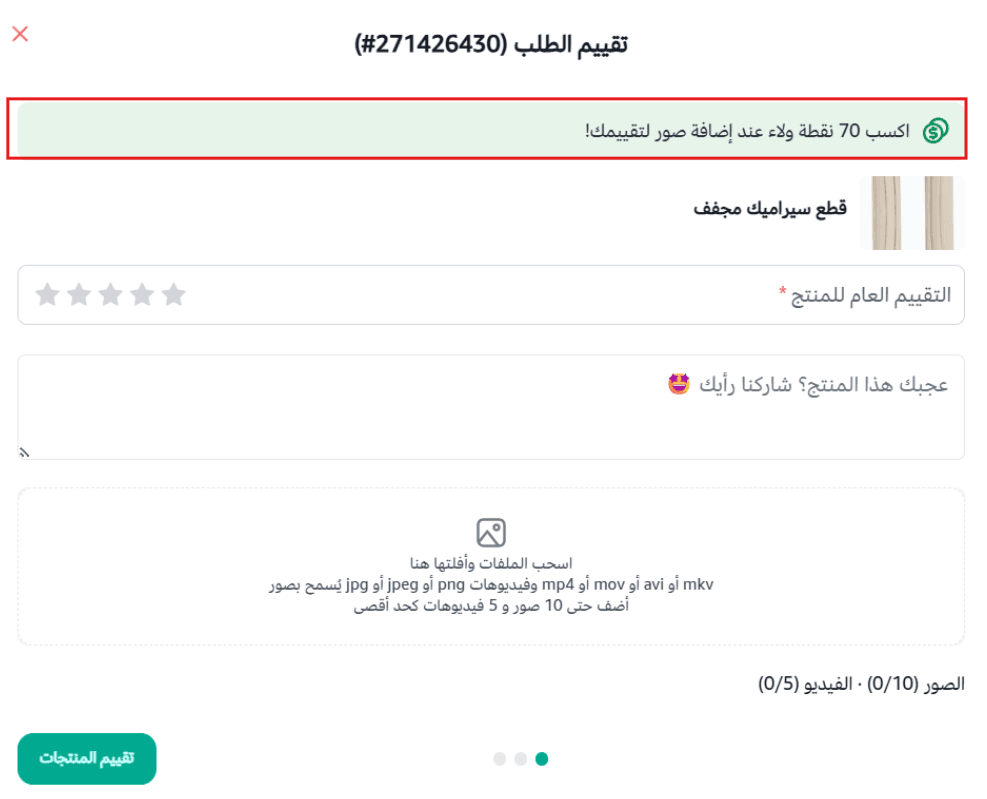
- Product reviews with photos: set how many extra points the customer earns for attaching a photo to a product review.
🔔 Note: the customer earns extra loyalty points for attaching a photo to a product review, which encourages real, visual feedback.
📝 Important notes
Loyalty points are added to the customer's account once the number of days you set has passed, counted from the date the order status changes to one of the statuses selected in the settings.

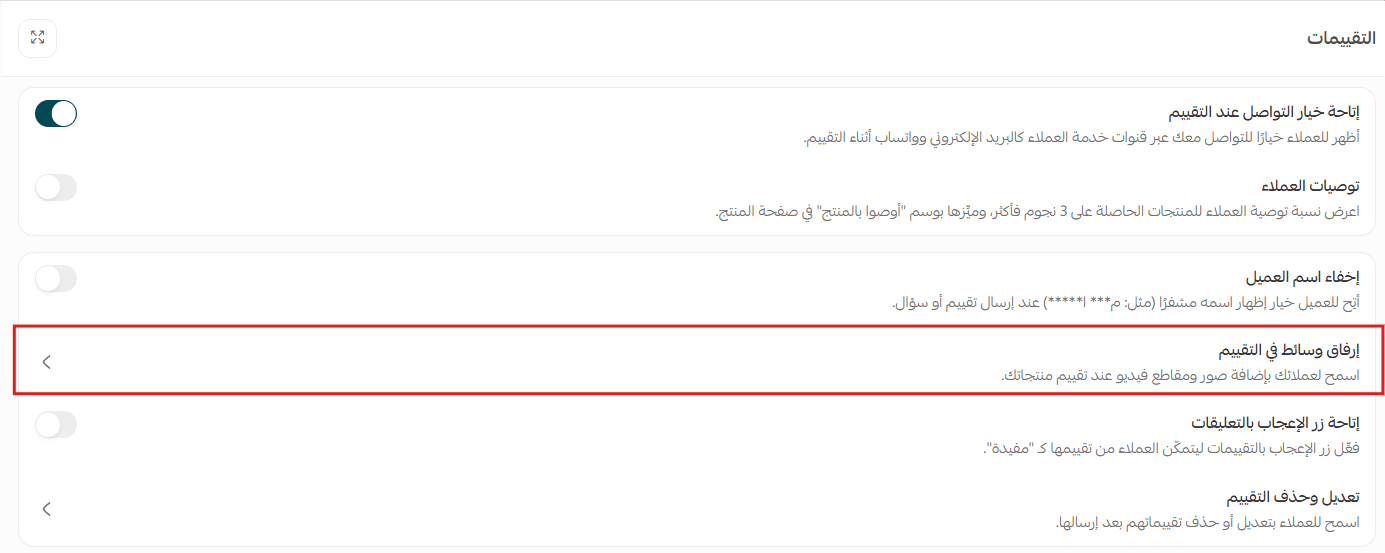
⚠️ Photo reviews only work if (Allow photo attachments in reviews) is enabled on the review settings page.
For more details, see questions and reviews.
- Delivery channels: choose the channels used to send review requests to customers, such as SMS, email, and app notifications.
- Connect the review to the reward: use a motivating message such as "Your opinion matters, and there are points waiting for you as a thank you ⭐"
- Put the reviews to work: use them on product pages and in marketing campaigns to build trust and support the buying decision.
5. Ordering through Salla Point (POS)
The goal: connect the in-store experience to the online one.
Best practices
- Use the same points rules you use in the online store.
- Encourage customers to register before they pay.
- Train your staff to promote the points at the counter.
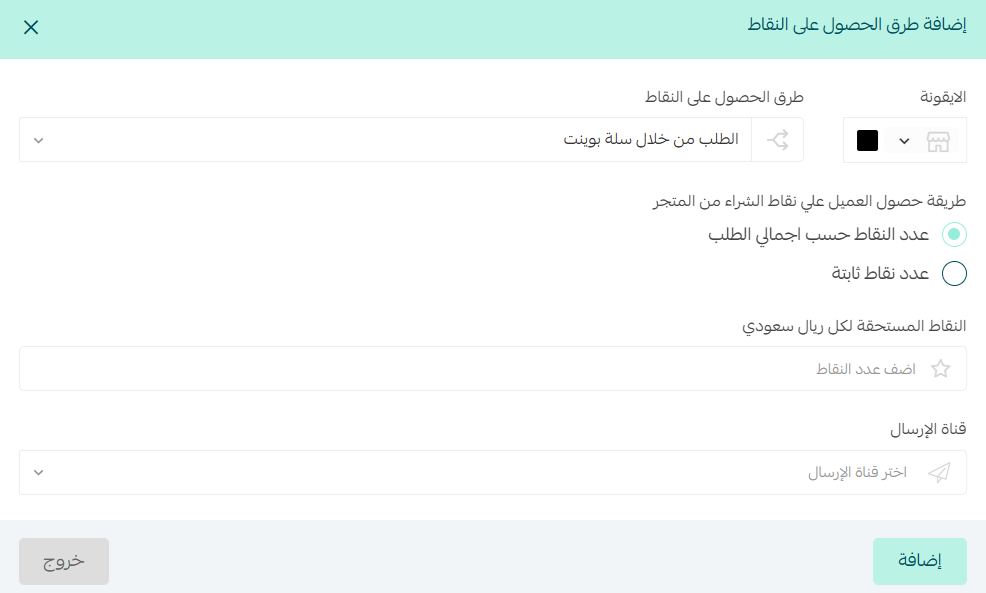
6. First order from the store
The goal: turn a visitor into a first-time customer.
Best practices
- Make the reward clearly worth having.
- Pair it with a message such as: "Your first order with us = the start of your rewards 🎉"
- Use it alongside ad campaigns and a first-order discount code.
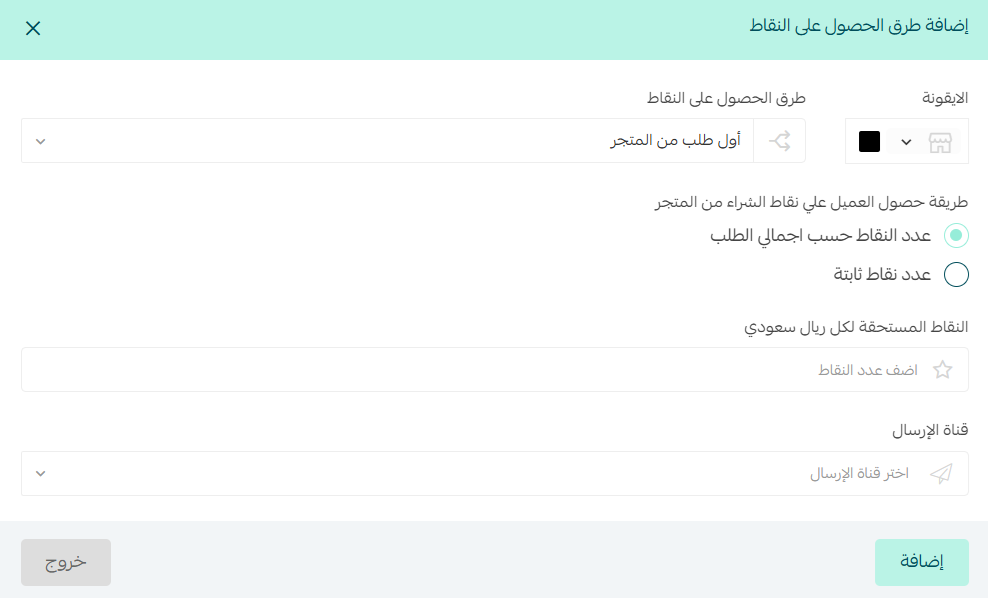
7. Ordering through the app
The goal: move customers from the browser to the app.
Best practices
- Make the app the better option every time: more points than the website, plus app-only offers.
- Spell out the benefit, for example: "Order through the app and earn double points 🎁"
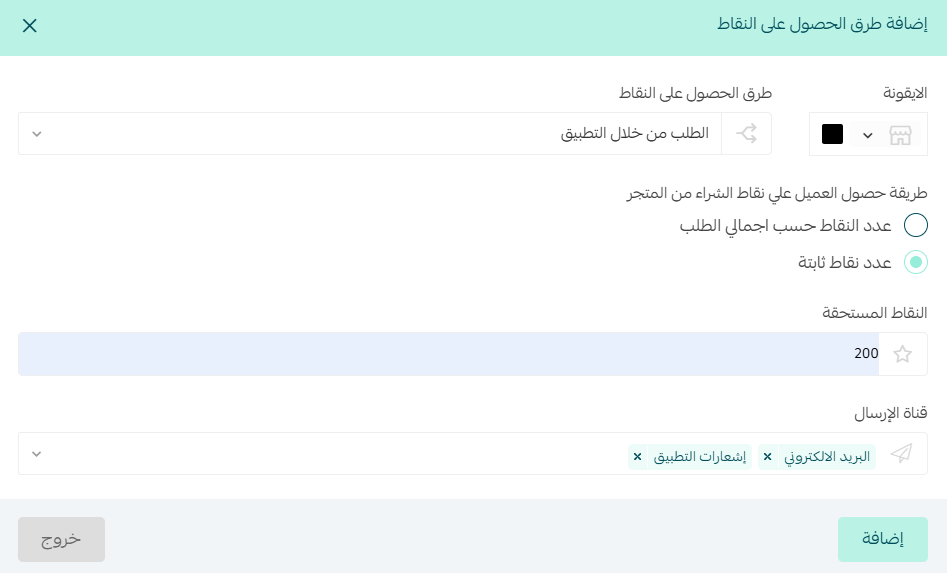
🚀 Second: set when points are credited and build a fully flexible rewards system
Rewards are no longer limited to one type. You can now create:
✅ Discount coupons
✅ Free products
✅ Free shipping
Each one comes with detailed control and full customization. To add a new reward, go to the rewards section and click (Add a new reward).

Then choose the reward type the customer receives when redeeming their points.
Select the included categories or products that can be claimed as a reward (optional). If you leave this empty, every product in your store is included in the reward.
Select the excluded categories, brands, or products (optional). If you leave this empty, no product in your store is excluded from the reward.
1. Discount coupon
Enter the coupon details:
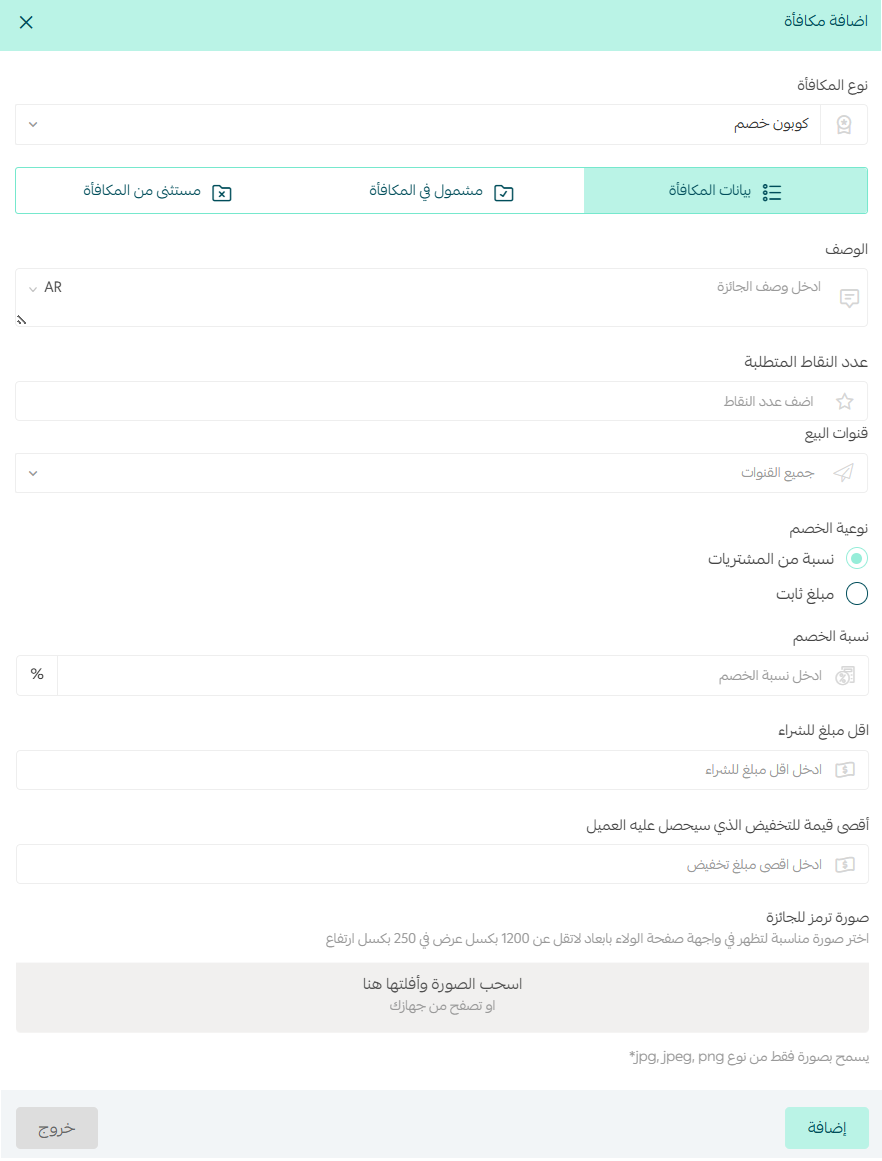
Setup best practices
Reward details
- Don't write a functional description. Write a commercial one that makes the customer want it.
💡 Example:
❌ Discount on your order
✅ Save more on your next look ✨ an exclusive discount from your points
- Don't make the reward too easy to reach, or so hard that customers give up:
Quick rewards: 100–200 points
Mid-range: 300–600
VIP: 700+
- Tie the points to behavior:
First order = low
Repeat purchases = medium
VIP = high
- Enable the channels according to how much impact each one has:
App notifications: instant, and the highest conversion
SMS: urgent offers
Email: explanation and retargeting
What the reward includes
- Don't include the whole store. Focus on:
High-margin products
Slow-moving products that are still easy to market
What the reward excludes
- Exclusions matter more than inclusions sometimes, because they prevent:
Stacked discounts
Losses you never planned for
2. Free product
A free product is not a gift. It is a tool for steering demand, clearing stock, and raising cart value.
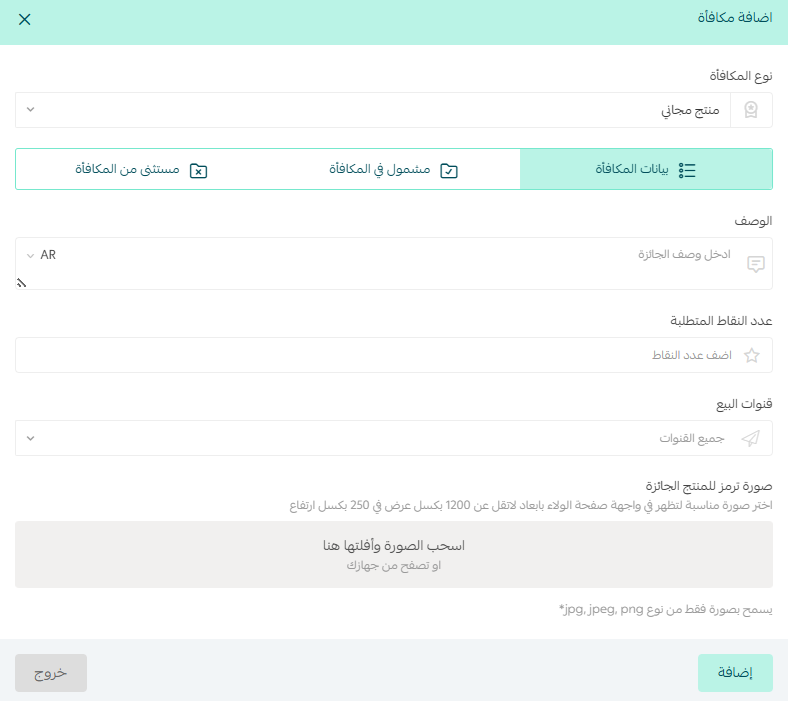
Included categories: don't include every category. Choose the slowest sellers or the most profitable ones.
Included brands: use them to strengthen one brand or clear its stock, not as a blanket rule.
Included products: use them when you need tight control, not as a permanent setup.
Excluded categories: use them for new arrivals, high-demand products, and low-margin products.
Excluded brands: use them for premium brands, brands you never discount, and exclusive labels.
Excluded products: already-discounted products, best sellers, and new collection items.
🚫 Common mistakes to avoid
- Including every product in the reward
- Not using exclusions at all
- Giving away high-demand products for free
- Setting a reward without a goal behind it
3. Free shipping
Free shipping is not a cost. It is:
- A closing argument at the moment of payment.
- A lever for raising the average order value.
- The factor that settles the final decision.
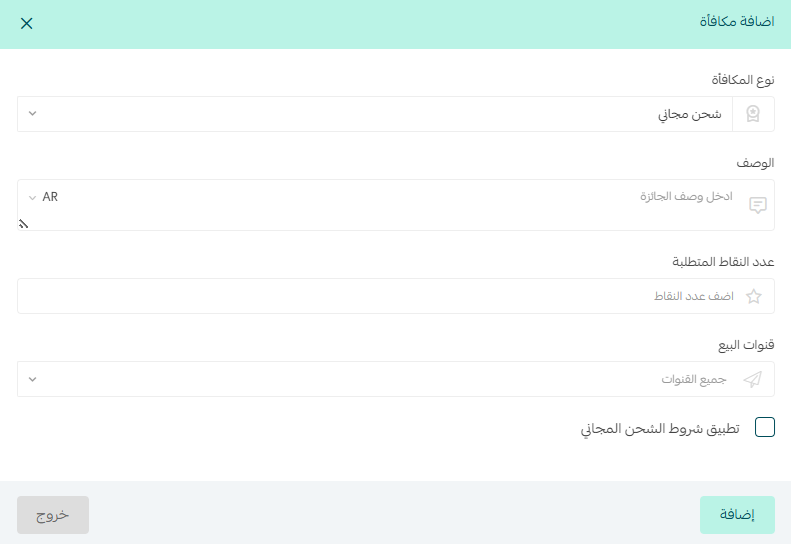
✅ Tie free shipping to a minimum purchase amount to raise cart value instead of offering it outright.
✅ Offer free shipping as a reward in exchange for points to drive engagement with the loyalty system.
✅ Keep the shipping cost lower than your other rewards, since it carries more psychological weight at checkout.
✅ Run it as a limited-time offer to create urgency and lift conversions.
✅ Restrict it to high-value orders to protect your margin.
✅ Use it to reactivate inactive customers and bring them back.
✅ Reserve it for your VIP tier to build long-term loyalty and repeat purchases.
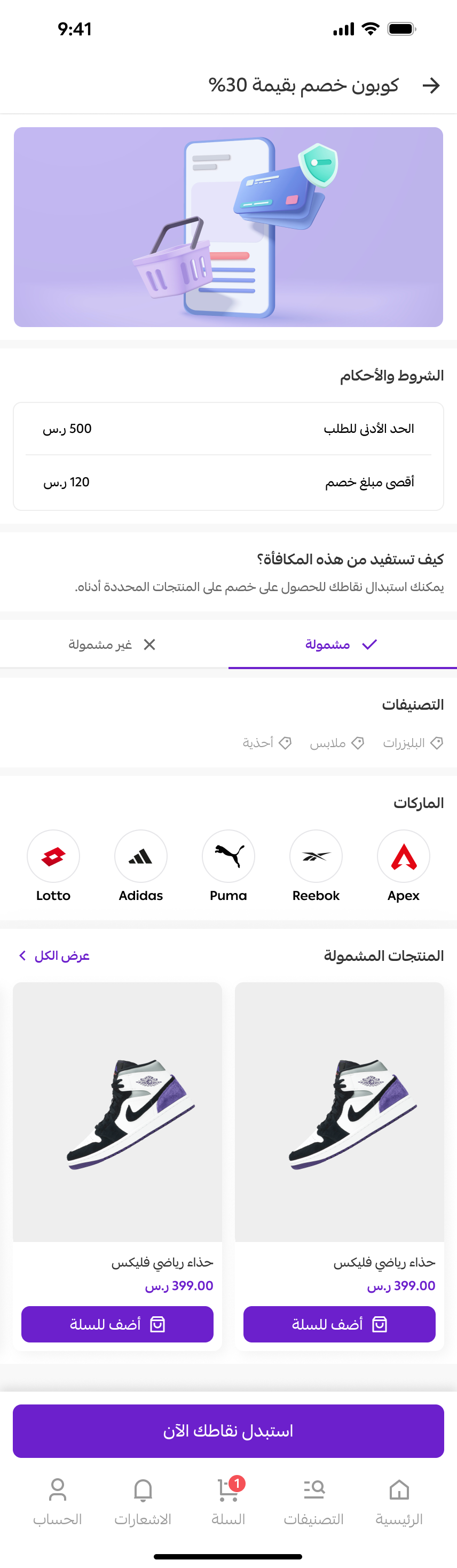
💡 Example: a 30% discount coupon on selected categories, brands, and products.
❓ Frequently asked questions
Why can't I add any more earning methods?
You have already added every available type of earning method to the list. Delete one of the methods you added, or edit its settings instead.
When are loyalty points credited to the customer?
Points are added to the customer's account once the number of days you set has passed, counted from the date the order status changes to one of the statuses you selected in the settings.
How many points should a reward cost?
Match the cost to the behavior you are rewarding: 100–200 points for quick rewards, 300–600 for mid-range ones, and 700+ for VIP rewards. A first order should sit at the low end, repeat purchases in the middle, and VIP rewards at the top.
Can I stop specific products from being given away as a reward?
Yes. Add them to the excluded categories, brands, or products when you create the reward. Exclusions are the main way to protect new arrivals, best sellers, and low-margin items.
Do customers earn extra points for adding a photo to a review?
Yes, if you set extra points for photo reviews and (Allow photo attachments in reviews) is enabled on the review settings page.
Start now by building a smart points system inside your store, and turn every purchase or interaction into a new reason for the customer to come back.
Every point today is a sale tomorrow.
Dear merchant, you can also use the merchant services feature if you need help with setting up loyalty points manually, and hire an external service provider to handle work for your business professionally.