As more customers rely on digital payments, STC Pay has become one of the most popular payment methods in Saudi Arabia.
The good news is that activating STC Pay in your Salla store is easier than you might think.
In this guide, we’ll walk you through the fastest way to enable STC Pay, so your customers can complete their purchases smoothly and securely.
📌 Article overview
- Enable STC Pay in your store
- Frequently asked questions
Note: This feature is currently available only for stores in Saudi Arabia.
Enable STC Pay in your store
To activate STC Pay as a payment option:
- From the main menu, open the All tab.
Under Settings & Tools, click Payment Methods.
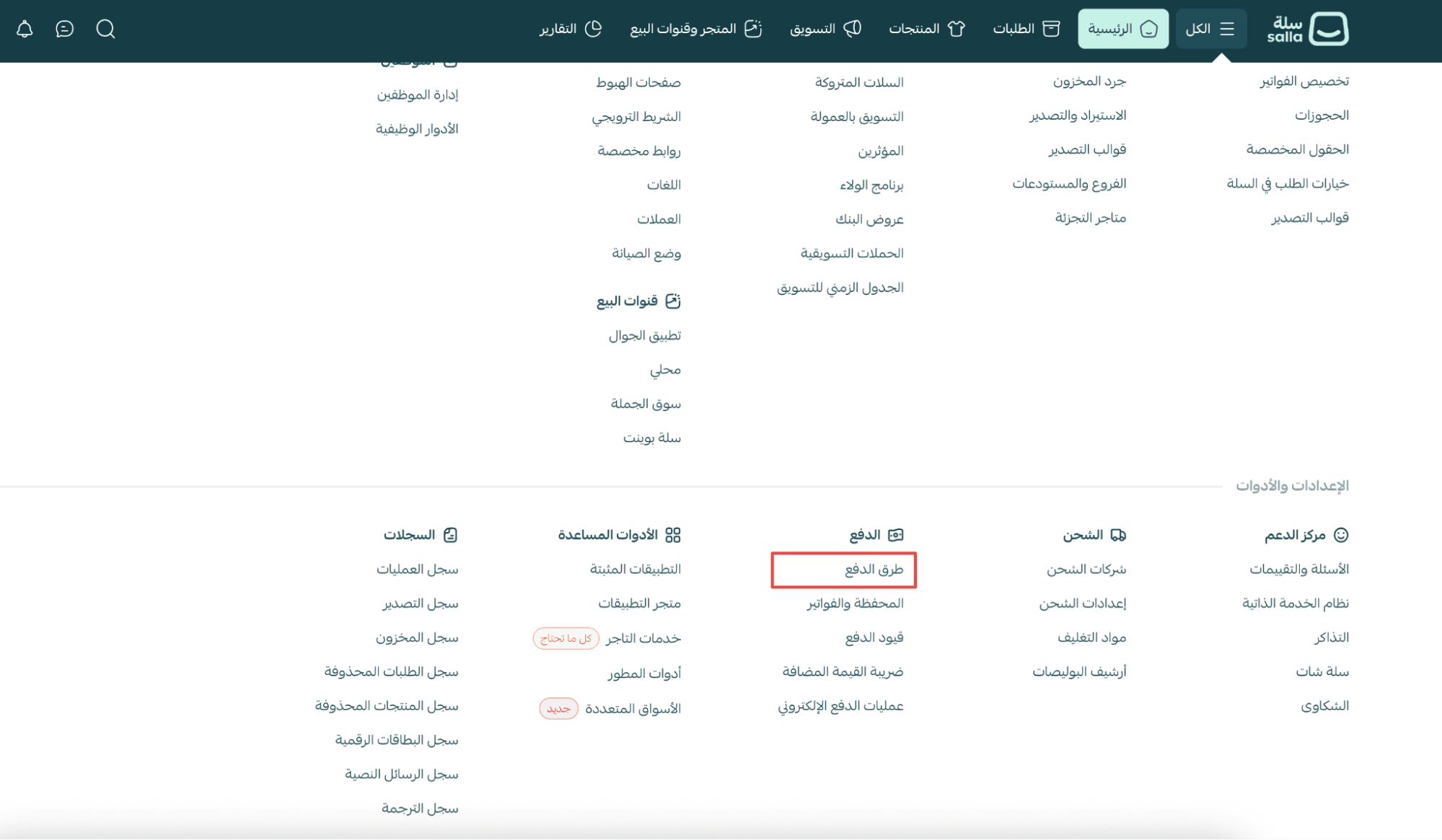
2. In the Electronic Payments section, click Enabled Payment Methods.
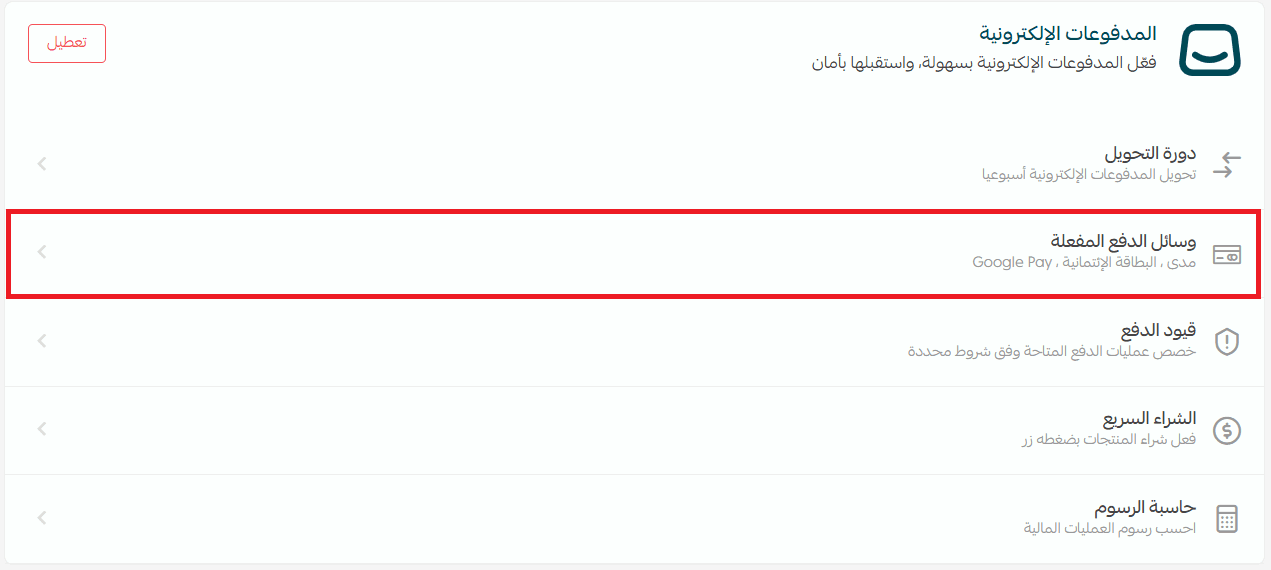
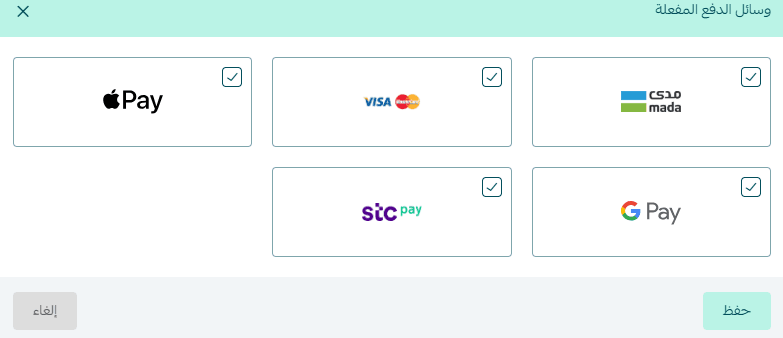
3. Turn on the payment methods you want to offer, including STC Pay, then click Save.
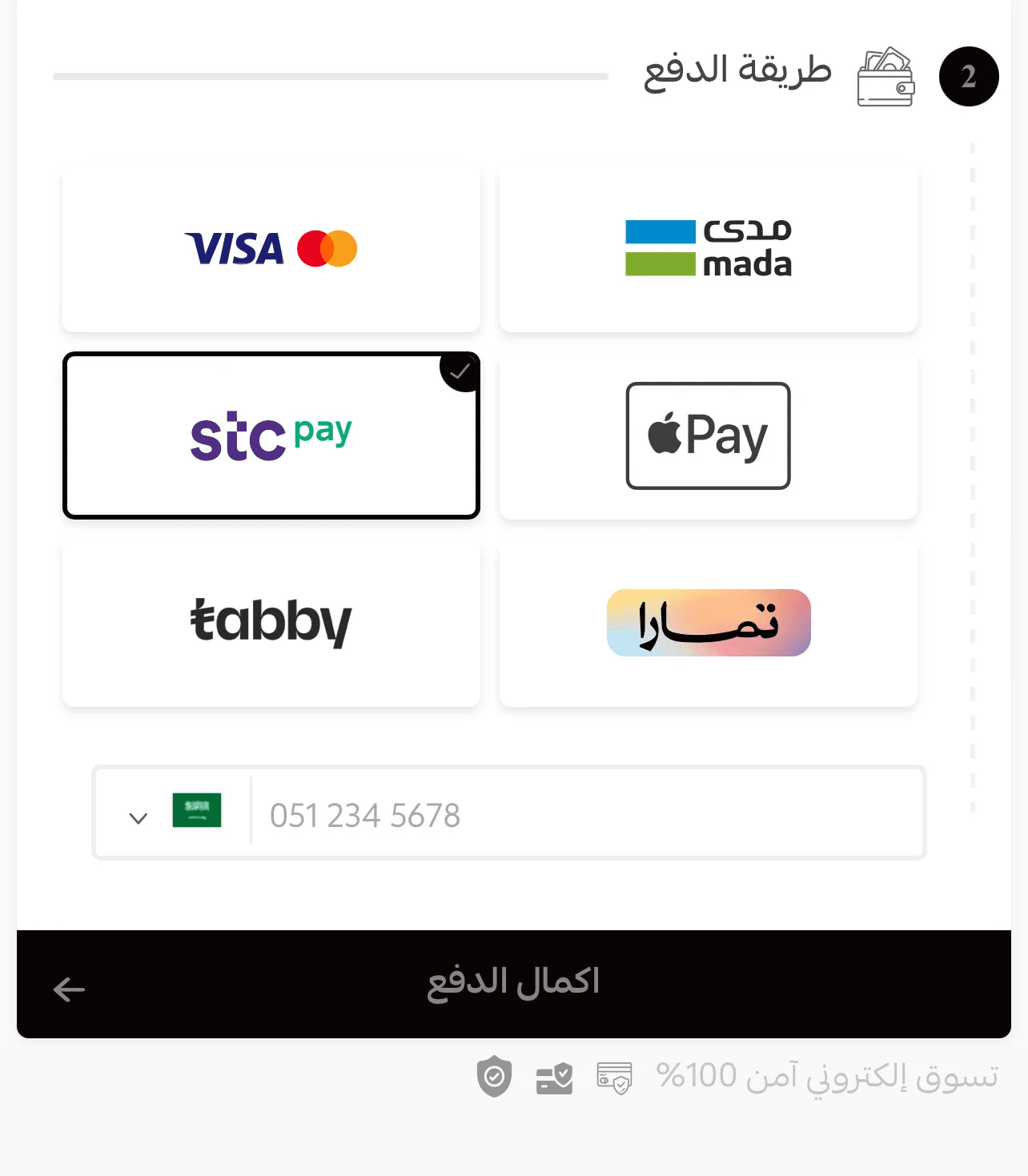
STC Pay at checkout
Once activated, STC Pay will appear as a payment option in your store checkout page.
Frequently asked questions
Can existing STC Pay merchants continue using direct integration?
Yes. Merchants who previously connected STC Pay through a direct integration can continue using it without any issues.
However, if you decide to activate STC Pay through Salla Payments Gateway, the following will apply:
- Salla fees will be calculated as part of the gateway
- The direct integration will be disabled
- You will move fully to the Salla gateway connection
- Once switched, you cannot return back to the direct integration
Does STC Pay charge extra fees for orders outside Saudi Arabia?
To calculate payment fees, you can use the Fees Calculator inside your dashboard:
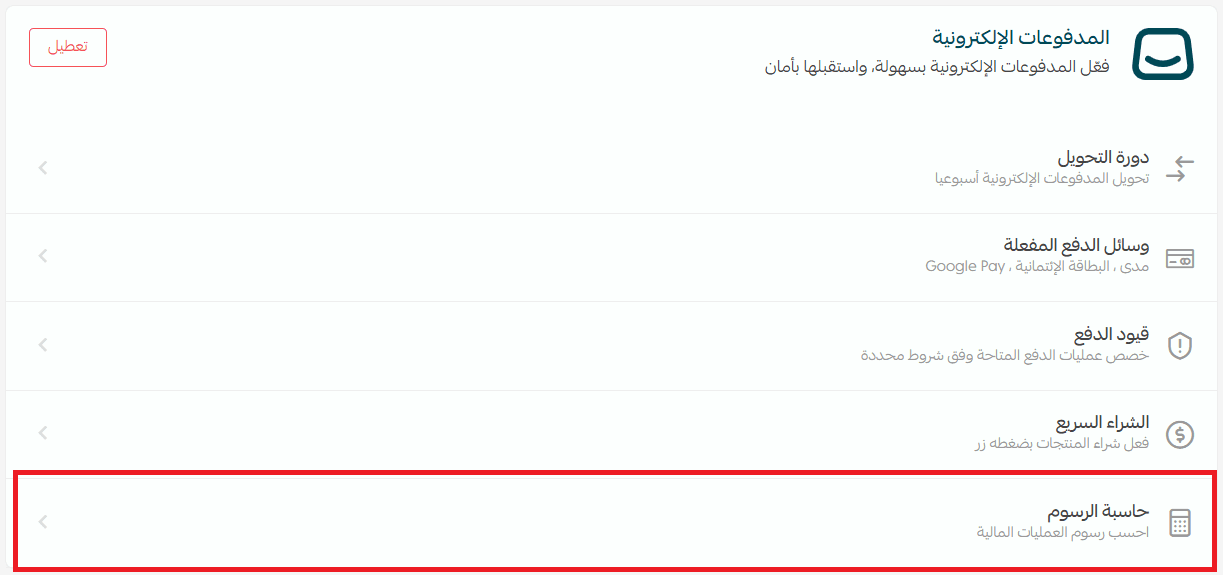
- Enter the order amount
- Select the payment method
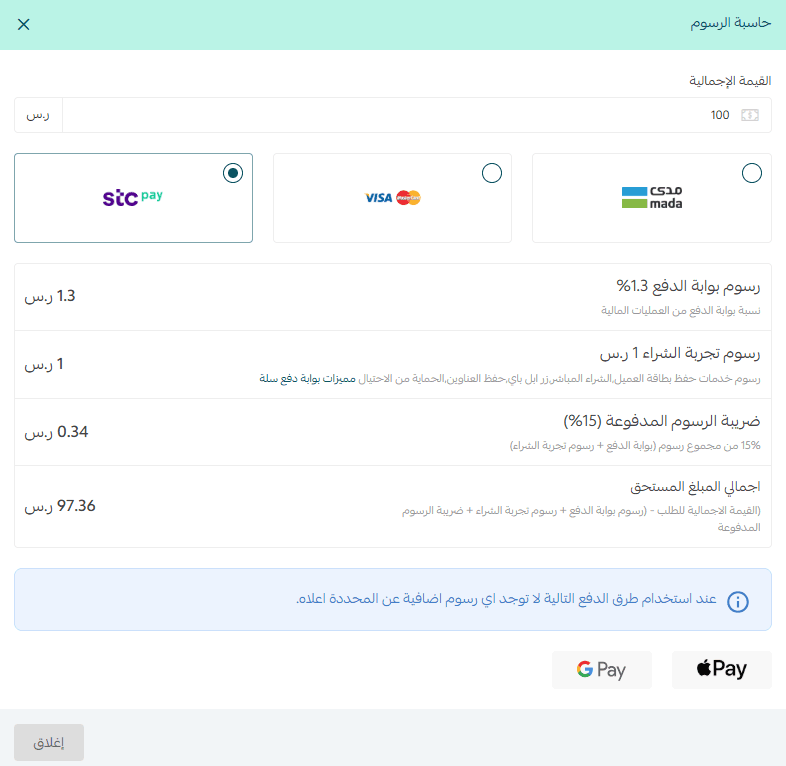
For STC Pay, there are no additional fees beyond the standard defined fees.