Every business has different needs. Whether you're launching your first online store or managing a growing operation, Salla offers subscription plans designed to support every stage of your journey.
Explore the available plans and compare their features to find the best fit for your business goals.
📌 In this article
- Available Salla plans
- Explore plan features
- Frequently asked questions
Available Salla Plans
Salla Basic | Start for Free
If you're looking to start selling online without upfront costs, Salla Basic gives you access to unlimited products and unlimited sales with no commission fees, making it easy to launch and test your business.
Salla Plus | Advanced features for growing stores
Salla Plus is designed for merchants who want to deliver a stronger customer experience. It includes multiple online payment options and integrations with leading shipping providers to help you grow with confidence.
Salla Pro | Built for growth
For businesses ready to scale, Salla Pro includes advanced tools that support growth across marketing, social commerce, store operations, branches, and team management. It provides everything you need to run and expand your business from a single platform.
Explore Plan Features
From the dashboard sidebar, click Store plan and subscriptions
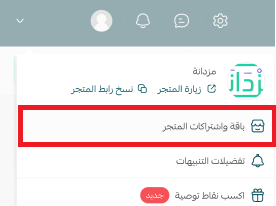
2. On the Store Plan page:
If your store is currently on the Basic plan, you'll see available upgrade options
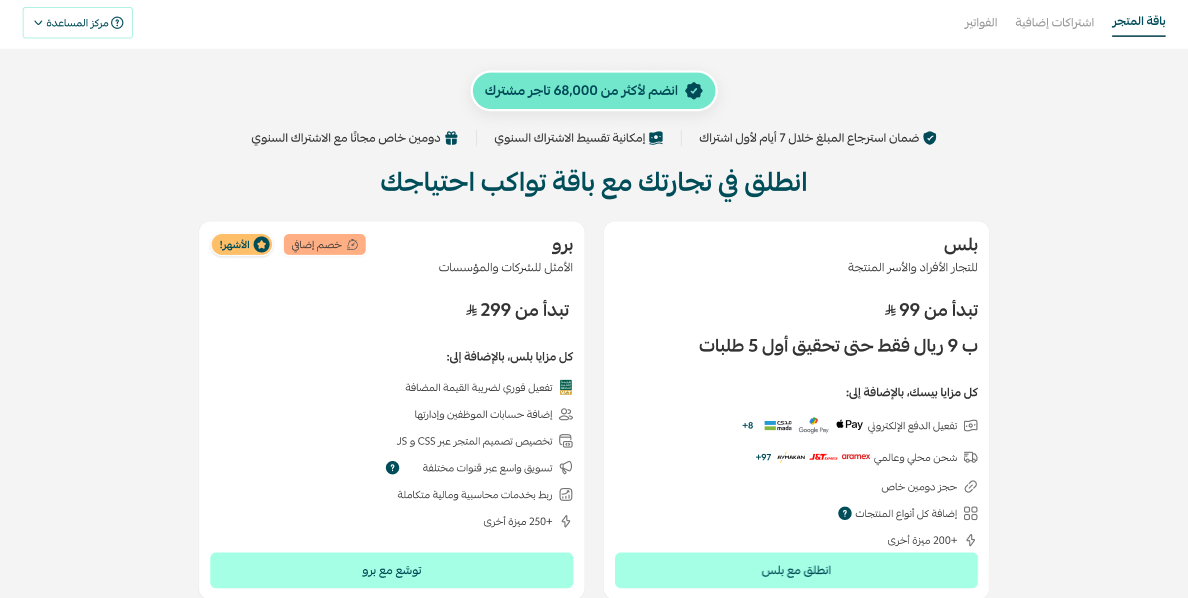
If your store is already on Plus or Pro, you'll see your active plan details and subscription expiration date
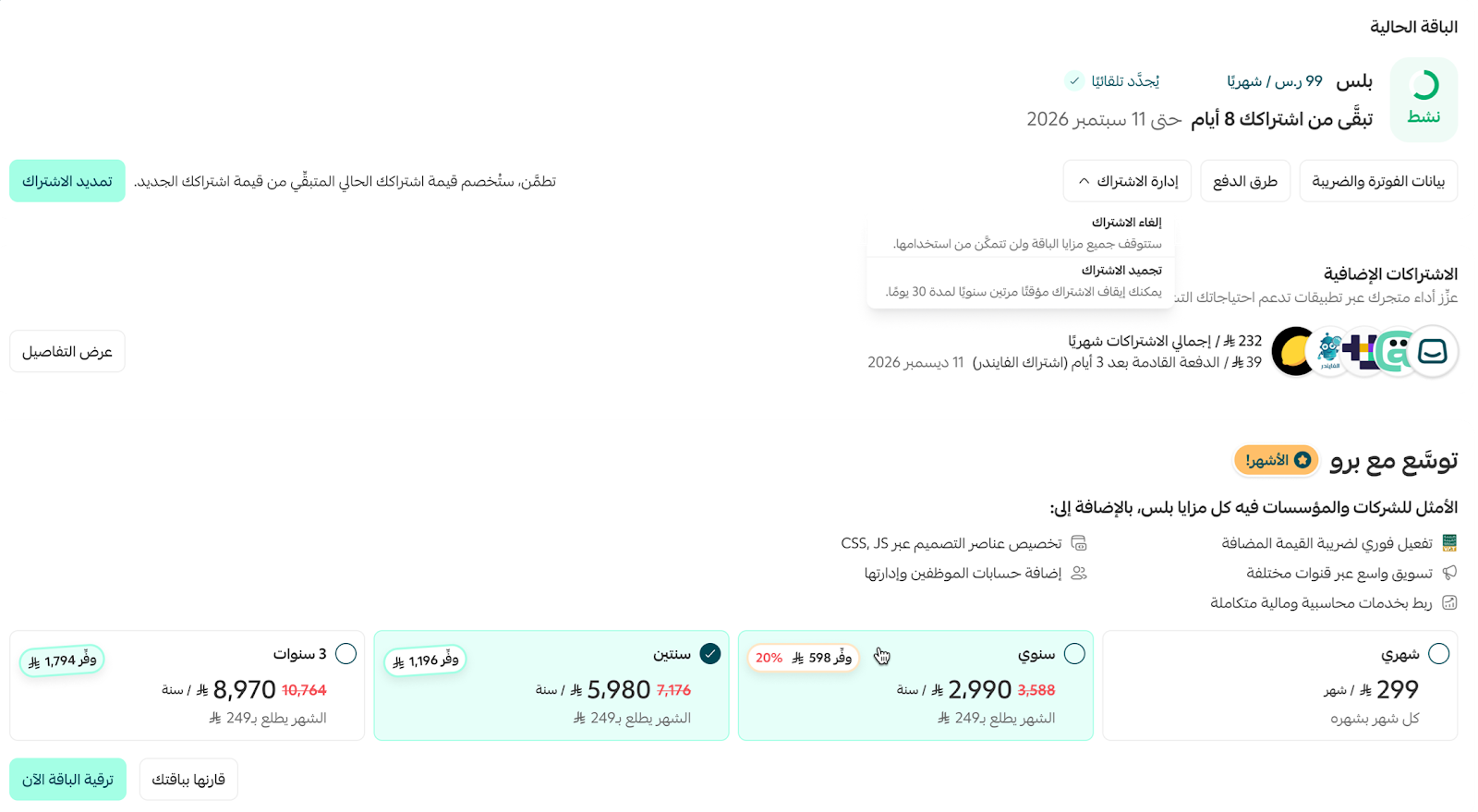
Important notes
- Subscriptions renew automatically by default. See the FAQ section below for instructions on disabling automatic renewal.
- You'll receive renewal notifications by email and WhatsApp 48 hours before your subscription expires.
- When automatic renewal is enabled, subscription fees are charged using your default payment method on the plan renewal date.
- You can also renew manually before the subscription expires, depending on your plan type.
Frequently Asked Questions
?What is the best way to share my store link
From your store's control panel, click the Share Link button, as shown

Avoid sharing the URL generated through Visit store, as that link is intended for store administration and merchant access

?How can I upgrade my store package
From the store's homepage, select (Store Package and Subscriptions)
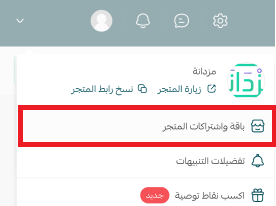
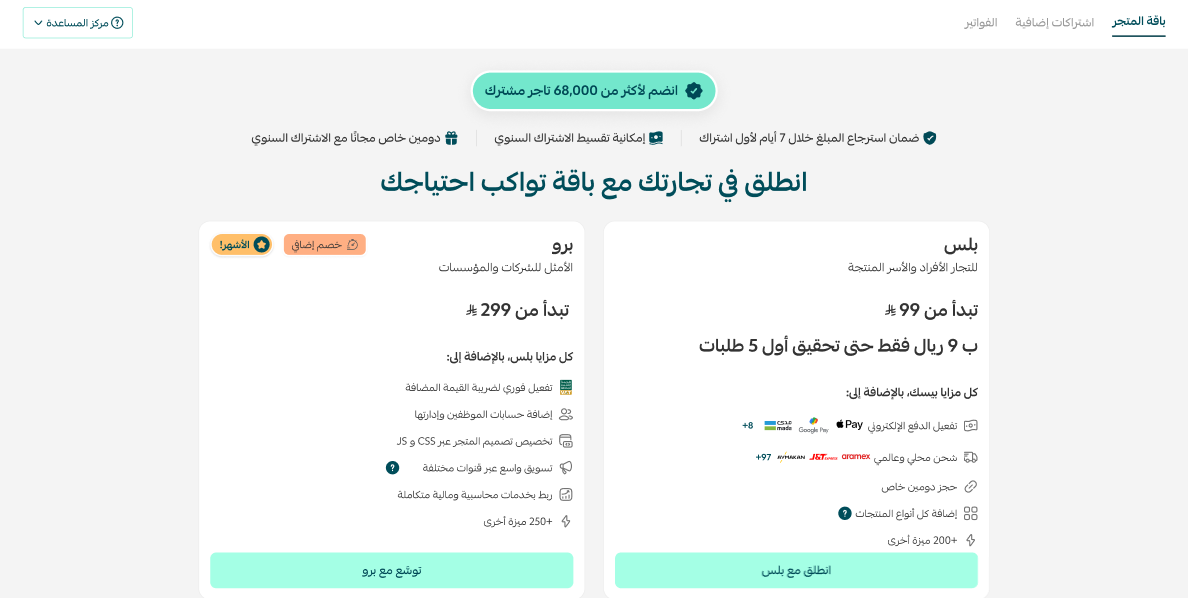
From the store package page, choose the offer that suits your needs
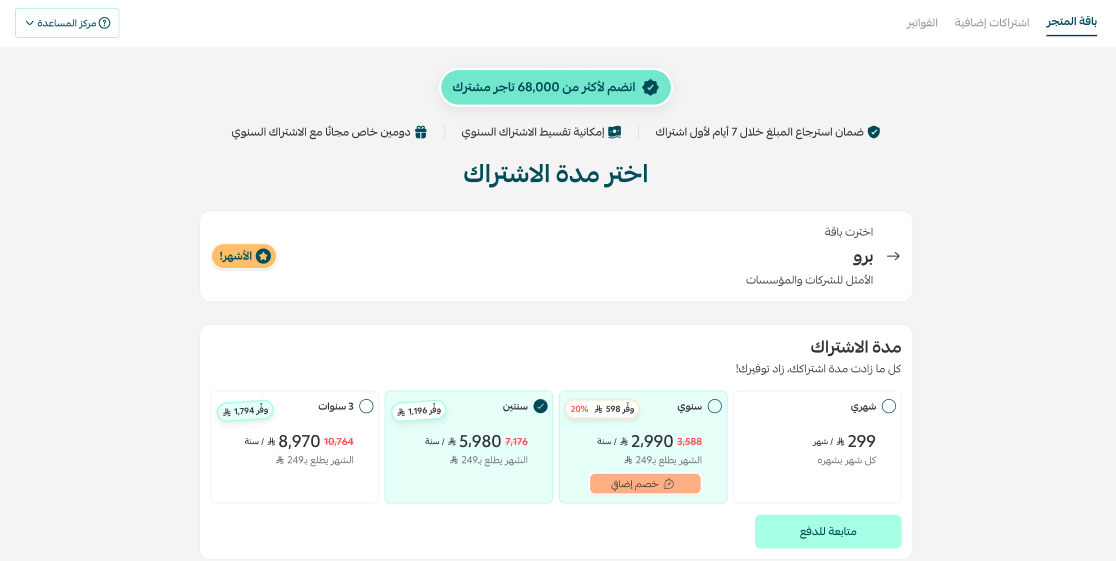
Select the subscription duration, and click (Proceed to Payment) to complete the payment process
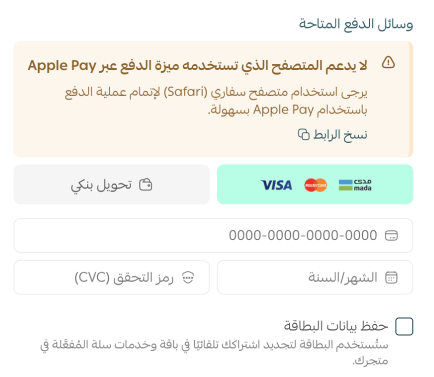
Choose the payment method, and if you have a coupon, enter it in the designated box, then click (Confirm Payment)
Wait for the order to be processed, then enjoy the features of the new package
?How can I renew my package subscription after it expires
If your package subscription is annual, you can renew 14 days before the package expires. If your package subscription is monthly, you can renew 5 days before the package expires
To renew the subscription, follow these steps
From the store's homepage, select (Store Package and Subscriptions)
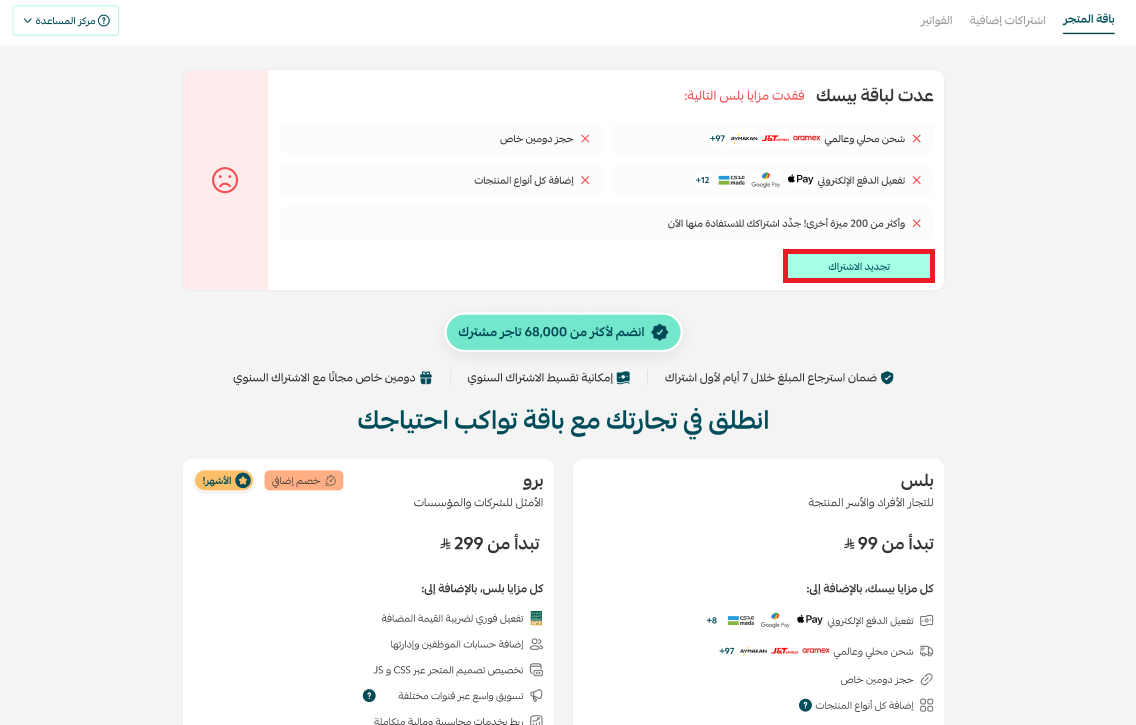
From the store package page, you will find the Basic Package currently activated along with other available packages, and you can click (Renew Subscription) to choose the same package or upgrade to another package
Choose the payment method, and if you have a coupon, enter it in the designated box, then click (Confirm Payment)
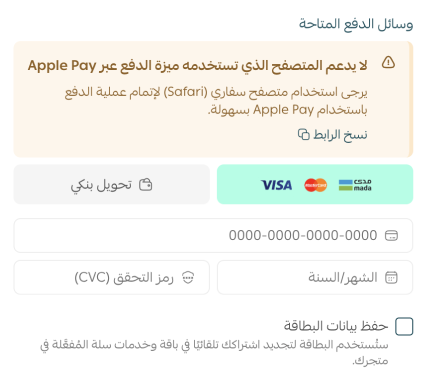
Wait for the order to be processed to enjoy the package you renewed
If payment is made via bank transfer, the order will be under review and the package will be activated within 24-48 hours

In case of subscription renewal request rejection when choosing bank transfer, a rejection reason notification will appear on the store package management page, you can click (Re-upload Receipt) to proceed to re-subscribe directly

?How can I cancel the automatic renewal of the package
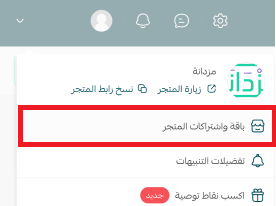
From the store's homepage, select (Store Package and Subscriptions)
From the store package page, under subscription management, click (Cancel Subscription)
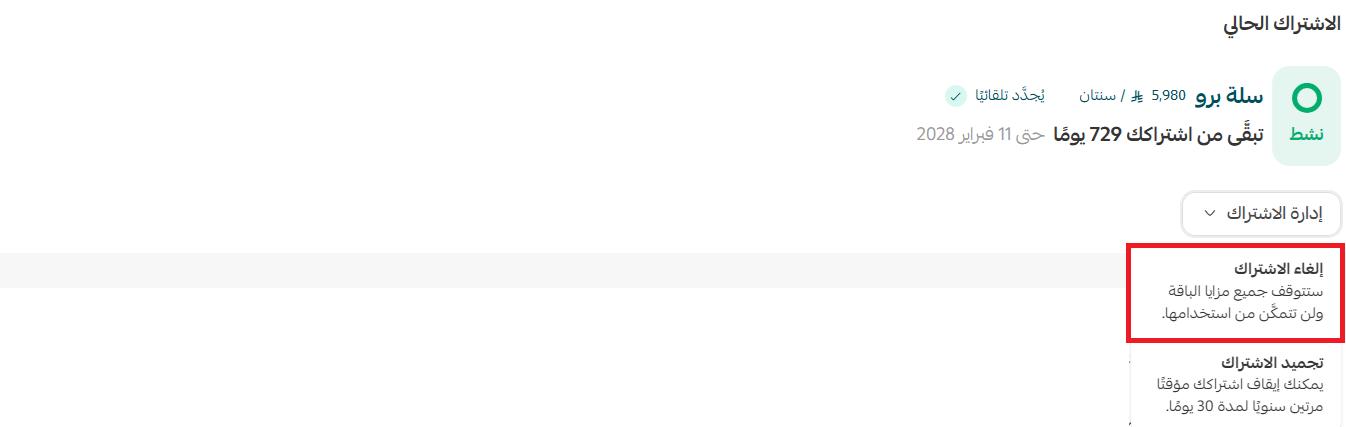
?Can I downgrade my store package from Pro to Plus
Currently, you will need to wait until the Pro package subscription ends to subscribe to the Plus package
Note: Make sure to disable the automatic renewal option so that the Pro package does not renew automatically
?What are the types of Salla packages
The Basic Package is free, Pro and Plus packages come with exceptional features and tools, and the Special Package is for large companies and institutions
?What is the subscription price for Salla
The subscription price varies depending on the package you wish to subscribe to and the duration you want to subscribe for. To know the subscription price
From the store's homepage, select (Store Package and Subscriptions)
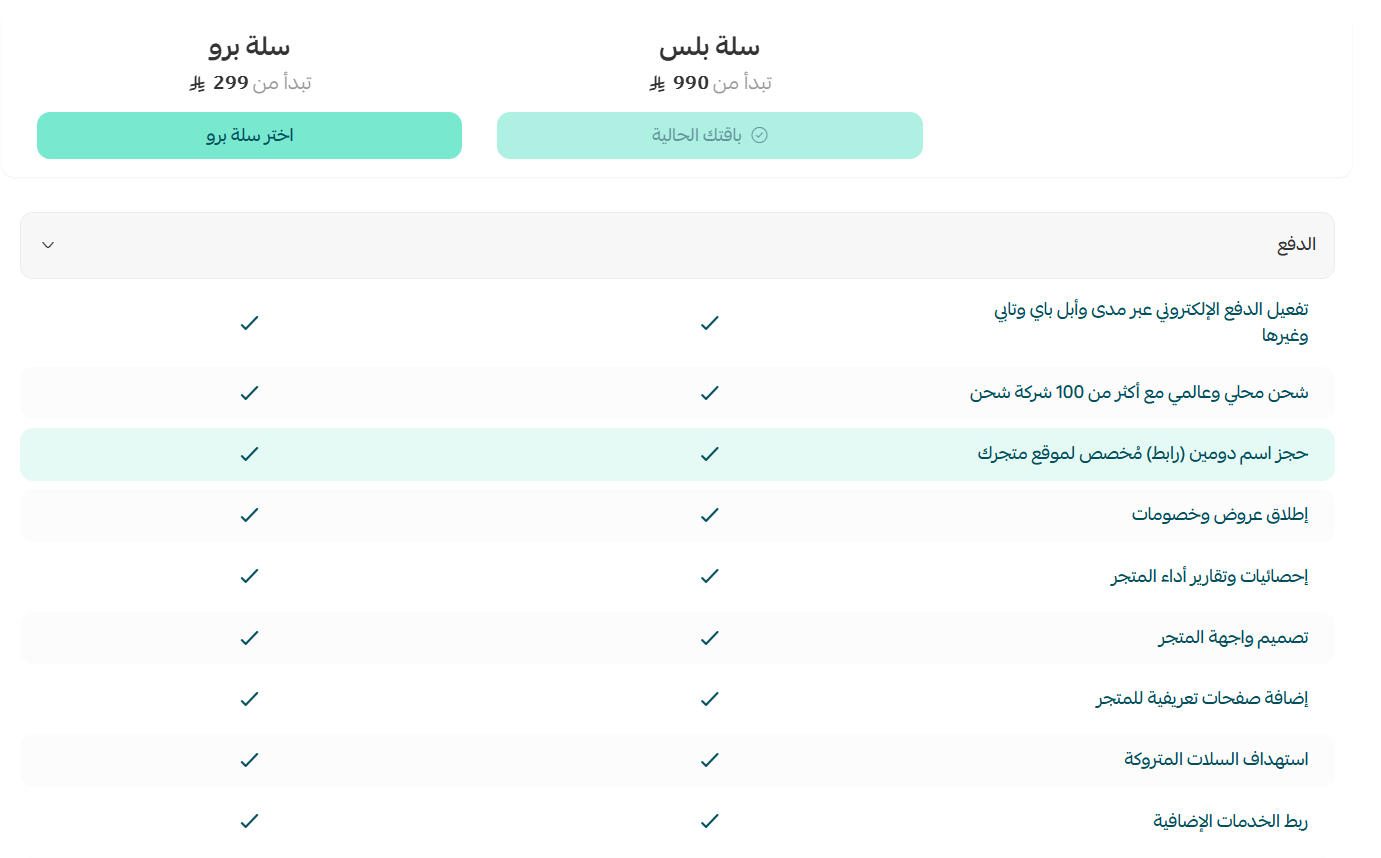
From the store package page, you can compare the available packages with your current package by clicking the (Compare with Your Package) button located below the package options
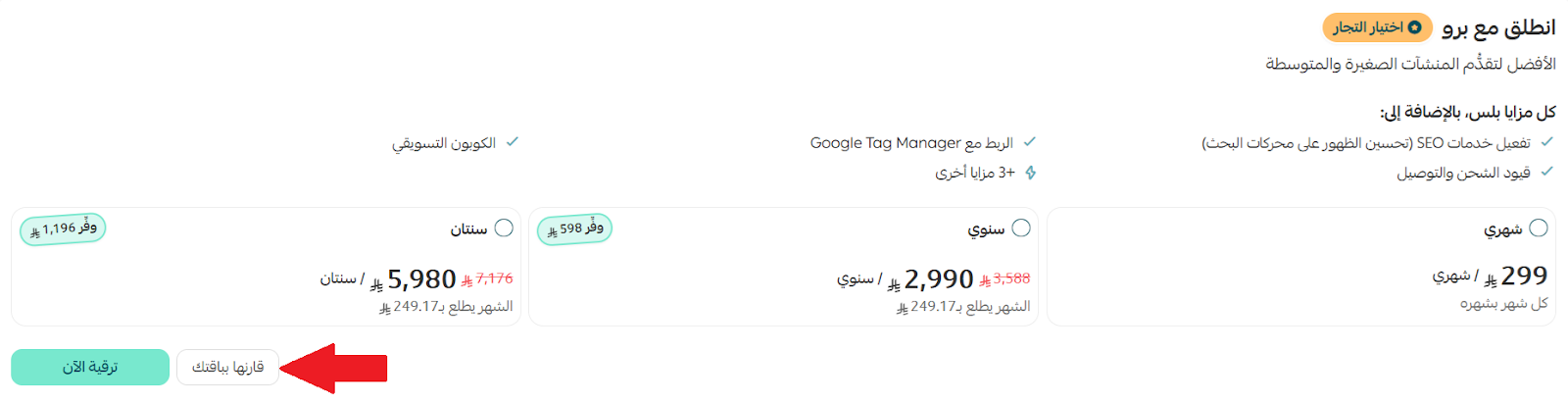
After clicking, a comparison between the Salla Plus and Salla Pro packages will appear, allowing you to easily see the advantages and differences
?Can I temporarily pause my Salla package subscription
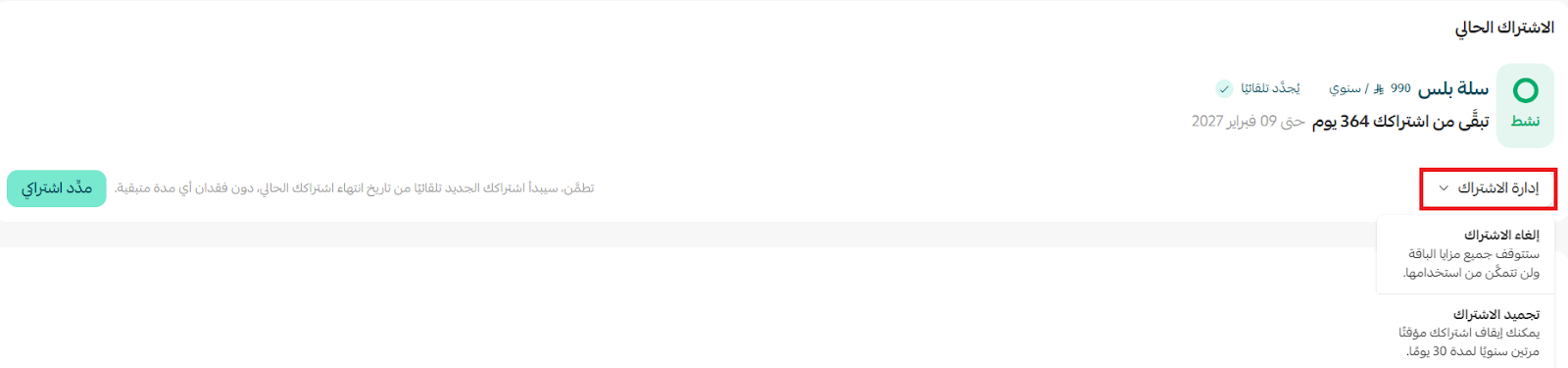
Yes, you can temporarily pause your Salla packages (Salla Plus and Salla Pro), whether monthly or yearly, for up to 30 days maximum without fees, provided the number of pauses does not exceed twice a year
Through subscription management, choose Freeze Subscription to pause it temporarily.
?Can I cancel the store package subscription
Yes, you can cancel the subscription for (Salla Plus, Salla Pro) when subscribing for the first time, and refund the subscription fee within 7 days of the subscription being active, except for the (Salla Special) package
:This is done through
From the (Additional Subscriptions) tab, select (Cancel Subscription)
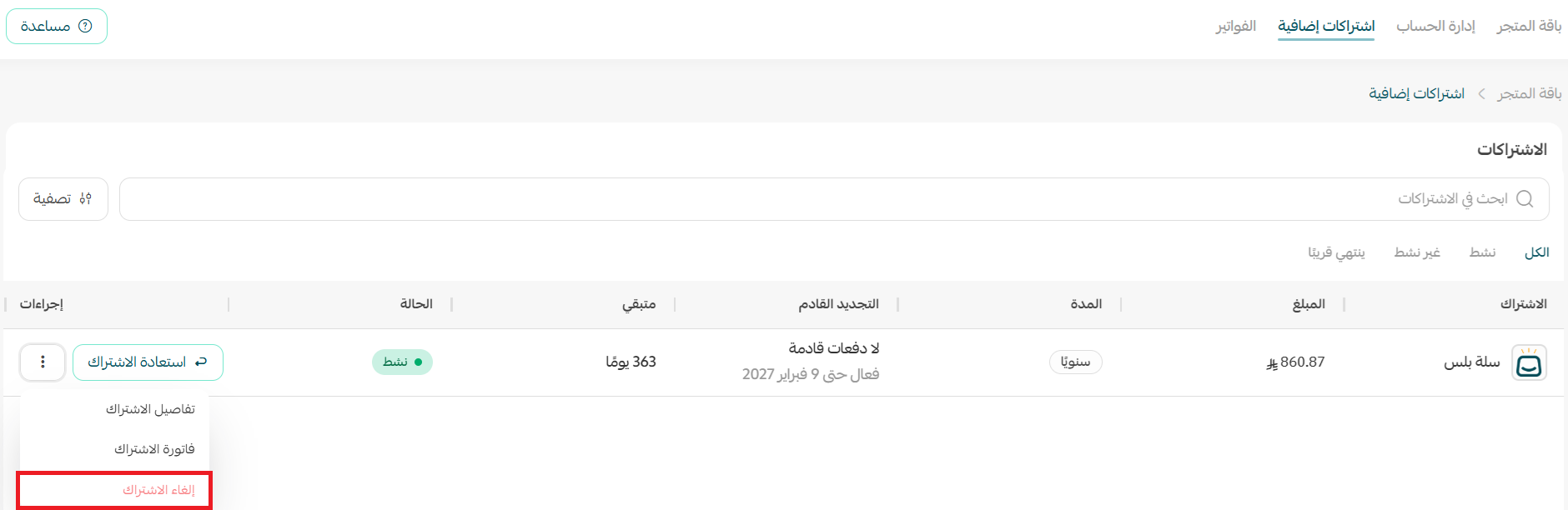
When canceling a paid package subscription, you can continue using the package and benefit from its features until the subscription expiration date
To view the terms and conditions for canceling the subscription, check it out here Terms of Use