The international shipping readiness feature allows merchants to ensure that all required product data for shipping outside the Kingdom is complete, such as weight, country of origin, and product description. This helps ensure faster customs clearance and more accurate international delivery operations.
This feature improves the efficiency of international shipping and ensures compliance with customs and carrier requirements for a smoother and more professional export experience.
📌 Article overview
- Accessing international shipping readiness
- Managing international shipping products
- Searching for a specific product
🔔 Note: This feature is currently available only for stores in Saudi Arabia.
Key benefits:
- Increase the success rate of international deliveries.
- Reduce shipment rejection or holds at customs.
- Speed up the issuance of shipping labels (AWB) correctly.
Accessing international shipping readiness
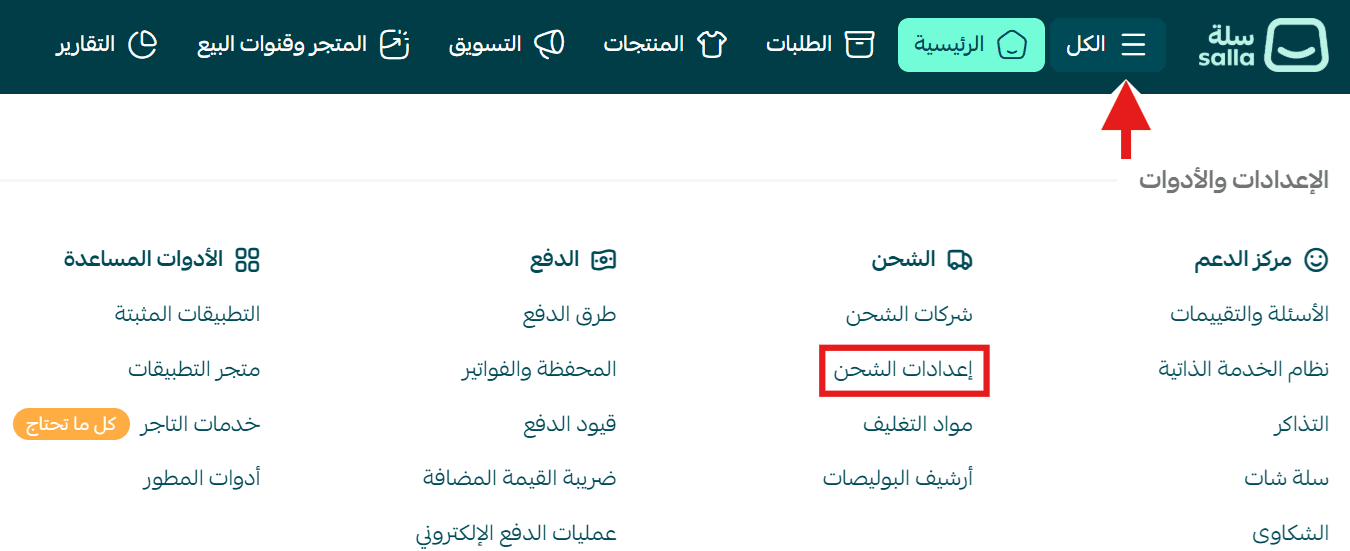
- From the main menu, click More, then click Shipping settings.
- From the menu, select International Shipping Readiness.

Managing international shipping products
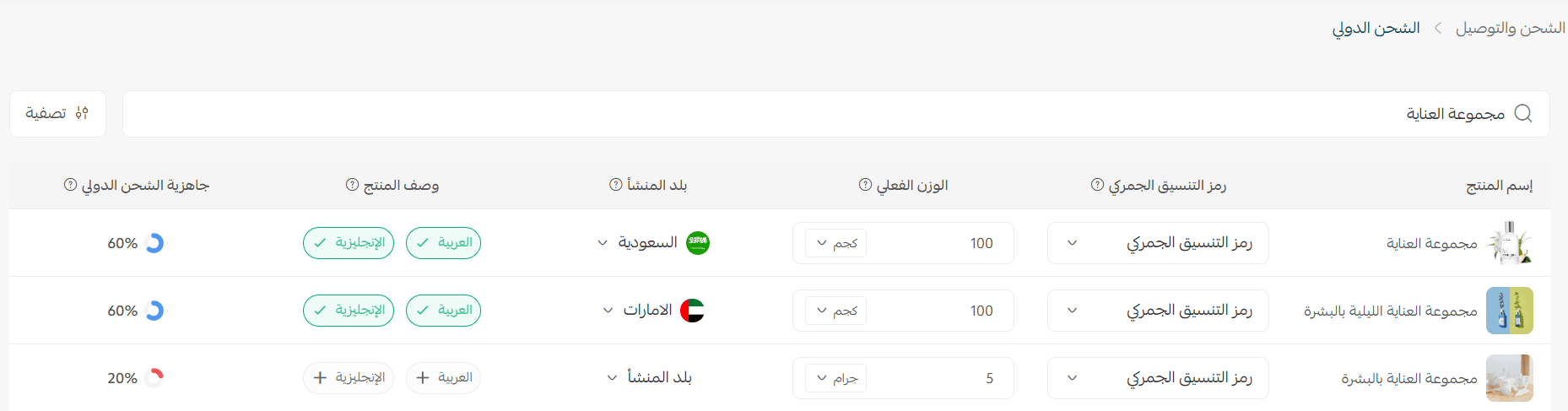
On the International Shipping Readiness page, all products already added to the system appear with their essential international shipping data, including:
- Product name and image for quick identification.
- HS Code (Harmonized System Code): the code used for international customs clearance.
- Actual weight: with the option to change the unit (kg or grams).
- Country of origin: to specify where the product was manufactured.
- Product description in both Arabic and English, with ✅ indicators showing status (available / missing).
- Readiness percentage: indicates how complete the product data is for international shipping.
Example:
If the readiness is 60%, most data is complete.
If it is 20%, some data is missing such as weight, description, or country of origin.
This data helps you improve your products’ readiness for international shipping and ensures all required information is completed before export, which contributes to faster shipping label issuance and fewer customs errors.
To complete product readiness, make sure to fill in the following key fields: HS Code, actual weight, and country of origin
HS Code (Harmonized System Code)
Using the correct HS Code is essential to avoid customs issues or shipment rejection during international export.
You can easily add the HS Code by following these steps:
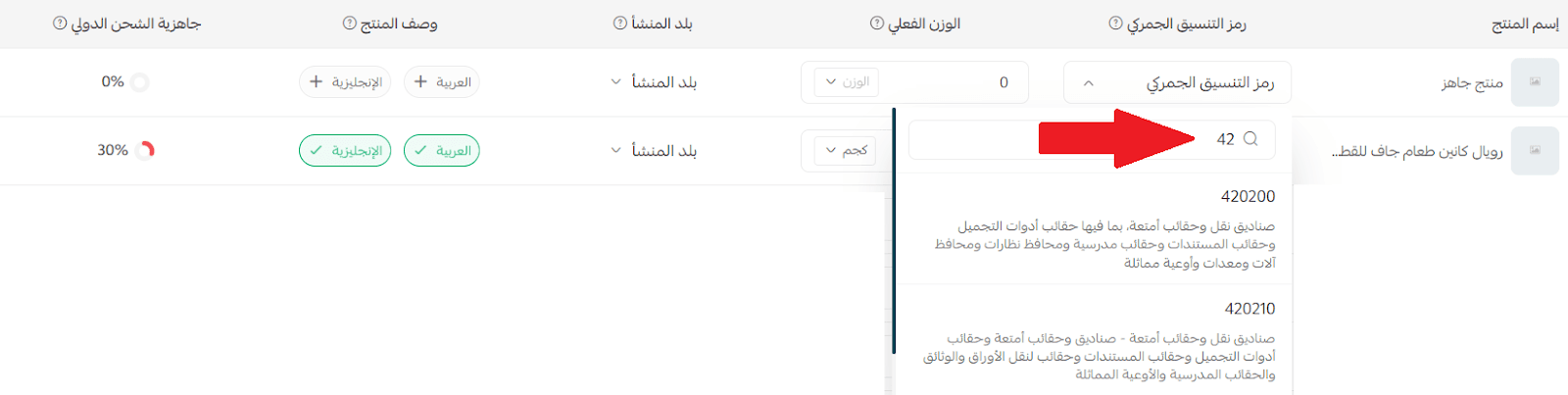
- Click on HS Code.
- Enter the number in the search field to display matching results. You can also type a simple product description (such as perfumes or accessories) or enter the code directly if available.
- Select the appropriate code for your product from the list.
If you cannot find the required code, you can add a new one:
- Click + Add.
- After adding, the code will appear immediately in the list so you can select it for your product.

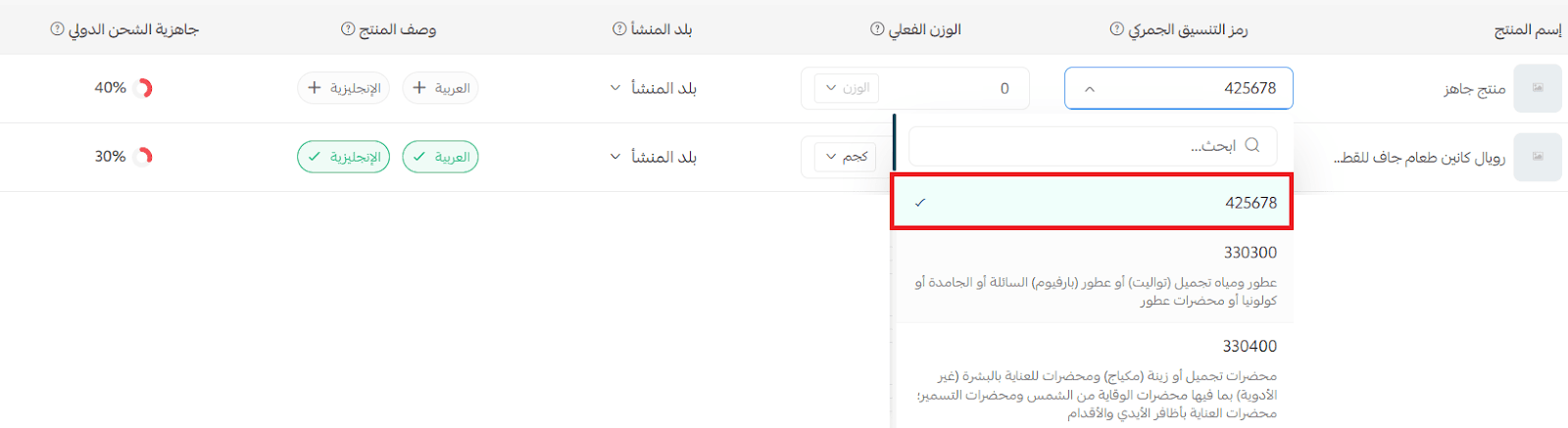
Note: The HS Code must consist of 6 digits to be accepted by the system.
The 6-digit code is the internationally approved code for shipping, while the 12-digit code is a local code and is not used for international shipping.
Actual weight
Accurately defining the actual weight is one of the most important steps to ensure correct international shipping cost calculations and to avoid discrepancies in shipping fees.
You can enter the product weight by typing the value in the weight field and selecting the appropriate unit from the following:
- Kilogram (kg)
- Gram (g)
- Ounce (oz)
- Pound (lb)
Make sure to enter the weight accurately, as shipping companies rely on it to calculate costs and match shipment data with volumetric weight.

Note: Any changes made to the weight will automatically reflect on the product page, and any changes made on the product page will also appear in the international shipping readiness page.
For more details about volumetric weight and how it is calculated, and to understand the difference between actual and volumetric weight and which one is used in pricing.
Country of origin
The country of origin (or manufacturing country) refers to the country where the product was manufactured or assembled.
This information is essential for international shipping and customs clearance, as it affects several important aspects:
- Customs exemptions between certain countries based on trade agreements.
- Differences in customs duties depending on the country of origin.
- Import regulations for certain goods in specific countries.
Therefore, make sure to select the correct country of origin for each product to ensure accurate shipping data and avoid delays or rejection by customs.
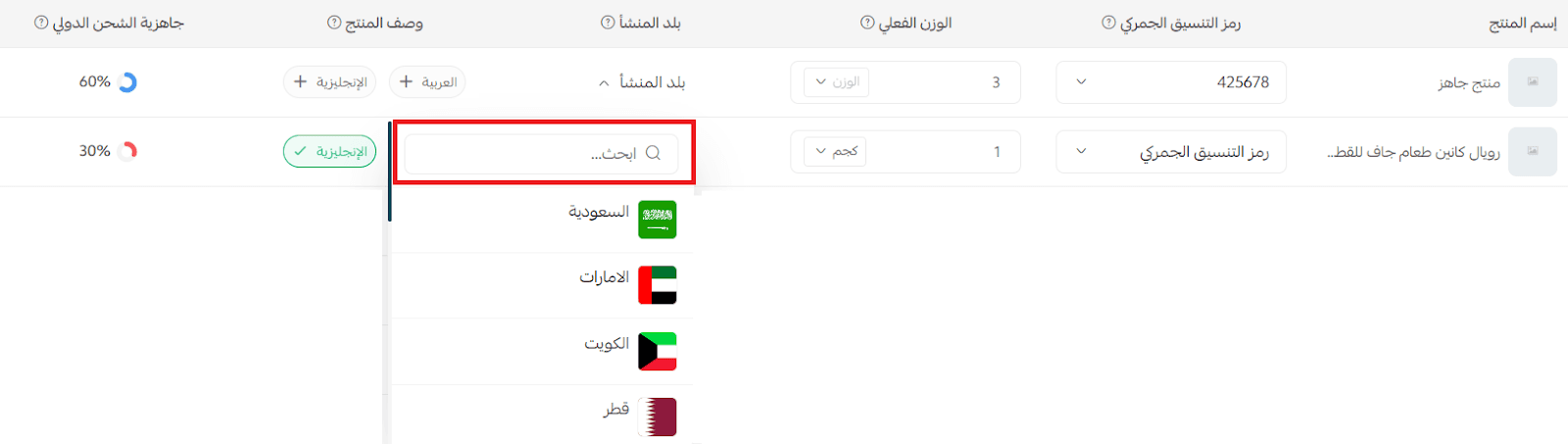
You can easily select the country of origin by:
- Typing the country name in the search field.
- Selecting it directly from the dropdown list that appears.
Searching for a specific product
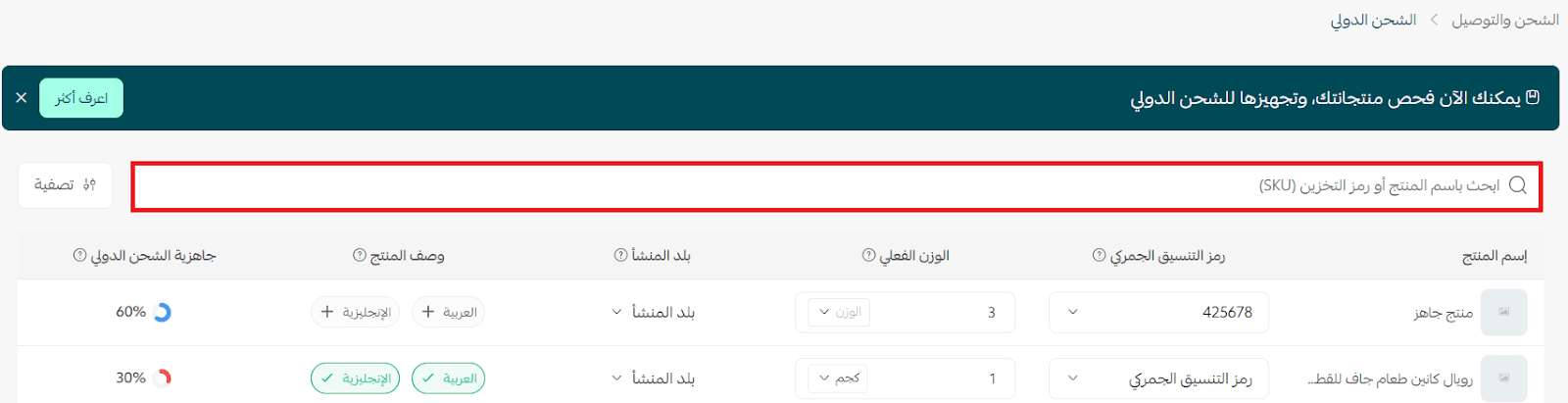
- You can quickly search for products by entering the product name or SKU in the search field.
The results will appear instantly, allowing you to update product data or improve its readiness without effort. - You can also use the Filter option to narrow down products based on:
- Product brand
- Product type
- Branch
- Product category
- Products with missing data
You can also save the filter as a preset to reuse it later without redefining the criteria each time.

Frequently asked questions
What is the International Shipping Readiness feature?
It is a feature that helps you ensure all product data (such as weight, country of origin, HS Code, and description) is complete before exporting internationally, to avoid delays or customs rejection.
Do I need to fill in all fields for each product?
Yes. To ensure readiness for international shipping, all required data such as weight, country of origin, and descriptions must be completed.
Do I need to manually add products to the international shipping readiness page?
No. Products are automatically listed in the readiness table once they are added to your store, along with their basic data such as weight, country of origin, and description.
You can then update or complete missing data directly from the same page.
What is the HS Code?
It is an international customs classification code used to categorize products during export and import, helping customs authorities determine the type of product and applicable duties.
Can the data be modified after being added?
Yes. Product data can be edited at any time from the product page or directly from the international shipping readiness screen.
Does the country of origin affect international shipping?
Yes. It affects customs exemptions, duties, and certain regulations in the destination countries.
What does the readiness percentage mean?
It is a percentage that indicates how complete the product data is for international shipping, the higher the percentage, the more ready the product is for export.
What happens if the product data is incomplete?
Incomplete data may lead to delays in international shipping or rejection by customs. Therefore, it is recommended to complete all fields before shipping.