As your order volume grows, keeping everyone aligned becomes just as important as fulfilling orders quickly.
Order assignment helps you route orders to the right team members, making it easier to manage workloads, avoid duplicate work, and ensure every order is handled by the right person at the right time.
You can assign orders manually when needed or automate assignment based on specific conditions and workflows.
📌 In this article
- Assign orders manually
- Set up automatic order assignment
- Frequently asked questions
Assign orders manually
Manually assigning orders gives you full control over who is responsible for each order.
1. Add employees to the store.
For more details, see Store Employees
2. From the main menu, select (Orders), then click (Manage Orders).

3. From the orders page, click on the order you want to assign, then click (+ Order Employee).
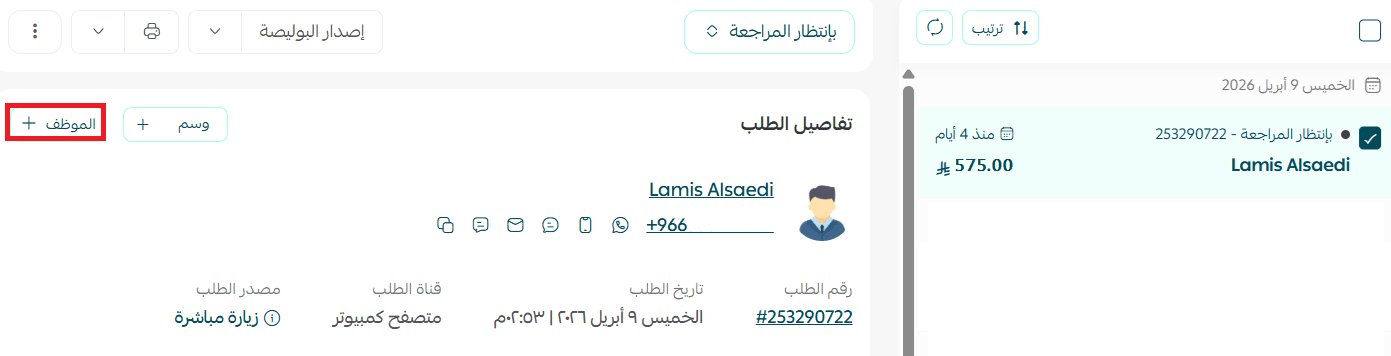
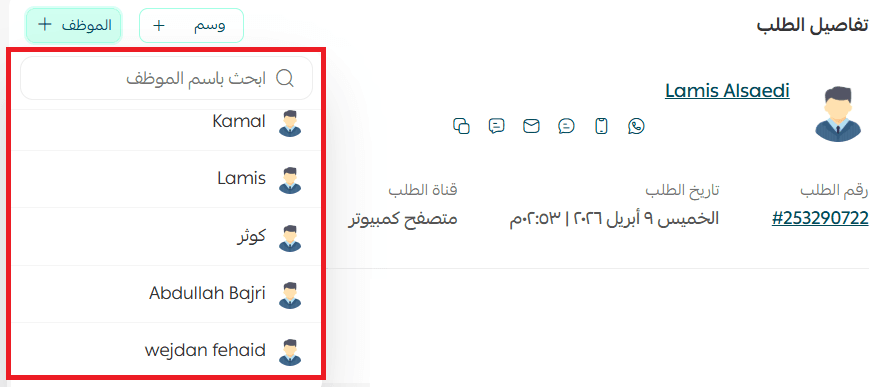
4. Choose an employee from the list.
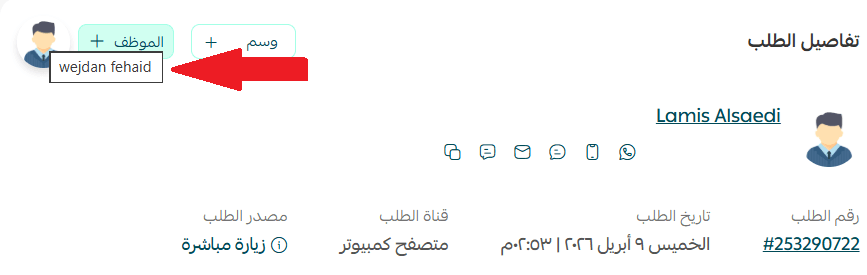
It will appear in the order details page like this:
Set up automatic order assignment
Automatic assignment helps distribute orders automatically based on rules you define.
Instead of assigning orders one by one, the system can route them to the right employee as soon as they meet specific criteria.
1. Add employees to the store.
For more details, see Store Employees
2. From the main menu, select (Orders), then click (Automatic Assignment).

3. Select from the employee list the employee to whom the order will be automatically assigned, then click (Add).
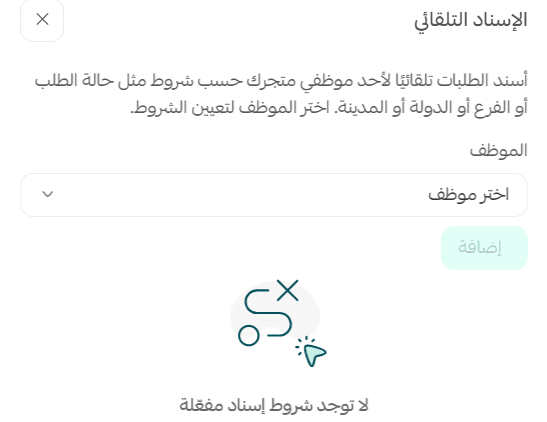
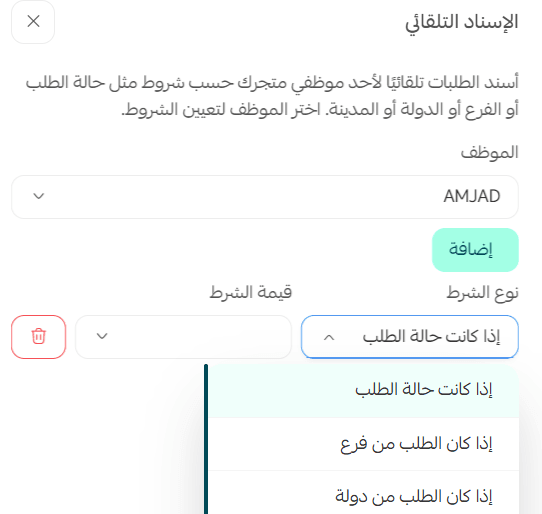
4. You can assign orders to the employee based on condition type, such as:
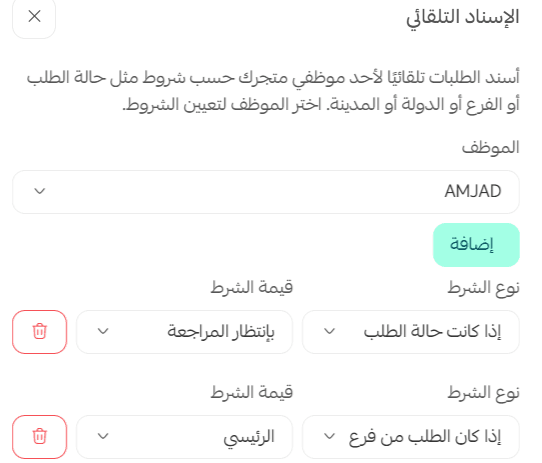
You can set more than one condition and add multiple conditions for different types. For example:
Assign the next employee to manage orders when (Pending Review) in addition to managing orders from the (Main) branch.
Frequently Asked Questions
What are the benefits of the order assignment feature for employees?
1. Organized and efficient task distribution.
2. Prevents overlapping authorities.
3. Avoids task duplication.
4. Increases the effectiveness and productivity of store operations.
Will the employee be notified of new orders assigned to them?
Yes, the employee will receive a notification on WhatsApp and as an alert on the mobile app.
Additionally, an email message will be sent when any order is assigned to the employee.
Is there another way to set up automatic assignment?
Yes, you can add automatic assignment through the Store Employees page.
For more details about Store Employees
Which package is the feature available in?
Plus and Pro packages.