The Market Theme is designed to reflect a supermarket-style shopping experience, creating a sense of comfort and trust for customers browsing a wide range of products. It highlights promotions and current offers to encourage continued shopping, while also making it easy for customers to contact support.
📌 Article overview
- Steps to install the Market Theme
- Header and footer features
- New elements added to the theme
Steps to install the Market Theme
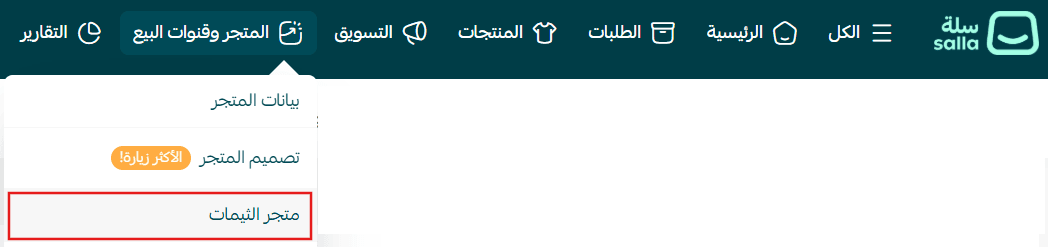
- From the main menu, click (Store & Channels) → (Theme Store)
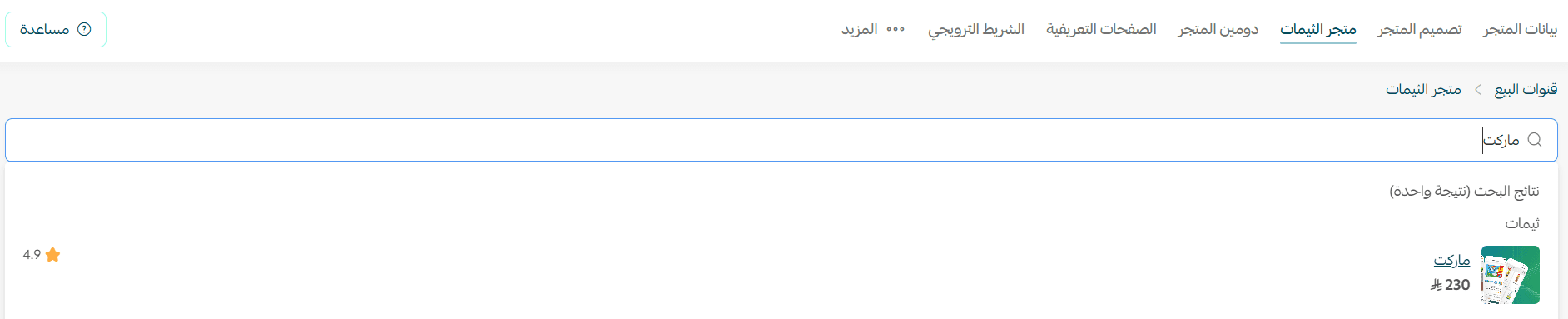
2. Search for Market Theme, then select it from the results
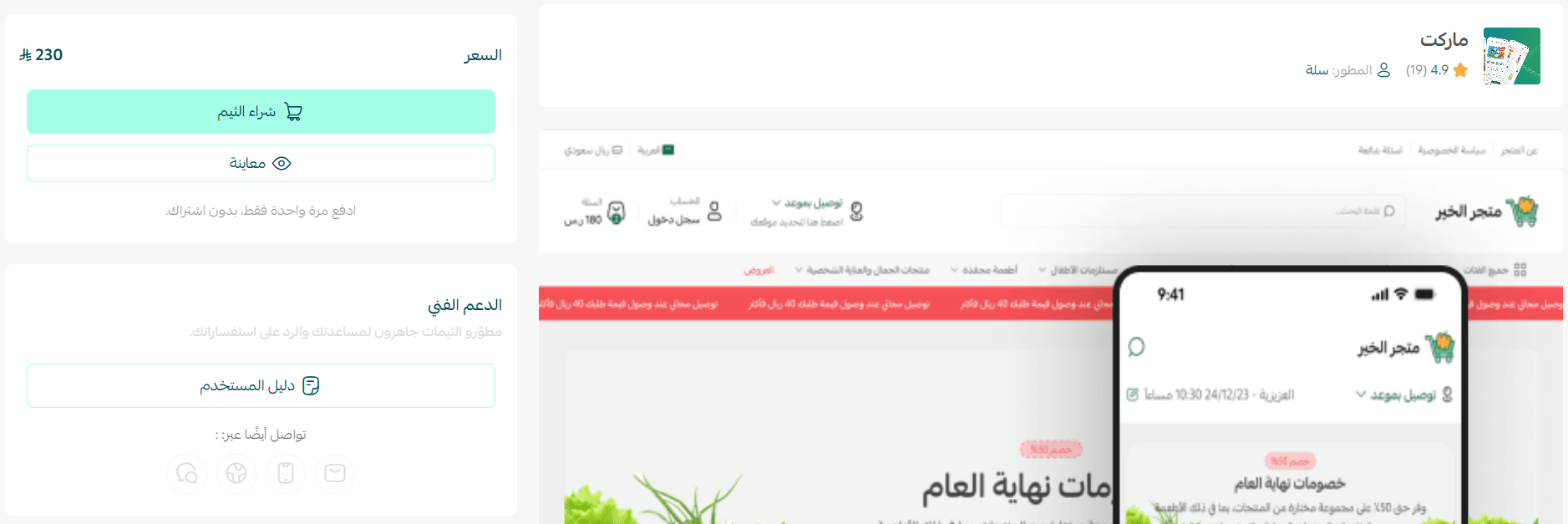
3. Open the theme details page and click (Purchase), then complete checkout
4. After installation, go to Store Design → select the theme → click (+ New Theme Copy from Default)
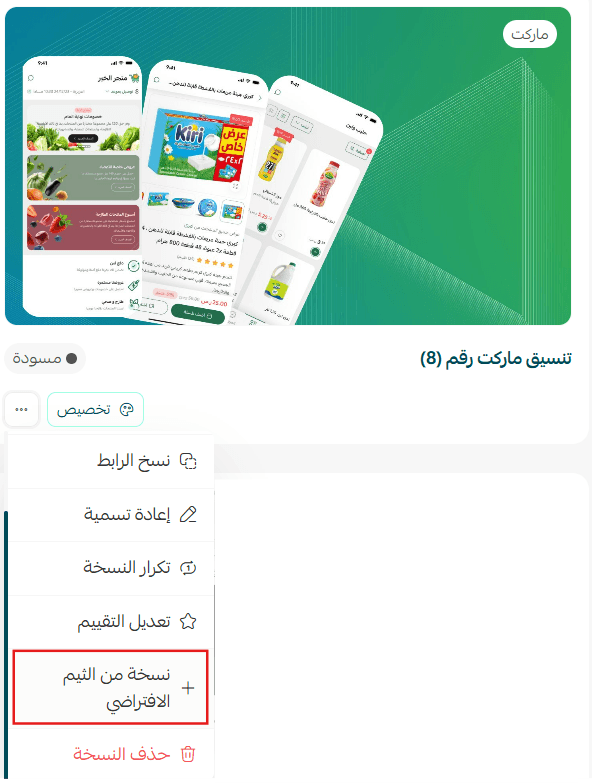
You can then customize the theme copy as needed and preview your store from the customization page.
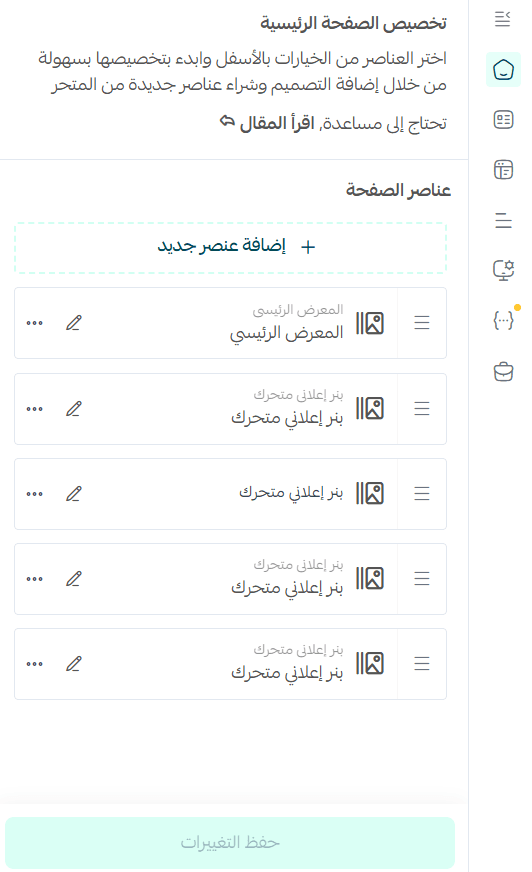
Preview a store using the Market Theme
Make your store more attractive and professional, and provide a seamless shopping experience that boosts customer loyalty and sales.
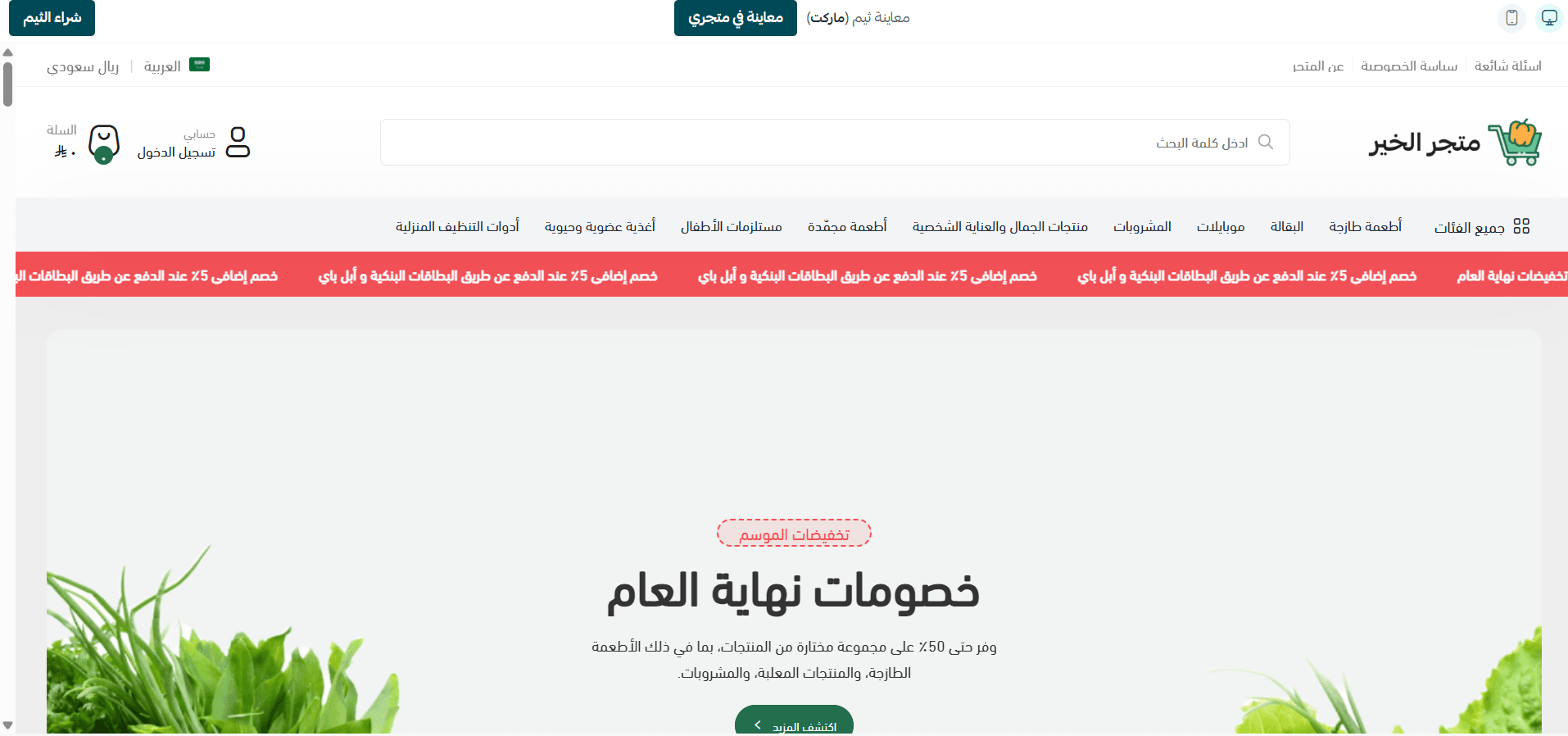
Header and footer features
Header
- Promotional banner bar
- Add up to 10 promotional messages
- Displays as a moving announcement bar at the top of the store
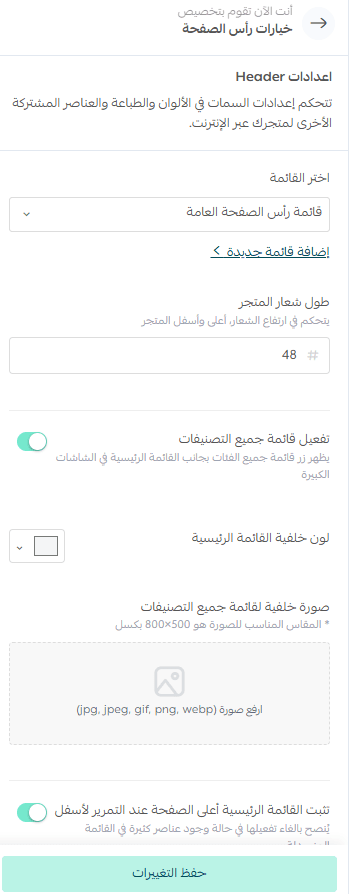
2. Mobile category display control
- Customize how categories appear in the bottom navigation on mobile
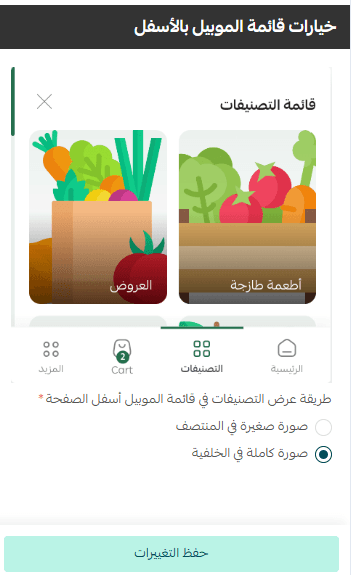
Product page customization
From the design preview → (Homepage) → (Product Page Settings)

You can control several elements that directly impact customer experience:
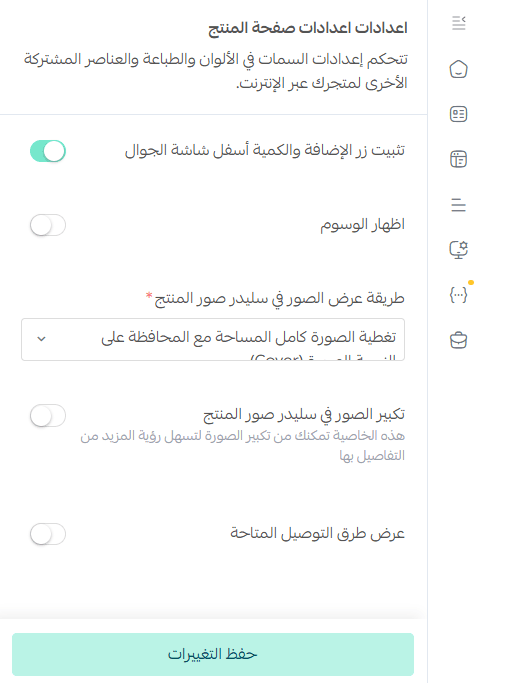
- Sticky add-to-cart button
Keeps the “Add to Cart” button visible at the bottom of the mobile screen - Tags display
Show product tags like “New” or “Organic” - Product image display style
Choose between full-width or full-image view - Image zoom
Allow customers to zoom in for detailed viewing - Shipping options display
Show available delivery methods directly on the product page
Footer
- Option to enable/disable dark mode
- Ability to display a newsletter subscription section
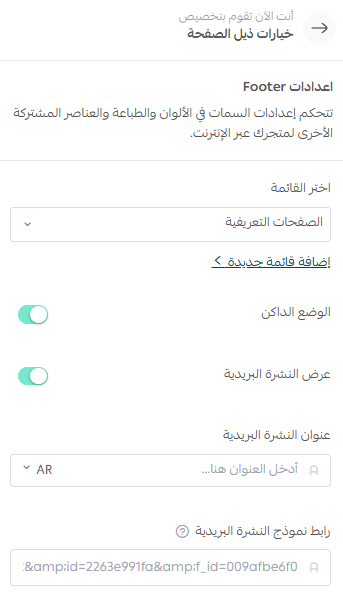
New elements
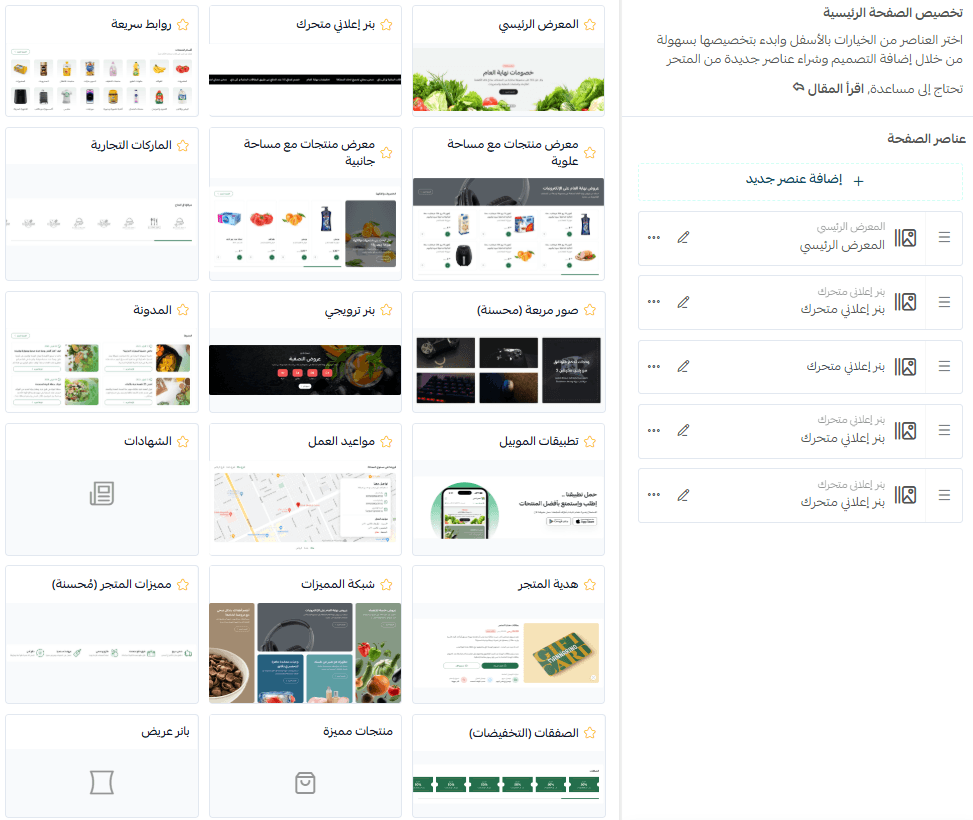
The theme includes new elements designed to enhance professionalism and attract customers.
To add them:
- Go to theme customization → (Page Elements)
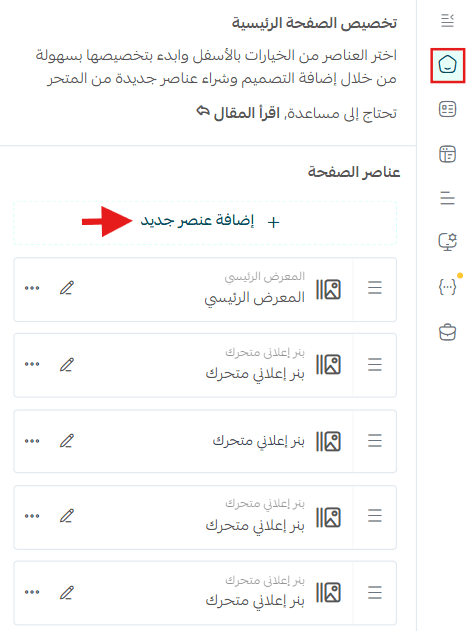
- Select from the available elements list
New theme-specific elements are marked with a ⭐