If you are looking for a better way to manage your online store, this guide walks you through the essential settings every merchant should master.
From customizing your store and improving platform performance to managing accounts and add-ons with ease, these settings help you create a smoother workflow and a better experience for your customers.
Small adjustments here can make a real difference.
📌 Article overview
- Store Plan
- Platform Updates
- Suggestions
- Clear Cache
- Switch to the Old Dashboard
- Enable Dark Mode
- Profile Settings
Store Settings Menu
From the side menu in the control panel, click on store plan.
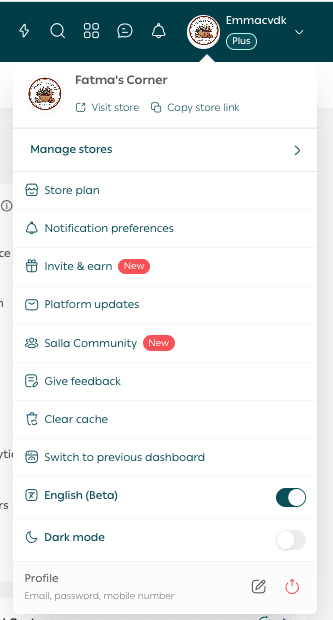
1. Store Plan
From the Account Settings tab, click Store Plan.

Here, you can:
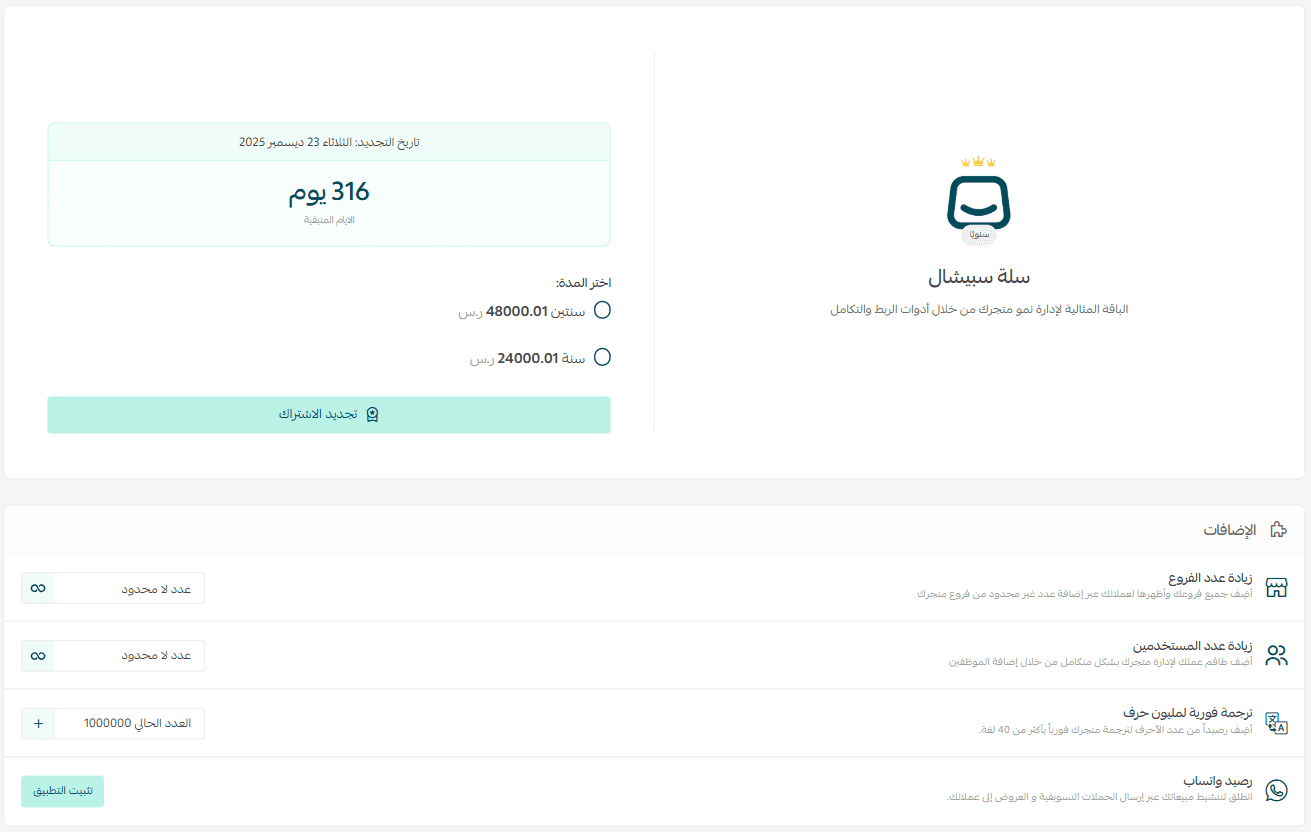
- Control your store plan renewal duration
- Manage store add-ons based on your business needs
- For more details about store plans, you can explore the dedicated plan documentation.
Manage Store Add-ons
The following add-ons can be managed directly from the Store Plan page.
1. Increase Number of Branches
From the Store Plan page, go to the Add-ons section. Under Increase Number of Branches, click the plus icon.

Enter the number of branches you want to add, choose your preferred payment method, then click Confirm Payment.
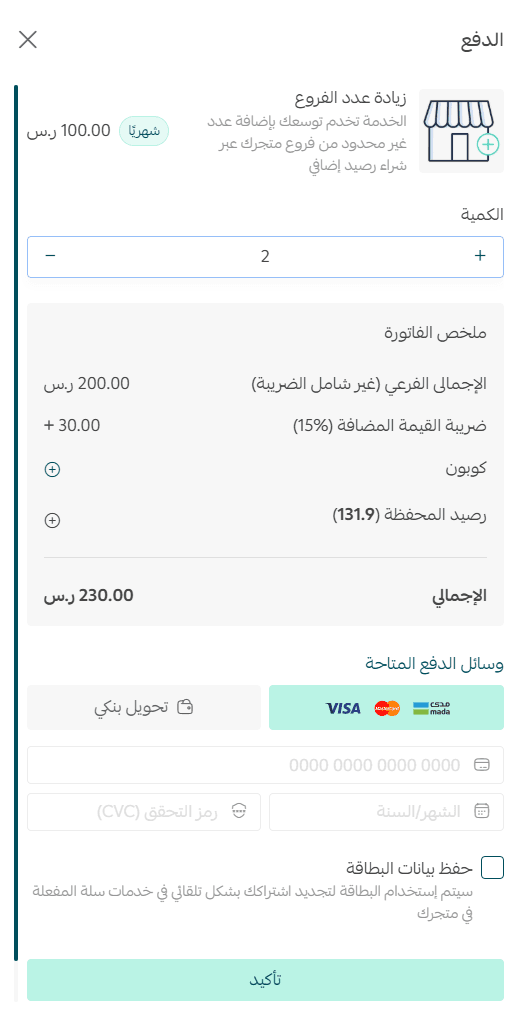
For more details about increasing branches and warehouses, refer to the related guide.
2. Increase Number of Users

Add the number of users you want to include in your store, select the payment method that suits you, then click Confirm Payment.
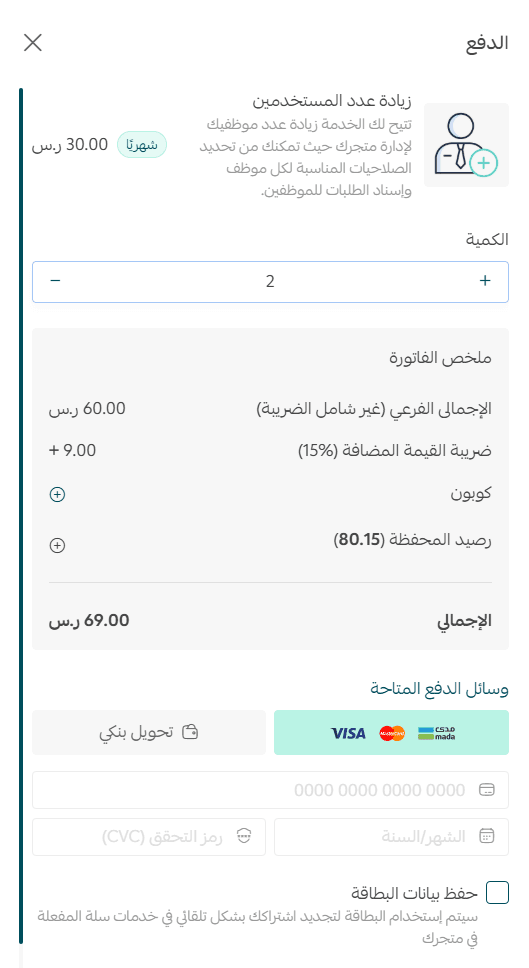
This allows you to scale your team access as your business grows.
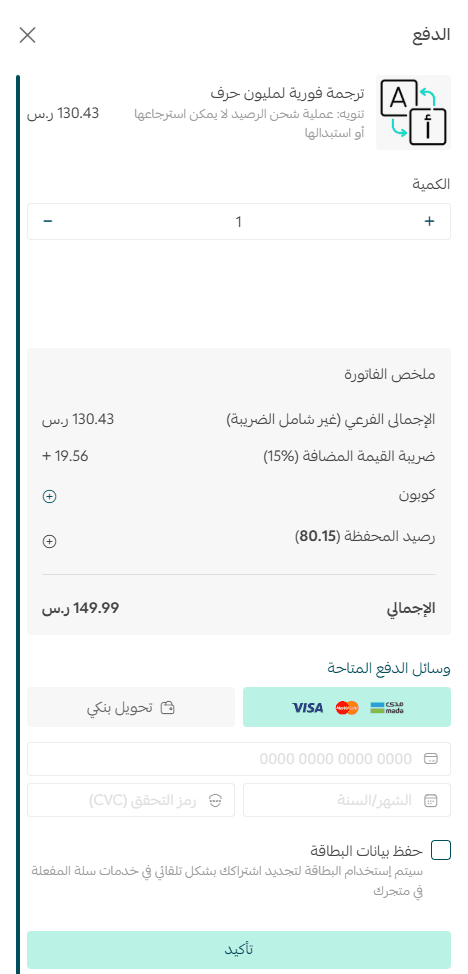
3. Instant Translation for One Million Characters
Add a translation balance to instantly translate your store into more than 40 languages.

Choose the translation credit amount you want to add, select your payment method, then click Confirm Payment.
4. WhatsApp Balance
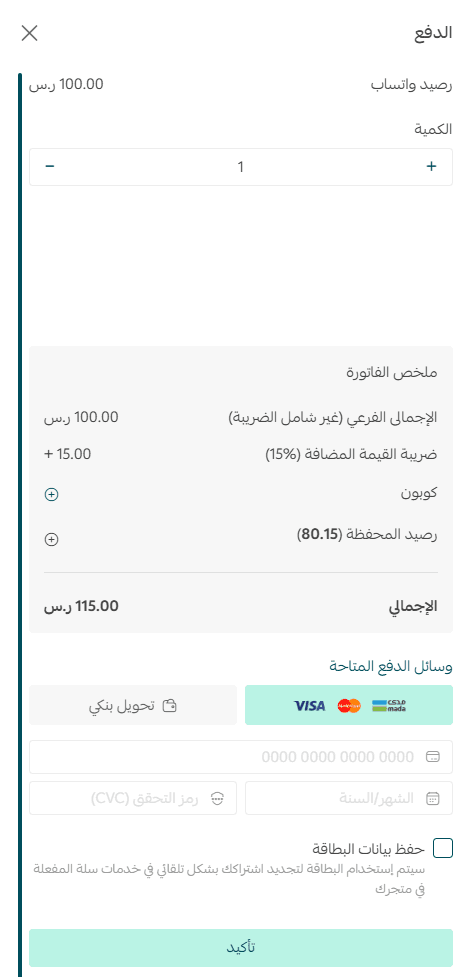
Add WhatsApp credit to your store to support customer communication.

Select the WhatsApp balance you want to add, choose your payment method, then click Confirm Payment.
Account Control
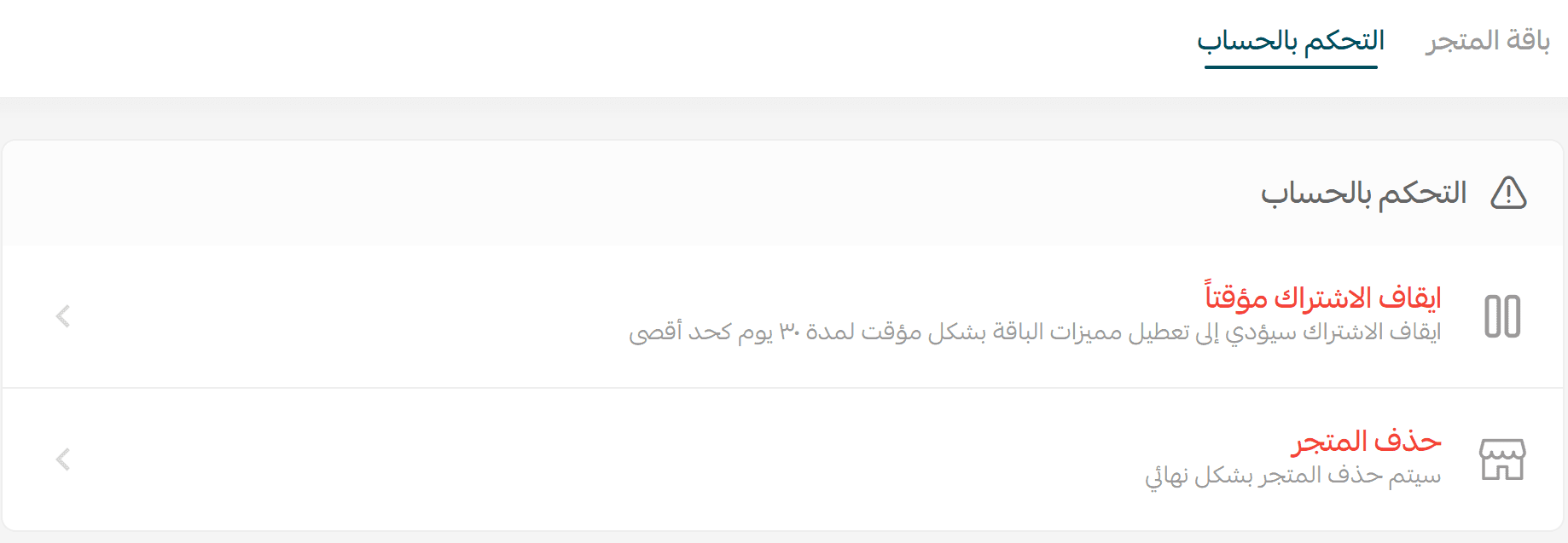
From the Account Settings tab, click Account Control.

The account control settings are as follows:
Account Control Options
1. Temporarily Pause Subscription

📝 Important note: Pausing your subscription will temporarily disable your plan features for up to 30 days.
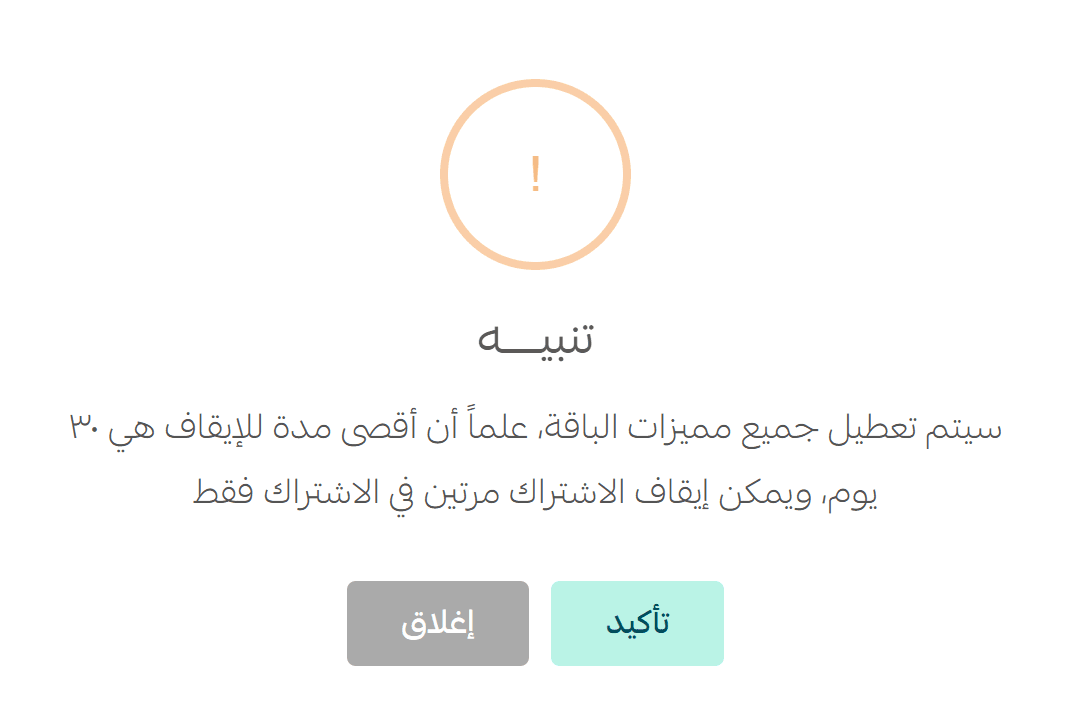
This option is useful if you need a short break without permanently deleting your store.
2. Permanently Delete Store

📝 Important note: Make sure to withdraw your wallet balance before deleting the store.
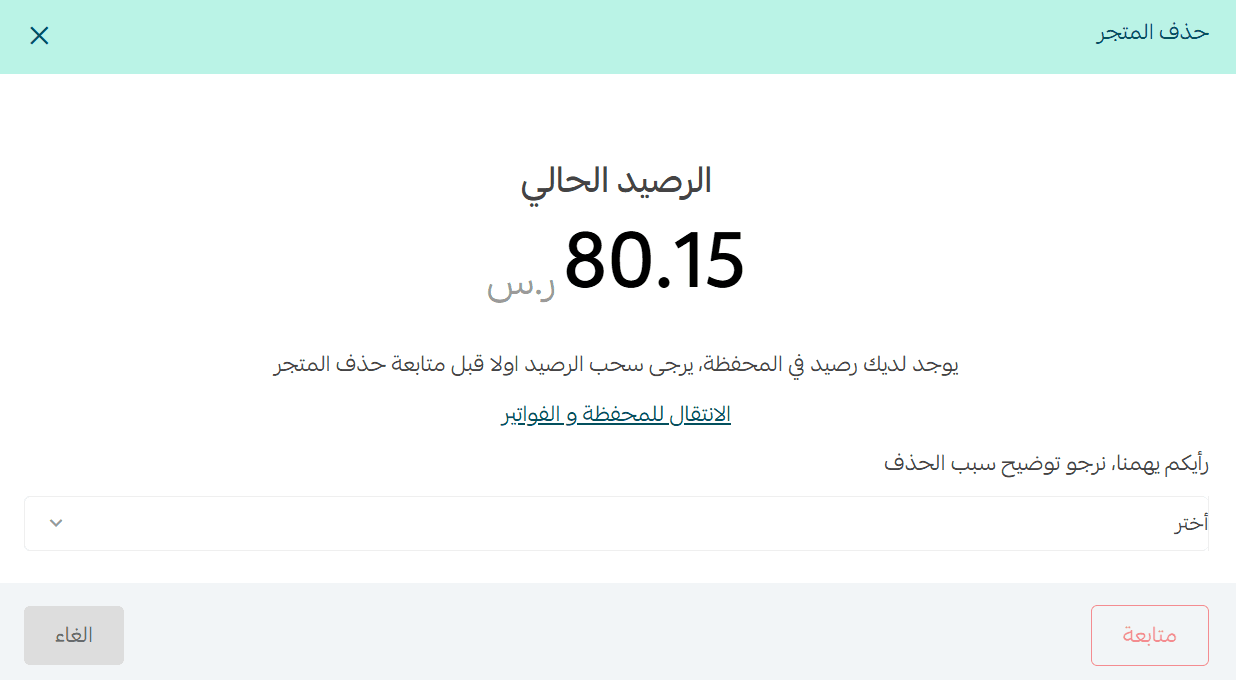
Once deleted, the store and its data cannot be recovered.
For more details about store plans, refer to the Store Plan documentation.
Platform Updates
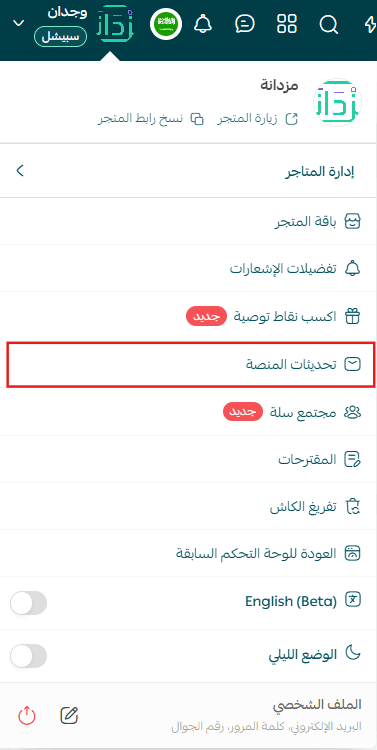
You will be redirected to the Platform Updates page.
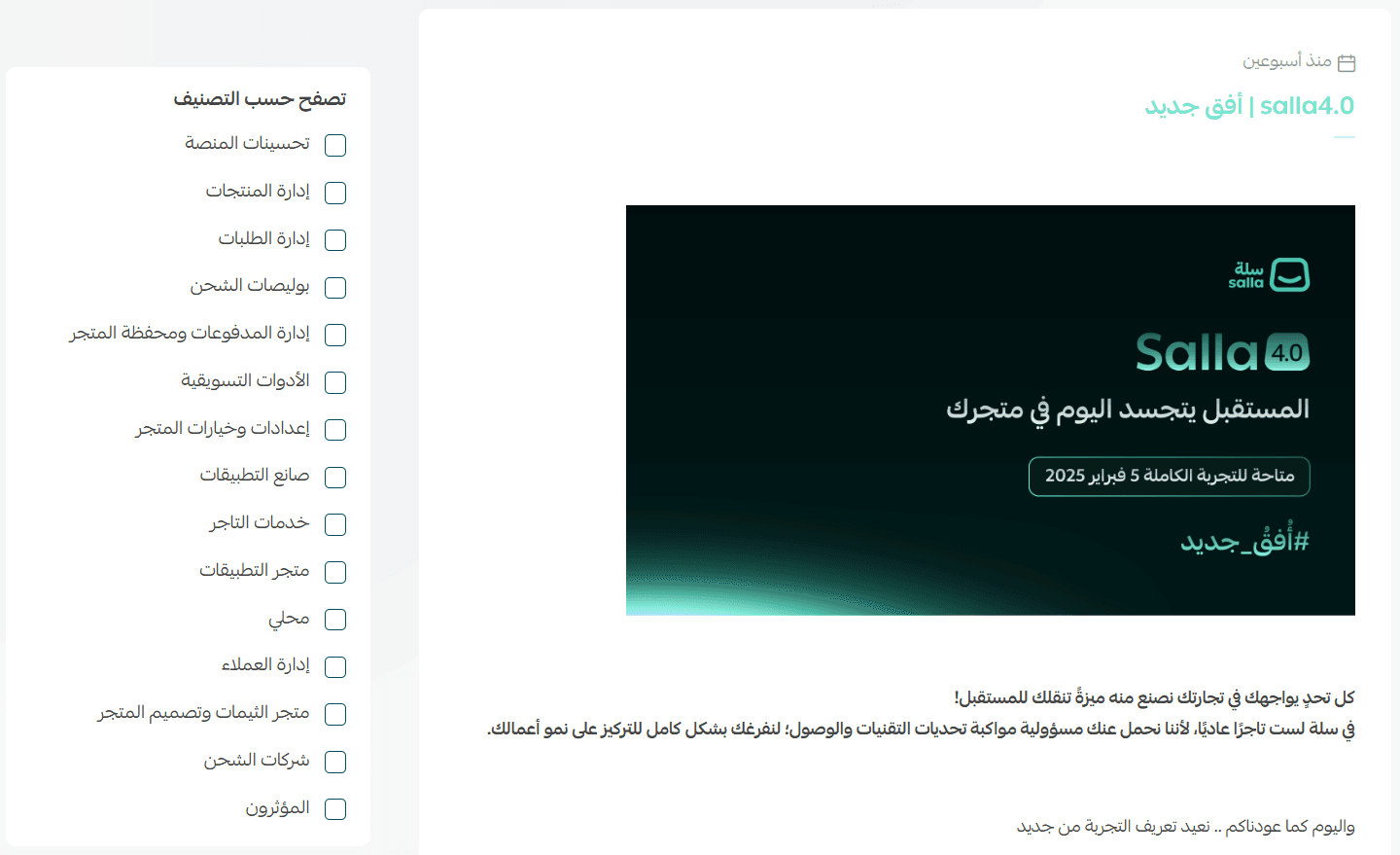
From there, you can select the section you want and browse the latest updates released on the platform.
This helps you stay informed about new features and improvements.
Suggestions
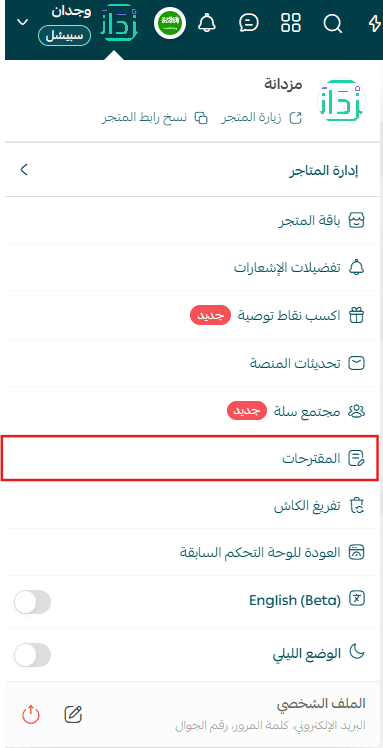
The Suggestions page will appear, allowing you to share ideas and feedback directly.
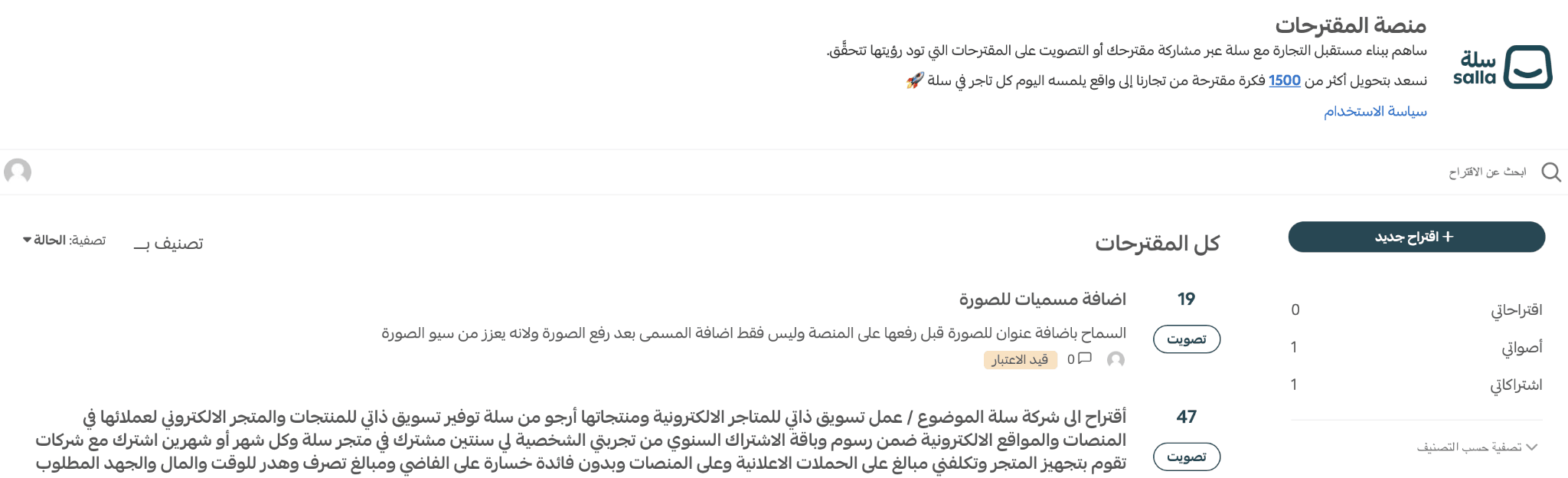
Your suggestions help shape future platform improvements.
Clear Cache
Clearing the cache helps sync recent changes instantly and ensures updated content appears to customers without delay.
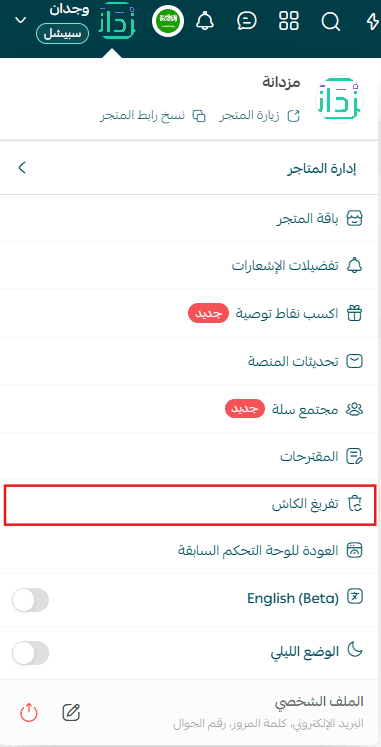
This feature:

- Improves store update speed
- Prevents display issues caused by delayed changes
- Supports a smoother and more consistent customer experience
- Cache clearing will be scheduled and completed within a few minutes.
Switch to the Old Dashboard
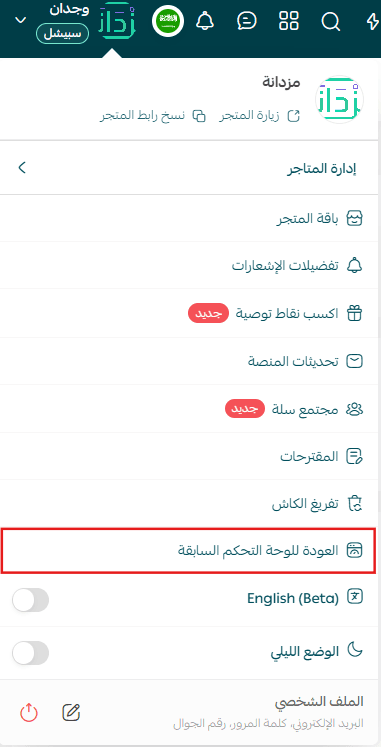
You will be redirected to the old dashboard interface. To return to the new dashboard, click Salla 4.0.
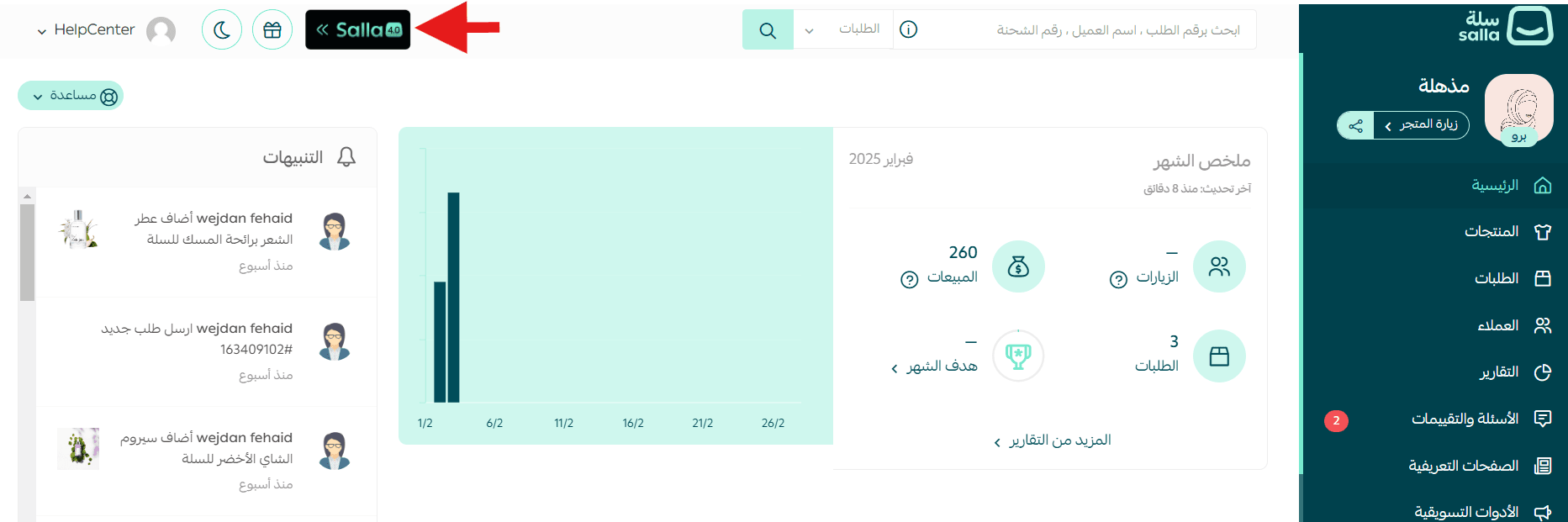
This option allows you to move between experiences based on your preference.
Dark Mode
Enable Dark Mode to activate it automatically.
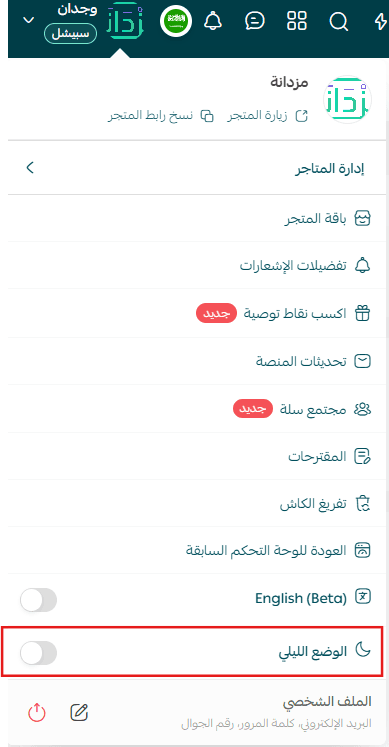
This option provides a more comfortable viewing experience, especially during extended use.
Profile Settings
From the Profile section, you can:
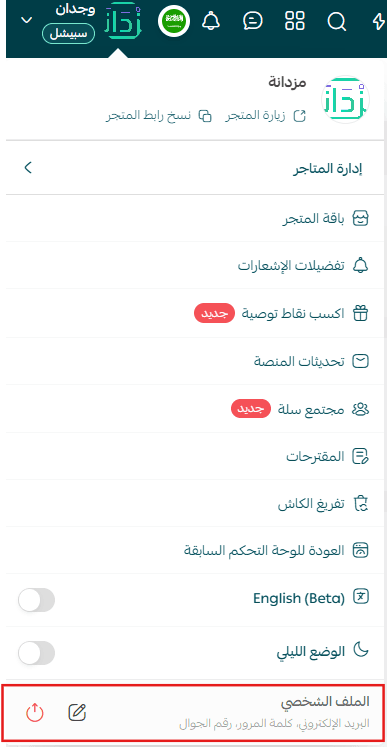
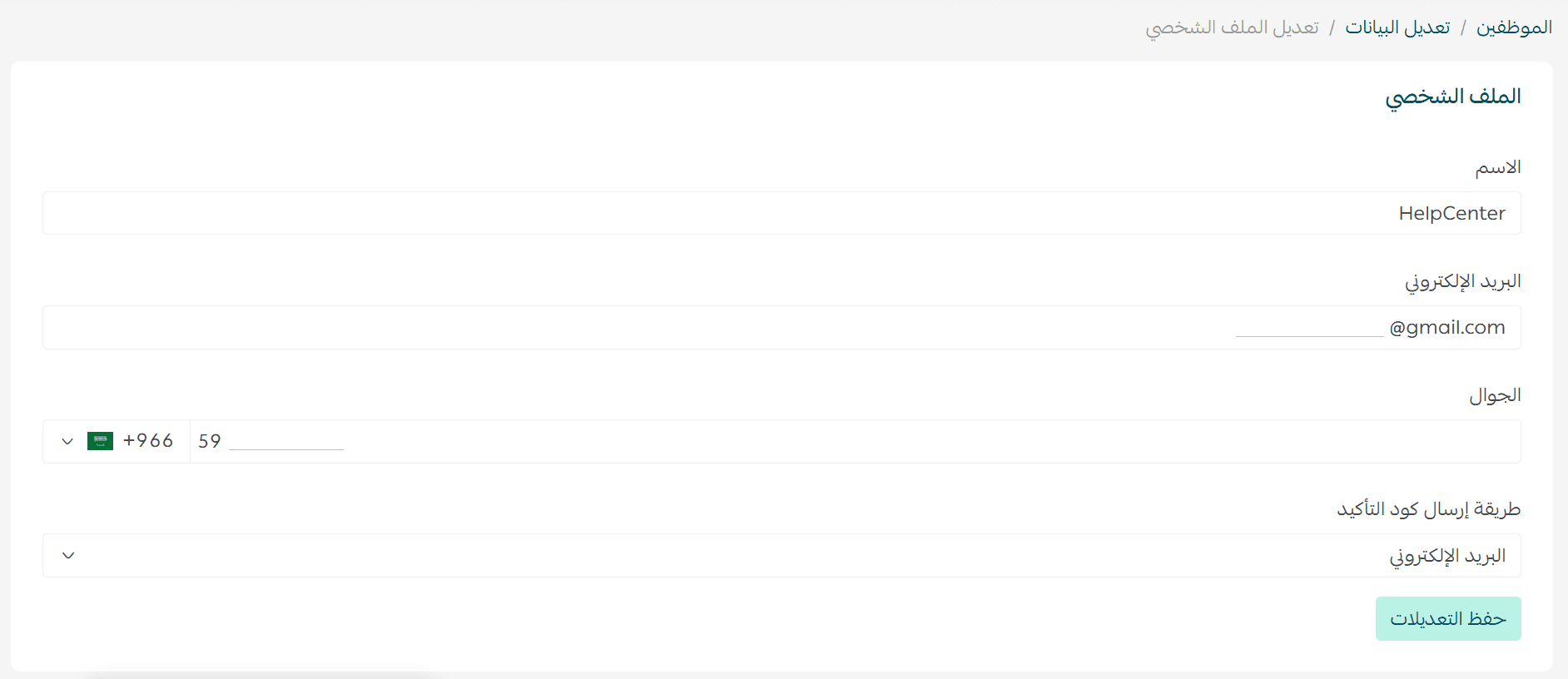
- Edit your profile information
- Log out of your account
- Update your profile details as needed, then click Save Changes to apply them.
Final Takeaway
The Store Settings Menu gives you full control over how you manage your store, your team, and your experience on the platform.
By mastering these settings, you reduce friction, work more efficiently, and create a better experience for both you and your customers.
Take a few minutes to explore these options and make your store work exactly the way you want it to.