Before you buy a store app, you want to know what it costs, how long it takes, and what happens if Apple says no.
Turning your store into a native mobile app through Salla App Maker raises a predictable set of questions: what the subscription covers, whether you need your own developer accounts, how long the whole process runs, and what you can change once the app is live. This page collects the answers merchants ask for most, grouped so you can jump to the part you need. In this guide, you'll learn everything about your Salla store app, from pricing and developer accounts to app statuses, renewals and the customer experience.
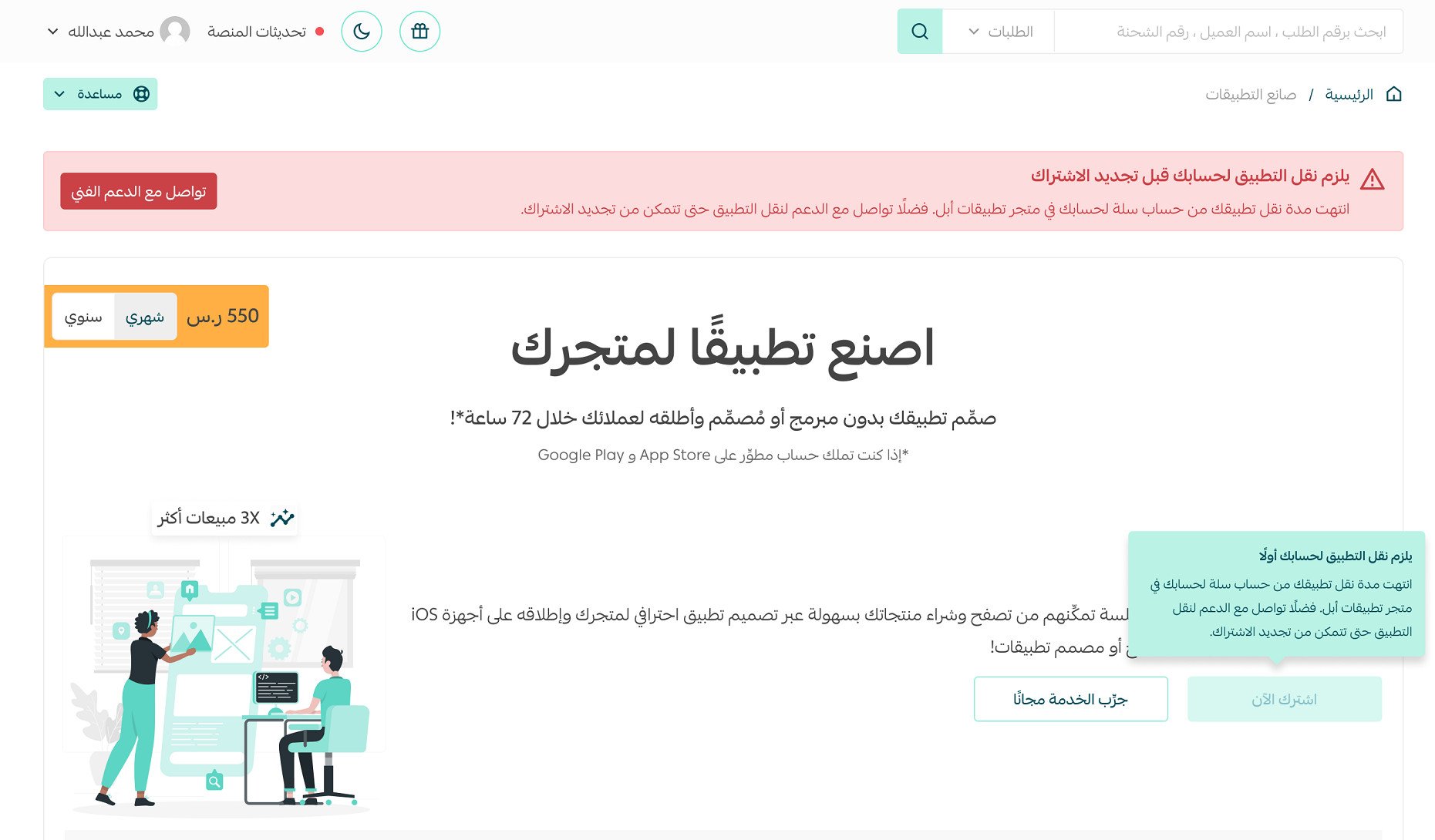
The Salla store app is a monthly or yearly subscription, separate from your platform plan. It covers both iOS and Android, includes maintenance and all future updates, and takes roughly 72 hours to build once your app data is submitted. If you do not already have developer accounts, Salla sets them up with you, which takes two weeks to a month.
📌 Article overview
- Subscription, pricing and what is included
- Preparing and launching your app
- Editing your app after launch
- Review and rejection
- Notifications
- Developer accounts
- App statuses
- Renewing your subscription
- Statistics and your developer account
- App features and the customer experience
💳 Subscription, pricing and what is included
❓ Is the app service paid for only once?
No. The app is a monthly or yearly subscription, priced separately from your store subscription on Salla, and you can turn on automatic renewal for it. The subscription covers maintenance and operation of the app plus every add-on, update and new feature released during the year, exactly as your platform plan does.
❓ Which operating systems does the app service cover?
Both. The service builds a version of your store app for iOS and for Android.
❓ How much does the subscription cost?
SAR 550 per month, or SAR 5,500 for a yearly subscription, including VAT.
❓ Does the subscription include updates, extra features and technical fixes?
Yes. The app is developed with new features and capabilities on a regular basis, and your app is updated automatically whenever a new feature ships.
⏱ Preparing and launching your app
❓ How long does it take to build the app?
The app is built within 72 hours of you finishing your app data entry.
📝 Important notes
- During Salla's review of your app data, the team contacts you if anything is wrong or missing, which can extend the build time.
- Your store must have at least 5 products with complete data, one payment method and one shipping company before the app can be created.
- Salla is not responsible for delays caused by Apple's or Google Play's review of your app before publication.
- The time to build and upload the app is separate from the time to create and activate your own company account with Apple, which takes two weeks to a month.
❓ Why is my app not showing in the app store even though it was launched?
The first version of your app appears in the app store within 24 hours of launch at the latest.
📝 Important notes
- Whether your app surfaces in search results depends on how many downloads and ratings it collects. The more downloads, the more visible it becomes.
- The data you entered while creating the app - the app name, description and promotional text - affects how well the app is indexed in the app stores.
❓ Do I need to enter my products again so they appear in the app?
No. Your existing products carry straight into the app.
✏️ Editing your app after launch
❓ Can I change app data such as the icon, app name and description after my app is launched?
Yes, once you buy the app data update service from the Salla store. For more detail, see buying an app data update.
❓ Can I change the app design?
Yes. Open your store dashboard, go to the app design tab, make your changes and click (Save settings). Customers see the updated design automatically, at no extra cost.
🚦 Review and rejection
❓ What happens if my app is rejected?
If there is no outright breach of the app usage policies, a specialist team at Salla takes it up with Apple and Google and tells you what you need to do. Most apps are accepted on the first attempt.
🔔 Notifications
❓ What automatic notifications are sent to customers once I have the app service?
Customers who have installed the app are notified about certain order statuses, such as an order moving to under review or completed.
❓ Is there a way to send custom notifications to customers?
Yes. You can send notifications to your customers through marketing campaigns, for a small fee deducted from your SMS balance. For more detail, see working with marketing campaigns.
🔑 Developer accounts
❓ When I buy the app I see "choose account" - what does that mean?
Choosing the account is the step that decides where your app is published. If you do not have developer accounts with Apple and Google, choose "I don't have store accounts". Salla Team then creates the developer accounts with you.
If you already have developer accounts, choose "I have store accounts".
📝 Important note
Choosing "I don't have store accounts" adds a one-time setup fee.
❓ What is a developer account?
A developer account is the service that lets apps be uploaded and published on the App Store and Google Play.
❓ Why am I asked for a commercial registration and a passport when I choose "I don't have store accounts"?
Apple requires both documents to activate a developer account.
❓ Why am I asked to provide accounts when I choose "I don't have store accounts"?
Those accounts are used to activate the Apple Developer Program and Google Play Console accounts your app is published on.
❓ Why am I contacted by phone when I choose either option?
So the team can sign in to the accounts you provided, using the verification code sent to your phone.
❓ Which accounts are accepted when I choose "I don't have accounts"?
A standard Apple ID and a Gmail account, both linked to your phone number, so Salla Team can activate the developer accounts on them. For more detail, see creating an Apple ID.
❓ Which accounts are accepted when I choose "I have store accounts"?
Active, ready developer accounts: an Apple Developer Program account of the company type, and a Google Play Developer account.
❓ How long does it take to set up a developer account?
Two weeks to a month. How quickly you respond to Salla Team affects the total.
❓ How long until my app is ready, depending on the account option I chose?
If you chose "I don't have store accounts": setting up the developer account takes two weeks to a month. During that time your app is published on Salla's account, then moved to your own developer account once Apple activates it.
If you chose "I have store accounts": your app appears in your own account within two to seven days.
❓ Why is my app published on Salla's account first?
It is a head start that shortens your wait. As soon as your own developer account is ready, the app is moved straight across from Salla's account to yours.
📊 App statuses
❓ What statuses does my app pass through?
After you buy the app service:
1. App data entry. The stage right after you buy the store app service from Salla. You enter your data, choose the design and publish the app, and Salla Team picks it up from there.
2. Under review. Your request has been received and is being worked on. This covers:
- Document review: the documents you submitted (translated commercial registration, passport).
- Account review: the accounts you provided, and whether they are valid.
- Store review: your store details, including products, payment methods and sign-in options.
3. Awaiting store approval. Your app is being reviewed by the App Store and Google Play reviewers.
4. Rejected. Your app is rejected if it breaches one of the terms or policies.
5. Published. Your app is live and ready to share with your customers.
🔄 Renewing your subscription
❓ How do I renew my App Maker subscription?
1. Click the "Renew subscription" button in the app dashboard. It appears in the bottom banner, and you are reminded 7 days before the subscription ends.
2. Turn on automatic renewal from wallet and invoices.
3. After the subscription ends, the renewal option appears in App Maker.
❓ Does having my app on a Salla account affect my renewal?
Yes. If your app is still on Salla's app store accounts, you have to move it to your own App Store and Google Play accounts before you can renew. That transfer is required for any maintenance or updates to the app, under Apple's and Google's intellectual property policies.
📈 Statistics and your developer account
❓ Can I see statistics about the app?
Yes, once the app sits in your own developer account.
For more detail, see creating an Apple developer account as an individual.
For more detail, see creating an Apple developer account as a company or organization.
📱 App features and the customer experience
❓ Does the store app support a widget?
Yes. The widget lets you check your store's key numbers from your phone without opening the whole app. It shows:
- Visits
- Sales
- Orders
- Monthly target
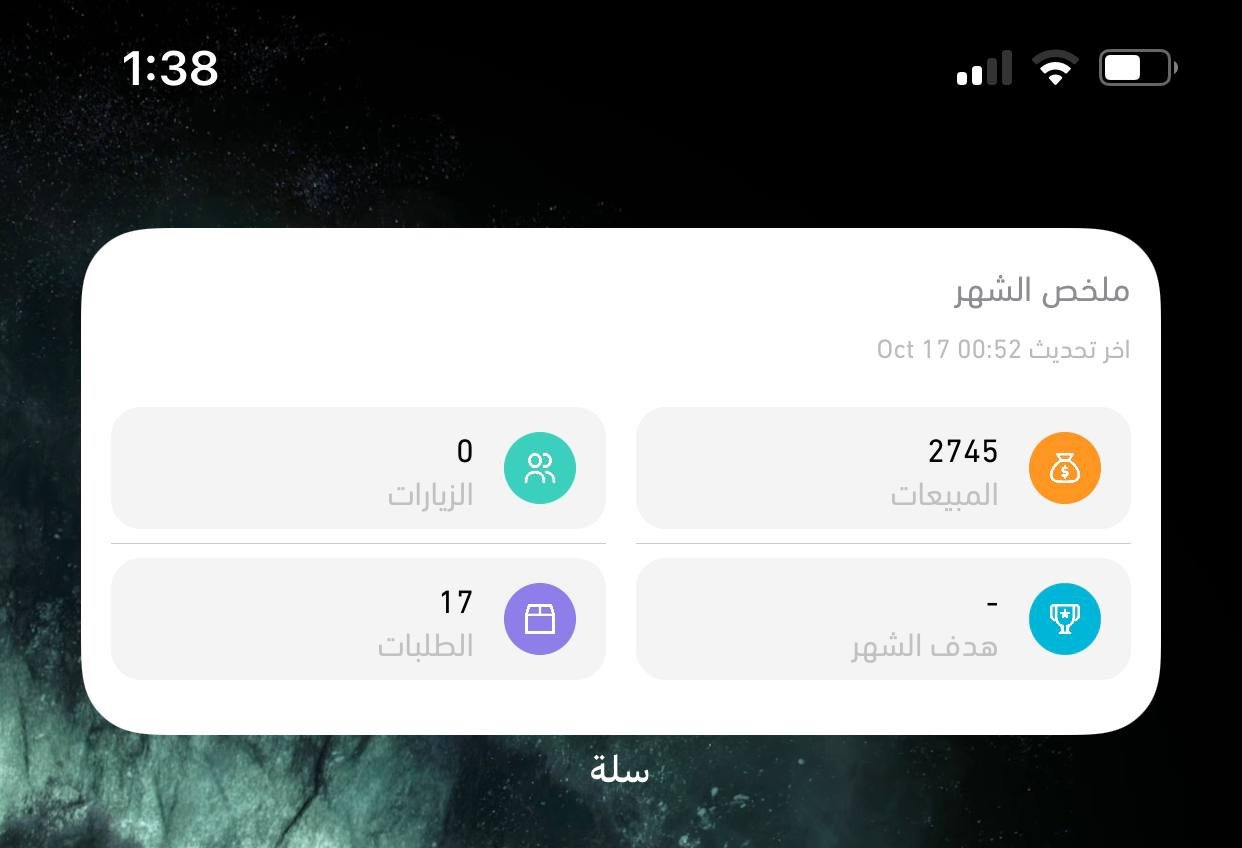
Tapping the widget opens the merchant app.
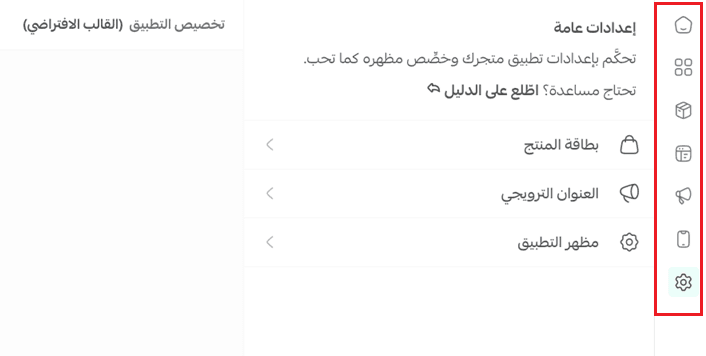
❓ What is the difference between the default template and the menu template in the app design?
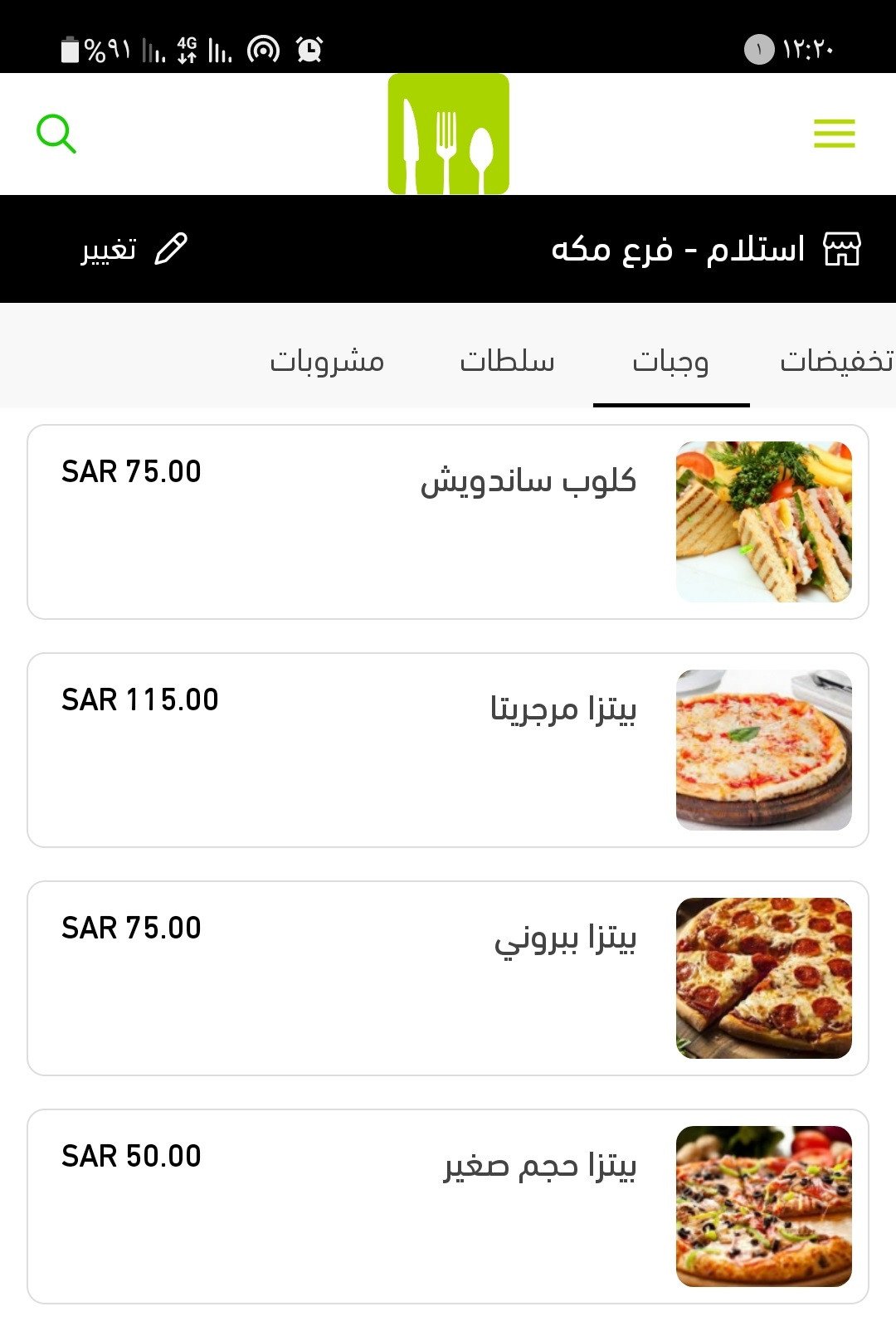
The default template includes these tabs: home page, where you can add a wide range of elements; the top bar and tabs; categories; product details; splash and welcome screens; the promotional banner; and general settings.
The menu template, built mainly for cafes and restaurants, includes: home page, which holds an animated image element only; top tabs; splash and welcome screens; and general settings.
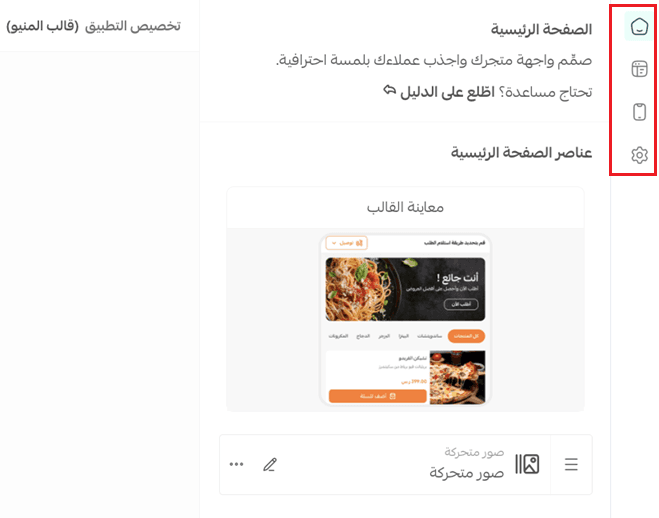
In the app it looks like this:
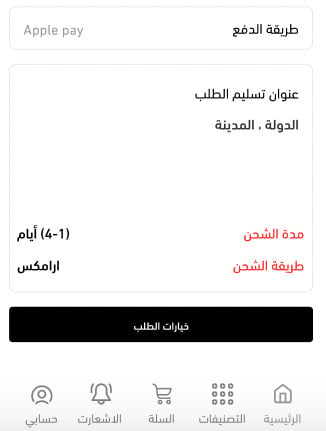
❓ How does a customer review and track an order in the app?
If the order is shippable, a track order button appears whenever a tracking link is available. Customers can also check the delivery time and the payment method used, and copy the codes for digital products.
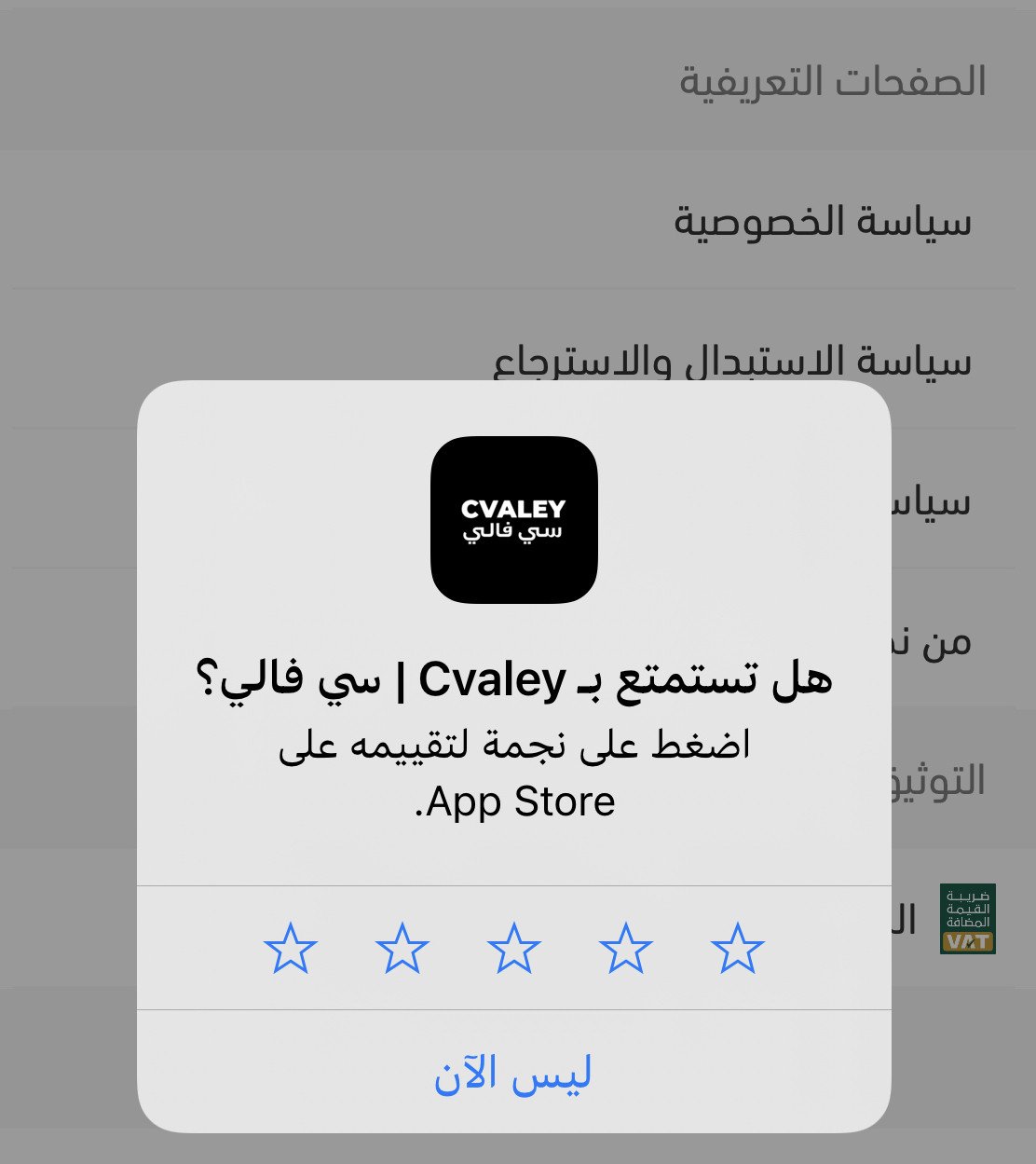
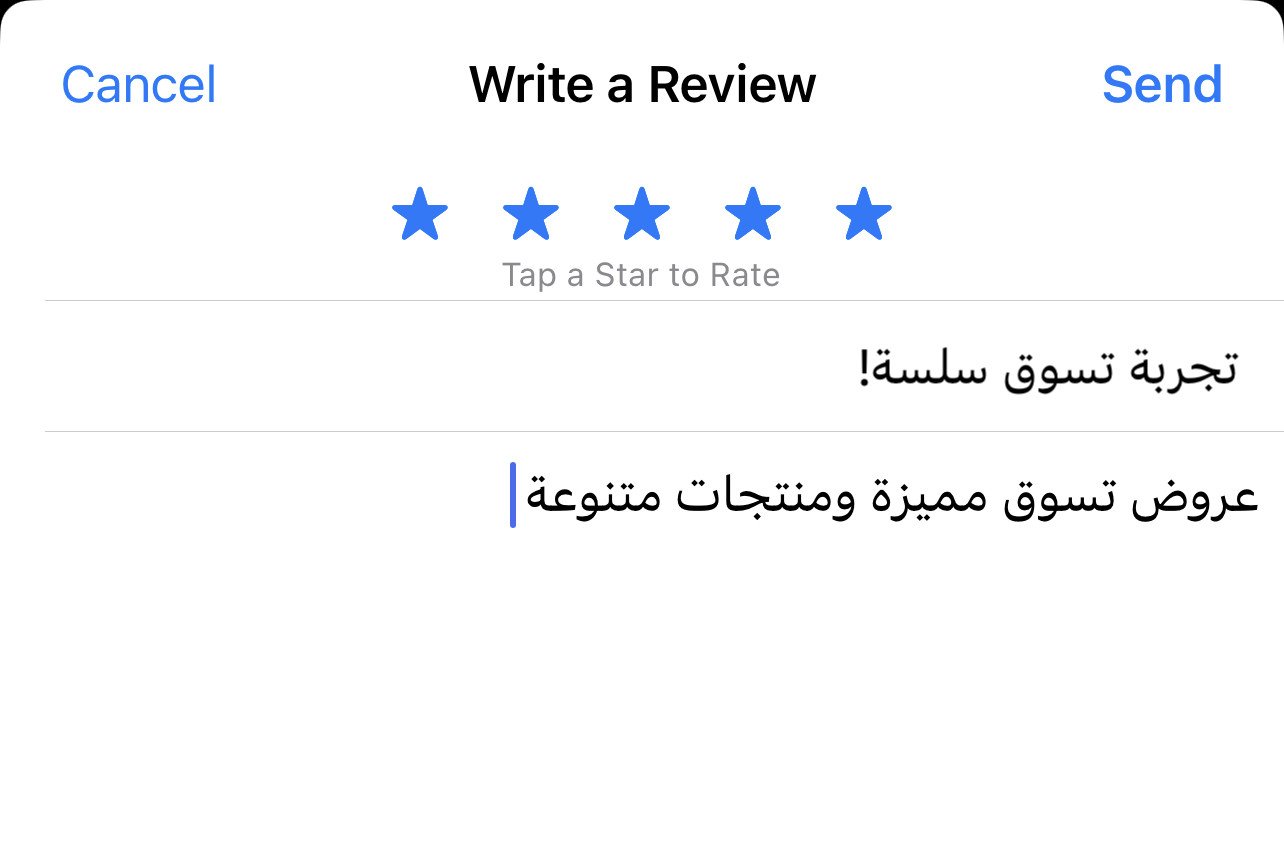
❓ How can I encourage customers to rate the app?
Once a customer passes four sessions in your app, the rating prompt appears automatically.
Customers can also rate the app themselves, from the account tab, then (Rate the app).
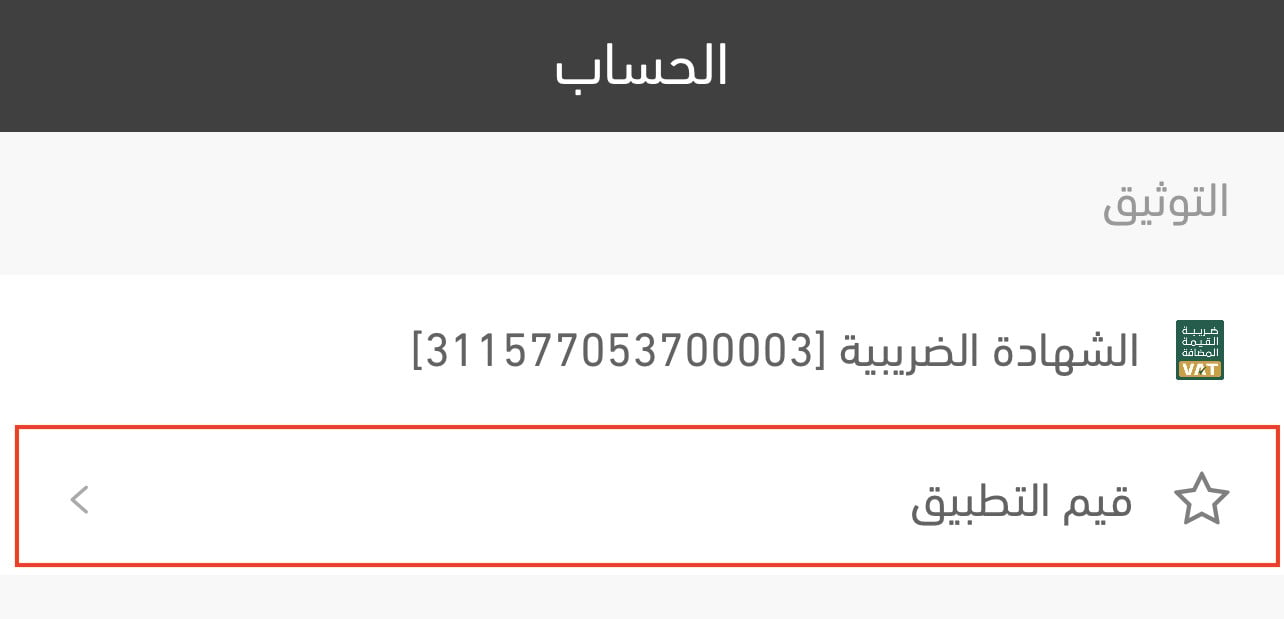
The customer is then taken to the app store to leave the rating.
Most of the waiting in this process is outside anyone's hands - Apple and Google set their own review pace. What you control is the part before that: a store with real products, working payment and shipping, and app data that is correct the first time.