You know AI could write your product pages and your ads. The hard part is knowing what to ask it for.
Salla's AI prompts tool holds dozens of ready-made prompts covering the work an online store actually does - product descriptions, ad copy, sales analysis, store experience improvements. Each one is written for you to run as-is, so you get a professional result without composing the prompt yourself. In this guide, you'll learn how to browse the library, how to let it pick a prompt for you, how to customize a prompt before you run it, and what three of the most-used prompts produce.
Salla's AI prompts tool is a free library of ready-made prompts for online stores. Open it from Merchant tools, search, filter, or use (Help me choose) to find one, fill in the customizable fields such as product name and audience, then copy it or open it in ChatGPT or Claude.
📌 Article overview
- How to browse and use the AI prompts library
- How to choose the right prompt for your task
- Worked examples of the most-used prompts
- Frequently asked questions
🤖 How to browse and use the AI prompts library
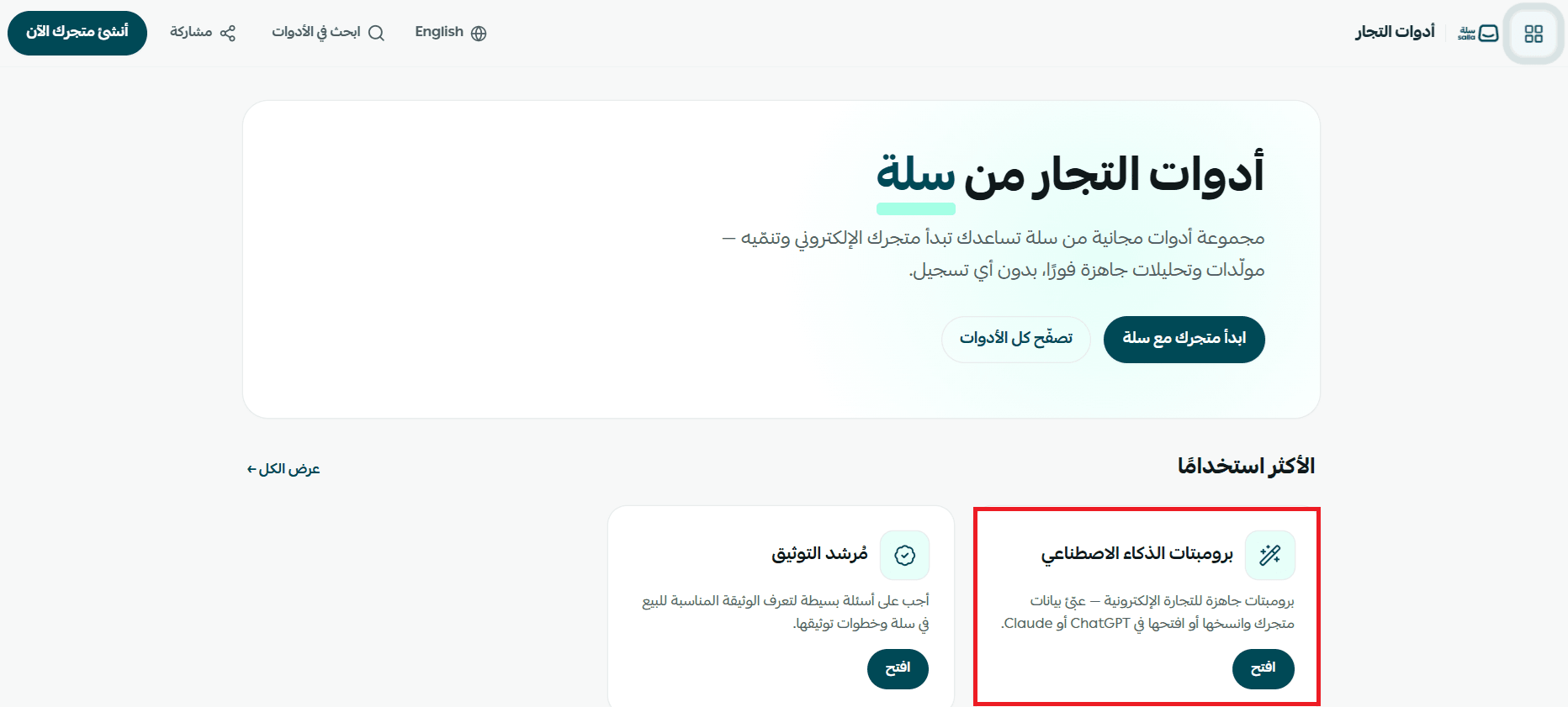
1. From the Merchant tools home page, click the AI prompts card.
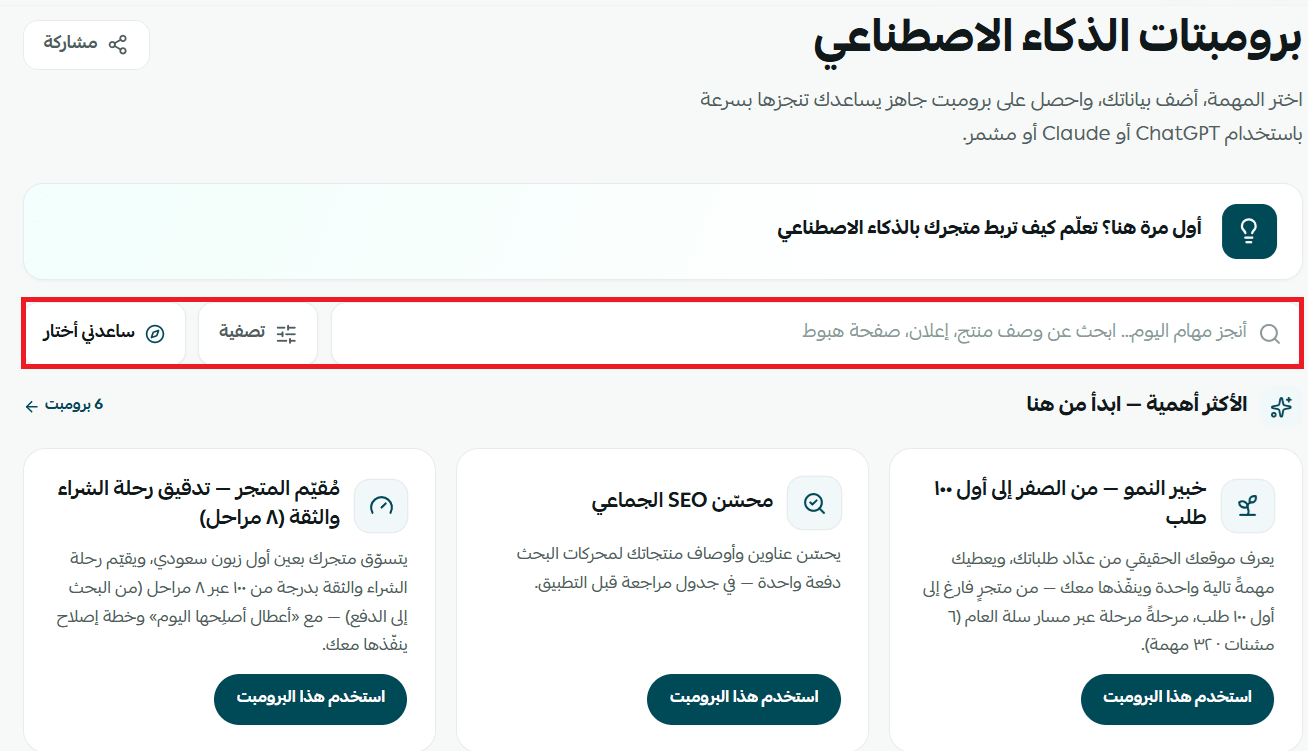
2. The AI prompts page opens. From here you can:
- Search for a prompt using the search box.
- Click (Filter) to narrow the results to what you need.
- Click (Help me choose) to get suggestions instead of browsing.
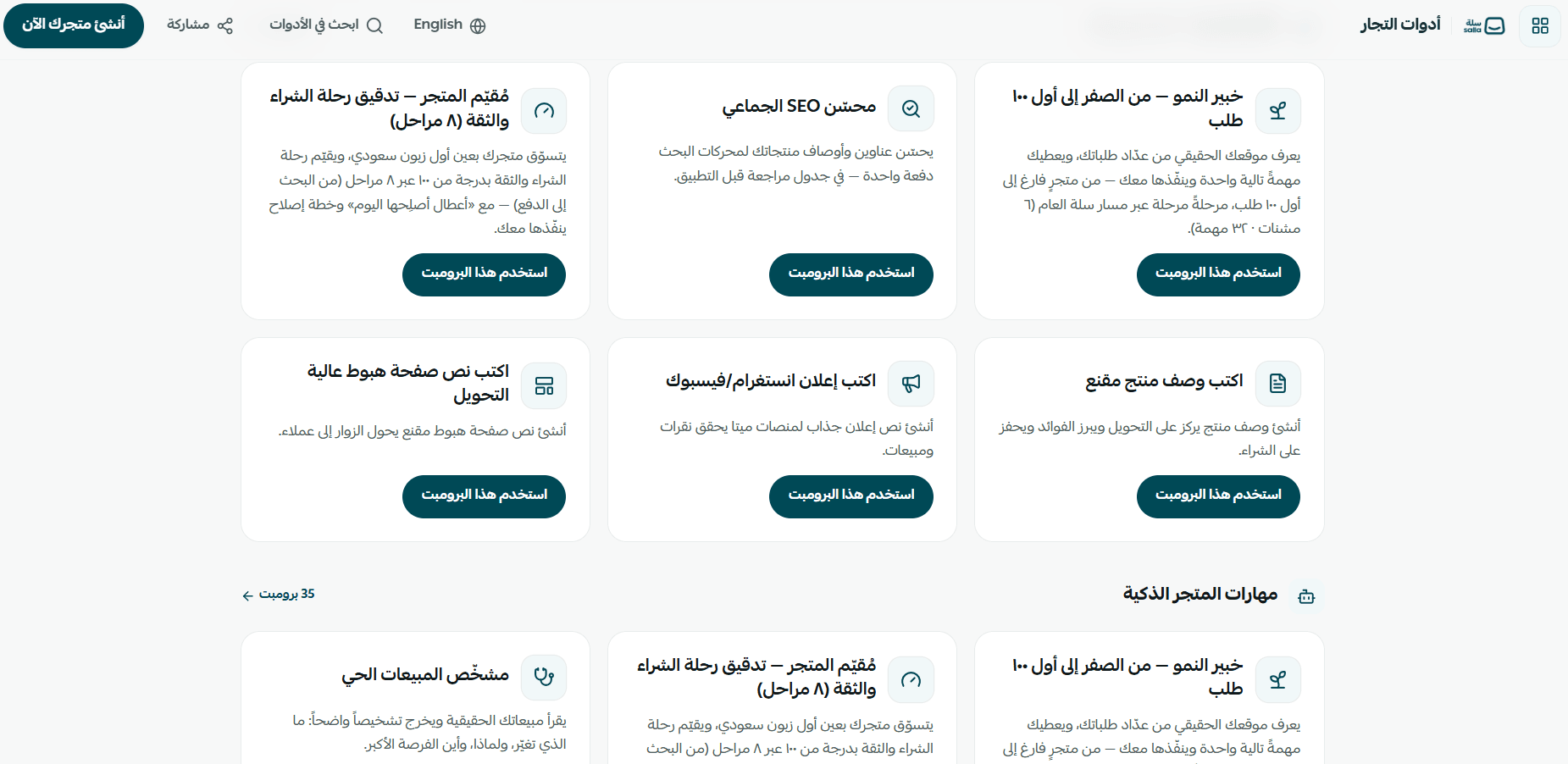
3. Browse the sections of the library, read the description under each prompt, and pick the one that matches your task.
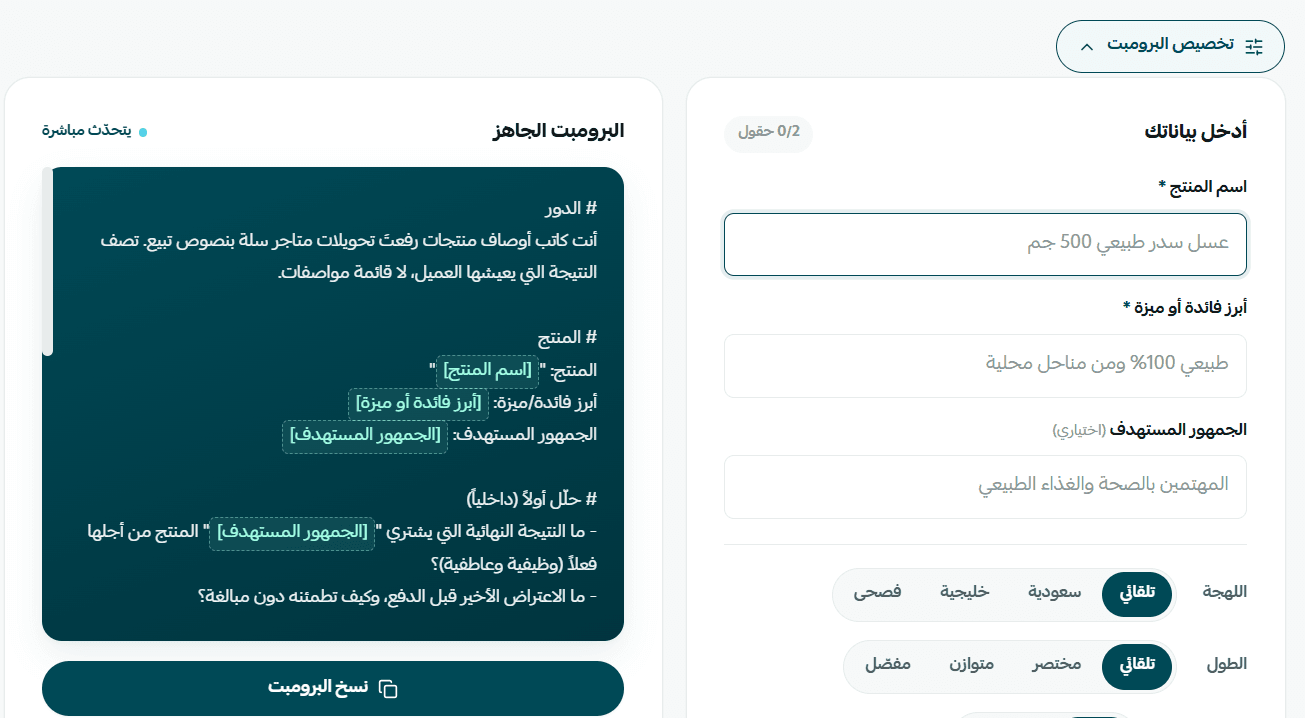
4. Click (Use this prompt) to open the prompt's detail page, which shows a (Pro tip) on what to do with the result and a (When to use it) note explaining when the task is worth running.

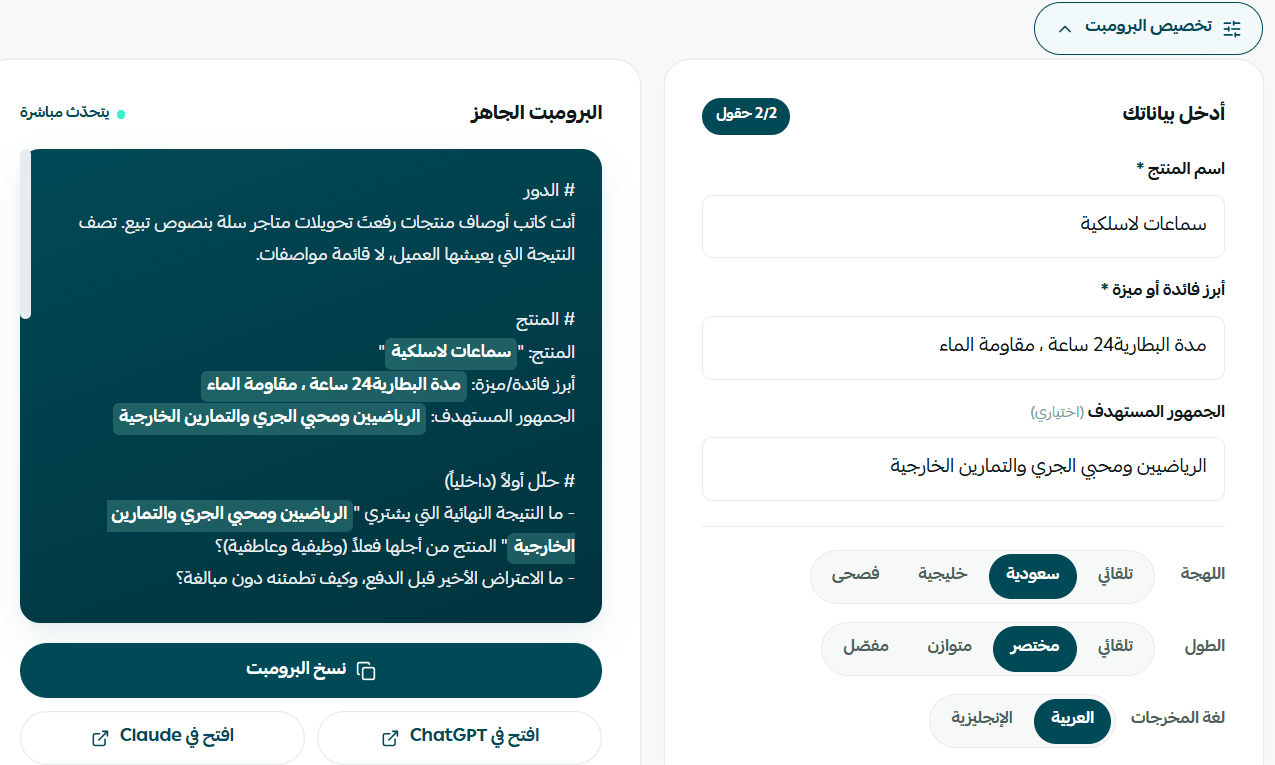
5. Fill in the customizable fields - product name, the main benefit or feature, the target audience - then click (Copy prompt), or choose (Open in ChatGPT) or (Open in Claude) to run it straight away.
🧭 How to choose the right prompt for your task
If you're not sure which prompt fits, use (Help me choose). It narrows the library down to the prompts that serve your goal, so you don't have to read through everything.
1. On the AI prompts page, click (Help me choose).
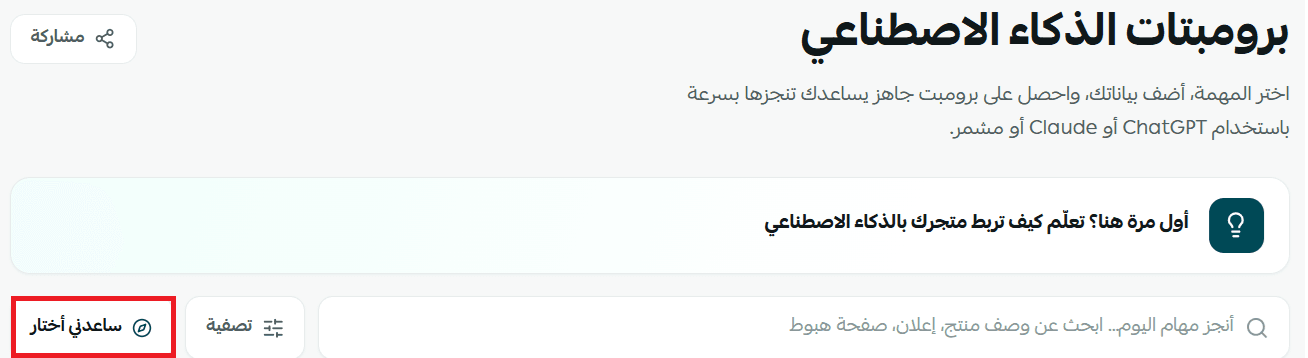
2. A window titled (What's your goal right now?) opens. Pick the goal that matches where your store is:
🚀 I'm getting no traffic or sales - to start attracting your first visitors and orders.
📈 How do I grow sales and traffic? - to improve performance and lift conversion.
🎯 How do I get ready for a new season and see what's missing? - to prepare for a season and close the gaps in your store.
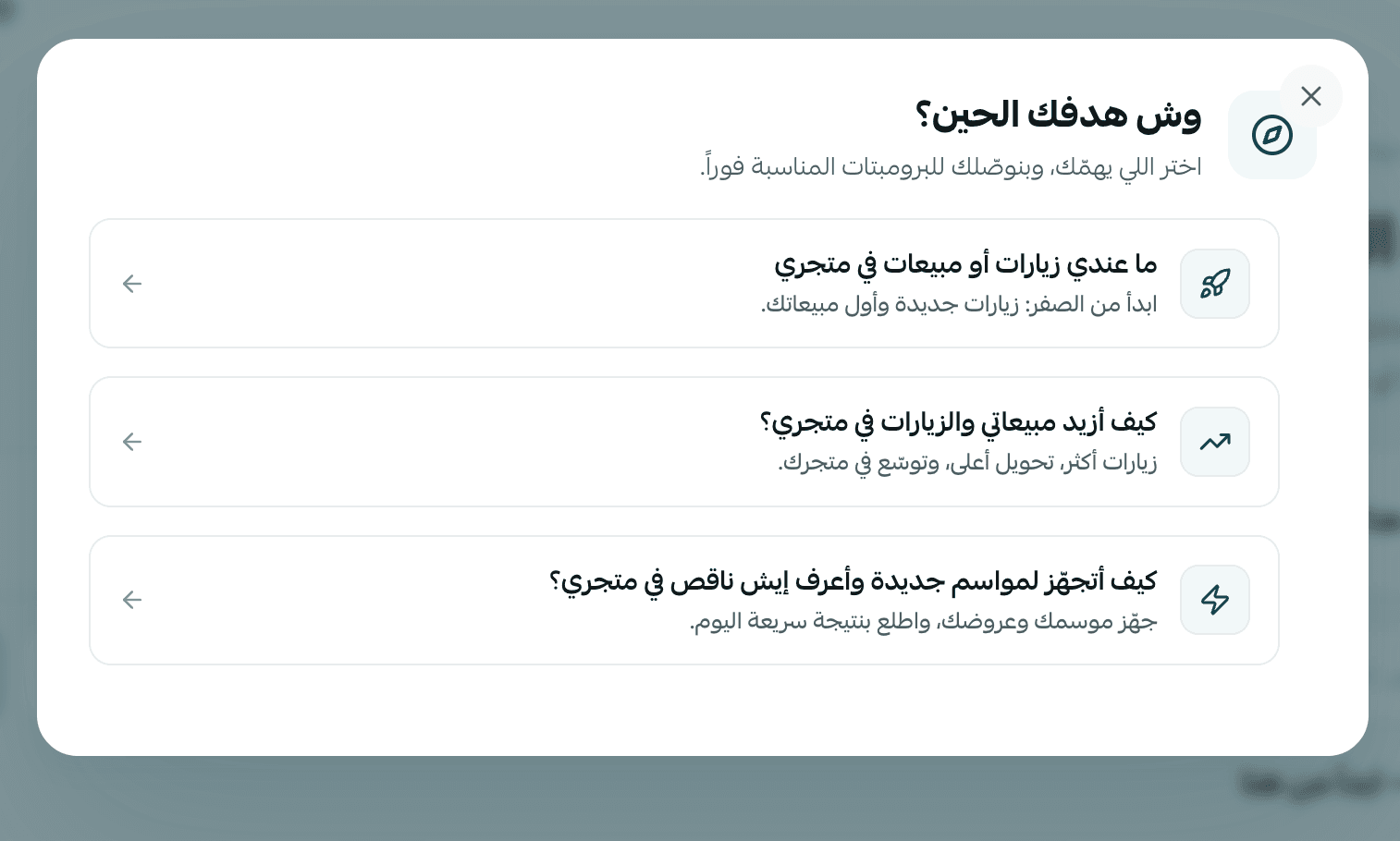
3. Once you pick a goal, the tool suggests the prompts that fit it best, and you can use one right away.
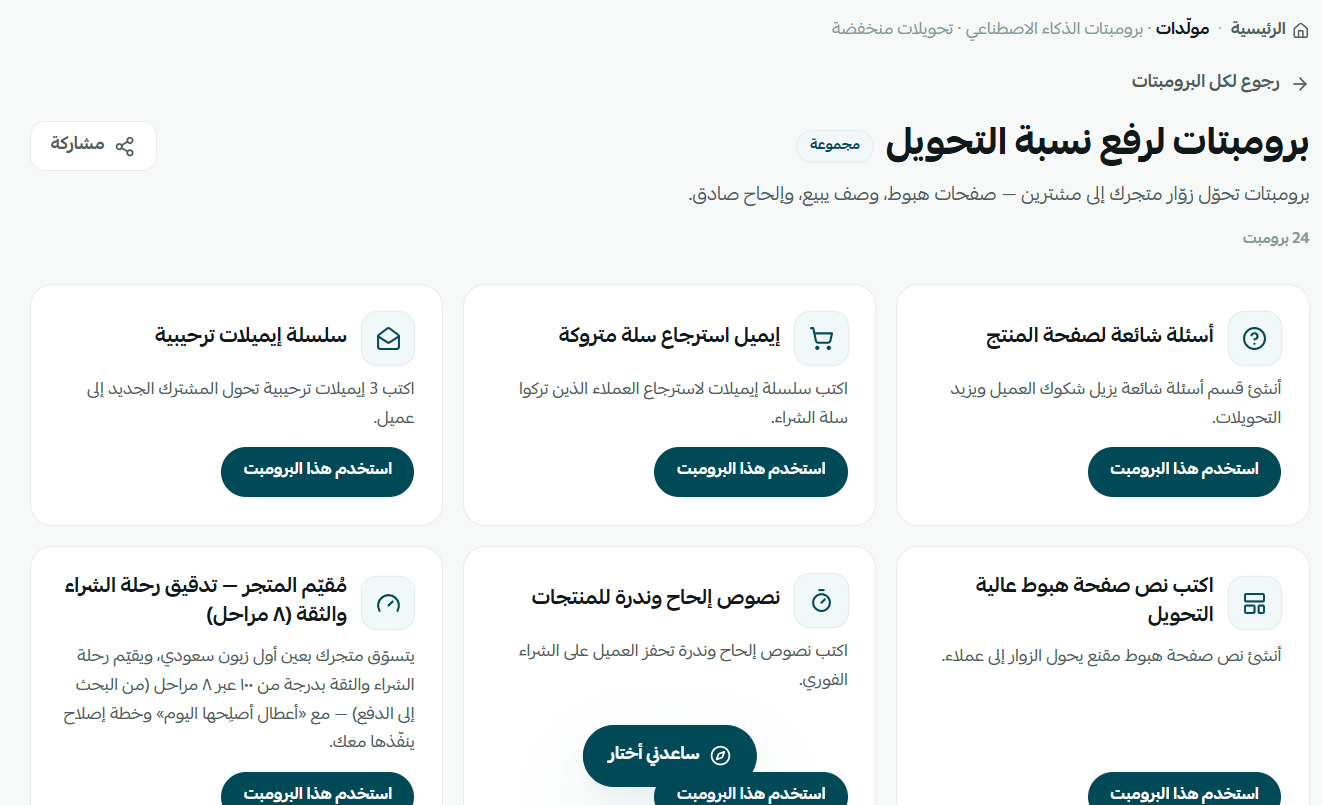
💡 Worked examples of the most-used prompts
Here are the prompts Salla merchants reach for most, with a concrete example of what each one does for a store.
📄 Write a persuasive product description
Example: you're adding a new product - wireless earbuds. Enter the product name, the main benefit or feature (24-hour battery, water resistant), and the target audience (athletes and outdoor training). The prompt returns a professional description built around the benefits the customer cares about, rather than a list of technical specs.
Once you've reviewed the result, click (Copy prompt), or choose (Open in ChatGPT) or (Open in Claude) to use it directly.
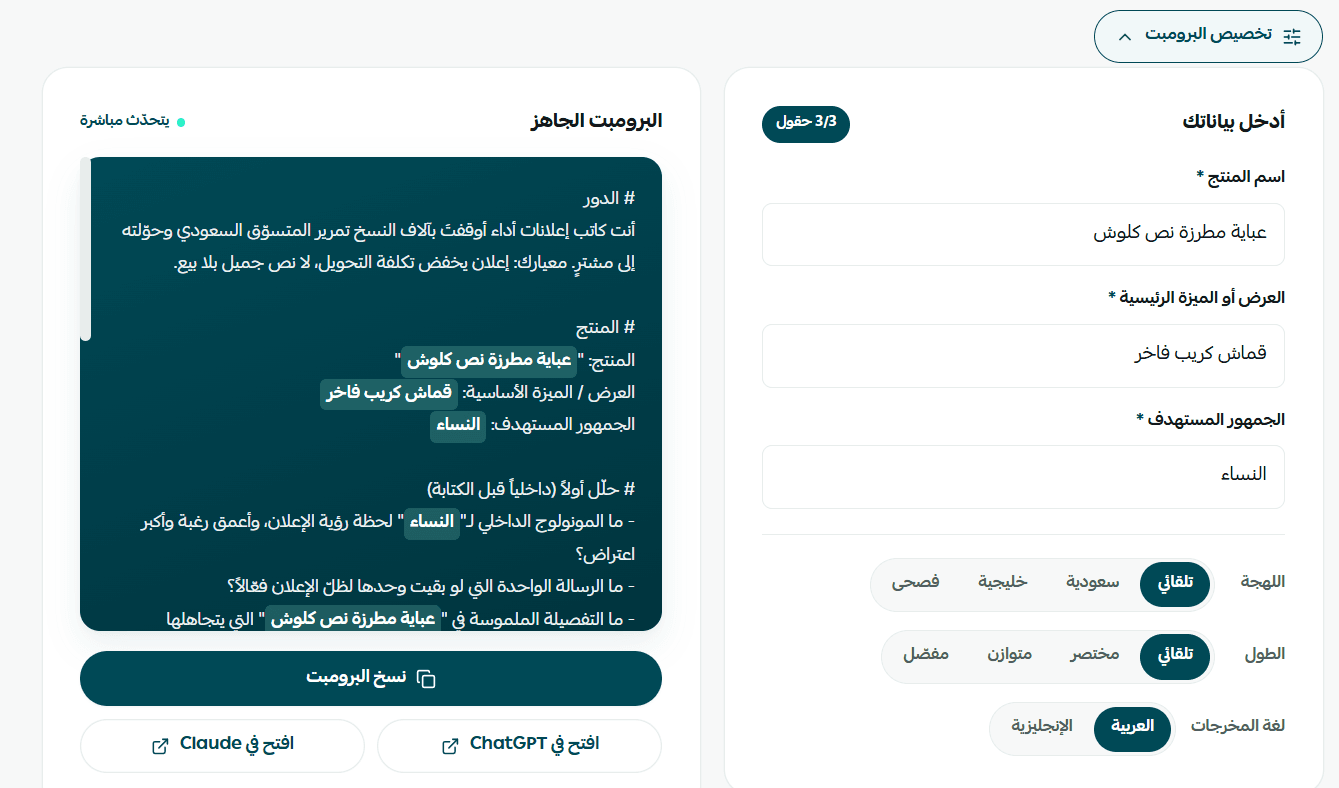
📣 Write an Instagram or Facebook ad
Example: you want to promote an embroidered half-flare abaya on Instagram. Enter the product name, the key feature (premium crepe fabric), and the target audience (women). The prompt returns ad copy shaped for an Instagram post, highlighting the fabric quality and the cut, with a clear call to buy or visit the store.
Once you've reviewed the result, click (Copy prompt), or choose (Open in ChatGPT) or (Open in Claude) to use it directly.
🔍 Bulk SEO optimizer
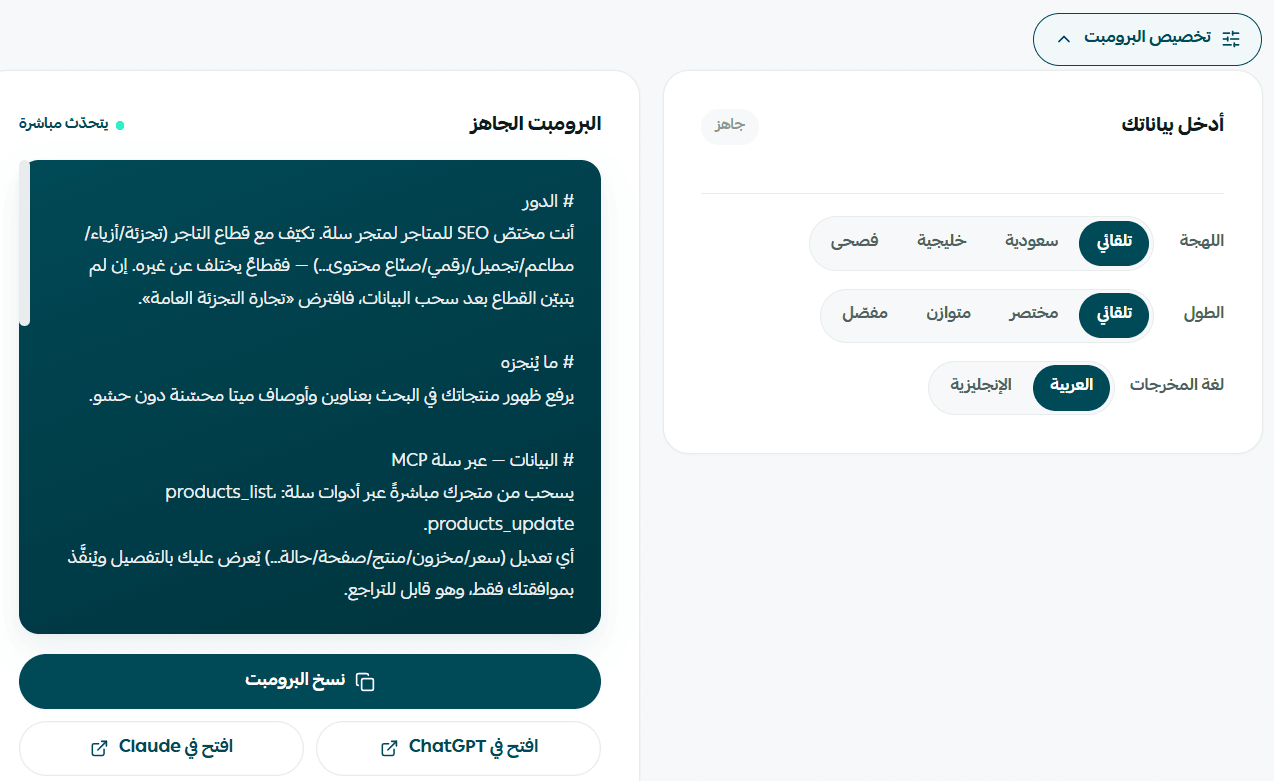
Example: your store carries a large catalog and you want those products to surface in search. Open the bulk SEO optimizer prompt. With your store connected to the AI tool, it pulls your product data automatically and suggests improvements to product titles and descriptions so they align better with search engines - more visibility, more organic traffic, and no editing every product by hand.
Once you've reviewed the prompt, click (Copy prompt), or choose (Open in ChatGPT) or (Open in Claude) to use it directly.
❓ Frequently asked questions
Is the AI prompts library free?
Yes. Every prompt in the library is completely free, and you don't need to register or subscribe to browse or copy them.
Do I need a Claude or ChatGPT account to use the prompts?
Yes. The prompt is copied from Salla and then opened inside the AI tool you choose, so you need an active account with one of them. [Verify: the Arabic also names Mushammir as an option here, but no other part of the article covers running a library prompt in Mushammir.]
What's the difference between (Filter) and (Help me choose)?
(Filter) lets you pick the task type yourself from a list of categories. (Help me choose) walks you toward the right prompt based on your answers to a few questions - useful when you're not sure exactly what you need.
Is my store data saved when I use a prompt?
The prompts library only gives you the prompt text. It doesn't share your data automatically with any AI tool - you decide what to enter when you fill the prompt in and run it.
🔍 More learning resources
To learn more about connecting your store to AI tools such as Claude and ChatGPT, watch these two tutorials:
- Tutorial: connect your store to AI tools
- Tutorial: using the prompts library