Sharing long or unclear URLs through SMS or social media can increase messaging costs, reduce engagement, and negatively affect the user experience.
To solve this, Salla allows you to create short, custom URLs that are easy to read, remember, and share. Custom links help you replace long URLs with clean, branded shortcuts that improve communication, marketing performance, and overall customer experience.
📌 Article overview
- How to create a custom link
- How to import multiple custom links
- How to manage custom links
- Frequently asked questions
How to create a custom link
- From the main menu, go to Store & Channels, then select Custom URLs.
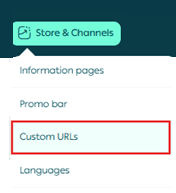
2. From the Custom Links page, click + New Link.

3. Enter the link details, then click Create link.
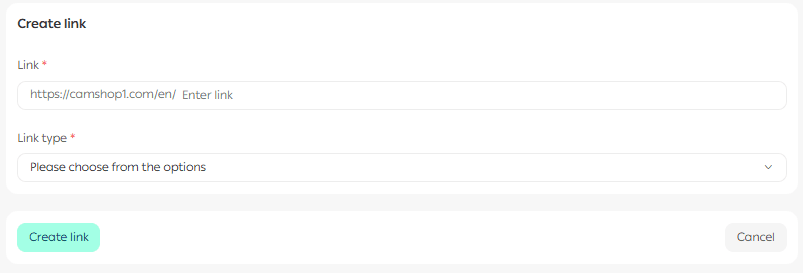
Important note: You can write the link path in Arabic or English, as long as it contains no spaces.
Only symbols such as hyphens - are allowed to separate words.
Required link details
- Link name
Choose a short, clear name that reflects the destination and is easy to remember.
- Link type
Select one of the available link types from the list.
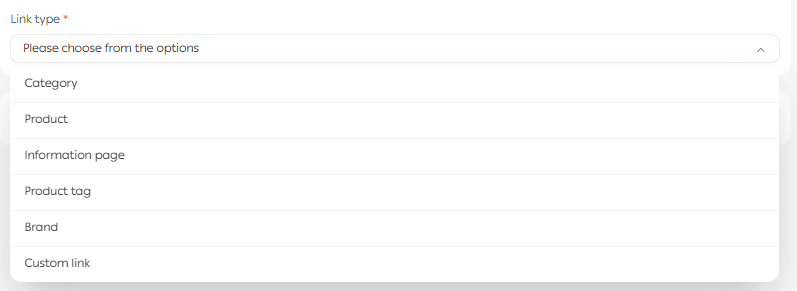
After selecting the link type, choose the destination page. This can be a product, category, informational page, or another supported page type.
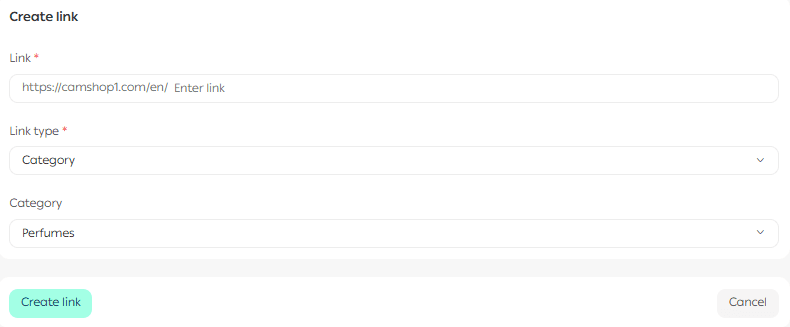
Example
If the link type is Category, search for and select the category you want the link to open, such as Perfumes.
Import multiple custom links
If you need to create many links at once, you can import them in bulk.
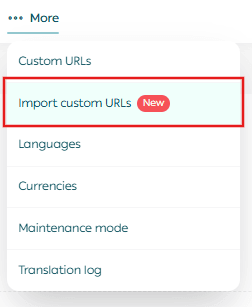
- From the Custom URLs page, click More, then select Import Custom URLs.
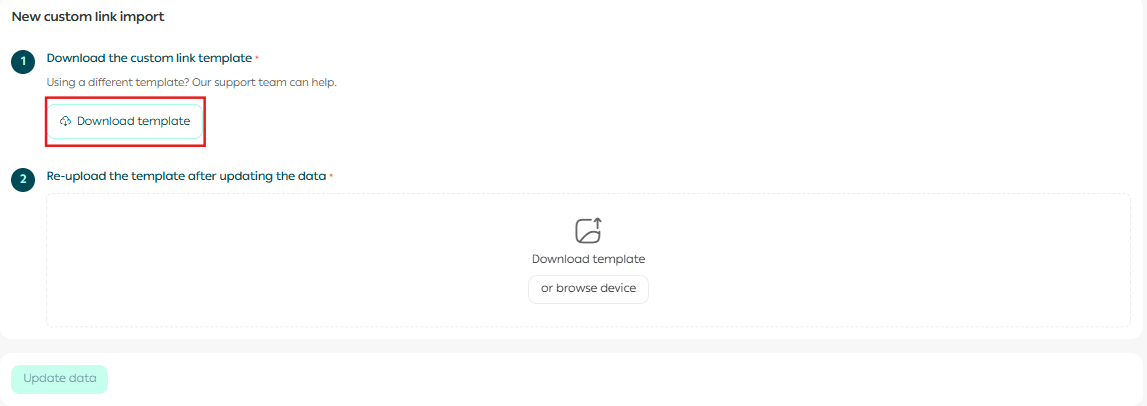
2. Click Download Template.
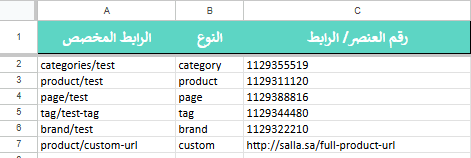
3. Open the downloaded file and fill in the required fields:
a. Custom link column
Enter the custom link path.
You may use Arabic or English, encoded URLs, uppercase or lowercase letters, and the following symbols: . / _ - : * %
b. Type column
Specify the link type.
c. Item ID or URL column
Enter the item ID or direct link of the store content you want to connect to the custom link.
4. Upload the completed file, then click Update Data.

⏳ The system will process the file and update the links shortly.
Managing custom links
Salla provides several tools to manage your custom links easily.
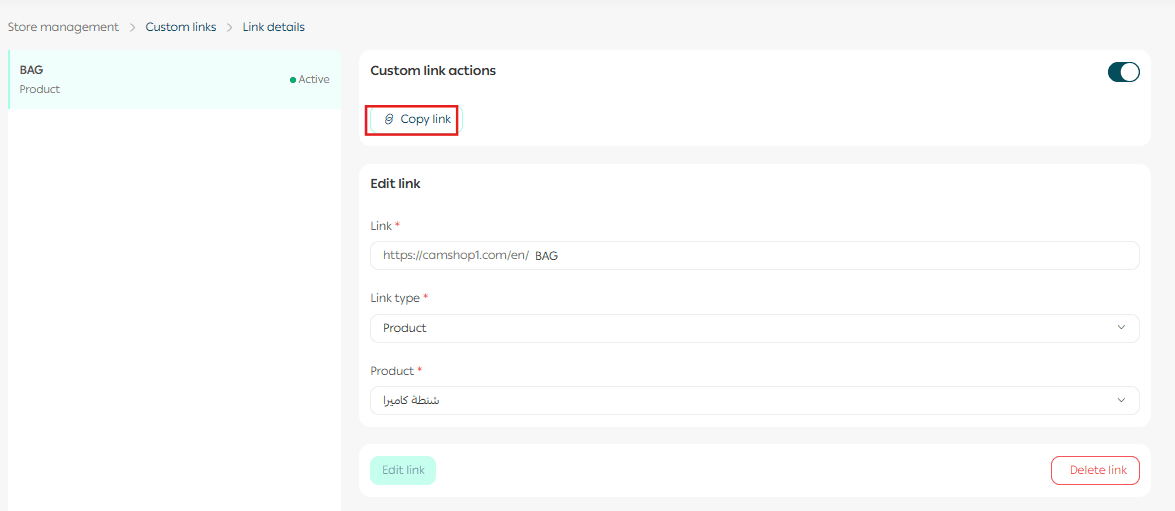
Copy a custom link
From the Custom Links page, click Copy Link to copy the URL instantly.
Enable or disable a custom link
You can temporarily enable or disable any custom link by toggling its status.
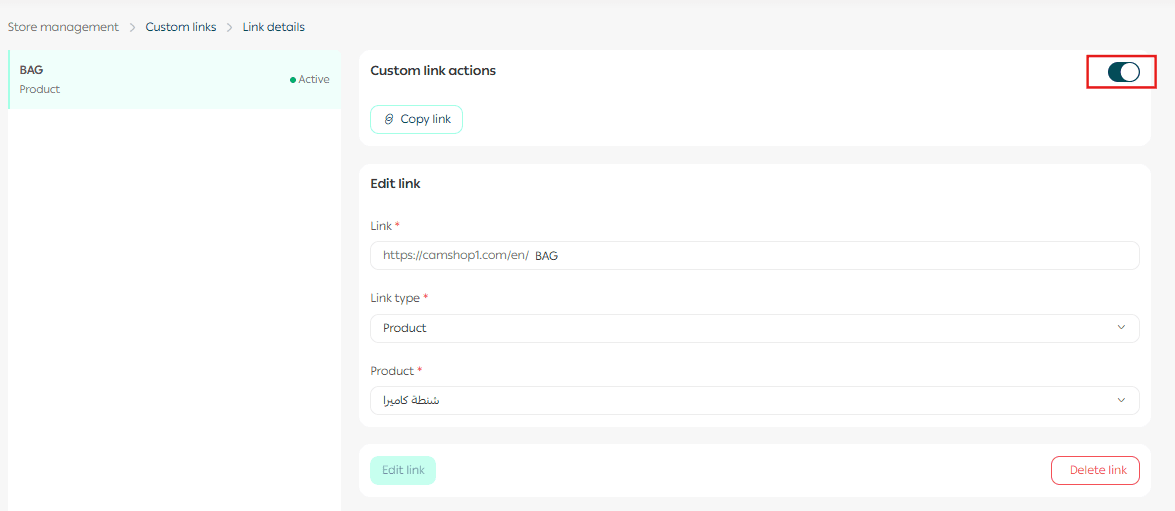
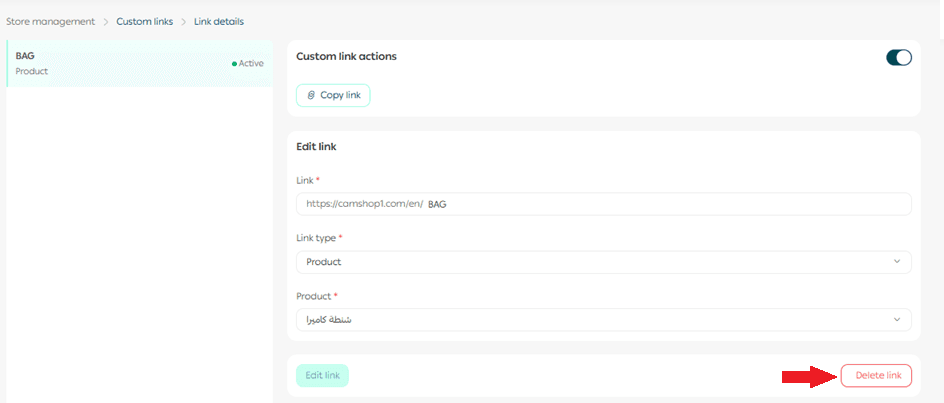
Delete a custom link
Open the custom link you want to remove, then click Delete.
Advanced custom link capabilities
Custom links in Salla offer high flexibility for advanced use cases.
- Campaign tracking
Create custom URLs for marketing campaigns or external system integrations such as CRM tools.
- Encoded URL support
You can use encoded paths with symbols or multilingual characters, for example: /ar%2Fproduct
- SEO optimization
Add UTM parameters to track performance and improve campaign analysis through external tools.
- Multilingual link support
Custom links support Arabic, English, and encoded formats without routing issues.
Frequently asked questions
Why are custom links important?
Custom links help:
- Improve brand recall and user experience, which increases conversion rates
- Extend the effectiveness of SMS campaigns by combining short links with analytics
- Encourage engagement, purchases, and clear communication
Note: Direct tracking of custom links is not currently available inside the Salla dashboard. You can track performance using external tools like Google Analytics with UTM parameters.
Where can I use custom links?
Custom links can be used for:
- Promotional offers
- Product recommendations
- Retargeting campaigns
- SMS and social media marketing
- External integrations
What is required to create a product-based custom link?
The product must have available stock. Custom links cannot be created for out-of-stock products.
Which characters are allowed in a custom link path?
Allowed characters:
- Arabic or English letters
- Numbers
- Forward slash /
- Hyphen -
🚫 Spaces and other special characters are not allowed.
Valid example: /offers/skincare-product
Invalid example: /personal@care
What is an Encoded URL and why is it important?
An encoded URL converts special characters or Arabic text into a format that works correctly across all systems.
Salla supports encoded URLs, allowing you to create reliable, multilingual links for messages, ads, and marketing platforms without routing errors.