Can I view loyalty points reports as charts or graphs?
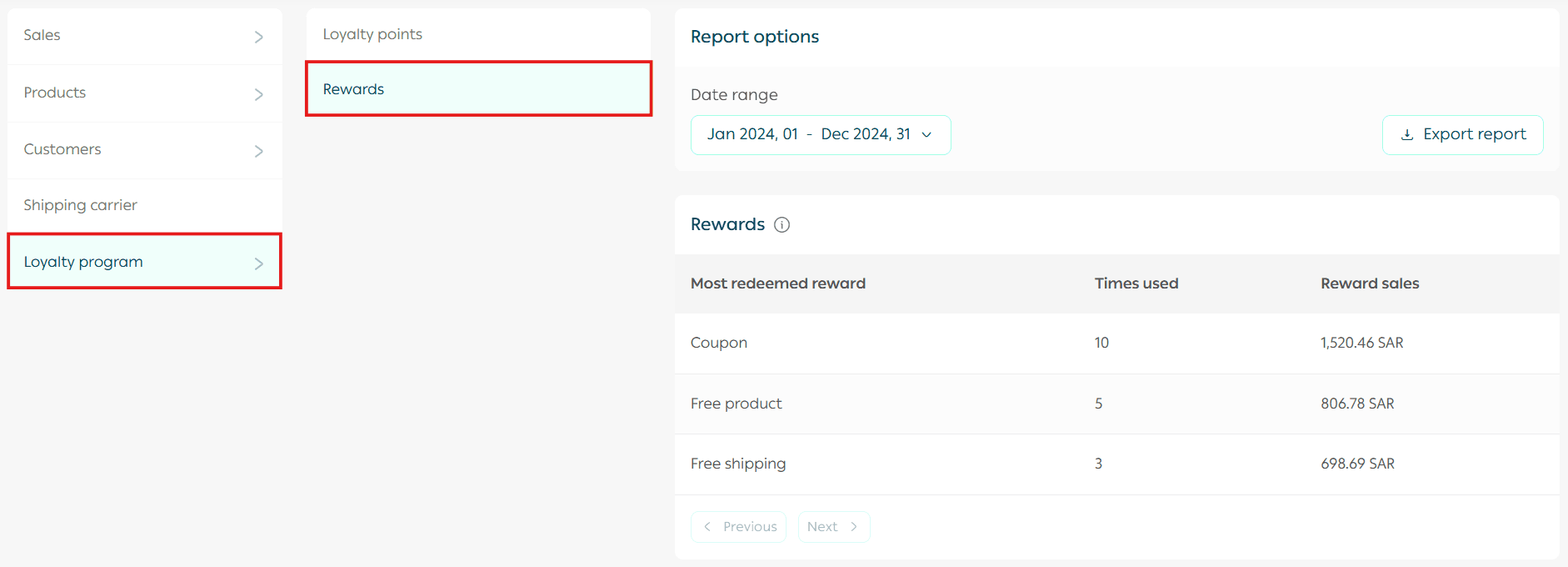
Currently, loyalty reports in the Reports page are displayed only as tables, based on points or rewards. They are not available as charts or graphical visuals at this time.
The Points Report helps you identify your most valuable and most active loyalty customers, so you can target them with exclusive offers, personalized communication, and extra attention.
The Loyalty Rewards Report helps you understand which rewards are redeemed the most, as well as the total sales generated through them. This gives you a clearer picture of customer preferences and how successful your loyalty program is in your store.
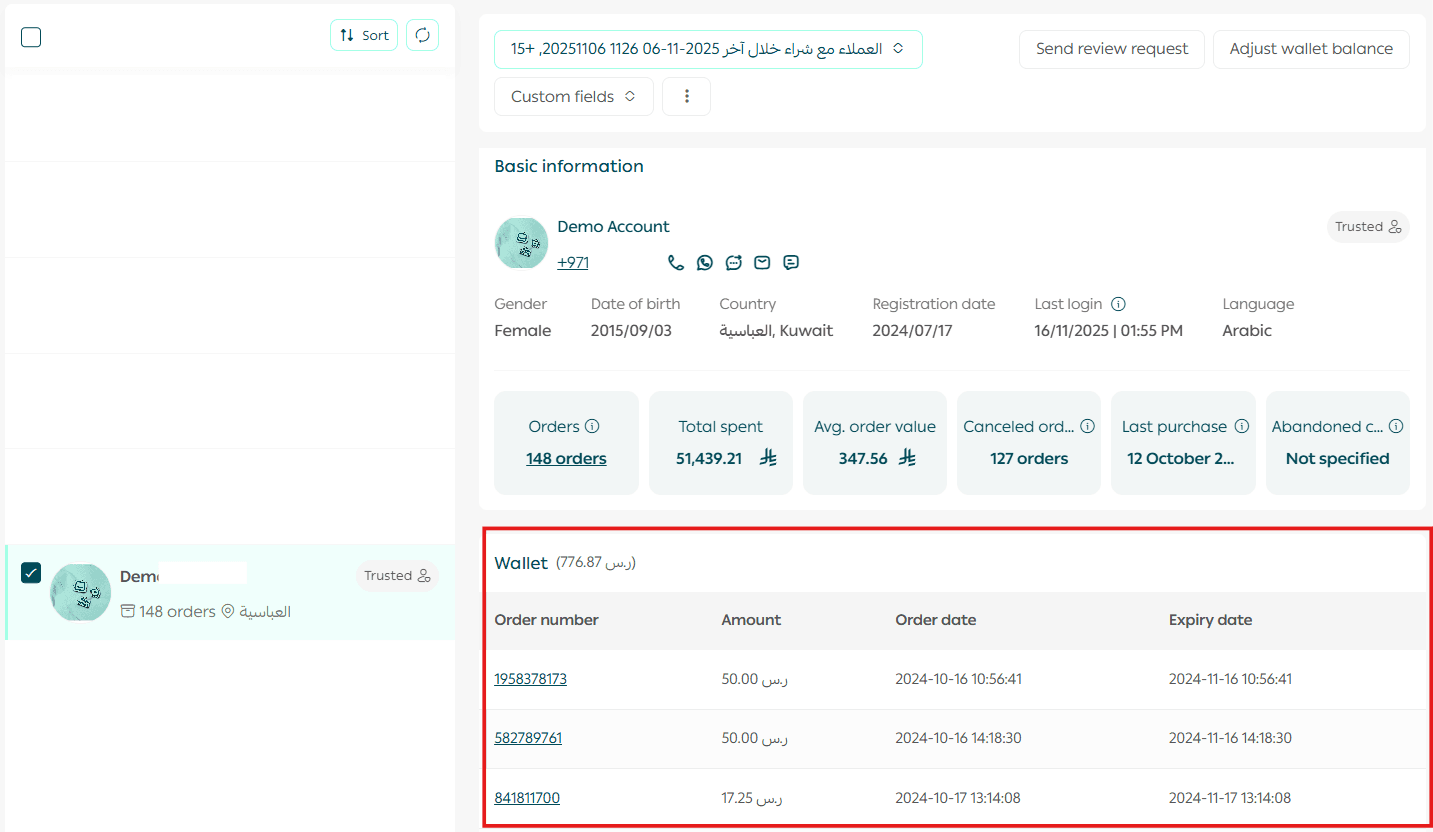
Can I view the points of a specific customer?
Yes. From the Customer Management page, select the customer, then under the Loyalty Points section, you will be able to see their full points details.
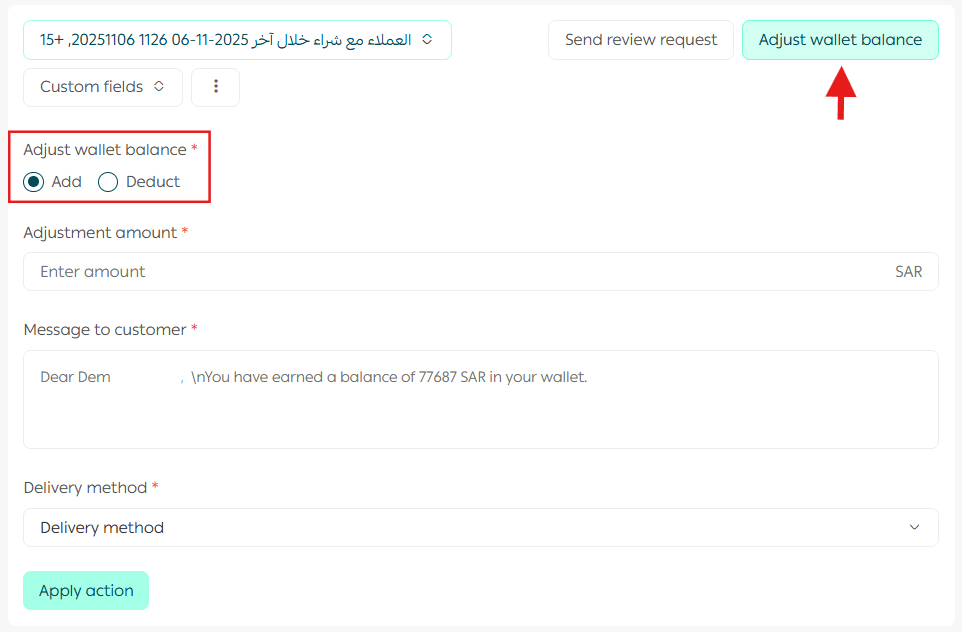
Can I edit a customer’s loyalty points?
Yes. From the Customer Management page, choose the customer, then under the Loyalty Points section, you can update or adjust their points.
Can I edit loyalty points for multiple customers at once?
Yes. From the Customer Management page:
- Select the customers whose loyalty points you want to adjust
- Under the Loyalty Points section, increase or decrease the points
- Write a message for the customer
- Choose the notification channels
- Then click Execute Actions
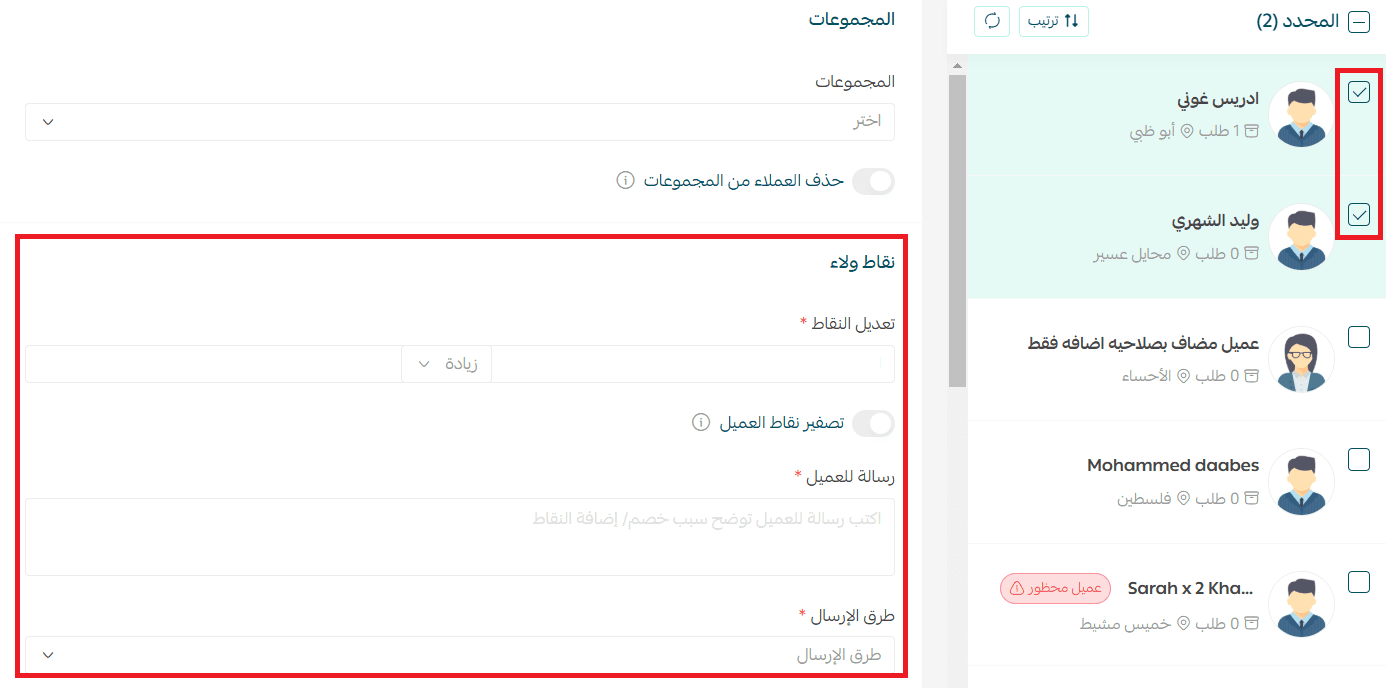
A notification will be sent to the customer with the written message, through the selected delivery channels.
Is the Loyalty Program supported on the store mobile app?
Yes, the Loyalty Program is fully supported in the store app.
How will the Customer Loyalty Program appear in my store?
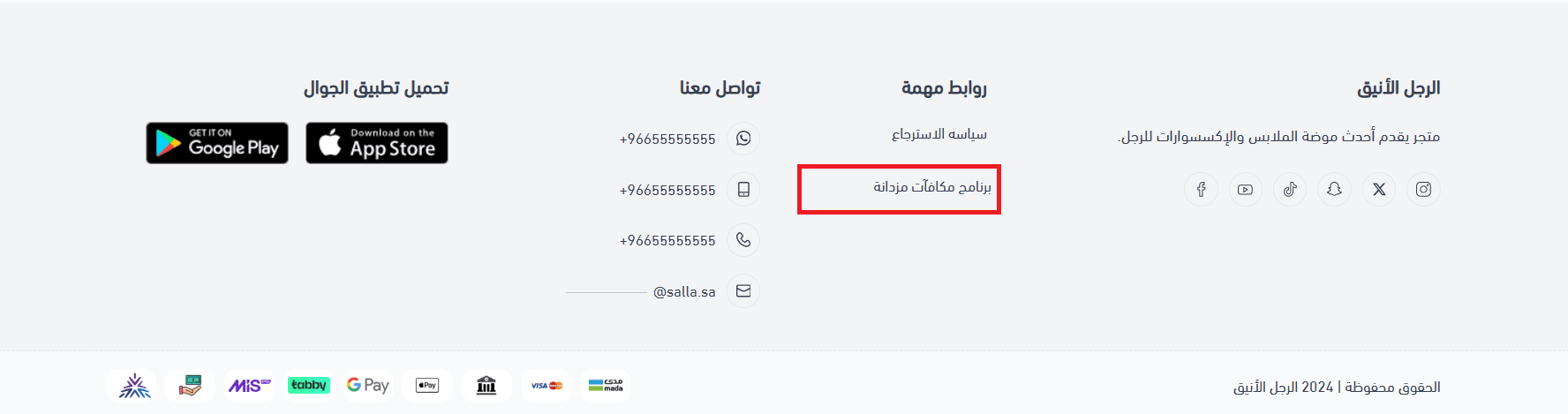
The Customer Loyalty Program will appear in your store under the Important Links section at the bottom of the storefront.
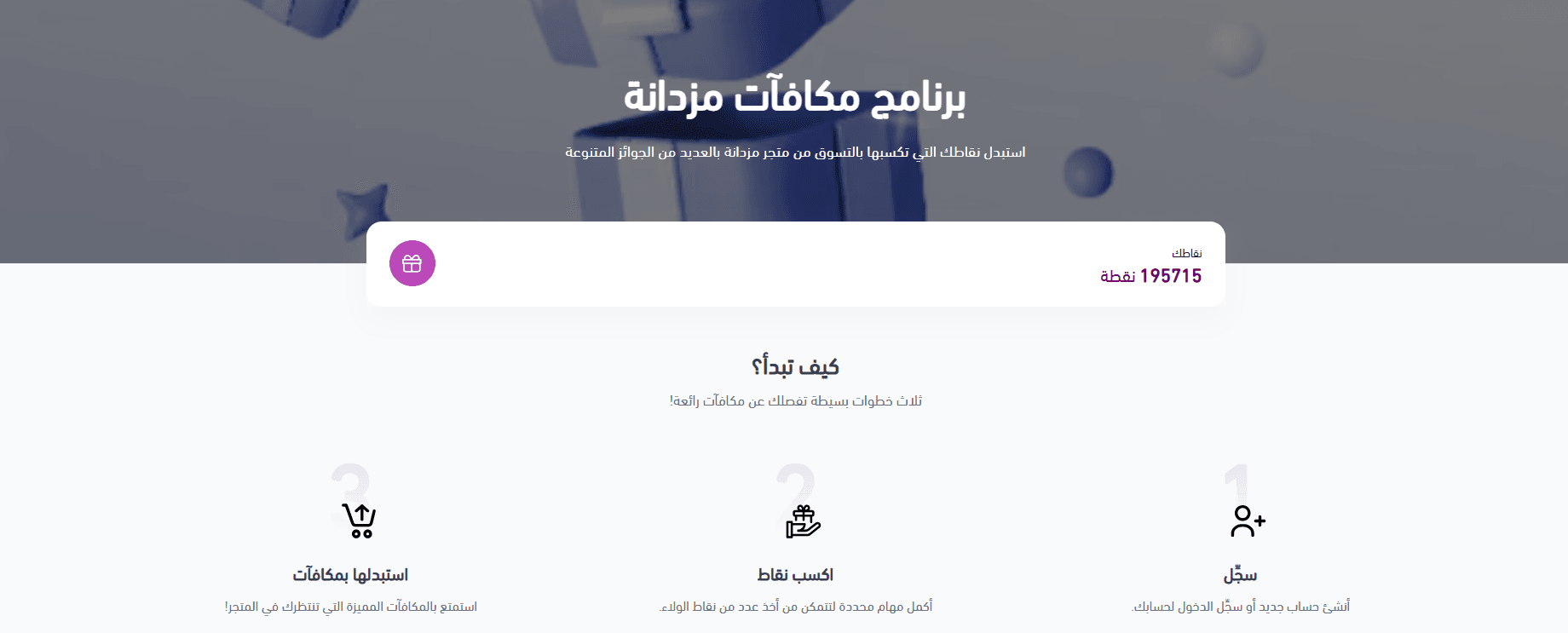
The Loyalty Program page will appear to your customers in this format.
Can I get a refund if I delete or cancel the subscription?
Yes. You can delete the app and request a refund during the trial period (7 days).
Can I set up the Loyalty Program in other languages?
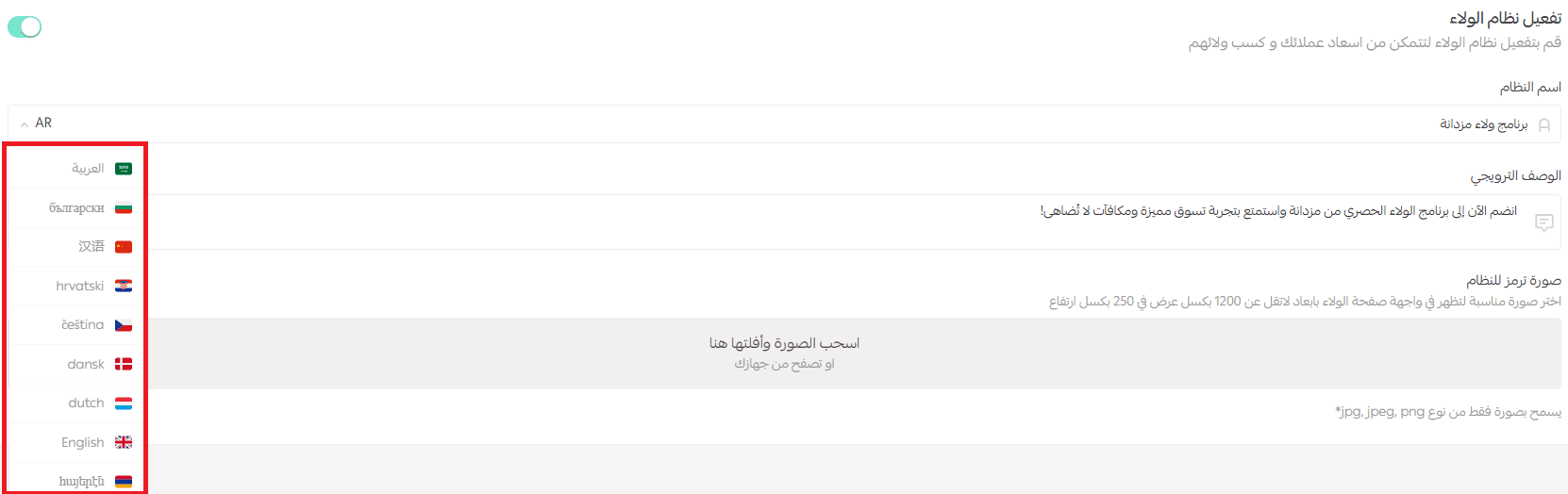
Yes. You can add content in any language already enabled in your store by clicking the Arabic language dropdown arrow and selecting the language from the list.
What are the best practices for customer loyalty programs?
Here are some key tips for building a successful customer loyalty program:
- Know your audience: Your rewards should reflect what your customers truly want and respond to.
- Offer something worth earning: Make customers feel special—reaching a higher tier should feel like an achievement.
- Provide real value: Offer extra points so customers earn better rewards as their spending increases.
- Add a personal touch: Reward customers at meaningful moments, such as birthdays or their first purchase anniversary.
- Create strong incentives: Encourage customers to join with welcome discounts or sign-up rewards.
- Use technology for a smoother experience: Integrating SMS notifications keeps rewards easily accessible, right in your customer’s pocket.
- Build emotional connection: Give customers a sense of exclusivity, like early access to new products.
- Stay flexible: Update rewards as customer expectations and market trends evolve.
How can I promote my customer loyalty program?
Once your loyalty program is ready, marketing it is just as important as setting it up. Let your customers know about it through:
- Storefront banners
- Promotional email and SMS campaigns
- Social media channels
- Word-of-mouth marketing through your loyal customers—invite them to be the first to join
Which plans is this feature available on?
The Loyalty Program is:
- Paid for Plus and Pro plans
- Free for the Special plan