Need your store to do something no off-the-shelf app covers?
A private app is how you extend Salla with functionality built specifically for your own store — an integration with a supplier, a workflow only your team uses, a tool a developer builds to your spec. You create it in the Salla Partners Portal, connect it to your store, and manage its settings from there. In this guide, you'll learn how to create a private app, submit it for review, request access to the store you want to install it on, and convert a free private app into a paid one later.
A private app is created in the Salla Partners Portal, then connected to a specific store instead of being listed for everyone. You fill in the app details, submit it for review, and request access to the store you want to install it on. The store's owner approves the request, and the app is installed.
📌 Article overview
- Before you start
- How to create a private app in the Partners Portal
- Requesting store access and review requests
- Converting a free private app into a paid private app
- Frequently asked questions
📝 Before you start
- A Salla Partners Portal account.
- Completed ID Verification.
🔔 Worth knowing: if you are a merchant and the app is for your own store, register on the partners platform using the same details as the store. That makes verifying the account much simpler.
🚀 How to create a private app in the Partners Portal
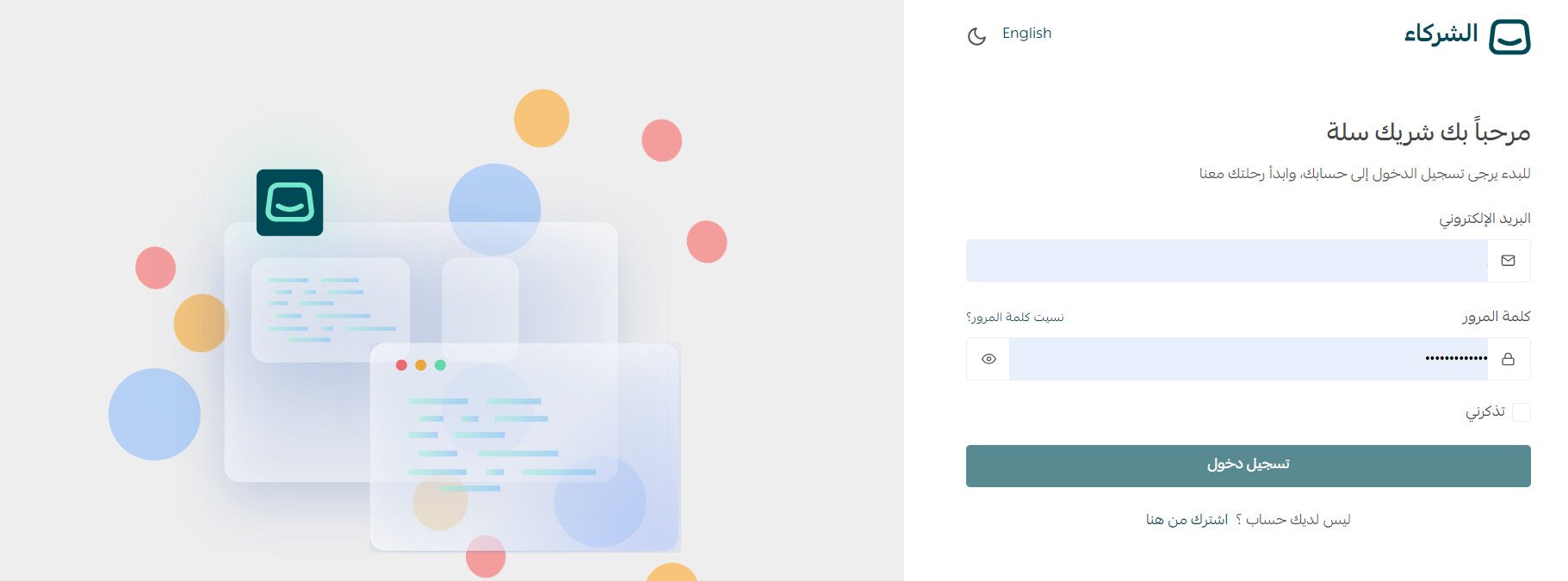
1. Sign in to the Partners Portal.
2. From the side menu, click (My apps) to see the apps linked to your partner account, then click (Add new app).
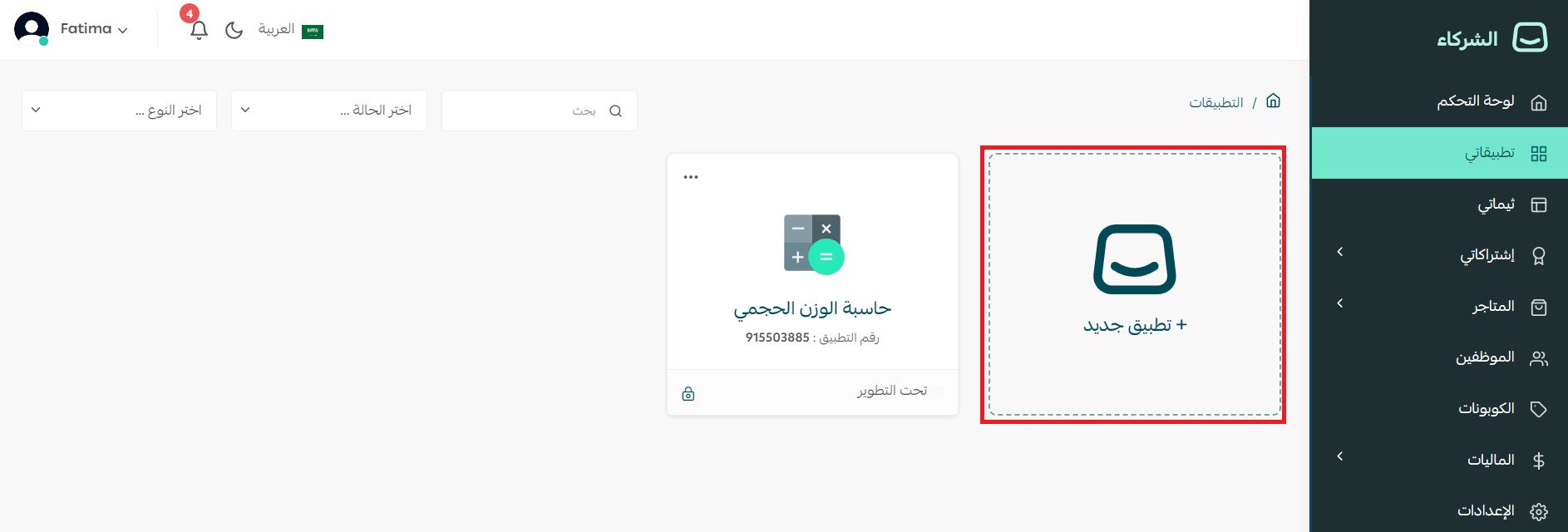
If this is your first app, click (Please create your first app in Salla) instead.

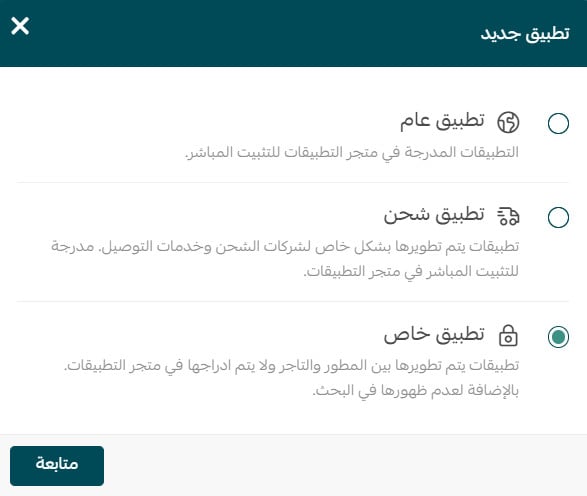
3. Choose the app type (Private app), then click (Continue).
4. Fill in the app details form that appears, then click (Create app).
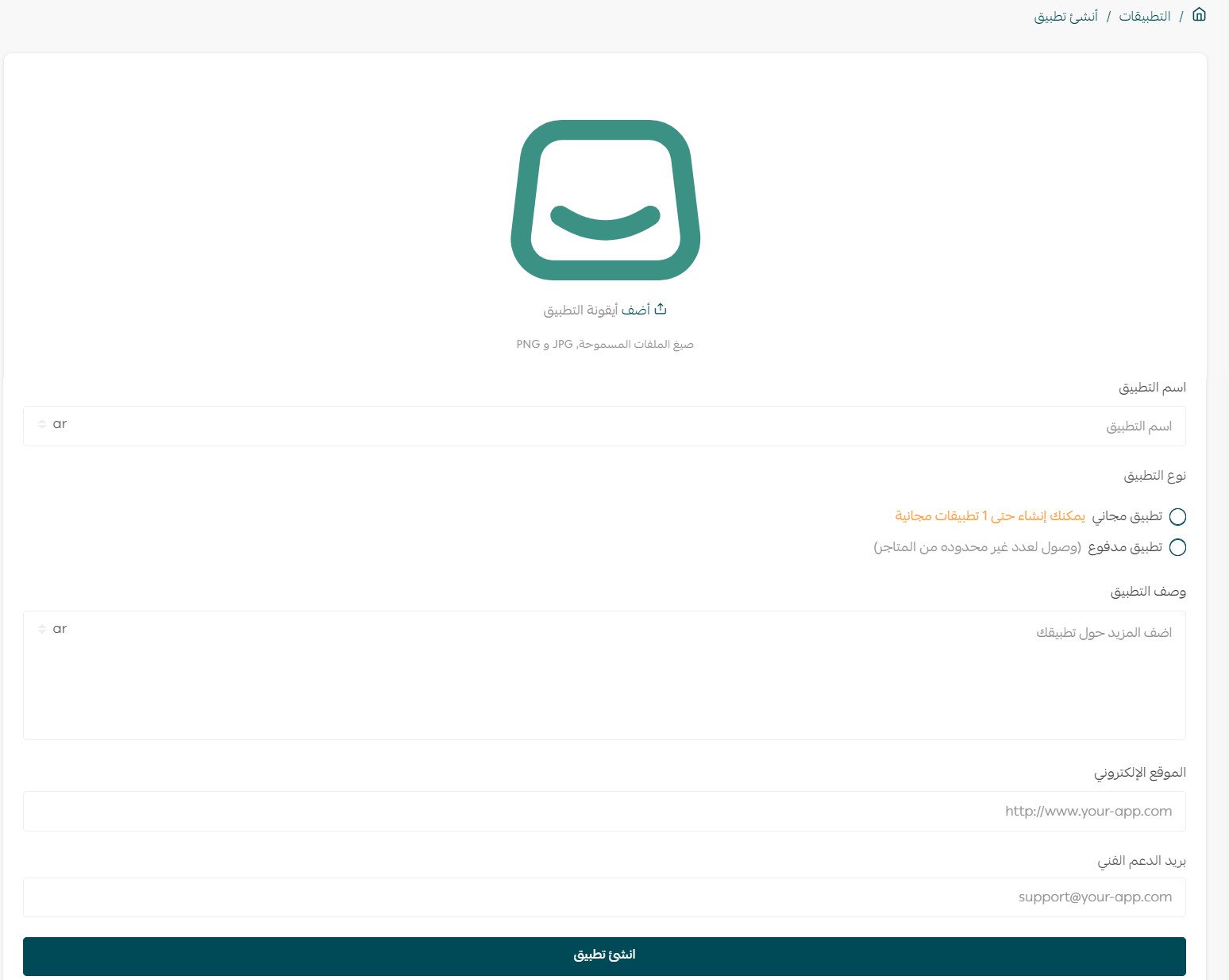
Here is what each required field means:
Field |
What to enter |
App name |
The name of the app, in both Arabic and English. |
App type |
Free or paid. As a merchant you are entitled to one free private app. If you need more than one, you will need a developer, and the app becomes a paid private app. |
App description |
A short description in Arabic and English covering what the app does and the service it provides. |
Website |
The website for your app. |
Support email |
The email address people use to reach the app's developer. |
That's it — your app now exists.
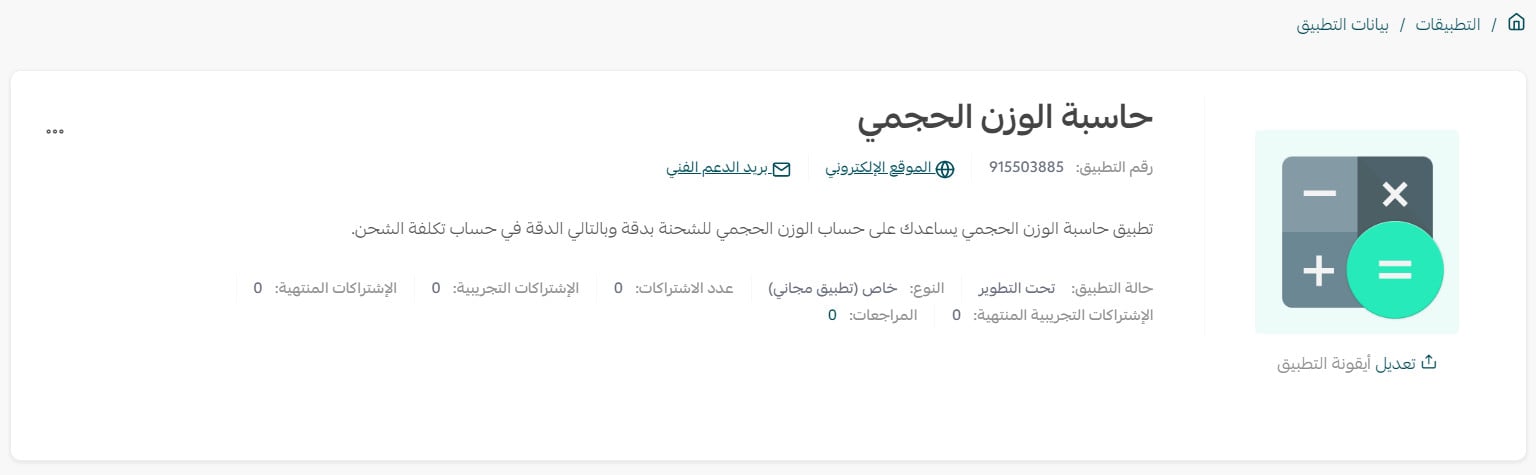
5. Scroll to the bottom of the app details page and click (Start publishing your app).

6. Wait for the review. It takes some time, and the result is sent to your registered email address. If the app meets the required standards it is approved and published. If it does not, the team will arrange a meeting with you to work through the open points.
For more detail, see the developer guide on creating private apps.
👣 Requesting store access and review requests
Once the app exists, you connect it to a Salla store to test it.
1. Request access to the store
Open the app you want to connect, go to the merchant access requests section, enter the URL of the store you want to reach, then click (Request access).
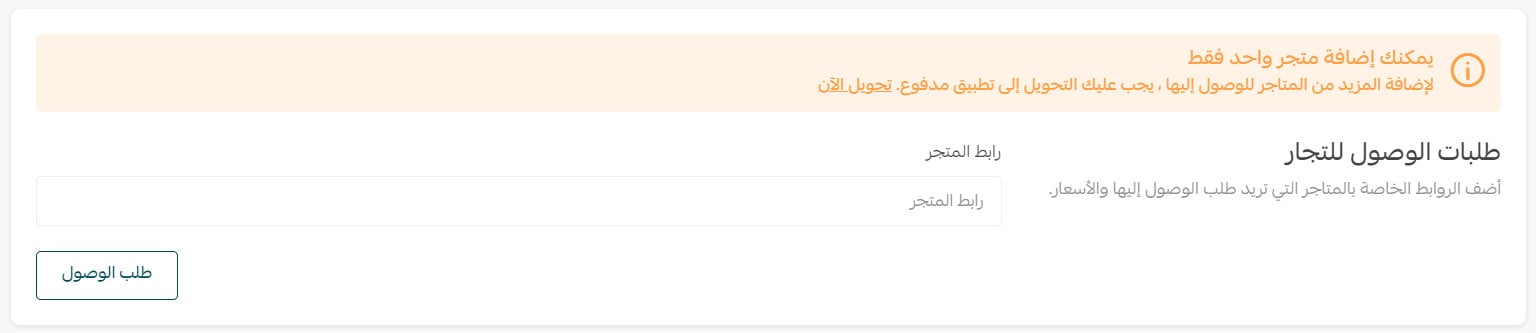
The request now sits with the store's owner until they respond.
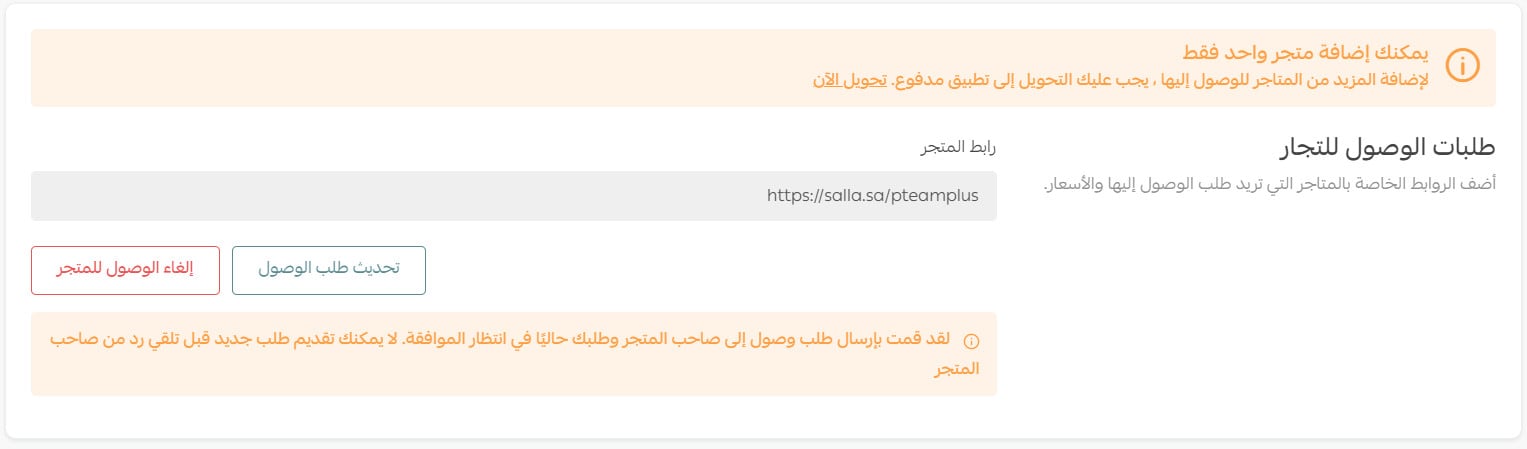
On the installed apps page of the target store, a notice about your access request appears. The store owner can approve it, which installs the app, or reject it, in which case you receive a message telling you so.

2. The merchant approves the request
The store's merchant signs in to the store dashboard and, from the notifications at the top of the installed apps section, clicks (Approve) for the app.
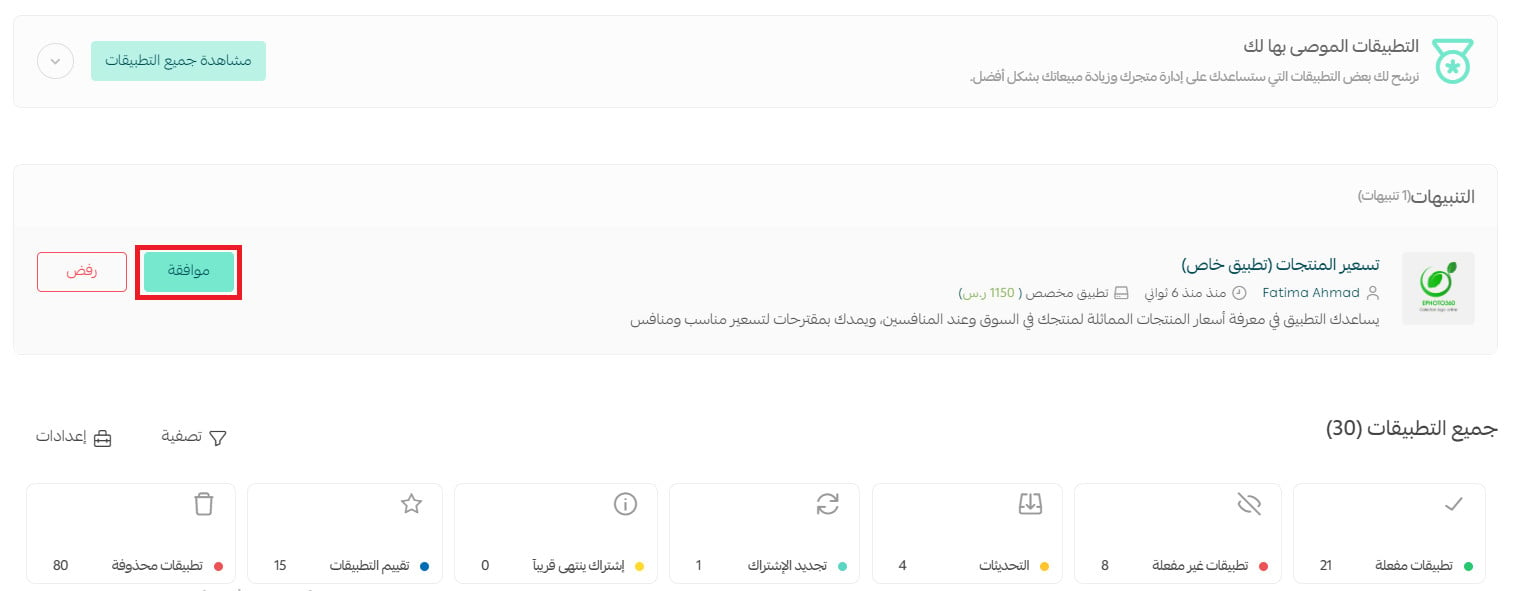
A window opens asking them to grant the app its permissions.

Once permission is granted, the app is installed.
💰 Converting a free private app into a paid private app
Developers can turn a free private app into a paid one.
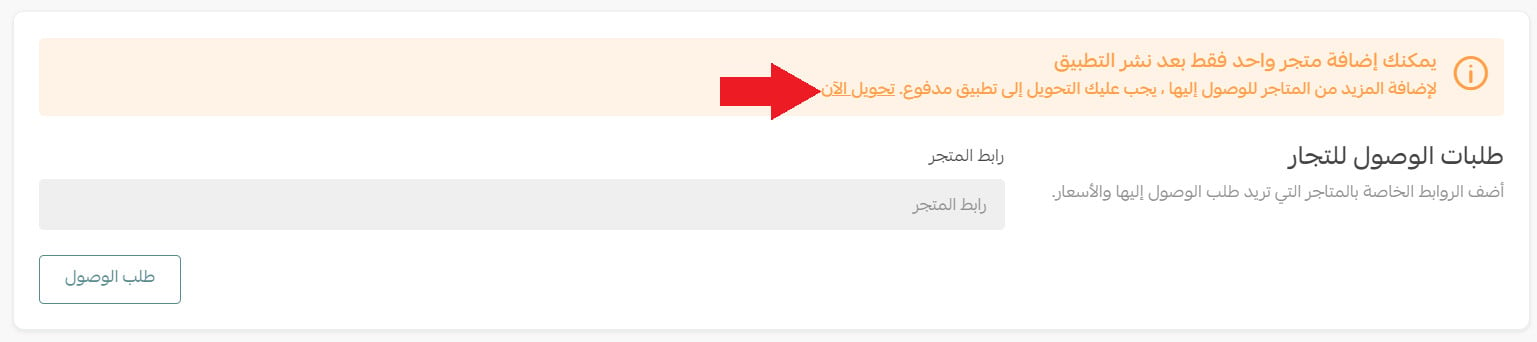
1. Open the settings page of the app, scroll down to the (Merchant access requests) section, and click (Convert now) in the notice.
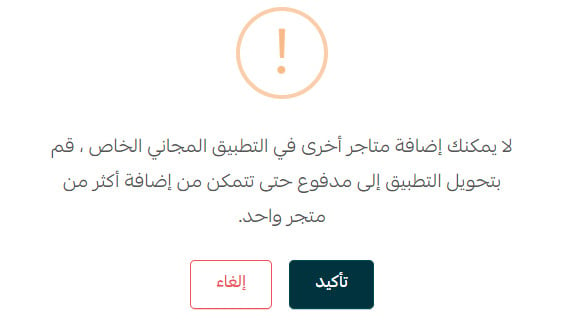
2. Click (Confirm) in the confirmation message.
📝 Important notes
Any store already connected to the app while it was free stays on the free terms after the conversion.
Updates to the app also stay free for those stores.
❓ Frequently asked questions
How many free private apps can I have as a merchant?
One. If your store needs more than one private app, you will need to work with a developer, and the additional app is created as a paid private app.
Do I need to fill in the app name and description in two languages?
Yes. Both the app name and the app description are required in Arabic and in English.
How will I know whether my app passed review?
The result is sent to the email address registered on your partner account. If the app meets the standards it is approved and published; if not, the team will set up a meeting with you to go over what needs changing.
Can I install a private app on a store I do not own?
Only with that store owner's permission. You send an access request from the app page using the store's URL, and the app is installed once the owner approves it from their dashboard.
Will my existing users start paying if I convert my app to paid?
No. Stores that installed the app while it was free keep using it for free, including future updates. The paid terms apply to stores that install it after the conversion.
A private app is the point where your store stops adapting to the tools and the tools start adapting to your store. Start with something small, then grow it as the store grows 🌟.