🚀 How much of your week goes into chasing carriers, rates, and delivery problems across different screens?
With shipping management, everything to do with shipping lives in one place: carriers, rates, zones, free shipping, cash on delivery, and even multi-market setups.
It saves you time, simplifies your operations, and gives your customers a smooth, professional experience.
Shipping management is Salla's single page for everything shipping: carriers, rates, zones, free shipping, cash on delivery, and multi-market settings. You reach it from the (All) menu under (Shipping and delivery). From there you activate carriers, set rates per zone, and monitor delivery quality through the quality portal.
📌 Article overview
- Why use the unified shipping management page
- What you can do from the shipping management panel
- What the unified shipping page is made of
- Quick steps to get started
- Frequently asked questions
🏆 Why use the unified shipping management page
Once you work with several carriers, and delivery methods and prices vary between zones, you need one tool to control all of it without getting lost.
Salla's unified shipping management gives you:
✅ A single control center for every carrier, whether it comes through Salla Shipping Policies or through an app from the app store.
✅ Shipping rates you can manage and calculate accurately by weight, destination, or service type.
✅ Delivery quality tracking and issue resolution directly through the quality portal.
The result is a smoother experience, more control, and less time and effort spent running your shipping operations.
💪 What you can do from the shipping management panel
From the shipping management panel, you can now:
- Manage every carrier from one place, without moving between multiple dashboards.
- Set shipping rates per carrier or per zone to match your commercial strategy.
- Turn carriers on or off as it suits you, to keep the customer's choice simple.
- Follow delivery quality through the quality portal and resolve shipping problems quickly.
- Use the shipping rate calculator to estimate cost accurately before you confirm orders.
Together these mean better control, a smoother buying experience for customers, and more efficient day-to-day operations.
🧩 What the unified shipping page is made of
Salla gives you more than basic settings — it gives you a complete shipping system that includes the following.
From your store dashboard, in the (All) menu, click (Shipping and delivery).

You get a shipping and delivery tab bar that contains:

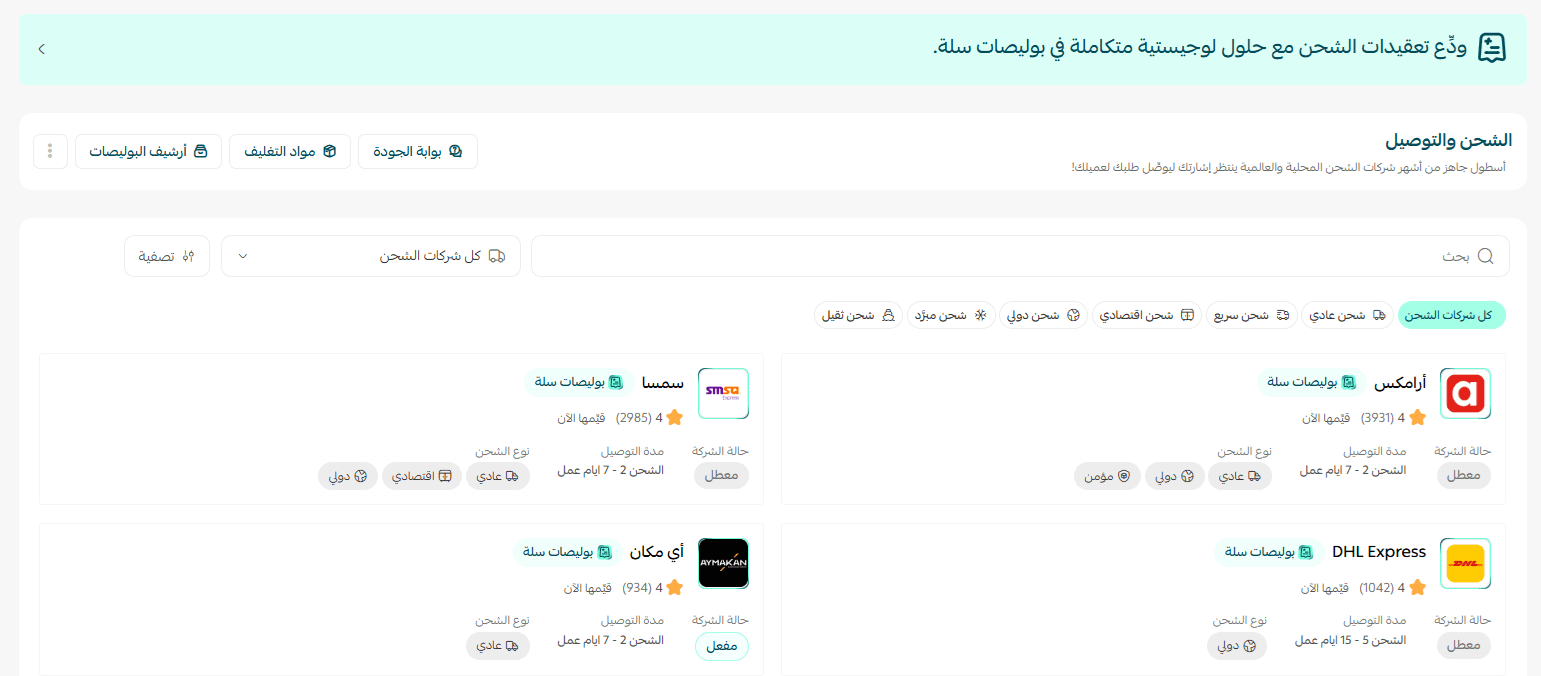
The unified shipping and delivery page
A central panel where you manage carriers, control delivery rates, set cash on delivery options, and handle free shipping — all from one place.
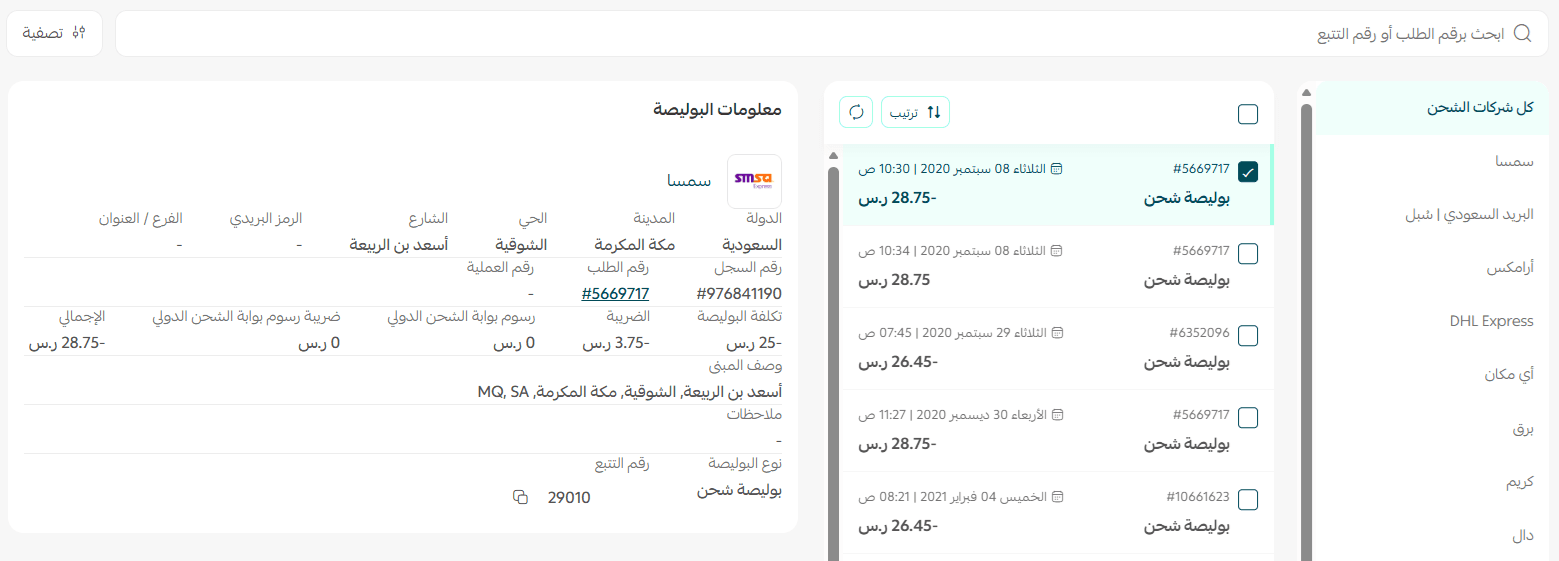
The waybill archive

Quick access to every past waybill and shipment. Review the details of each shipment, download the documents attached to it, and follow the full delivery history from one place.
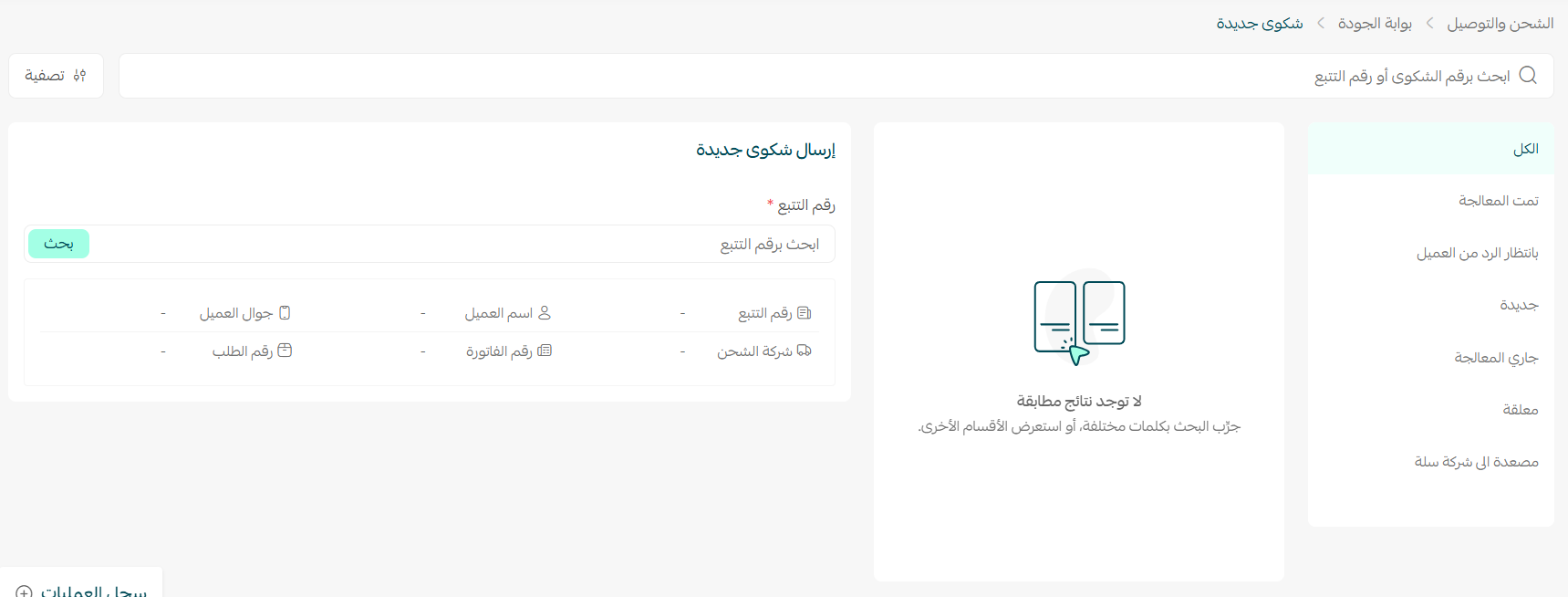
The quality portal

Keep an eye on carrier performance over time and spot problems such as delays or damaged shipments. That helps you improve the customer experience and make better decisions about which carriers to work with.
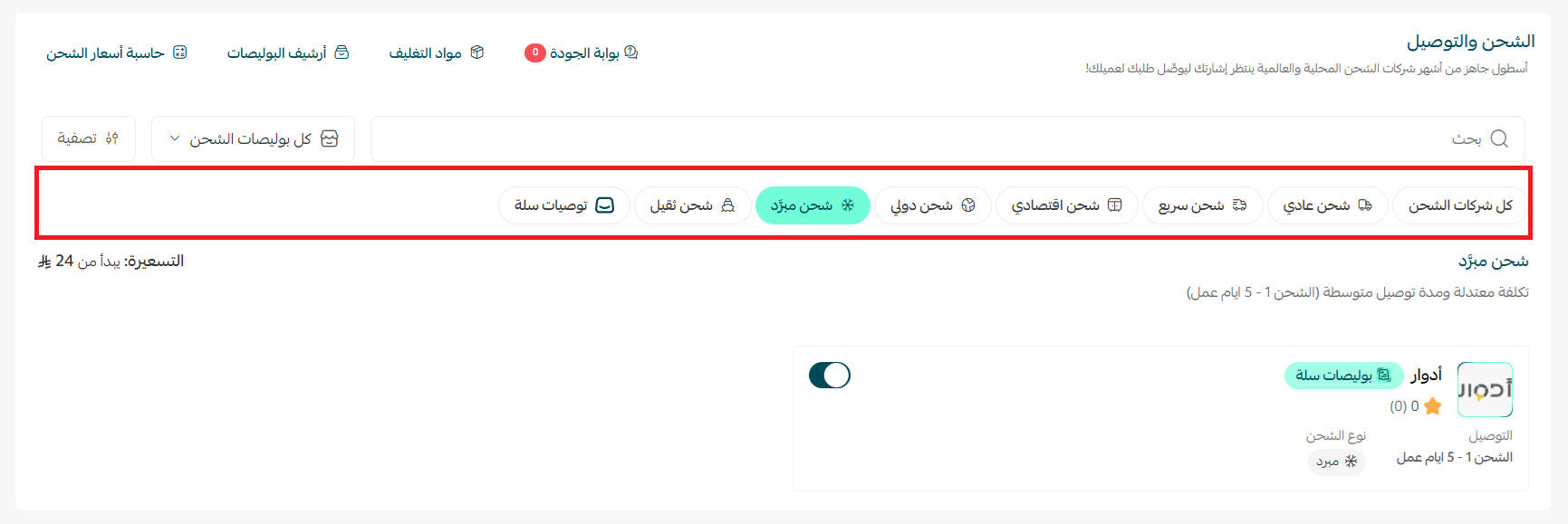
Multiple shipping options
Give your customers a range of shipping options that suit them — express, economy, or international — and customize how carriers are displayed on the checkout page to fit your store's experience.
With these tools you get a clear, complete view of every shipping operation, without clutter or distraction. That makes your store look more professional and keeps customers happier.
In a few minutes you can set up your store's shipping system and start taking orders in a more professional, organized way.
🚀 Quick steps to get started
1. Go to the Shipping and delivery page in your dashboard.
2. Add or activate the carriers you work with.
3. Set the rates and services for each zone or carrier, based on your strategy.
4. Use the quality portal to monitor shipments and check service quality.
5. Turn on the shipping rate calculator to estimate costs accurately before you process orders.
Frequently asked questions
❓ Where do I find the unified shipping page?
From your store dashboard, open the (All) menu and click (Shipping and delivery).
❓ Does it cover carriers I installed from the app store?
Yes. The page is a single control center for every carrier you use, whether it comes through Salla Shipping Policies or through an app from the app store.
❓ What can shipping rates be based on?
Rates can be managed and calculated by weight, destination, or service type, and you can set them per carrier or per zone.
❓ How do I track delivery problems?
Use the quality portal. It shows carrier performance over time and flags issues such as delays or damaged shipments so you can resolve them.
💡 The clearer and simpler the shipping experience, the more your customers trust your store — and the more orders they complete.
With Salla's unified shipping page, you can run every shipping detail more efficiently, from one place.
Start now by turning on unified shipping management in Salla, and set every carrier, rate, and delivery option from one place.
For more detail on: