If you're looking for an innovative way to boost your store sales and increase profits without investing large marketing budgets, affiliate marketing is the perfect solution.
In this article, you will learn how to create a marketing link that motivates affiliates to promote your products in exchange for commission. You’ll also discover how to copy and share the link, check its status, track performance, and easily edit its details to maximize your returns.
📌Article overview
- What is affiliate marketing?
- What is a marketing link?
- Managing affiliate marketing as a merchant
- Affiliate marketing settings
- Affiliate marketing for products and stores (as an affiliate)
- Affiliate marketing examples
- Frequently asked questions
Affiliate Marketing
Affiliate marketing is one of the most effective marketing methods for increasing profits. With this model, you reward affiliates with commission in return for promoting your products.
Marketing Link
A marketing link is an affiliate link provided to an affiliate so they can share it with customers, helping promote your store and multiply your sales.
Managing affiliate marketing as a merchant
- From the main menu, click Marketing, then select Affiliate Marketing.
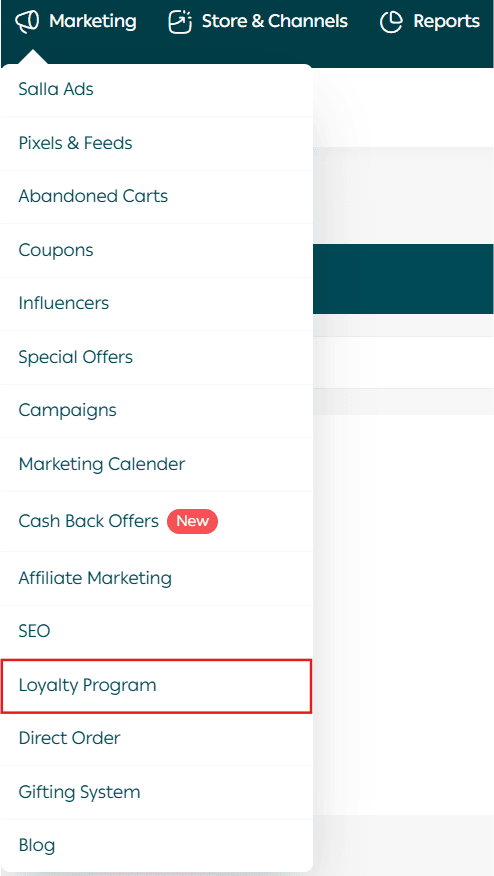
2. Then click the Marketing Tools tab.

The affiliate marketing page will appear, showing your marketing links, with full options to manage them and create a new link.
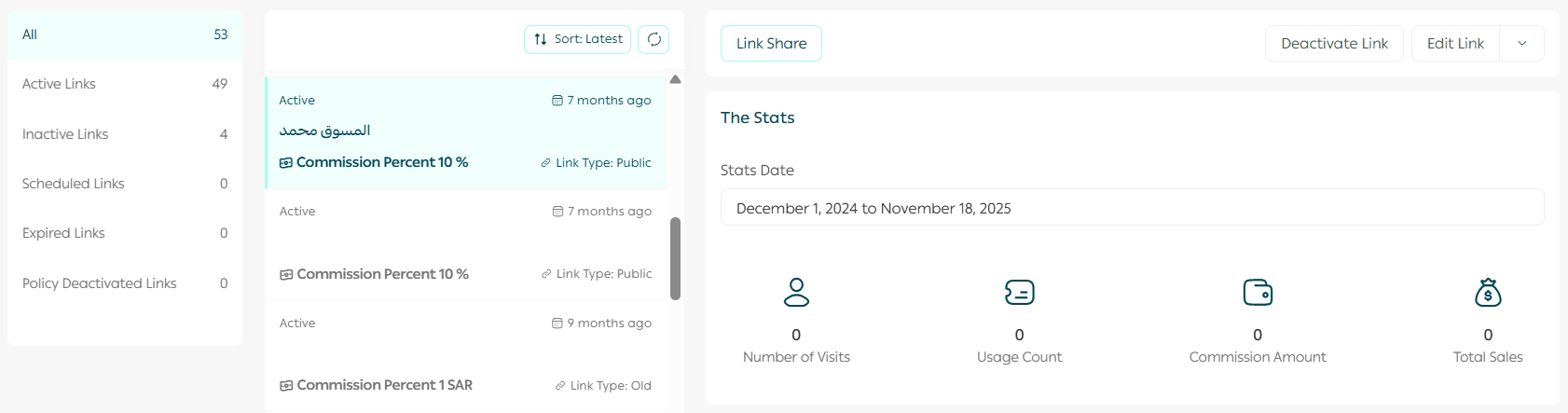
Creating a new marketing link
- From the affiliate marketing page, click New Link.

2. Enter the required information (Link Details – Link Conditions – Publishing Settings), then click Publish Link.
Link details
Link details include:
- Marketing link title

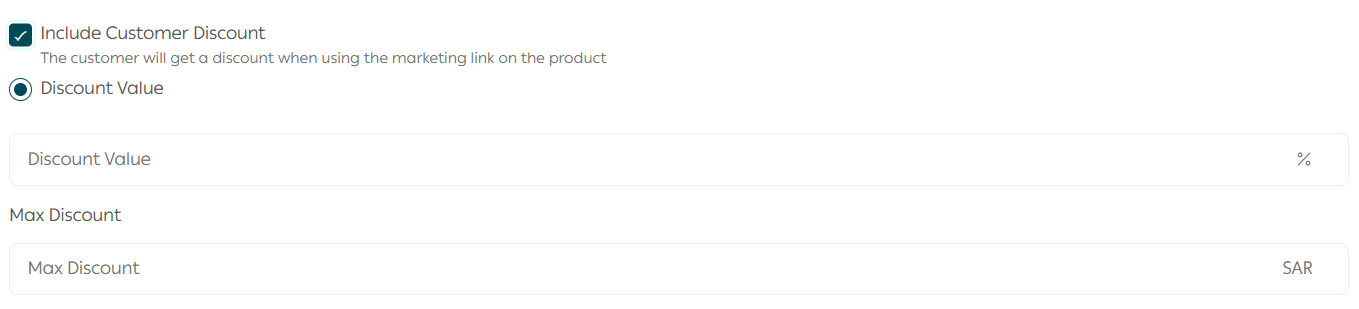
- Will the customer receive a discount?

If you want the customer to receive a discount when entering through the marketing link, you must specify:
- The discount percentage
- The maximum discount amount per order
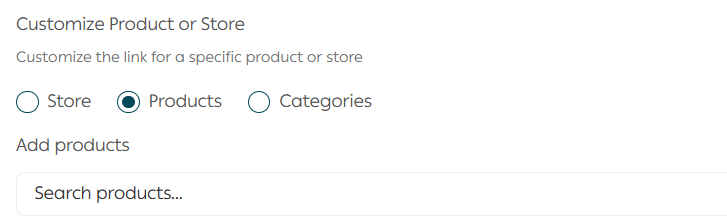
- Is the link promoting the entire store or a specific product?
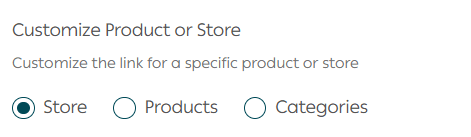
If the affiliate marketing link is product-specific, search for the product by typing part of its name.
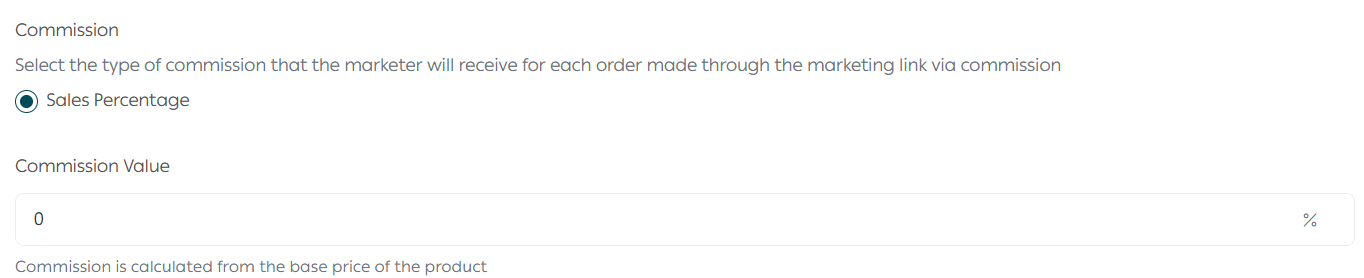
- Set the commission percentage the affiliate earns when customers purchase through the link.
Link Conditions
Set the usage conditions of the link:
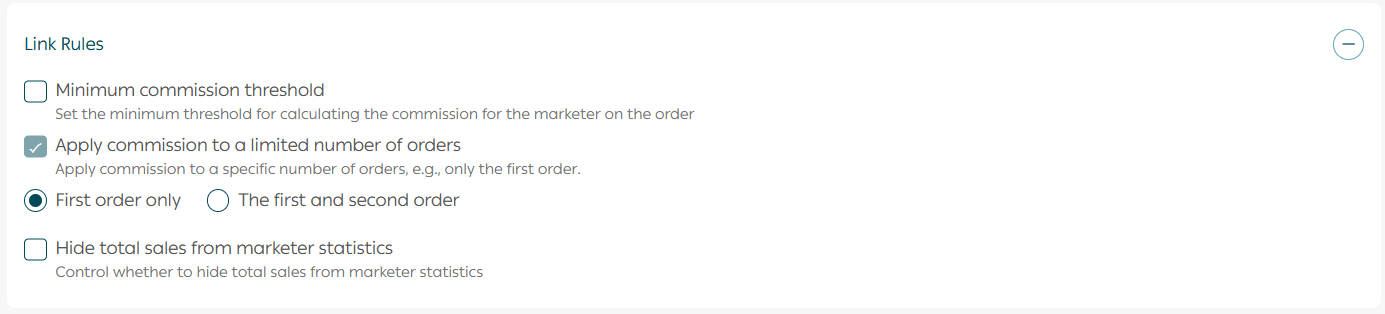
- Minimum order value required for the affiliate commission to be counted
- Should the affiliate earn commission on every order from the same customer, or only on the first order (or first and second)?
- Do you want the affiliate to see the total sales generated through the link?
Important question:
Will the affiliate earn commission on every order from the same customer?
When creating a marketing link, you can define how commission is calculated if the same customer uses the link multiple times.
You have 3 options:
- First order only: The affiliate earns commission only on the first purchase made through the link.
- First and second orders only: Commission applies to the first two orders only.
- All orders: The affiliate earns commission on every order from the same customer as long as they use the link.
💡 Example:
Suppose the selected option is First order only.
Customer “Ahmed” clicks the marketing link and makes his first purchase.
✅ The affiliate earns commission.
A week later, Ahmed returns and purchases again using the same link.
❌ No commission is earned this time, because commission applies only to the first order.
Publishing settings
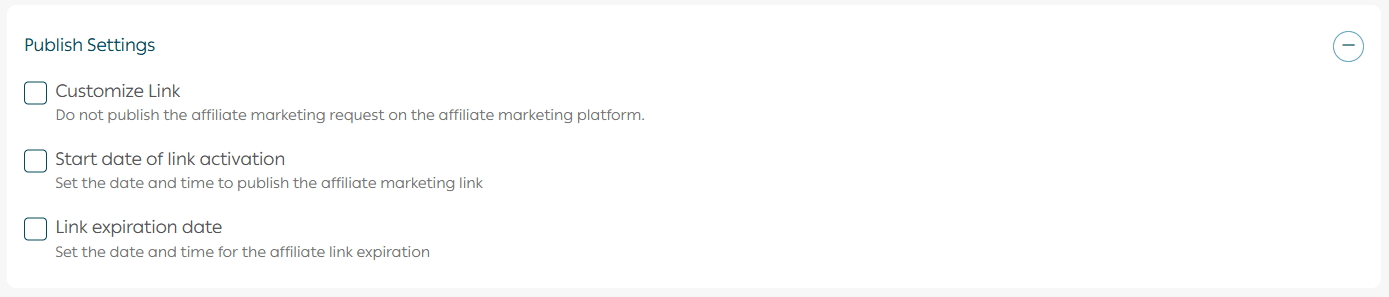
- Do you want the link to be private (shared with a specific affiliate), or published publicly on the affiliate marketing page?
- Do you want to set a start and end date, or leave the link open-ended?
After saving the link:

The link will appear on the affiliate marketing page as follows:
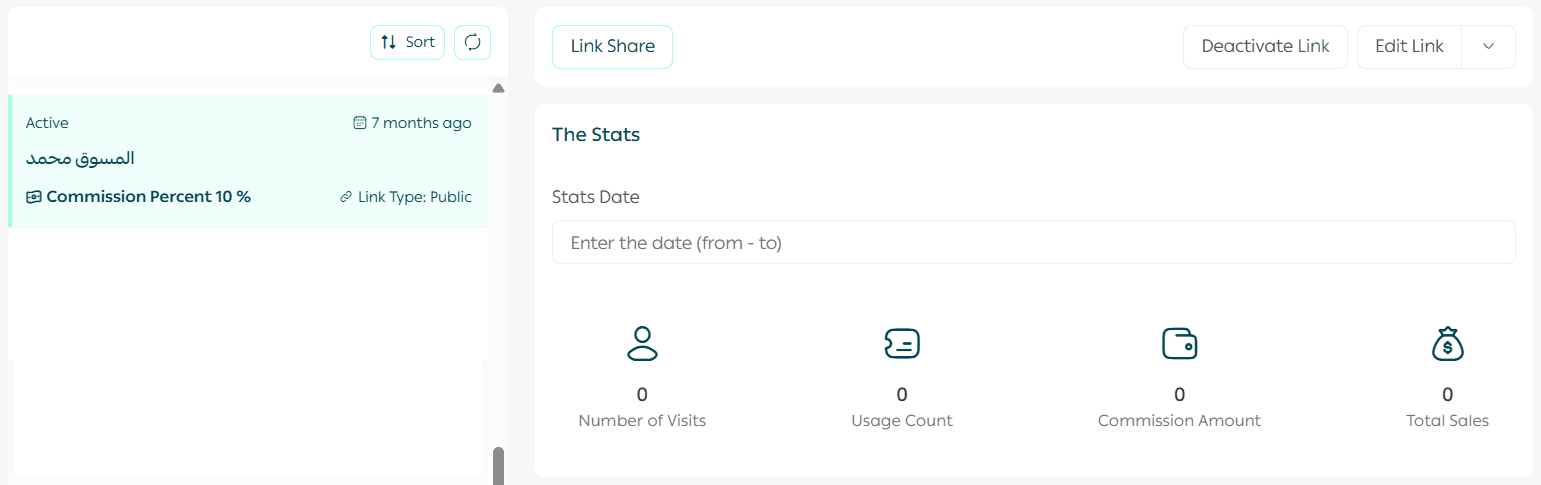
Enable/disable an affiliate marketing link
From the link actions section, toggle the link status to enable or disable it.

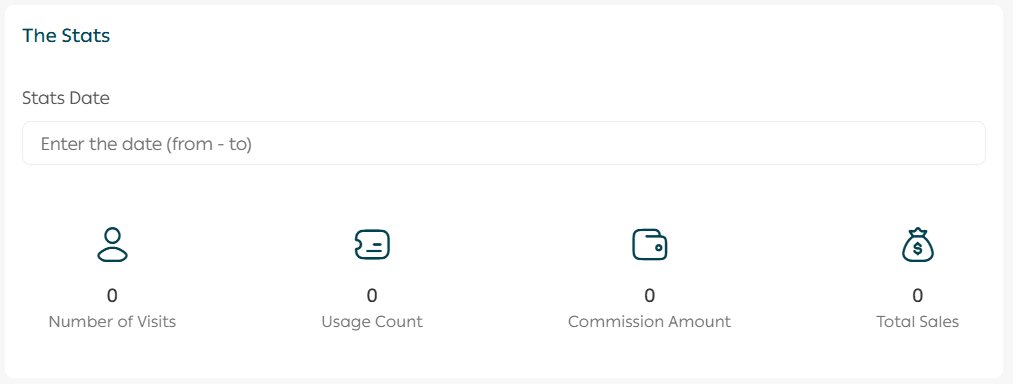
Viewing affiliate link statistics
From the marketing link details page, under Statistics, you can view a variety of performance metrics, including the ability to filter results by a specific time period.
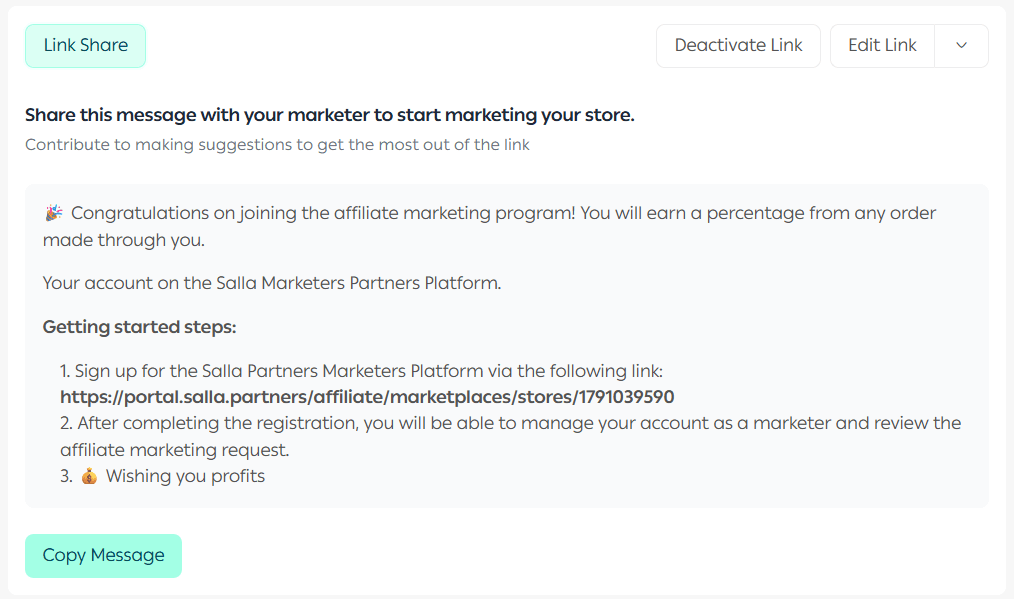
Sharing the affiliate marketing link
From the link details page, under link actions, click Share Link.

You can customize the message sent to the affiliate and share it through available channels, or copy it and send it however you prefer.
Editing the affiliate marketing link
From the link details page, under link actions, click Edit Link.

Deleting the affiliate marketing link
From the link details page, under link actions, click Delete Link.

Searching for a specific link
Search using part of the link name in the designated search field.

Filtering and displaying specific links
From the affiliate marketing links page, click Filter.

Select the required filter criteria, then click Show Results.
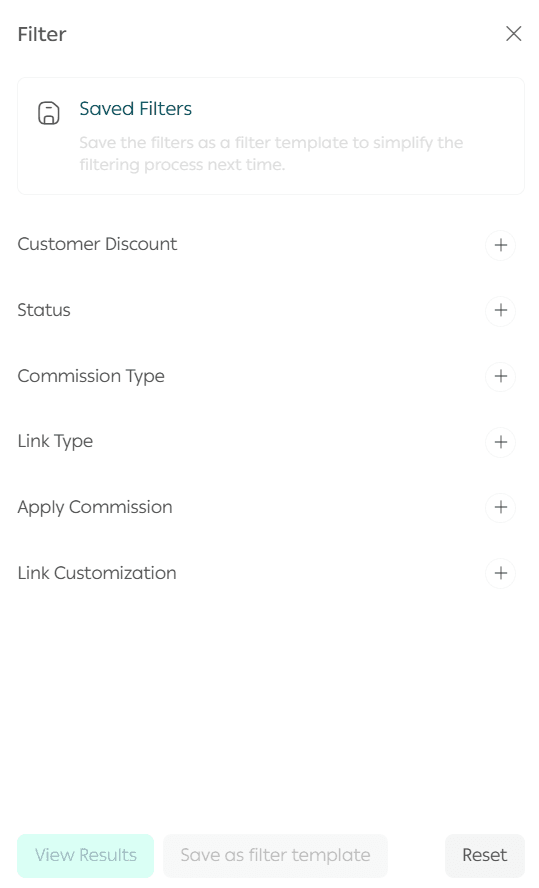
You can also save filter criteria as a template for future use with one click.
Affiliate marketing settings
From the main menu, click Marketing, then select Affiliate Marketing.
Then click the Settings tab.

Attracting affiliates to your store
From affiliate marketing settings, enable:
Show affiliate program in store

It will appear at the bottom of your store page like this:

Upload marketing content for affiliates
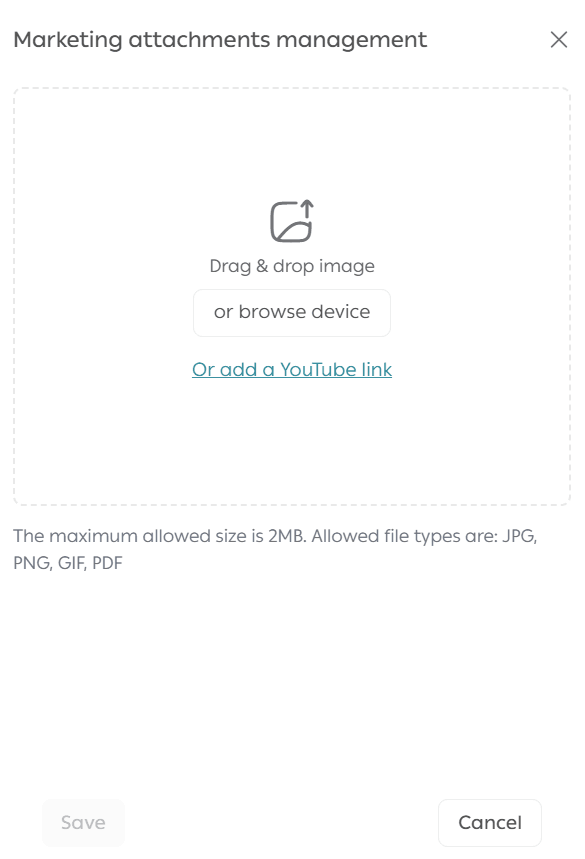
From affiliate marketing settings, click Customize to upload images, videos, or promotional materials to help affiliates market your products.

Upload your files or video links, then click Save.
Affiliate marketing for products and stores (As an Affiliate)
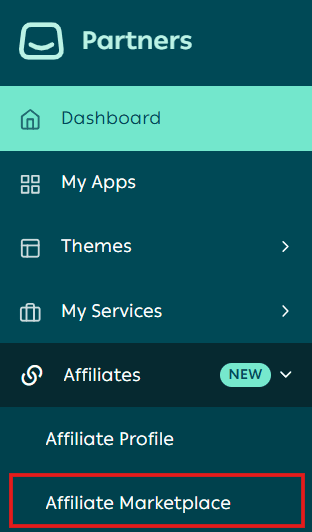
- From the Partners platform, click Affiliate Marketing from the side menu, then select Affiliate Marketplace.
2. From the marketplace page, click the Merchant Products tab.

3. Choose what you want to promote: a product or a full store.

You can see whether affiliate links are available for the store or its products.

4. To create your own affiliate link, click on the store card.
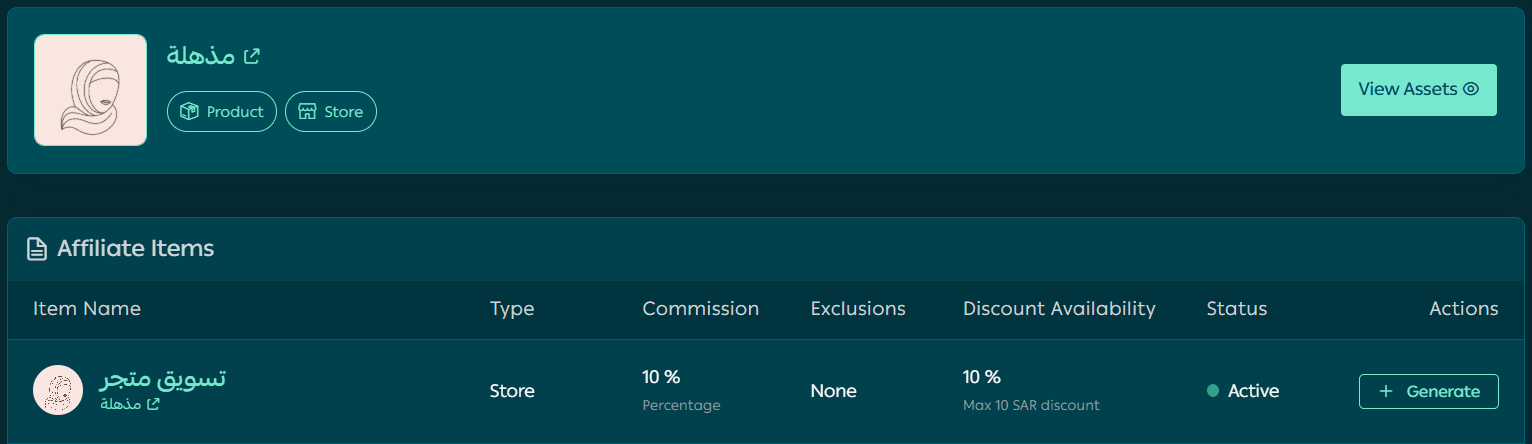
A page will appear showing all affiliate marketing options available.
5. From the desired item actions, click Generate.
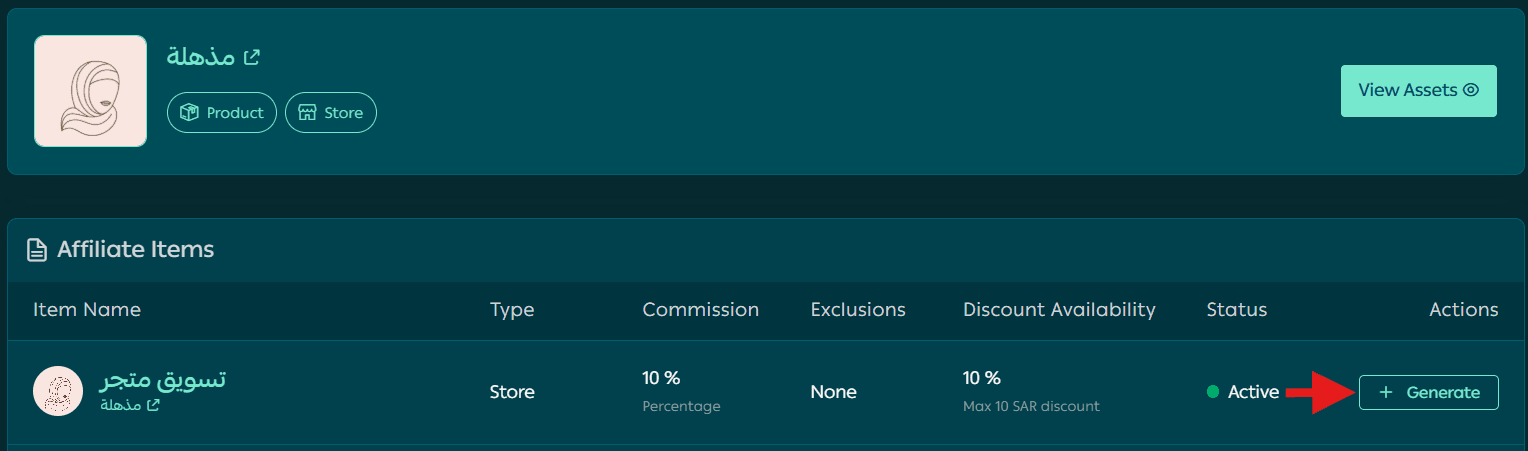
Please wait while the link is generated.
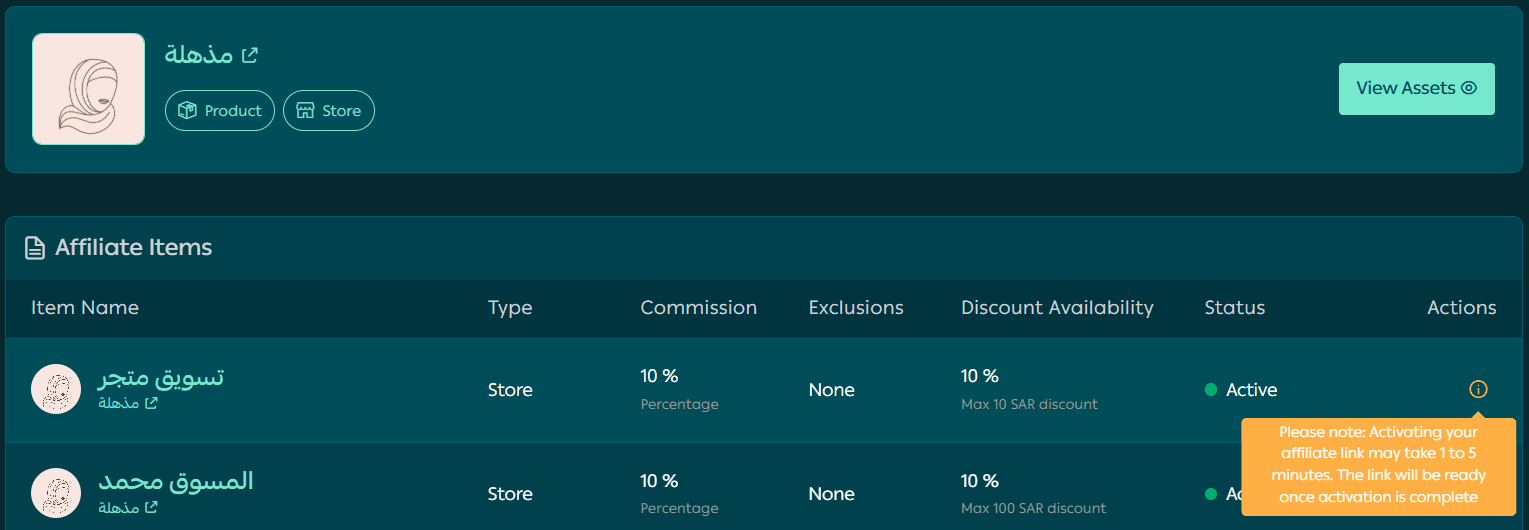
6. Congratulations! Your affiliate marketing link is ready. Click Copy to share it with your followers and social media audience.

You can create affiliate links for any available items (store or products).
To view engagement statistics, click View Statistics from the link actions.

A detailed statistics page will appear showing:
- Total sales through the link
- Total affiliate earnings
- Number of orders
- Number of link views
- And other key metrics
Affiliate marketing examples
💡 Example: Skincare & Haircare Store (like “Mudhila”)
- Create a marketing link for each featured product (Argan Oil, Charcoal Mask).
- Collaborate with beauty influencers to share the link.
- Offer discounts through the link and provide attractive commissions.
Example message:
“Get smooth skin with Argan Oil 🌿
Shop through this link and get 10% off! 🔗 [Affiliate Link]”
💡 Example: Specialty Coffee & Nuts Store
- Target bloggers and coffee lovers with subscription promotions.
- Offer increasing commission rates based on performance.
- Create a link for bundles like “Premium Coffee Pack.”
Example:
“Experience real coffee flavor ☕
Order now through this link and earn a special reward! 🔗 [Affiliate Link]”
💡 Example: Fashion & Clothing Store
- Create links for categories (Dresses, Abayas, T-Shirts).
- Work with influencers who share product links.
- Offer higher commissions during seasonal promotions.
Example:
“✨ Don’t miss the new summer collection!
Shop now and get 15% off 🔗 [Affiliate Link]”
Frequently asked questions
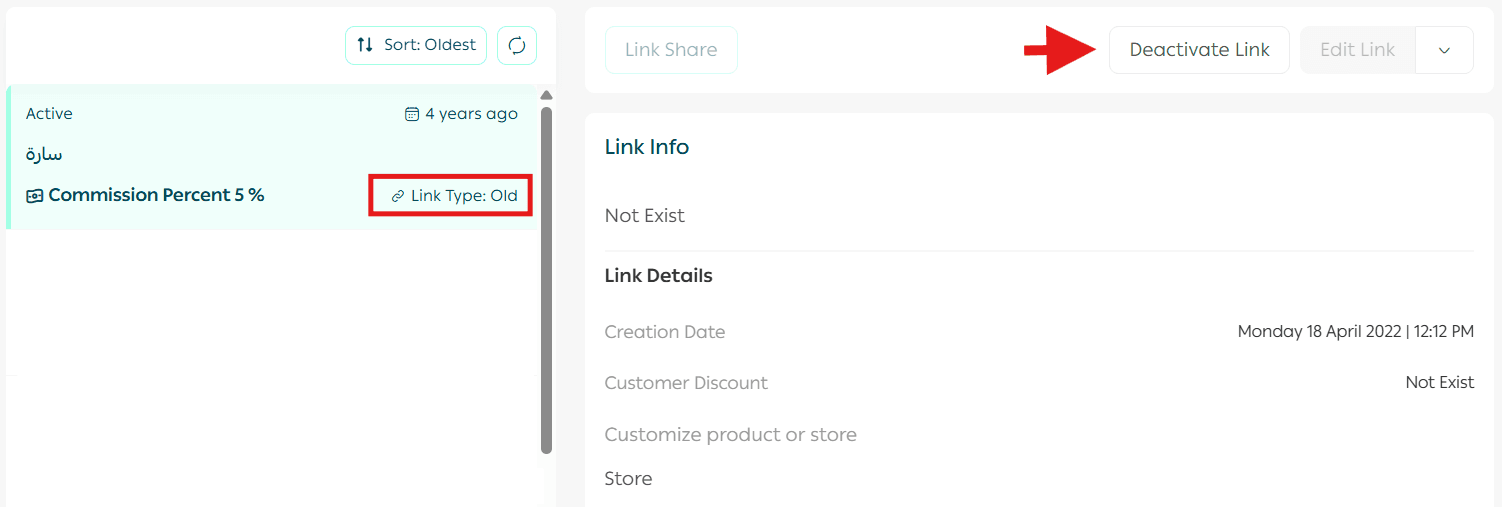
Can I manage old affiliate links?
Old links (created before the latest update) will appear as Legacy
with the option to enable or disable them only.
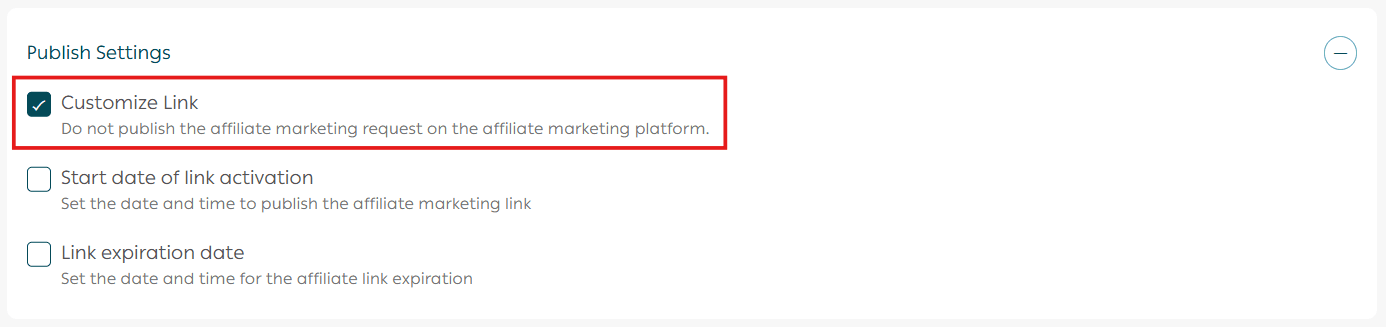
How do I create a private link for a specific affiliate?
When creating a new link, enable Customize Link under publishing settings.
After creating it successfully, go to link actions and click Share Link.
What is the difference between a marketing link and a marketing coupon?
Marketing coupon: A coupon created for an affiliate that gives customers a discount and rewards the affiliate with commission.
Marketing link: A link shared by the affiliate that does not give customers a discount, but still rewards the affiliate after purchase.
Does an affiliate marketing link expire?
Yes. The link validity is 4 months.
After that, a new link must be created because the old one will stop working.
Do affiliates choose links themselves?
Yes. Affiliates select links through the Affiliate Marketplace in the Partners platform.
Selection is not guaranteed unless the offer is attractive (high commission or discounts).
Merchants can also share private links directly with specific affiliates via email invitation.
Can merchants see if affiliates are promoting their links?
Yes. The merchant dashboard provides detailed information for each link, including:
- Affiliate name
- Visits
- Orders
- Total sales
- Earned commissions
How do affiliates receive their payments?
Affiliate commissions are processed automatically.
Salla issues periodic invoices to merchants for affiliate commissions, merchants pay through the platform, and affiliates receive payouts through the Partners system.
When are affiliate payouts transferred?
After the merchant pays the invoice, commissions are transferred during scheduled payout dates:
- The 14th of the month
- Or the 29th of the month
Why is affiliate verification important?
In the previous system, affiliates could promote through external links without registration, reducing transparency.
Now, registration and verification through the Partners platform is mandatory, providing:
✅ Trusted verified affiliates
✅ Advanced analytics dashboards
✅ Broader access to opportunities in the marketplace
✅ Commission rates up to 40% or more
Additional learning resources
Discover how to turn every affiliate into a growth partner and every recommendation into real sales, without extra ad spend.
Read these articles to learn more:
- Increase your sales through affiliate marketers
- Best strategies for successful affiliate partnerships