AliExpress – Auto Drop
Auto Drop is a powerful dropshipping tool that lets you source thousands of winning products from platforms like AliExpress and add them directly to your Salla store with ease. It also enables automatic order fulfillment and tracking, saving you time and effort while allowing you to focus on scaling your business.
📌 Article overview
- How to connect AliExpress using Auto Drop
- Phase 1: Install the AliExpress – AutoDrop app
- Phase 2: Activate your AliExpress – AutoDrop account
- How to add products from AliExpress to your store
- How to place and fulfill orders
- Frequently asked questions
How to connect AliExpress using Auto Drop
To complete the AliExpress integration using AutoDrop, you’ll need to go through the following phases:
Phase 1: Install the AliExpress – Auto Drop app
- From the main menu, click All, then under Support Tools, select App Store.
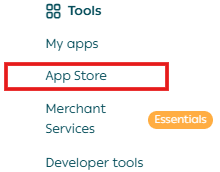
2. Search for AliExpress – Auto Drop using the search field.

3. From the app page, click Install.

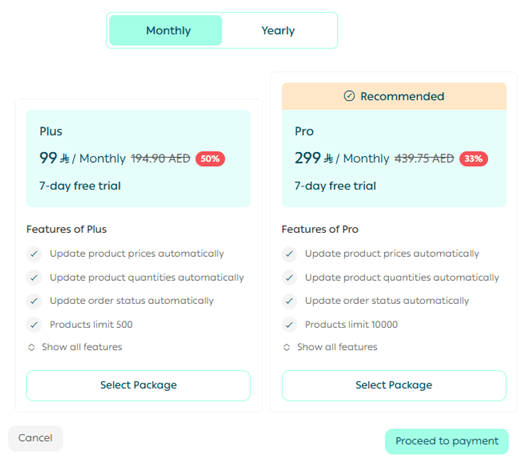
Alternatively, you can scroll down and click Choose Plan, select the plan that matches your store subscription, and proceed to payment.
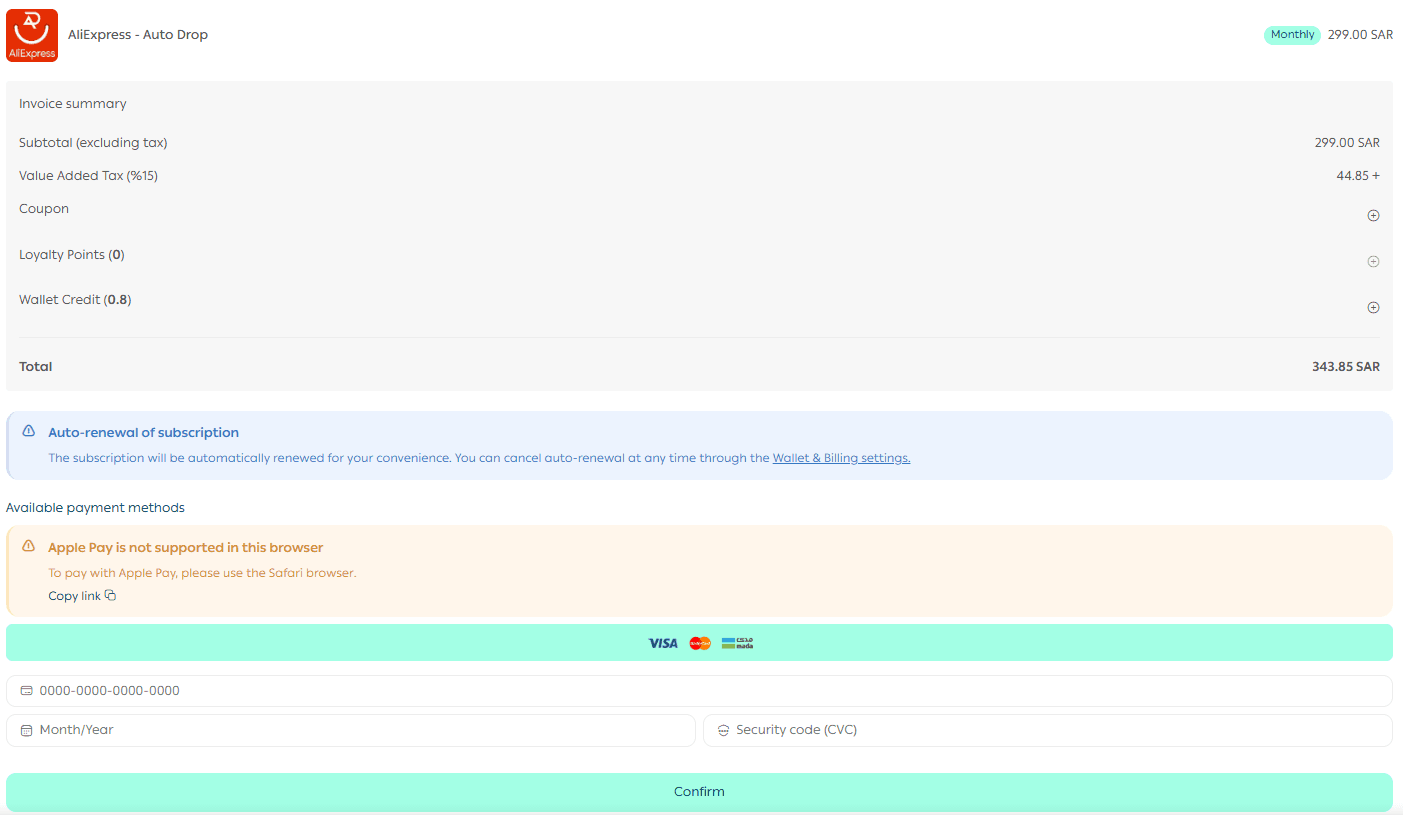
4. Enter your card details to complete the subscription payment.
🎉 Congratulations! The AliExpress – Auto Drop app is now successfully installed on your store.
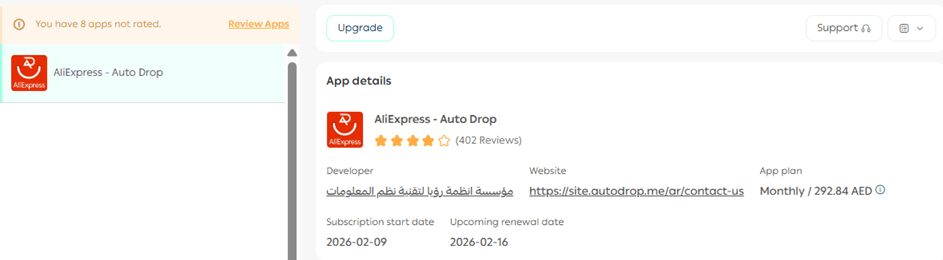
For more details, see the guide on managing store apps.
Phase 2: Activate your AliExpress – Auto Drop account
Access the AliExpress – Auto Drop dashboard using one of the following methods:
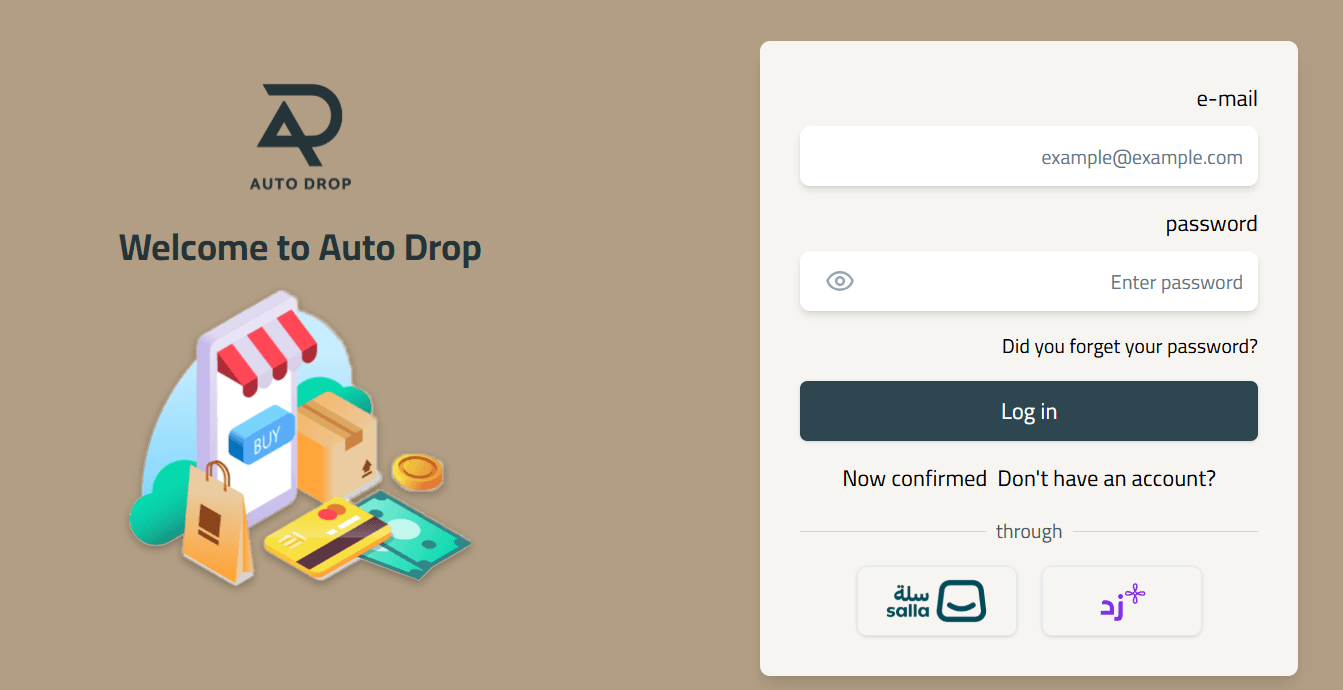
- Visit the AliExpress – Auto Drop website and log in using the email registered in Salla and the password sent to that email.
OR
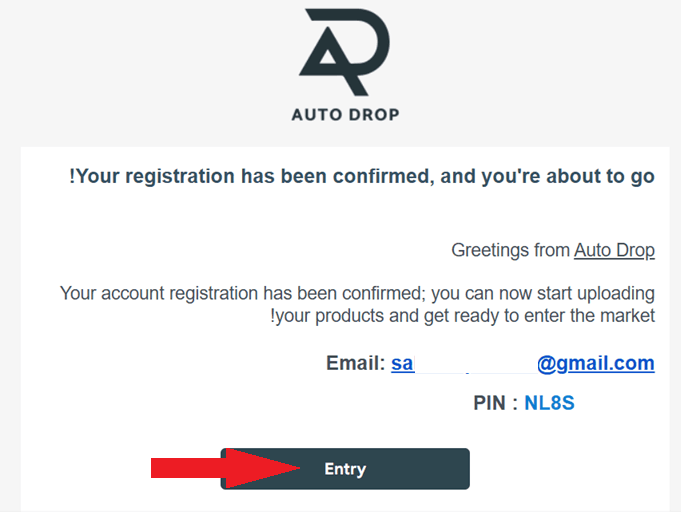
- Open the email you received after installation and click Login.
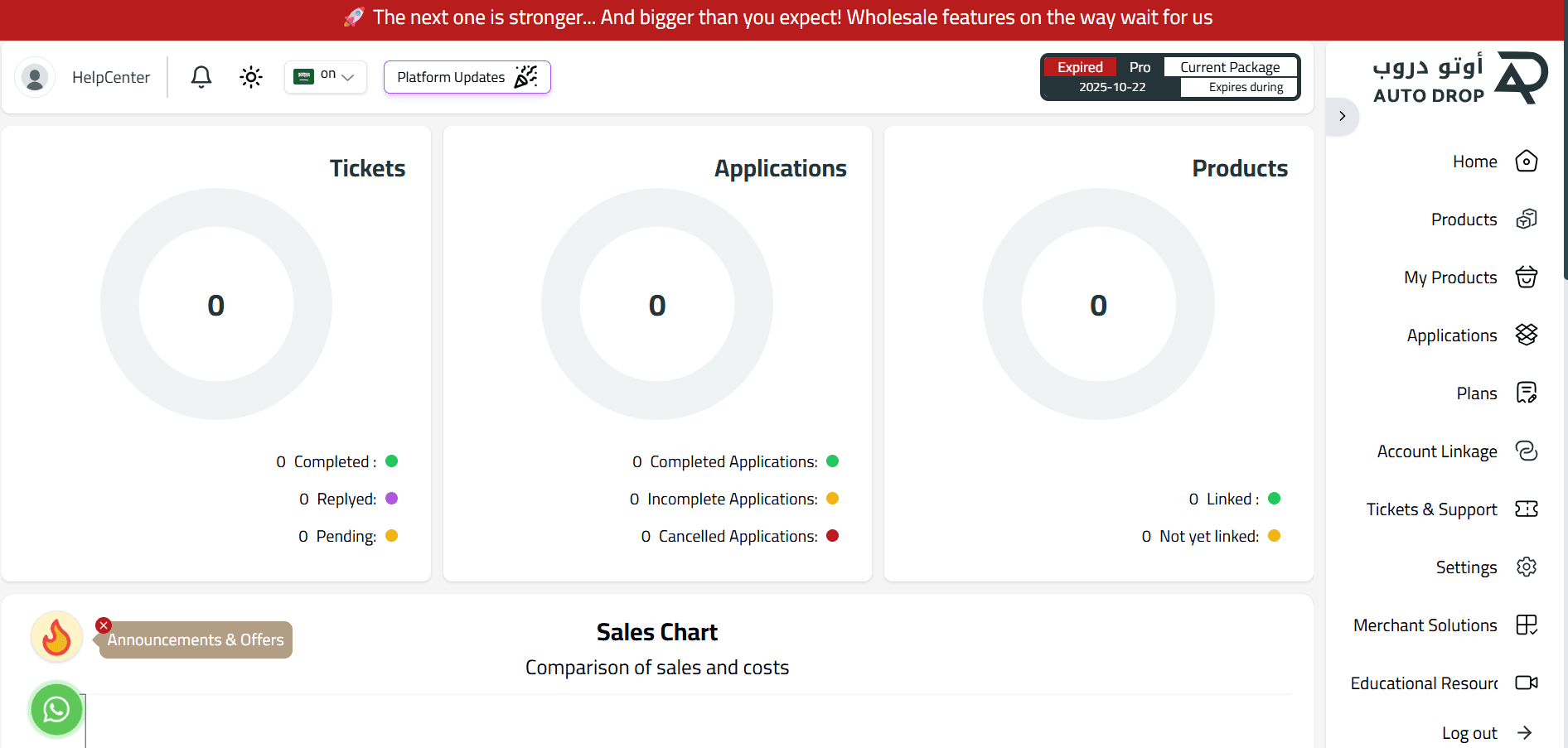
In both cases, you’ll be redirected to the Auto Drop main dashboard.
Connecting your store to AliExpress
- Go to the AliExpress website and log in to your AliExpress account.
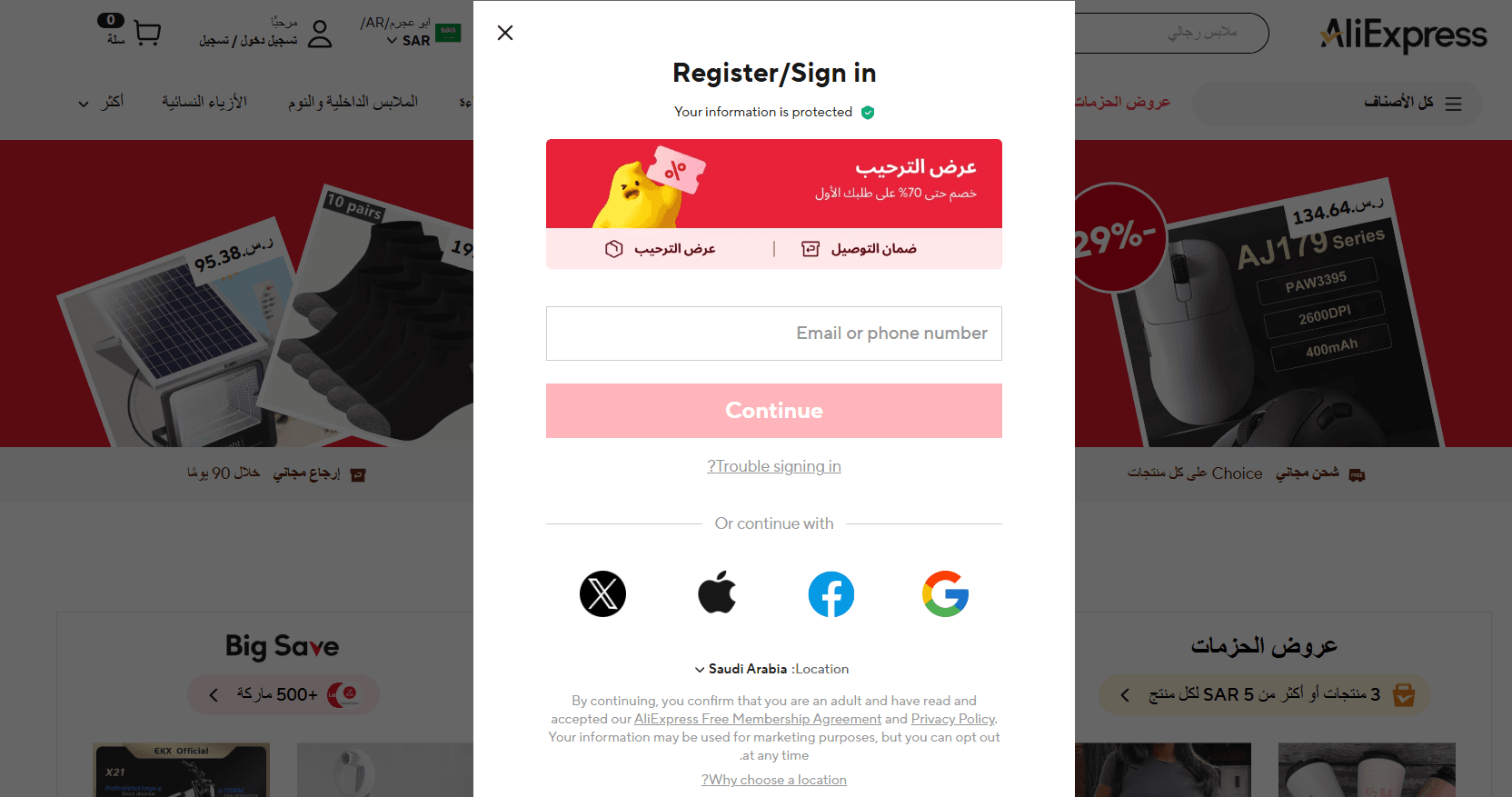
2. Enter the verification code sent to your email to complete the login process.
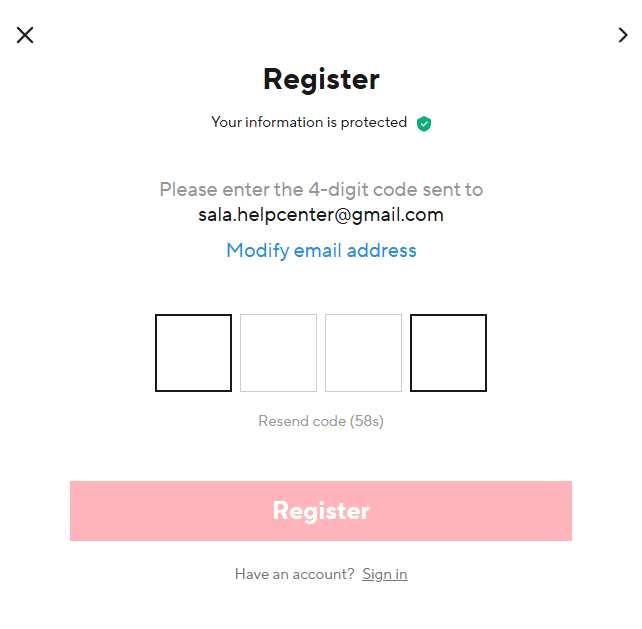
3. Once redirected to the main page, click Connect to link AliExpress with your store.
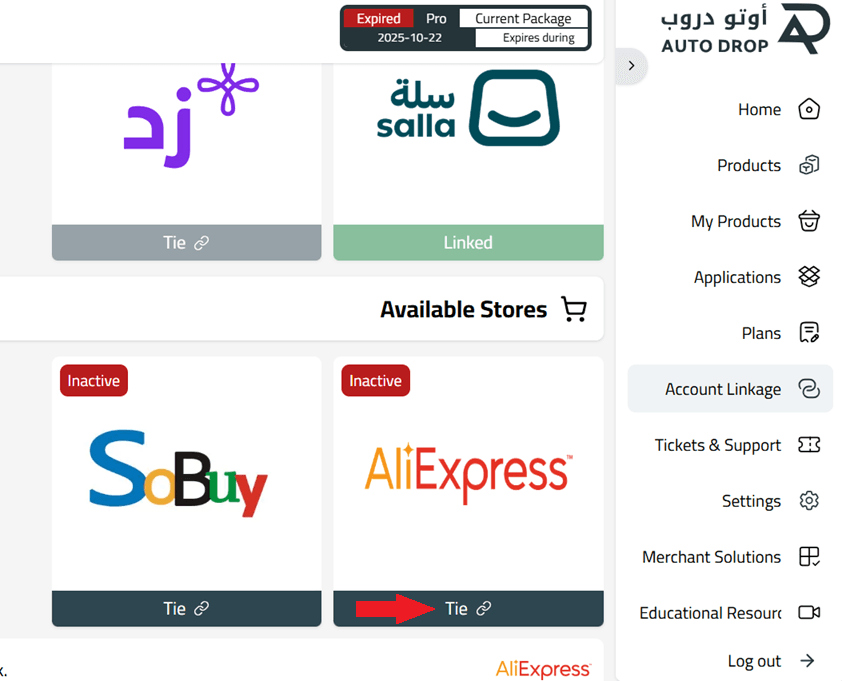
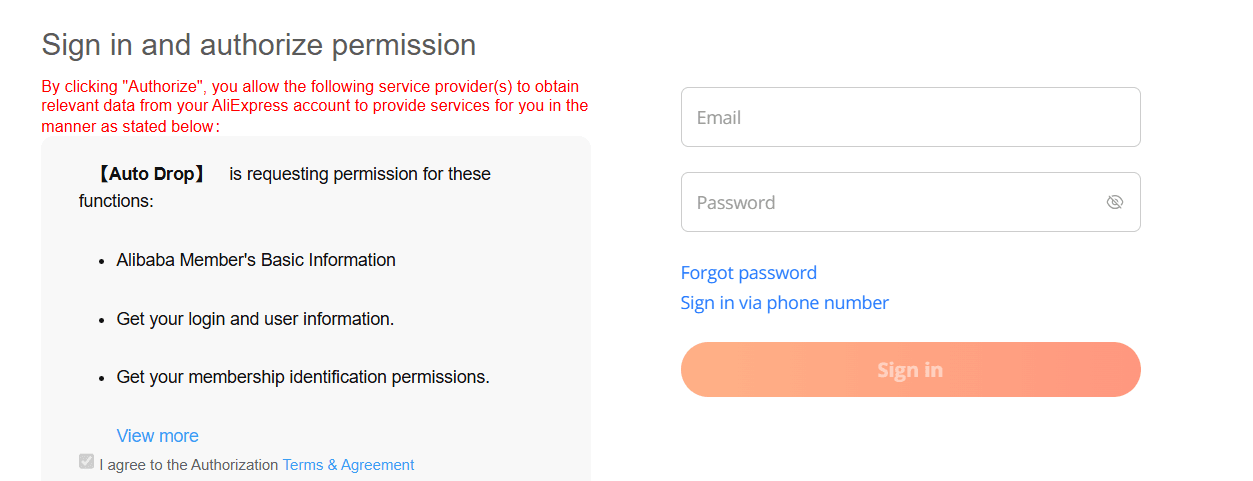
4. Log in to your AliExpress account again to confirm the connection.
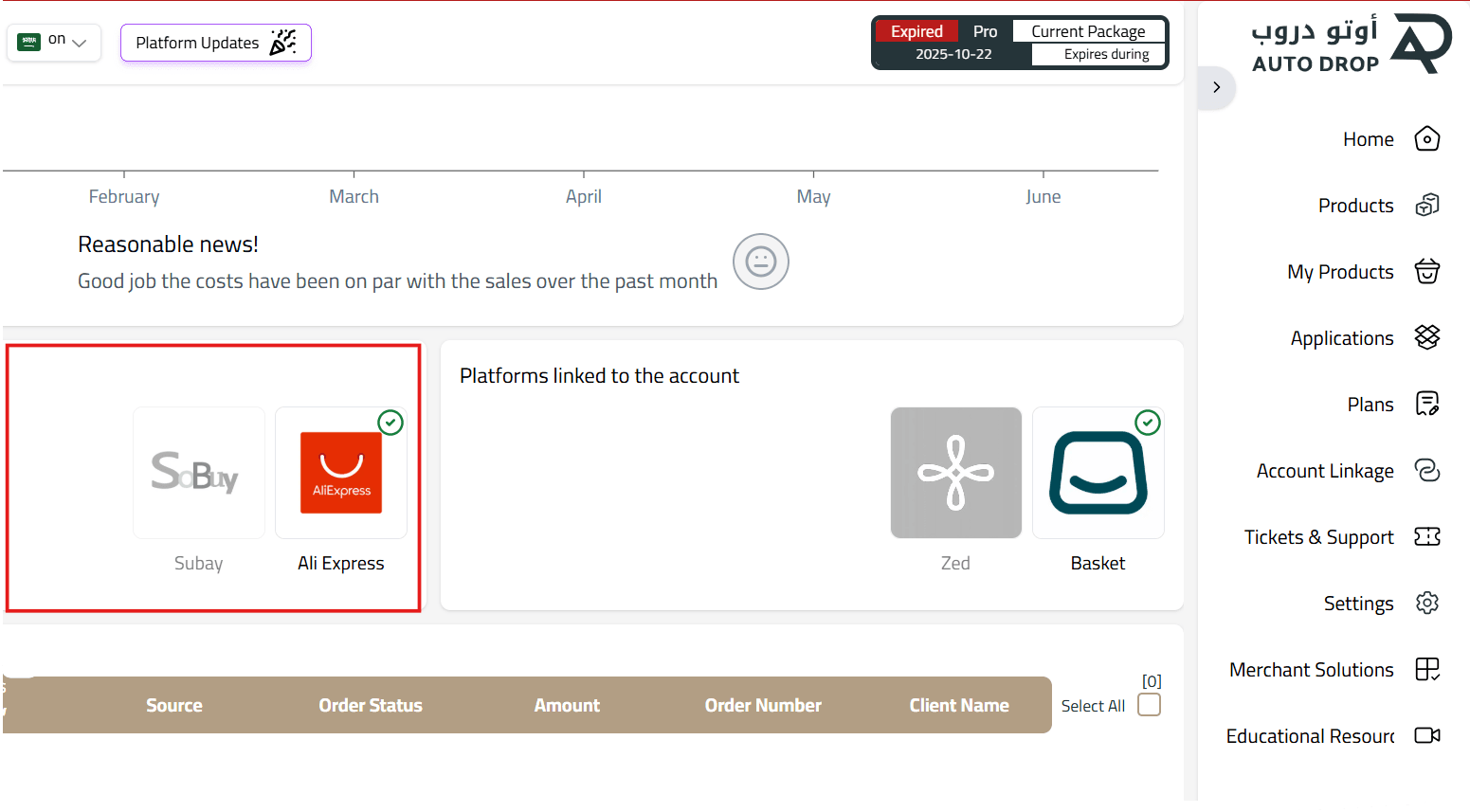
5. If you wish to connect SoBuy, click Connect and the integration will be completed instantly.
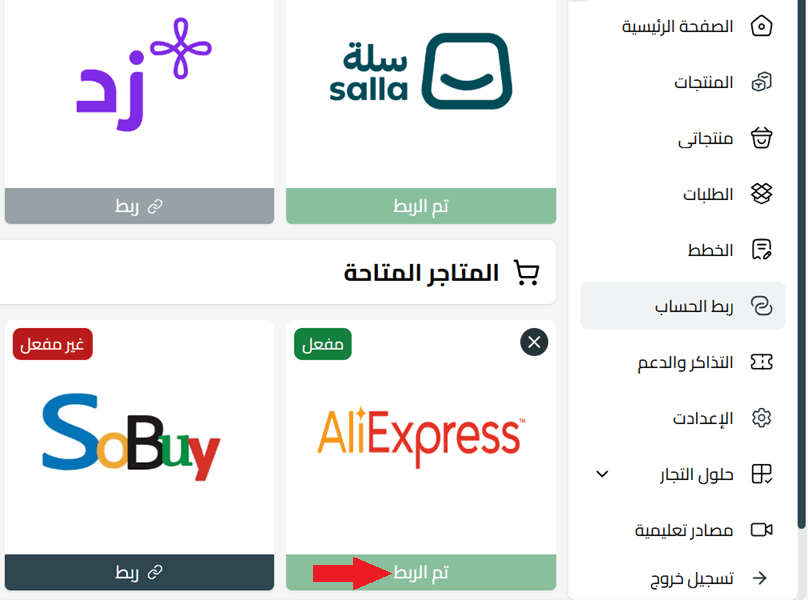
6. After returning to the main dashboard, you’ll see a list of all stores linked to your account.
How to add products from AliExpress to your store
Step 1: Add products to “My Products”
- From the main dashboard, click Products.
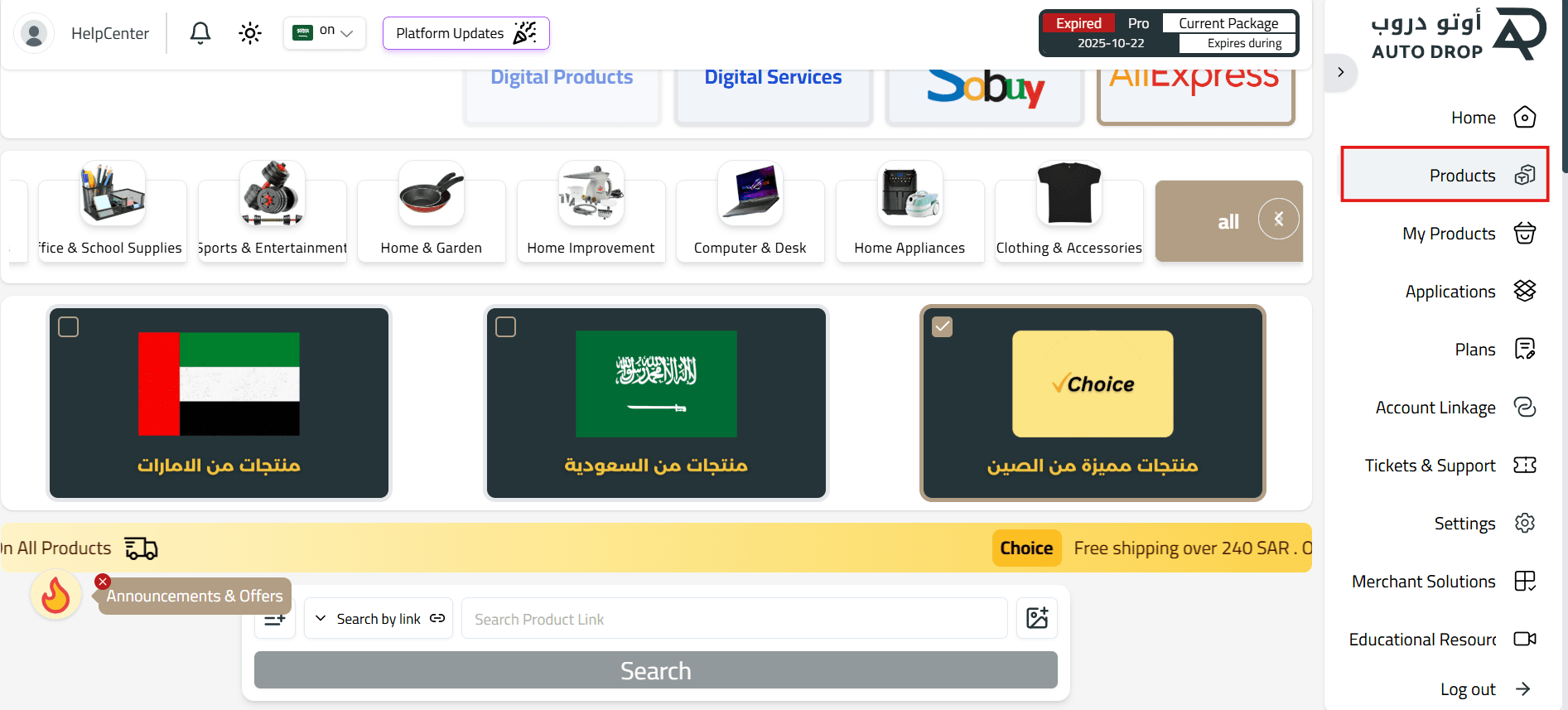
2. You’ll see three shipping categories:
- UAE
- Saudi Arabia
- Other

3. Search for products using one of the following methods:
- Browse by categories

- Paste a product link

- Search using a product image

4. Browse product details, including delivery time and tracking availability.
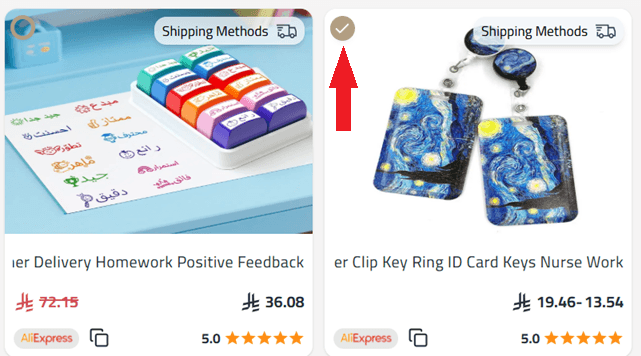
To select a product, tick the checkbox at the top-left corner of the product card.
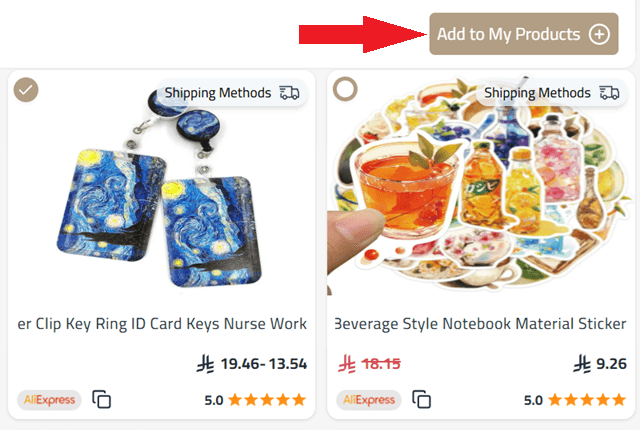
5. After selecting your products, click Add to My Products.
6. Review the products in the popup window. You can remove any product before proceeding.
7. Once loading is complete, the products will be successfully added to My Products.
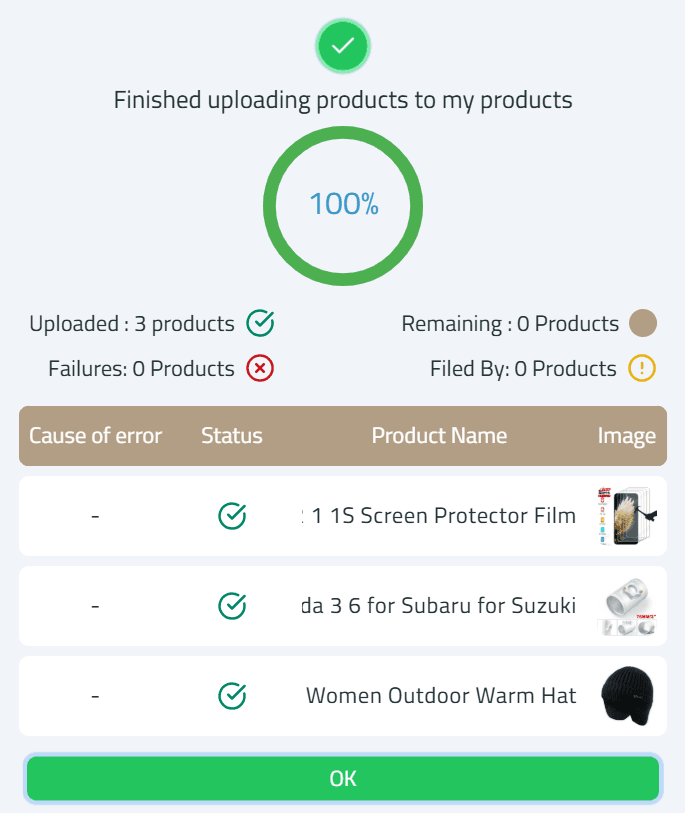
Step 2: Publish products to your Salla store
- From the Auto Drop menu, click My Products.
- You’ll see all added products listed as Not Connected (not yet published).
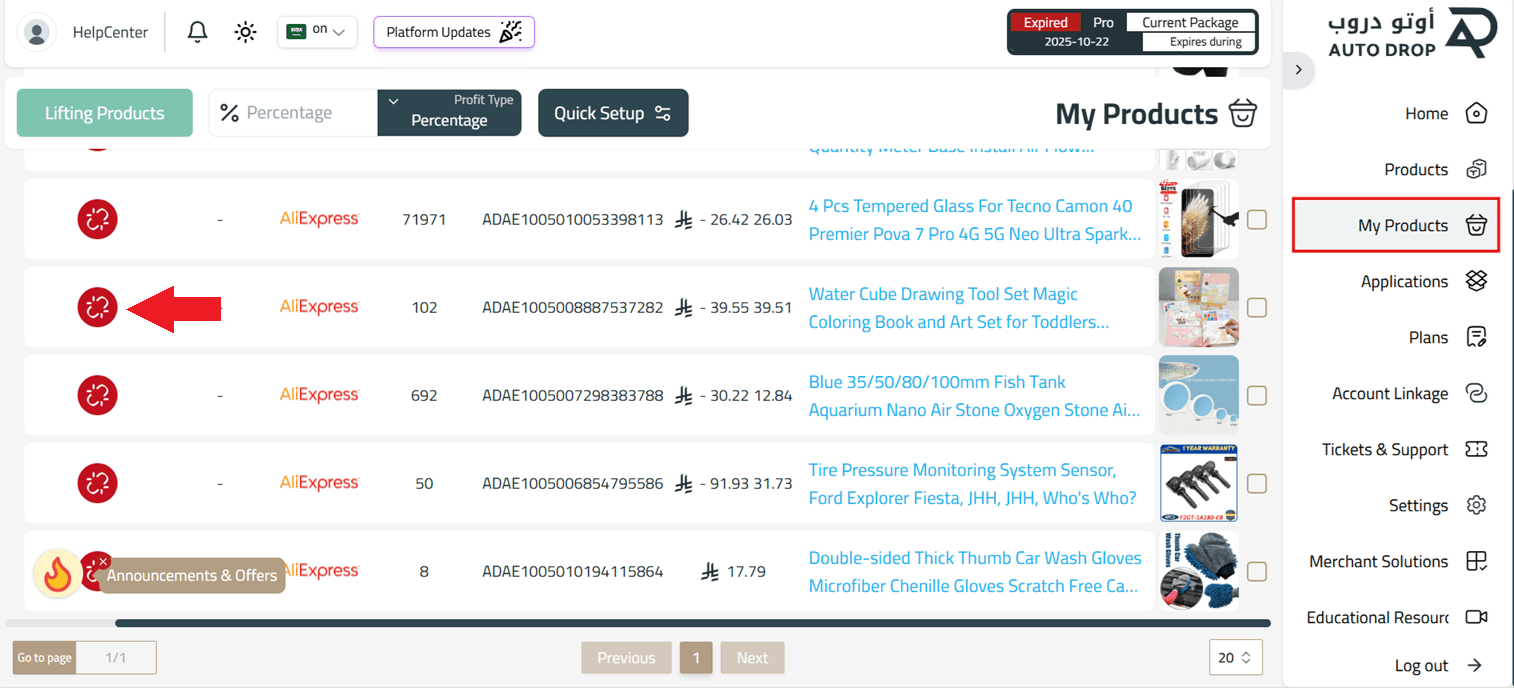
3. Select the products you want to publish, then click Quick Settings.
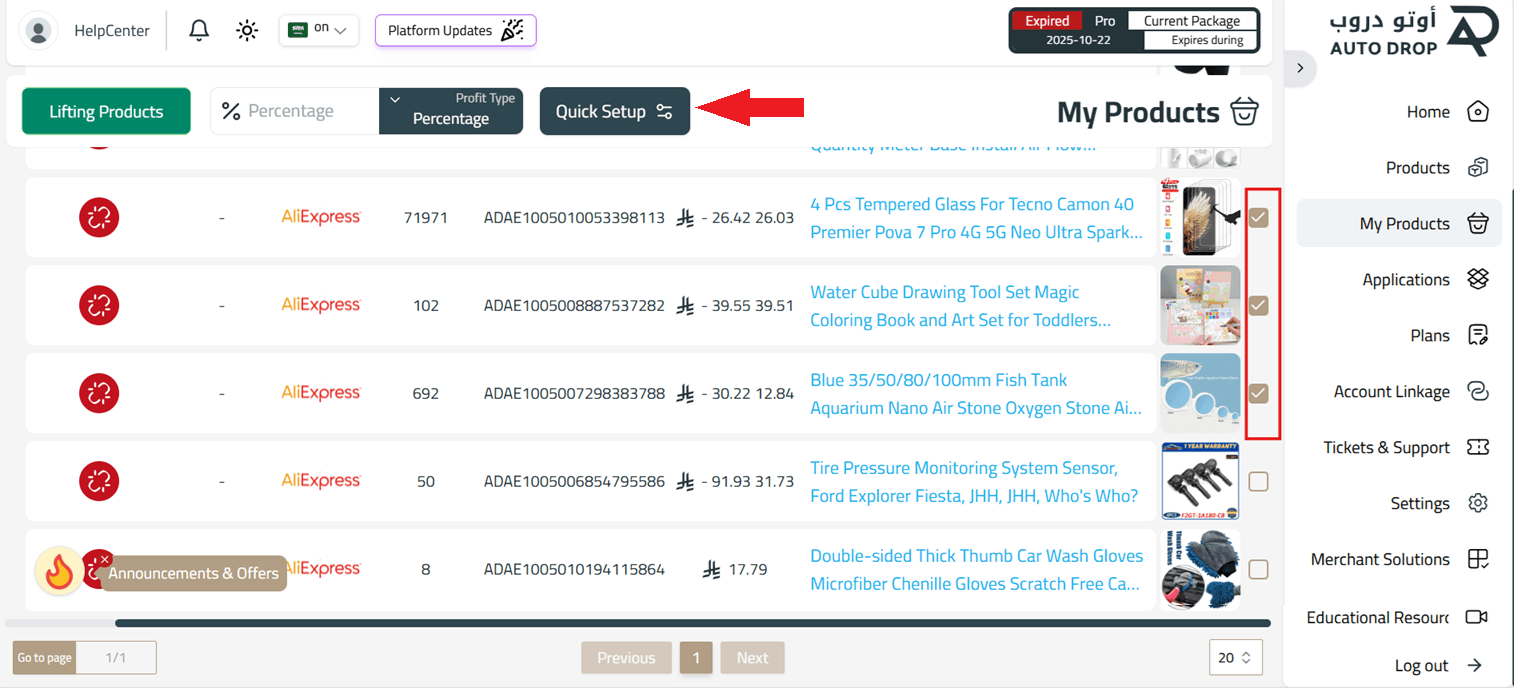
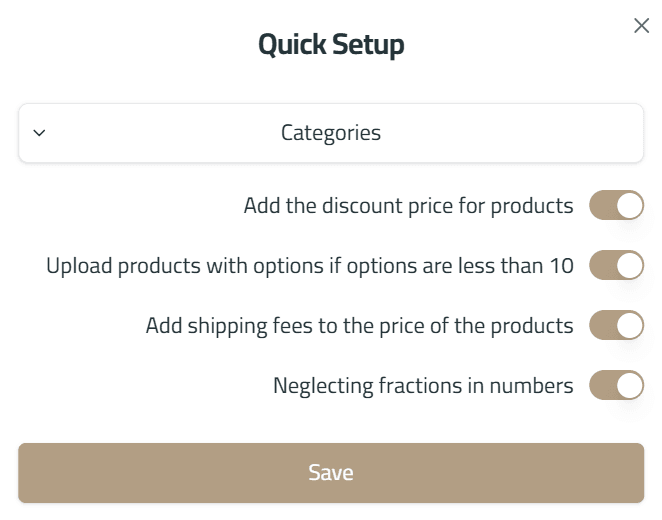
4. From Quick Settings, you can:
- Add a discount price
- Enable original price display
- Choose image and variant upload options
5. Select the profit type and desired profit amount, then click Upload Products.
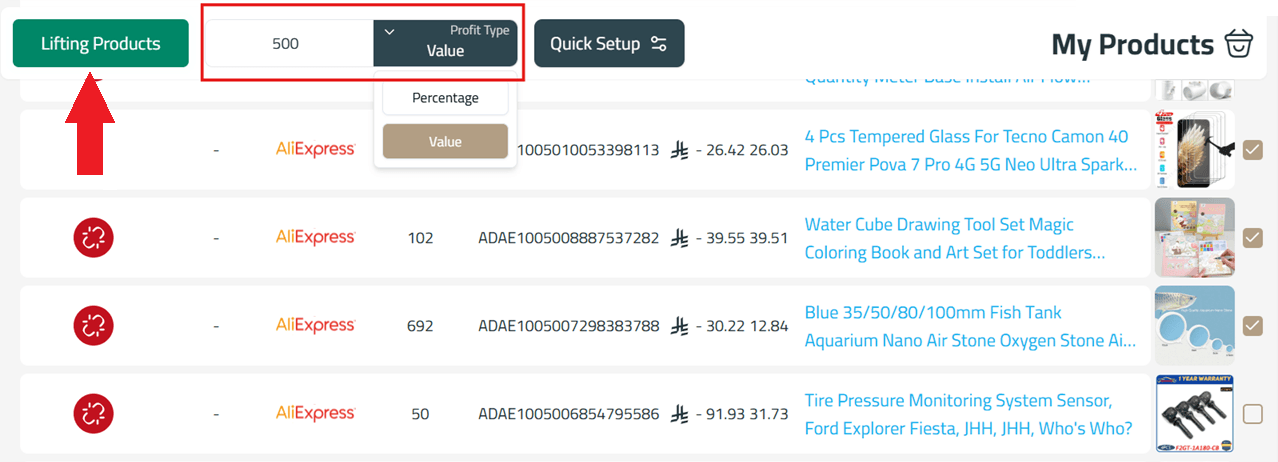
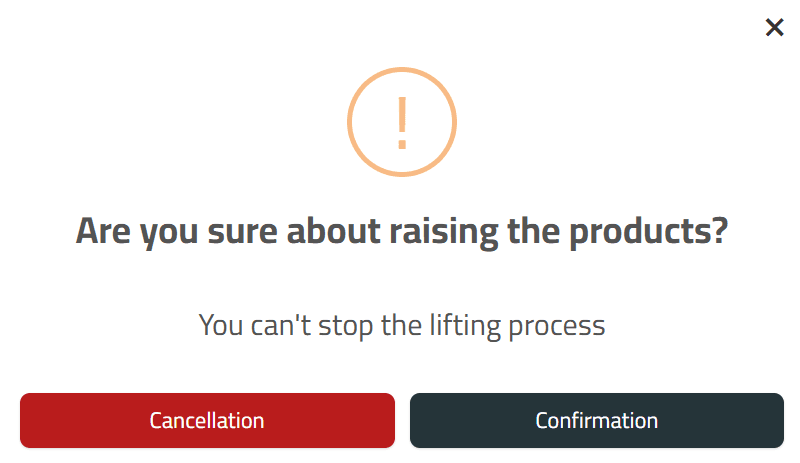
6. Click Confirm to publish the products to your Salla store.
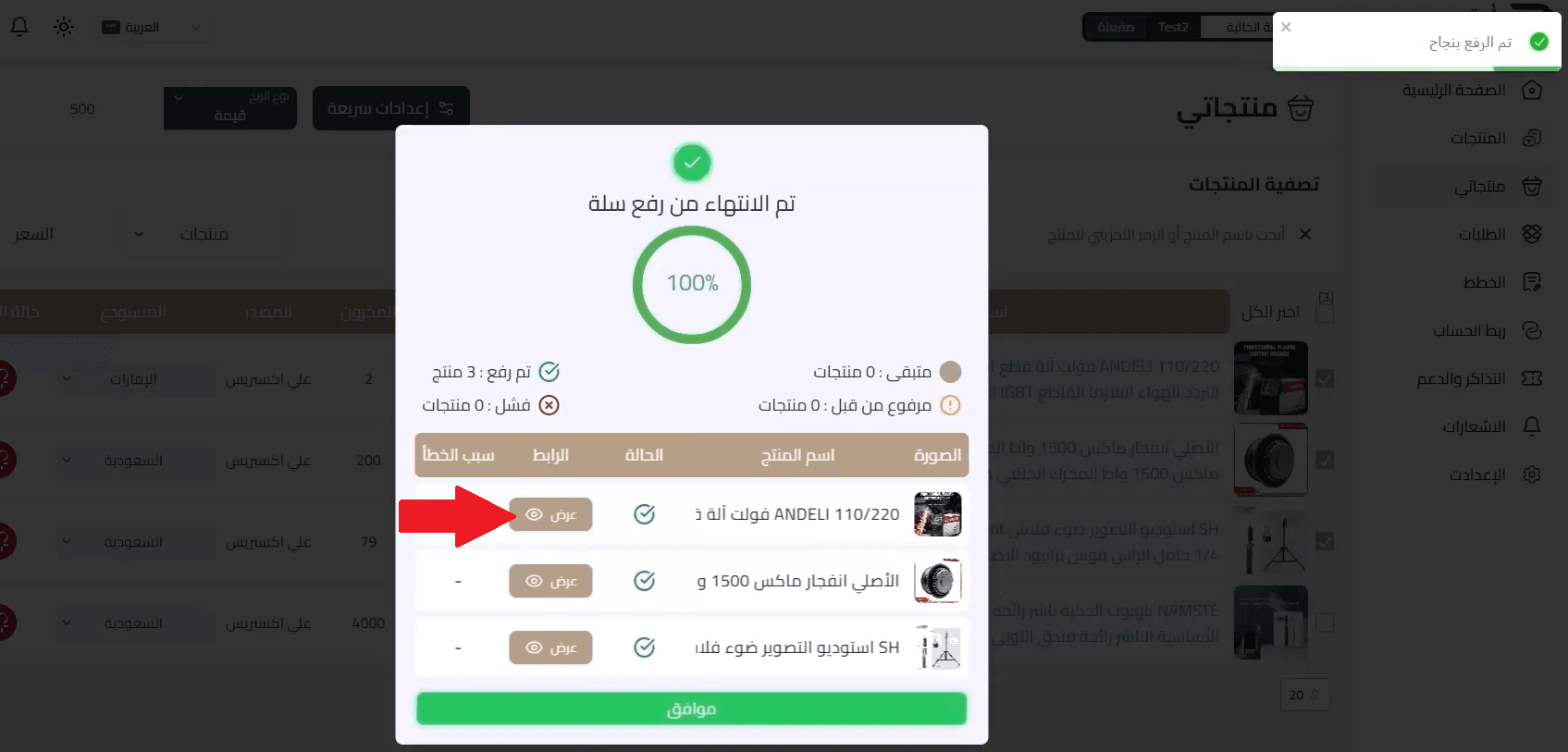
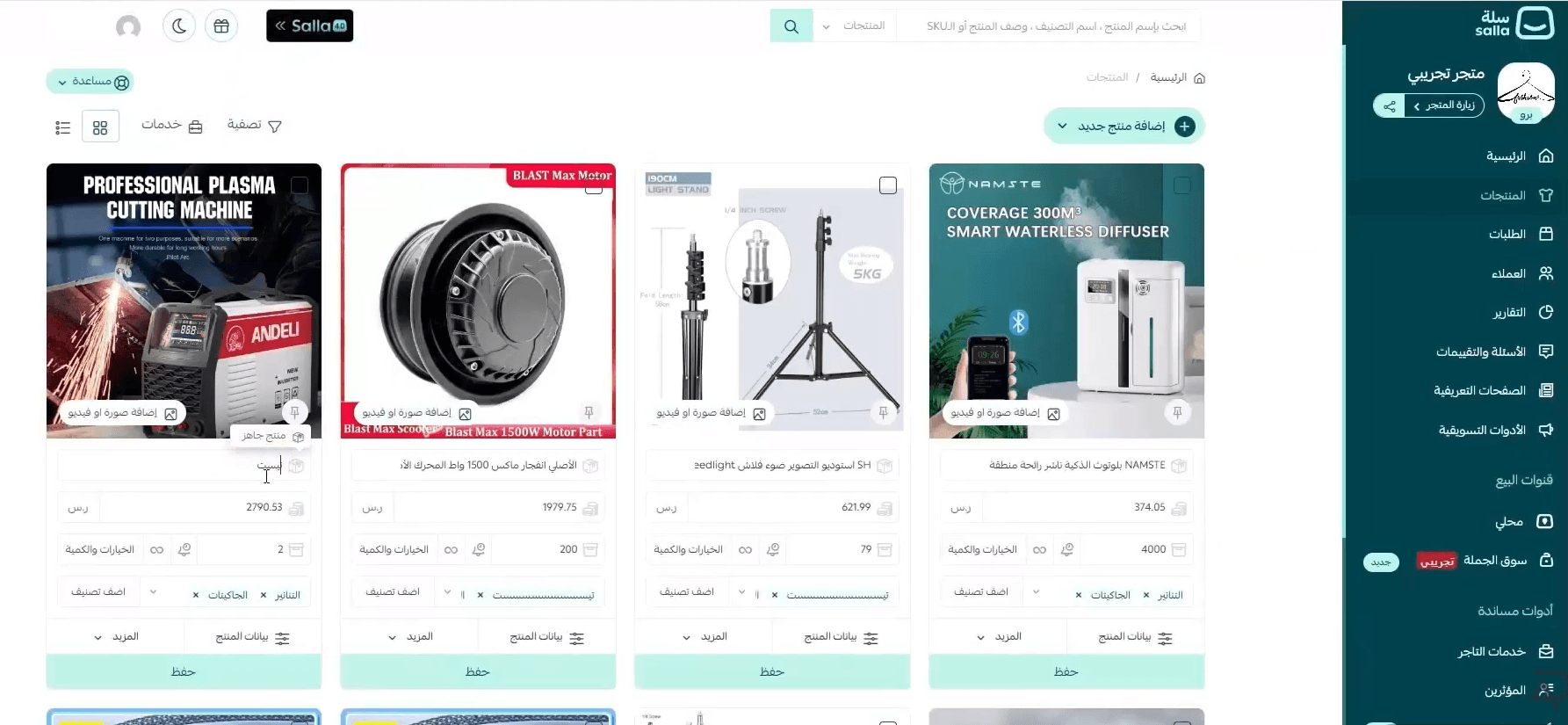
7. Once the upload is complete, click View to preview the products in your store.
💡 Products will appear instantly in your Salla admin panel after publishing.
For alternative methods, watch the video: How to add AliExpress products using Auto Drop
How to fulfill orders
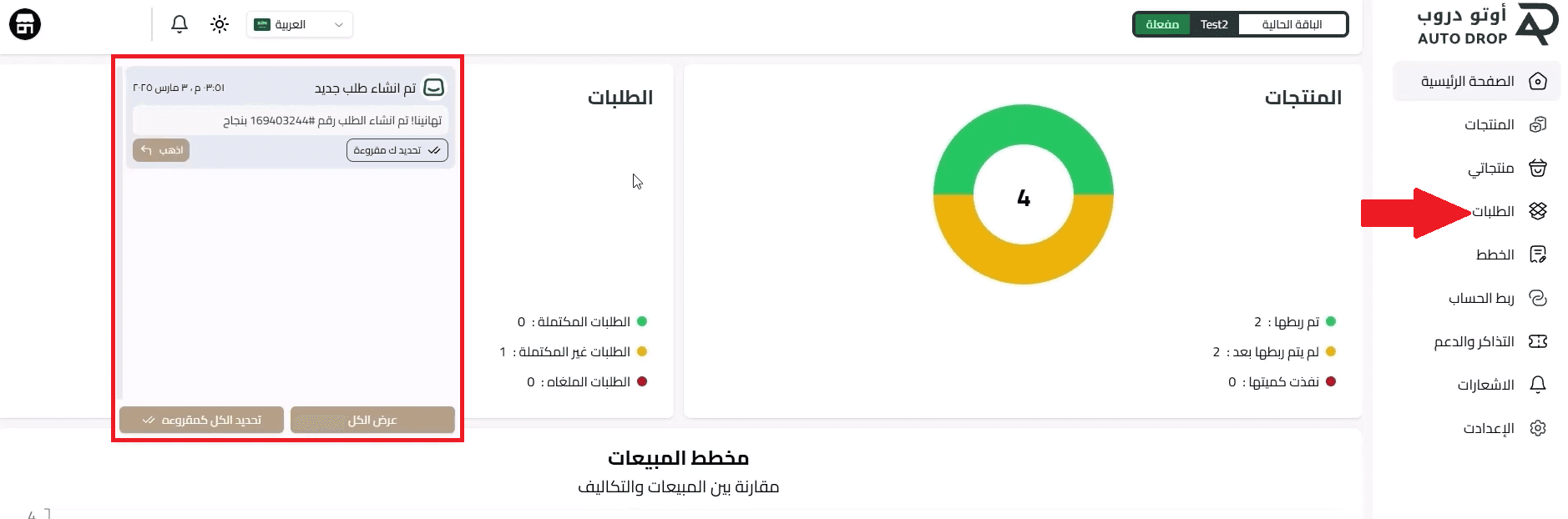
Once a customer places an order on your Salla store, it will be automatically sent to Auto Drop within minutes.
- You’ll see the order in the notifications icon, or go to Orders from the side menu.
2. The order status will appear as Created until payment is completed.
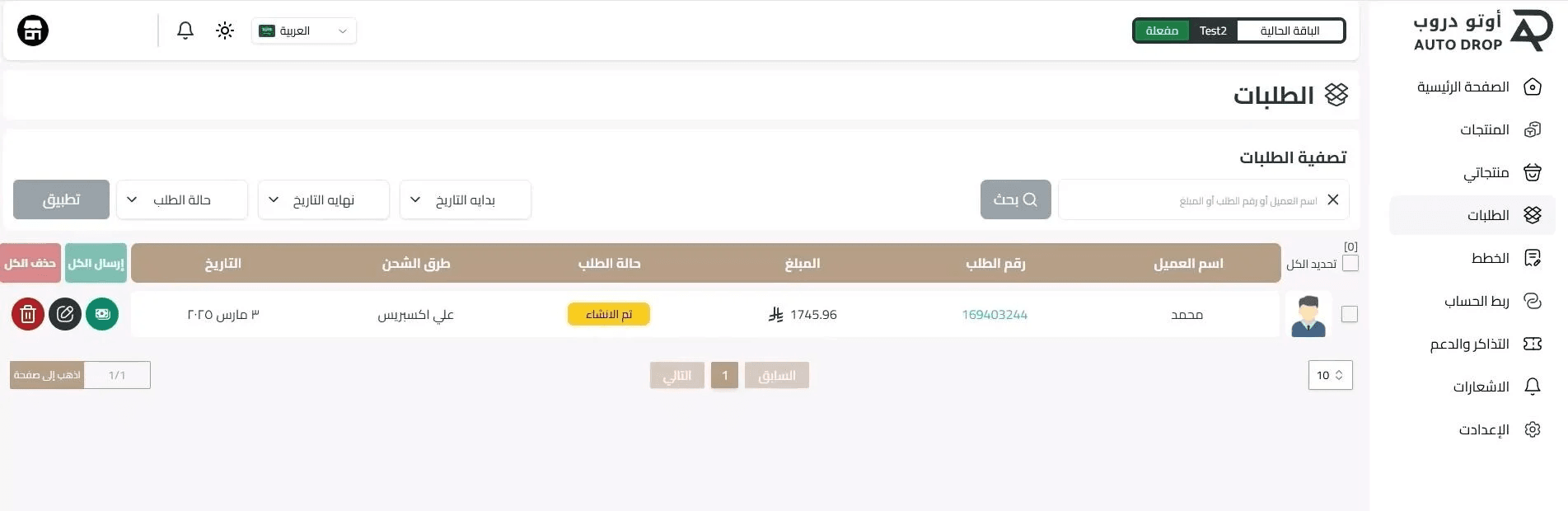
3. Click the order number to continue.
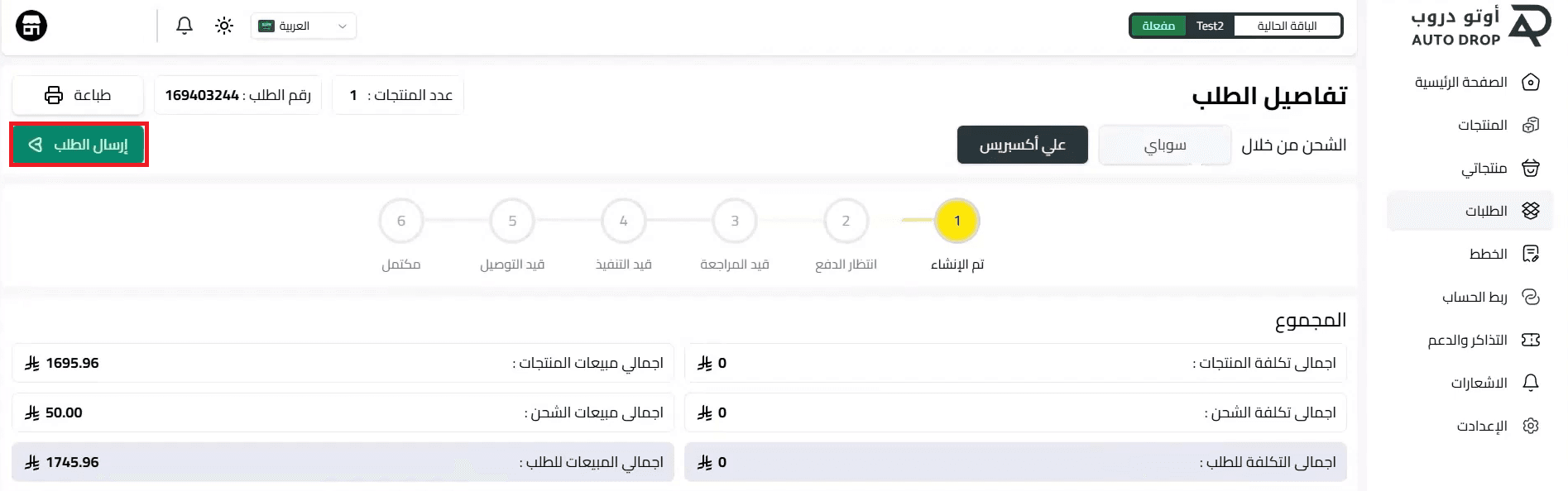
4. Review the order details, then click Send Order.
5. Go to your AliExpress account, navigate to My Orders, and complete the payment.
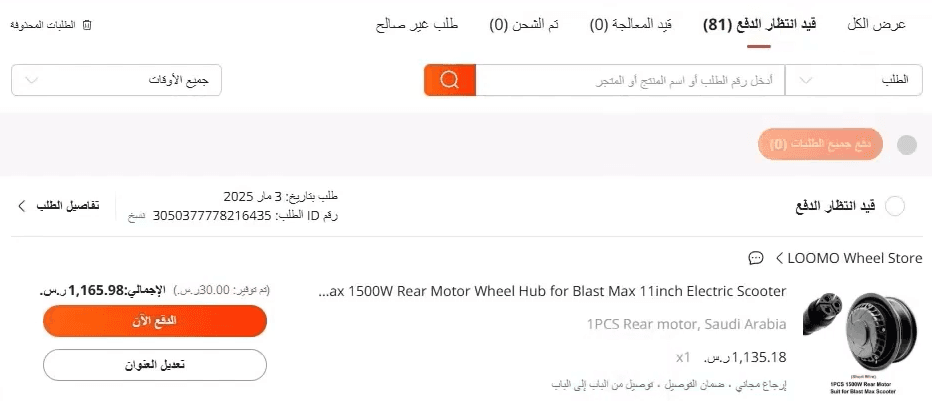
6. Choose your preferred payment method.
After payment, shipping details and delivery timelines will be updated automatically.
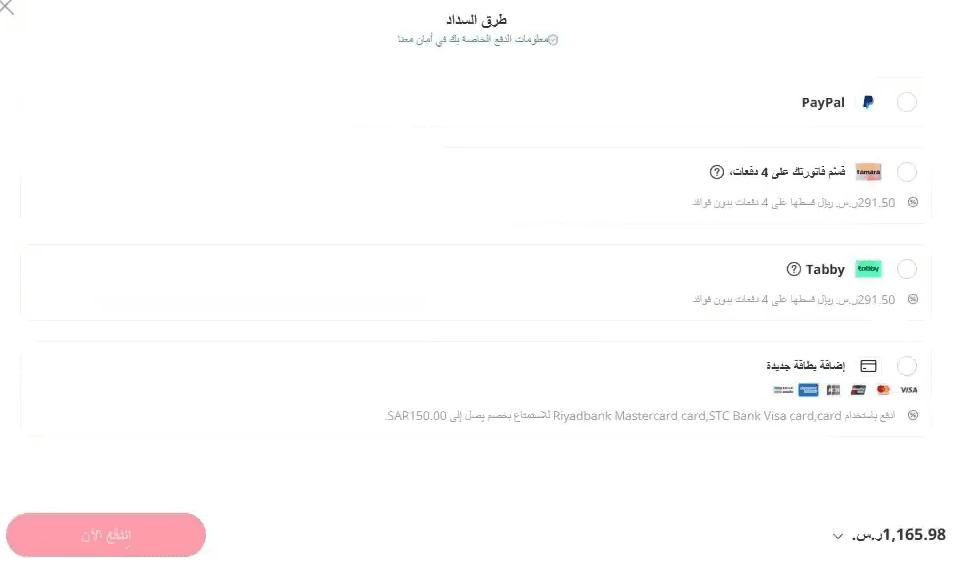
For a full walkthrough, watch the video: How to fulfill AliExpress orders using Auto Drop
Frequently asked questions
Will AliExpress handle shipping to the customer?
Yes. AliExpress is responsible for shipping the order directly to the customer.
What are the benefits of using AliExpress – Auto Drop?
With AutoDrop, dropshipping becomes easier because:
- No large capital or upfront investment is required
- You gain access to a massive product catalog
- Your business is scalable
- No storage or fulfillment costs
How can I make sure I’m following the steps correctly and get support?
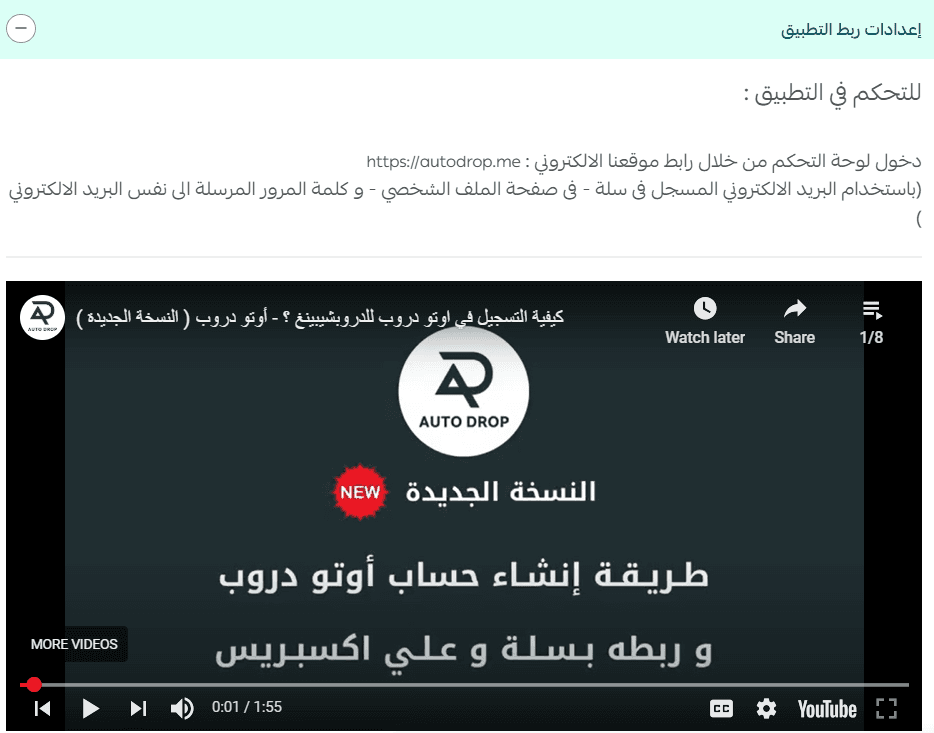
From Installed Apps, open the AliExpress – Auto Drop app details to find:
- Step-by-step tutorial videos
- Technical support contact options
How can I delete the AliExpress – Auto Drop app?
- From App Actions, click More.
- Select Delete App.
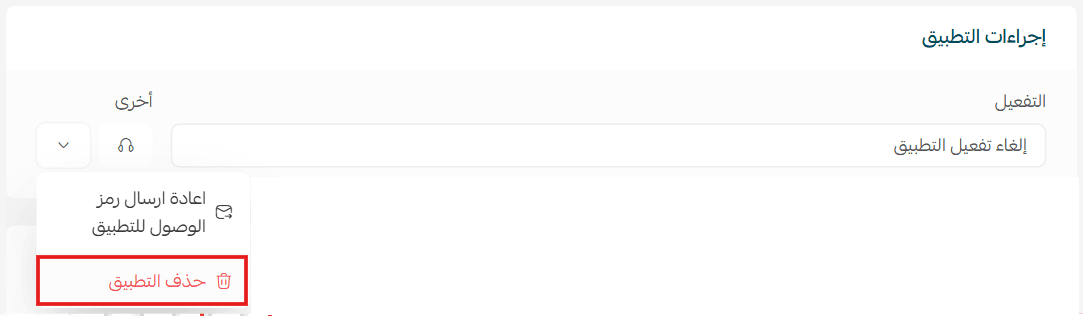
⚠️ Important note: The app is linked to your Auto Drop dashboard account. Deleting the app will permanently delete your dashboard account as well.