Would you like to make the buying process faster and easier for your customers? With quick purchase checkout, you can simplify the customer journey by reducing the checkout steps to the minimum.
This guide will walk you through how to enable this feature and improve the shopping experience, allowing customers to reach payment in just one click.
📌 Article overview
- What is quick purchase checkout?
- Steps to enable quick purchase checkout
- Customer quick purchase checkout experience
- Frequently asked questions
What is quick purchase checkout?
Quick purchase checkout is a free feature that gives your store a faster purchasing experience by allowing customers to complete their order in a single step.
It takes customers directly from the product page to the checkout page, without needing to go through the shopping cart first.
Steps to enable quick purchase checkout
- From the main menu, click All
Under Settings and Tools, select Payment Methods.
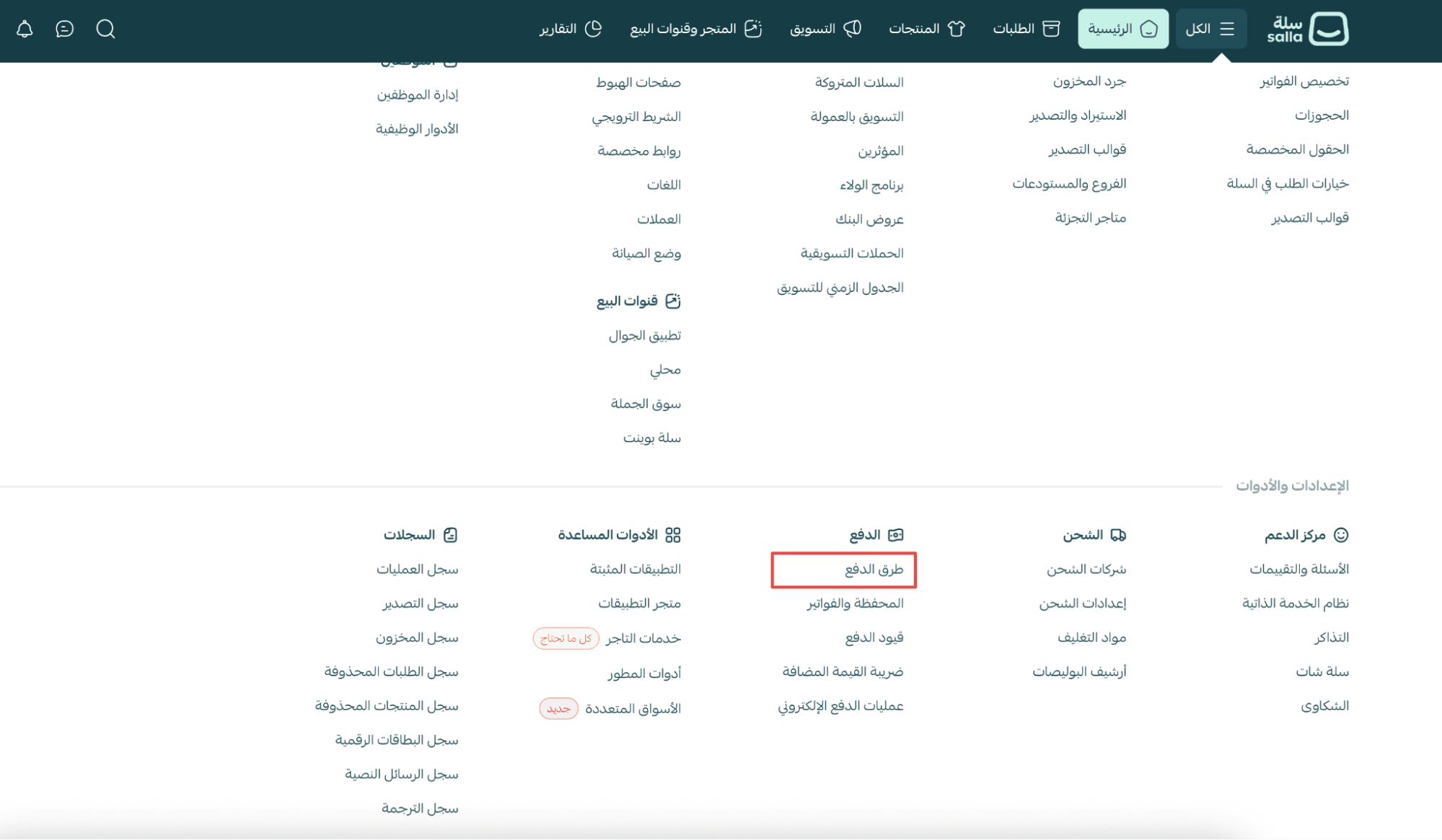
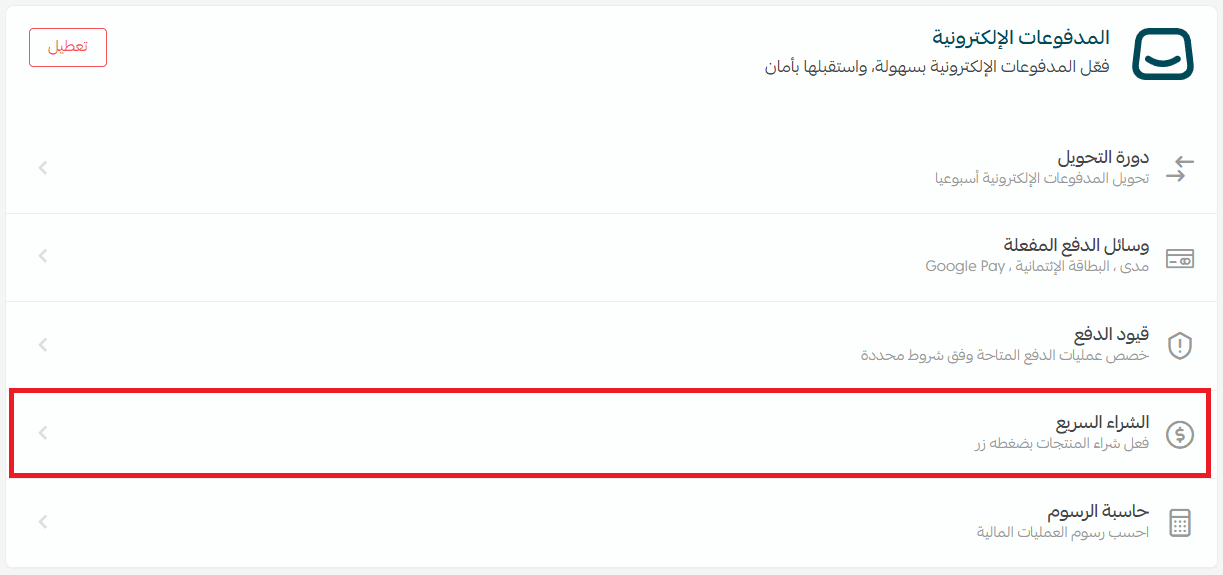
2. In the Online Payments section, click quick purchase checkout.
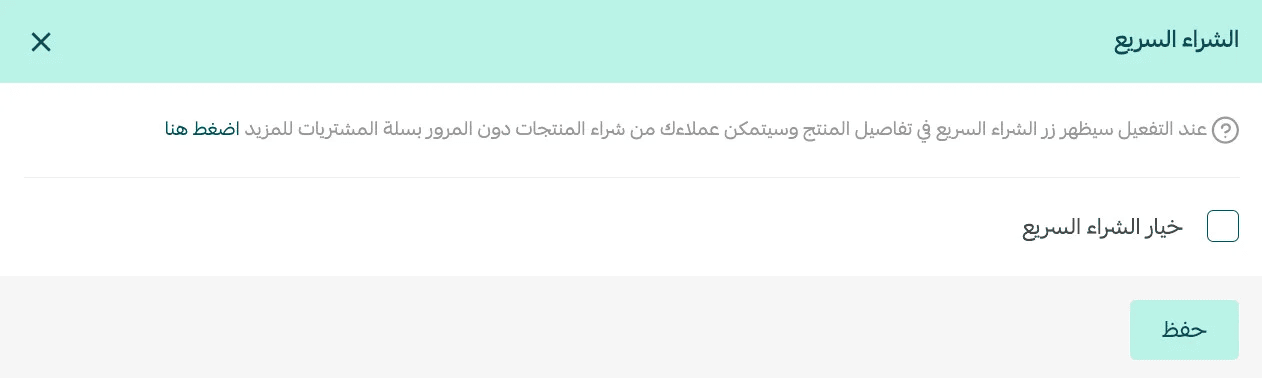
3. Enable the quick purchase checkout option, then click Save.

Quick purchase checkout customer experience
Customers can use quick purchase Checkout directly from the product page in one of the following cases:
Case 1: Customers using Apple devices
(iPhone, iPad, or Mac)
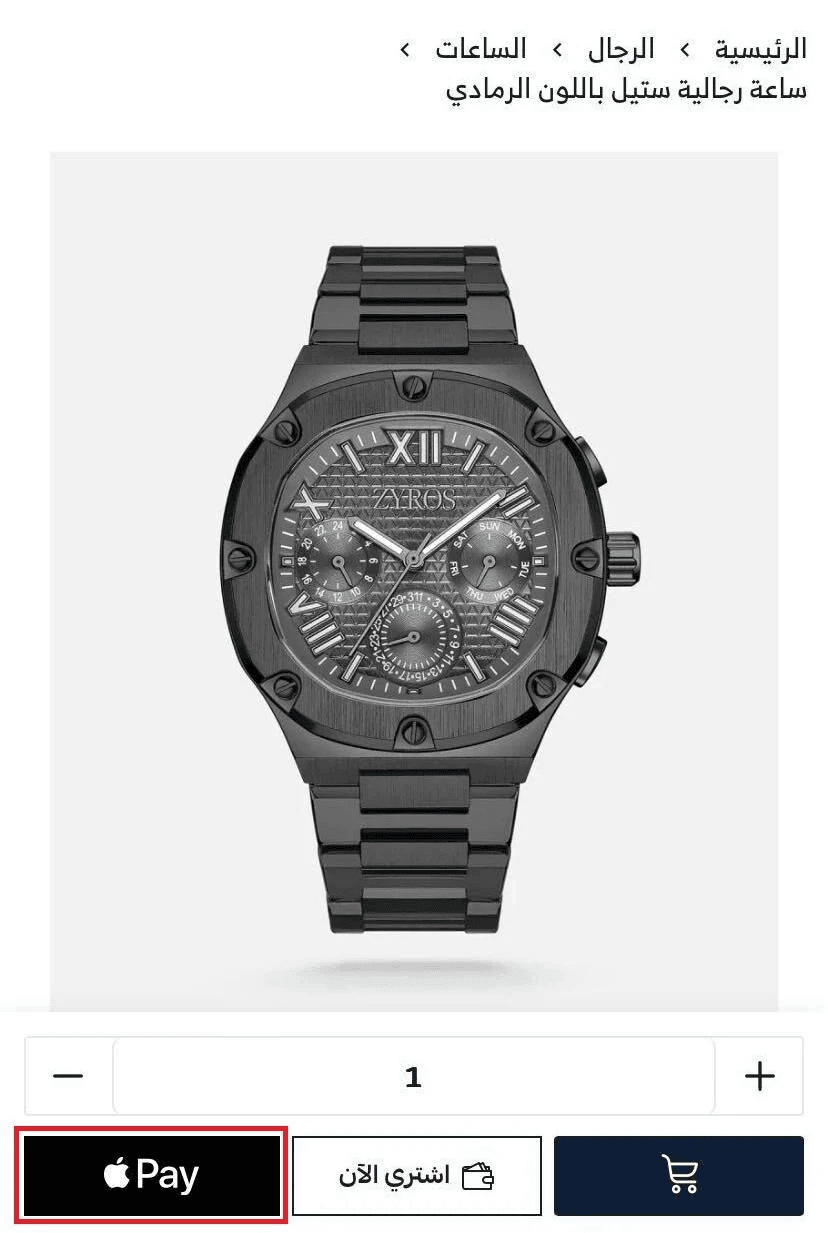
On the product page, three buttons will appear:
- Add to cart
- Buy now
- Pay with Apple Pay
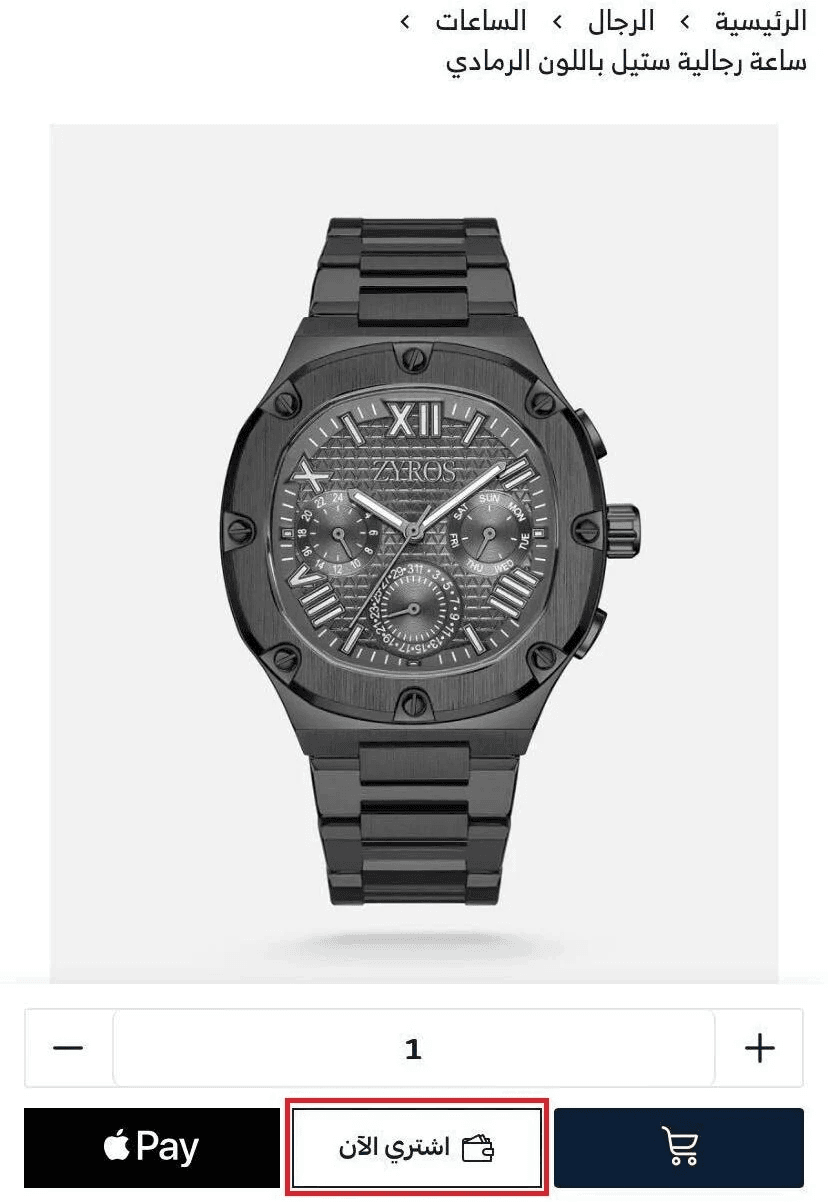
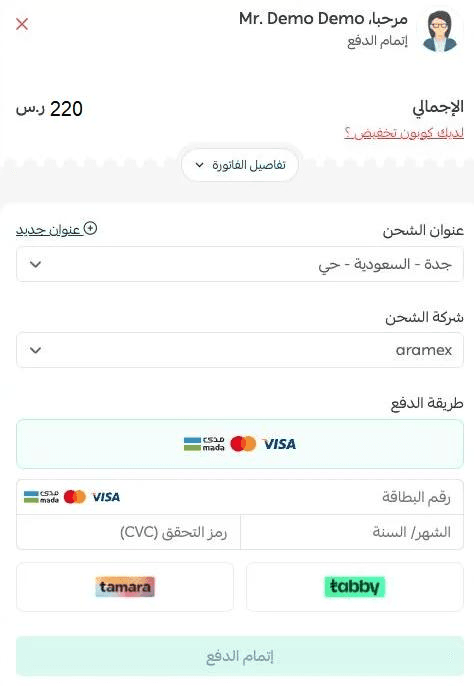
When the customer clicks Buy now, the quick purchase checkout window will appear.
Case 2: Customers using Windows or Android devices
On the product page, only two buttons will appear:
- Add to cart
- Buy now
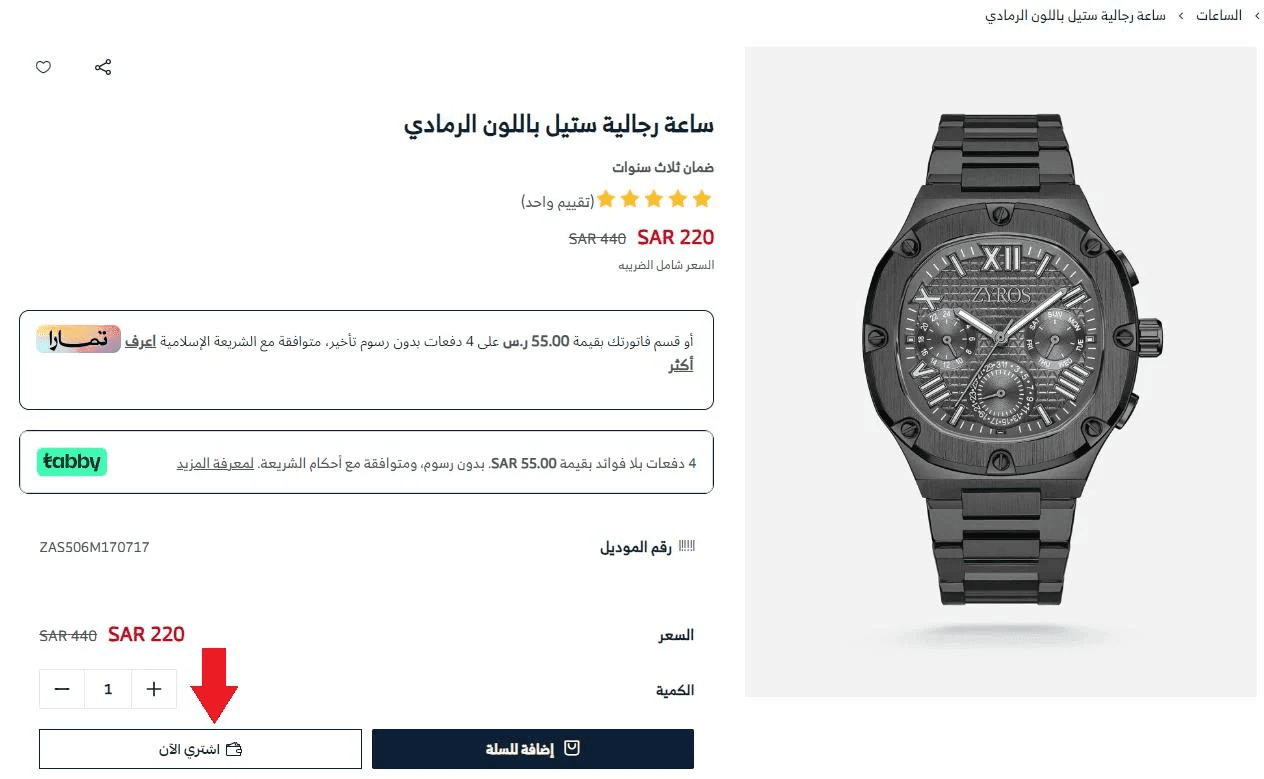
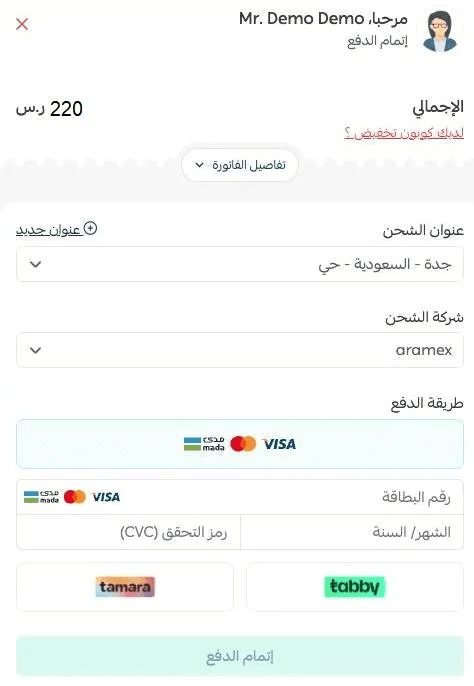
When the customer clicks buy now, the quick purchase checkout window will open, allowing them to complete their purchase without passing through the cart page.
Frequently asked questions
What are the requirements for quick purchase checkout with Apple Pay?
To use quick purchase checkout through Apple Pay:
- The merchant must have Apple Pay enabled as a payment method in the store
- The customer must be browsing the store using Safari
Is quick purchase checkout supported in Salla’s new themes?
Yes, quick purchase checkout is supported in all new Salla themes.
How can customers use quick purchase checkout when Apple Pay is enabled?
From the product page, if the customer clicks Pay with Apple Pay, they will be taken directly to the payment step without going through the cart.
Is quick purchase checkout supported in the mobile app?
Yes, quick purchase checkout is fully supported in the app.
Can customers use quick purchase checkout for all product types?
Quick purchase checkout is available for all product types except Booking products.
Can I disable quick purchase checkout?
Yes. To disable it:
- Go to Payment Methods
- Click quick purchase checkout
3. Turn off the quick purchase checkout option, then click Save