How many "where is my order?" messages could you avoid if the answer was already on your customer's phone?
When a customer pays with Apple Pay, their order can be tracked straight from Apple Wallet on their iPhone, with no app to install and no tracking page to hunt for. They see where the order stands, when it should arrive, and how to reach you, all from the same place they keep their cards and passes. In this guide, you'll learn what Apple Wallet order tracking shows your customers, how they open it step by step, and which devices support it.
Orders paid with Apple Pay appear automatically in the customer's Apple Wallet. From the (Orders) tab they can see the order status and expected delivery date, the order number, the total cost, and the payment status, and they can contact your store directly. It works on iOS 16, iPadOS 16, macOS 13, and later.
📌 Article overview
- What customers can see in Apple Wallet
- How a customer tracks an order in Apple Wallet
- Frequently asked questions
🎯 What customers can see in Apple Wallet
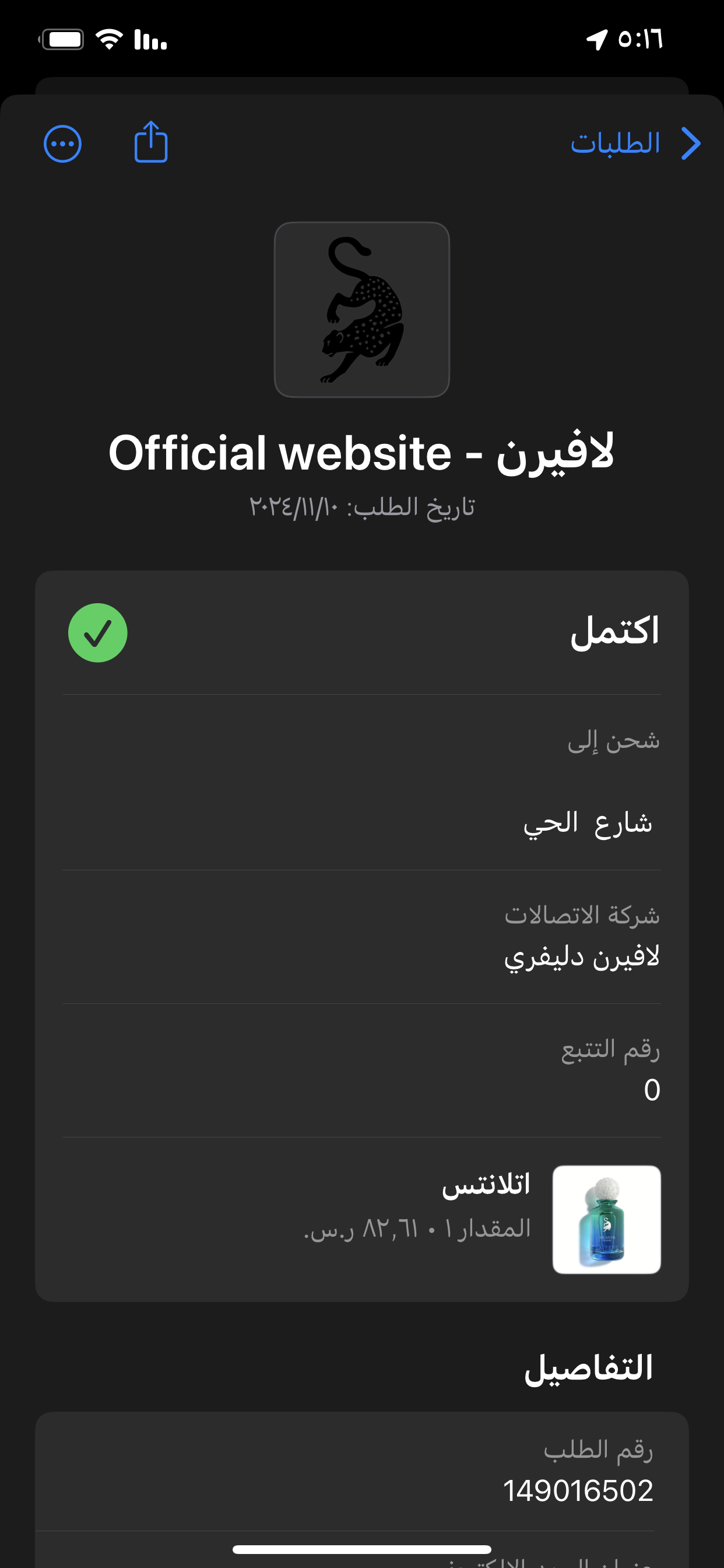
From the Wallet app, your customer can review:
1. The order status and the expected delivery date.
2. The order number, the total cost of the purchase, and the payment status.
3. A way to contact your store directly.
As soon as the order is placed and paid for with Apple Pay, the customer gets a notification with the order details.

👣 How a customer tracks an order in Apple Wallet
1. Open the (Wallet) app on the iPhone.
2. Tap the (Orders) tab to see every purchase.
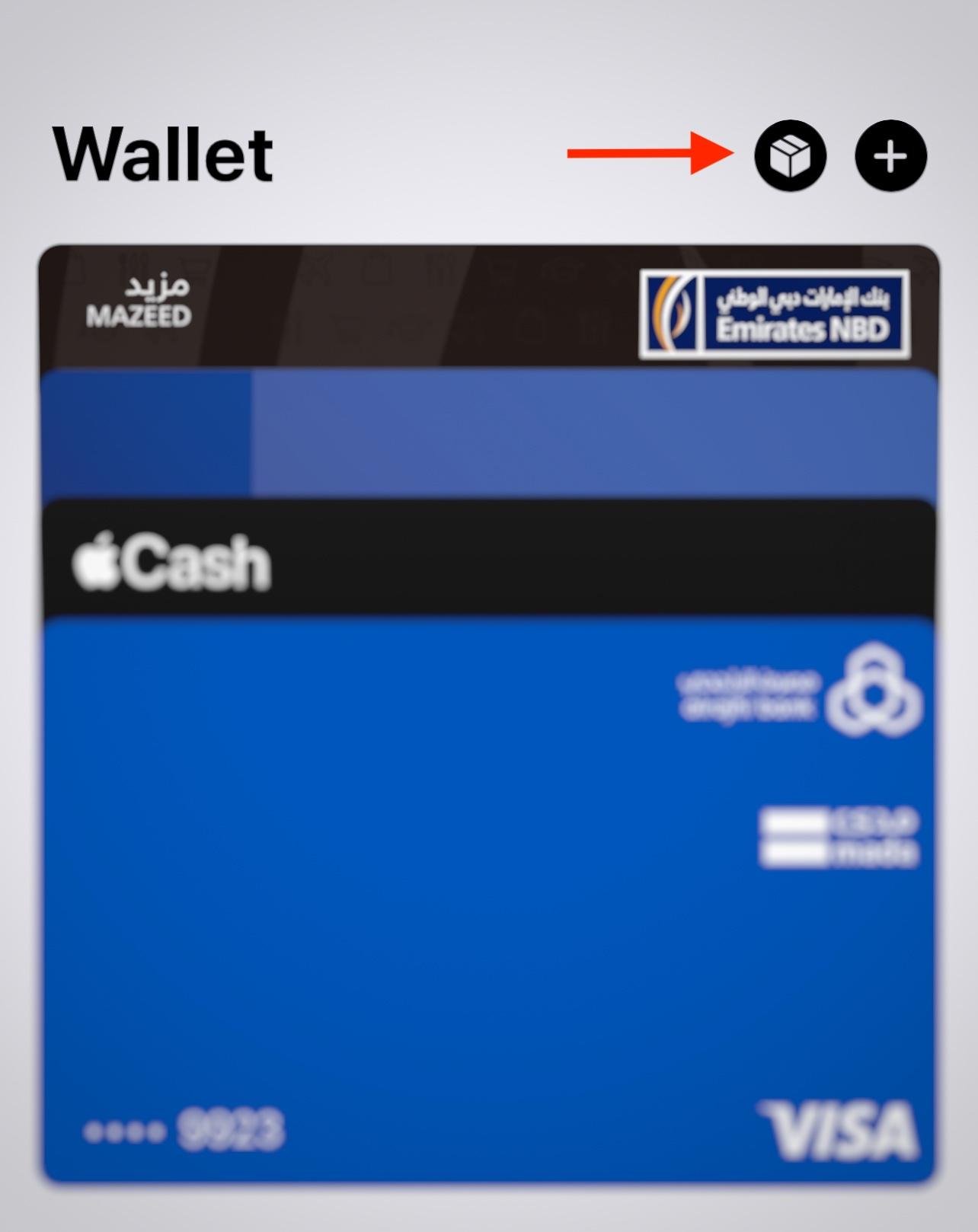
3. Current and completed orders both appear in the list.

4. Tap an order to open its full details.
Frequently asked questions
❓ How do I activate Apple Pay as a payment method in my store?
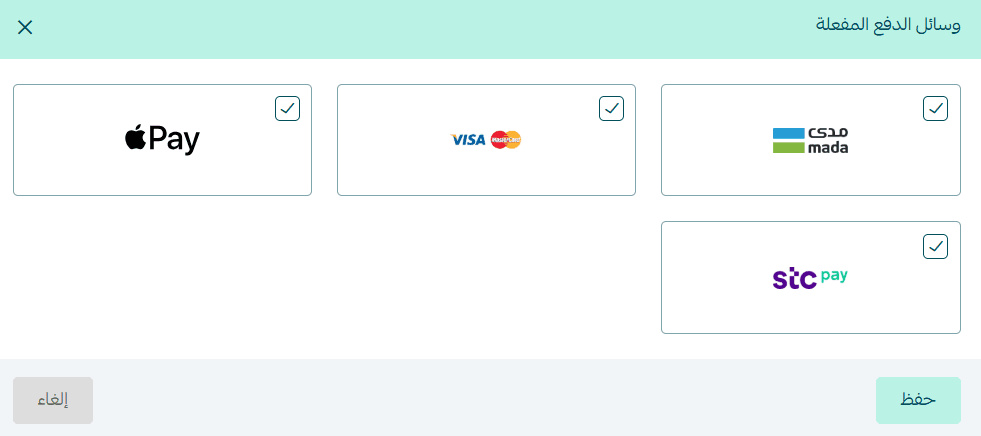
Once your store is verified, go to the payment methods page, open the active payment methods, and enable mada and Visa. Apple Pay is then activated automatically. For more detail, read the Apple Pay FAQ.
❓ Does order tracking in Apple Wallet work on every device?
No. Order tracking in Wallet works on devices running up-to-date operating systems: iPhone on iOS 16, iPad on iPadOS 16, Mac on macOS 13, and later versions.
❓ Which orders appear in Apple Wallet?
Orders paid with Apple Pay. The order card is created from that payment, so orders paid another way don't appear in Wallet.
❓ Does the customer need to install anything?
No. Wallet is already on the iPhone, and the order appears there on its own once the Apple Pay payment goes through.
Every order a customer can check themselves is a message your team doesn't have to answer. For Apple Pay orders, that tracking is already in their pocket.