Your store is eligible and the offer is on screen. What happens next?
Applying is the shortest part of the process, but it is worth doing carefully, because a financing request cannot be edited once it is sent. If your store is eligible, you submit your Salla Capital financing request from your Salla dashboard and follow it through to submission without leaving the page. In this guide, you'll learn how to apply for financing in Salla Capital, what to prepare first, and what happens after you submit.
To apply, open Salla Capital in your dashboard, review the financing offer, and click (Apply for financing). Check the details in the request summary, upload the required documents, then click (Submit request). Your request then moves through review, terms and conditions approval, deposit of the financing amount, and active financing.
📌 Article overview
- What to check before you start
- How to apply for financing
- What happens after you submit your request
- Frequently asked questions
Before you start
Before you submit a financing request, make sure of the following:
- A financing offer is available for your store.
- You have reviewed the details of the financing offer.
- You have the required documents ready, if any.
- Your business details and bank account details are correct.
👣 How to apply for financing
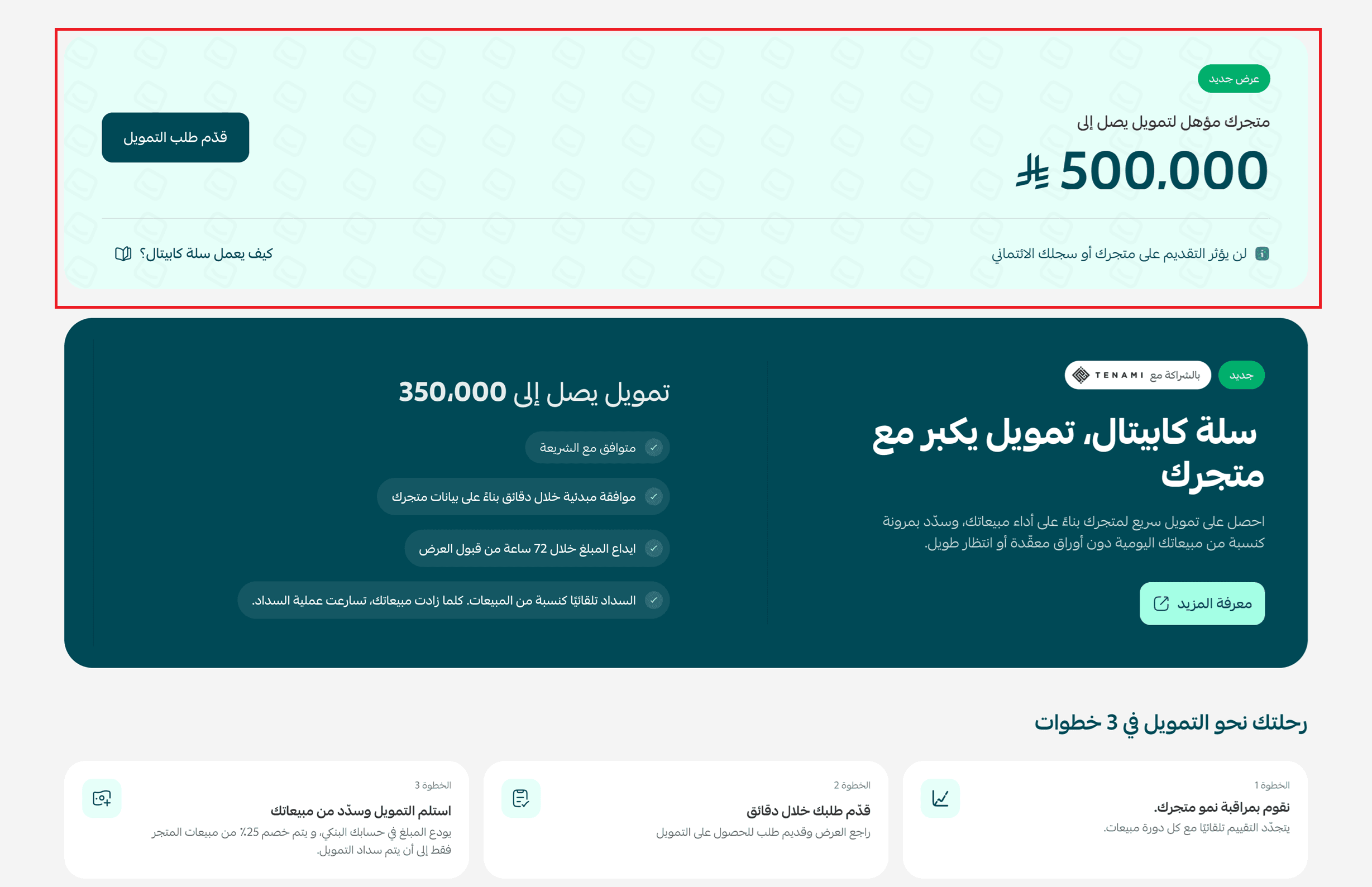
1. Sign in to your store dashboard and go to Salla Capital.
The Salla Capital page shows you the details of your financing offer. If you want to take up the offer, click (Apply for financing).
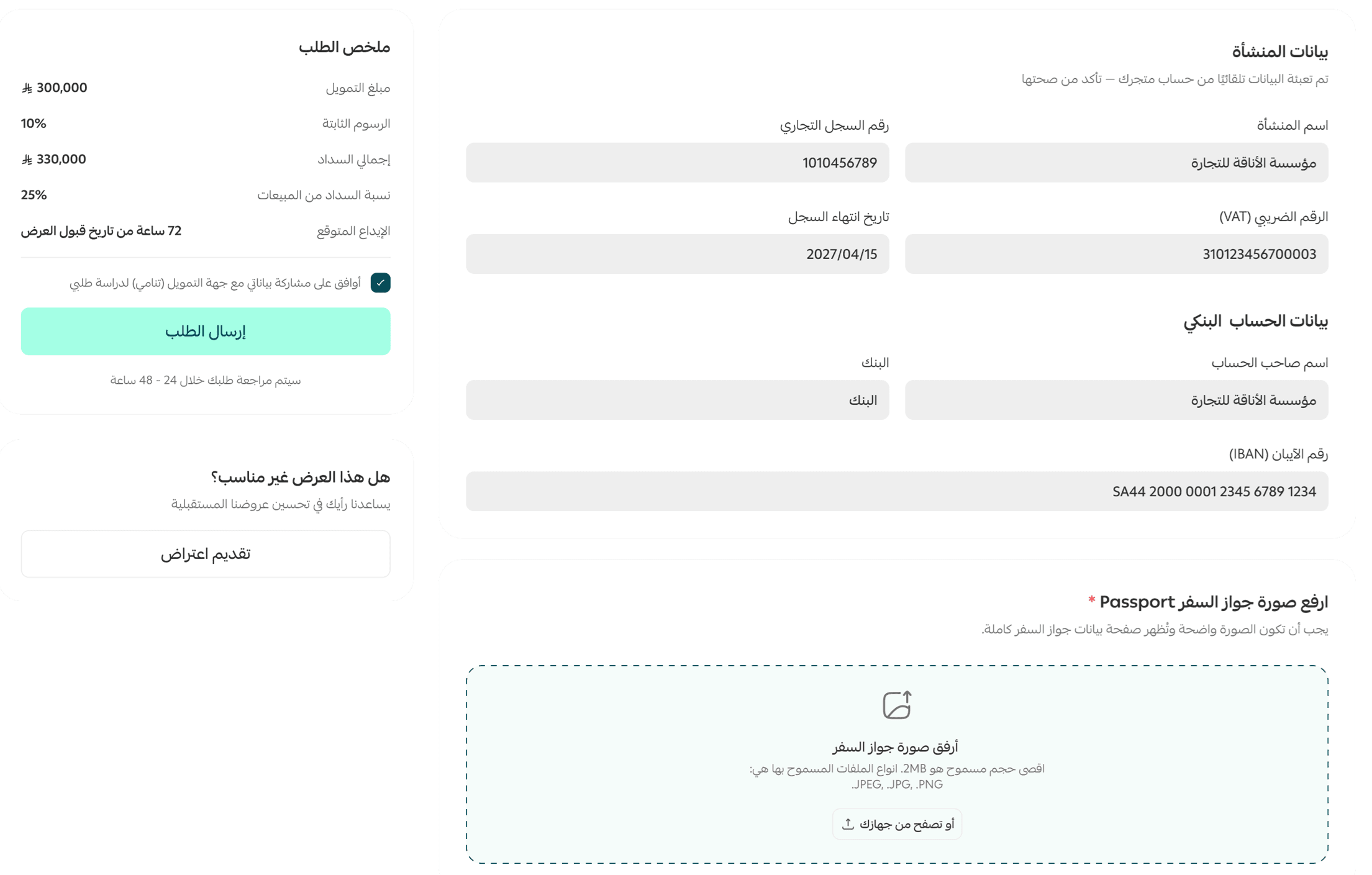
2. Check the financing details in the request summary section, and complete the required information by uploading the required documents (a copy of your passport). Then click (Submit request).
What happens after you submit your request
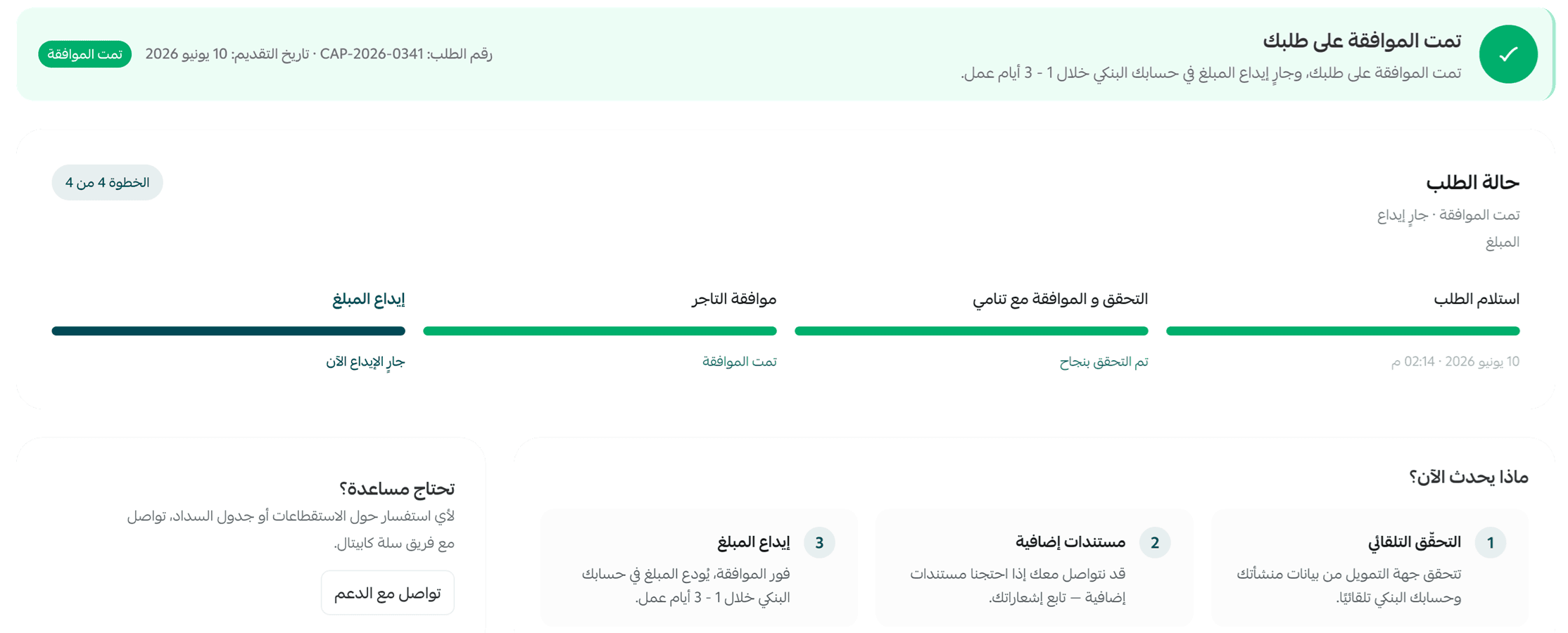
Once you submit your financing request, a message confirms that it has been received. The request then moves through the following stages:
Request review: the financing provider starts reviewing your request and verifying the information and documents you submitted.
Terms and conditions approval: if your request is approved, you receive a notification to complete your approval of the terms and conditions.
Deposit of the financing amount: after you approve the terms and conditions and complete the required procedures, the financing provider starts depositing the financing amount into your account.
Active financing: once the amount has been deposited successfully, the financing status changes to active financing, and you can follow your financing and repayment details on the Salla Capital page.
If your financing request is not approved, the request status changes to rejected, and you also receive an email telling you the outcome.
📝 Important notes
You can check your financing request status at any time on the Salla Capital page, and you receive email notifications as the request moves between its main stages.
❓ Frequently asked questions
Can I edit my request after submitting it?
No. Once you submit your request it enters the review stage, so you cannot edit it.
Can I apply more than once?
Currently, you can submit only one financing request.
Do I have to upload documents when I apply?
Yes. You need to upload your passport and complete some details, according to the financing provider's requirements.
Does submitting my request mean the financing is approved?
No. Submitting a request does not mean the financing is approved. The request is reviewed before the final decision is made.
Related articles
If you want to go further, these articles cover the rest of the journey:
- How to check your eligibility for financing in Salla Capital.
- How to track your financing request status in Salla Capital.
- How to track your financing and repayments in Salla Capital.
- Salla Capital frequently asked questions.