In the world of e-commerce, discount coupons are a powerful tool for attracting customers and increasing sales. They provide financial incentives that encourage purchases, helping stores improve customer loyalty and boost revenue.
In this article, you’ll learn how to manage coupons, analyze their performance, and apply best practices to use them effectively.
What is a discount coupon?
A discount coupon is a voucher or code that can be redeemed for discounts or promotional offers provided by an online store to existing or potential customers. Coupons are designed to motivate customers to purchase a product or service.
📌 Article overview
- Coupons page
- Coupon management
- Coupon filtering
For more details on creating a coupon or a coupon group
Coupons page
From the main menu, click Marketing, then select Coupons.
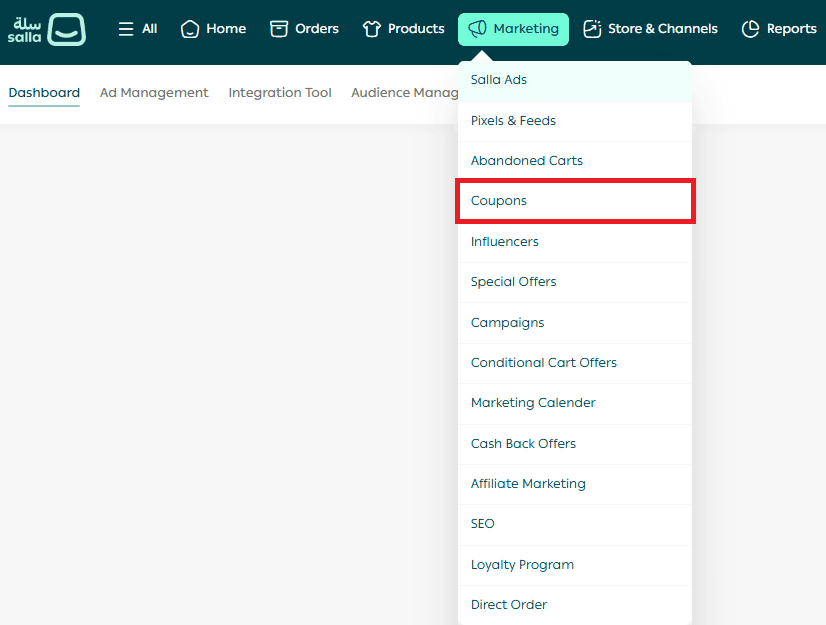
Main tabs on the Coupons page
The Coupons page includes the following tabs:
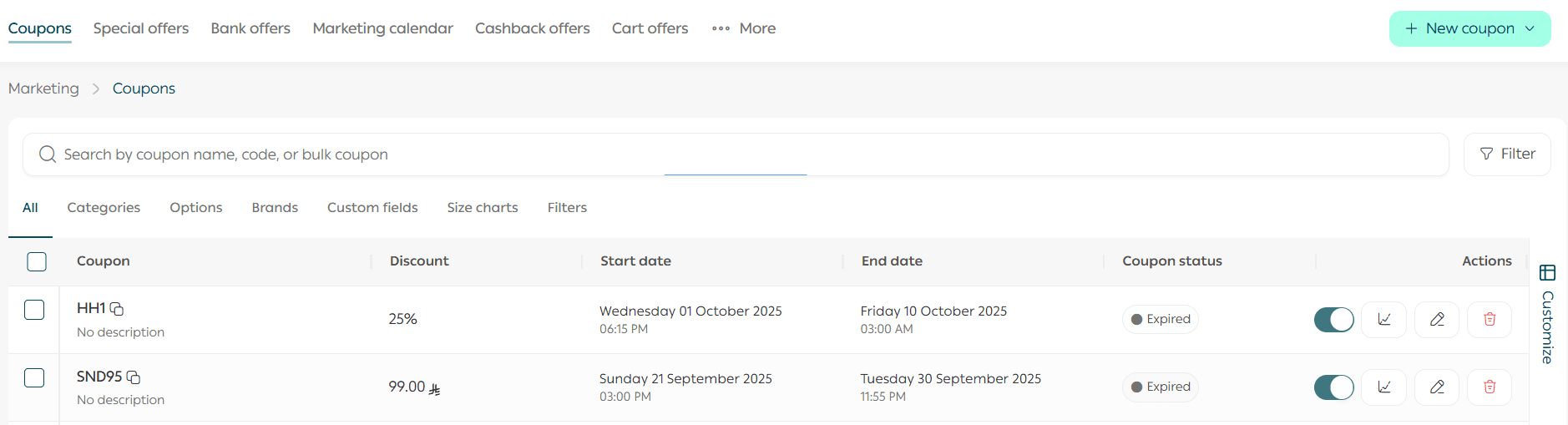
- Coupons: Displays all discount coupons available in the store
- Special offers: View and manage special offers with flexible editing options
- Bank offers: View and manage all bank offers (Special plan)
- Marketing timeline: A timeline of all scheduled marketing activities in your store
- Cashback offers
- Conditional cart offers: Displays all conditional cart offers available in the store
- Settings
The Coupons page will appear as follows.
Search bar
Using the search bar, you can quickly access a specific coupon, coupon group, or coupon code.

View coupons by status
To avoid browsing long coupon lists, you can filter coupons by status:

- All
- Active
- Disabled
- Expired
- Scheduled
- Fully used
Coupon list
The coupon list displays key coupon details in a single row:
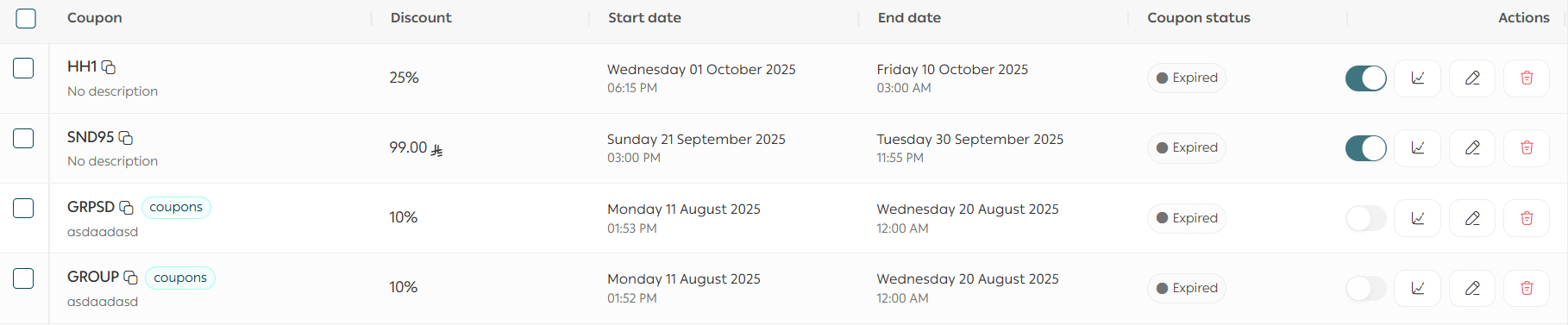
- Coupon title: The name or code used by the customer
- Applied discount rate: For example (10%, 9%, 11%), allowing you to identify the offer at a glance
- Start date: Indicates when the coupon became active
- End date: Shows whether the coupon has no expiry or a fixed expiration date, helping manage permanent and temporary coupons
- Status:
- Active: Available for customers
- Disabled: Not usable
- Expired: No longer valid
Managing coupons
Enable/disable a coupon
Using the enable/disable button, you can immediately stop or reactivate a coupon without deleting it, allowing you to control coupons while keeping their data.
Note: If a coupon status is Expired, you must update the expiration date before reactivating it.
Quick coupon actions
Statistics button
You can quickly review key coupon statistics. Click View orders for deeper insights into coupon performance.

When you click View orders.

You’ll be redirected to the Orders page filtered to show all completed orders that used the coupon.
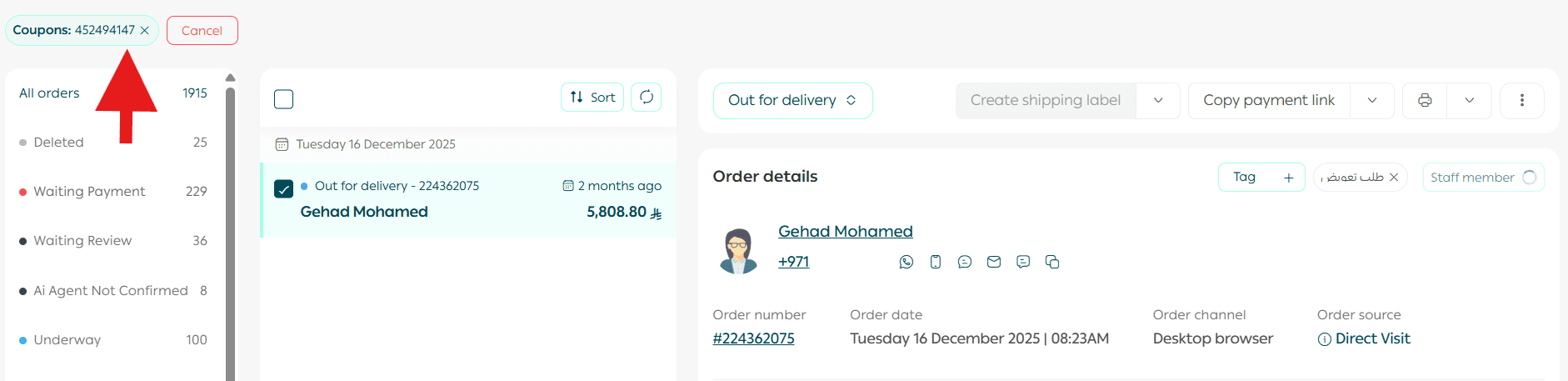
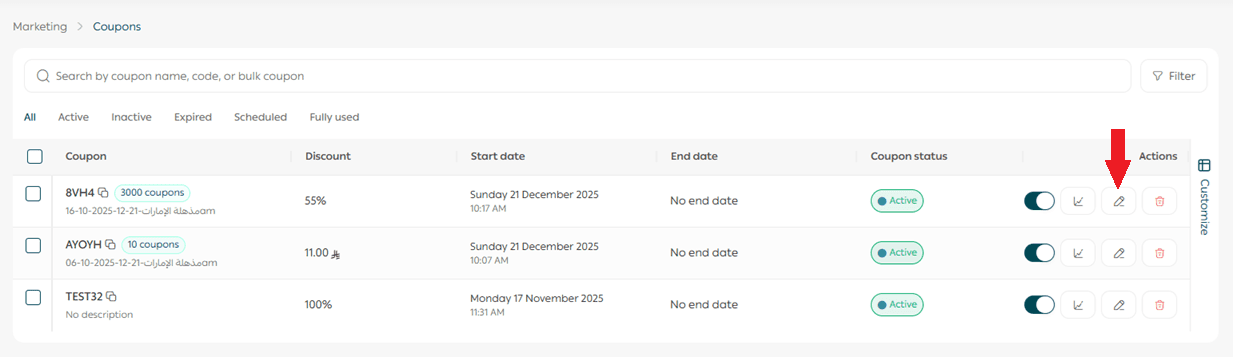
Edit coupon button
Allows you to modify coupon information and details.
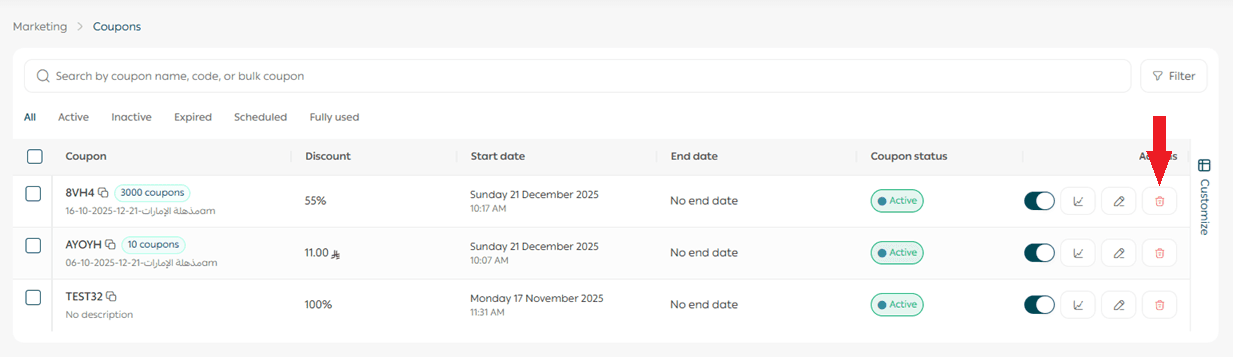
Delete coupon
Using the delete option, you can permanently remove a coupon.
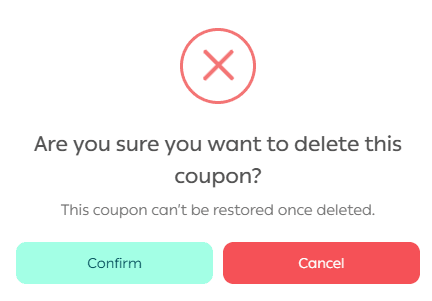
A confirmation message will appear. Click Confirm to proceed.
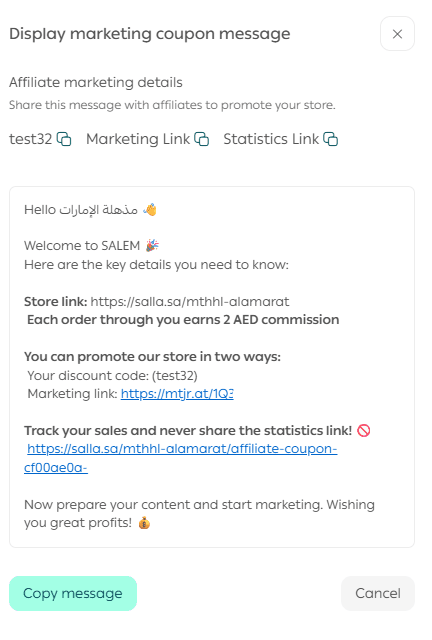
View marketing coupon message
You can easily view and share the coupon’s marketing message, code, link, or statistics.
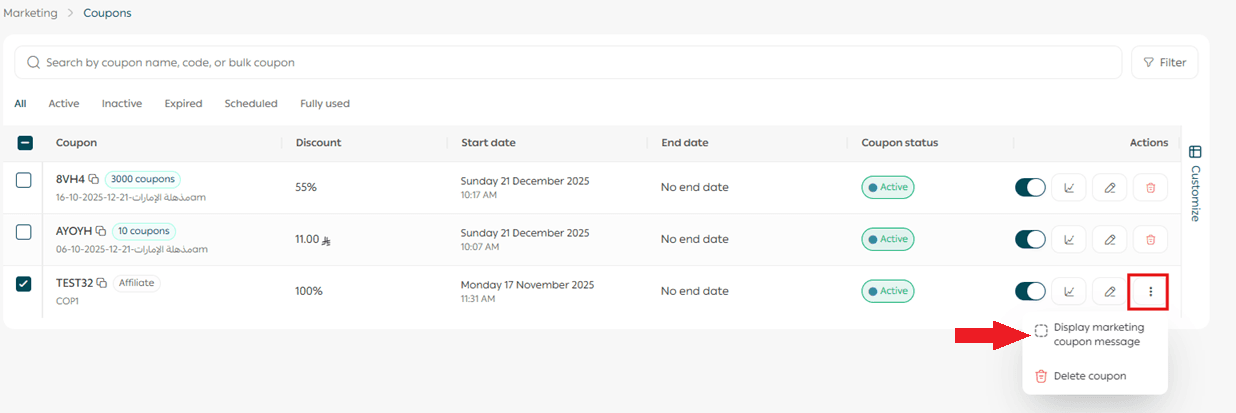
It will appear in a shareable format.
Viewing a coupon group
To view and manage a coupon group, click Coupons.
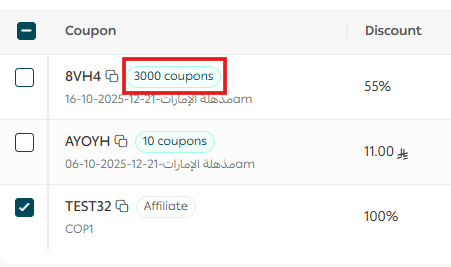
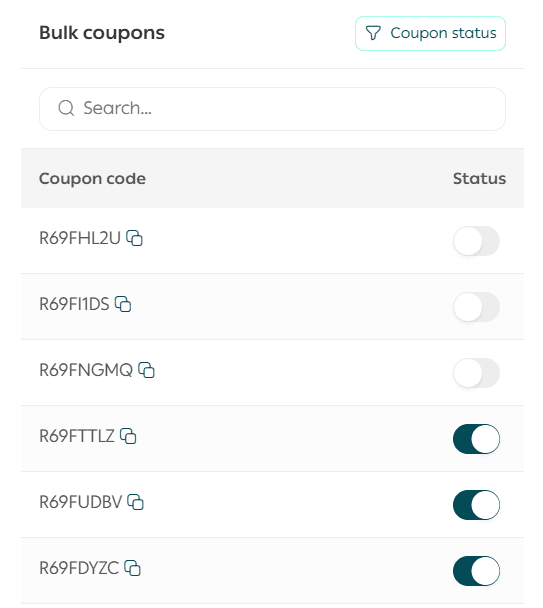
The coupon group view includes:
- Search bar: Quickly find a specific coupon

- Copy coupon code: Easily copy the coupon code

- Coupon status: Flexibly enable or disable the coupon

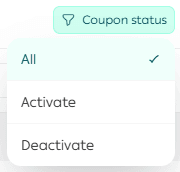
Using the coupon status filter, you can view coupons by their current status.
Customizing coupon table columns
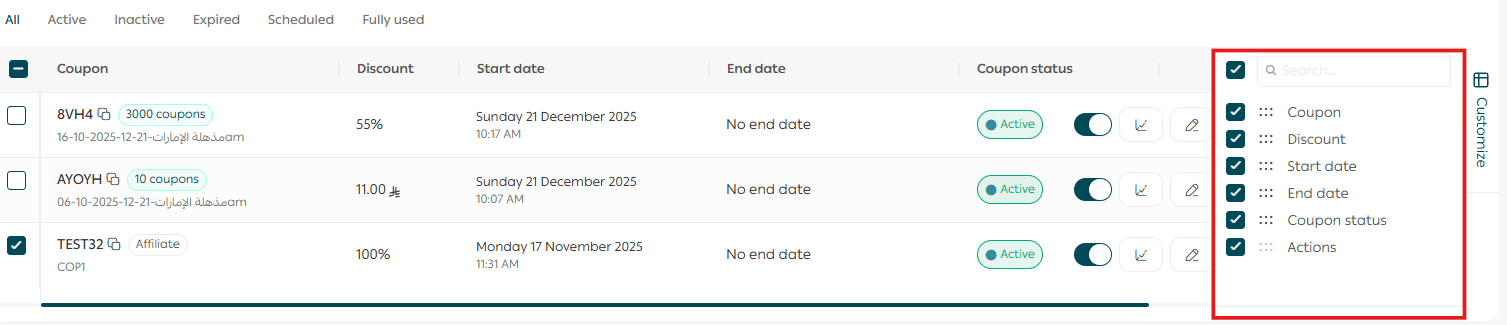
To customize the coupon table, click Customize.
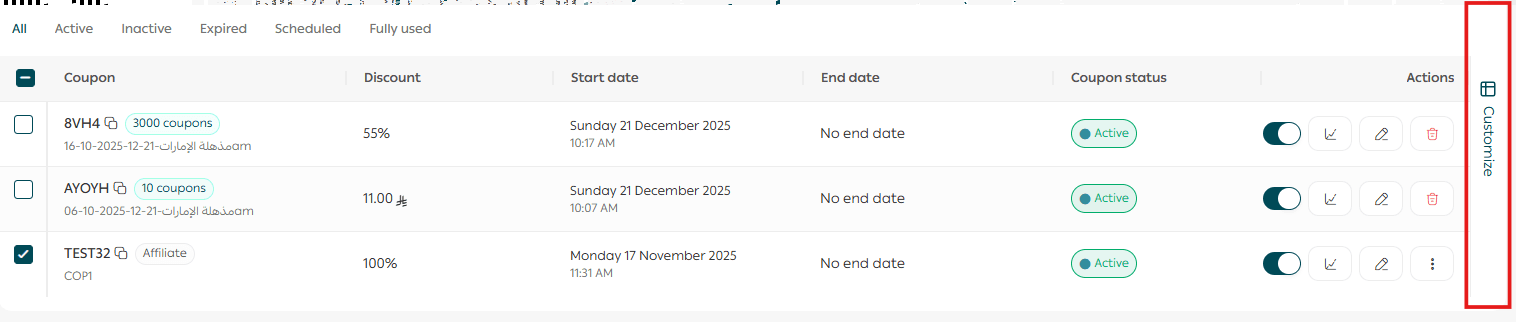
Select the columns you want to display or rearrange them using drag and drop.
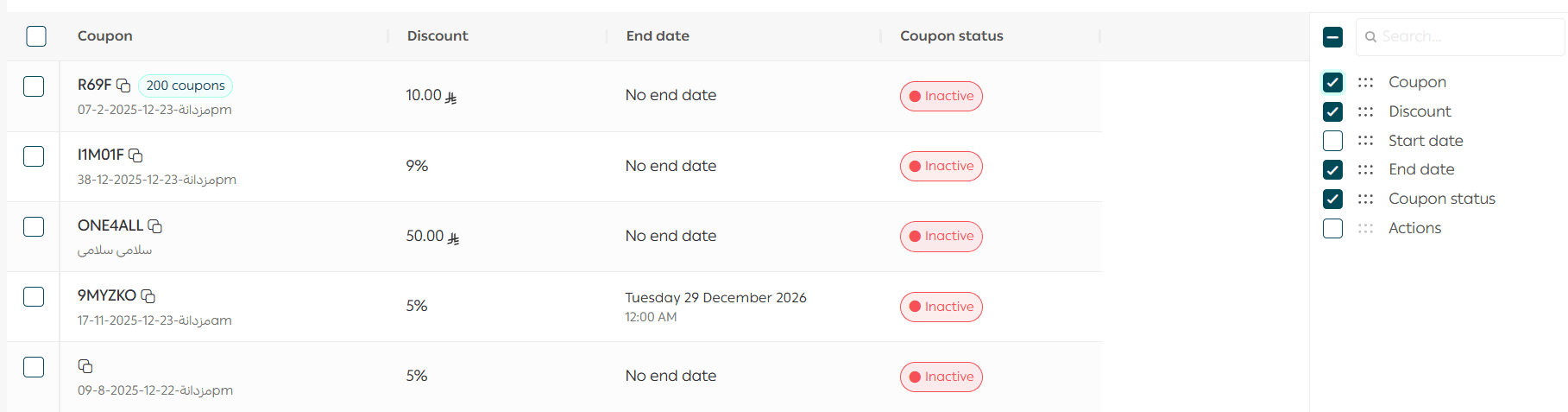
The table will update to reflect your selected and reduced columns.
Filtering coupons
To use the coupon filtering feature, click Filter, then define your filter conditions and sorting preferences.
Select the required filters, then click View results.
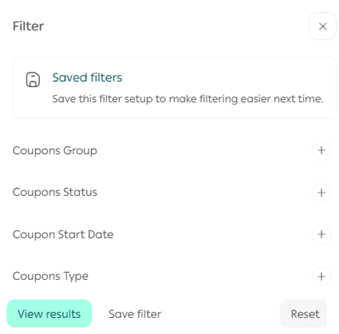
Note: You can search for a coupon group by selecting Coupon group.
Coupon settings
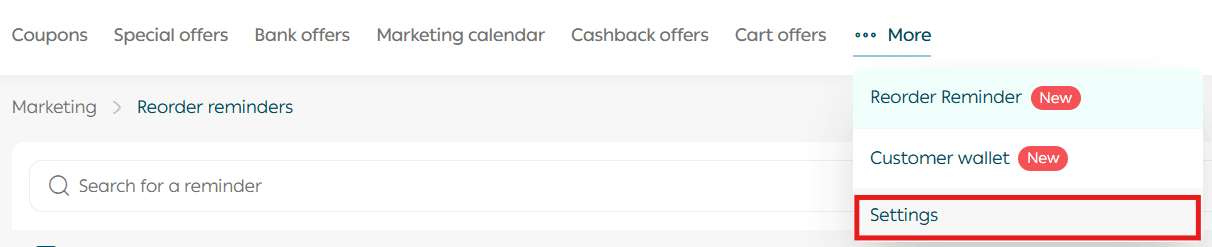
From the Coupons page, click Settings.
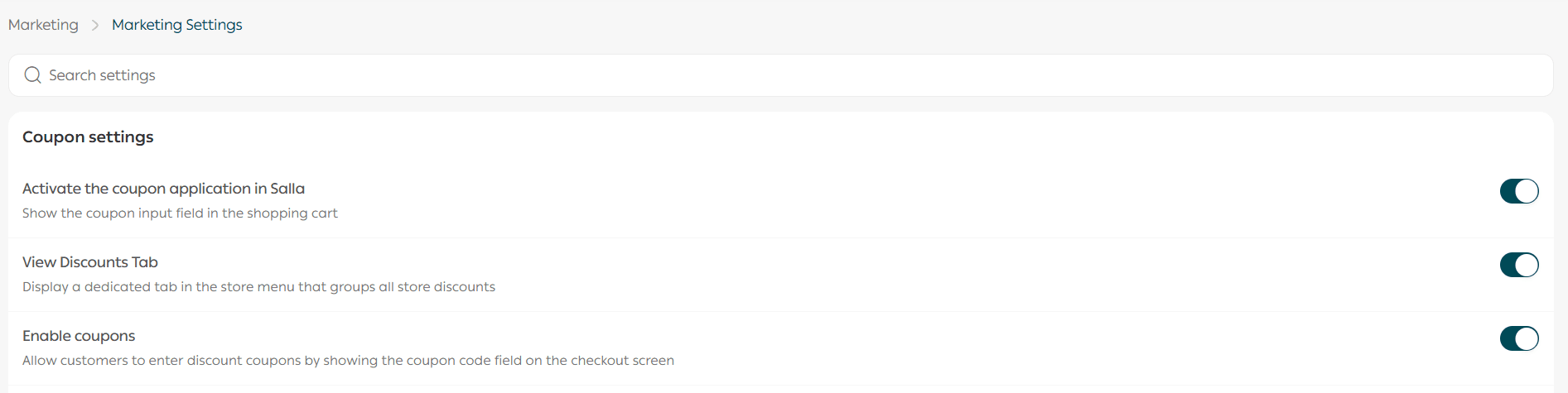
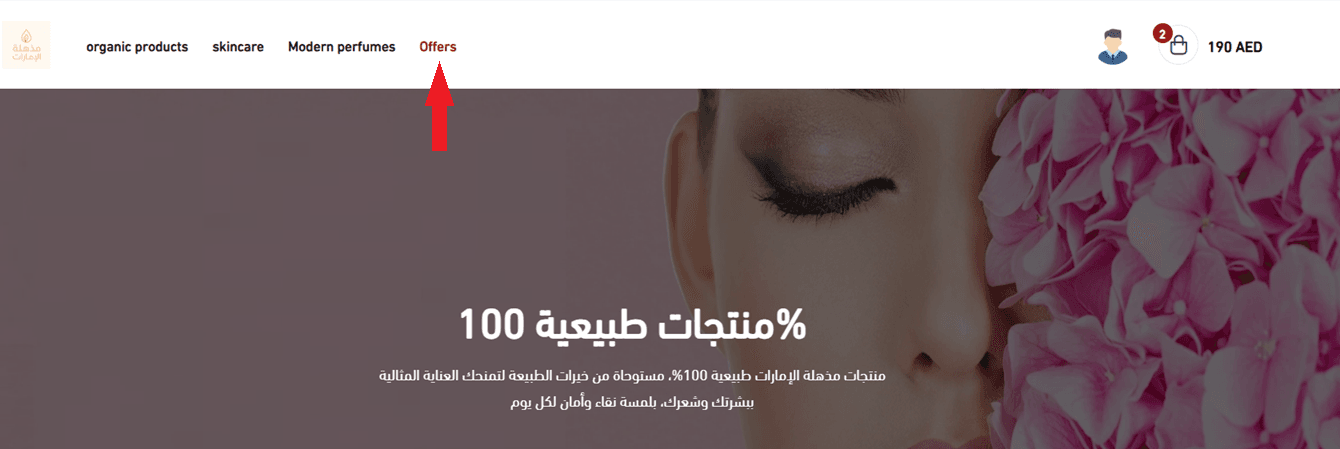
The store discounts settings tab will appear.
Tips for building an effective coupon strategy
Increase average order value
- Offer a cart-wide discount when a minimum amount is reached
(e.g. 10% off for orders over SAR/AED 300)
- Use fixed-value coupons
(e.g. SAR/AED 25 off orders over SAR/AED 100)
Clear slow-moving inventory
- Use coupons to discount low-selling products or offer deals on accessories
Reward new and loyal customers
- Offer free shipping coupons for first-time orders
- Surprise loyal customers with exclusive coupons to strengthen loyalty
Market through coupon websites
- Target deal-seeking customers through coupon websites
- Consider the costs of this strategy and how it aligns with your brand
Frequently asked questions
How can I benefit from marketing coupons as a merchant?
Marketing coupons help you attract affiliate marketers by:
Step one:
Create an affiliate marketing landing page in your store explaining how your affiliate program works, its conditions, how to join, and providing a contact email or an application form.
Step two:
Review affiliate applications, create discount coupons for approved marketers, and share the marketing message or link with them.
Is the discount applied automatically when a customer enters through a marketing link?
Yes.
What is the difference between a marketing link and a marketing coupon?
Marketing coupon: A unique coupon created for an affiliate to share with customers. The customer receives a discount, and the affiliate earns a commission after the purchase is completed.
Marketing link: A link shared by the affiliate. Customers do not receive a discount, but the affiliate earns a percentage or fixed amount from the cart value after purchase.
How can a customer apply or remove a coupon?
Customers can apply a coupon in two ways:
- Applying the coupon at checkout
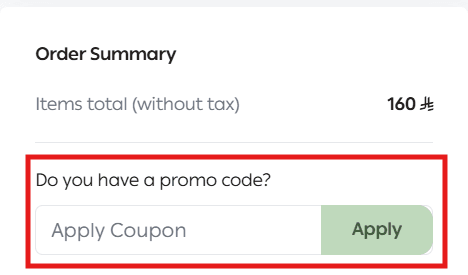
2. Applying the coupon in the cart before checkout
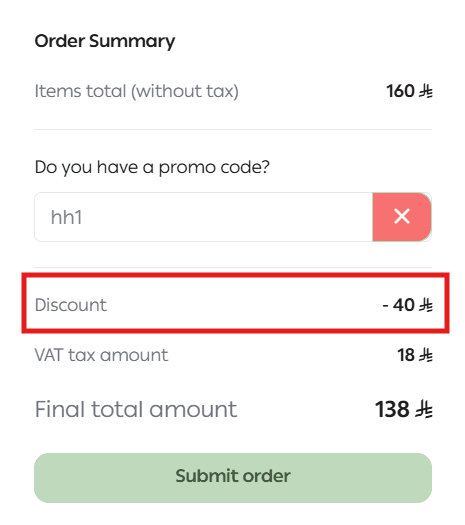
After adding products to the cart, the customer can apply the coupon and view discounted prices and the updated cart total.
To remove a coupon, click the X icon next to the coupon code.
How do coupons benefit my store?
Increase sales and conversions: Encourage customers to complete purchases and reduce cart abandonment
- Build loyalty: Attract new customers and turn them into repeat buyers
- Performance analysis: Easily track return on investment
- Expand customer reach: Share coupons across multiple channels
- Convenience: Digital coupons are easy to use and cost-effective
- Customer appreciation: Coupons reward customers and increase satisfaction
What types of discount coupons are available?
- Direct discounts (e.g. 10% off a product)
- First-purchase coupons
- Free shipping coupons
- Free trials for a limited time
- Product launch or seasonal offers
- Free gifts or gift cards