Efficient shipping starts with a smart integration. The new SMSA direct integration using an API key gives you faster setup, smoother operations, and full control from day one. In this guide, we walk you through a simple, step-by-step process to connect your store to SMSA and elevate the delivery experience for every order.
📌 Article overview
- How to install the SMSA app
- How to connect your store to SMSA
How to install the SMSA App
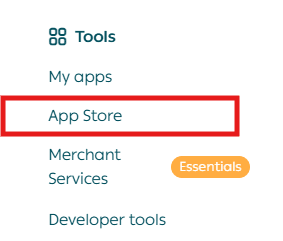
- From the main menu, click All, then under Support Tools, select App Store.
- Use the search bar to find the SMSA app.

- Open the SMSA app page and click Install.
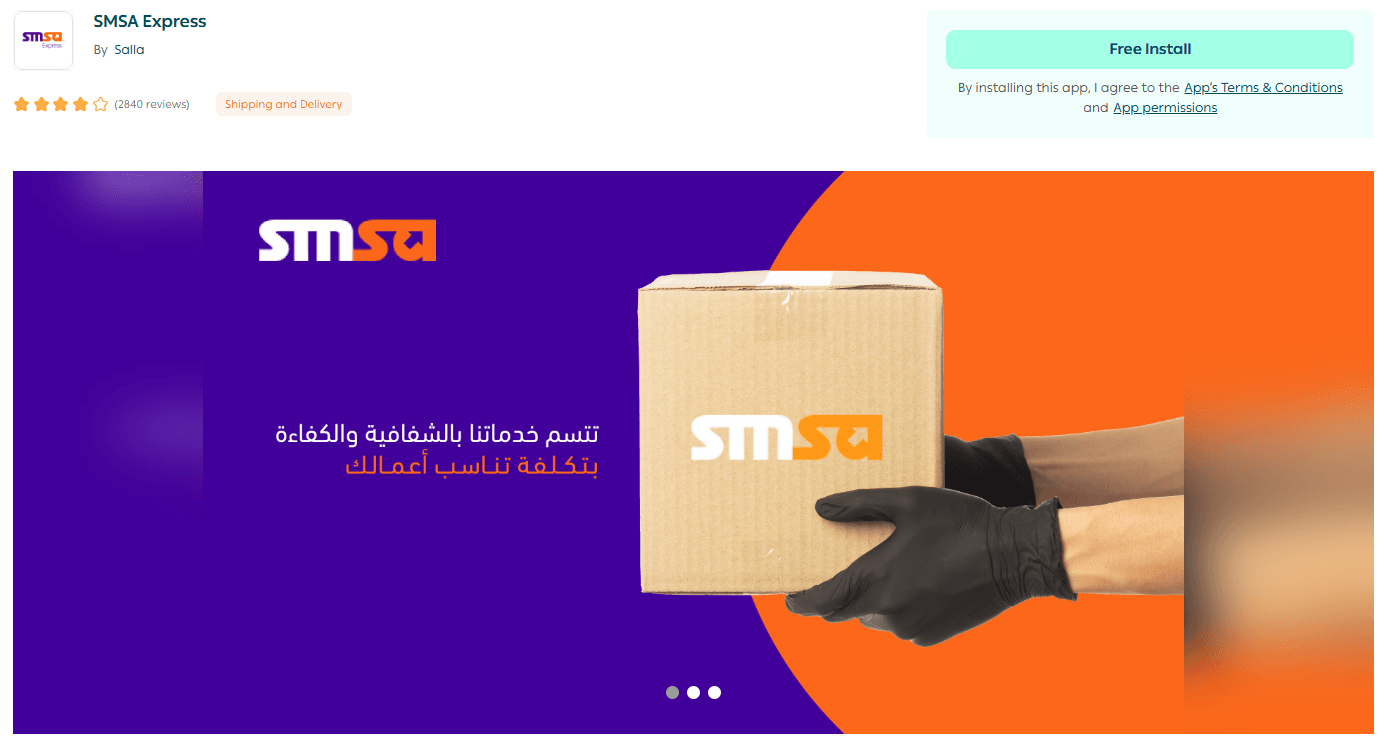
Once completed, the SMSA app will be successfully installed on your store.
How to connect your store to SMSA
Step 1: Access the SMSA Portal
- Go to the SMSA portal link.
- Log in using your SMSA credentials (username and password).
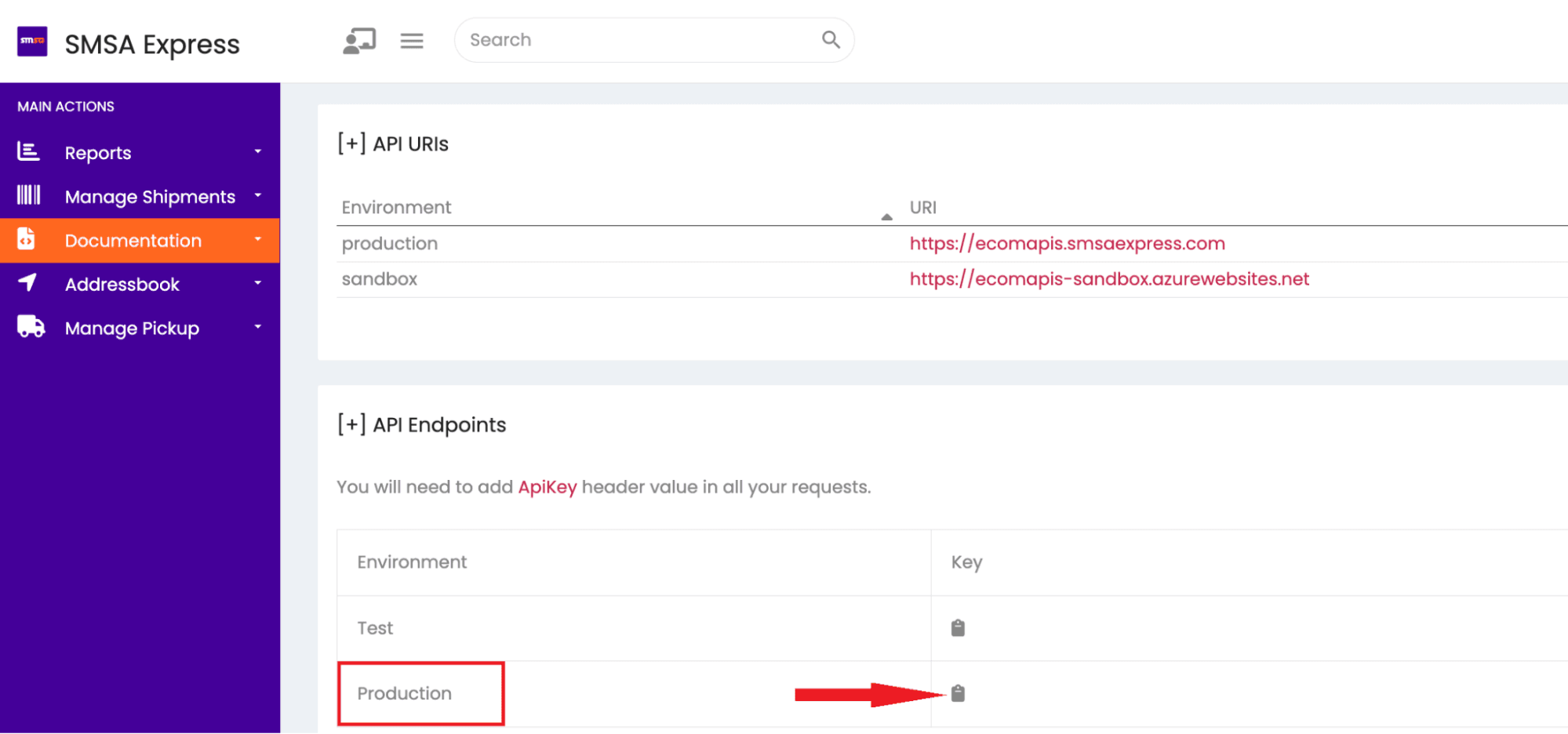
- Copy the Production API key shown in red.
Step 2: Connect SMSA from the Salla App Store
- From your Salla admin dashboard, go to App Store, then select My Apps.
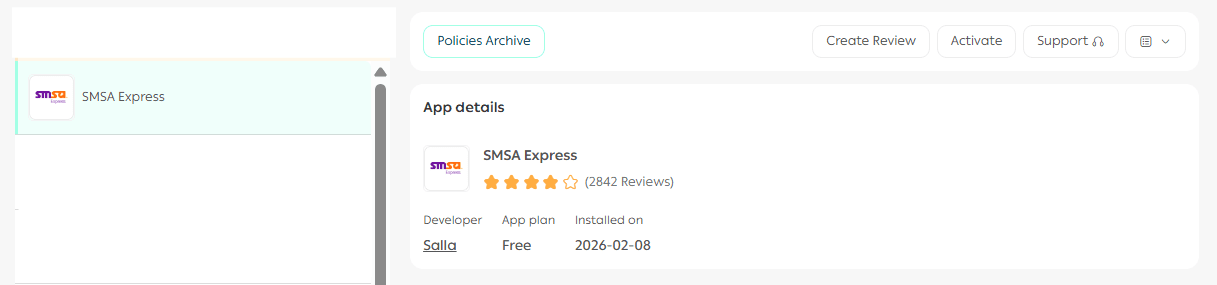
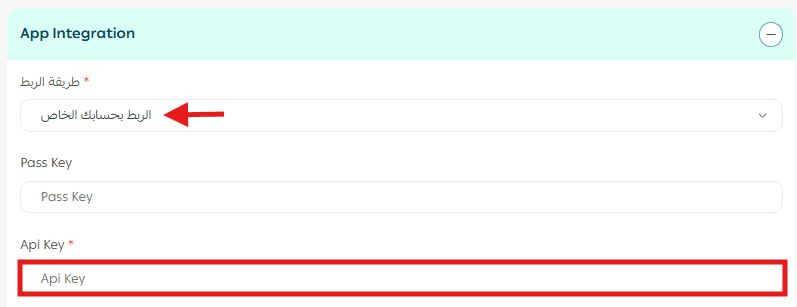
- In the app connection settings, choose Connect using your own account, paste the API key you copied earlier into the API Key field, then click Save.
Step 3: Enable automatic shipment status updates
To ensure SMSA shipment statuses update automatically in your Salla store, follow these steps:
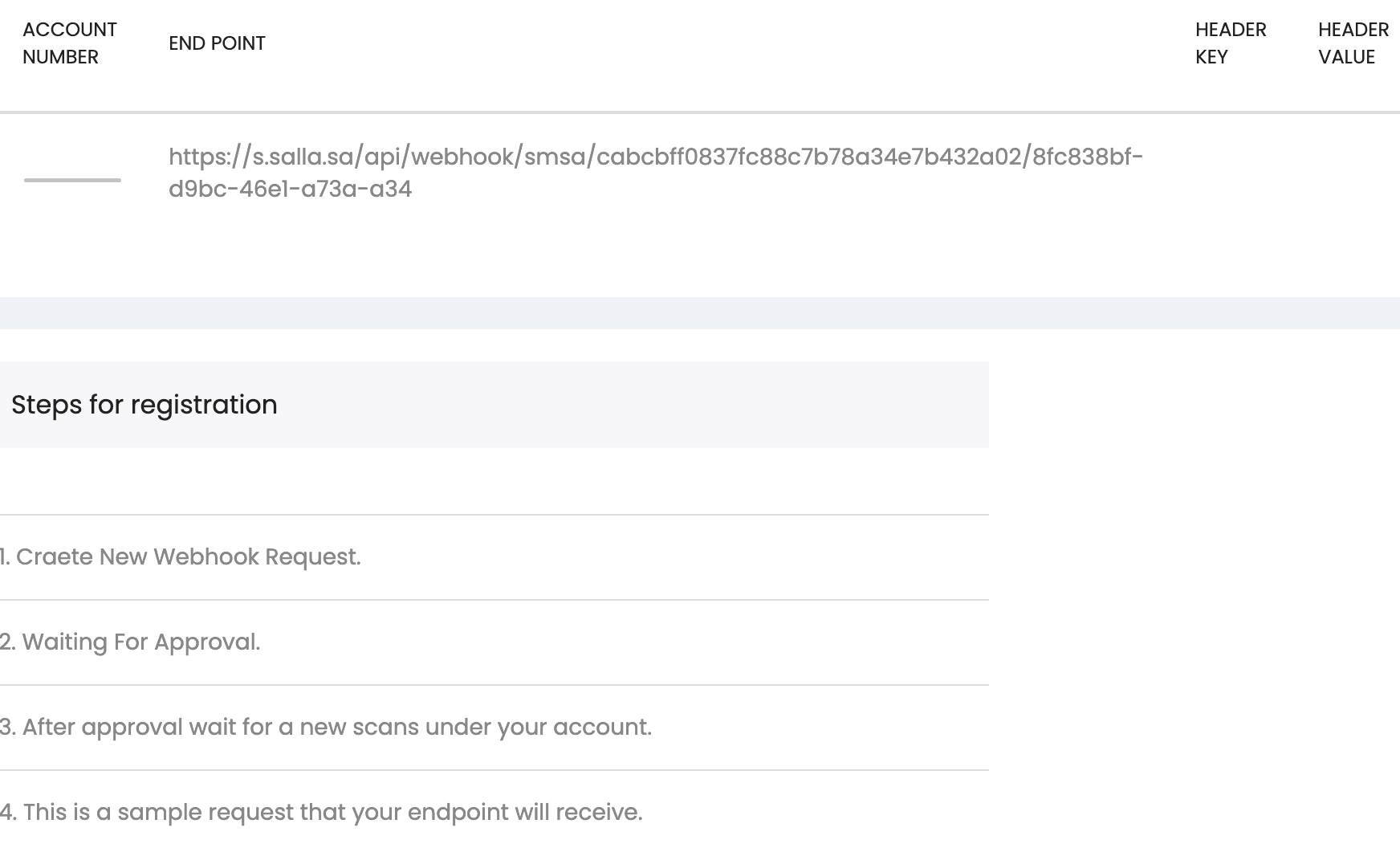
1. Copy your Salla webhook URL
⚠️ This webhook URL is fixed and unique to your store:
https://s.salla.sa/api/webhook/smsa/cabcbff0837fc88c7b78a34e7b432a02/8fc838bf-d9bc-46e1-a73a-a34
2. Log in to the SMSA platform and complete the following:
- Select Create New Webhook Request
- Paste your webhook URL into the Endpoint field
- Click Save
Important note: If this step is not completed, SMSA shipment statuses will not update automatically in your store.
Frequently asked questions
What is the difference between SMSA via Salla Discounted Labels and connecting your own SMSA account?
SMSA integration through Salla discounted labels is managed directly within the platform. Connecting your own SMSA account allows you to manage and control all settings directly from the SMSA portal.
What is an API key?
An API key is a secure authentication key linked to your SMSA account. It enables a direct, secure connection between your store and SMSA’s shipping services.
Does this integration affect the customer’s shipping experience?
No. Connecting SMSA via API key does not affect the customer experience. Shipping and delivery flows remain unchanged.
For more details, see the SMSA App Guide.