The marketing calendar is a powerful tool that helps you organize all marketing activities in your store. It allows you to view all active offers and discount coupons across different time periods, while also giving you the option to add external campaigns to ensure complete tracking of your marketing efforts.
In this article, you will learn how to manage the marketing timeline, from viewing scheduled activities to adding external campaigns; so you can build a more structured and efficient marketing strategy.
📌 Article overview
- What is the marketing calendar?
- Managing the marketing calendar
- Viewing the marketing calendar
- Adding an external campaign
- Frequently asked questions
What is the marketing calendar?
The marketing calendar displays a calendar view of all scheduled marketing activities in your store, including:
- Active offers
- Discount coupons
- Scheduled promotions (monthly, weekly, or daily view)
It also allows you to add external campaign details, helping your team track all marketing efforts in one centralized place.
Managing the marketing calendar
Viewing the marketing calendar
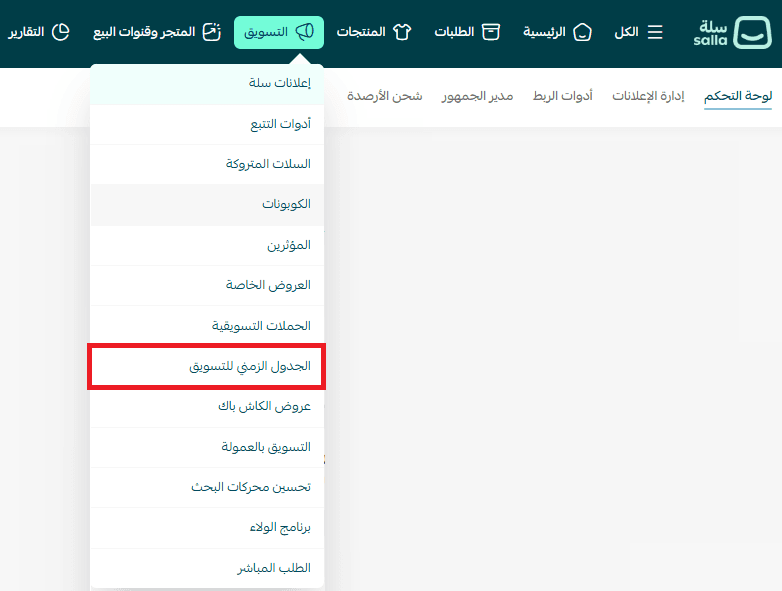
- From the main menu, click Marketing
- Then select Marketing Calendar
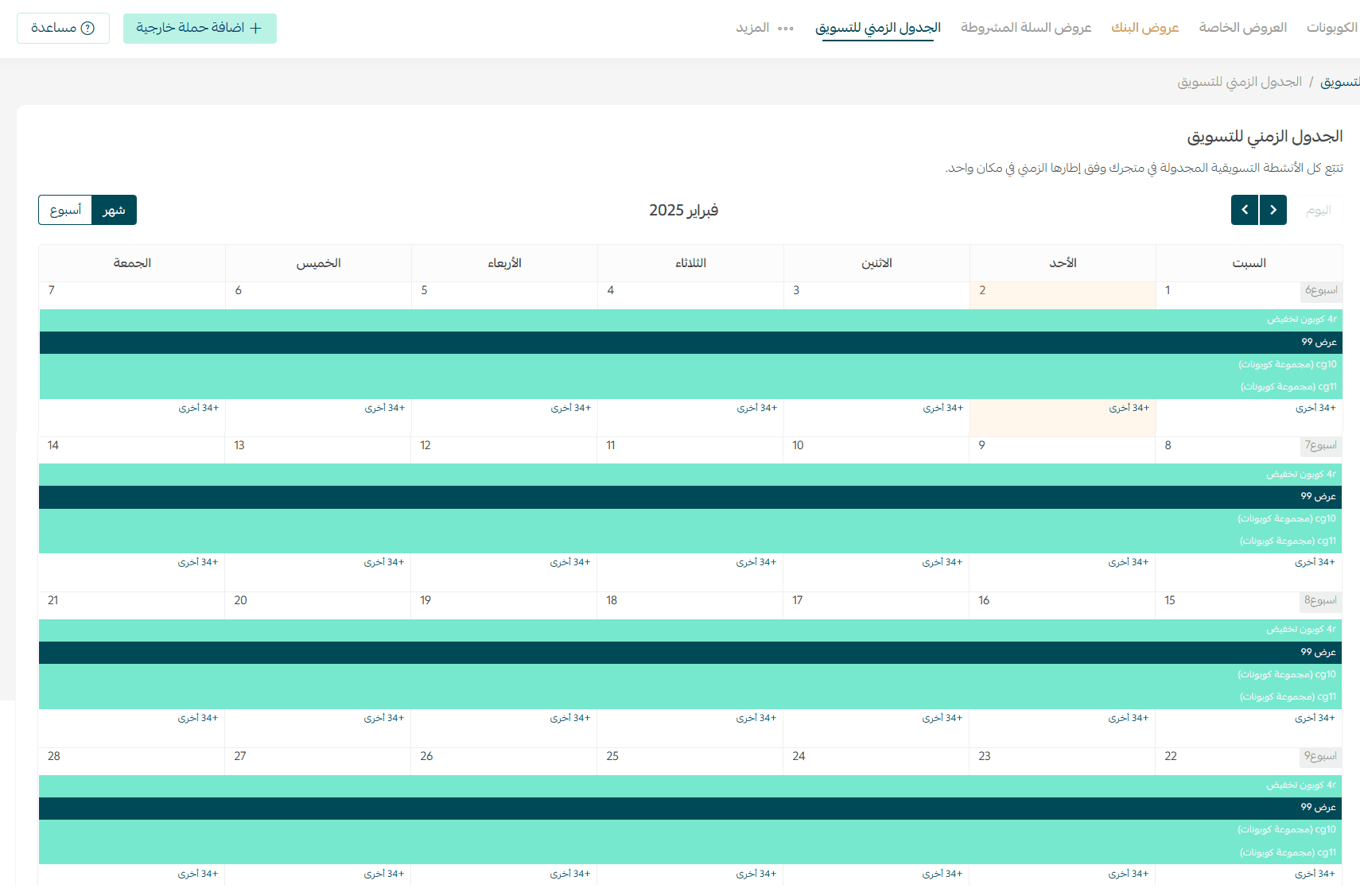
The monthly view will appear like this:
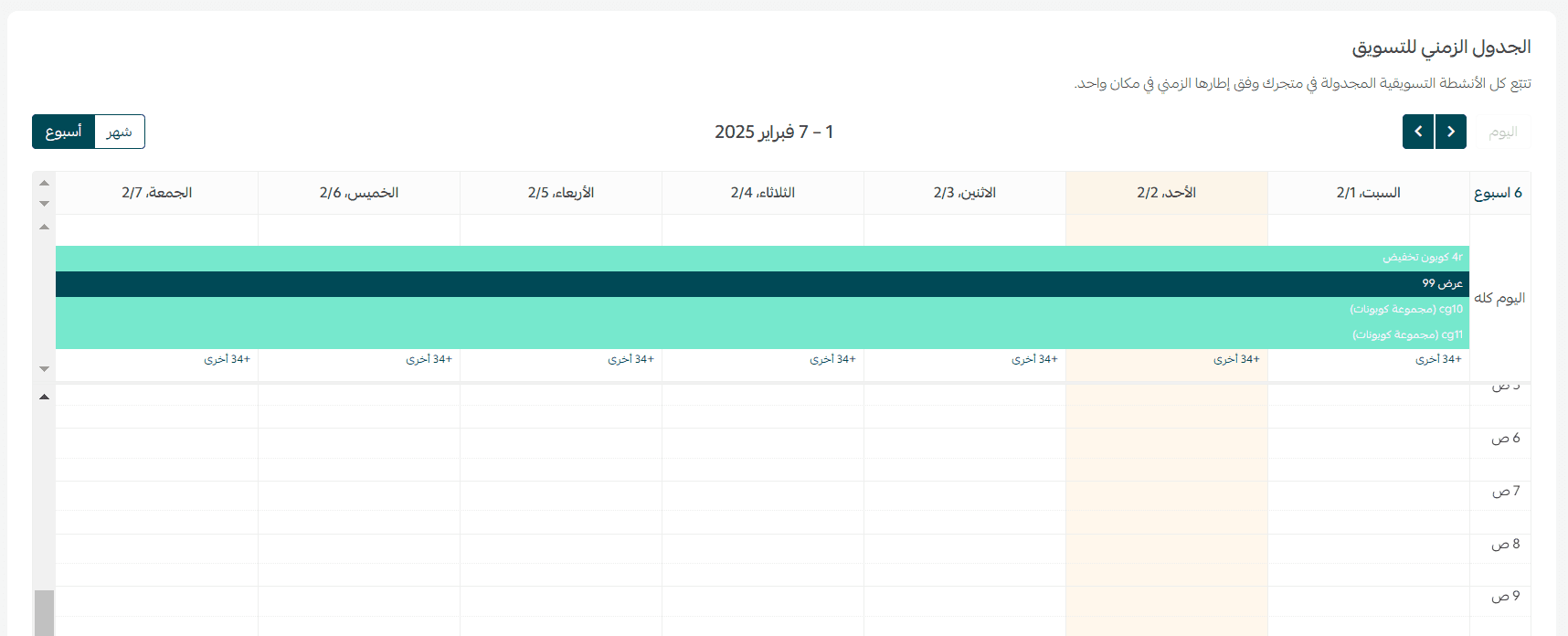
Weekly view
You can also switch to a weekly view, which will appear like this:
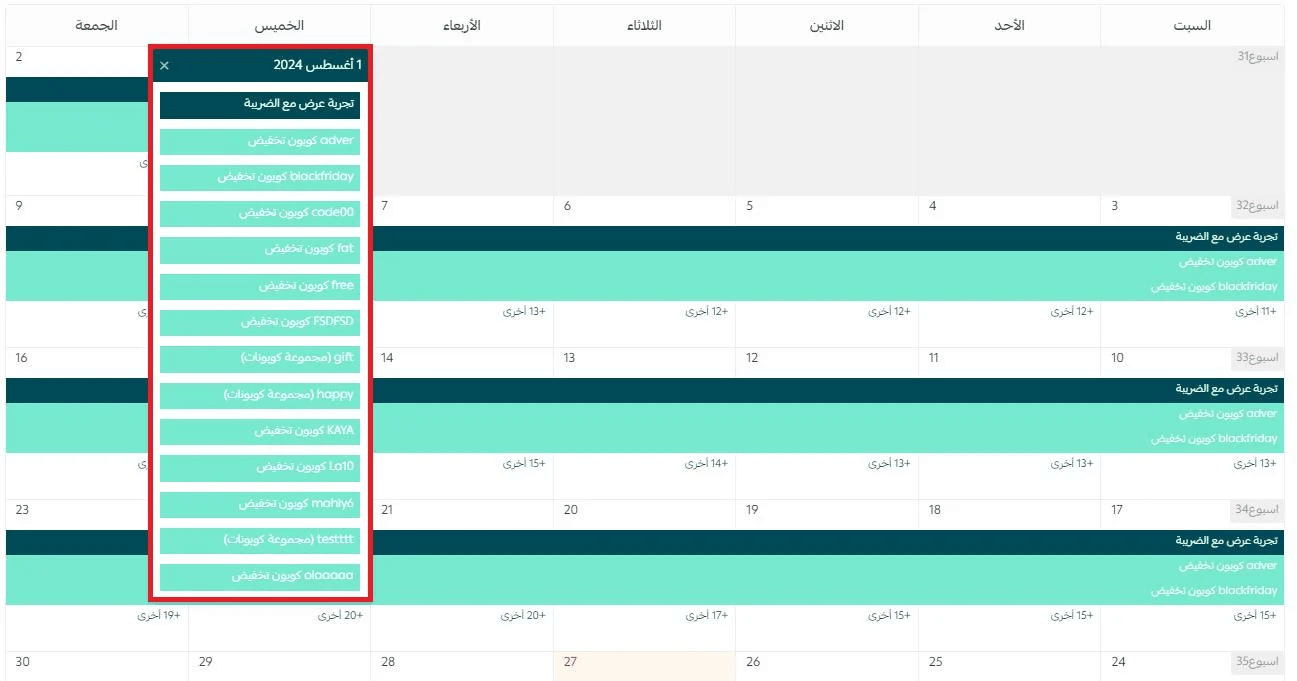
Viewing all activities for a specific day
The calendar shows only the first two marketing activities scheduled for each day.
To view all activities on a specific day:
- Click the number displayed beneath the activities on that date.
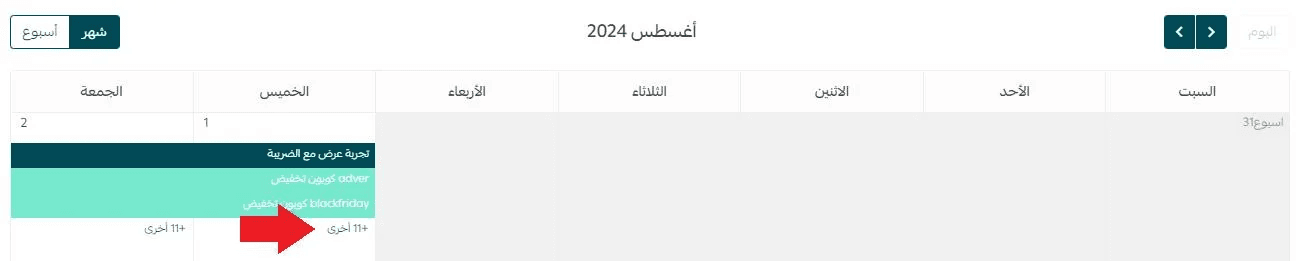
2. All scheduled marketing activities for that day will then appear in full.
Adding an external campaign
You can include external marketing campaigns in your calendar to ensure full visibility across all marketing efforts.
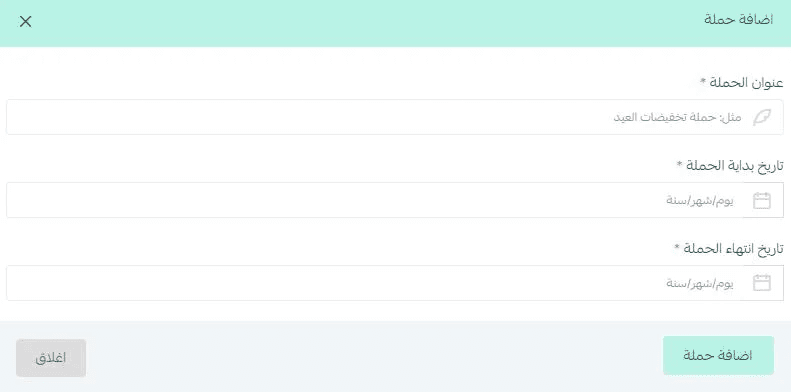
- From the Marketing Calendar page, click + Add External Campaign

2. Enter the campaign details:
- Campaign name
- Start date
- End date
3. Click Add Campaign
Frequently asked questions
How can I tell different marketing activity types apart?
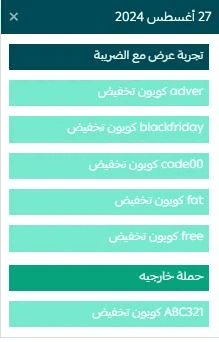
Each type of activity has its own color indicator:
- Light color → Discount Coupon
- Green → External Campaign
- Dark color → Marketing Offer
Which subscription plans support this feature?
The Marketing Calendar is available on all paid plans.