Coupon groups
❓ What are the main uses of a coupon group?
A coupon group lets you generate multiple coupon codes at once, give each customer or beneficiary their own dedicated code, and manage and track their performance from a single place.
Common use cases:
Stores serving schools: a school-uniform store can create a coupon group and assign a dedicated coupon to each student, so every beneficiary receives the discount or benefit allocated to them.
Training courses: a trainer can create a coupon group and assign each member their own coupon to use when enrolling in a new course, instead of sharing a single code across all members.
❓ Can I import a set of coupon codes from a file?
Yes. You can import multiple coupon codes at once from a prepared file. This feature is available to stores on the Salla Special plan.
To import a coupon group:
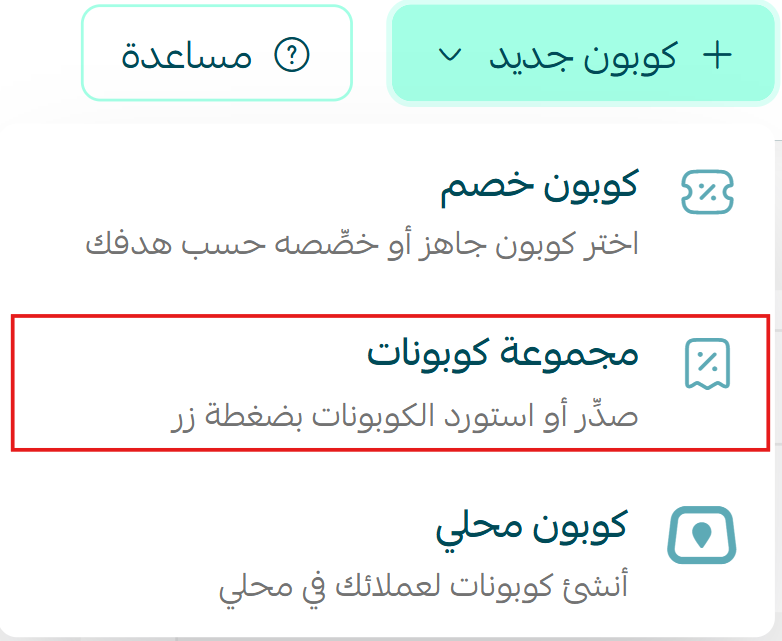
1. From the Coupons page, click (Create New Coupon) then (Coupon Group).
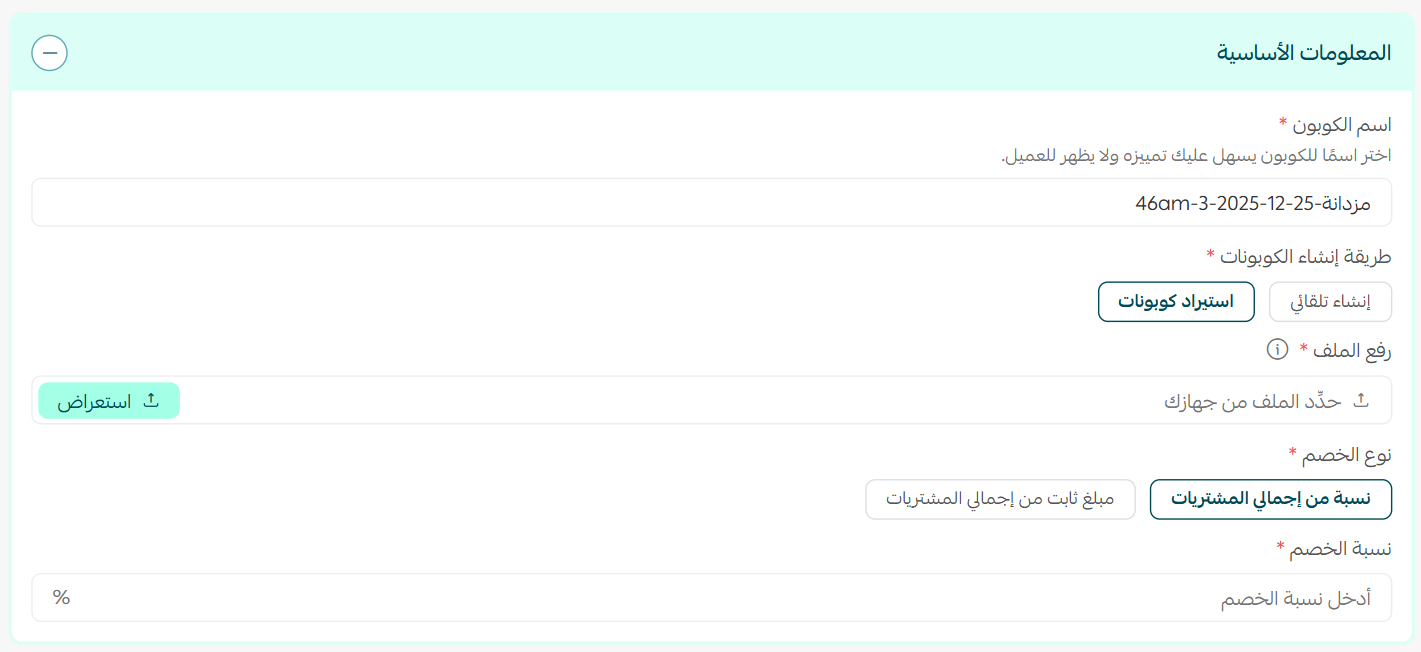
2. Enter the required coupon details, set the coupon-entry method to (Upload File), attach the import file, and click (Save).
❓ How do I view the coupons inside a coupon group?
You can view every code belonging to a group from the Discount Coupons page.
From the Discount Coupons page, click the coupon count shown next to the group name.

The coupons in the group appear as follows:
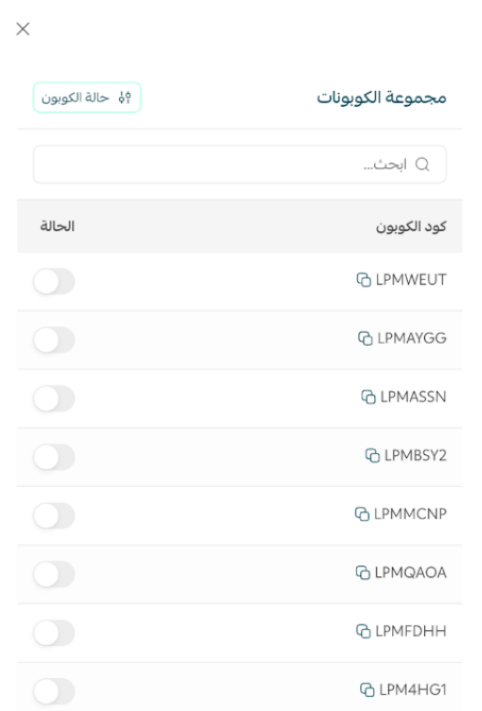
Note: coupons in a group share the same opening characters, which makes them easy to identify.
❓ How do I disable a single coupon within a group?
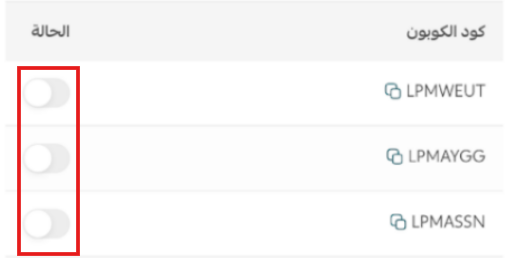
You can disable any coupon individually without affecting the other coupons in the group.
Open the coupon group.
Deselect the coupon you want to disable.
❓ How do I enable or disable an entire coupon group?
You can control the status of the whole group from the Discount Coupons page.
From the Discount Coupons page, select the coupon group.
Enable the group or deselect it as needed.

Note: disabling a group stops its coupons from being used, in line with the group's status.
❓ Can I move an existing single coupon into a group?
Yes. You can reuse a previous single coupon code within a coupon group by disabling the single coupon first, then adding its code to the group.
❓ Can I view statistics for each coupon in a group?
Yes. You can view statistics for each coupon independently, alongside the overall statistics for the coupon group.
Affiliate coupons
❓ How do I use affiliate coupons in affiliate marketing?
An affiliate coupon lets you work with affiliate marketers and give each affiliate a dedicated code, so you can track the sales it generates and calculate commission according to your affiliate program settings.
To start using affiliate coupons, follow these steps:
Step one: Set up an affiliate program page
Publish a page in your store explaining how your affiliate program works, the conditions for joining, how to register, and a contact method or application form.
Step two: Select your affiliates and create their coupons
After reviewing the applications, select the affiliates you want to work with, create an affiliate coupon for each one, then share the coupon details and the affiliate link with them.
❓ What is the difference between an affiliate link and an affiliate coupon?
Affiliate coupon:
A coupon assigned to the affiliate, which they share with their audience. When a customer uses the coupon and completes the purchase, the customer receives the specified discount and the affiliate earns the return or commission set in your program.
Affiliate link:
A link assigned to the affiliate, which they share with customers. When a customer completes a purchase through the link, the affiliate earns the specified percentage or amount of the cart value, while the customer does not receive a discount simply for using the link.
❓ Does the customer receive a discount when using an affiliate link?
This depends on how the affiliate link is configured. [Verify: confirm the current product behaviour before this answer is finalised. The Arabic source carries the same open question and needs the same fix.]
Using discount coupons
❓ How can a customer apply or remove a coupon?
Customers can apply a discount coupon during checkout or from the cart.
To apply a coupon during checkout: the customer enters the coupon code in the dedicated field at the checkout step.
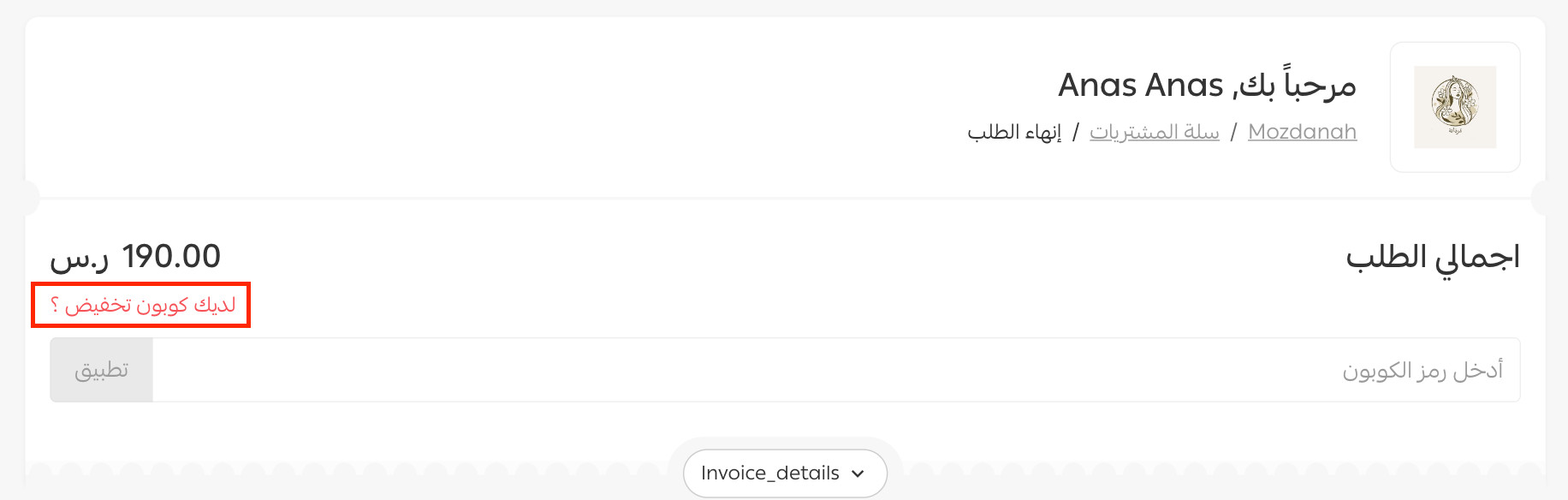
- Applying a coupon in the cart, before completing the order
After adding products to the cart and opening it, the customer can apply the discount coupon, see product prices after the discount, and view the updated cart total.
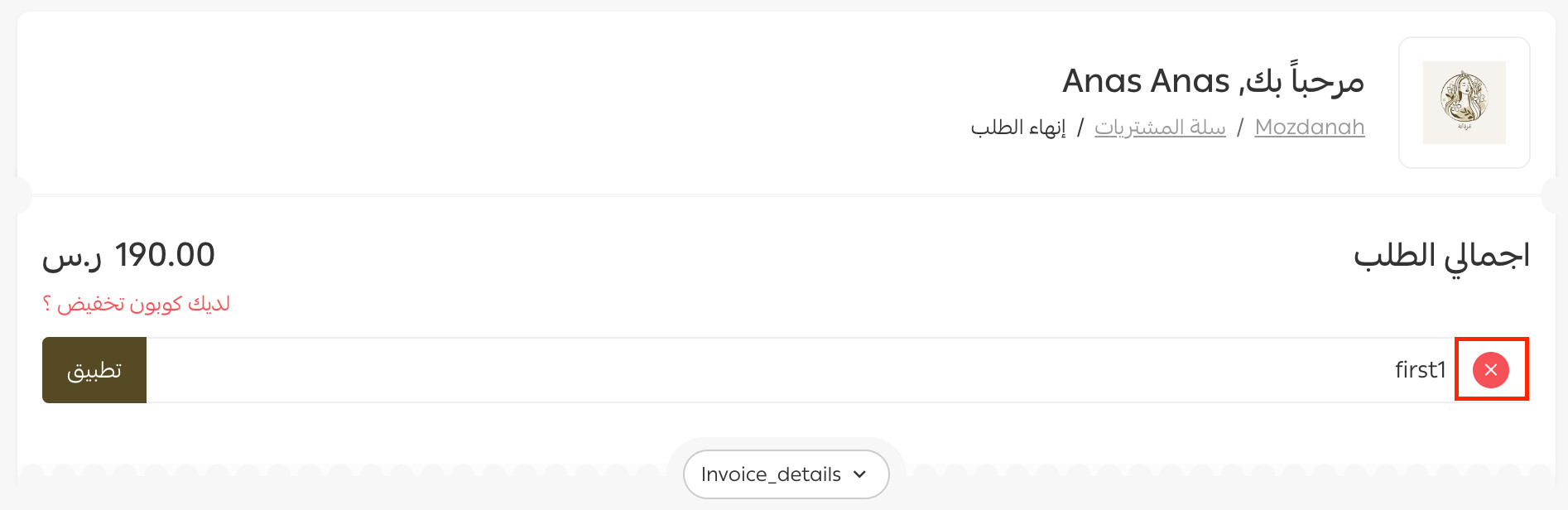
To remove a coupon from the cart, click (X) next to the coupon, as shown below:
❓ What are the main uses of discount coupons?
You can use discount coupons to serve a range of marketing goals, such as:
Driving purchases: offer a discount that encourages customers to complete their orders.
Attracting new customers: offer a coupon dedicated to a first purchase.
Boosting sales: launch coupons during seasonal and marketing campaigns.
Encouraging repeat purchases: give customers coupons to use on future orders.
Offering free shipping: use coupons to encourage customers to complete their orders.
Working with affiliates: assign coupons to affiliate marketers and track the sales they generate.