Do you find it challenging to manage free shipping offers in your store? Many merchants struggle when applying free shipping to specific products, regions, or promotional campaigns. Poor configuration can lead to customer confusion or unexpected shipping losses.
With Free Shipping Profiles and Promotions in Salla, you can manage every detail of free shipping clearly and efficiently, without complexity.
📌 Article overview
- How free shipping appears to customers
- Accessing free shipping settings
- Customizing free shipping rules
How free shipping appears to customers
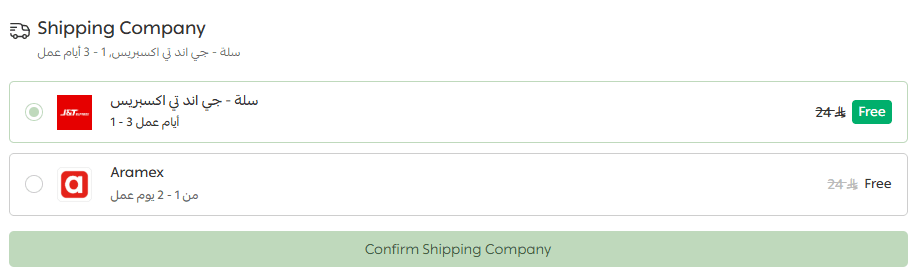
Once free shipping is enabled and configured, it appears automatically on the checkout page within the available shipping options.
If the customer meets the free shipping conditions such as reaching a minimum order value or purchasing from eligible categories, the label “Free Shipping” will appear next to the shipping company name with no additional cost applied.
If the conditions are not met, the free shipping option will not appear. This ensures an accurate checkout experience aligned with your store rules.
Accessing free shipping settings
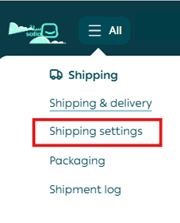
- From the main menu, click All, then select Shipping settings.
2. Scroll to the bottom of the Shipping page and next to Free Shipping, click Customize.

Customizing free shipping rules
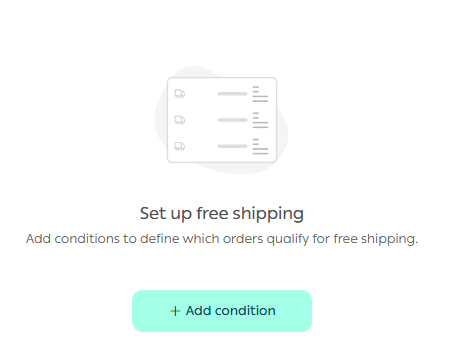
- To control free shipping conditions, click Add Condition.
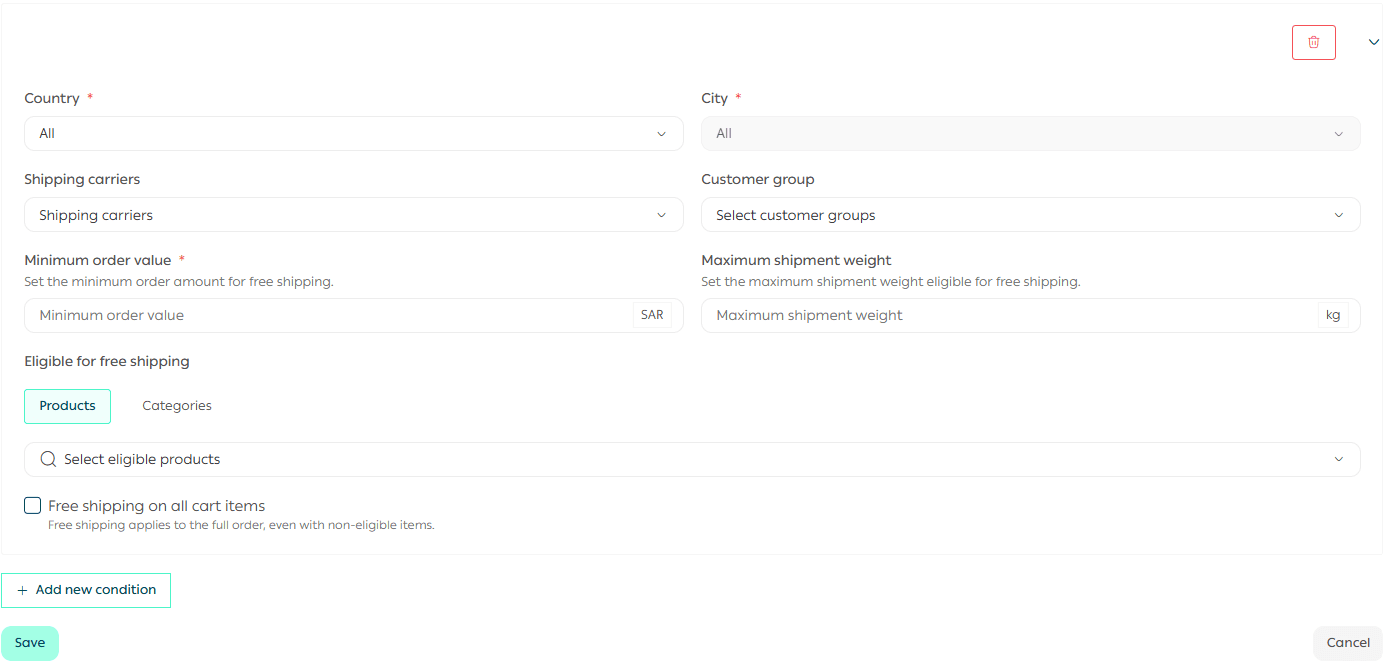
2. Enter the free shipping conditions that best suit your business.
You can define specific cities or countries eligible for free shipping once the customer exceeds the minimum purchase value you set.
Why this free shipping structure works
This smart free shipping setup provides:
- Clear and simple management
All rules are managed in one place, whether in the default profile or custom profiles.
- Full flexibility
Customize conditions based on region, service type, or promotional campaigns.
- Smooth customer experience
Customers only see valid shipping options that match their eligibility.
- Precise cost control
You decide exactly when and how free shipping applies, avoiding unexpected losses.
With these settings, free shipping becomes a powerful sales driver rather than a cost risk.
Frequently asked questions
Can I apply free shipping to specific countries or cities?
Yes. You can define the country covered by free shipping and specify eligible cities.

Important note: You can select only one city per condition, or leave the selection as default to apply free shipping to all cities.
Can I limit free shipping to specific shipping companies?
Yes. You can select specific shipping companies for free shipping or leave the option set to default to include all shipping companies.

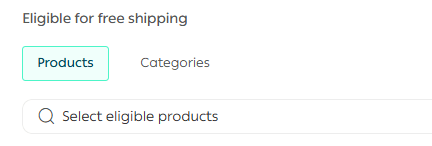
Can I apply free shipping to specific products or categories?
Yes. You can select supported products or categories for free shipping, or leave the setting as default to include all products.
Can I offer free shipping to specific customer groups?
Yes. You can select specific customer groups eligible for free shipping.

What happens if the cart contains both free shipping and non-free shipping products?
You control the behavior through two options:

- Option enabled:
Free shipping applies to the entire cart even if the customer adds non-eligible products alongside eligible ones.
- Option disabled:
Free shipping is removed from the entire order if it includes any non-eligible products.
💡 Do not miss marketing opportunities with free shipping.
Start using Profiles and Promotions today to manage free shipping effectively and grow your sales with confidence.