Once a customer successfully pays for an order online, the payment moves through processing and settlement before the funds are transferred to your registered bank account.
For Qatari stores, eligible payouts are sent daily when your online-payments balance exceeds QAR 100.
Payouts at a glance
How payouts work
Payment flow: Customer pays online → payment is added to your online-payments balance → eligible payout is sent to your bank account.
Payments are settled and transferred according to the payment services agreement signed during your store verification.
The bank account used for payouts
Payouts are sent to the bank account you provided during store verification. Make sure the account information matches your banking documents.
To change the bank account used for payouts, submit a new verification request with the updated banking information and contact Salla Support for assistance.
Payout schedule and minimum amount
Payout frequency: Daily.
- Minimum payout amount: QAR 100.
If your eligible online-payments balance is below QAR 100, it remains in the balance until it exceeds the minimum. It is then included in the next payout cycle.
Fees
Online-payment fees are calculated according to the payment services agreement signed during your store verification.
Wallet and payout tracking
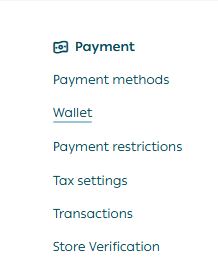
1. From the main menu, open All.
2. Under Settings & Tools, find the Payment section.
3. Click Wallet.
The Wallet contains three tabs:
Store Wallet
Online payments
Cash on delivery
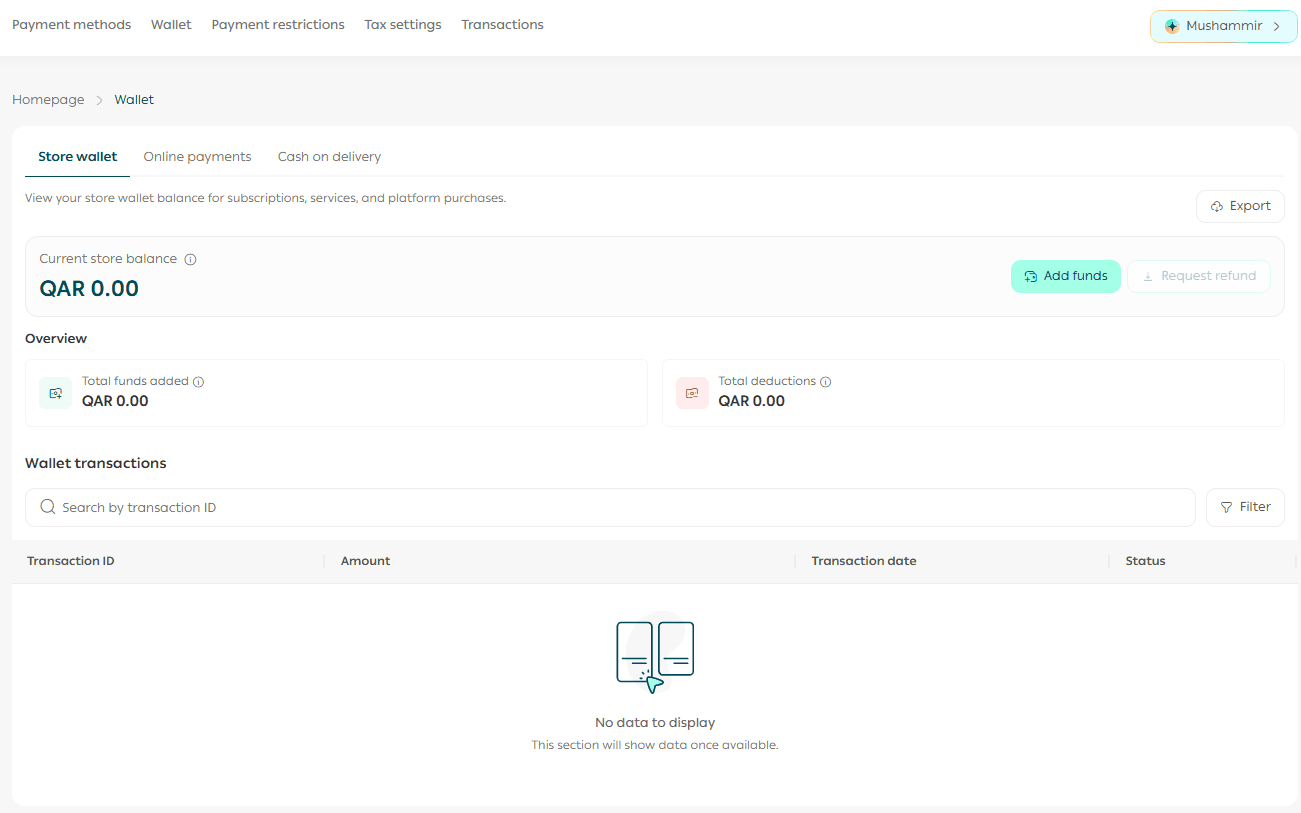
The Online payments tab is designed to show earnings from electronically paid orders, including payment history, order search, filters, previous payouts, and export options.
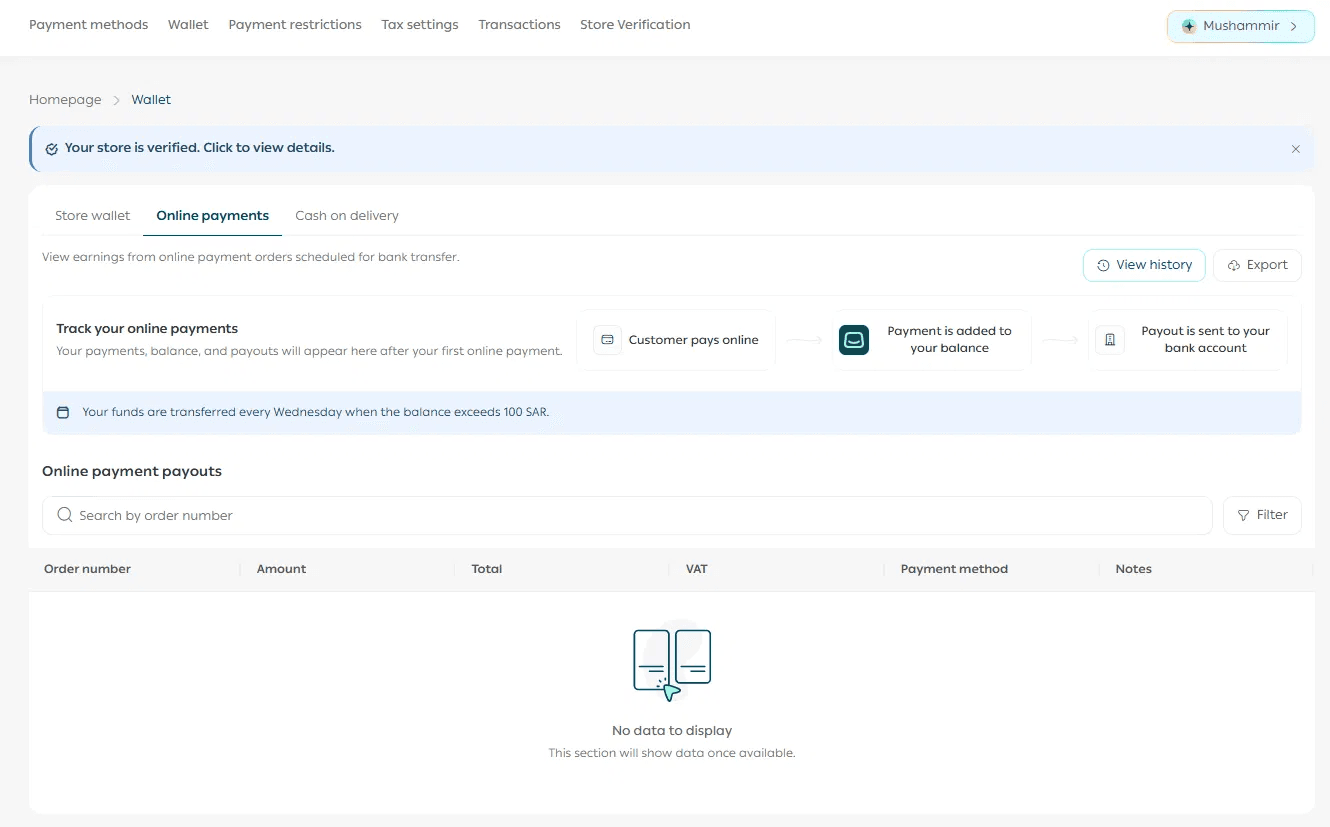
Note: Online-payment tracking in Wallet is coming soon for stores in Qatar.
The Cash on delivery tab is designed to show COD amounts transferred by shipping carriers, including COD fees per order.
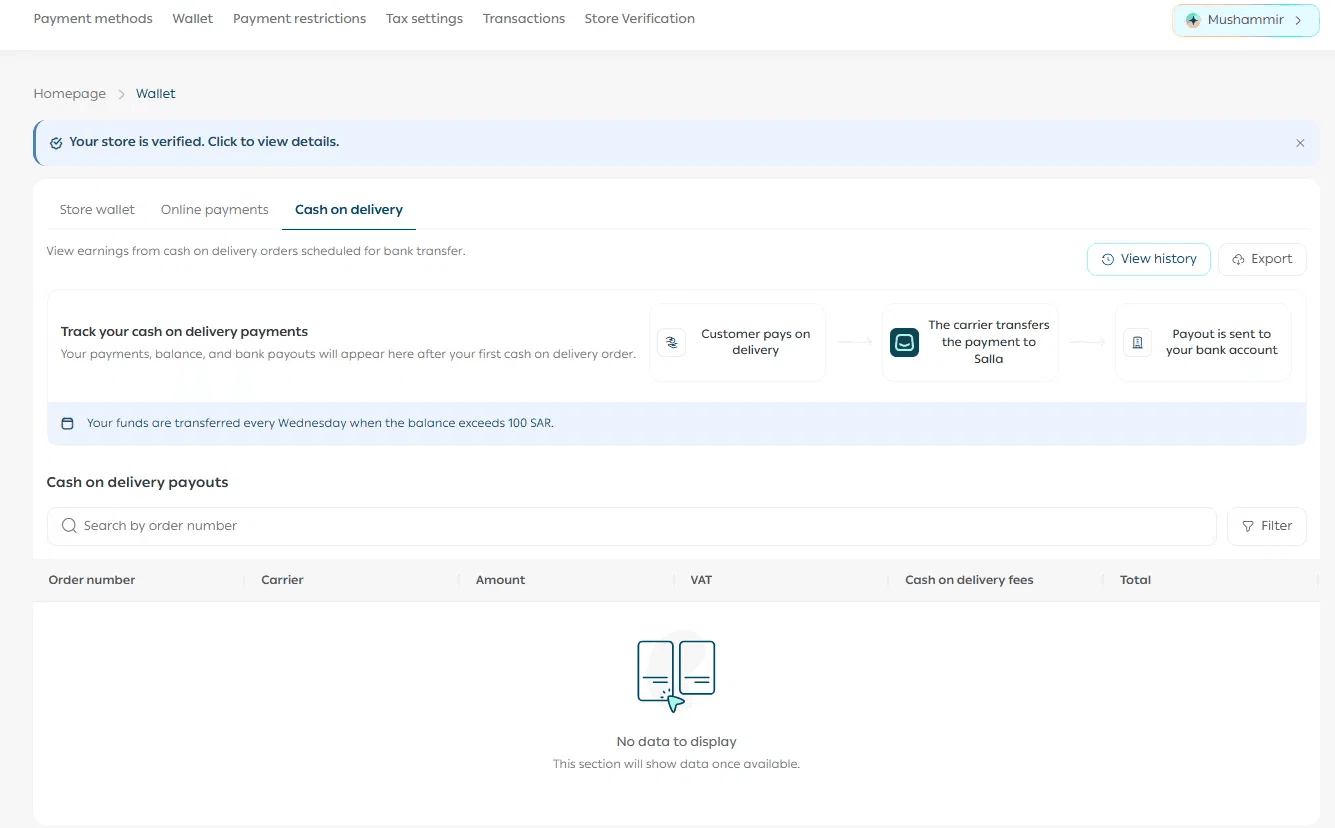
Note on COD tracking in the Qatar: Cash-on-delivery tracking in Wallet is not available for Qatari stores currently. Track COD amounts through the shipping company you activated under an external agreement, or through your own courier.
Store Wallet vs online-payments balance
If a payout has not arrived
1. Confirm that your eligible balance exceeds QAR 100.
2. Check whether a bank holiday is affecting processing.
3. If the payout is still unresolved, contact Salla Support with the payout details or order number.
Related article
-Verify your Salla store in Qatar | Salla
-Activate Salla payments in Qatar | Salla
-Set up shipping companies for Qatar store | Salla
Frequently asked questions
When are my earnings transferred to my bank account?
Daily, once your eligible online-payments balance exceeds QAR 100.
What happens if my balance is below QAR 100?
The amount stays in your online-payments balance until it exceeds the minimum, then it is included in the next payout cycle.
Which bank account receives my payouts?
The bank account used during store verification.
Can I change the bank account used for payouts?
Yes. Submit updated banking information through verification and contact Salla Support for assistance.
Is the Store Wallet the same as my online-payments balance?
No. The Store Wallet is used for Salla subscriptions, services, and purchases. The online-payments balance holds eligible store-sales earnings before payout.
How are online-payment fees calculated?
According to the payment services agreement signed during store verification.