With every new advertising campaign, your store gets closer to more customers and greater sales opportunities. However, any interruption in your advertising budget may slow down this momentum and reduce your reach to potential customers.
Salla Ads balance top-up service gives you full control over your advertising budget, with flexible payments through the Salla Wallet and in local currency. Thanks to fast processing and exclusive offers, you can ensure your campaigns run continuously while maintaining steady store growth.
📌 Article overview
- Service overview
- Balance top-up page
- Steps to top up the balance
- Frequently asked questions
Service overview
The balance top-up service via Salla Ads is designed for merchants and provides the following advantages:
- Recharge your balance with unlimited amounts according to your needs.
- Easy payment using the Salla Wallet in local currency.
- Unified invoices to organize and track your payments.
- Fast processing:
- First top-up: within 48 hours
- Subsequent top-ups: within 24 hours
- Promotional incentives, such as cashback based on spending or during special seasons.
- Ability to create a new account on X or connect an existing one.
With these features, managing your advertising campaigns becomes more efficient and transparent.
Balance top-up page
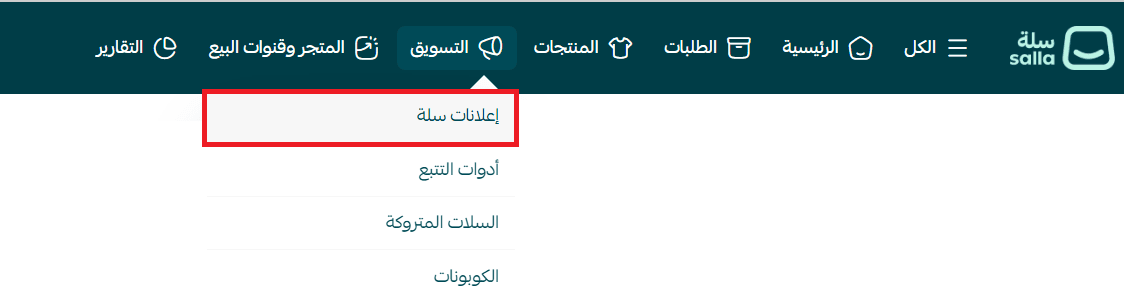
- From the main menu, click Marketing, then select Salla Ads.
- From the Salla Ads page, open the Balance Top-Up tab.
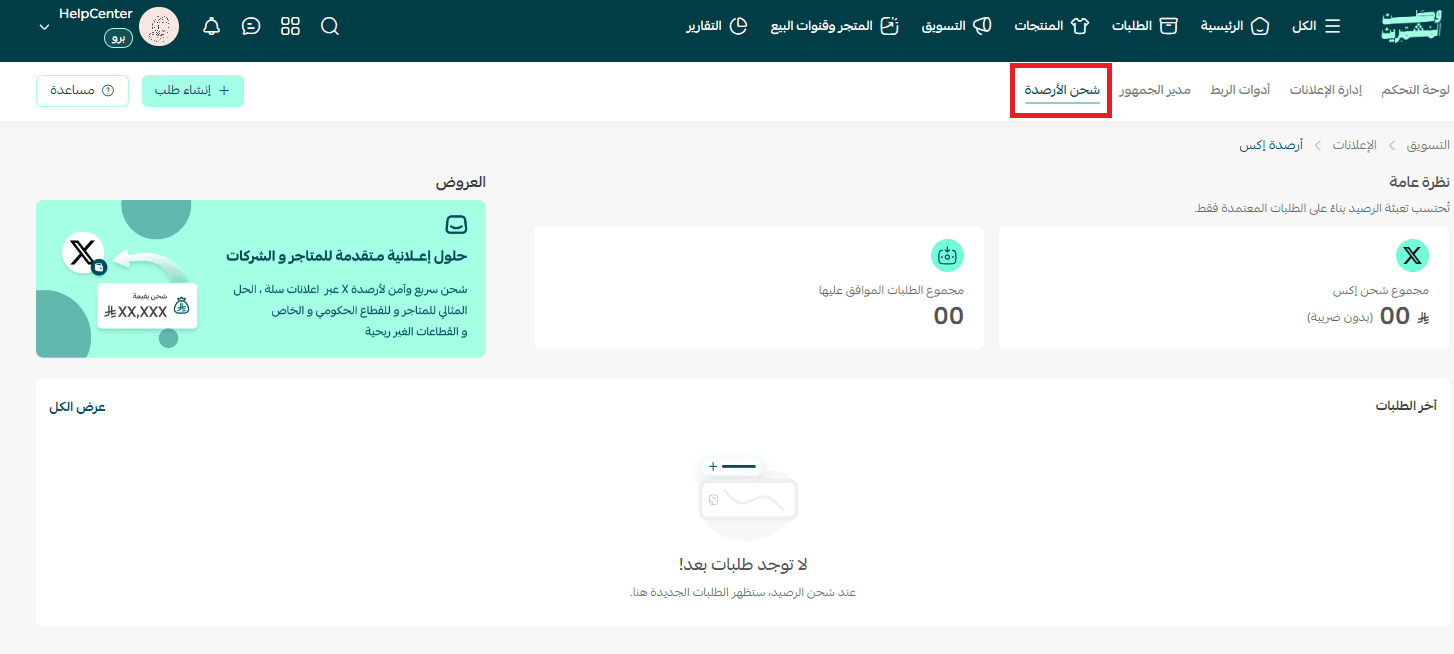
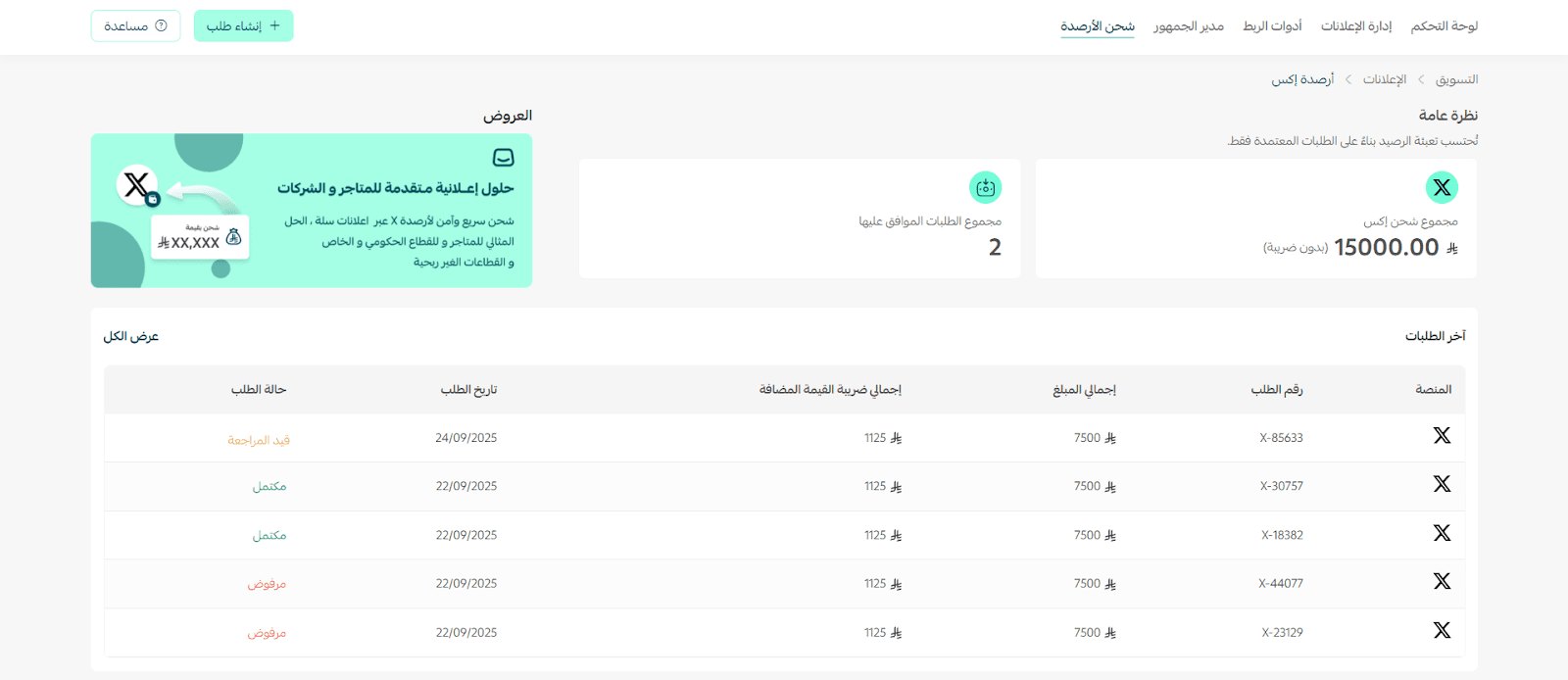
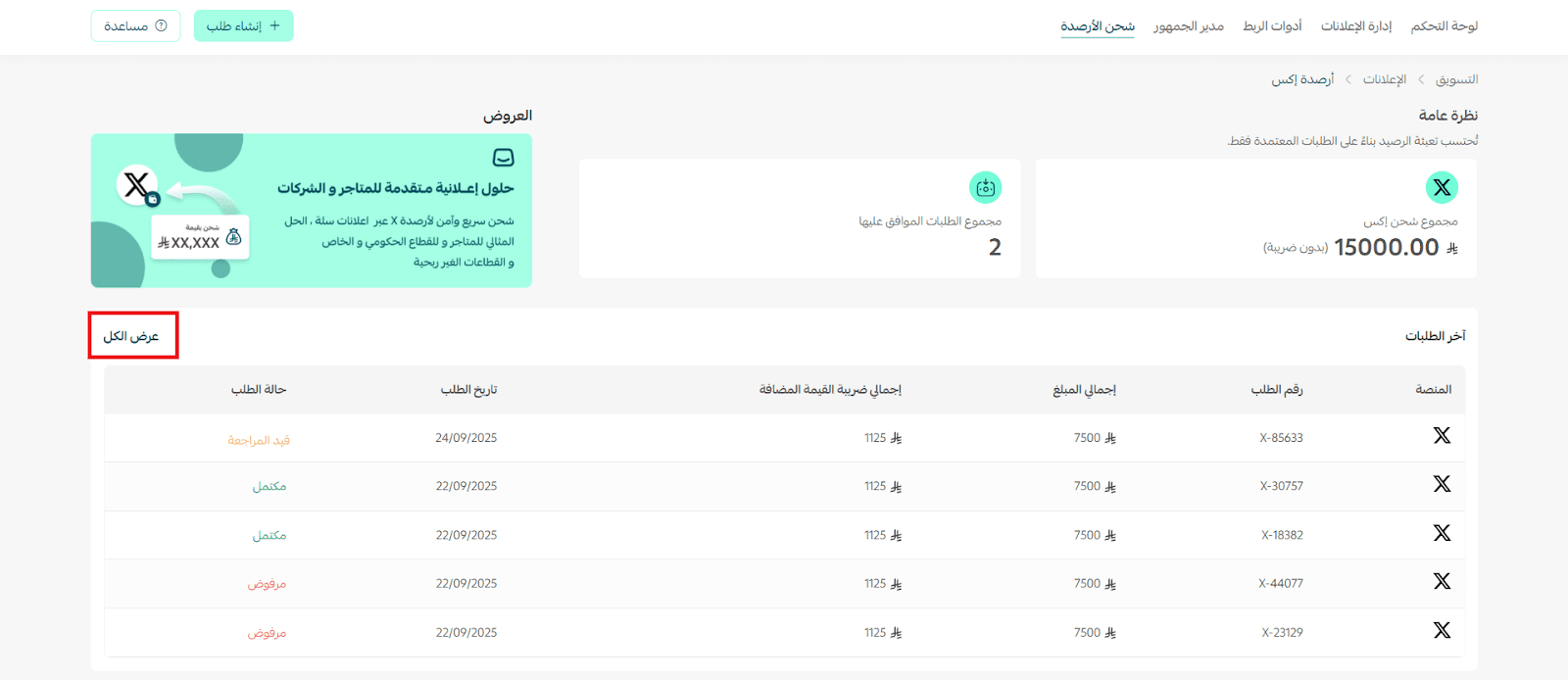
This page displays:
- Current balance overview
- Total approved requests
- Latest top-up requests including:
- Platform
- Order number
- Total amount
- Total VAT amount
- Request date
- Request status (Rejected – Completed – Under Review)
Steps to top up the balance
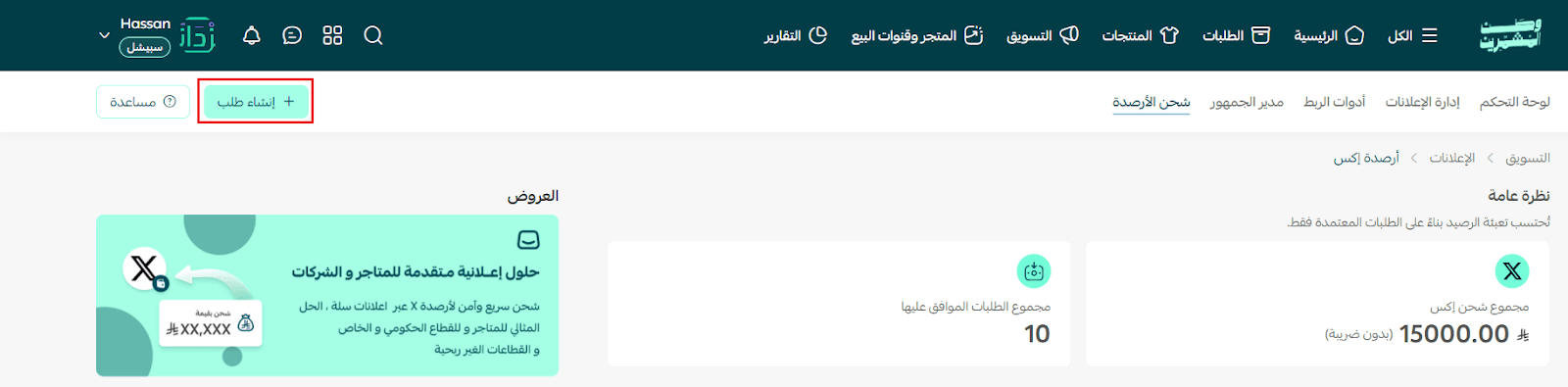
- From the main page, click Create Request.
- Click Start Now to proceed with the top-up steps.
- Enter the required information for topping up the balance.
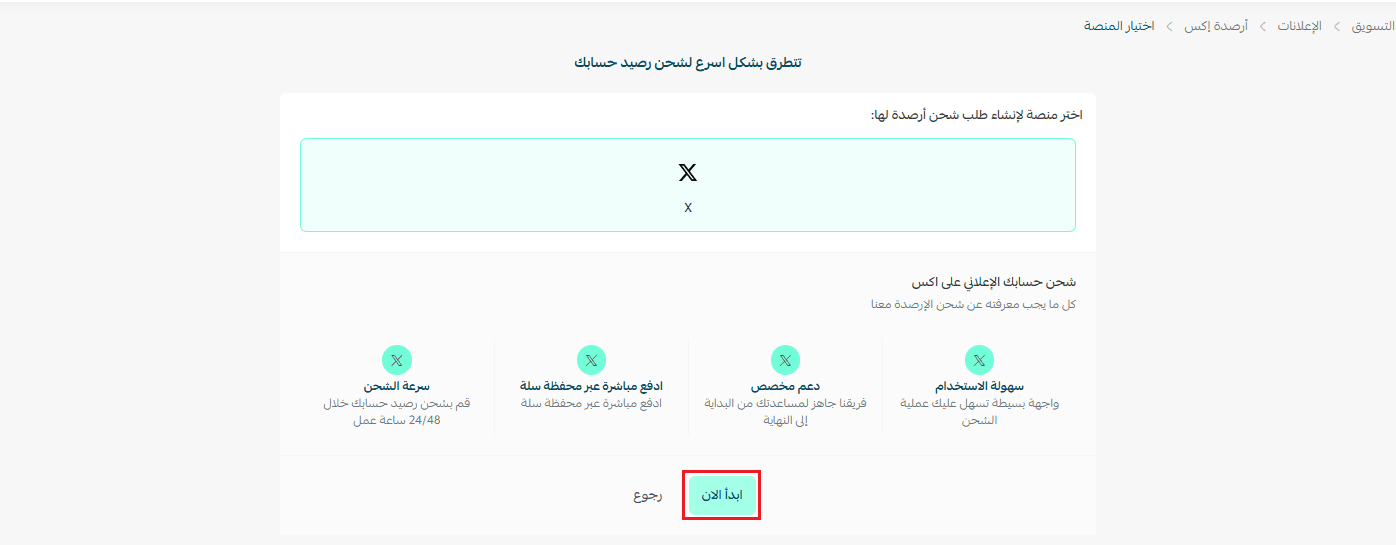
Step 1: Select the recharge purpose
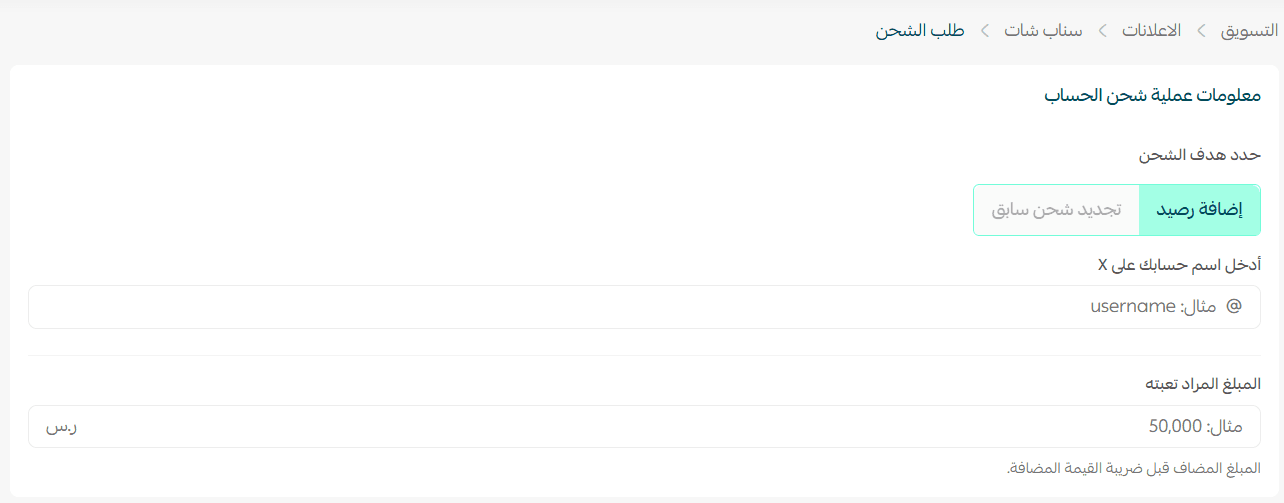
Case 1: Add balance
- Add your X platform account.
- Enter the amount you want to top up.
Note: The entered amount does not include VAT.
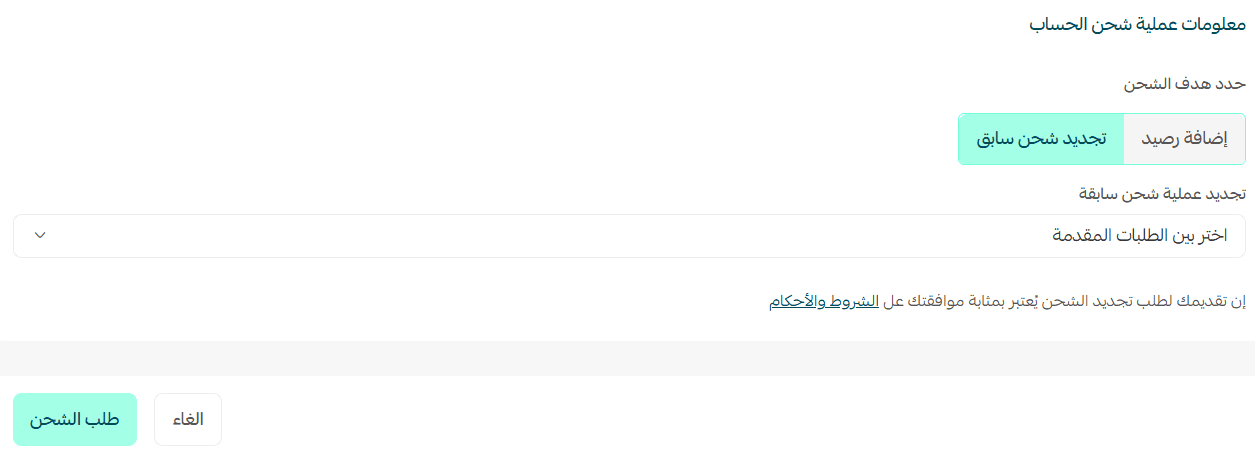
Case 2: Select a previous recharge
Choose a campaign you created earlier, then click Request Recharge to complete the process.
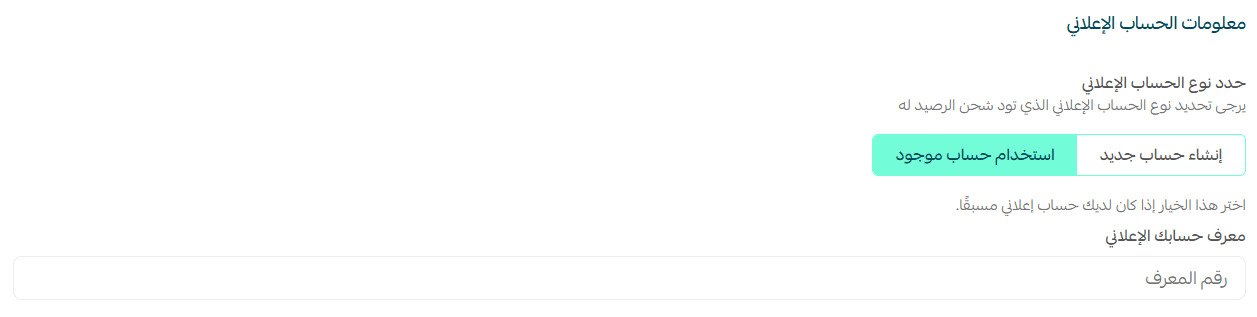
Step 2: Enter account information
Option 1: Create a new account
A new account will be created and automatically linked to your X platform account.

Option 2: Use an existing account
If you already have an account on X, simply enter the account ID to complete the connection.
Step 3: Enter contact information
Provide the following information:
- Email address
- WhatsApp number
This ensures the top-up request is submitted successfully and allows the Salla Ads team to update you about the request status.

- Click Submit Request.

Your request will be reviewed by the Salla Ads team.
Top-up processing time
- First top-up: within 48 hours
- Subsequent top-ups: within 24 hours
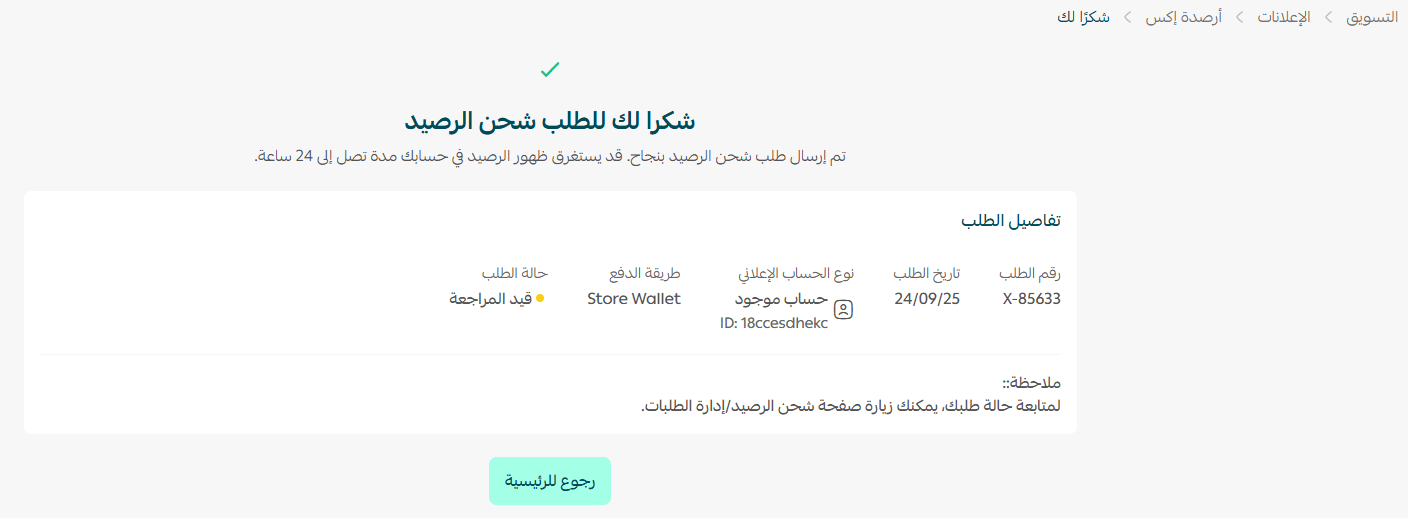
Tracking your top-up request
To track any balance top-up request:
- Click View All.
- Select the request you want to review.
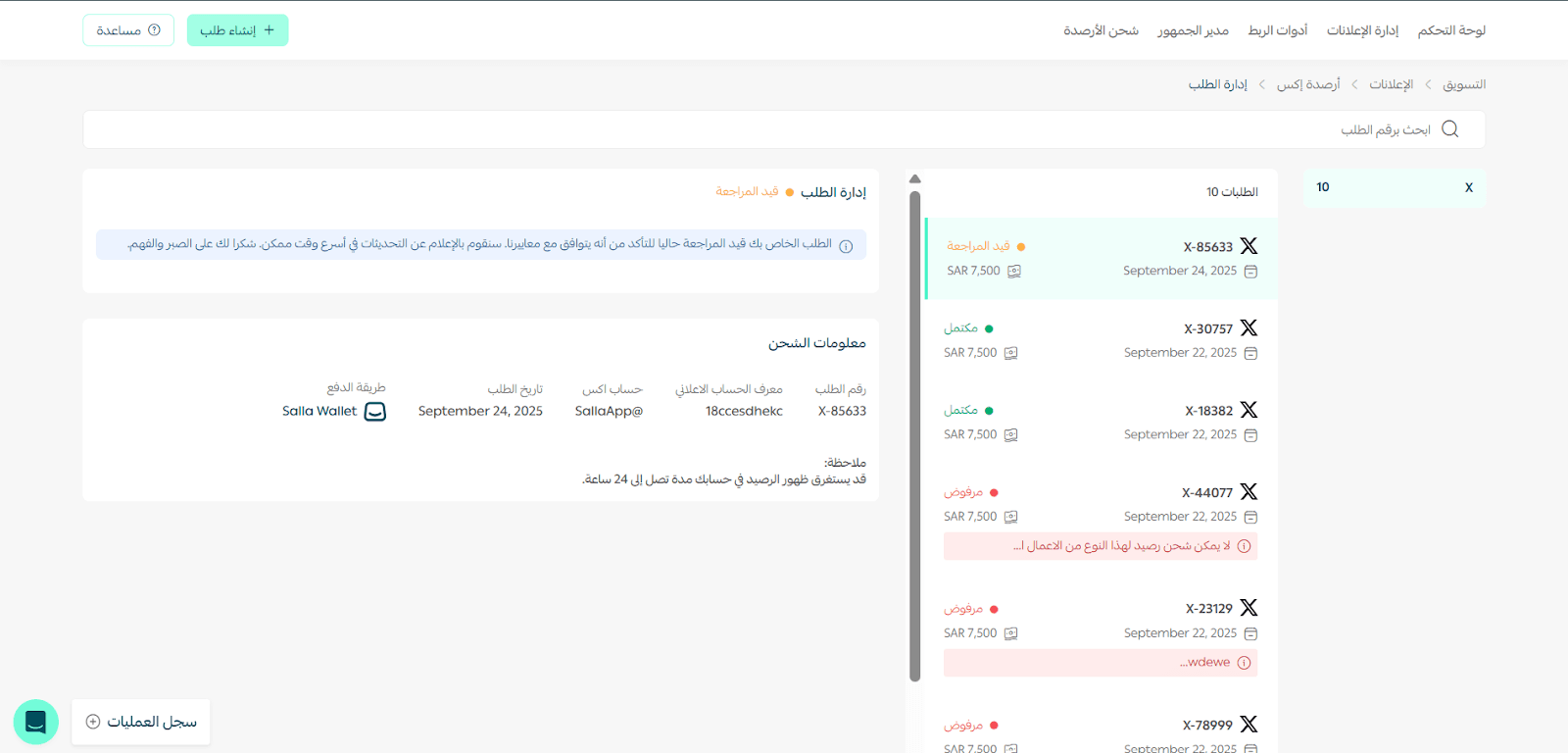
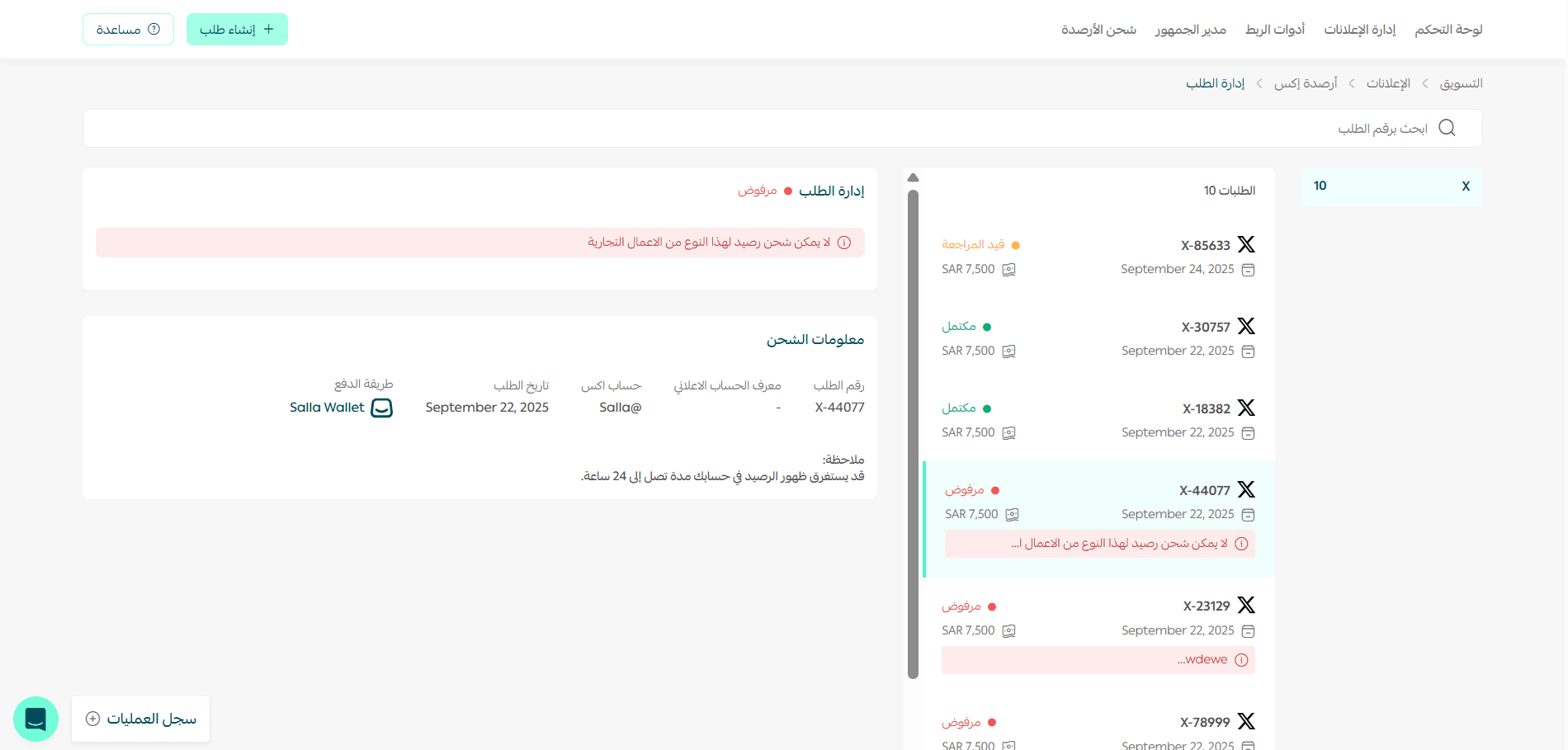
You can see the full request details.
If the request is rejected, the reason will appear at the beginning of the request details.
Frequently asked questions
How long does it take to top up the balance?
- First time: within 48 business hours.
- Subsequent requests: within 24 business hours.
Does the topped-up balance expire?
Yes. The balance usually expires at the end of the quarter, but you can request renewal if it has not been fully used.
Can I pay in local currency using the Salla Wallet?
Yes. All payments are made in local currency through the Salla Wallet, and a unified invoice is issued for easier tracking.
Are there promotions or rewards for topping up the balance?
Yes. Salla Ads may provide special promotions or incentives such as cashback depending on the advertising spend or during certain seasons.
What is the minimum balance top-up amount?
The minimum top-up amount is SAR/AED 7,500.
What should I do if my request is rejected?
The reason for rejection will appear in the request details. You can modify the request and submit it again, or contact the Salla Ads team for assistance.
Can I link more than one advertising account?
Yes. During the top-up process, you can create a new account or link an existing X account.
🚀 Keep your advertising campaigns running without interruption and maximize the return on your advertising investments.