Imagine reaching your most interested customers at the exact moment they’re ready to engage. With Meta Ads, this becomes a reality. Meta allows you to target with precision and deliver your products at the right time across Facebook and Instagram.
In this guide, you’ll learn how to connect your store to Meta and create professional ad campaigns that deliver measurable results and accelerate your business growth.
📌 Article overview
- The Integrations (Connections) page
- Steps to connect your Meta account
- Creating a new Meta ad campaign
🚀 Integrations Page
From the Salla Ads page, click the Integrations tools tab.

This section helps you collect more accurate audience data and achieve better ad performance using Meta Pixel and Conversion API.
⚠️ Note: You must have at least one previous campaign on Salla Ads in order to complete the connection successfully.
🚀 Steps to Connect with Meta
By connecting your Meta account, you unlock powerful data that helps you target customers on Facebook and Instagram, two of the most influential platforms for reaching a wide and diverse audience.
Key Benefits of Connecting Meta
- Massive reach: Access over 3 billion active monthly users across Meta platforms
- Advanced targeting: Target users by location, age, interests, and behaviors
- Dynamic ads: Automatically show products to users based on their browsing behavior
- Advanced retargeting: Re-engage users who viewed products or added items to cart but didn’t complete checkout
- Lookalike audiences: Expand your reach by targeting people similar to your existing customers
- AI-powered optimization: Meta’s machine learning delivers ads to the right users at the right time
Connection Steps
- Click Connect your account.
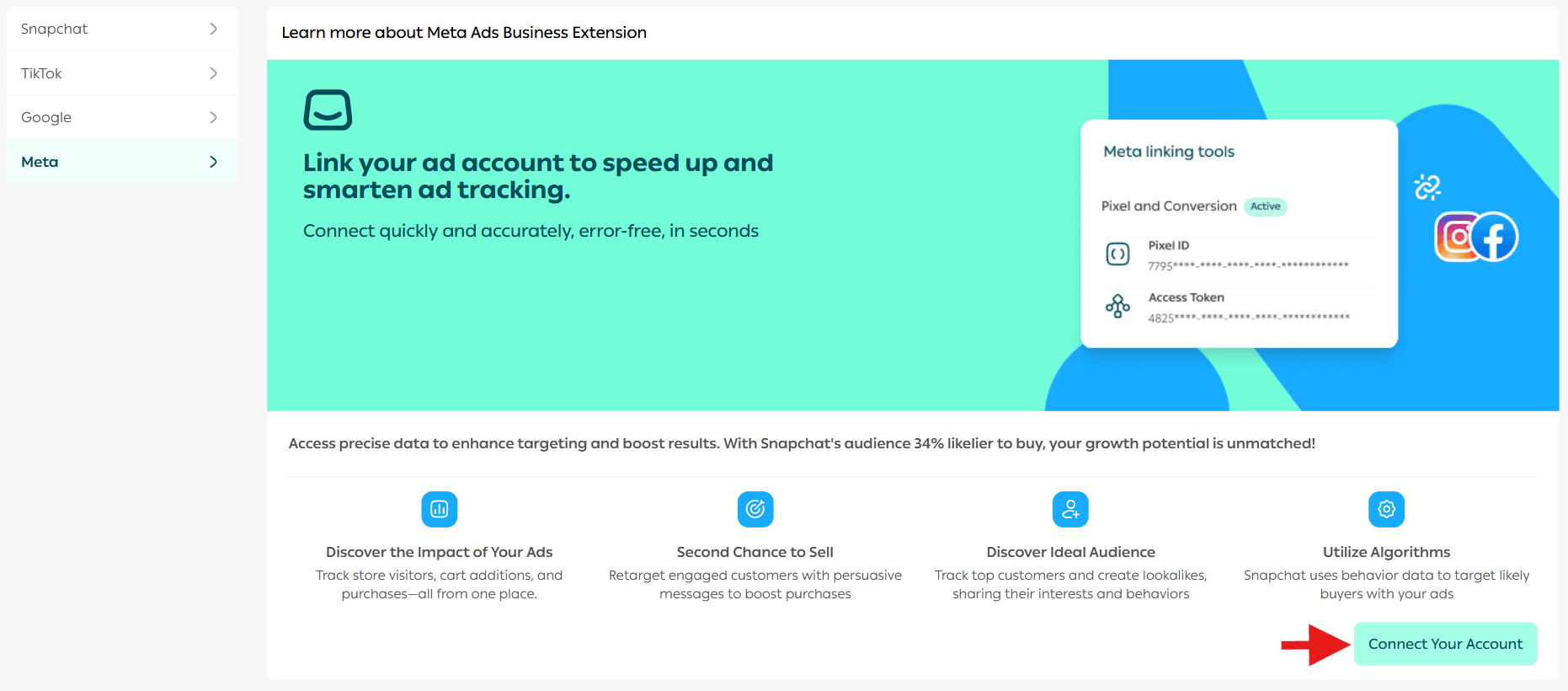
📝 If you don’t already have a Meta account, you’ll be guided to create one and set up a Pixel.
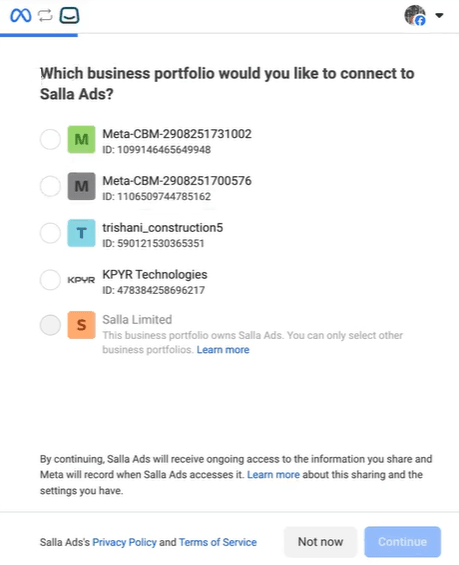
2. Select the Business Manager account, then click Continue.
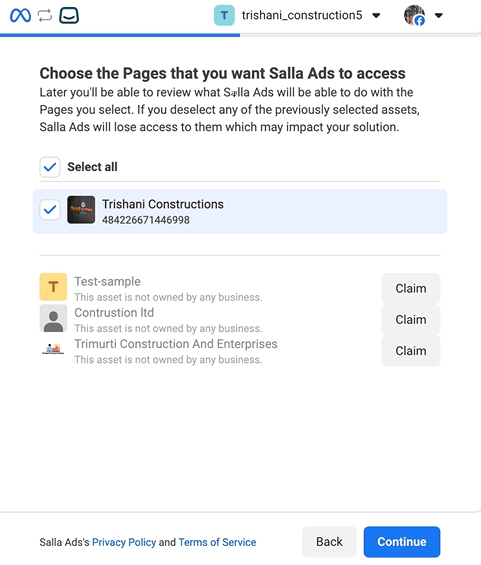
3. Select the Ad Account, then click Continue.
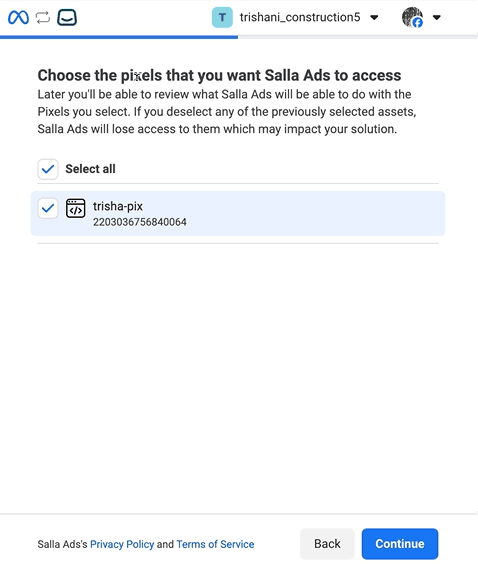
4. Select the Pixel, then click Continue.
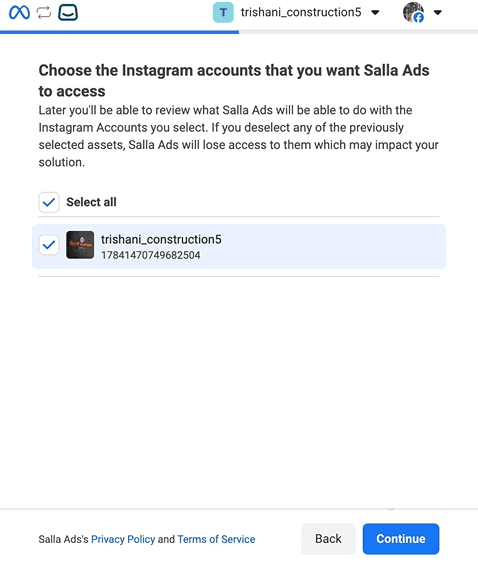
5. Select the Instagram account, then click Continue.
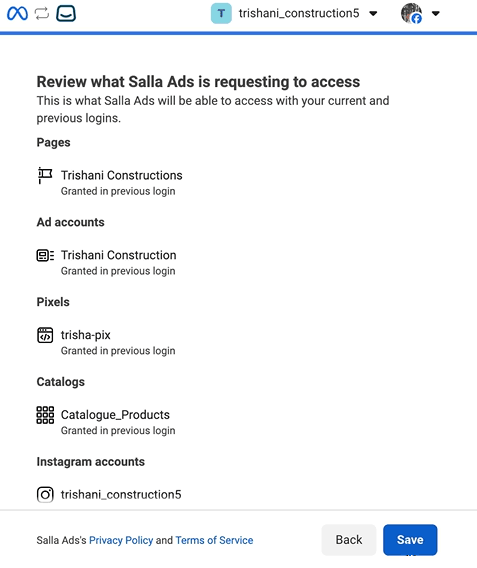
6. Review the required permissions, then click Save.
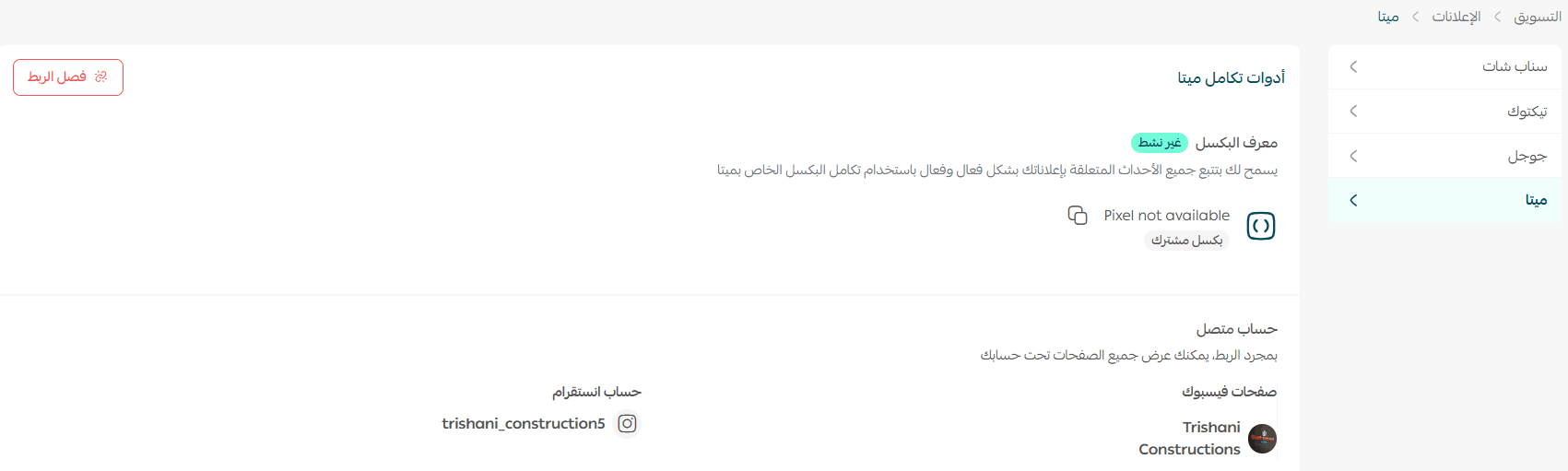
🎉 Congratulations! Your Meta advertising account is now successfully connected.
🚀 Creating a New Meta Ad Campaign
- From the main menu, go to Marketing, then click Salla Ads.

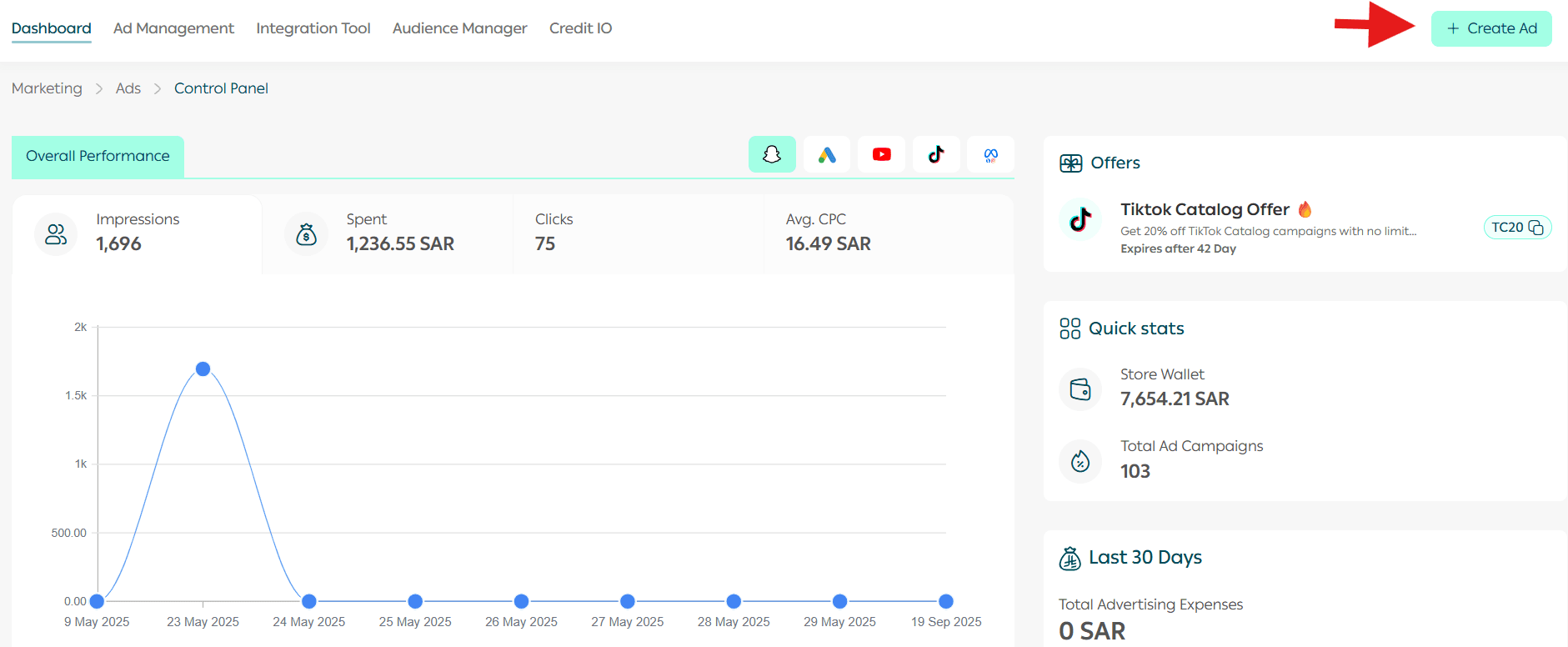
2. From the dashboard, click Create Ad.
📝 If you don’t have any previous campaigns, you’ll be prompted to create one first.
3. Select Meta as the advertising platform.

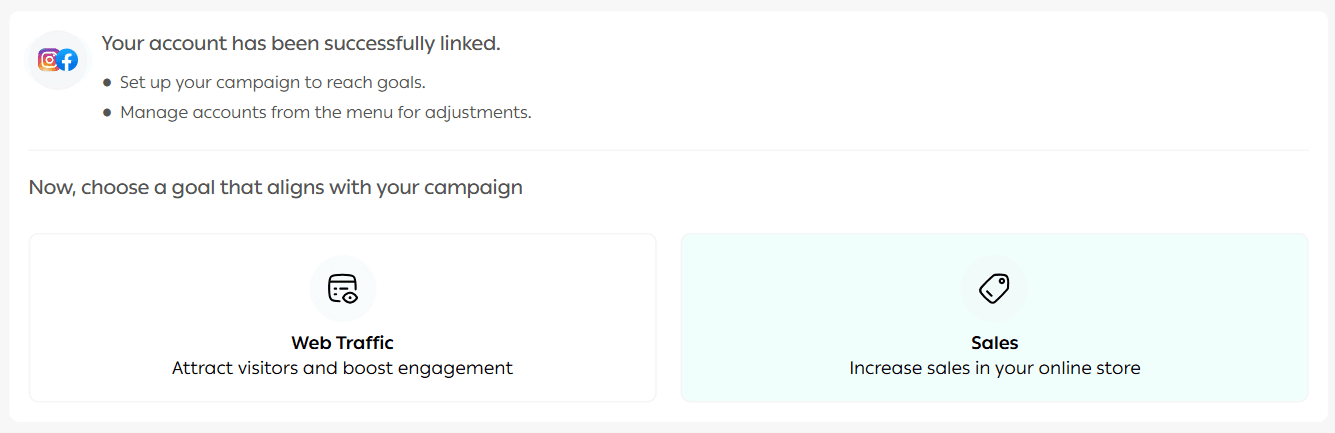
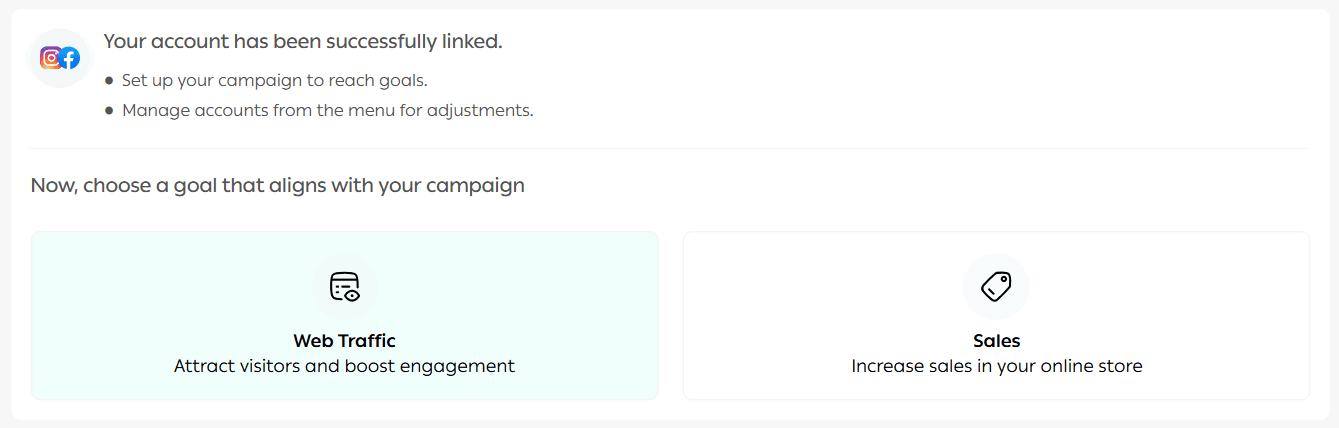
4. Choose a campaign objective, then click Create Ad.
You can choose between:
- Sales Campaign
- Website Traffic Campaign
🎨 Design Your Ad Campaign
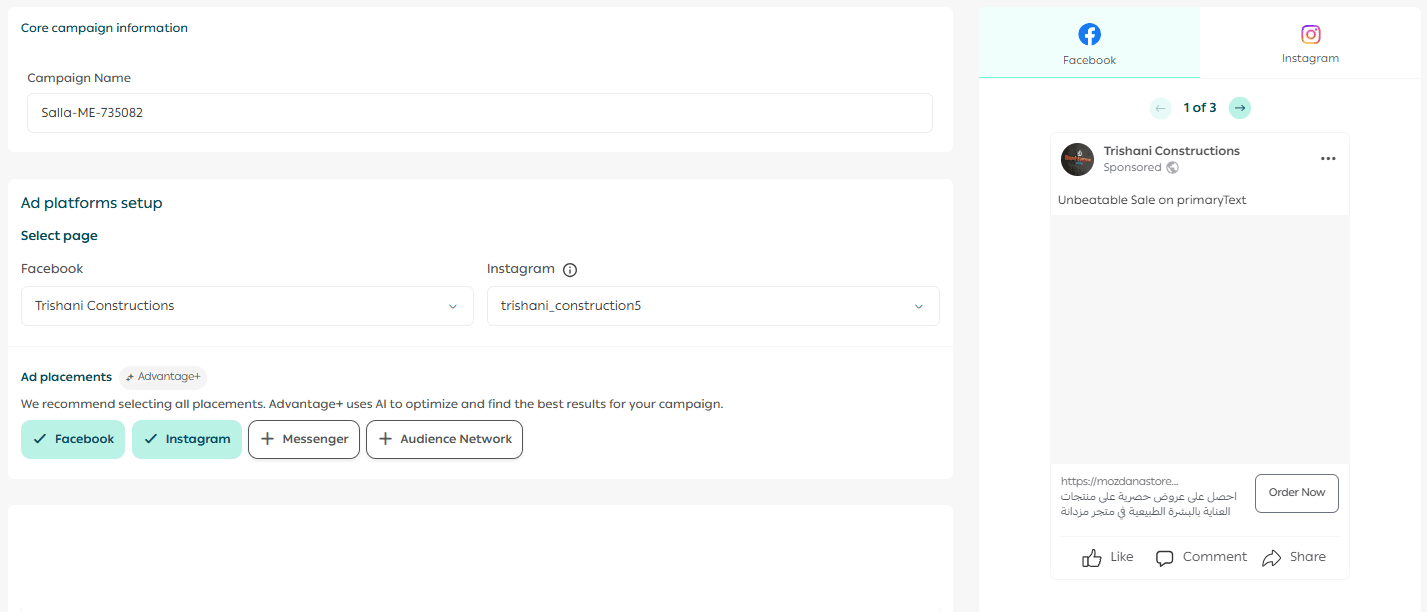
5. Start building your campaign:
- Enter a short, descriptive campaign name
- Select the required conversion actions
- Preview your ad using the preview panel
Add your ad image via media upload, then select:
- The destination link users will be directed to
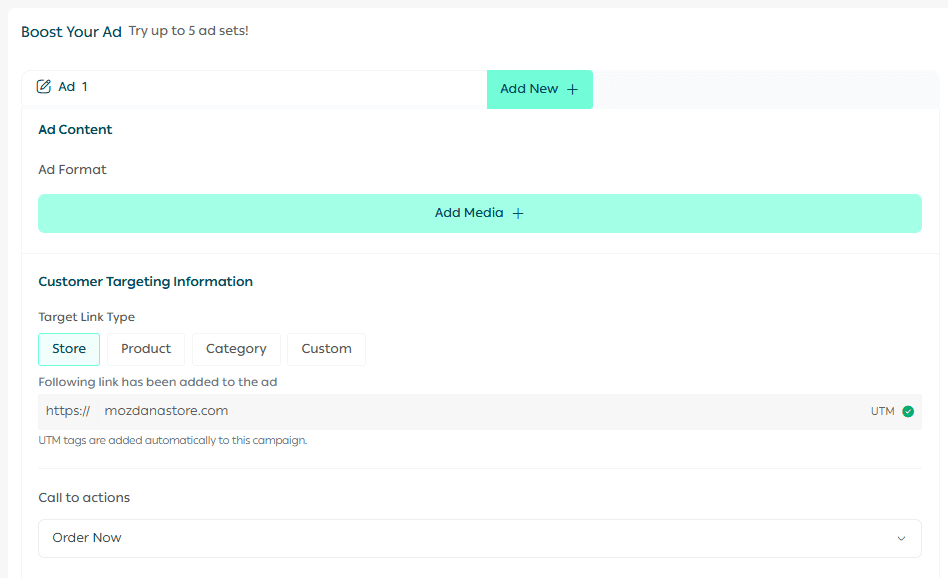
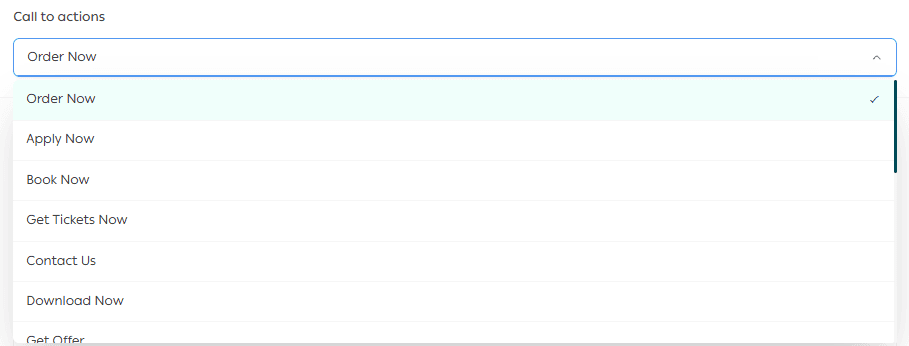
- The call-to-action (CTA) button
✍️ Ad Content Setup
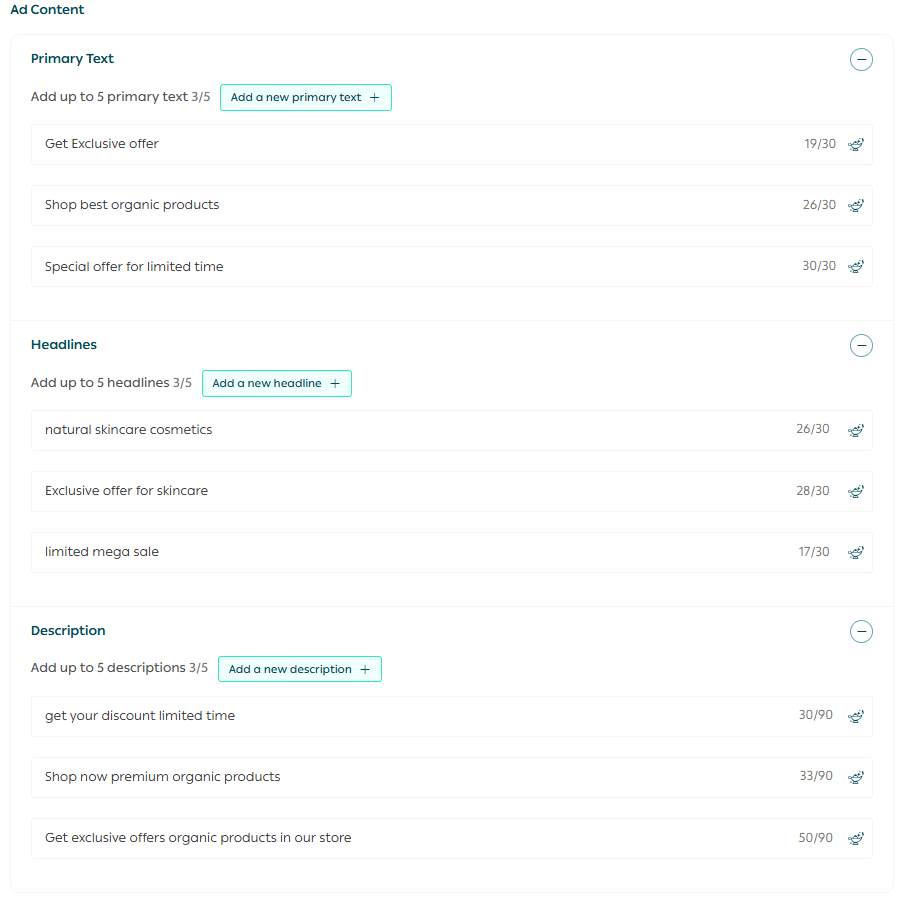
Easily add your ad content, including:
- Primary text: Up to 5 texts, each with a maximum of 30 characters
- Headlines: Up to 5 headlines, each with a maximum of 30 characters
- Descriptions: Up to 5 short descriptions encouraging action, each with a maximum of 90 characters
💡 You can use AI assistance to quickly generate engaging texts, headlines, and descriptions.
📍 Define Your Target Audience
6. Set your target audience by:
- Selecting the location (country, region, or custom geographic area)
- Defining demographic attributes such as age and gender
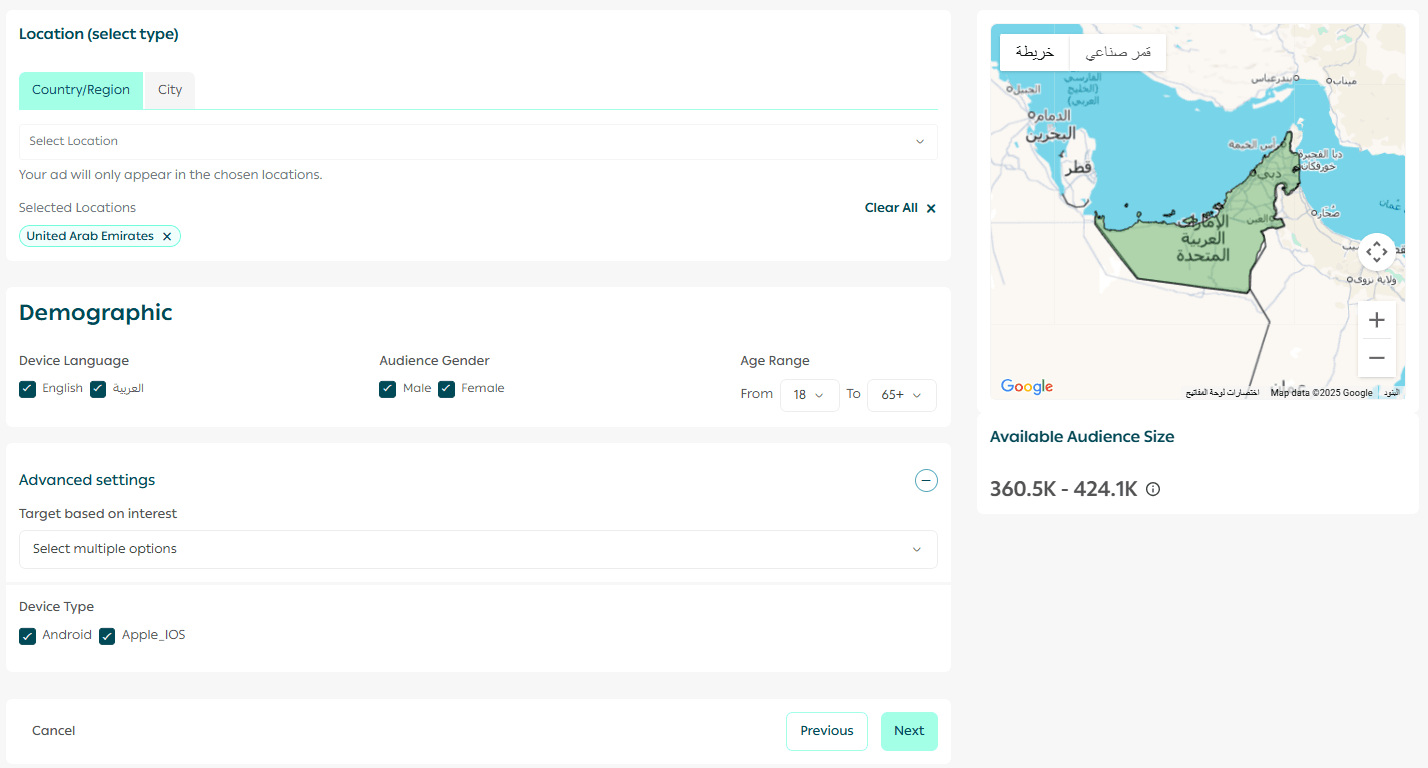
This ensures your ads reach the most relevant users.
💰 Set Campaign Budget
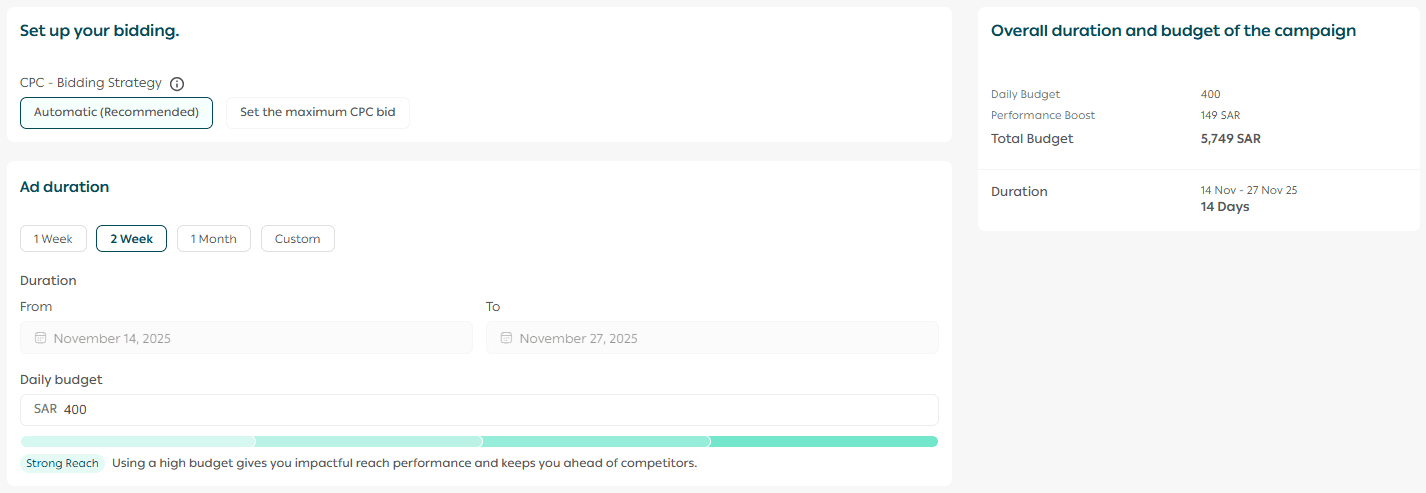
7. Define your campaign budget by selecting:
- Campaign duration
- Bidding strategy (CPC – Cost Per Click)
CPC Options
- Automatic: Meta automatically optimizes the cost per click for best performance.
- Manual: Set a maximum cost per click to maintain full control over spending.
You can also enable Salla Ads optimization, allowing the Salla Ads team to apply best practices for content and keyword performance.

🚀 Launch Your Campaign
Finally, review all campaign details before launching.
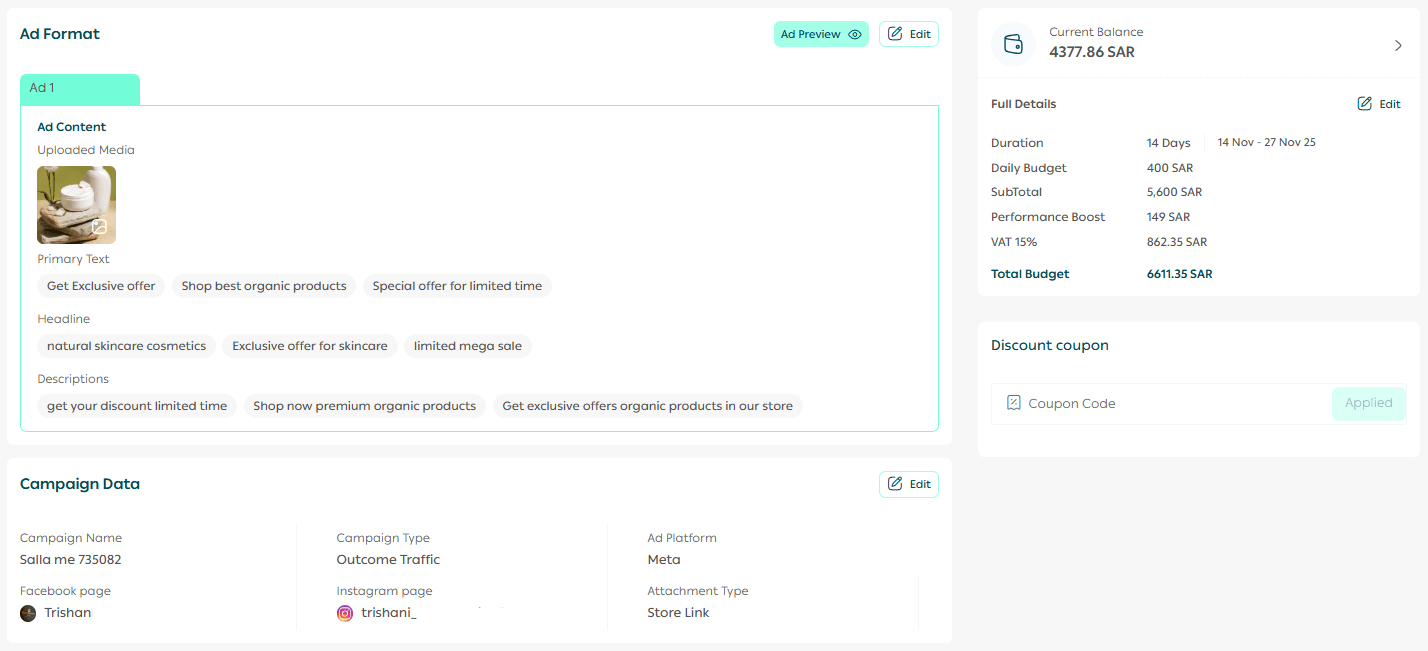
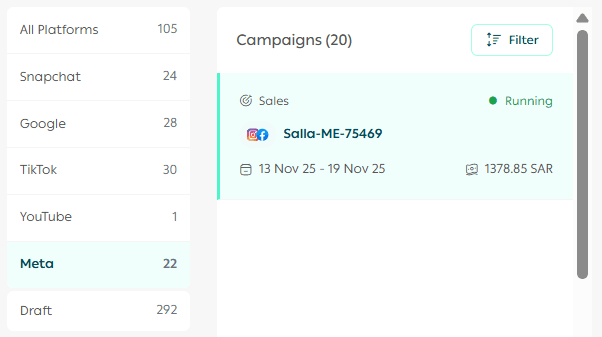
Once published, your campaign will appear under the Ads Management tab.
Frequently asked questions
Can I run an advertising campaign for only two days?
No. The minimum campaign duration is 7 days.
This ensures that the campaign collects enough data to optimize performance and achieve the best possible results.
What is the minimum budget I can set for a campaign?
The minimum daily budget is SAR/AED 150 per day.
This helps ensure your ads reach a suitable audience and deliver effective results throughout the campaign period.