Want to reach the right customers at the right time? The Audience Manager is your smart tool for precise targeting, helping you direct your ads toward people who are genuinely interested in what you offer.
In this guide, you’ll learn how to create and manage audiences effectively within Salla Ads, so you can improve campaign efficiency and achieve stronger results.
📌 Article overview
- What is Audience Manager?
- Audience Management in Salla Ads
What Is Audience Manager?
Audience Manager is a dedicated tool used to create, manage, and organize audiences that can be targeted in advertising campaigns.
Key Functions of Audience Manager
Create Custom Audiences
Target users who have already interacted with your business, such as:
- Website visitors
- Customer lists
- Video viewers
Create Lookalike (Similar) Audiences
Advertising platforms generate new audiences that resemble your existing customers in behavior and interests.
Manage Audience Segments
- Save, edit, or delete audiences
- Categorize and organize audiences for future use
Include or Exclude Audiences
- For example:
- Target product page visitors
- Exclude customers who have already completed a purchase
This level of control allows you to refine targeting and maximize advertising performance.
Audience Management in Salla Ads
Follow these steps to create and manage your audiences:
- From the main menu, click Marketing, then select Salla Ads.

2. Open the Audience Manager tab.
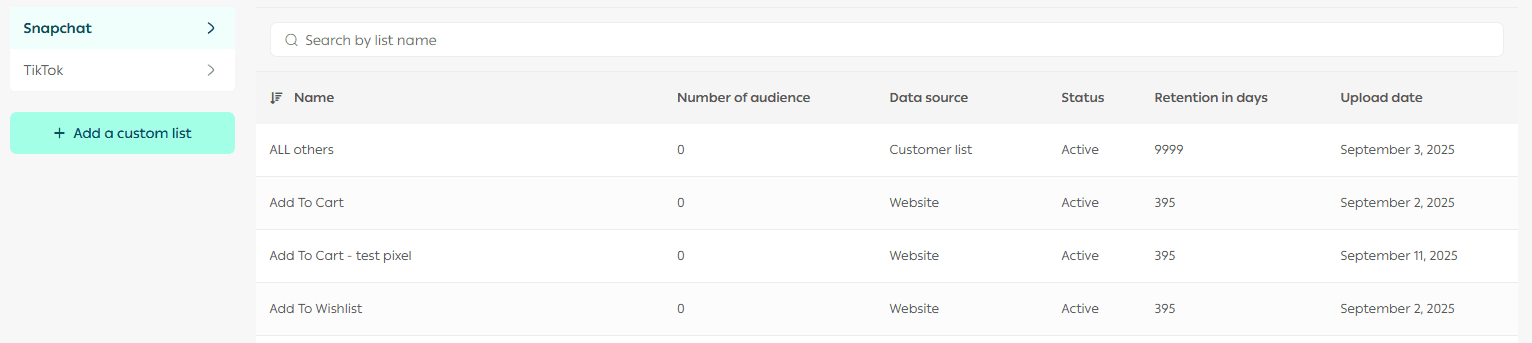
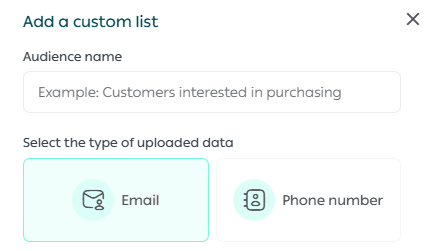
3. On the Add Custom Audience page:
- Enter the Audience Name
- Select the data type you are uploading
Available data types:
- Email addresses
- Phone numbers
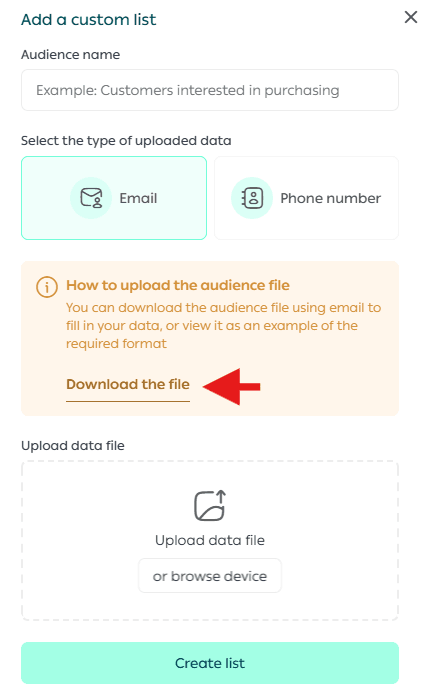
4. Click Download File to download the audience template
(You may skip this step if you already have a file with the required format.)
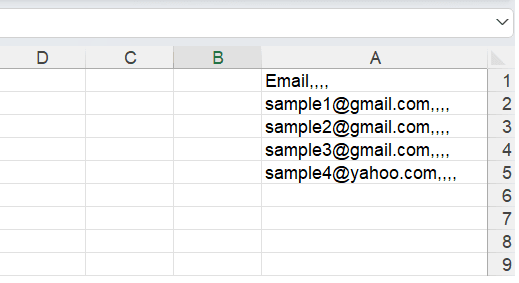
5. In the file:
- Add email addresses or phone numbers based on the selected data type
- Upload the file containing your new custom audience.
🚧 Important: The file must be in CSV or TXT format.
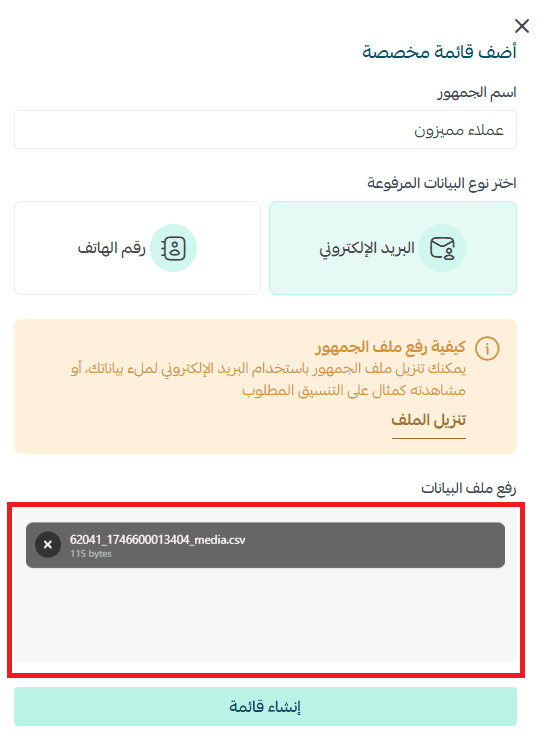
7. Finally, click Create List to add the new audience to Salla Ads.
Target Smarter. Advertise Better.
With Audience Manager, you can reach your most valuable customers with precision and intelligence, helping you maximize return on ad spend and achieve better results from every campaign.