Many merchants struggle to reach their target audience on social media, particularly due to the complexity of setting up advertising campaigns. This guide provides a simple, practical walkthrough for creating an effective Snapchat advertising campaign, from choosing the right goal to launching your ad with confidence.
By following these steps, you’ll be able to boost brand visibility, increase engagement, and run professional campaigns efficiently.
📌 Article overview
- Steps to create a new Snapchat ad
- Frequently Asked Questions
Steps to create a new Snapchat ad
- Under the Marketing Tab, click Salla Ads page, then click + Create Ad.

2. Select Snapchat as the advertising platform.
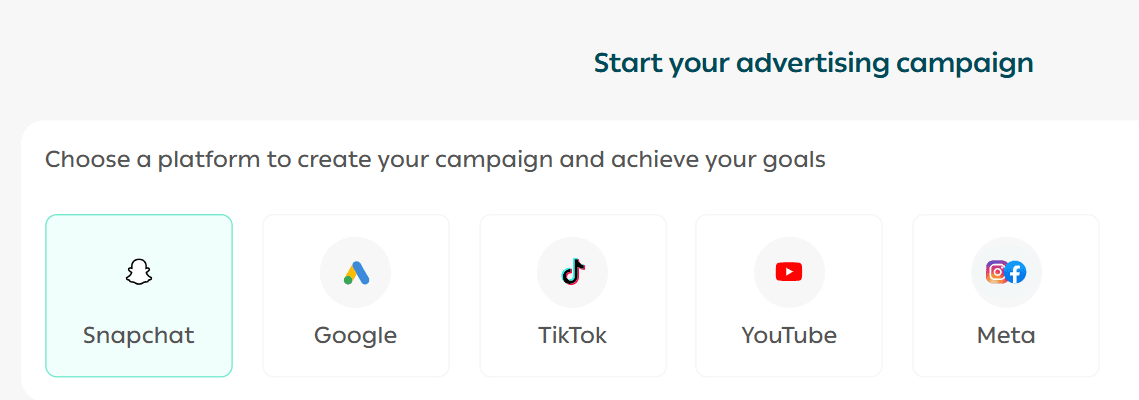
3. Choose how you want to create your campaign:

- Fast setup for quick launches
Advanced customization for full control over campaign settings
4. Select the campaign objective, for example: Website visits.
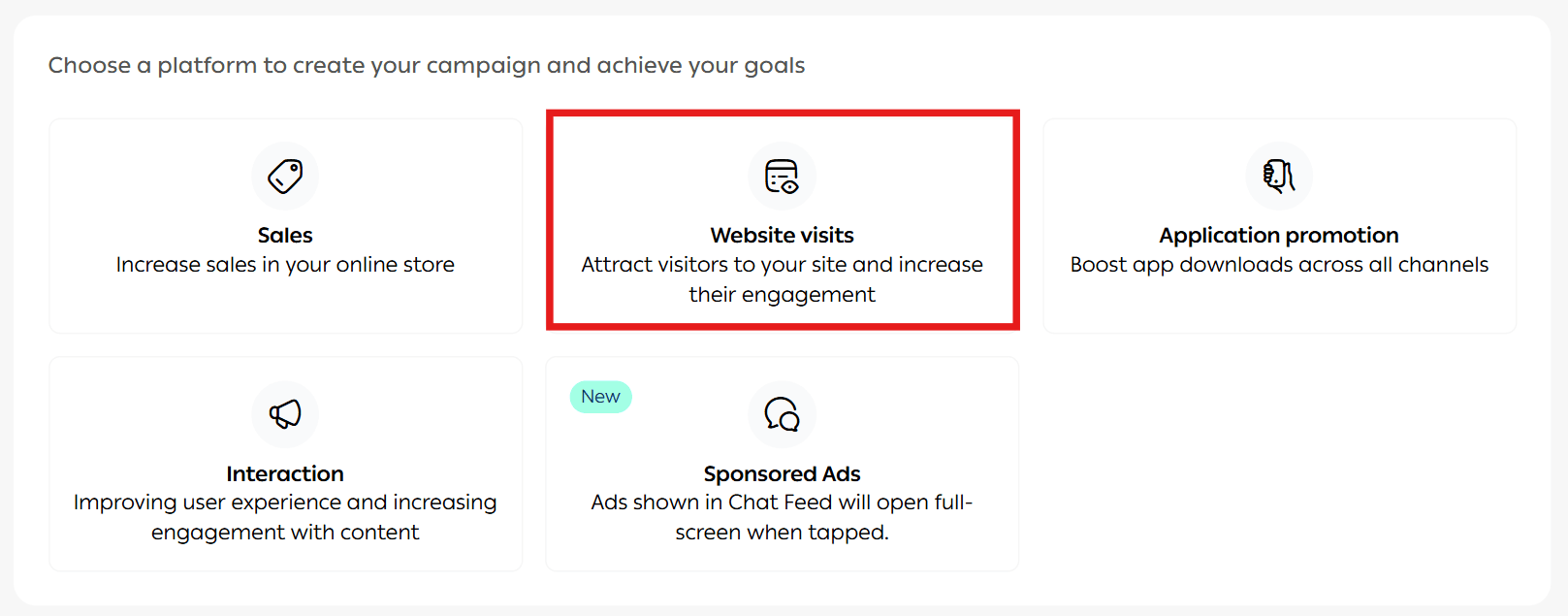
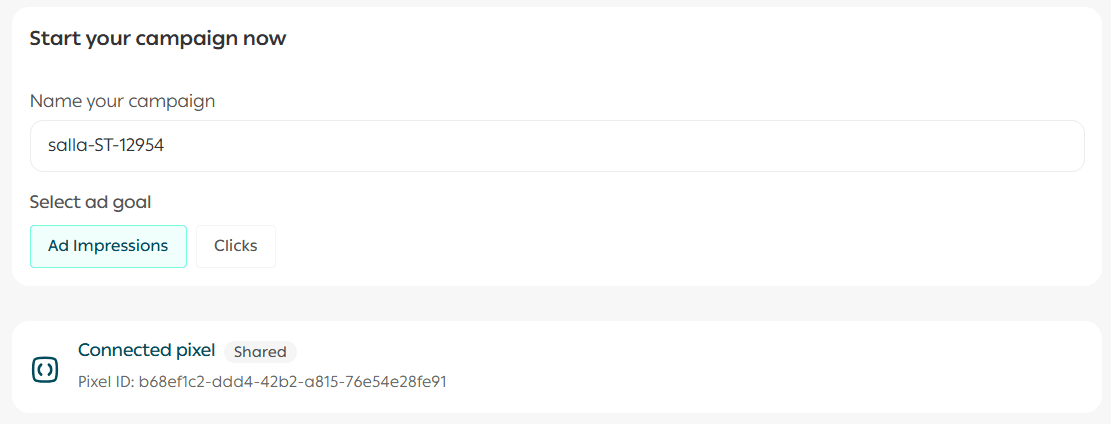
5. Enter the campaign details.

🎨 Ad design
- Enter a clear and descriptive campaign name (internal use only – not visible to customers).
- Choose the campaign objective:
1. Impressions
Used to increase brand awareness or reach the largest possible audience.
Recommended when:
- Launching a new product
- Building strong brand presence
- Targeting wide reach without focusing on direct interaction
💰 You pay for the number of times your ad is shown, regardless of interaction.
2. Clicks
Used to drive traffic to your website or landing page.
Recommended when:
- Your goal is conversions (purchases, sign-ups, form submissions)
- You want users to explore your website
- You want to measure real engagement
💰 You only pay when a user actually clicks on the ad.
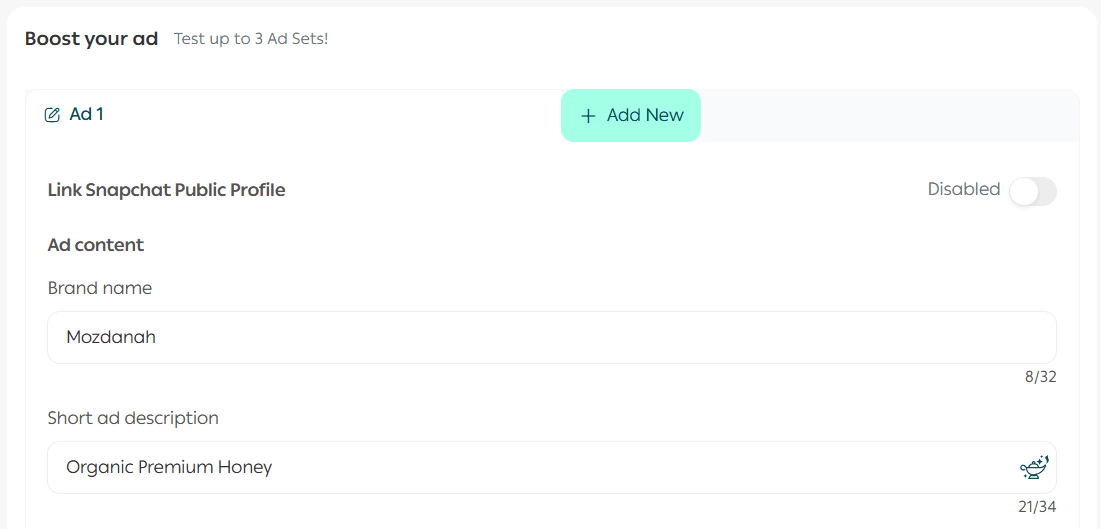
You can add up to three ads within one campaign.
- Brand Name: Appears in the top-left corner on Snapchat
- Short Ad Description: Displays below the brand name
Upload ad media
Upload your ad creatives (videos or images).

Choose the destination link
- Select the URL you want users to visit after interacting with the ad
- Choose the Call-to-Action (CTA) button label
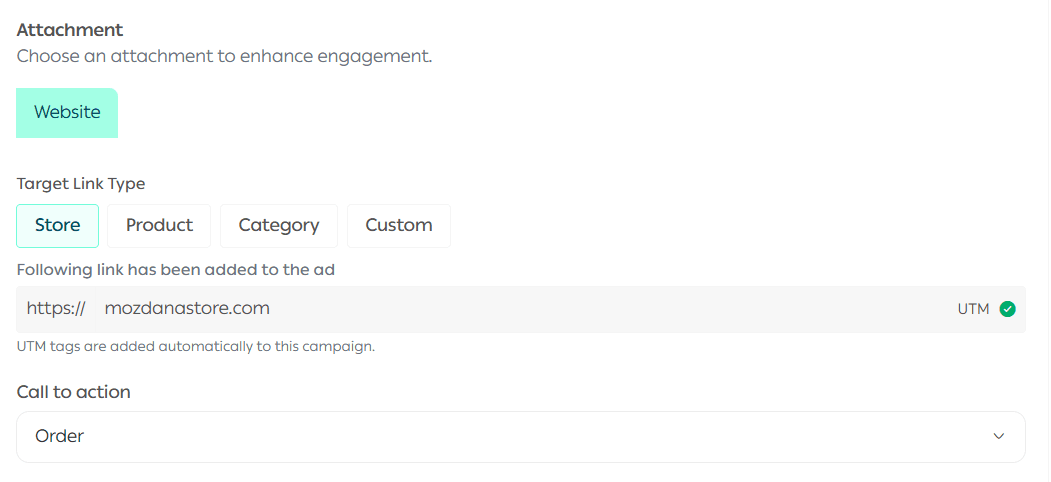
You can preview how your ad will appear using the Preview section.
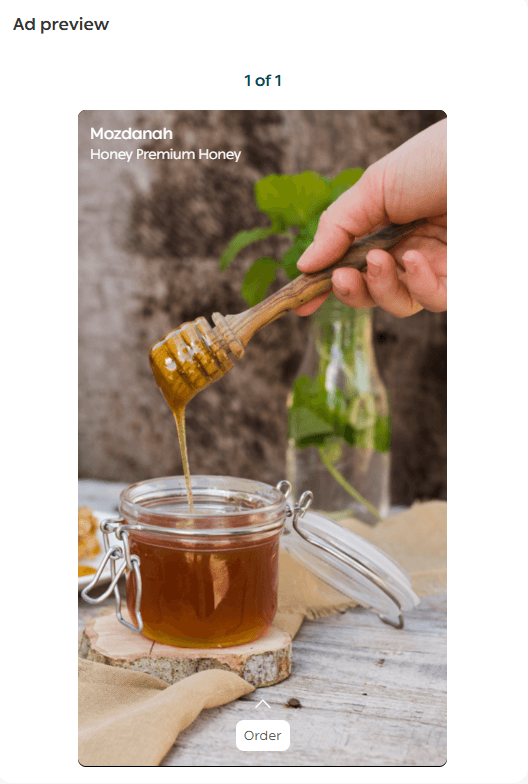
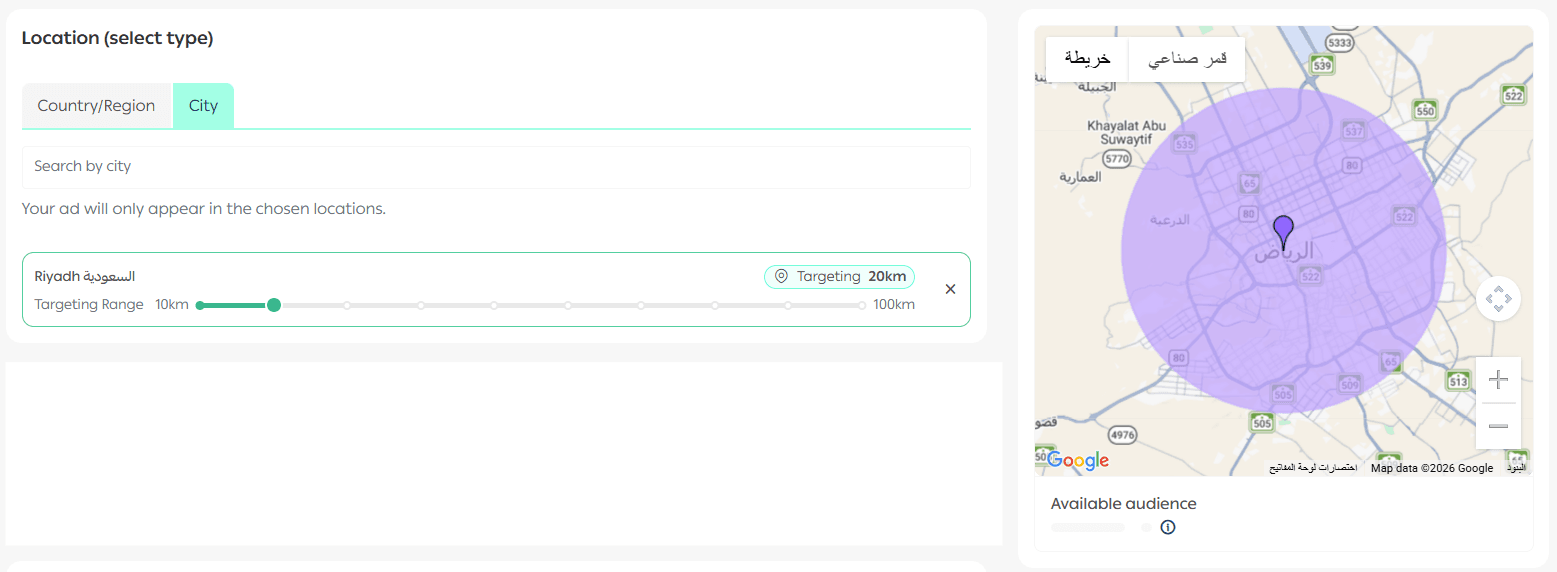
📍 Target audience selection
Define your target audience by:
- Selecting location:
- Country and region
- Or a specific geographic radius
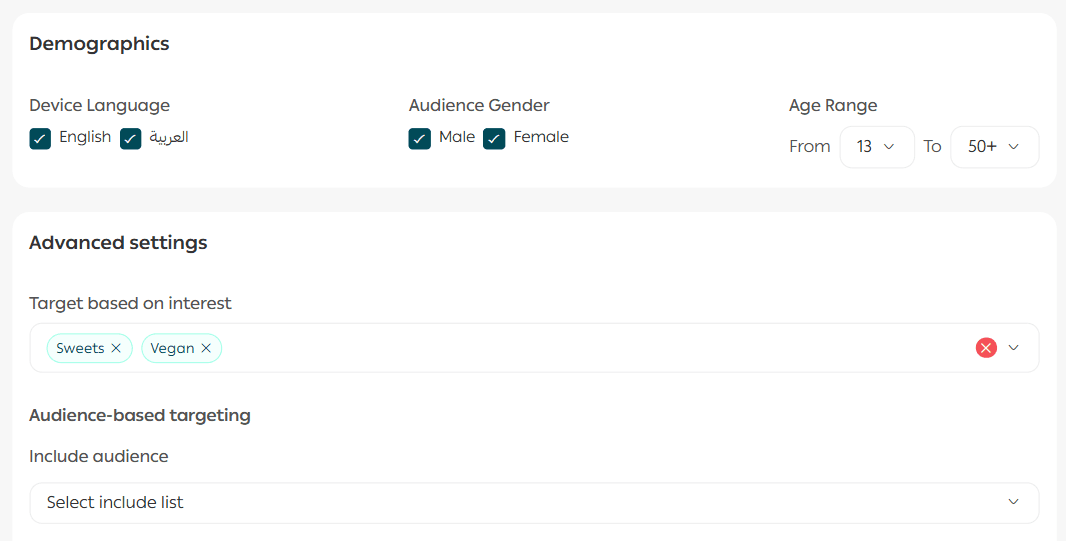
Then refine your audience using:
- Demographic attributes
- Interests
- Custom audiences you’ve previously created
For more details, refer to the Audience Management guide for advertising platforms.
💰 Budget setup
Set the budget for your campaign.
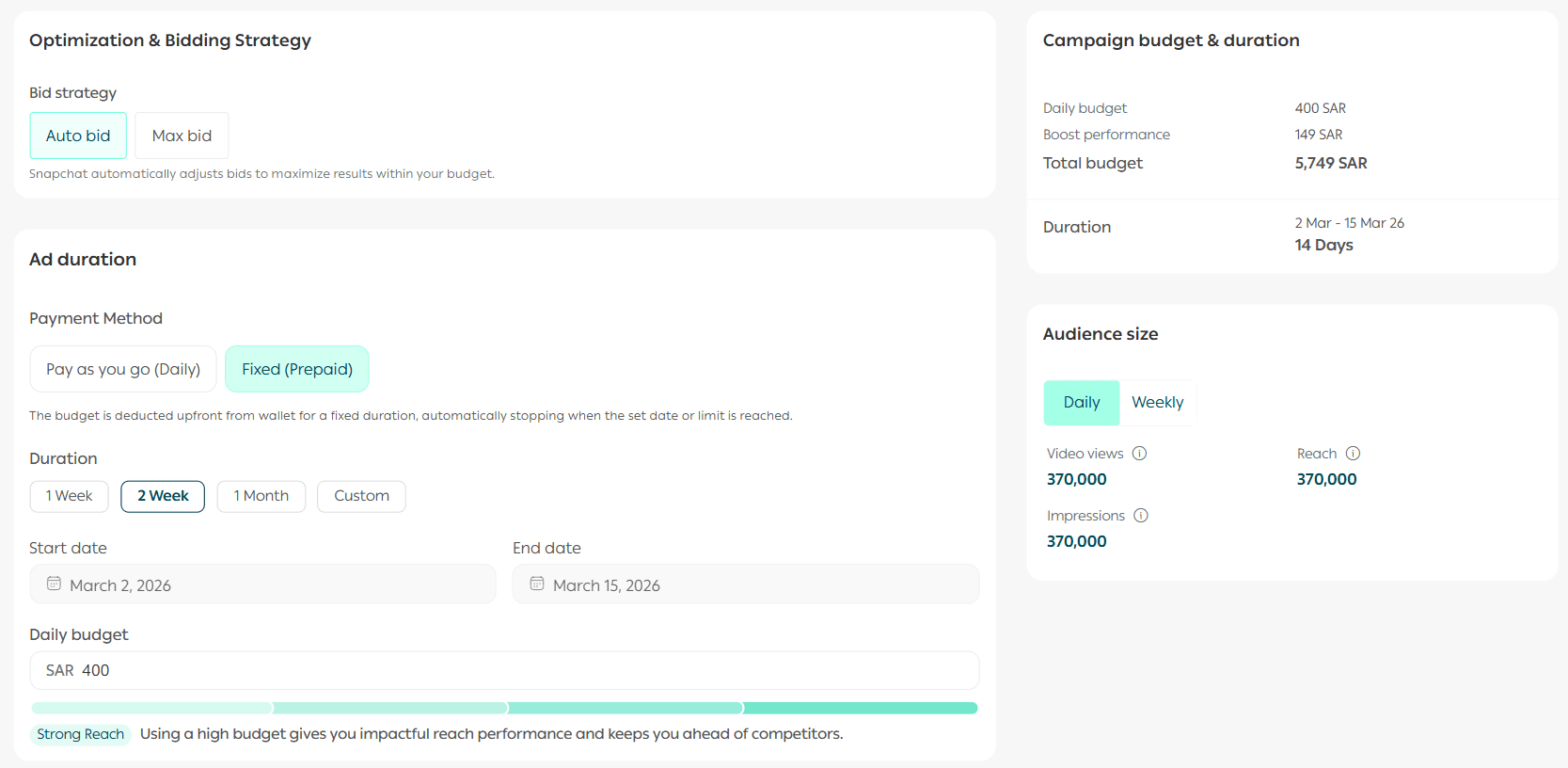
📝 Note: When enabling Performance Boost, the Salla Ads team will optimize your campaign using best practices and content optimization techniques to improve results.
🚀 Launch the campaign
Review all campaign and ad details carefully.
When ready, click Launch campaign.
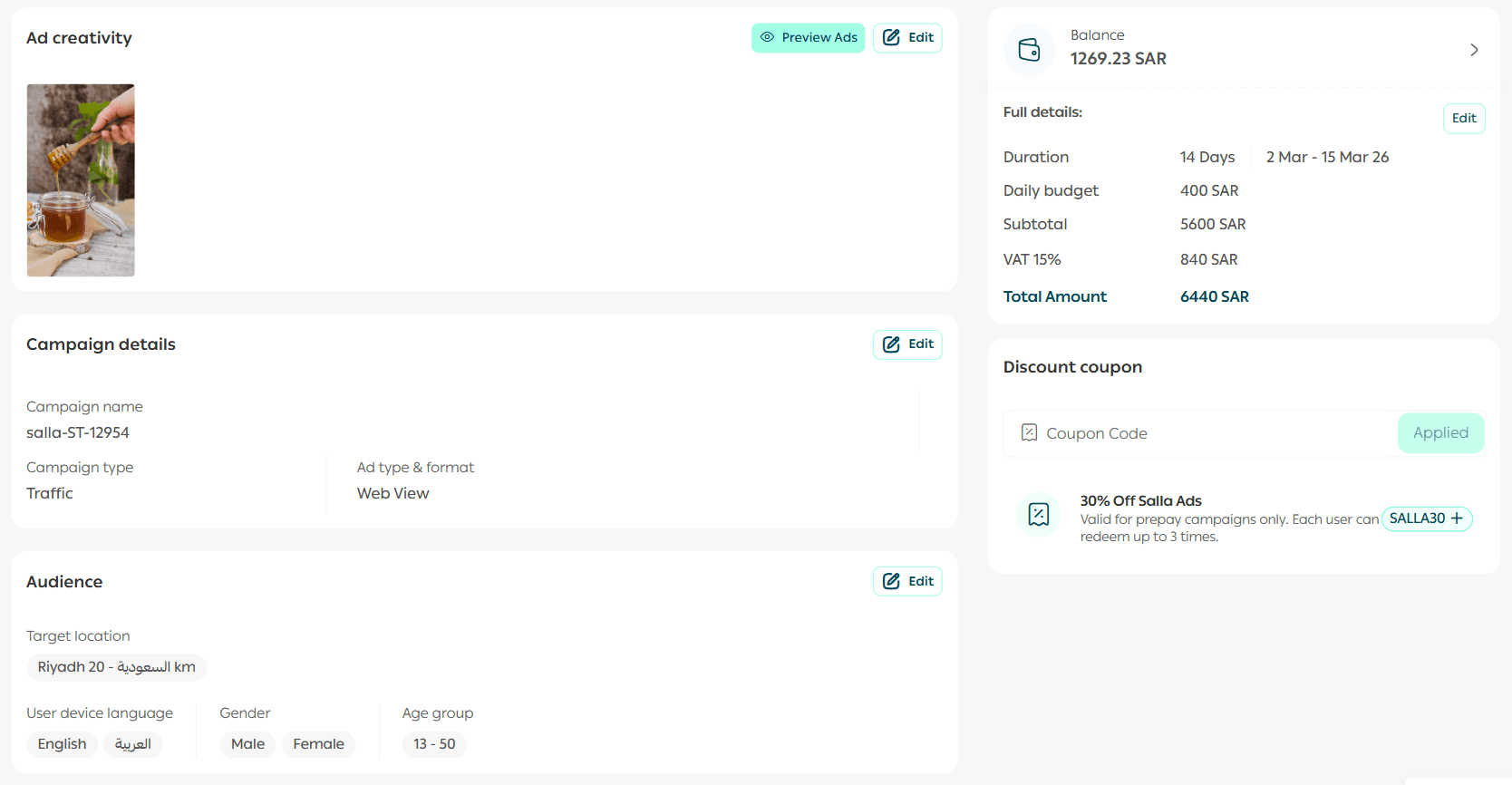
Your campaign will appear in the campaigns tab.
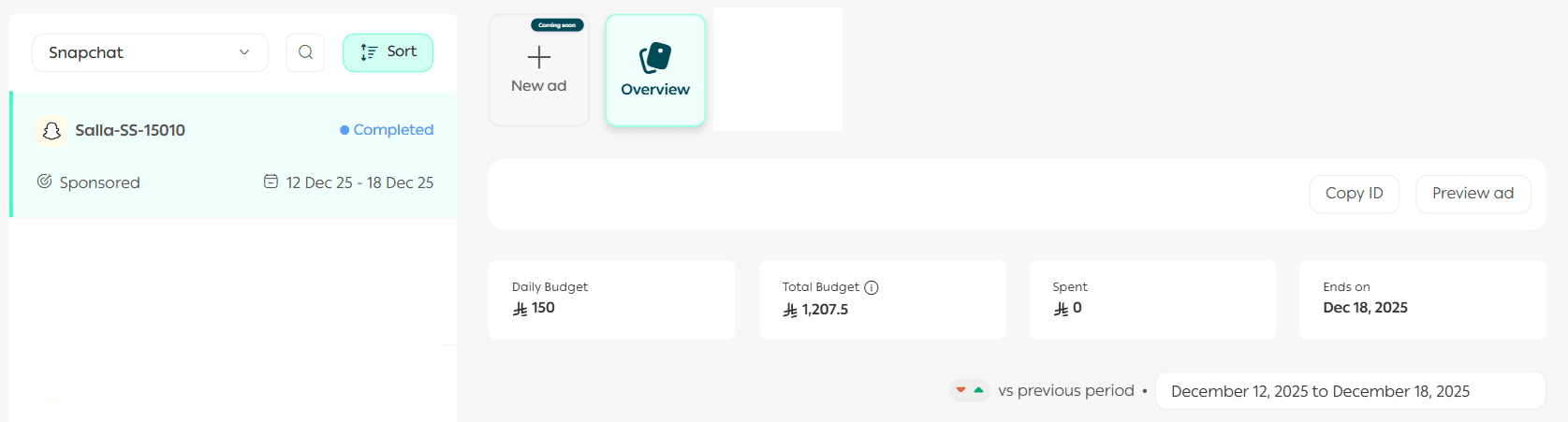
Note: All Snapchat ad campaigns undergo a review process that may take up to 48 hours.
Frequently asked questions
How do I create a public business profile on Snapchat?
- Make sure you have a Snapchat account. If not, create one via the Snapchat mobile app or at snapchat.com.
- Start setting up your Public Profile after account creation.
- Prepare your business details (business name, email, country, phone number).
- Visit profile.snapchat.com to create your public profile.
- Enter your business name in the Public Name field and add a brief business description.
What are the video ad requirements?
- Maximum file size: 30 MB
- Maximum duration: 30 seconds
- Format: MP4
What are the image ad requirements?
- Dimensions: 1920 × 1080 pixels
- Formats: PNG, JPEG
🚀 Support services
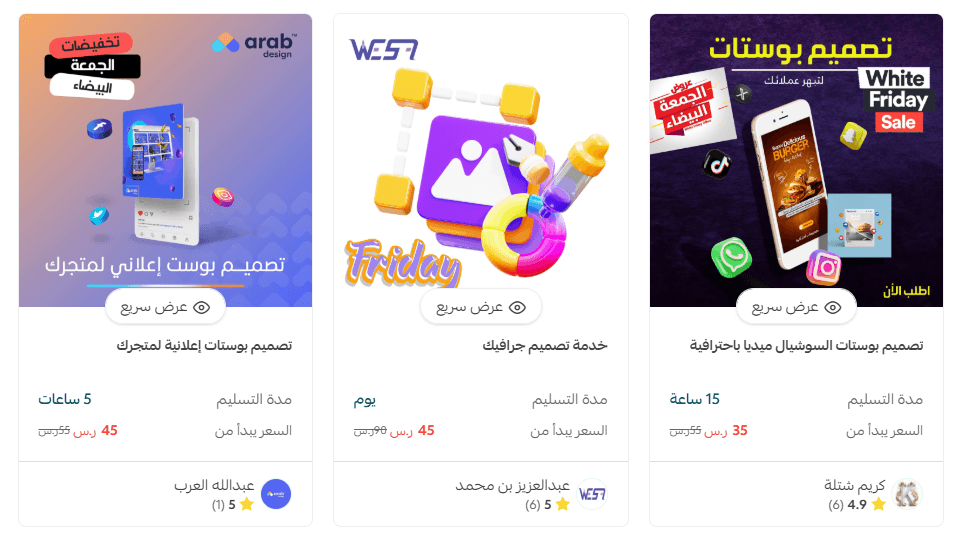
If you need help designing professional social media creatives, you can use Merchant Services, which connects you with trusted external service providers to support your business professionally.
Create your Snapchat campaign today and start reaching your audience with confidence and clarity.