Do you find it difficult to track your campaign performance accurately or reach the right audience at the right time? The Integration Tools article is your practical guide to easily connecting advertising platforms such as Snapchat, TikTok, and Google with Salla Ads. These tools help you improve targeting, gain deeper insights, and maximize your advertising return.
Discover how to turn raw data into real growth opportunities for your store.
📌 Article overview
- Features of Integration Tools
- Integration Tools Page
- Connecting Snapchat
- Connecting TikTok
- Connecting Google
Key Features of Integration Tools
Accurate performance tracking
Monitor store visitors, cart additions, and completed purchases from one centralized dashboard.
Second chance to convert
Re-engage customers who previously interacted with your ads using targeted remarketing messages that encourage them to complete their purchase.
Smarter audience targeting
Identify your best customers and create lookalike audiences based on their behavior and interests.
AI-powered optimization
Platforms like Snapchat use intelligent data to show your ads to users who are most likely to buy.
Integration Tools Page
From the Salla Ads page, click the Integration Tools tab.

These tools help you collect more accurate audience data and achieve better advertising results using Conversion API and Pixels.
Important note: You must have at least one previous campaign on Salla Ads in order to successfully connect your advertising accounts.
1. Connecting Snapchat
Unlock powerful insights and improve targeting by connecting Snapchat, where audiences are 34 percent more ready to purchase, opening the door to stronger growth opportunities.
Benefits of Snapchat Integration
- Accurate data to enhance targeting and results
- Access to a highly purchase-ready Snapchat audience
- Track store visits, add-to-cart actions, and completed purchases from one place
- Retarget engaged customers with motivational messages
- Create lookalike audiences based on your best customers
- Use smart data to show ads to users most likely to convert
Steps to Connect Snapchat
- Click Connect Your Account.
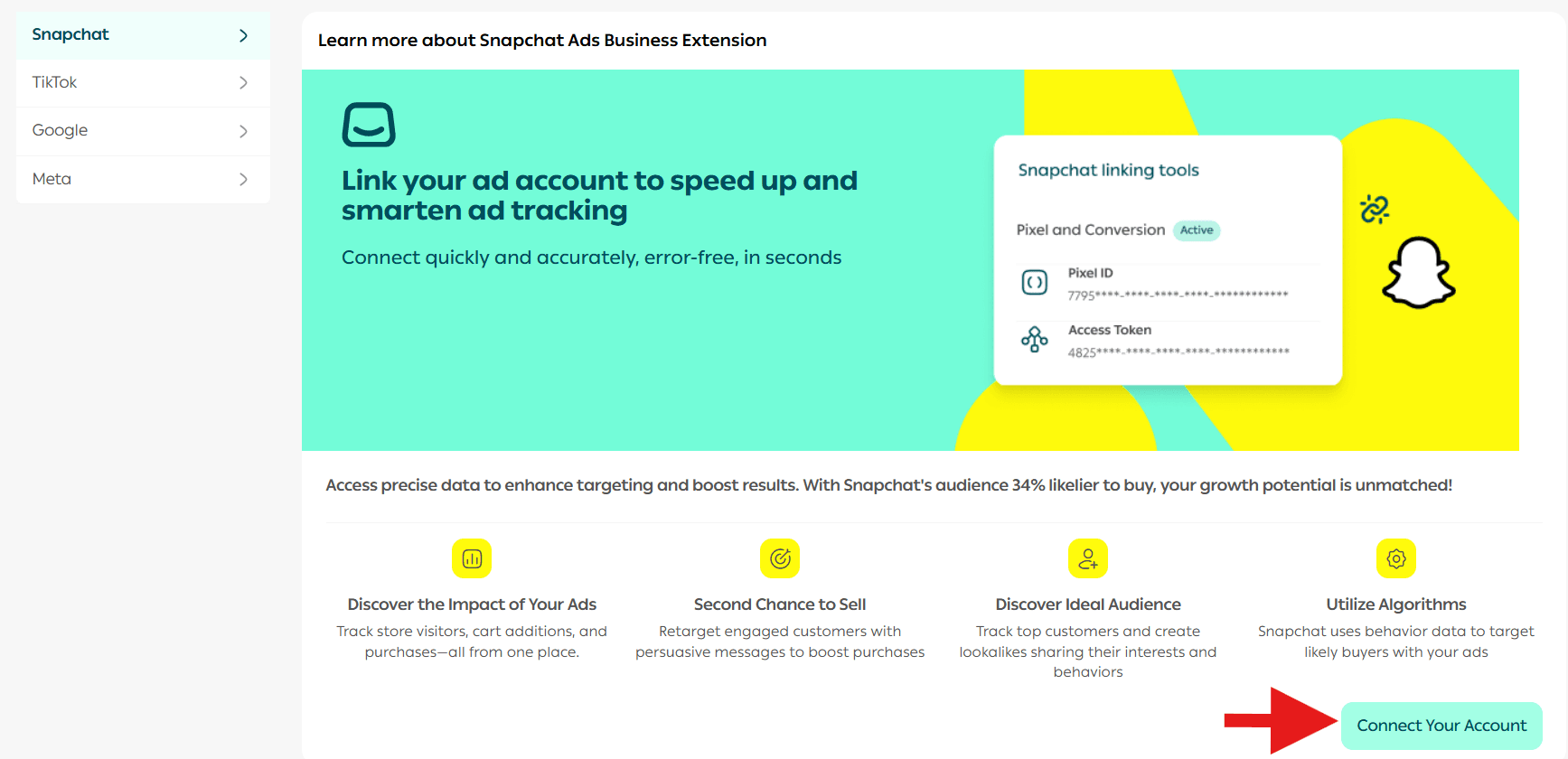
Note: If you do not have a Snapchat account, you will be guided to create one. Complete the account setup and create a pixel for the account.
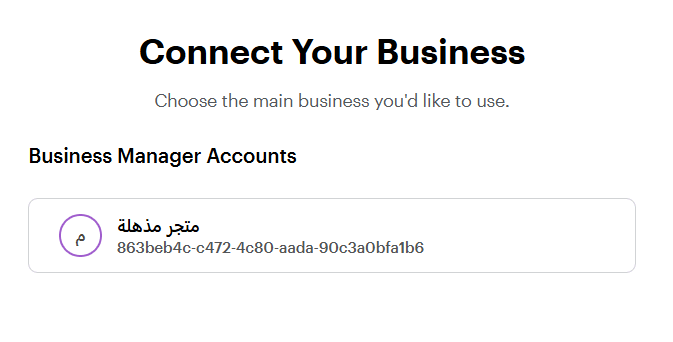
2. Select the required Business Manager account, then click Continue.
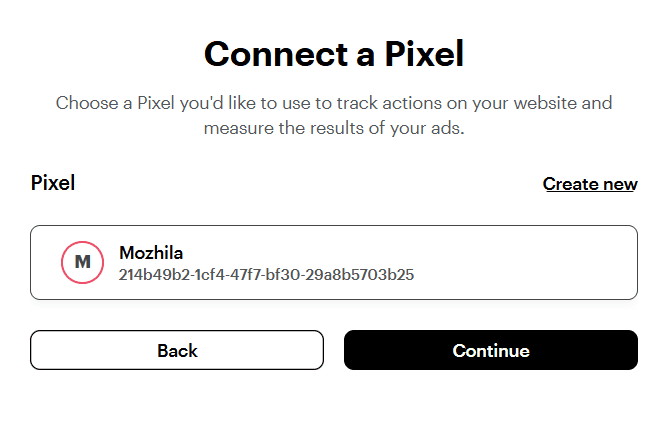
3. Select the desired Ad Account, then click Continue.
4. Click Continue.
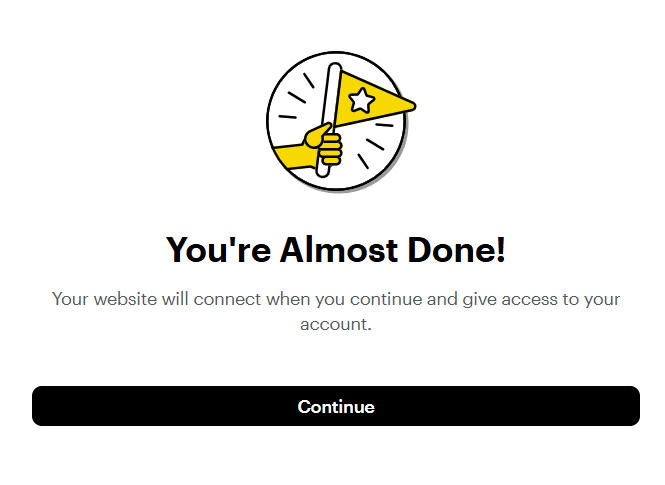
5. Review the required permissions and click Continue.
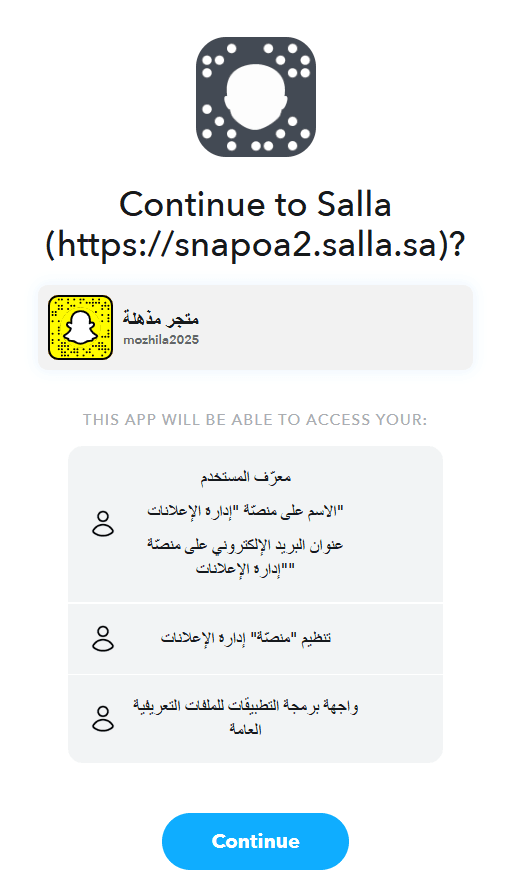
Congratulations. Your Snapchat advertising account has been successfully connected.
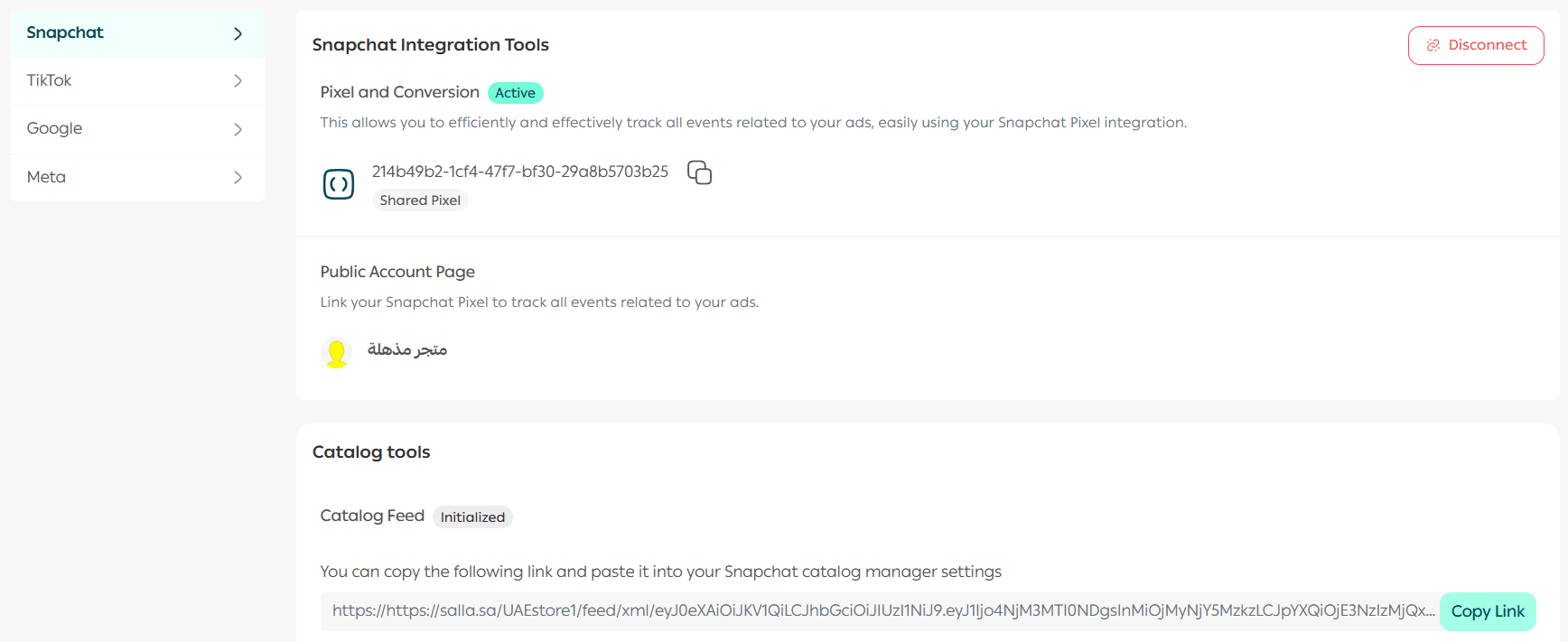
2. Connecting TikTok
The TikTok Pixel provides accurate data that helps improve targeting and increase conversions without complex setup or coding. Your growth opportunities are now stronger than ever.
Benefits of TikTok Integration
- Accurate data to improve targeting and increase conversions easily
- Full tracking of store visitors from add to cart through purchase completion
- Retarget previously engaged customers with conversion-focused messages
- Build lookalike audiences based on high-interest customer behavior
- Use TikTok’s smart algorithms to deliver ads to the right users in real time
Steps to Connect TikTok
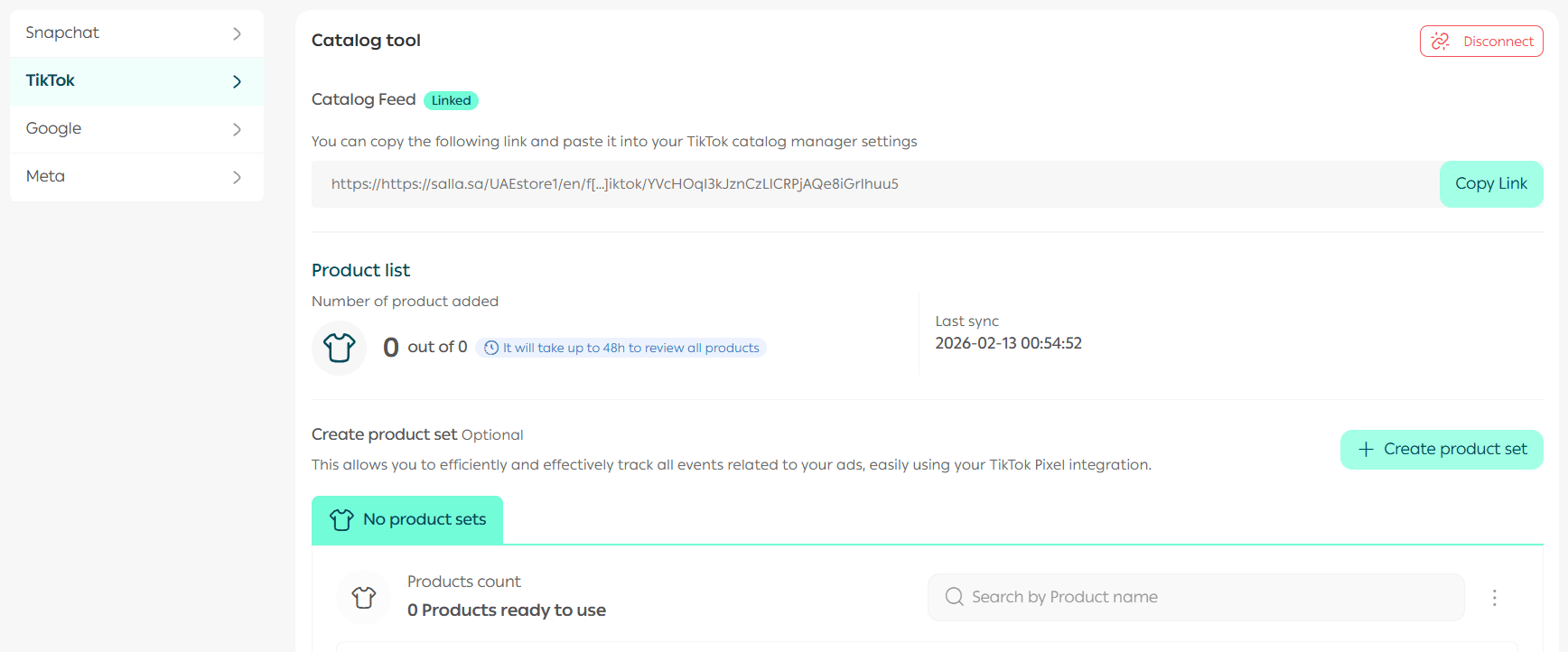
- Click Connect Now.
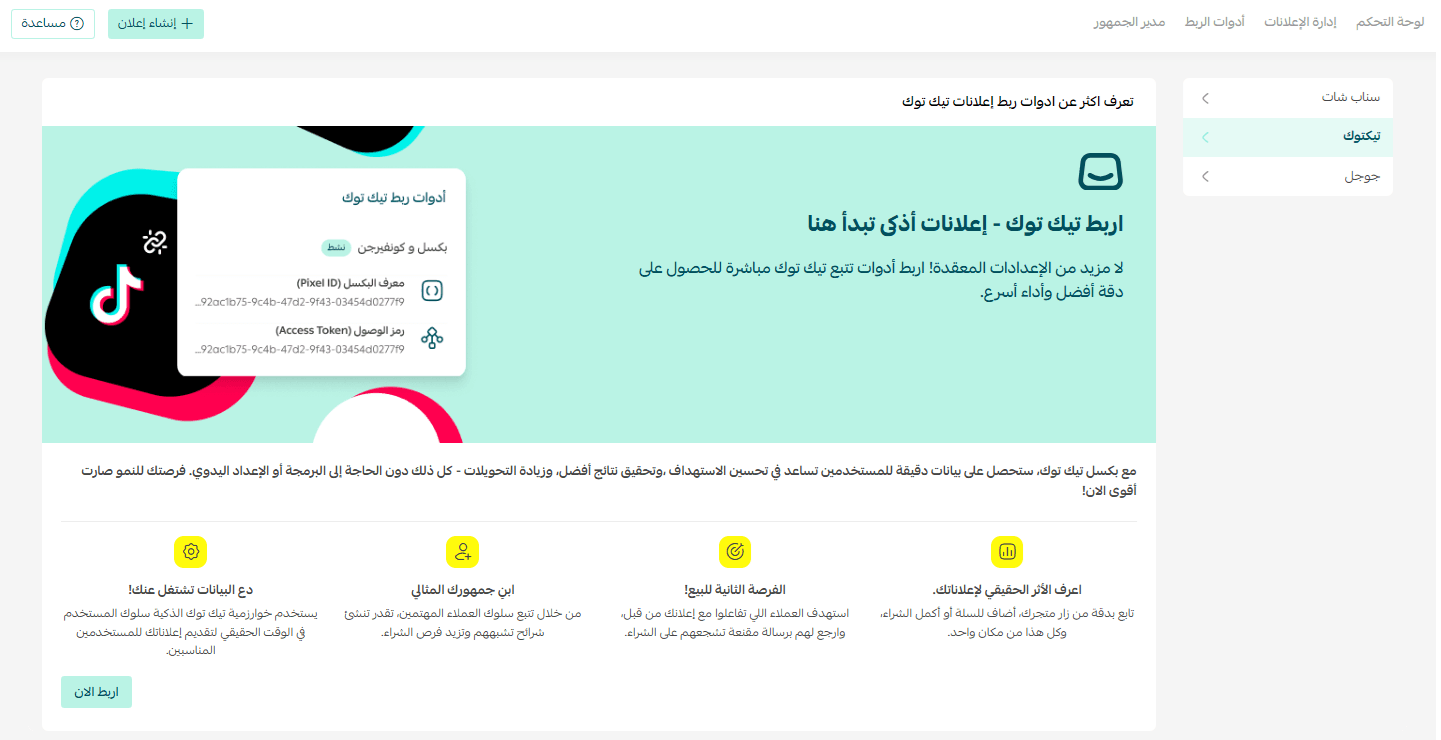
Note: If you do not have any previous campaigns, you will be redirected to create a new campaign.
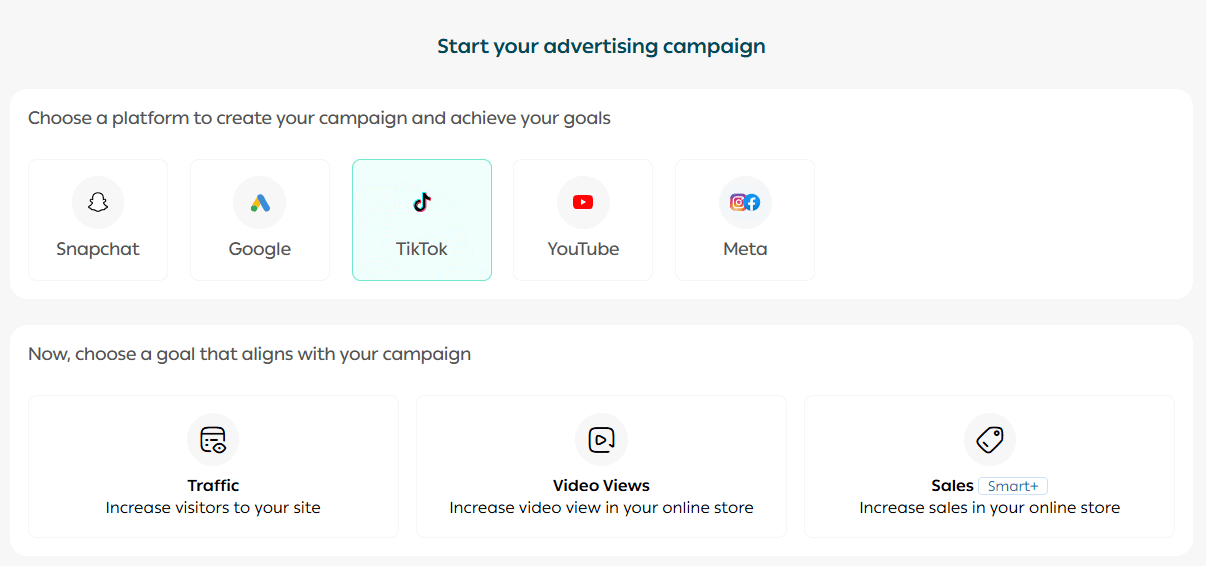
Complete and launch the campaign. You can follow the step-by-step guide in the article Creating a TikTok Advertising Campaign.
2. The system will automatically connect your active advertising campaign.
3. Connecting Google
Gain powerful insights to reach the right audience and clearly improve campaign performance. With billions of daily searches, Google helps you reach customers at the perfect moment.
Benefits of Google Integration
- End-to-end tracking of store visitors from first visit to purchase
- Retarget engaged users with messages that encourage conversion
- Build lookalike audiences based on customer behavior
- Leverage Google’s intelligent algorithms to optimize ads and maximize return
Steps to Connect Google
- Click Connect Now.
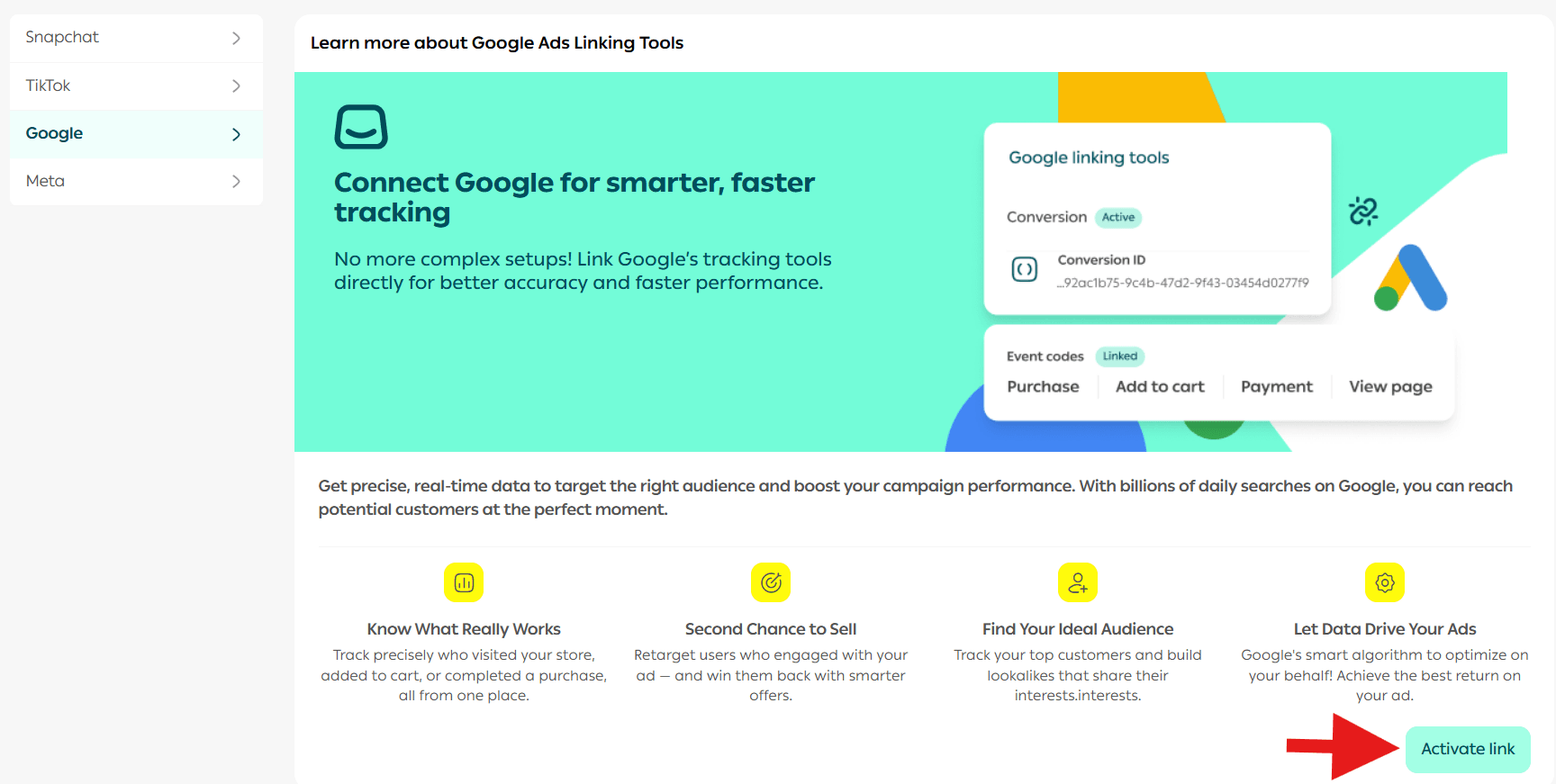
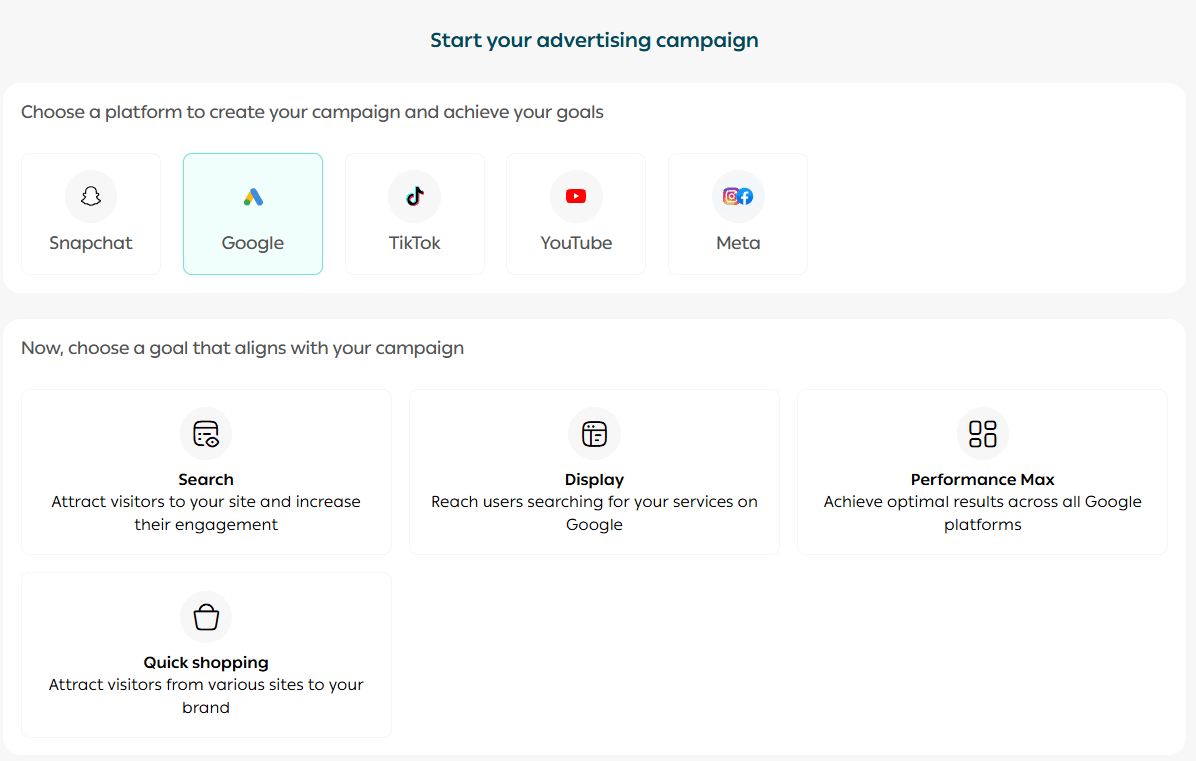
Note: If you do not have previous campaigns, you will be guided to create a new one.
Complete and launch the campaign. You can follow the article Creating a Google Ads Campaign for step-by-step instructions.
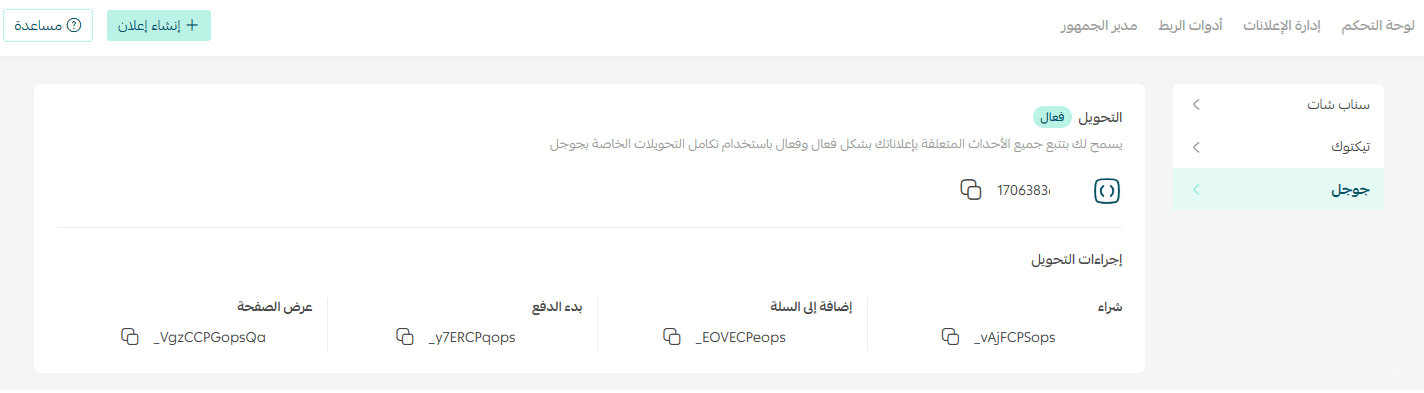
2. The system will automatically connect your active advertising campaign.
Start Turning Data into Growth
Begin today by connecting your advertising accounts with Salla Ads. Transform your store data into measurable success, stronger performance, and sustainable growth.