Want to bring shoppers back to the carts they left behind — without cutting into your margins?
Not every abandoned cart needs a discount to recover it. Sometimes a well-timed nudge is enough. With an abandoned cart reminder without a discount, Salla contacts customers who left items in their cart and invites them to complete the purchase — at full price. In this guide, you'll learn how to create this type of reminder step by step, and which sending channels you can use.
To send an abandoned cart reminder without a discount, go to (Marketing tools) then (Abandoned carts) in your Salla dashboard, open (Reminder settings), and click (+ Create new reminder). Turn the (Cart discount) option off, write your message, choose a sending channel, preview it, then click (Save).
📌 Article overview
- How to create an abandoned cart reminder without a discount
- Available sending channels
- Frequently asked questions
👣 How to create an abandoned cart reminder without a discount
1. From the side menu of your dashboard, click (Marketing tools).

2. From the marketing tools page, click (Abandoned carts).
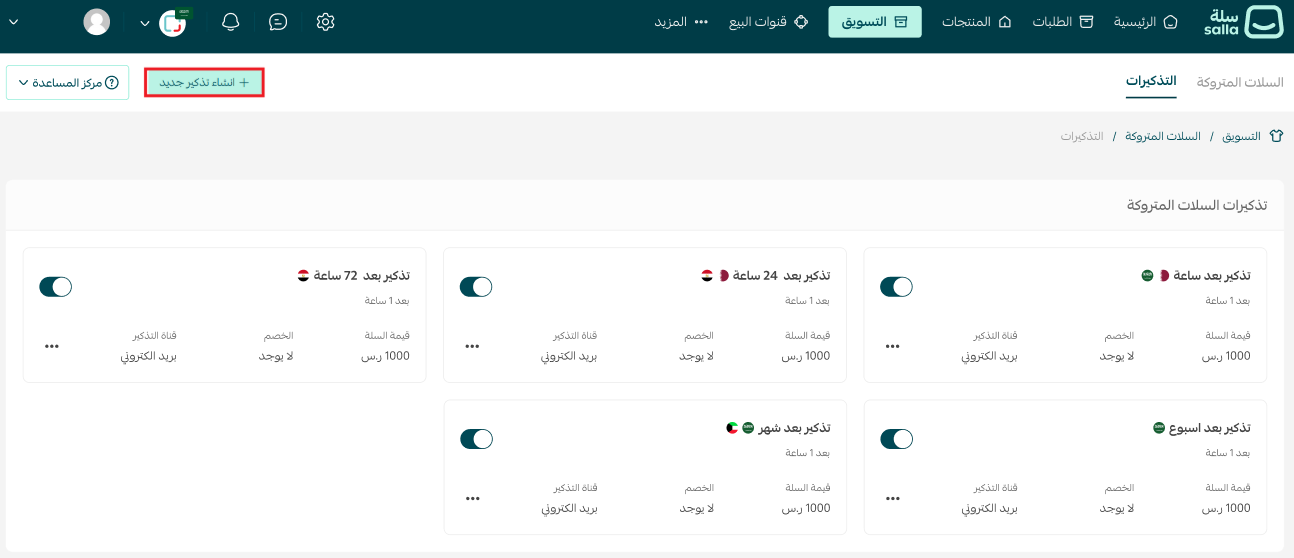
3. From the abandoned carts page, click (Reminder settings).

4. Click (+ Create new reminder).
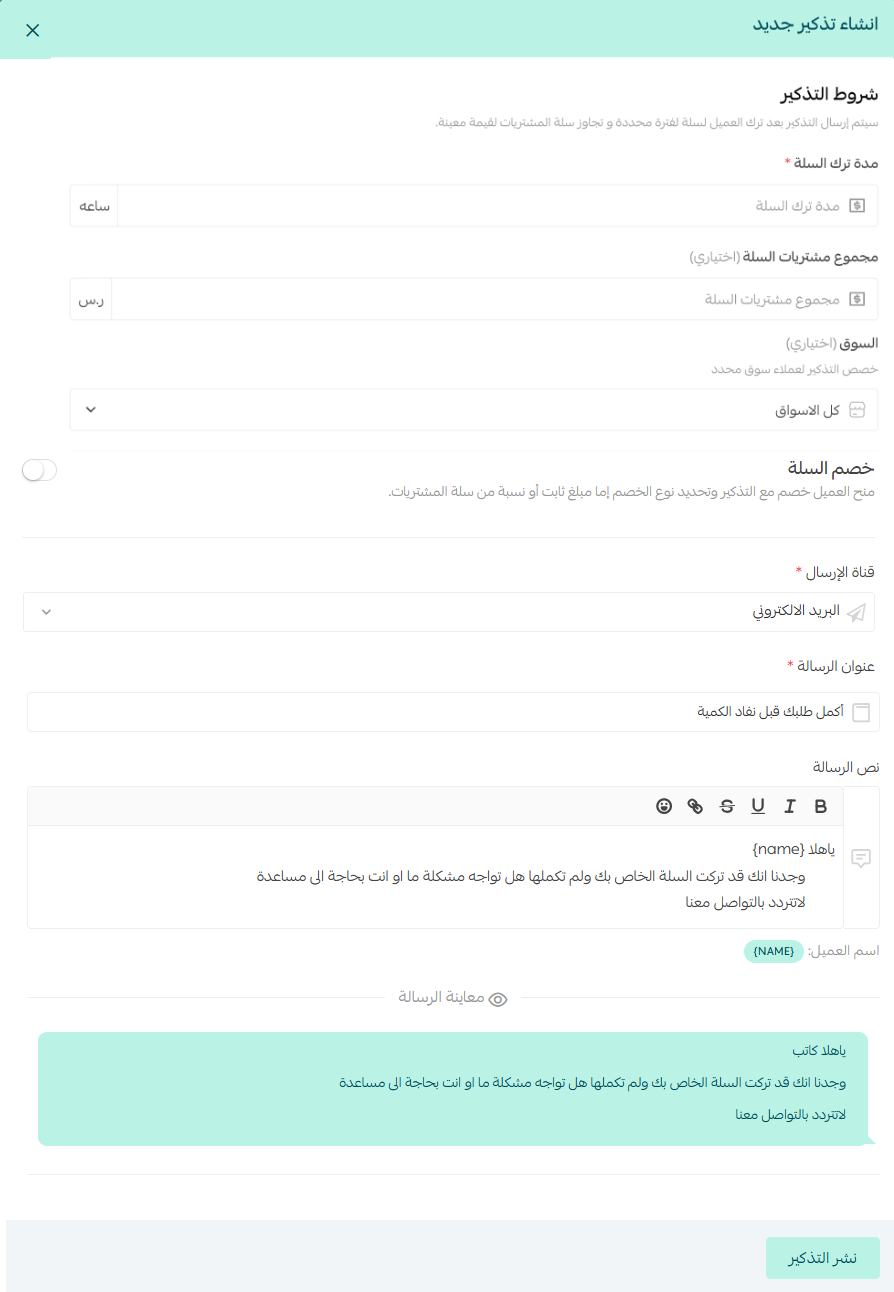
5. Enter the reminder details, making sure the (Cart discount) option is turned off.
6. Choose the sending channel that fits your store:
- Text message (SMS)
- Mobile push notifications (for App Builder subscribers)
- WhatsApp notifications (for Salla WhatsApp subscribers)

7. Preview the message, then click (Save).
📝 Important notes
Insert the customer's name in the message text — a personalized reminder feels more direct and gets a better response.
Prefer to sweeten the deal instead? See sending an abandoned cart reminder with a discount.
Frequently asked questions
❓ Does this reminder give the customer any discount?
No. When the (Cart discount) option is turned off, the reminder simply invites the customer to complete their purchase at the original cart value.
❓ Which channels can I use to send the reminder?
Text message and email are available to all stores. Mobile push notifications require an App Builder subscription, and WhatsApp notifications require a Salla WhatsApp subscription.
❓ Can I check how the message looks before sending it?
Yes. Preview the reminder from the same screen before you click (Save), so you can confirm the wording and personalization look right.
Finally
Every abandoned cart is a missed opportunity. Start turning those opportunities into sales — the abandoned carts course shows you how to win them back before they're gone for good.
Enroll in the making the most of abandoned carts course from Salla Academy.