Have you noticed that some customers leave the store when they are asked to create an account before purchasing?
The guest checkout feature solves this issue by allowing visitors to complete their orders quickly without creating an account, while maintaining their privacy and ensuring a smooth shopping experience.
Main benefit for merchants: converting hesitant visitors into actual buyers, reducing abandoned carts, and increasing potential sales.
📌 Article overview
- Benefits of guest checkout
- How the feature works
- Ways to benefit from guest checkout
- A plan to convert guests into loyal customers
- Frequently asked questions
Benefits of the guest checkout feature
For customers
- Fast and simple: Orders can be completed without extra registration steps.
- Greater privacy: Customers do not need to share more personal information than necessary.
- Smooth experience: Reduces friction during checkout and makes purchasing easier.
For merchants
- Increase sales: Convert hesitant visitors into buyers.
- Reduce cart abandonment: Removing mandatory registration lowers the chance of lost orders.
- Attract new customers: A simple first purchase experience may encourage customers to register later.
- Improve store image: Demonstrates that the store prioritizes customer convenience and flexible options.
How the feature works
From the merchant’s perspective
1. Enable the feature
From the dashboard:
- Go to Payment methods.
- Under Allow Guest Checkout, click Set.
- Enable Guest Checkout, then click Save.

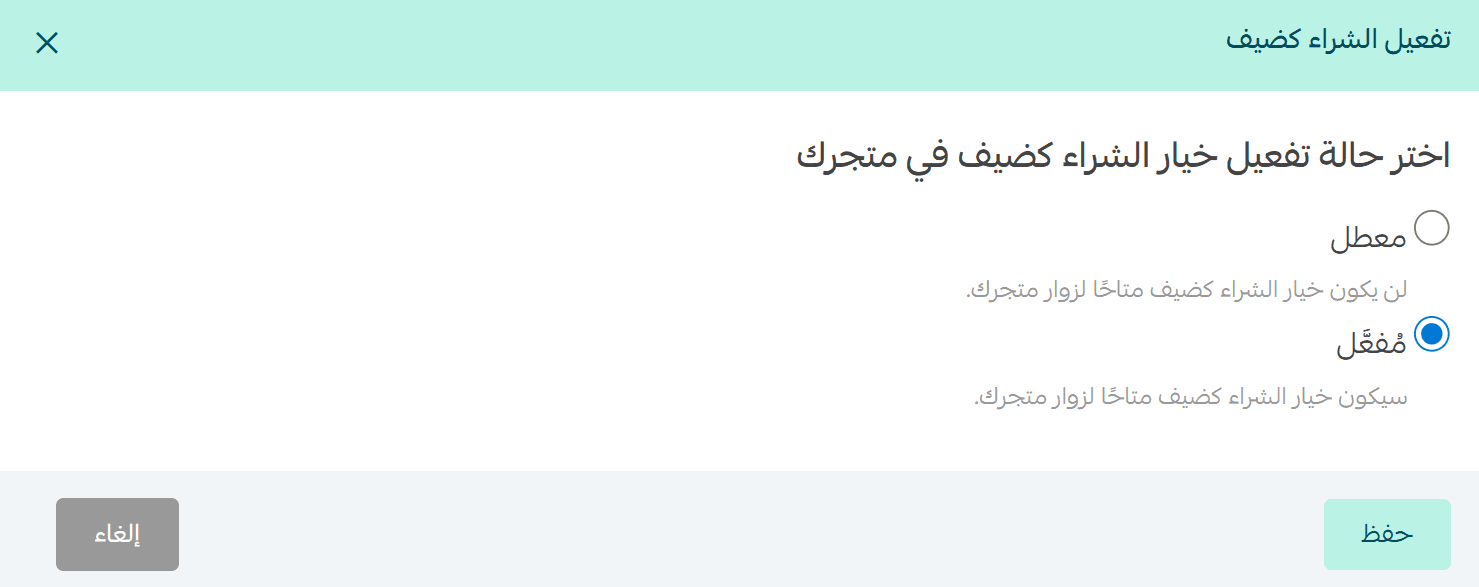
Note: The feature is enabled by default for stores.
2. Add optional restrictions
To reduce risks or control eligible customers:
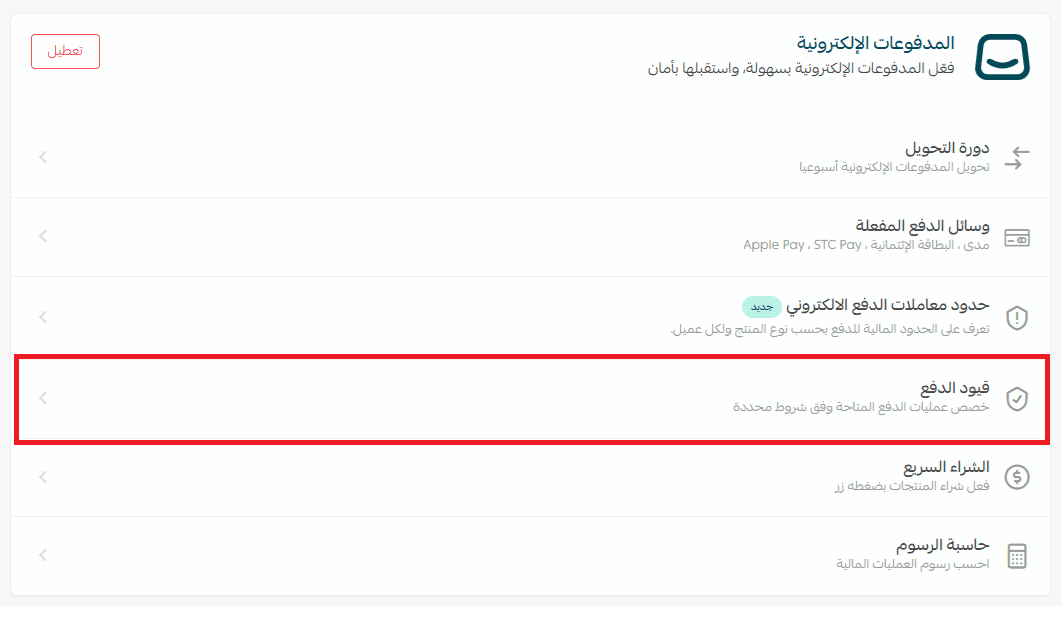
- From the Payment Methods page, click Payment Restrictions.
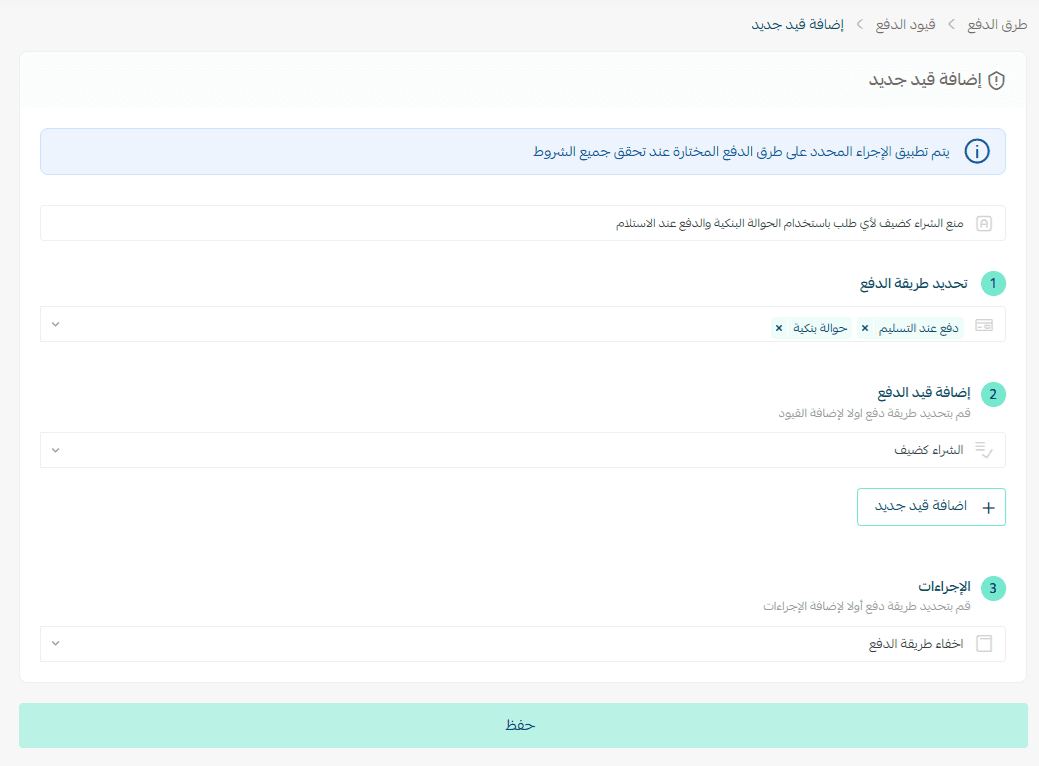
- Add a new payment restriction.

Example: Prevent guest checkout for orders using bank transfer or cash on delivery.
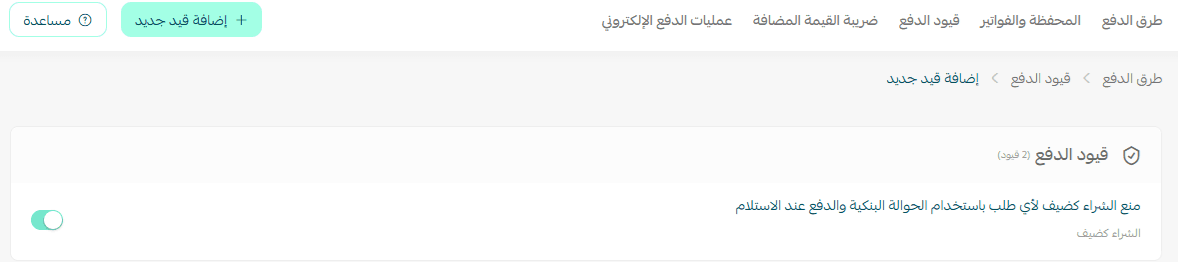
The restriction will appear in the payment restrictions list.
3. Monitor guest orders
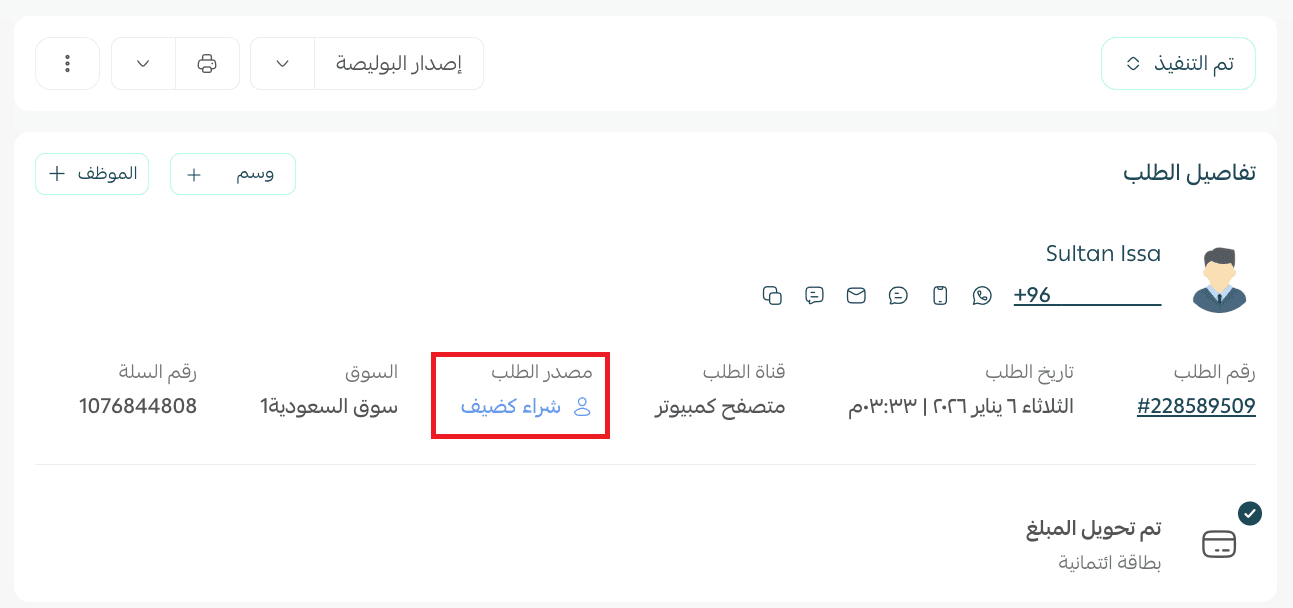
Orders placed by guests will appear in the orders list with the label: “Guest purchase.”
From the customer’s perspective
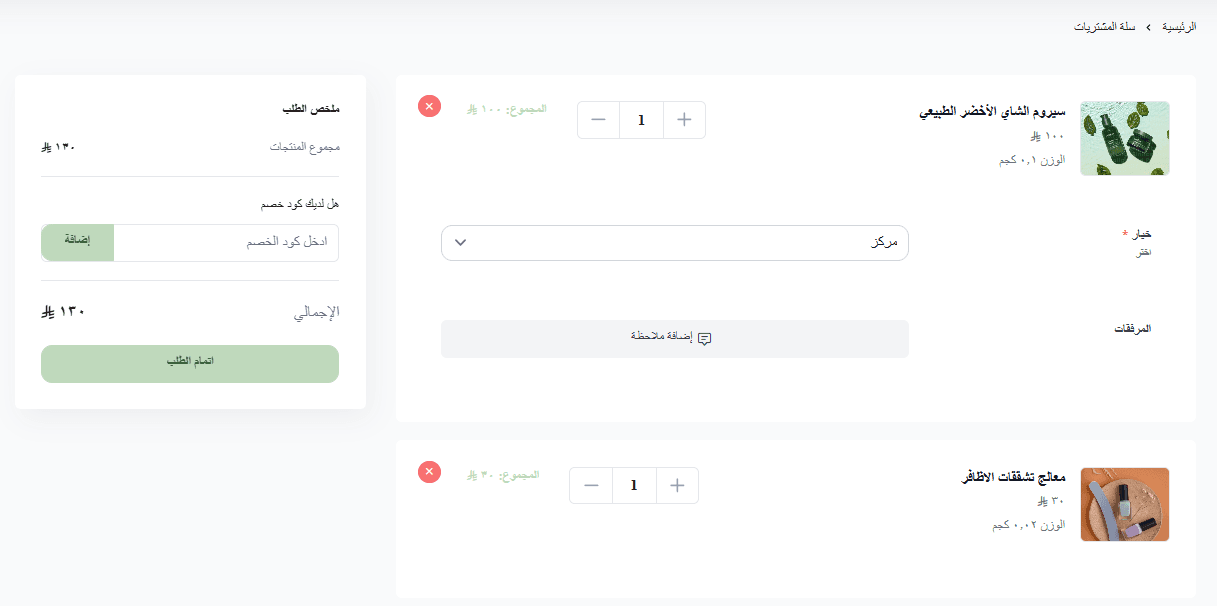
1. Choose products
Add items to the shopping cart.
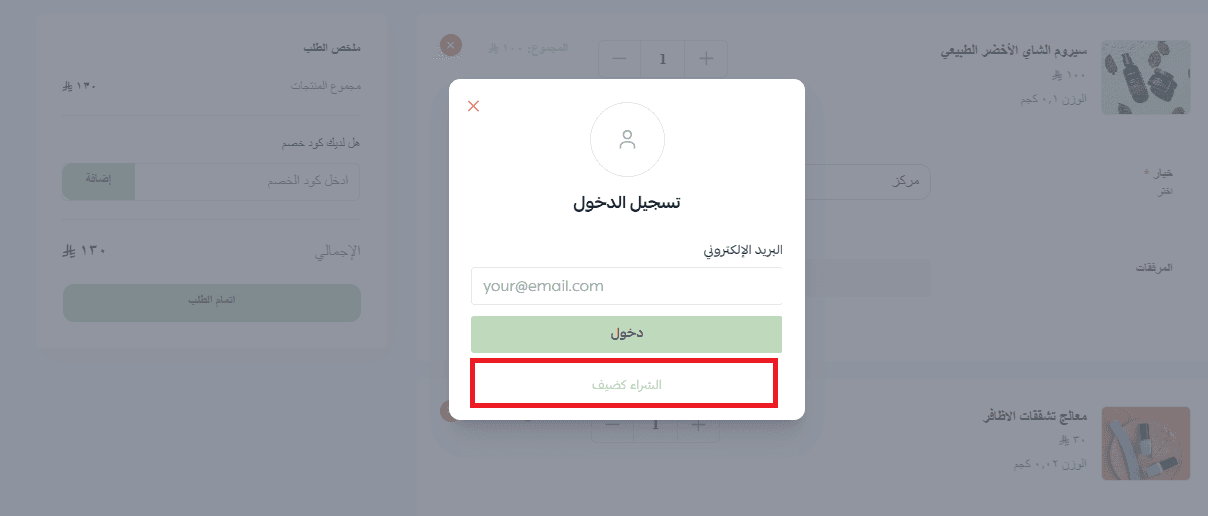
2. Select a payment method
When clicking Checkout, the option Guest Checkout will appear alongside:
- Log in
- Create an account
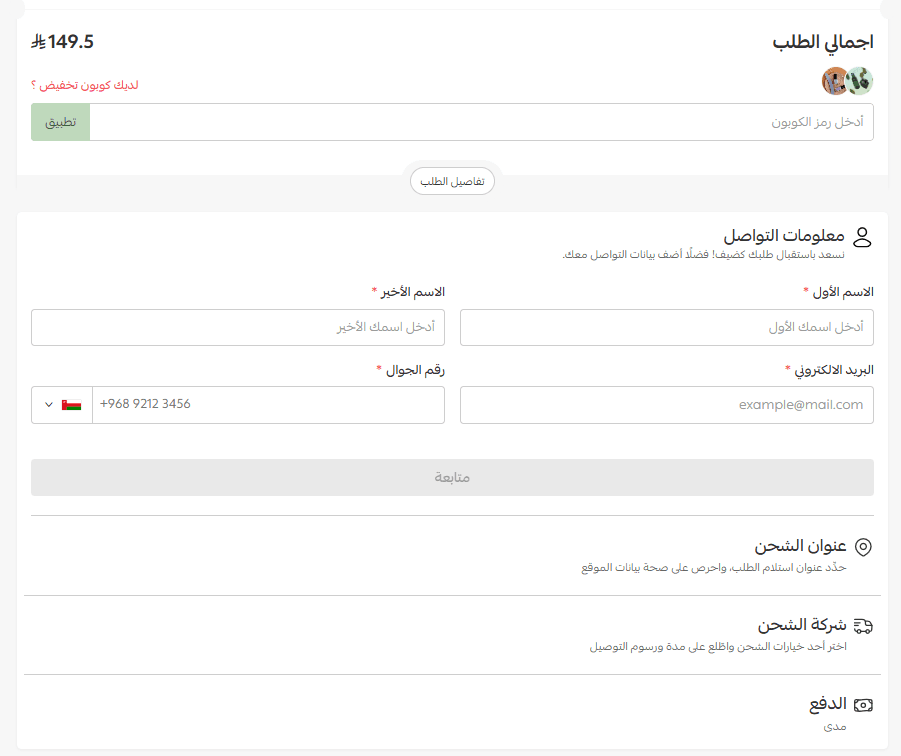
3. Enter basic information
The customer enters the required details:
- Name
- Phone number
- Email address
- Delivery address
- Payment method
4. Complete the payment
The customer pays directly using any supported payment method.
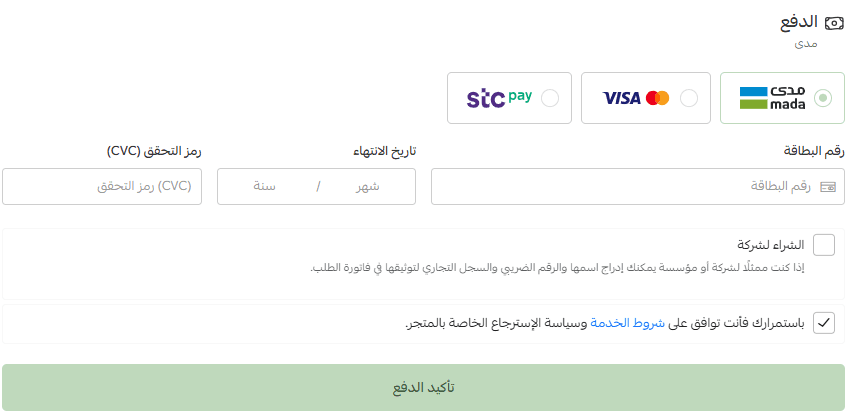
5. Order confirmation
After successful payment, the customer is redirected to the order confirmation page, which displays the order number and basic order details.
Frequently asked questions
Can a customer place multiple orders as a guest?
Yes. Customers can place multiple orders as a guest without creating an account, but they must enter their basic information for each order.
Can a guest review their order?
No. The order review feature is available only for customers who place orders through a registered account to ensure credibility and proper order tracking.
Are guest details added to the customer list?
No. Guest information is not added to the customer list to protect their privacy.
Can guests view their previous orders?
No. Orders completed as a guest will not appear in future orders, and guests cannot access order history like registered customers. Creating an account is recommended for order tracking.
Can guests use coupons and promotions?
Yes. Coupons and promotions are applied normally, and the order report will show a “Guest” label next to the customer.
How can merchants identify guest orders?
Orders placed by guests appear with the label “Guest purchase” in the orders list and electronic payment reports.
Do guest customers receive marketing messages?
Customers who purchase as guests do not automatically receive marketing or promotional messages.
Can restrictions be applied to guest checkout?
Yes. Merchants can apply restrictions to reduce risks, such as limiting guest purchases based on payment methods or order conditions.
Can a guest submit a complaint?
Yes. A customer who placed an order as a guest can submit a complaint.
However, the support team will require the contact information used when placing the order (such as phone number or email) to locate and verify the order in the system.
If the correct contact information is unavailable, it may not be possible to access or process the order details.
Is the feature supported in quick purchase checkout?
No, it is not available.
Is guest checkout available for charities?
Yes, the feature is available for charities.
Is the feature available on all plans?
Guest checkout is available on all paid plans.
By enabling guest checkout, you make your customers’ experience smoother and more private while reducing abandoned carts and increasing conversion rates.
Activate the feature from your dashboard today and give your store visitors a fast and secure way to complete orders, maximizing the value of every visit and increasing your store’s chances of success.