Looking for a Saudi carrier that can ship, deliver, and store your products — and collect cash on delivery too?
Connecting your store with SMSA for standard shipping puts one of Saudi Arabia's most established logistics providers behind your orders. SMSA is a Saudi company offering end-to-end logistics services — shipping, delivering, distributing, storing, and managing all kinds of products with efficiency and professionalism — in addition to cash on delivery. In this guide, you'll learn about SMSA's shipping options, how to connect your store with SMSA standard shipping, and the answers to the questions merchants ask most.
To connect with SMSA, open (Store settings) from your dashboard sidebar, click (Shipping and delivery options), and turn on the (SMSA) option. Then fill in the offer data tab with the offer name and waybill details and click (Save). Orders can then ship through SMSA with cash on delivery available.
📌 Article overview
- What SMSA is
- Available SMSA shipping options
- How to connect with SMSA standard shipping
- Frequently asked questions
🎯 What is SMSA?
SMSA is a Saudi company that provides integrated logistics services covering the shipping, delivery, distribution, storage, and management of all kinds of products with efficiency and professionalism, in addition to a cash on delivery service.
Available SMSA shipping options
SMSA has three separate shipping options; you can activate one or all of them independently:
1. Standard shipping — which is what this article explains.
2. Economy shipping — R2R, drop-off and pickup at the branch. For more details, see connecting with SMSA for economy shipping.
3. International shipping. For more details, see connecting with SMSA for international shipping - GCC countries.
👣 How to connect with SMSA standard shipping
1. From the dashboard sidebar, click (Store settings).

2. From the store settings page, click (Shipping and delivery options).
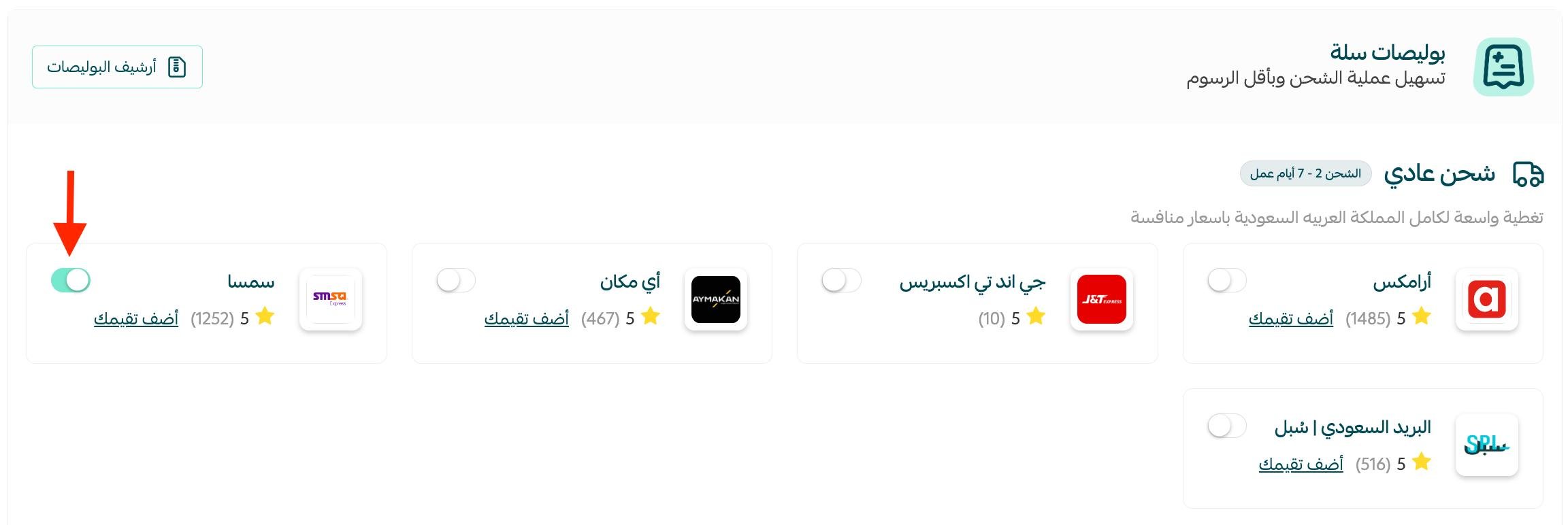
3. From the shipping and delivery options page, turn on the (SMSA) option.
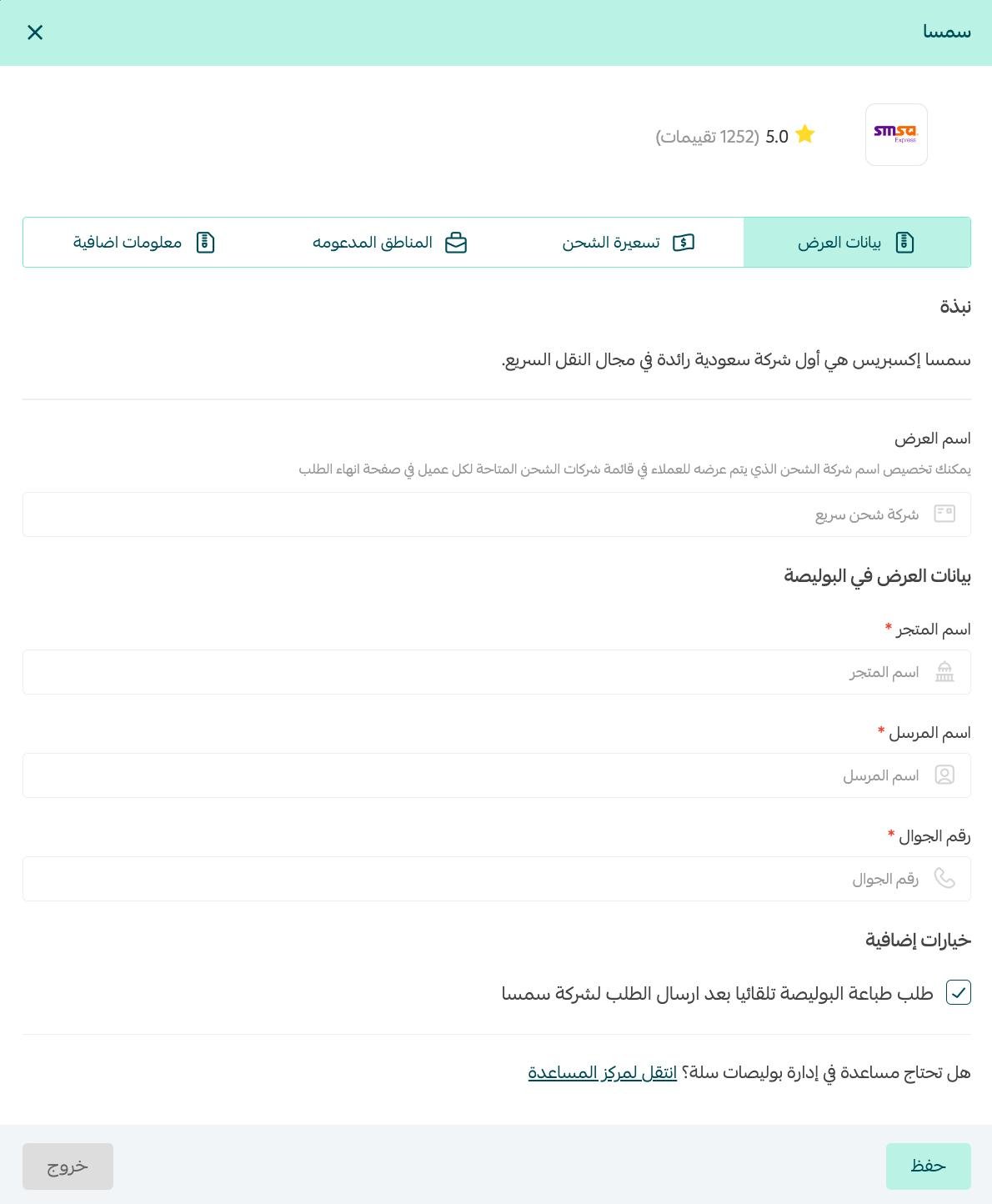
4. From the (offer data) tab, enter the offer name and the offer details for the waybill, then click (Save).
For more details on how to benefit from shipping waybills on Salla.
Frequently asked questions
❓ How do I manage my shipping waybills?
For more details on managing shipping waybills.
❓ Is door-to-door (D2D) service available?
Delivery to the customer's door is available for all shipments. Pickup from the merchant's door, however, requires 30 or more shipments.
How it works:
When you have 30 or more shipments ready, contact customer service to let them know you need an SMSA courier sent to collect the shipments from you.
❓ How do I activate cash on delivery?
From the (shipping rates) tab, enter the shipping rates for the cities and regions you need.
Then turn on the (Activate cash on delivery) option.
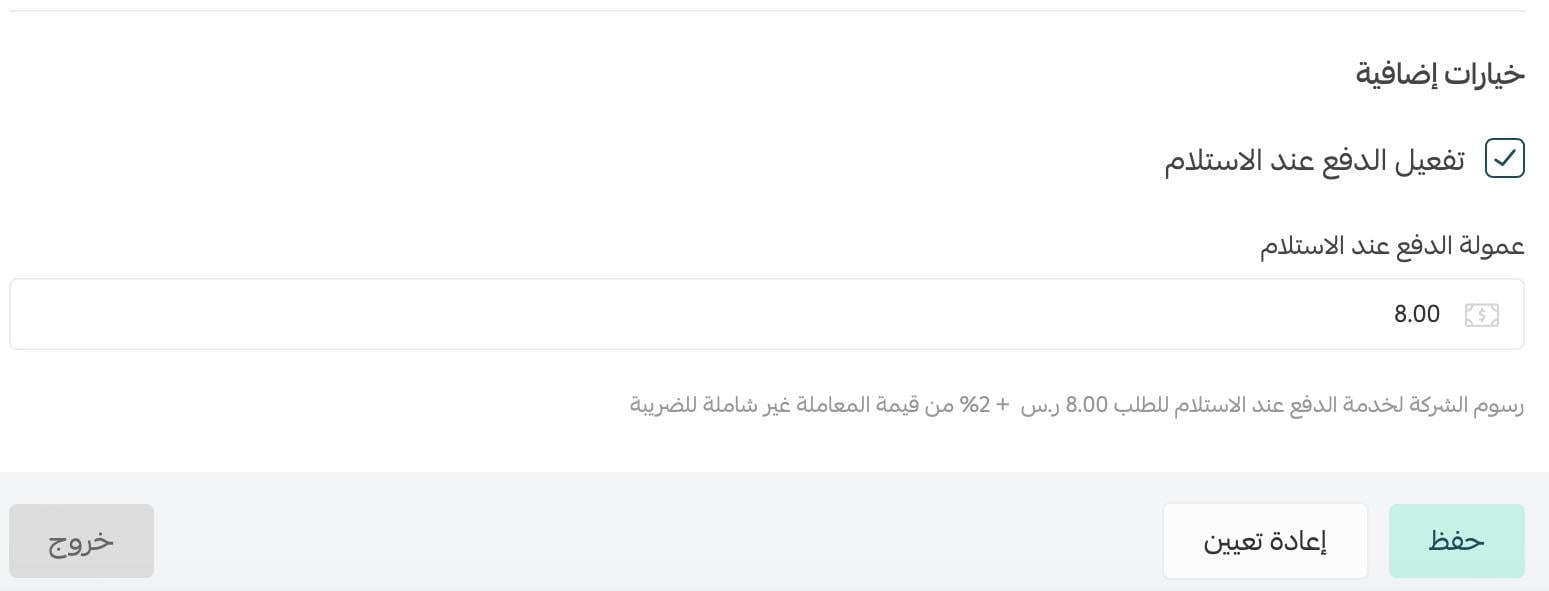
SMSA's cash on delivery fee per order is SAR 8.00 + 2% of the transaction value, excluding VAT.
You can adjust the service fee your customers pay when they choose cash on delivery, then click (Save).
- If you set a fee higher than the company's fee, the difference is added to your wallet as profit.
- If you set a fee lower than the company's fee to encourage customers to buy, the difference is deducted from your balance.
❓ Are SMSA's shipping rates subject to the waybill pricing-tier system?
As of March 15, 2025, SMSA leaves the pricing-tier system used in Salla's waybills and adopts a flat shipping rate for all of its shipping services (standard - international - economy), regardless of the store's monthly shipment volume:
1. SMSA standard shipping: a flat rate of SAR 25.65 for the first 15 kg.
2. SMSA economy shipping: a flat rate of SAR 17.21 for the first 15 kg.
3. SMSA international shipping: a flat rate based on the customer's country and the shipment weight:
- UAE, Bahrain, and Kuwait: SAR 44.6 for the first 2 kg.
- Oman and Qatar: SAR 89 for the first 2 kg.
Plus SAR 2.11 for each additional kg on standard and economy shipping.
❓ Is cash on delivery available regardless of the cart value?
If the cart value is under SAR 20, the cash on delivery payment method won't appear on the checkout page, even when it is activated.
❓ When is the cash on delivery balance transferred to the merchant?
Cash on delivery amounts collected by SMSA are transferred twice a week, on Sundays and Wednesdays, reaching the merchant on Mondays and Thursdays.
📝 Important notes
The amount may not reach your account on the same day as the transfer, depending on the bank where your account is registered.
❓ How do I print an SMSA shipping waybill?
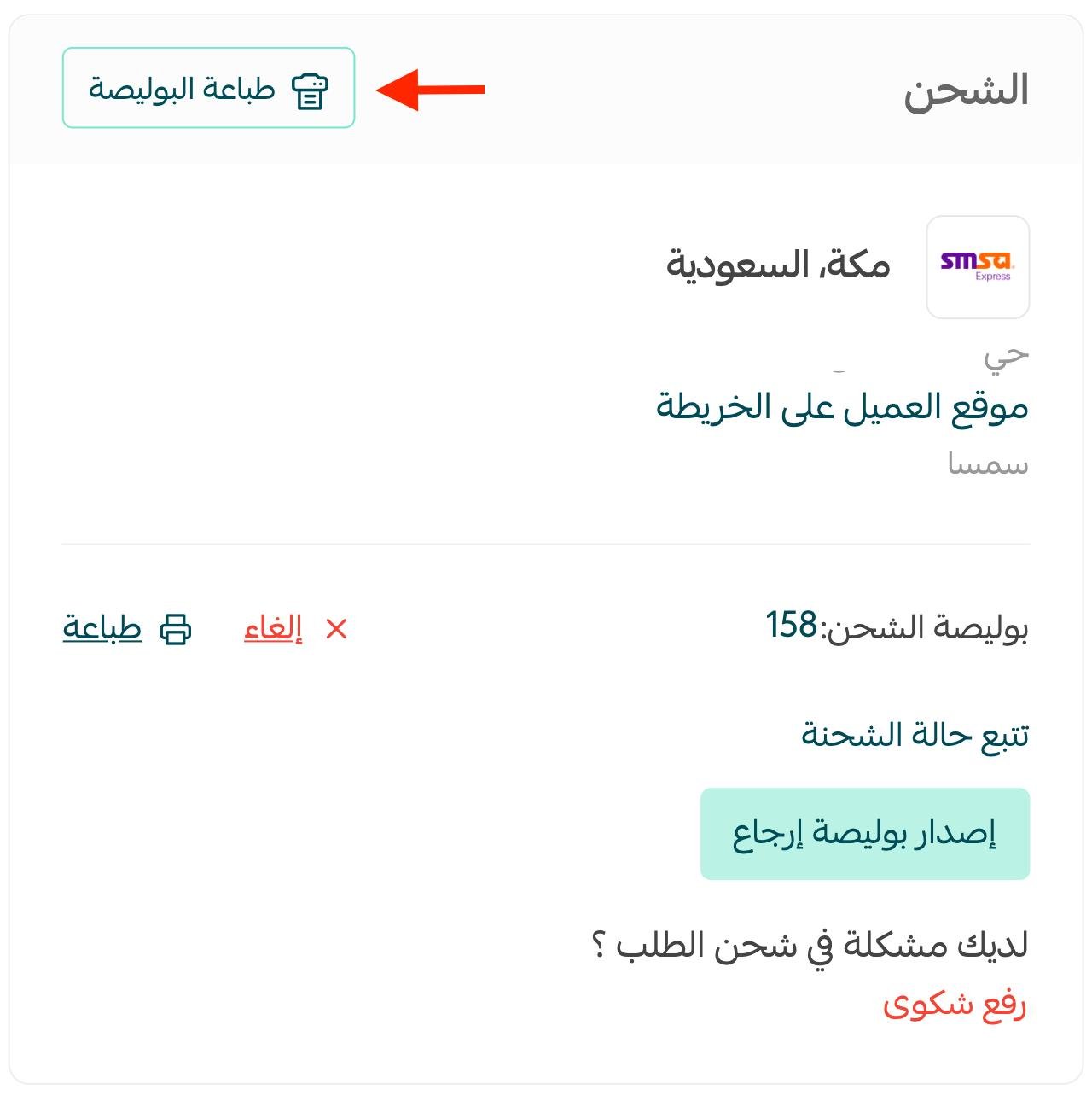
From the orders page, click the order you want to print a waybill for, then click (Print waybill).
The waybill prints out like this:
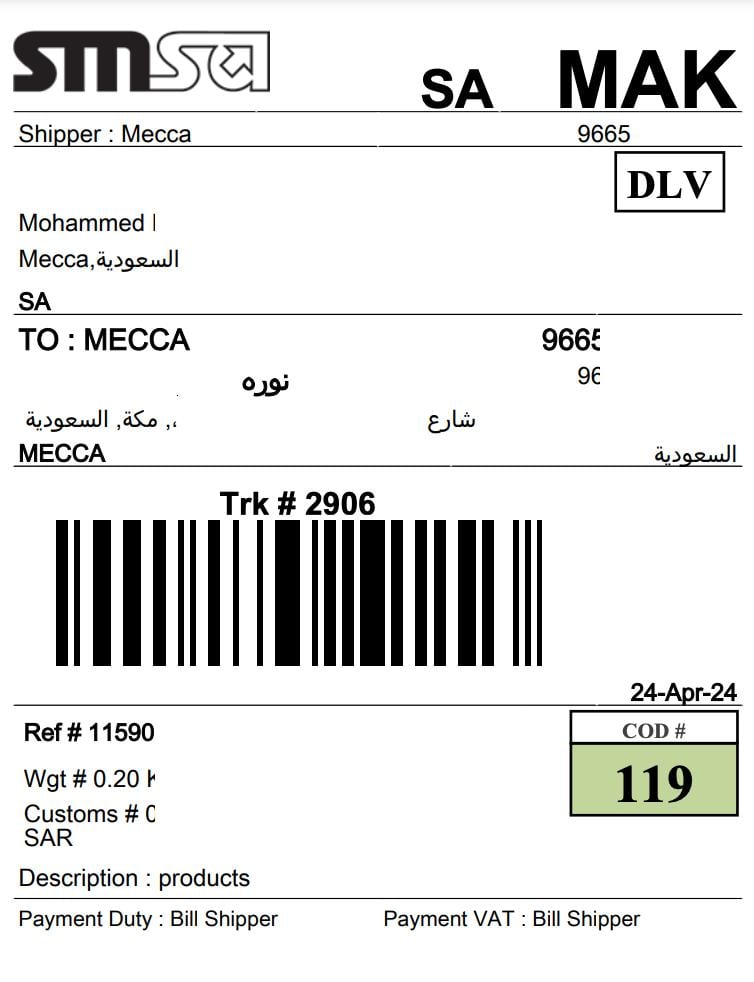
For more details on printing shipping waybills.
❓ How do I view the SMSA waybill archive?
From the shipping and delivery options page, go to the (Waybill archive) option.
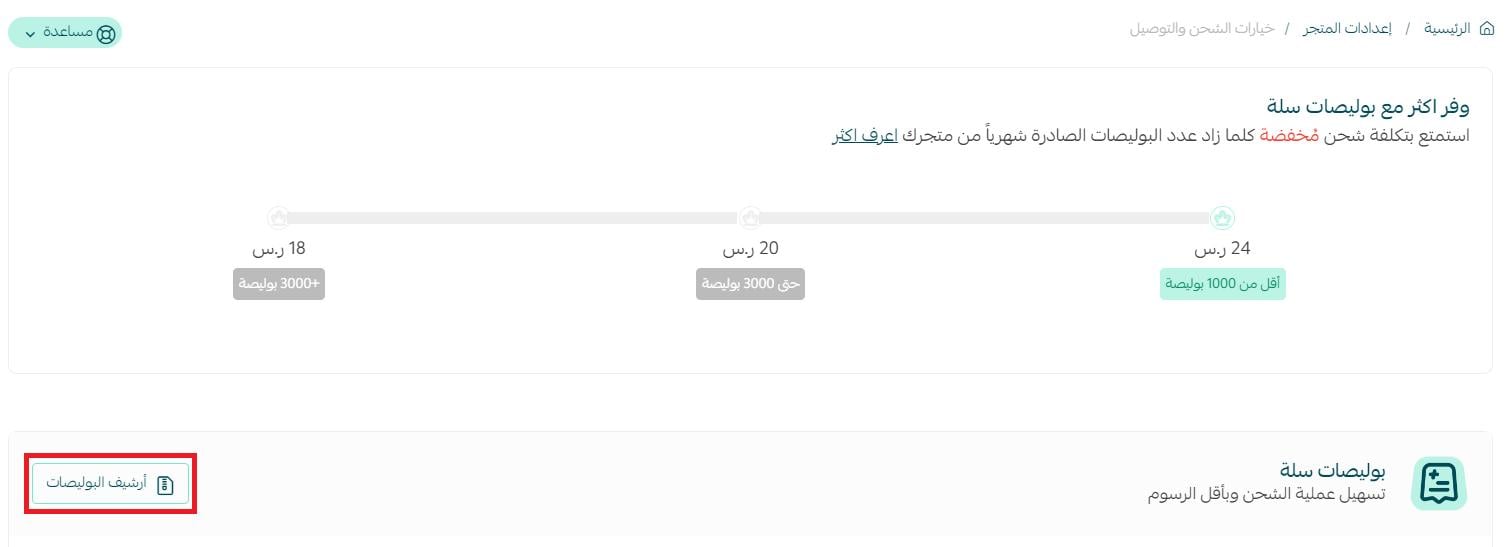
The waybill archive is displayed, for example, as shown below:

For more details, see frequently asked questions about shipping waybills.
❓ Where can I learn more about the company?
You can find more details about the company and its news on its official website:
❓ How do I file a complaint about SMSA waybills?
When you face any problem with SMSA waybills, you can file a complaint through the quality portal on the shipping and delivery options page.
For more details on the quality portal for shipping complaints.
❓ How do I temporarily disable the company in my store?
From the shipping and delivery options page, turn the (Hide the shipping company from the checkout page) option on or off.