Sometimes customers add products to their cart, get distracted, and leave before finishing checkout.
With Salla’s Abandoned Carts feature, you can take action quickly by completing the order on behalf of the customer and sending them a secure payment link to finish their purchase.
This is a powerful way to recover lost sales and turn abandoned carts into confirmed orders.
Steps to complete an order from an abandoned cart
1. Open marketing tools
From the sidebar in your admin dashboard, click marketing tools.

2. Go to abandoned carts
On the marketing tools page, select abandoned carts.

From the abandoned carts list, locate the cart you want to recover.
Under the options column, click the (...) menu next to the cart, then choose complete order.
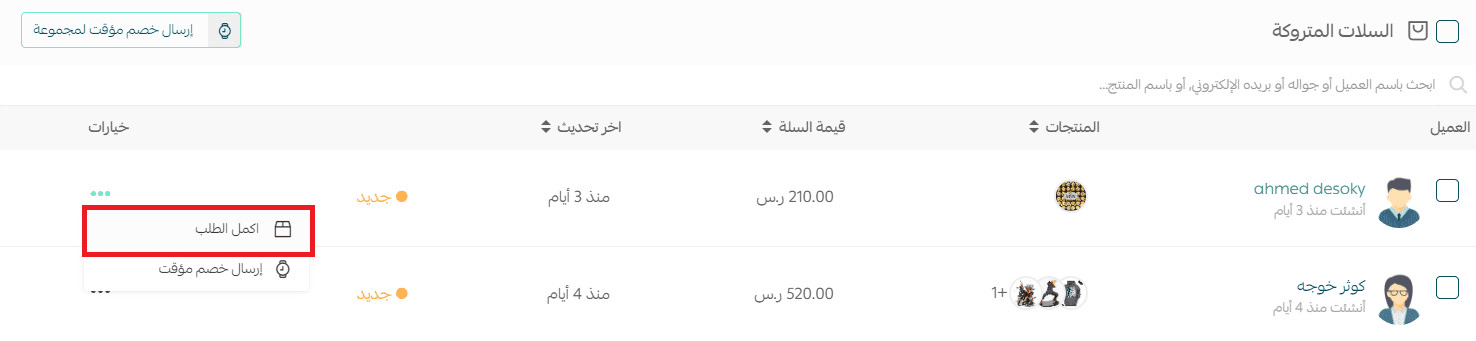
3. Cart status updates automatically
Once selected, the abandoned cart status will change to:
- Order completed

4. You will be redirected to the orders page
Salla will take you directly to the orders page, where a new order is created using the same customer details and products from the abandoned cart.
The order status will be updated to:
- Pending review
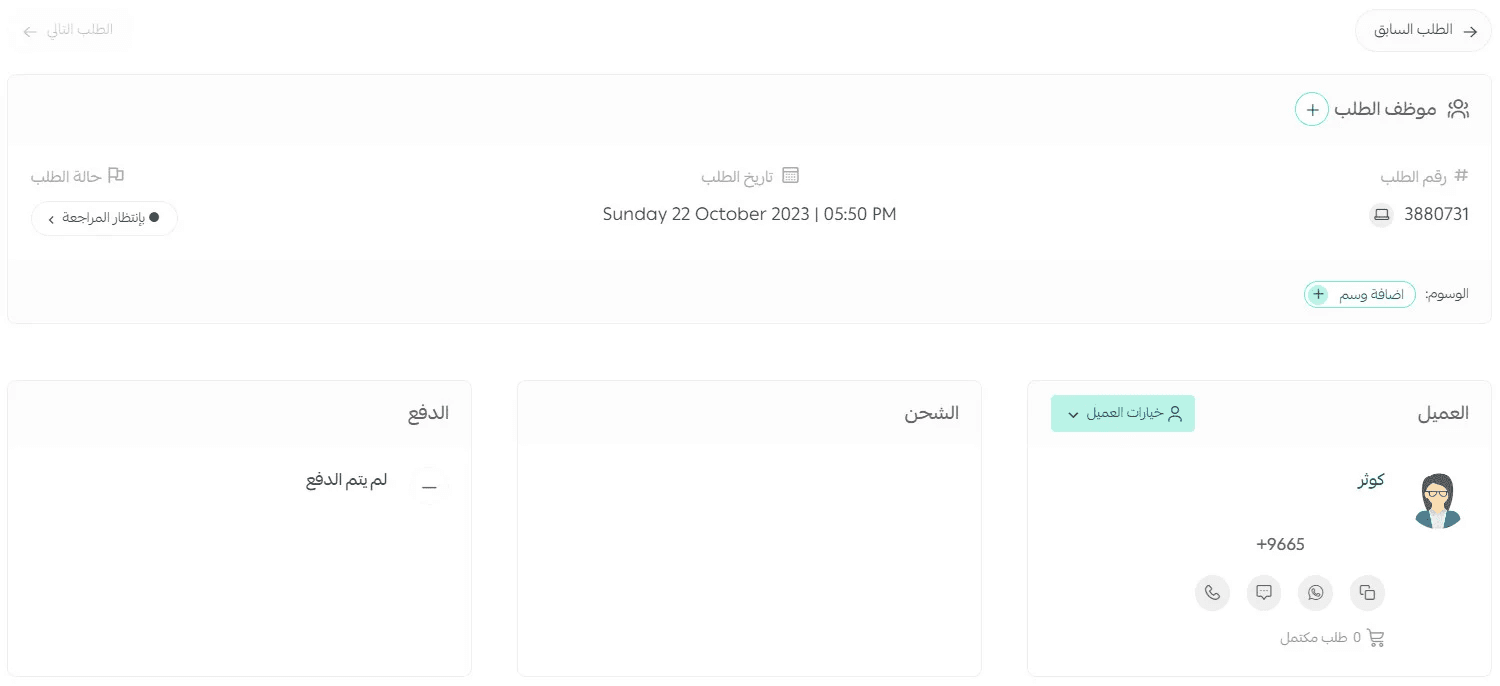
5. Edit the order to send a payment link
Scroll down and click edit order.

This allows you to generate and send a payment link to the customer so they can complete checkout smoothly.
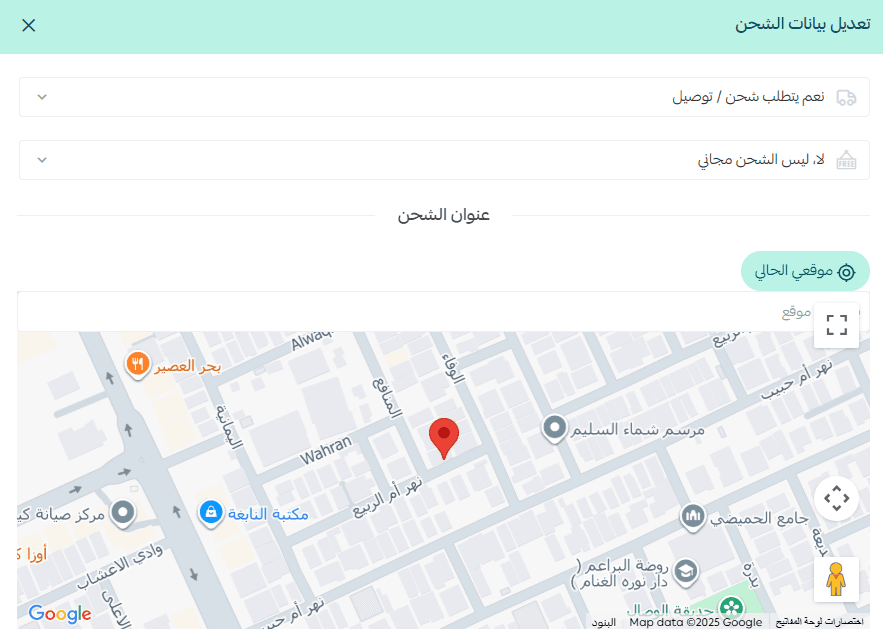
6. Update shipping details
In the Shipping section, click edit.
Then specify whether the order requires shipping or not, and fill in all necessary delivery details.
7. Create and send the payment link
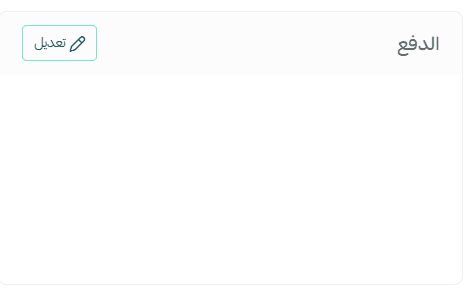
Next to the Payment section, click Edit.
On the payment editing page:
- Set the payment status to awaiting payment
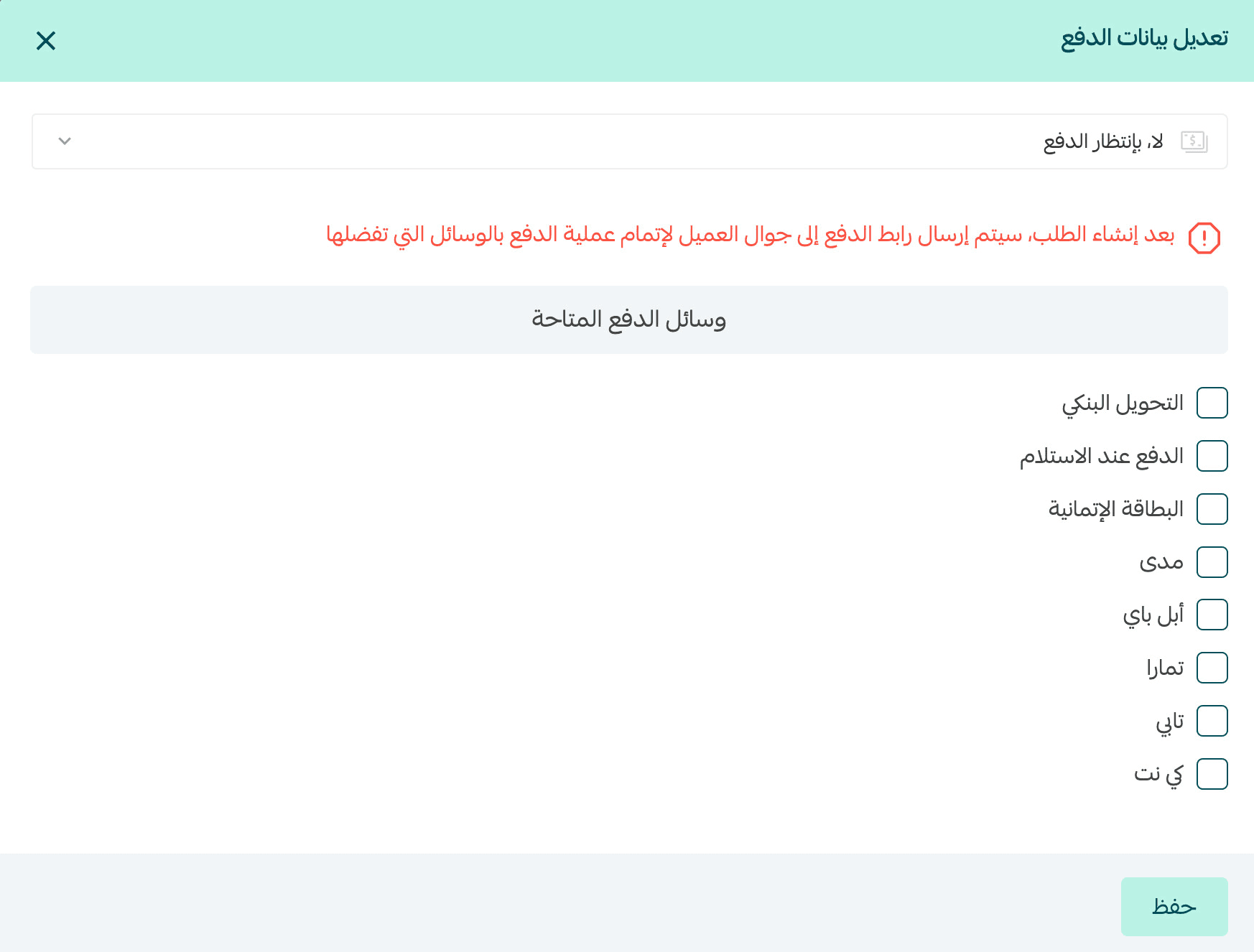
2. Select the preferred payment methods
3. Then click save.
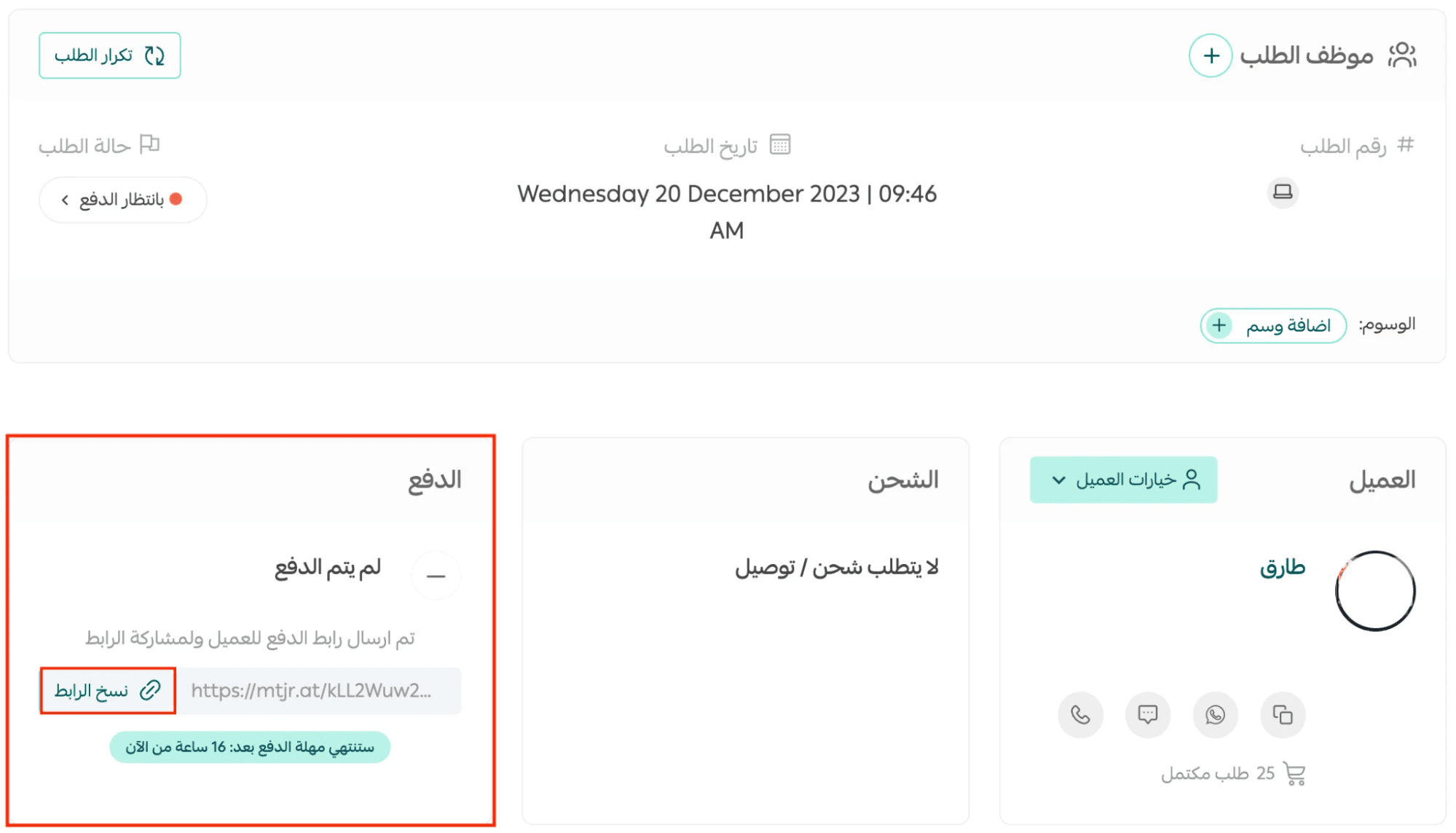
Once saved, a payment link will be automatically sent to the customer’s mobile number so they can complete payment and finalise the order.