Set up shipping in a way that fits your operations. In Salla, your Omani store can use its own store courier or connect to an external shipping provider. If you already have an account or contract with a provider, you can add the required account details and shipping rates from your dashboard.
In this guide, you'll learn how to access your shipping options, add your own courier, connect an external provider, and link your Dalilee contract as an example.
Shipping options for your store in Oman
You can set up shipping for your Omani store in one of two ways:
Use your own store courier
If you manage deliveries through your own courier, add them from the Store Couriers page:
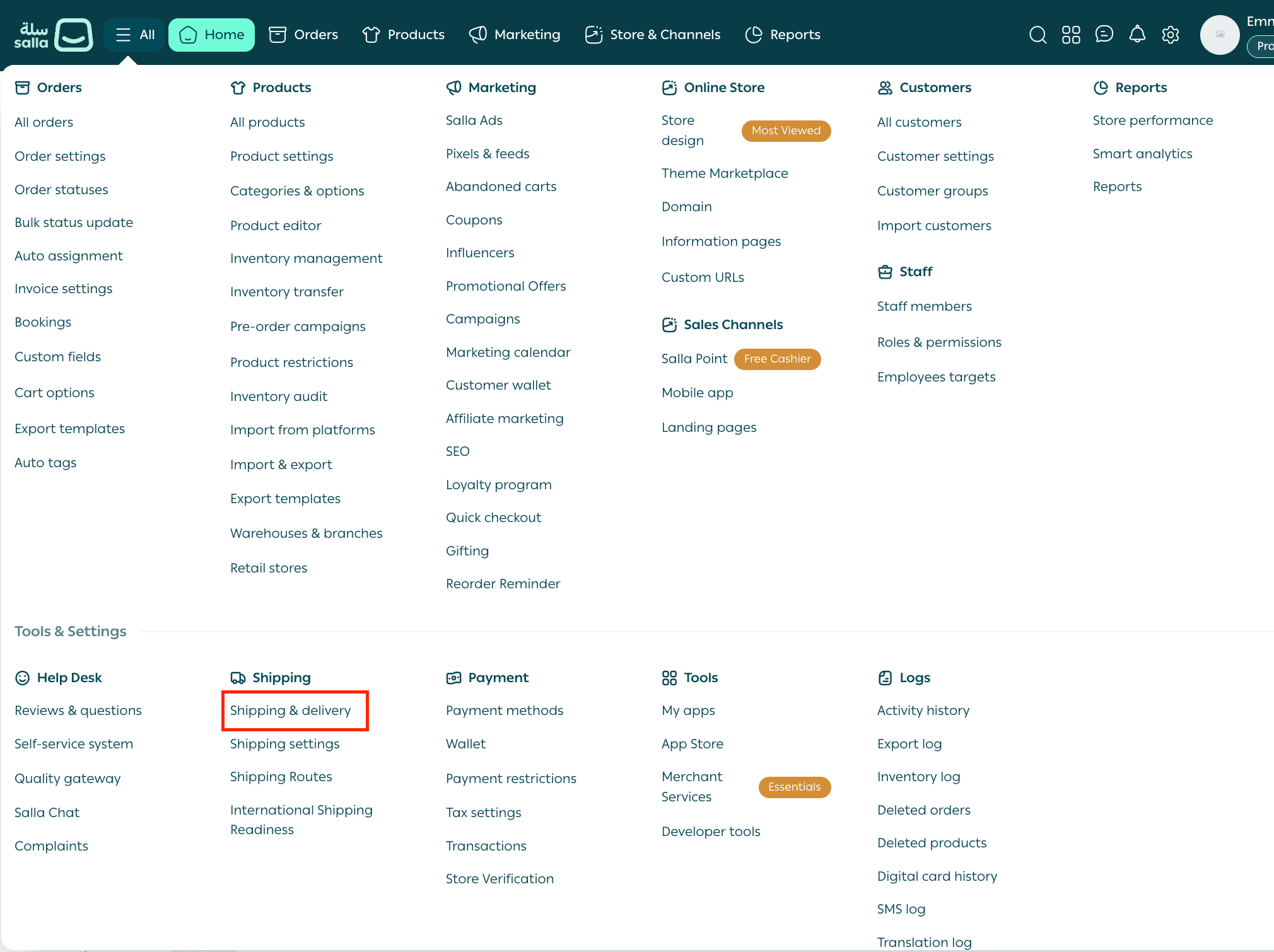
1. From your Salla dashboard, select All.
2. Select Shipping Companies.
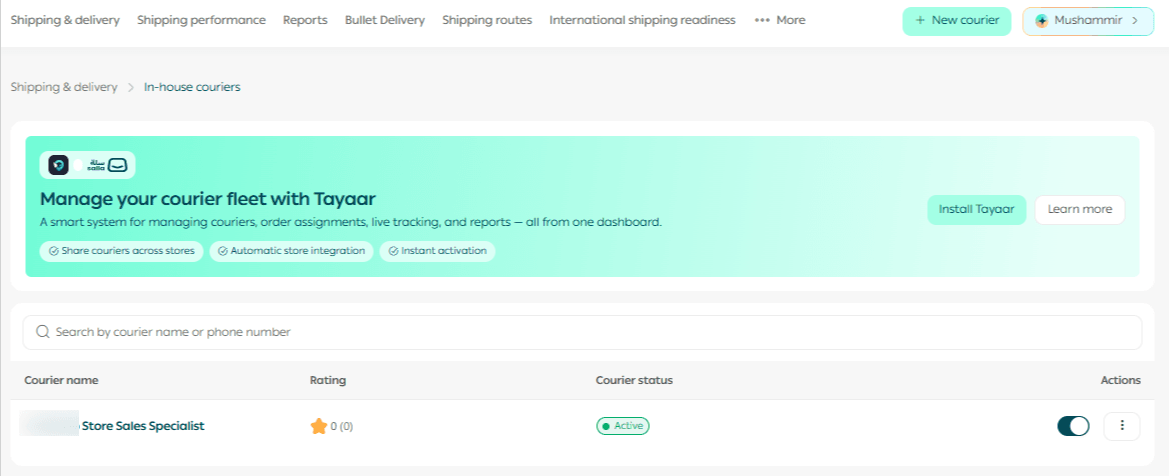
3. From the Shipping & Delivery page, open the three-dot menu on the left and select Store Couriers.

4. On the Store Couriers page, select Add New Courier.
Related article
Connect an external shipping provider
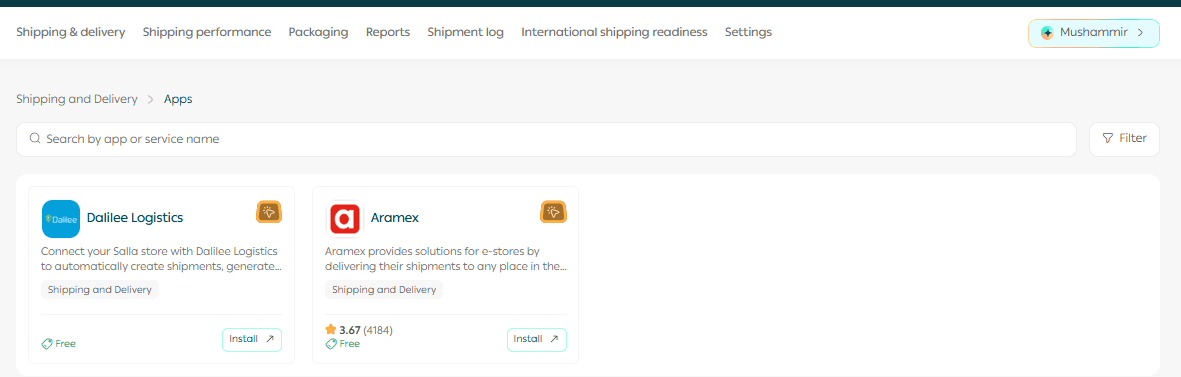
If you have an account or contract with an external shipping provider, you can connect it from the Shipping Companies page:
1. From your dashboard, go to All, then select Shipping Companies.
2. If Aramex or Dalilee is already installed on your store, select the provider you want to set up.
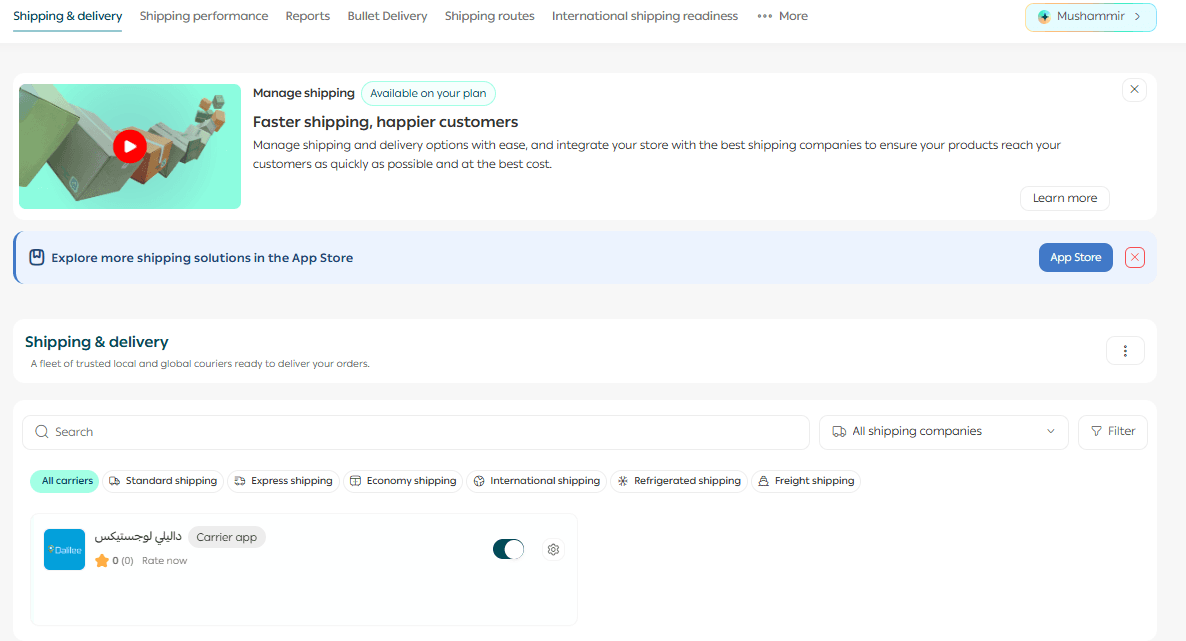
Select an installed shipping provider, such as Aramex or Dalilee.
3. To choose another provider, open the provider list and select External Providers.
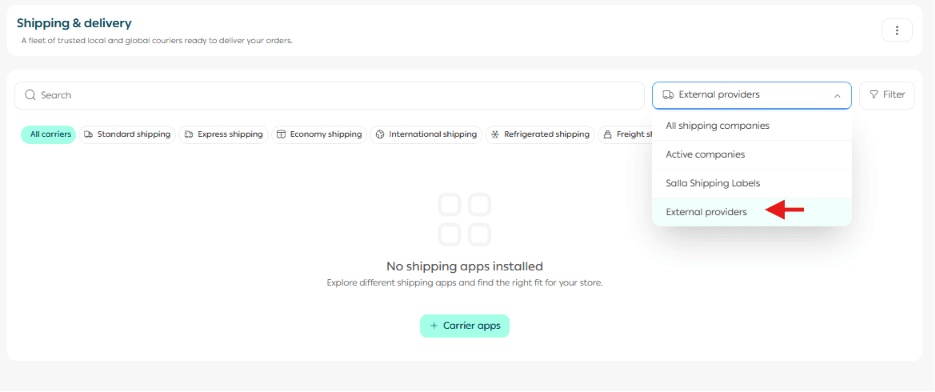
4. Choose the shipping app you want to use and activate it from the available providers.
Providers shown in the available list include:
- Dalilee
- Aramex
Connect your Dalilee contract
We'll use Dalilee as an example of connecting an external shipping account to your store. If you already have a direct contract with Dalilee, follow these steps:
1. From Shipping Companies, select Dalilee from your installed apps.
2. Contact Dalilee to obtain your account credentials, contract details, and agreed shipping rates.
3. Open Company Settings and enter the account details provided by Dalilee.
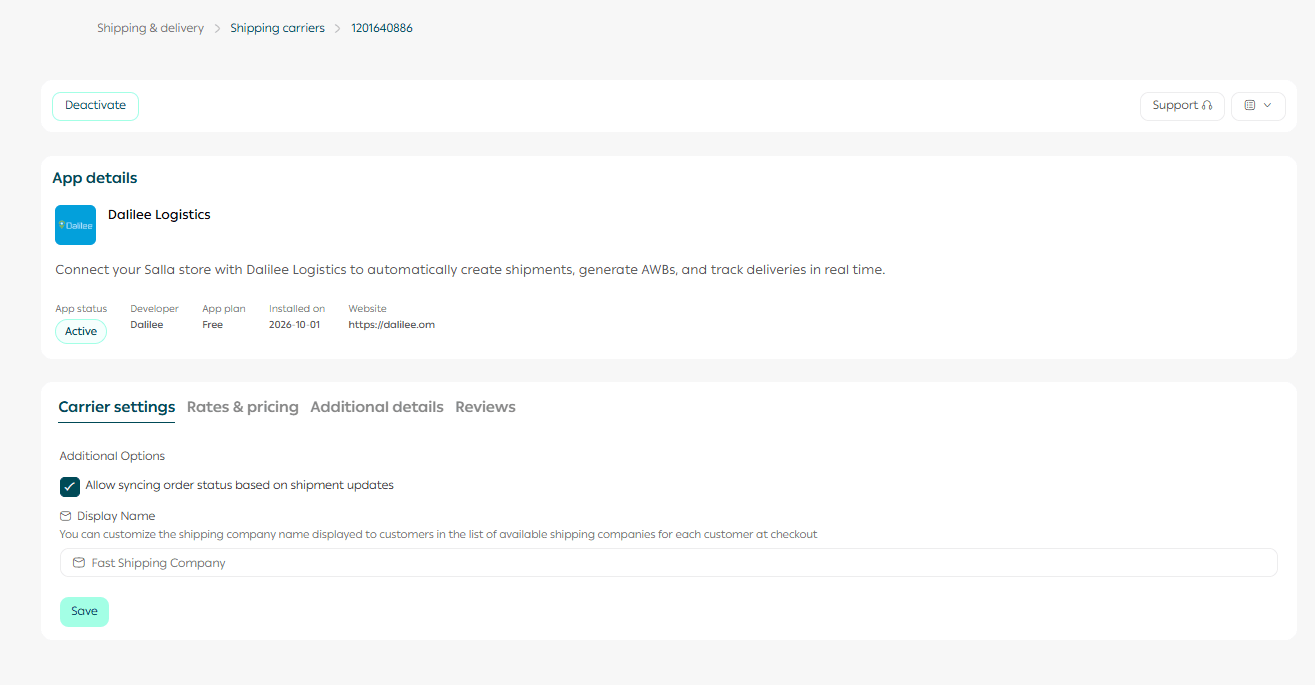
Note: Use only the account details provided to you by Dalilee. The values shown in the screenshot are examples and should not be copied into your account.
Add your shipping rates
After adding your contract details, set up the shipping rates agreed with your provider:
1. From the Dalilee page, open the Shipping Rates tab.
2. Select Add New Rate.
3. Enter your shipping rates and the required information exactly as agreed in your Dalilee contract.
4. Save the rate, then activate the shipping provider.
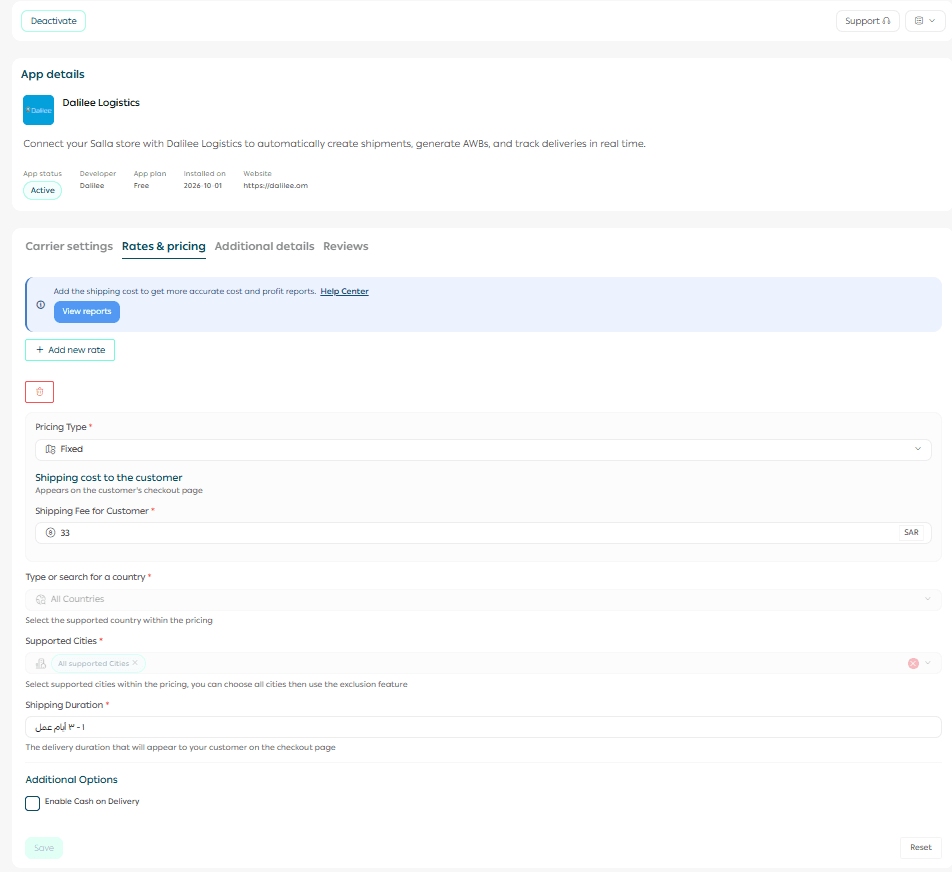
Note: The values shown in the screenshot are for illustration only. Use the rates and terms agreed in your contract with the shipping provider.
Related articles
-Verify your Salla store in Oman| Salla
-Activate Salla payments in Oman| Salla
- Salla Payments Oman Payouts & Settlement | Salla
Frequently asked questions
What shipping options can I use for my Omani store?
You can use your own store courier or activate an external shipping provider.
Where do I get my Dalilee connection details?
Dalilee provides your account credentials, contract details, and agreed shipping rates directly.
How should I set my shipping rates?
Enter the rates according to the prices and terms agreed in your contract with the shipping provider.
For your own delivery driver, set the rate based on the delivery price that works for you and your delivery costs.