Looking for a simple way to add a bank account to your store or activate instant bank transfers?
This guide walks you through quick, clear steps to connect your bank account and enable the Instant Transfer System, helping you receive payments faster, more securely, and with greater operational efficiency.
📌 Article overview
- Adding a new bank account
- Activating the instant transfer system
- Frequently asked questions
Important note: The instant transfer system feature is currently available only for stores in Saudi Arabia.
Steps to add a new bank account
- From the main menu, go to All.
Under Settings & Tools, click Payment Methods.
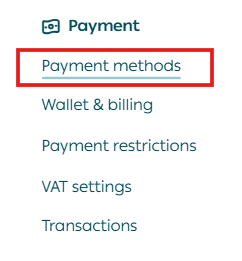
2. Scroll to the bottom of the Payment Methods page.
In the Bank Accounts section, click + New Bank Account.

3. Enter the required details, then click Save.
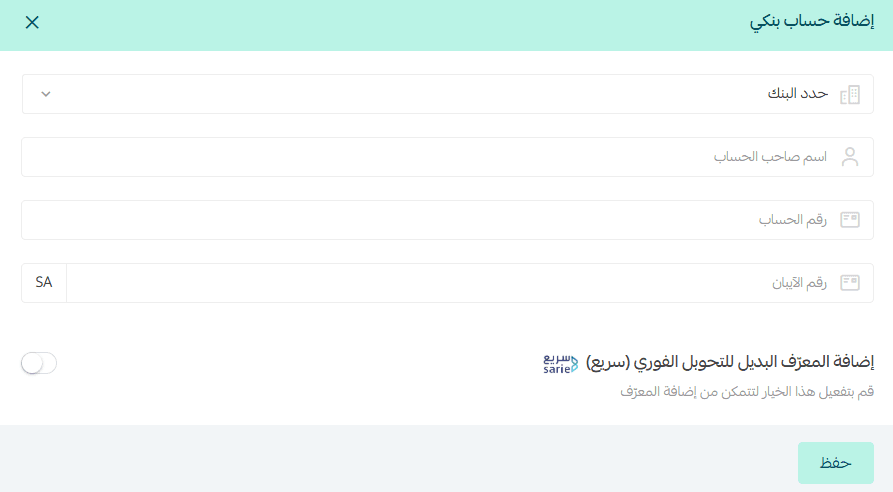
Required information includes:
- Bank name
- Account holder name
- Bank account number
- IBAN
- Option to add an alternative identifier
Activating the instant transfer system (SARIE)
Instant transfers is a fast banking system that allows money transfers between banks in a short time using identifiers other than the account number or IBAN.
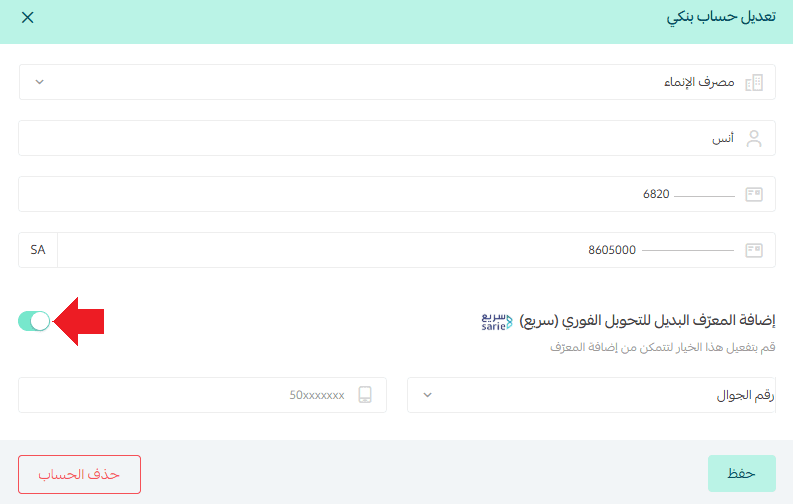
Once enabled, you can activate your preferred alternative identifier, such as:
- Mobile number
- National ID
- Email address
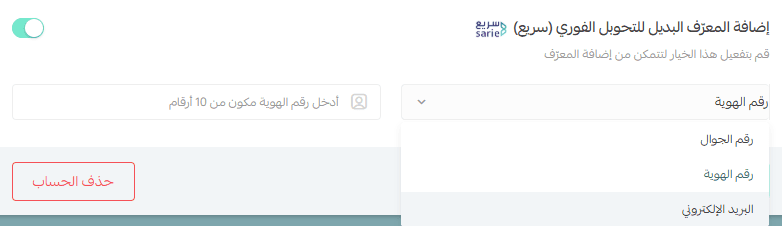
This makes bank transfers easier and quicker for your customers.
Frequently asked questions
How will the alternative identifier appear in my store?
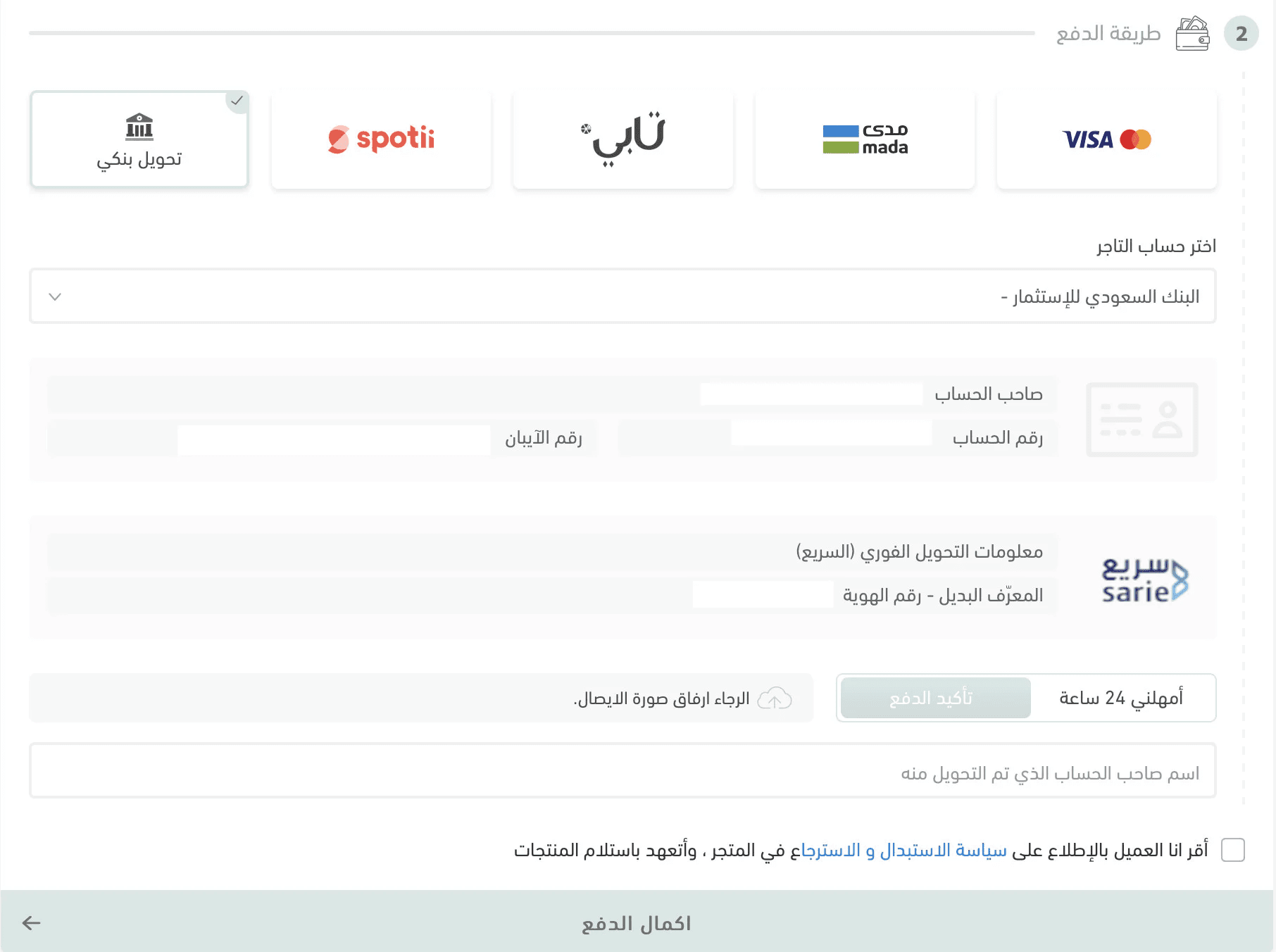
During checkout, the instant transfer information will automatically appear on the payment completion page, allowing customers to transfer using the alternative identifier.
Can I disable the alternative identifier?
Yes. Simply toggle off the Add Alternative Identifier option to disable it.
Can I add an alternative identifier to an existing bank account?
Yes.
- Click on the bank account you want to update.
- Enable the alternative identifier option.
- Enter the identifier details.
- Click Save.