When something in your store needs a real person, do you know who to call?
Every store on the Special plan is assigned a dedicated account manager — one named contact who knows your store and stays with you rather than a new agent on every ticket. Their phone number and email address sit in your dashboard, one click away. In this guide, you'll learn who your Special plan account manager is and how to reach them.
From the side menu of your dashboard, just below your store logo, click (Account manager). Your account manager's phone number and email address appear right away. Tap the number to start a call, or click the email address to open a new message already addressed to them.
📌 Article overview
- Who your account manager is
- How to find your account manager's contact details
- Frequently asked questions
🎯 Who your account manager is
Your account manager is the person assigned to help you at every stage of your time on the Special plan. Support starts before you even upgrade and carries on for as long as you're on the plan, so there's always someone to turn to when you need them. Part of their job is pointing you to the features most likely to move your business forward.
👣 How to find your account manager's contact details
1. From the side menu of your dashboard, just below your store logo, click (Account manager).
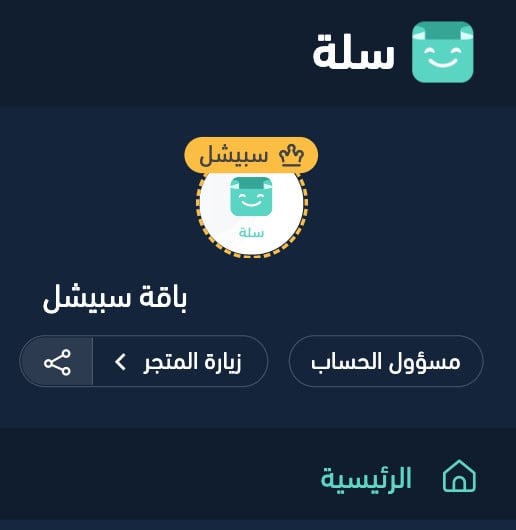
Your account manager's contact details appear straight away.
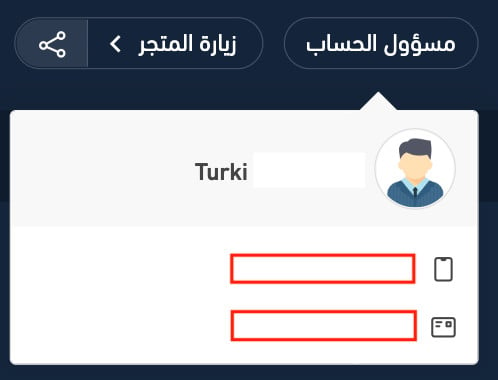
2. Click the phone number to place a call, or click the email address to open a new message addressed to your account manager.
📝 Important notes
Your account manager is available from before you upgrade, not only after. If you're weighing up the Special plan, that's the right time to start the conversation.
❓ Frequently asked questions
Who gets an account manager?
The account manager comes with the Special plan. They're assigned to you personally and stay with you throughout your time on the plan.
Where do I find my account manager in the dashboard?
Look at the side menu, just below your store logo, and click (Account manager). Their contact details load on the spot — there's nothing to set up first.
What happens when I click the phone number or the email address?
Clicking the phone number places the call directly. Clicking the email address opens a new message with your account manager's address already filled in, so you only need to write it.
Can I talk to an account manager before I upgrade?
Yes. Support begins at the pre-upgrade stage, so you can get your questions answered before committing to the Special plan.
For more details, see managing the activity log for Special plan merchants.
For more details, see scheduling discounts and special offers for Special plan merchants.
A named contact is one of the quieter advantages of the Special plan. Save the number now, and use it before a small question turns into a stalled launch.