Managing shipping costs and choosing the right delivery companies can be challenging for many online stores, especially as order volume increases.
If shipping options are not configured properly, customers may face higher delivery fees, limited choices, or slower fulfillment, which directly impacts their checkout experience.
That’s why Salla Shipping Labels provides flexible shipping settings that allow you to activate carriers, customize pricing, and control how delivery options appear to your customers.
In this guide, you’ll learn how shipping company settings work inside Salla Shipping Labels and how to configure them for smoother operations and lower costs.
📌 Article overview
- Shipping page overview
- Shipping labels
- Quality gateway
- Activating & disabling shipping companies
- Configuring shipping options and pricing
Important note: This feature is currently available only for stores in Saudi Arabia.
Shipping page overview
To access shipping company settings:
- From the main menu, click All
- Under Shipping Companies, select Shipping
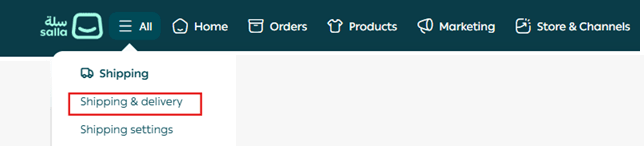
Once opened, the Shipping & Delivery page will appear with several important tools and configuration options.
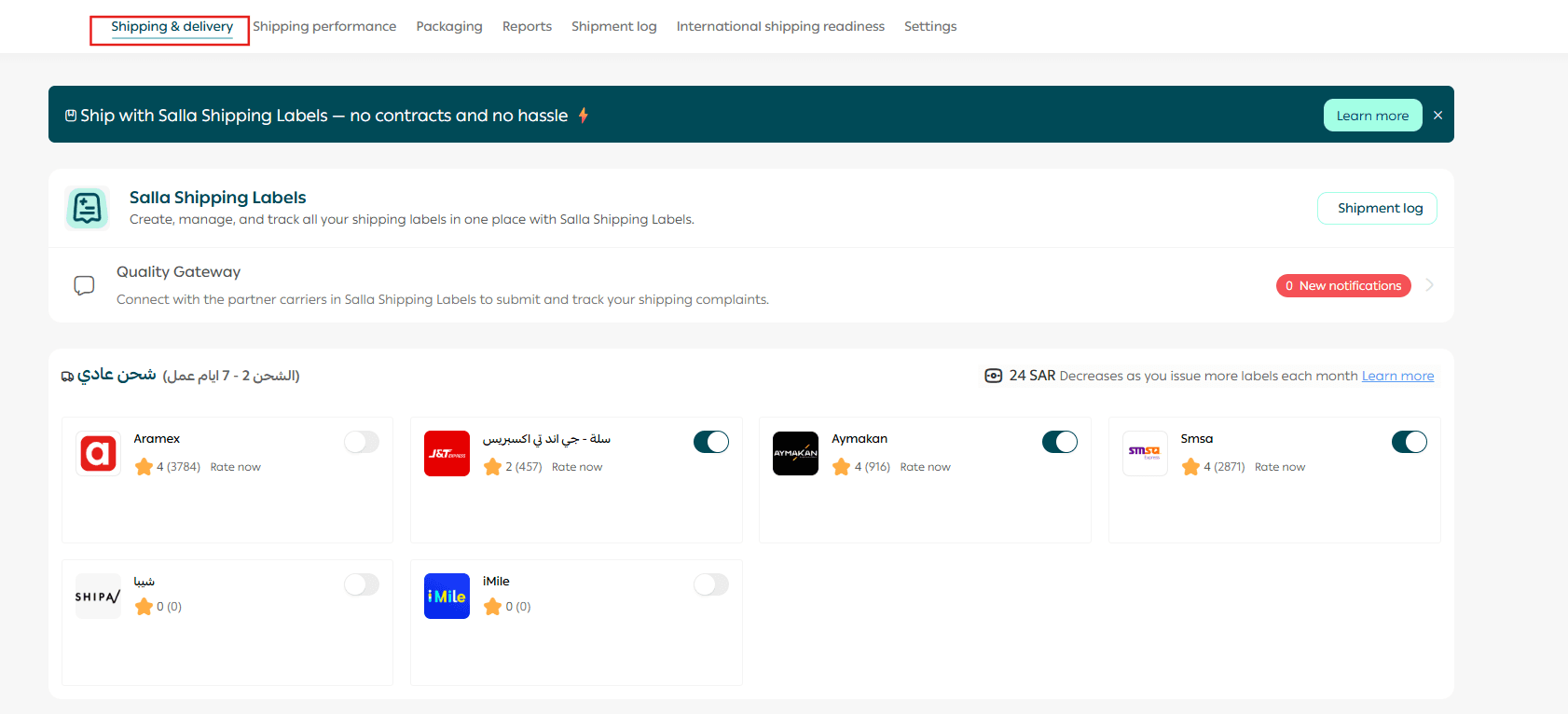
Shipping labels
The Shipping Labels section allows you to view and manage all your shipping labels.

Inside the archive, you can find:
- A list of shipping carriers
- A list of labels issued through the selected carrier
- Full shipment and label details
- Search tools to locate a label quickly
- Filtering options to organize large shipment records
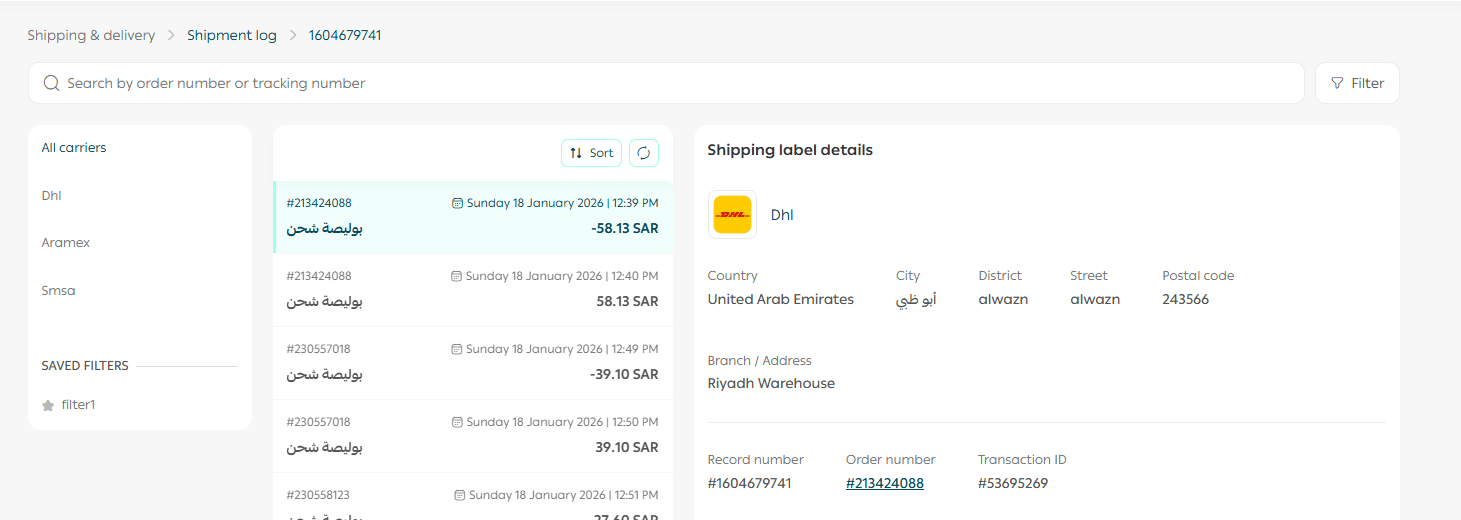
For more details, refer to the guide: Shipping Labels Archive
Quality gateway
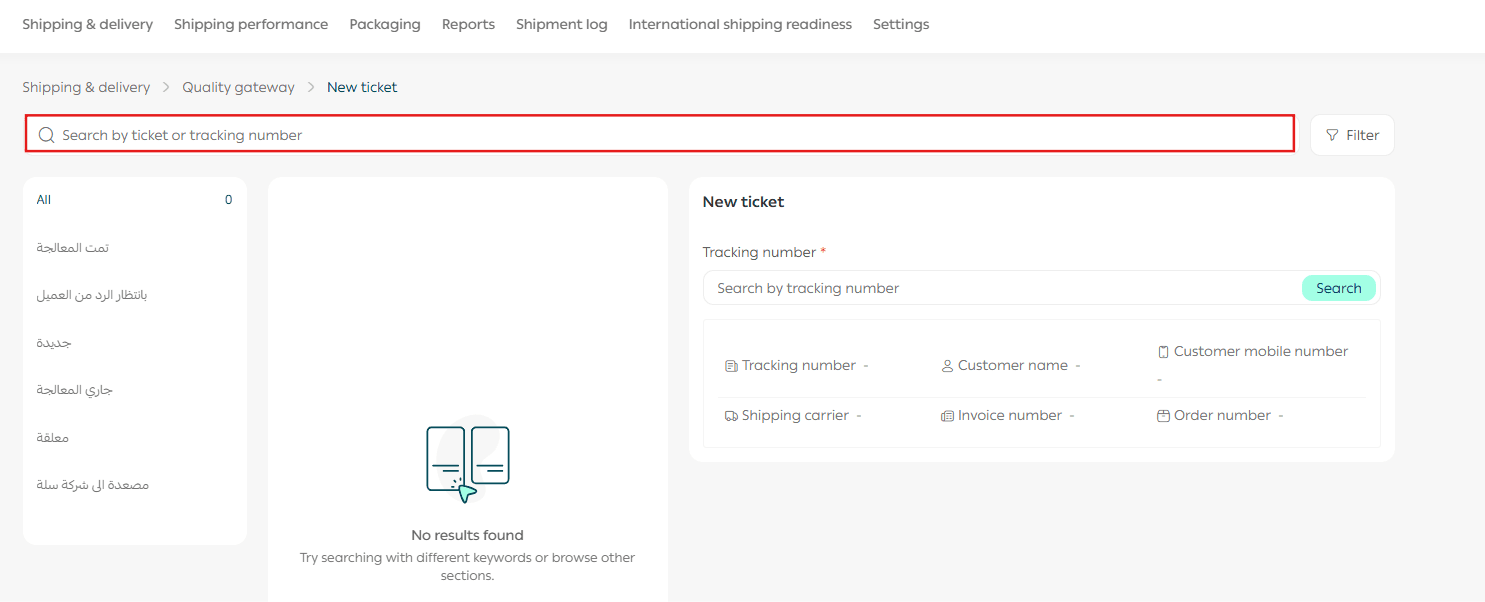
The quality portal is a dedicated system for tracking and managing complaints related to shipping carriers within Salla Shipping Labels.

The portal includes:
- A list of submitted complaints
- Complaint status tracking
- Detailed information for each complaint
- Search by complaint number
- Filtering tools for faster review
This helps merchants maintain service quality and follow up efficiently with shipping providers.
Activating or disabling shipping companies
To begin using a shipping carrier through Salla Shipping Labels:
- Go to the carrier you want to enable
- Slide to activate
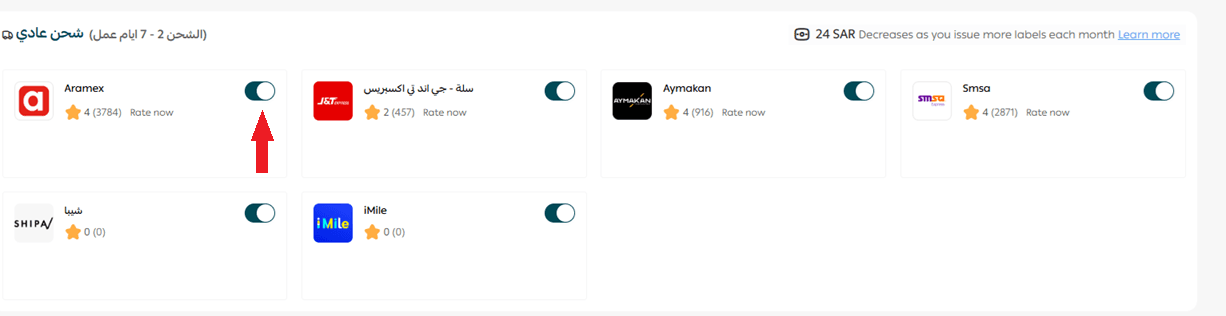
You can also disable any carrier at any time if you no longer want it to appear as an available delivery option at checkout.
This gives you full flexibility to manage shipping partners based on your store’s needs.
Configuring shipping options and pricing
Salla Shipping Labels includes a wide range of trusted delivery services, such as:
- Standard Shipping
- Express Shipping
- Economy Shipping
- International Shipping
- Heavy Shipping
- Refrigerated Shipping
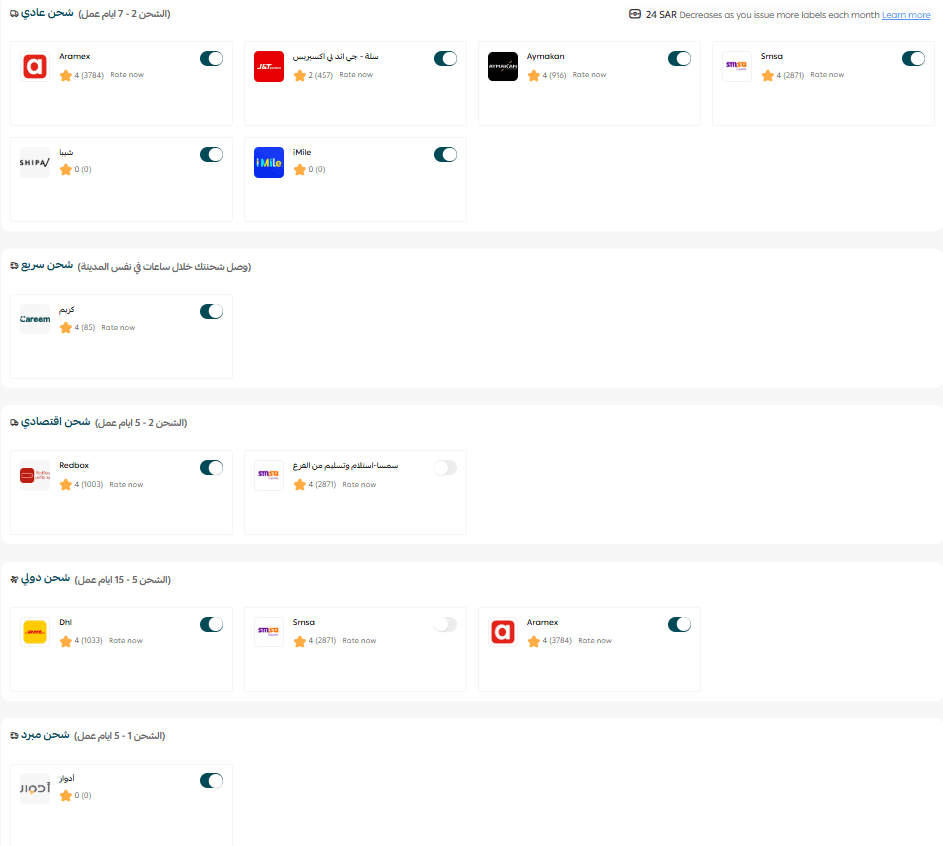
Each carrier can be customized individually.
Customizing how shipping appears to customers
To control the shipping display name shown at checkout:
- Open the shipping company page
- Go to the About tab
- Enter the carrier display information that customers will see during checkout
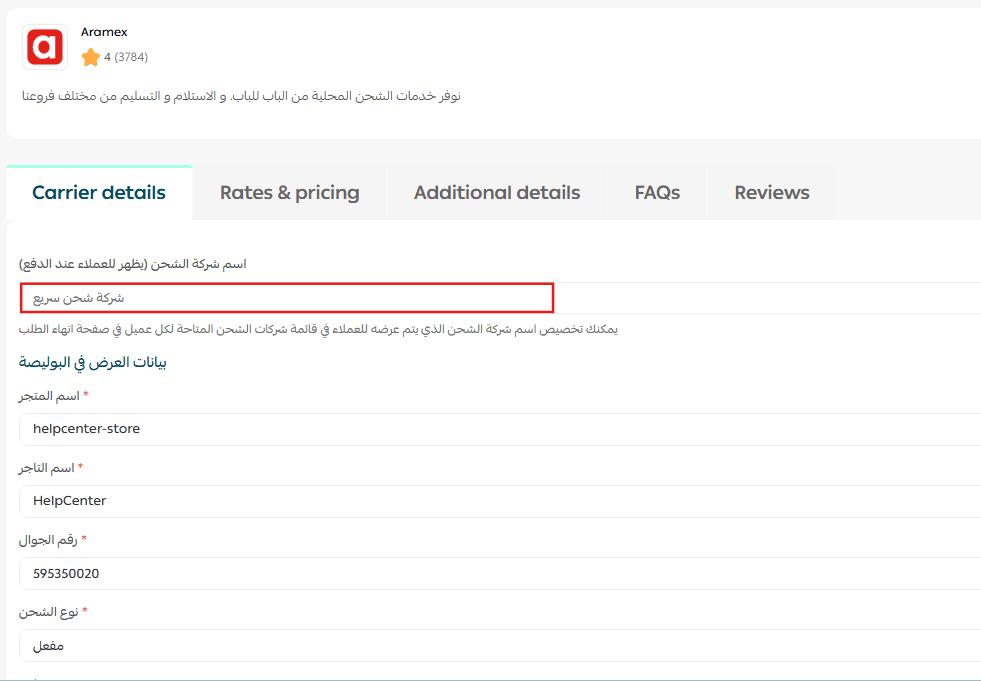
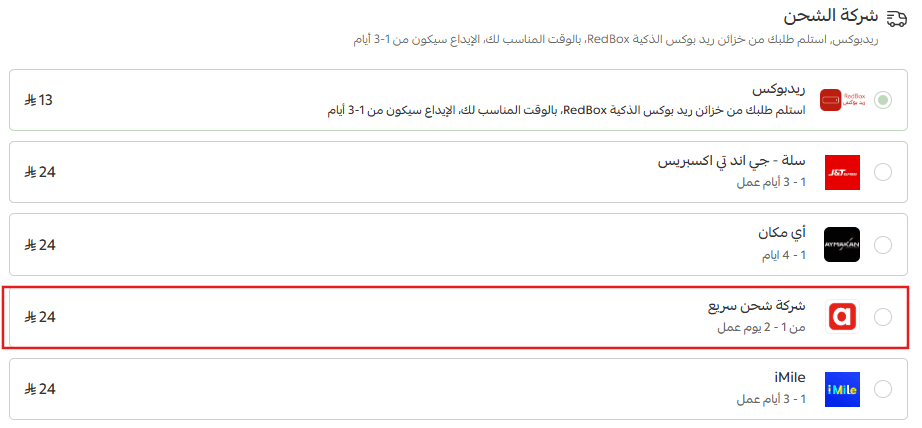
Once saved, the custom name will appear on the checkout page exactly as entered.
Setting shipping prices
To configure delivery pricing:
- Go to the Shipping Pricing tab
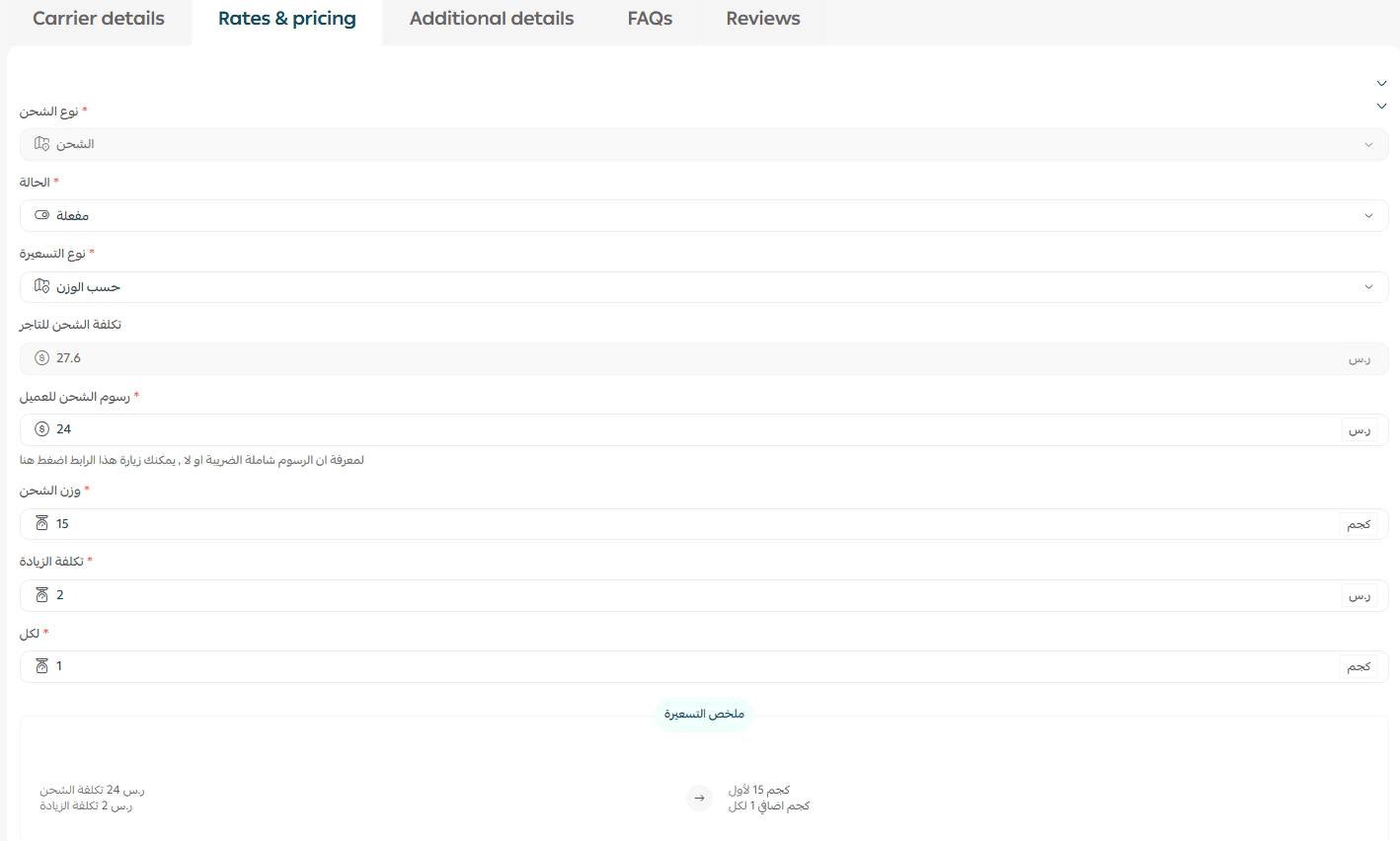
2. Choose the pricing type:
- Fixed Pricing
- Weight-Based Pricing

Option 1: Fixed Pricing
With fixed pricing, shipping is charged as one flat amount.
Simply enter the delivery cost as a fixed fee.
Example:
- Shipping Cost: SAR/AED 25 (flat rate)

Option 2: Weight-Based Pricing
Weight-based pricing allows you to charge customers based on shipment weight.
Example configuration:
- Base Cost: SAR/AED 20 for the first 15 kg
- Additional Cost: SAR/AED 5 for every extra 1 kg
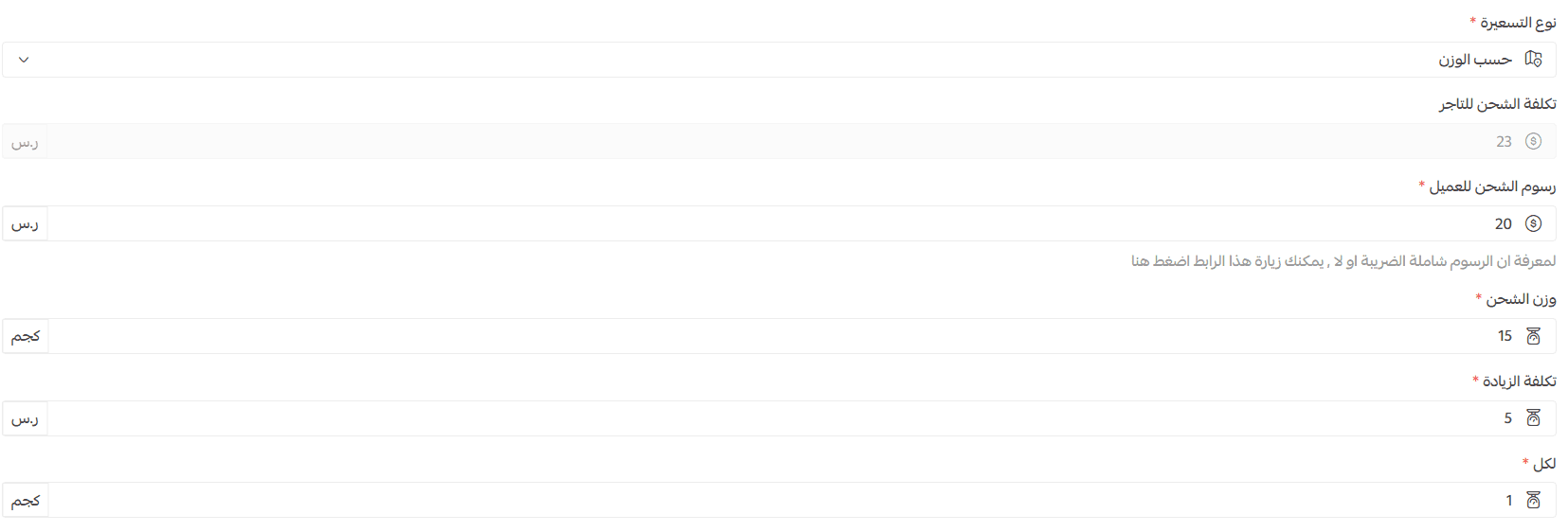
This is ideal for stores selling products with varying sizes or heavier shipments.
Contacting the shipping company
To view communication details:
- Open the carrier settings
- Go to the Additional Information tab
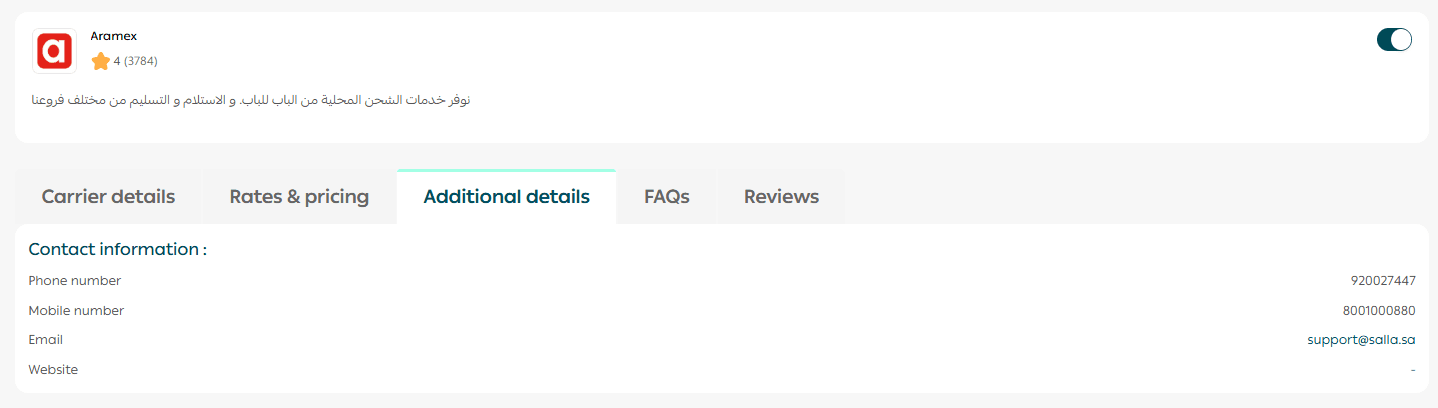
There you will find the official contact channels and support information for the shipping provider.
Take full control of your shipping experience
With Shipping Company Settings in Salla Shipping Labels, you can:
- Activate the right delivery partners
- Customize how shipping methods appear to customers
- Set flexible pricing strategies
- Track complaints through the Quality Portal
- Improve customer satisfaction while reducing operational costs