Wondering how to win back the shoppers who visited your store, browsed your products, and left without buying?
Retargeting on Facebook lets you show your ads across Meta's family of apps — Facebook, Instagram, and WhatsApp — to people who have already visited your Salla store. Because they already know your brand, these campaigns tend to convert better than cold advertising. In this guide, you'll learn what you need before you start, how to build a custom audience of your store's visitors, and how to launch a retargeting campaign aimed at them.
To retarget on Facebook, first connect Facebook Pixel to your Salla store and set up a Meta Business Manager ad account. Then create a custom audience of your website visitors in Ads Manager, and build a campaign that targets that audience — choosing your goal, pixel, budget, and ad creative before publishing.
📌 Article overview
- What you need before you start
- Stage one: create a custom audience
- Stage two: create a retargeting campaign for that audience
What you need before you start
Note that when we say Facebook here, we mean Facebook and the apps connected to it, such as WhatsApp and Instagram.
1. Connect Facebook Pixel to your Salla store.
Connecting your store to Facebook Pixel gives you:
- Retargeting: your store's ads reach people who already visited your store, even if they didn't buy.
- Ad content tailored to each visitor's state: for example, ads about discounts or new products that bring the customer back with a higher chance of buying.
- Better targeting algorithms: you can reach people likely to be interested in your business because they resemble your existing customers in interests, location, gender, and more.
For more details, see connecting Facebook Pixel with Salla.
2. Create an advertising account in Facebook Business Manager.
For more details, see setting up Business Manager on Facebook.
👣 How to retarget on Facebook
Retargeting on Facebook takes two stages:
Stage one: create a custom audience
Build an audience of the people who visited your Salla store, so you can retarget exactly them.
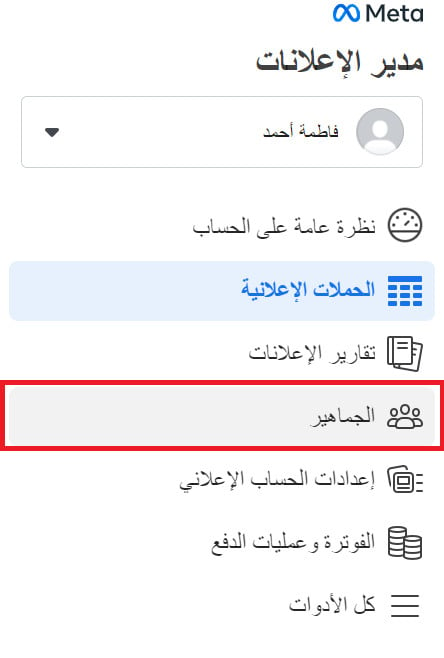
1. Sign in to your Facebook account and go to Ads Manager settings in Meta Business Suite. Click (All tools), then click (Audiences).
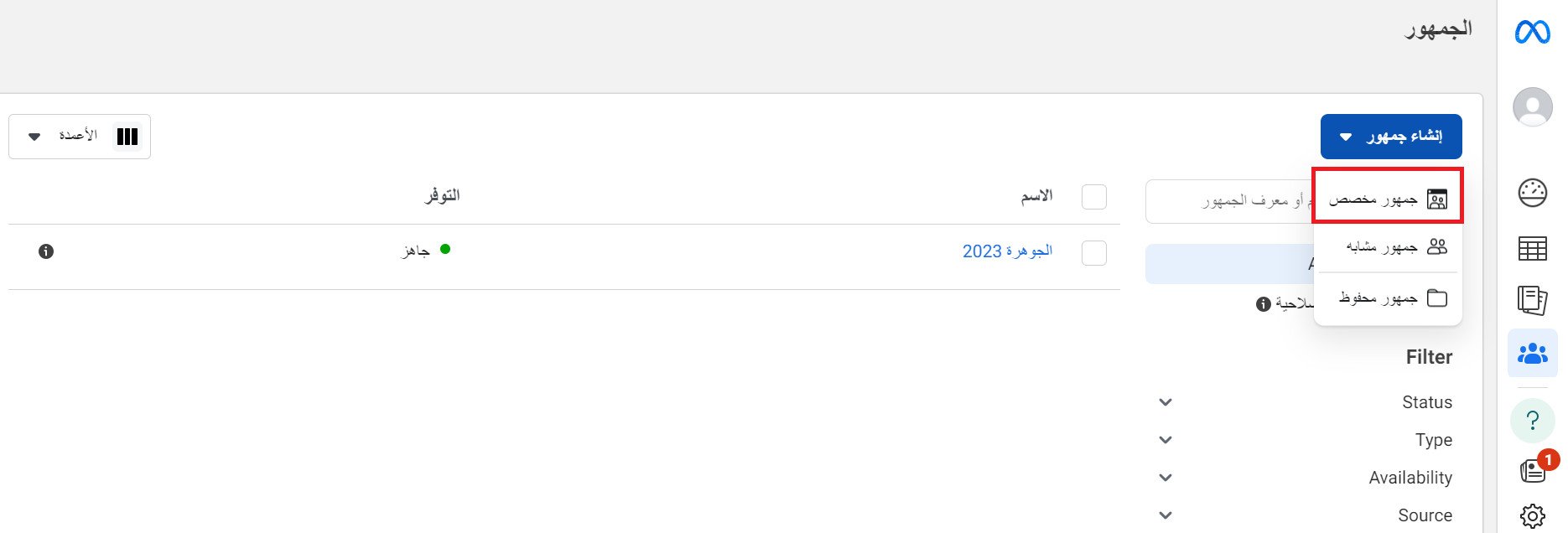
2. From the audiences page, open the (Create audience) list and click (Custom audience).
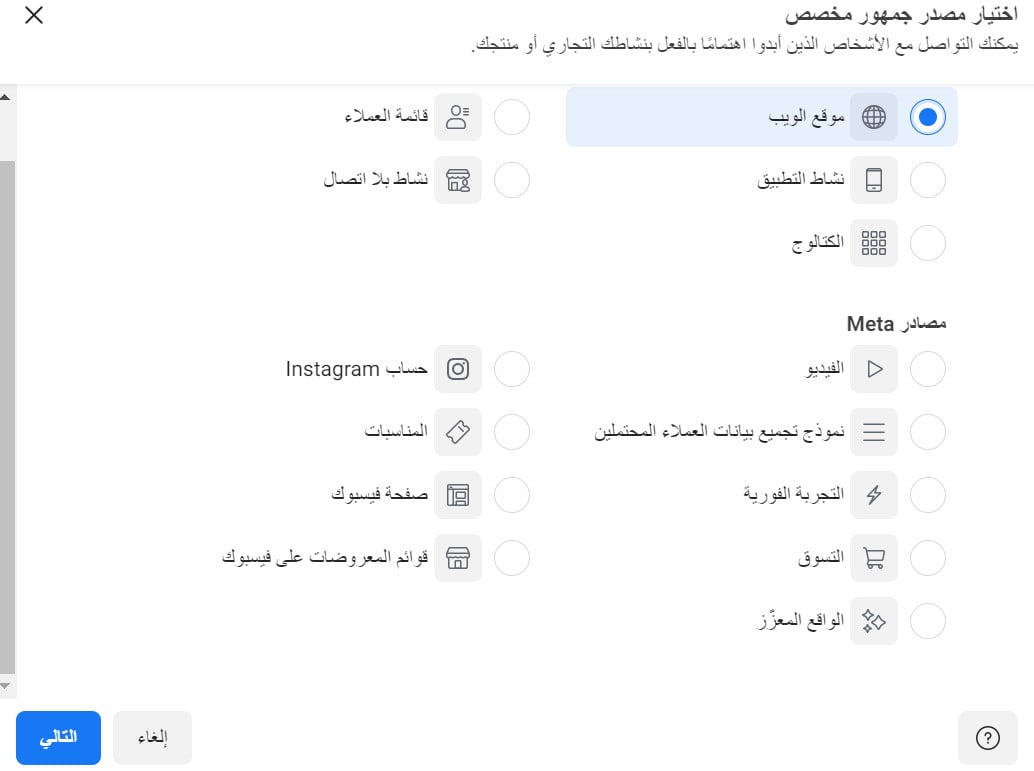
3. Choose the audience source you want to target. Choosing (Website) retargets the audience that came from your store.
4. Set your audience source by choosing the right pixel to track your ad's conversions, enter a name for the target audience, then click (Create audience).
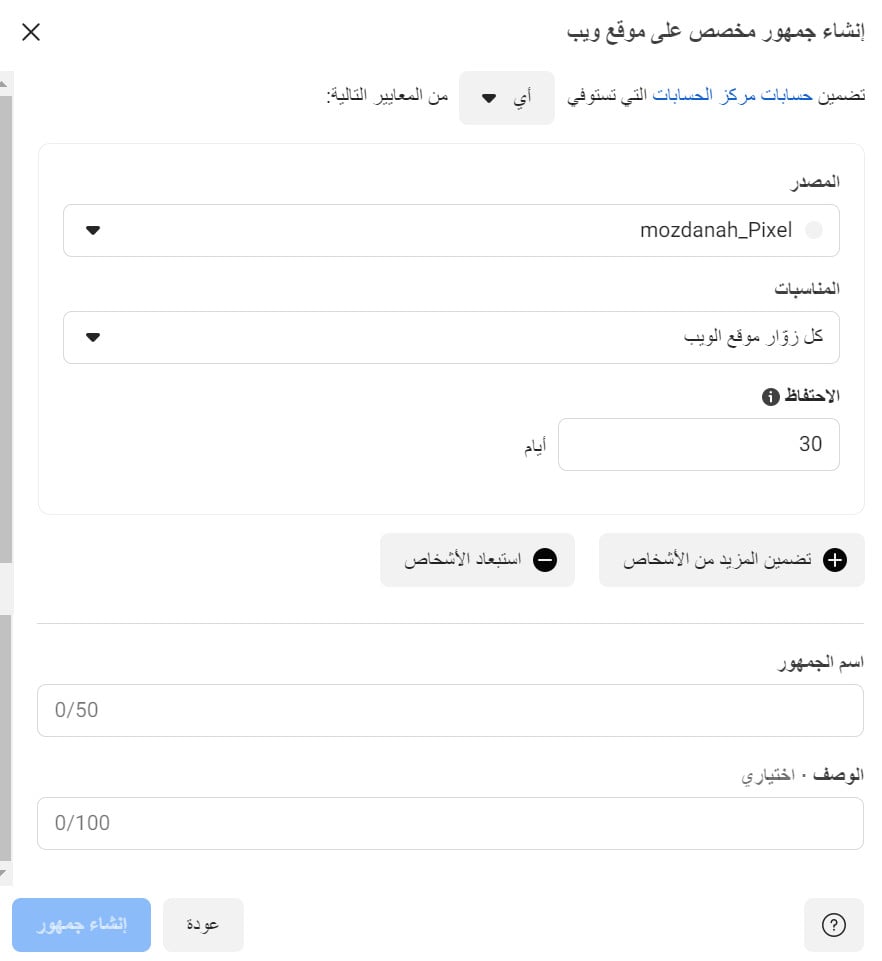
The new audience's name appears in the audiences list.
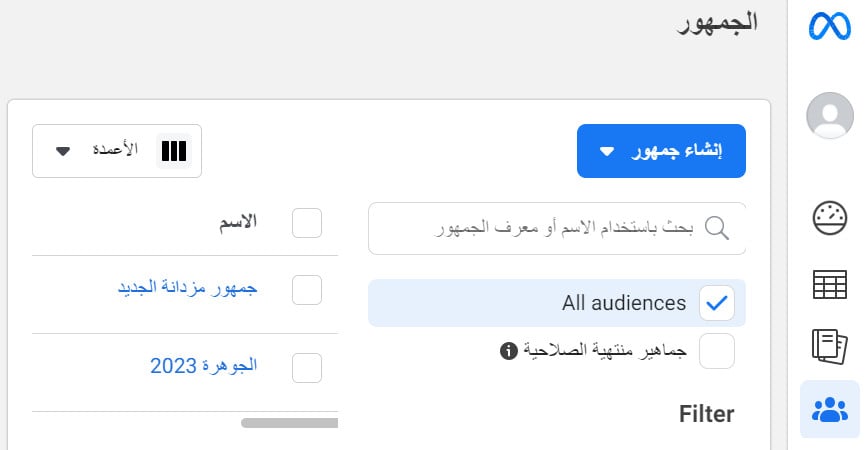
Stage two: create a retargeting campaign for that audience
1. Sign in to Ads Manager in Meta, and click (Create) to start a new ad.
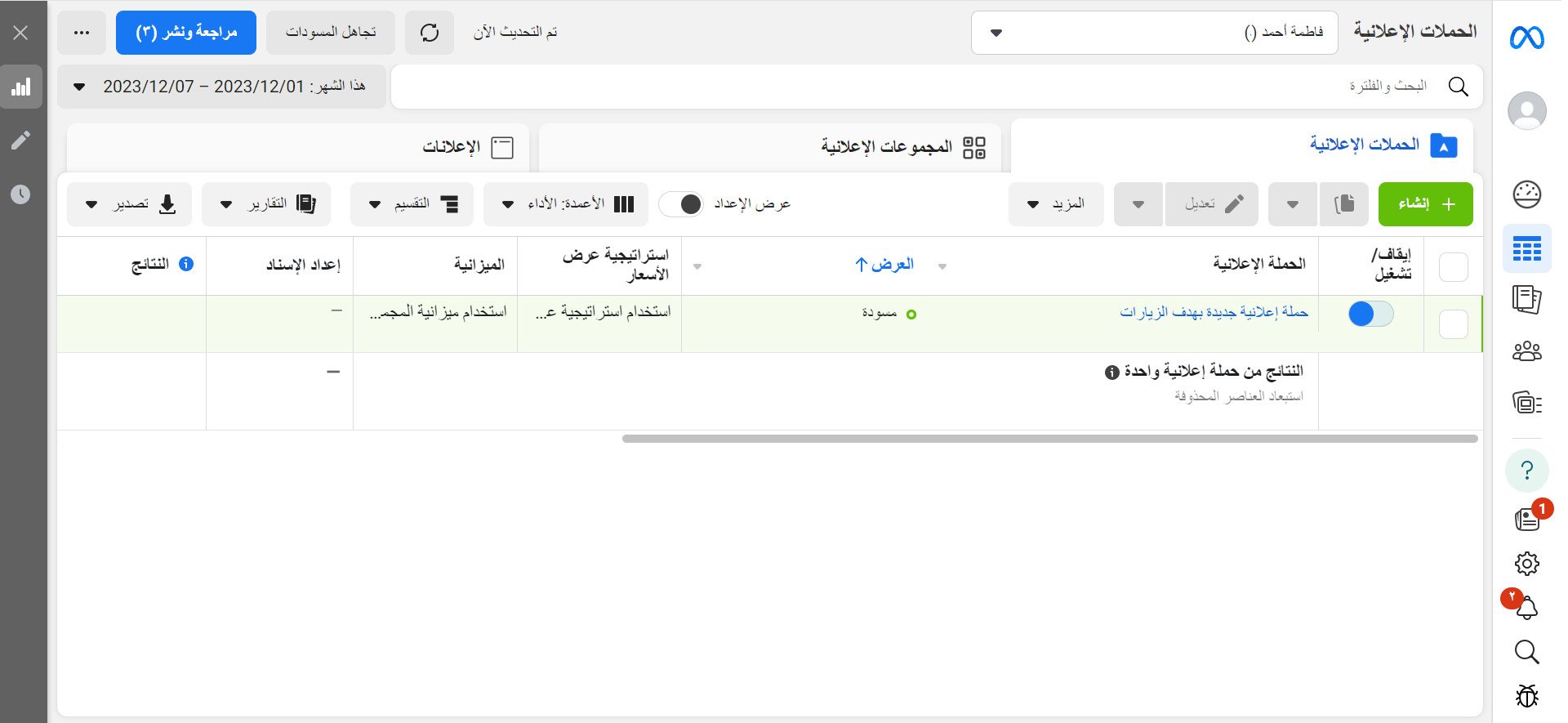
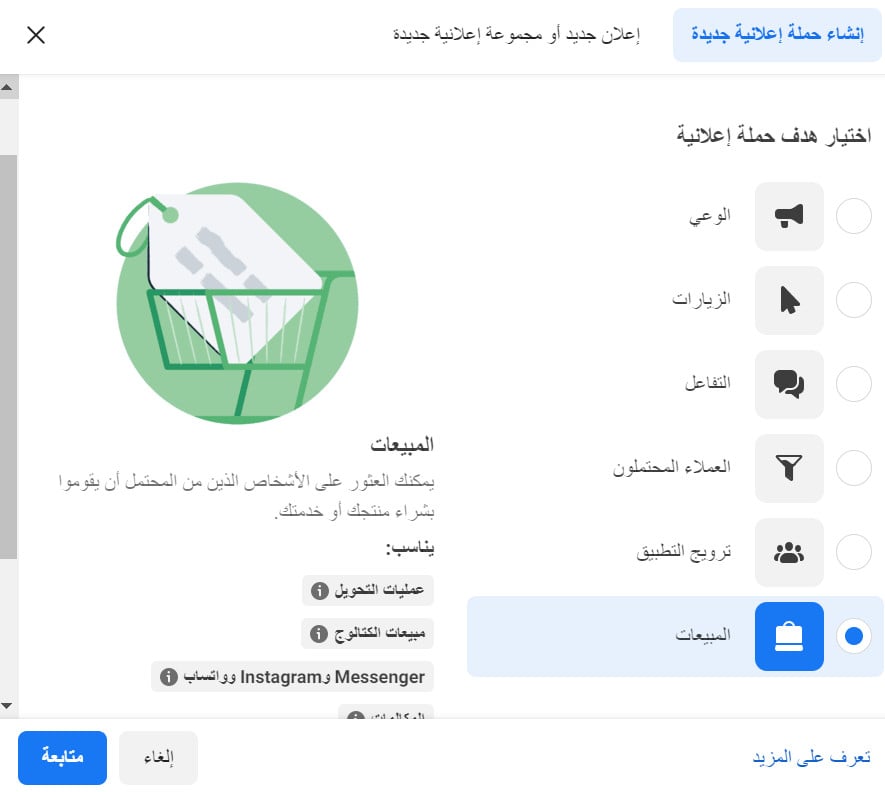
2. Choose the goal of the campaign you're launching — for example (Sales) — and click (Continue).
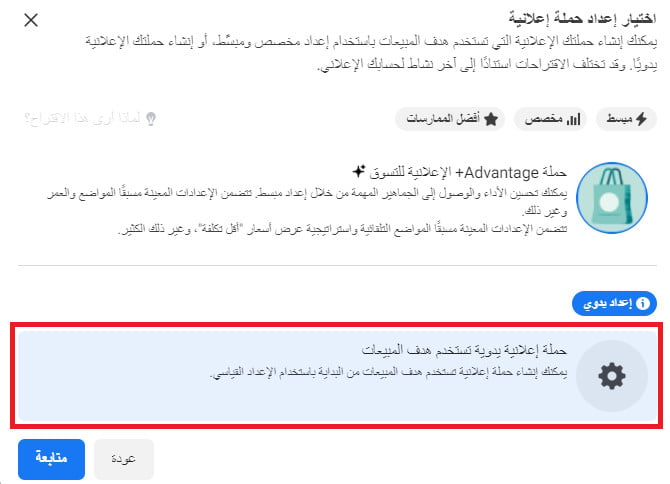
Choose to create a manual sales campaign so you can customize the audience the campaign is aimed at.
3. Enter the main details of the ad you want to launch, then click (Next):
- Campaign name

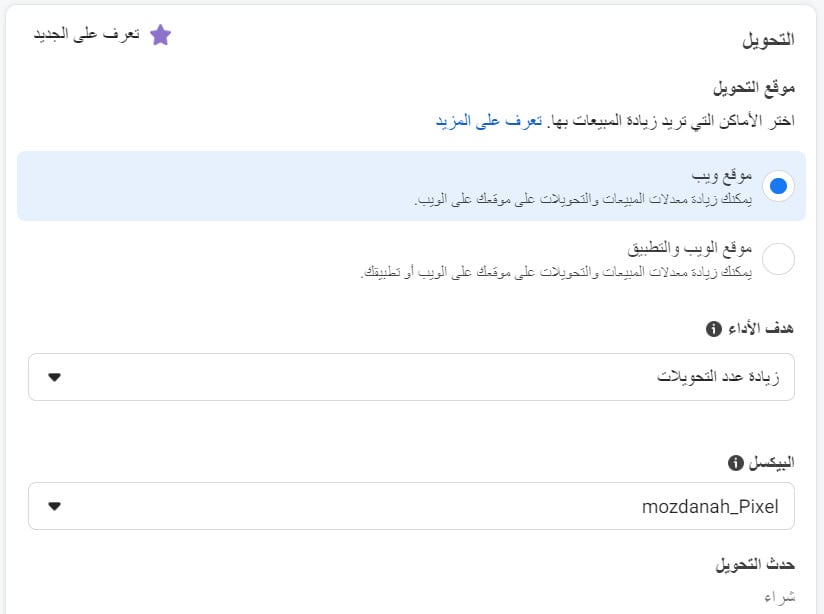
- Conversion — at this step it is very important to select the pixel of the store you're targeting.
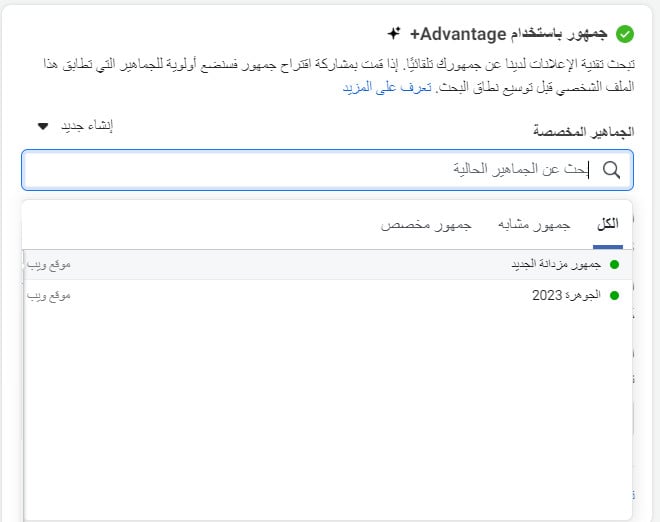
- Advantage audience. It is very important to select your audience from the custom audiences you prepared in stage one; you can also click (Create new) from the same section.
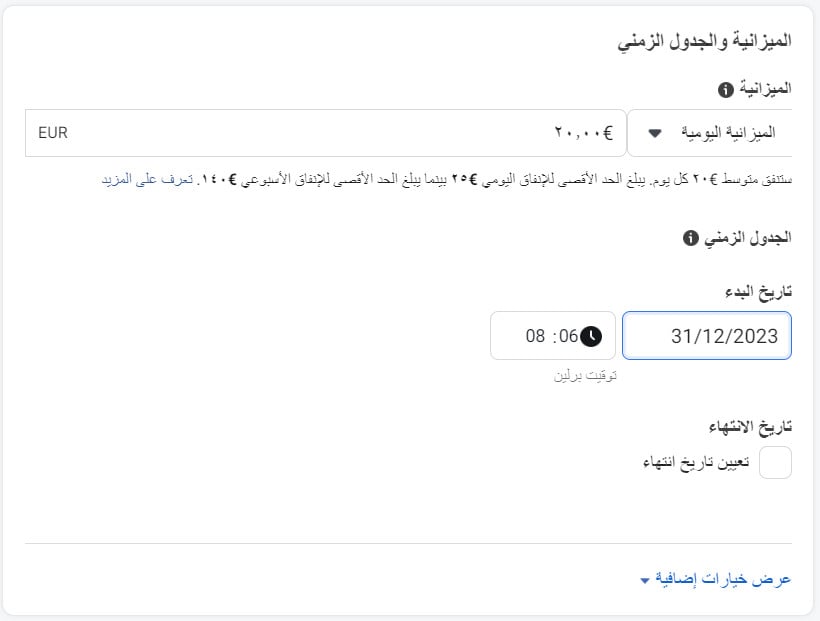
- Campaign budget and launch schedule.
4. Customize your ad professionally: set your store identity by linking your Instagram and Facebook accounts, and choose the ad design.
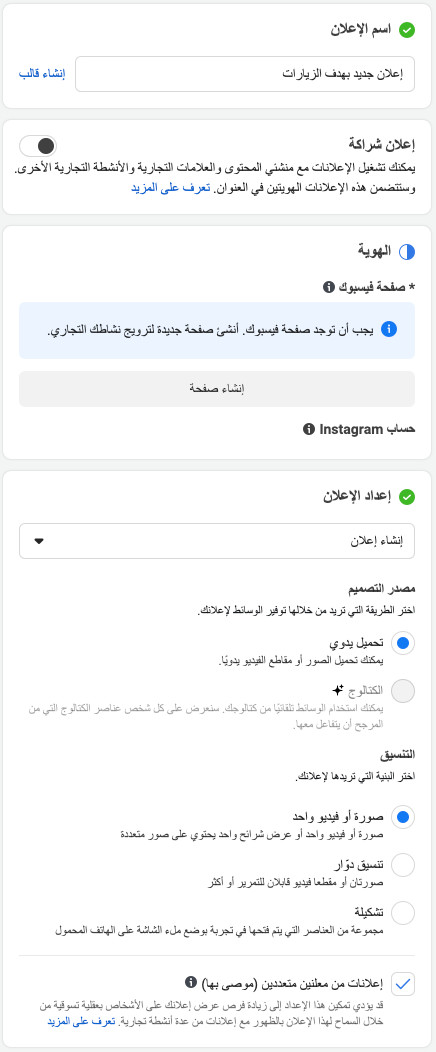
5. Add the ad's headlines and creative. Make sure the ad copy is attractive and eye-catching.
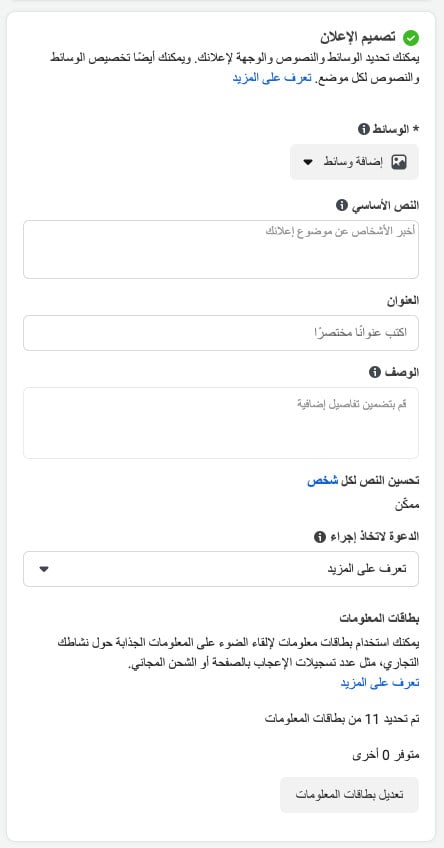
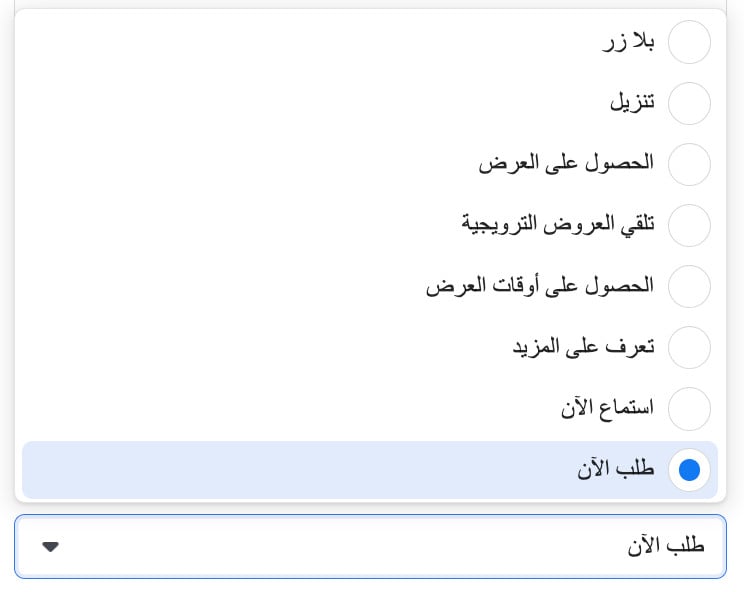
6. From the call-to-action list, choose the action you want your visitors to take.
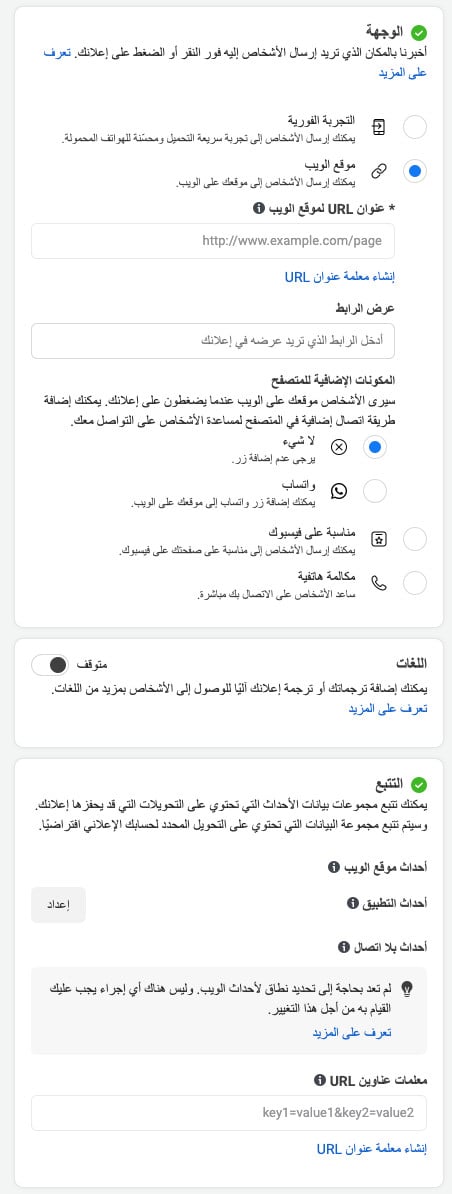
7. Set the destination you want visitors to land on. You can add more languages to the ad if you like, and make sure the pixel and Google Analytics are connected so you can track the ad's statistics. Then click (Publish).
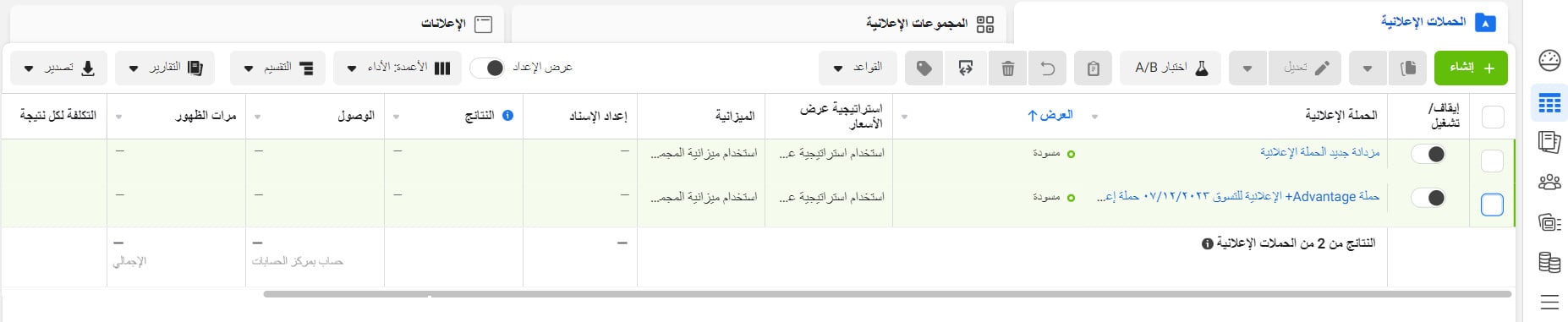
8. You can now click (Publish) to publish your marketing campaign.

You can manage and track the campaign from the ad campaigns page:
For more details, see retargeting on the other platforms and retargeting campaign basics.